Problems? See this thread at archive.org.
I just checked and apparently omega drivers are dead. Looks like they stopped during the HD 3k series. And I also know that the mobility modder project died too. I assume that ATI's mobile driver does not work for you? I think when Nvidia/ATI started making mobile drivers a few years ago is what killed these projects, since laptop users could finally get official drivers.
And yes there are no issues with Nvidia/ATI or ATI/ATI, just ome people have problems with Nvidia/Nvidia. If you go the Nvidia/ATI route though I don't know if you can drag apps from one screen to the other, but maybe you can.
-
it might be faulty but i have no idea how to check if it is. Maybe there is some driver entry in the device manager for it but as you said you dont see anything out of the ordinary so it is probably working correctly.
maybe try something else. it may sound trivial but are you sure you have connected the gpu correctly to the power source? a white connector should run to the PE4H to supply power for the fans and two black 6-pin connector should be connected to the gpu to supply power to the gpu. if not connected properly the gpu will not be detected in the device manager. -
Any idea where to get longer mini HDMI cables? I looked at monoprice, but the longest they have is a 9in.
-
this is discussed in the getting started item 5 on the first post of this thread.
-
Hello again DIYViDock'rs... I had a rig w/a X200+GeForce GT240 working for a solid 6 months then it suddenly stopped! I can't play any game or run any benchmark for more than a minute or two before a complete system lock up - "black screen" of death.
I upgraded the power supply (600W ATX) no go. Upgraded the video card (to a GeForce GTX 560 Ti) STILL NO GO! Tried another mini-HDMI cable, same behavior. It must be the PE4H v2.0 I have...
Can anyone suggest any additional troubleshooting steps I may have missed?
FYI - It really *feels* like a voltage thing. Any ramp up triggers a frozen/rebooted computer. -
does anybody know what kind of chipset I have got in my X200T with SL9600 and 4500MHD
-
ICH9-M. Northbridge is GS45.
-
Hey Everyone,
I thought I was the only one wondering why laptops manufactures had not let us use the power houses that are Desktop GPU's.
Thankfully I was wrong! After reading 250 pages of this thread I was convinced and decided this is worth the risk.
Thanks again to Nando for bringing all this together in an easy to follow thread and the help he has given everyone. (and thanks to others who are helping and posting their experience)
I just purchased the PE4L and will be using XFX 5770.
I have 1 laptop and 1 computer.
My gaming rig is on the other side of the world right now in Canada since I'm on a working holiday in Australia.
Made from scratch it includes:
i7 930 2.8ghz (oCed to - I forget), corsair H50 water cooled
1x XFX 5770 1 GB
6gb 1366mhz Corsair xms ram
WIN 7 64bit
Asus P6T mobo crossfire enabled
So I'm left here with an Acer 5742G laptop:
i3 370M 2.4ghz
Dedicated Radeon 5470 mobility 512ddr3 - HATE DDR3 in gcards! @ x16 2.0 pcie
4GB 1366mhz ram
WIN7 64-bit
South Bridge : Intel HM55
Which can barely render Bad Company 2 @ a solid 30fps @ lowest setting.
After overclocking the 5470 with RivaTuner from 750 core to 860 and 800 memory to 960 and also changing BFBC2 settings.ini property RenderAheadLimit to = 0 It is actually playable but not by much..
The Acer has NO express card and only one mpci-e 2.0 1x wireless card on port 3.
I figured I'd give it a go since if it doesn't work out for me I can sell the PE4L on ebay and then crossfire the 5770 I buy in Aus when I get back to Canada. That plus adding a Vertex2 SSD I think I'll future proof my gaming rig for BattleField 3 when it comes out.
I'll definitely post my experience with pictures, video and benchmarks when I get everything here.
While I wait for the PE4L I had three questions if anyone had time to answer.
1) Been reading alot about over coming the 1x bottle neck. Since I only have one(1) mpcie 2.0 1x port I take it I have no choice but to plug in and have no tweaking options? Question: So since I have pcie 2.0 rather than 1.0 would this yield the same bandwidth as the 1.0 x1E tweak by default?
2) The mpcie wireless card I have is Half-Size with not even 2mm of extra length in the seat. I believe it's about 26mm long. The PM3N is full size @ 51mm I think. But in the pictures I see it has screw holes for half size and full size fitting. Will I be able to cut off the extra PM3N full size legs with out damaging it?
3) What do you expect to happen when I have two Radeons in the laptop, since it already has a mobility 5470. Possible driver and catalyst problems when trying to install the 5770's drivers?
Sorry for such a long post - had been thinking about external G-Cards on laptops for a few years was surprised when I actually found this thread!
Cheers,
BTR -
NVidia desktop driver has Optimus components
After reading how http://forum.notebookreview.com/gam...76-lv2go-1-0-beta-nvidia-driver-mod-tool.html can mod the desktop drive to provide Optimus on notebooks, I downloaded the latest 275.27 beta desktop driver and tried it. No success in getting internal LCD mode working on my 2530P, but the Optimus components do appear in the control panel. I tested it and confirmed the x1.Opt performance tweak does engage on an external LCD.
Wondering if someone who doesn't have 4500MHD/HD primary graphics but has a a NVidia fermi card can test and see if this driver makes their 3dmark06 render smoothly and increase their score by 2.5 times? That is, provides the x1.Opt tweak on a external LCD? -
short answer: no. On this chipset it is pcie 2.0 but runs at half bandwith so still similar to x1 on pcie 1.0. see the table in the Getting started section item 2 on the first post.
yes it is possible to cut, the pcb has no components or electrical leads past the half-width screwholes.
I am not an expert on AMD gpus but as far as i know several other VD systems have dual ATI gpus without problems. -
Thanks for quick reply nlooije
I figured as much just wanted to verify.
Well as long as I can get an improvement in BFBC2 with the 5770 over the 5470 I'll be glad
BTR
Edit: Quote from Nando which summed it up:
-
it is ok if I vidock my x200t with hd5870 eyefinity 6?
-
Tested that and modded drivers with LV2GO++. Inf files needed some additional modding for the DIY Vidock GTX, tried both nv_disp.inf and nvak.inf modding as LV2GO++ doc recommends (modded nv_disp.inf w/ overriding Optimus incompatibility warning).
I tried following setups:
GPU configuration: Non hybrid, hybrid optimus
Mobile setting: MS WHQL, LV2GO
Tool-Set OS: 64bit
Internal laptop GPU: NVidia GT330M (Sony VAIO VPC-Z with same driver 275.27), Intel HD Graphics disabled in BIOS.
Either no luck - Optimus enhancements and PCIe compression does not kick in with the laptop's NVidia dGPU as primary. System tools don't show Optimus options and 3DMark scores ~5500 instead of ~15000 with Intel HD Graphics enabled.
![[IMG]](images/storyImages/optimuswithtwonvidias.png)
-
Went ahead and bypassed the fuse on my PE4H v2.0 by soldering (as indicated in http://forum.notebookreview.com/gam...1-diy-vidock-experiences-152.html#post6641790).
* update: fewer blackscreen lockup->reboots but they're still happening... Maybe the PE4H is dead?
It did work well enough to go ahead and retest my GT240. Benchmark scores have increased a ton since I took them originally last year (~4500 -> 7500 3dmark6. Updated them in my original post http://forum.notebookreview.com/gam...51-diy-vidock-experiences-57.html#post6232081
Weird, but cool, I guess! Must be due to the Optimus driver.Attached Files:
-
-
Okey dokey, I have connected a 19.75V power supply to the PE4H, and it works fine. I've connected two monitors to the EVGA graphics card, and connected the PCIe adapter to the express card, plugged it in, and...
Voila!
With the express card plugged in, it seems to work initially, I get output on the two external monitors, but nothing on the tablet itself. Then the computer wants to restart, and I get the BSOD, the computer goes into repair mode, and restores to a previous time. The nVidia drivers have been downloaded, no modifications to them (not sure exactly how to make the modifications if needed).
If I start with the express card out, I see only Intel HD graphics as the graphics device in the device manager; when I plug in the express card, the nVidia drivers install, and computer requests restart.
When I do so, windows starts to open on the two external monitors but not on the tablet, and then I get the BSOD.
I pulled out the express card, and the display reverted to the tablet.
So, a couple of questions--
The external monitors only show up as generic pnp monitors in the device manager, even when I update the drivers, and only when the express card is plugged in. Must they have more specific drivers, and could that be the cause of the BSOD?
My thought was that the diy video dock was to be hot-swappable. Is the tablet going to have to install and restart every time I unplug the express card?
When I attempt to open the graphics properties when there is initial success, there is no recognition of the nVidia software, and I have no option for multiple monitors (everything is cloned on the external monitors).
Any recommendations?
Thanks in advance. -
I also did a BIOS update using the Lenovo BIOS utility, worked without any problem, and that was before the last post.
-
Guys
I tried it with a newer power supply that I bought today, Corsair builder series 430W, with a single 12V rail of 28A, which is more than enough to power my GTX 460. However, I still suffer with the same problem, of my laptop not detecting my card.
Anybody have any idea what could be wrong? I really could use some help, otherwise its a waste of my money on this setup
thanks -
I'm trying a 1GB ATI HD 5870 on Vista 32-bit w/ 4GB RAM, an HP dv6700 laptop, ICH8, 965 Express Chipset, with Intel Integrated Graphics (Intel GMA X3100), using the ViDock Setup 1.x with bridge compaction, and I'm getting an error 43 in Device Manager.
When I try installing the Catalyst drivers, it states "incompatible display adapter has been disabled". This is supposedly a Vista problem with multiple graphics cards of different makes. So, I disabled the Intel graphics in device manager, and rebooted, and that fixed the error 43 problem.
However, Catalyst Control Center doesn't work, and GPU-Z doesn't display correct clock or memory information, and OpenCL isn't checked (which is what I need). Furthermore, I'm not getting a picture outputted from the card to an external monitor.
Any help would be appreciated! -
seeing all these set ups not working, time and money wasted and slow response from the community, I said it is just simply too much risk involved to do a DYI vidock.
-
I am sorry you feel that way.
It is a DO IT YOURSELF Vidock so if you are not willing to spend time or money on it then indeed you are right that this is not for you.
I disagree with your claim that "all these" setups not working, if you check the first post there is a large table with working setups. As far as i know, if there were problems with setups the more experienced posters in this thread are always willing to help and usually find a solution. It is very uncommon that a setup doesnt work in the end and if there is an instance of this it is because the user gives up prematurely thinking it would be a quick fix.
If you are dissatisfied with the support of the community than i invite you to give constructive critique on how to improve the community as nando4 has asked for several times.
Lastly, i would like to say if you are not able to give constructive critique dont give any critique, keep your opinions to yourself and forget about this project and the community. there are people here who spend a lot of time researching ways to improve and test this project. Your post has NO added value to any of these things. -
^100% agree.
1. There is no word about it will work with EVERY laptop and DIY implies that you won't get a product working out of the box, it was, is and will be some own work.
2. What do you mean with slow? I responded to your first post in the forum in 1.5 h:
3. What about not wasting our time? What type of answer do you honestly expect on a question like that:
Here is my answer: " Yes, it is ok."
4. Then buy a desktop pc and be happy with that. In addition to that, community works on the "give and get" principle, what do you give? -
okay, thanks for the reply.
Say what if I got out now and buy PE4H, PSU and hd5870 which will cost me around $600 including postage, then it turn out it will not work and I have to selling them as used parts. How sure are you that it will work? I am just saying that there will be considerable risk on my behalf as I will be the one who has to investment in the time and money based on your information. -
If you are that worried get a PE4H - PSU and lend a pci-e card (or buy one cheap locally)
-
Wow, it doesn't cost that much! 600$, even if it didn't work, exclude the PE4H, and buy a desktop, which is the lowest value is 500$... (no offense: but your name fits good)
-
the whole point of it is give my laptop more graphical power to run more than two external monitors while retain it's portability when needed, why would I want to build a desktop?
-
Doh! Man, you don't get it, do you? Do you seriously want us to give you some kind of warranty? This all here is pioneer work, it is just about trying. Go buy your stuff and contribute to this thread or buy a ViDock from Villagetronic w/ return policy if you don't like this here.
We have several lenovo X200/X201 in the performance table, so I guess your setup will also work. As tpro and FragZero suggested, you can also buy or lend a low-end card for trying. Or buy your parts in a store that gives a refund policy on returns. Why do you actually want a 5870, your SL CPU is so weak that this high end card doesn't make sense at all. If you want to connect 3 displays through the card, a $130 HD5750 with a 100W 12V laptop PSU is perfectly enough for you. -
1. this is for enthusiast so if you dont want to take the risk with your money then dont.
2. why dont you try it with the PE4H with a cheap card first, if you get it to work you can always get the hd5870
3. if not then someone here will be willing to buyout you PE4H and/or PSU
4. as i stated b4 many people have taken this risk already and have been rewarded with a working setup. It is a risk i guess but it is a better gamble than you'll find in the casino.
make sure you understand the limitations of the VD especially at PCIe 1.0 x1 setups the graphical power may not live up to your expectations. do you have the possibility for an optimus setup or x2? -
Vista can only support one family of video driver to be active. Only solution would be to run Vista using XP drivers (with no DX10 and Aero), upgrade to Win7 or downgrade to XP. I'd suggest upgrade to Win7.
A HD54xx or better class card supports up to 3 external monitor. The third requiring a displayport to DVI adapter. A HD5870 eyefinity edition allows up to 6 external LCDs, HD5770 Eyefinity 5 supports 5 monitors. A NVidia Fermi setup giving two monitors only, but would give full HD playback without stuttering with the x1.Opt compression tweak.
Your X200T is x1.Opt capable since it has a 4500MHD IGP. -
Thanks, nando. This is what I figured. While I was ultimately able to bypass the error 43 by disabling the Intel graphics chip in Device Manager, it still wouldn't work, my guess because the Catalyst drivers still can't install properly on this kind of heterogeneous Vista setup. I went ahead and got a used Lenovo S10 netbook with Windows 7 Pro that I found on eBay, that I'll be using, instead.
-
nanta, I have my x200t connected to U2711 and U2410 at the moment, I have another U2711 connect to my PS3. I would like to use all three monitors connected, and also in case I add more monitors in the future, so my best choice would be eyefinity 5/6 cards over other cards for future-proof reasons. I don't play games on my laptop though, just running multi-monitors.
I know the community can not guarantee anything, but how likely am going to get this to work? -
Hi maybe you guys could point me in the right direction to make my vidock work. I have an acer with intel core duo running xp 64bit with 4gb Ram. Im getting the code 12, and Ive tried removing 2gb and that didnt help so now im using the diy setup file, Ive tried using the X2 option on my port one because at the end of it it says ATI which I assume is it seeing my Hd 5570 ATi card. Problem is the code 12 doesnt go away on reboot and my wifi gets turned off. Any ideas?
-
Just want to report that this Creative X-FI titanium PCIe sound card worked fine in my Toshiba Satellite P100.No need for PCI reallocation.
The problem was the power adaptor ,was giving me Error Code12.
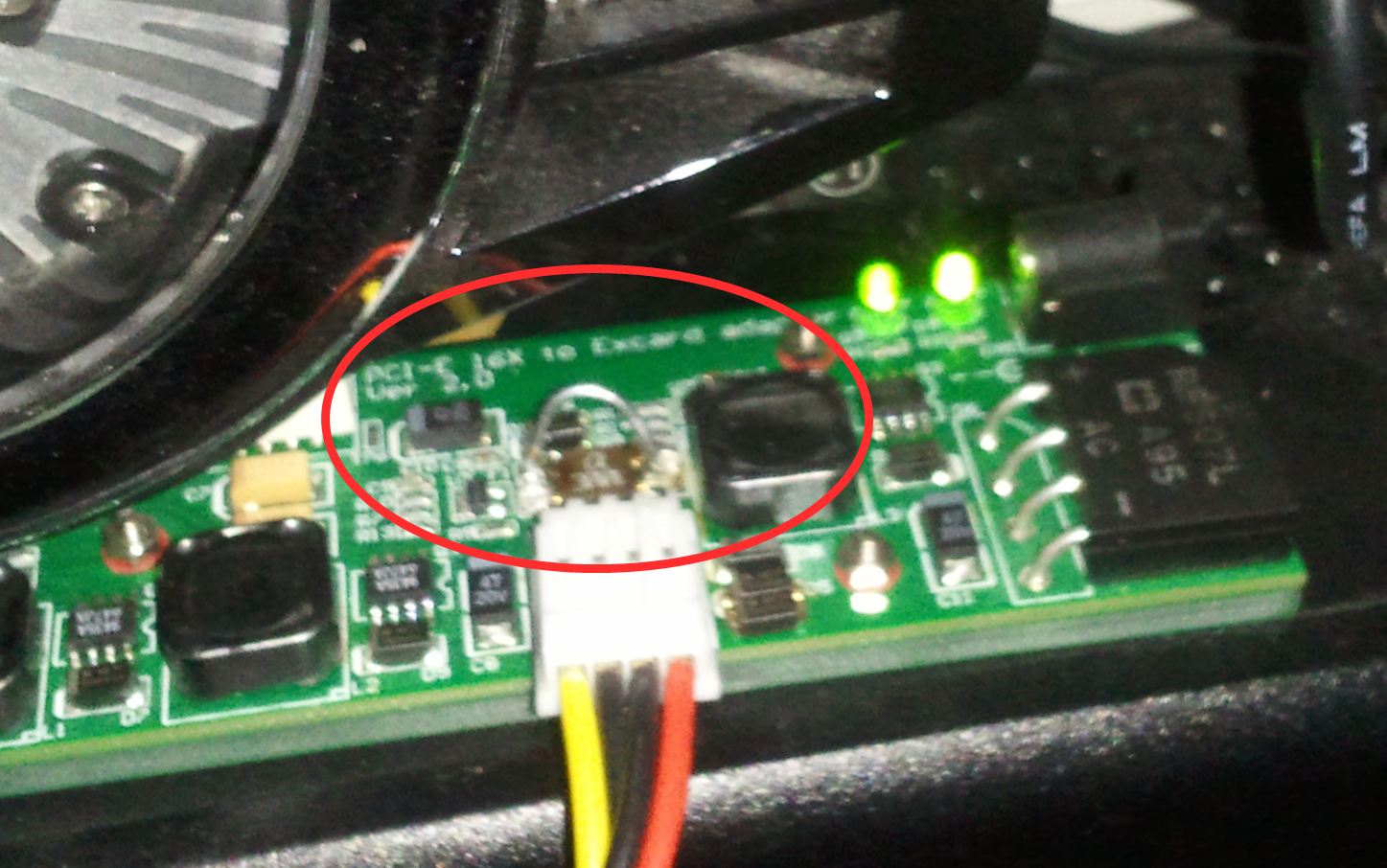
PE4H ver2.0A has limiters for 55W so it will not work with external power adapter.
With a desktop PSU everything worked fine.
Hope this will help someone who try this path. -
havent read the whole thread through so not sure what you trynig to achieve but Hybrid optimus - intel + nvidia switching
hybrid sli = nvidia + nvidia gpu switching.
In your case you should select hybrid SLI as the mod value? -
Anybody wanna tell me on what could be the problem on my machine not detecting the card? I changed my PSU with a better 12V rail, and my video cards works fine as I tested it on a desktop.
Is there anything I have set on the PE4L? I havent used my expresscard before at all since I got my laptop after 2 years, I hope there is no problems with that. -
Moved here.
-
My PE4H started acting weird. It just doesn't power on unless Expresscard adapter is connected to laptop. Fans start spinning but stop immediately. Just yesterday it worked as it should and I enjoyed playing fable 3 for 2 hours. No signs of overheating or artifacts.
after switching on the power:
D3 LED (green) on PE4H lights up but fades away soon.
D2 and D3 are on when PE4H is connected via expresscard.
Also PSU stops spinning.
When I get vidock running:
D2, D3, D4 green LEDs light up. 4 red lights on my 4870 light up. Windows doesn't detect it anymore as it used to. Is my card broken?
After 5-10 minutes vidock switches itself off
EDIT: setup 1.x does detect the card, usually.. last time I tested it switched itself off again, while still in setup 1.x? PE4H also powers off when I remove expresscard apater from pc's expresscard slot. This is strange :/ -
Hey dox thanks for jumping in, I tried to activate optimus with a non-intel as primary gpu. I did not choose sli mode because the two gpus do run independently.
-
Any ideas nando4, Ive been stuck for weeks, please save me
I can try whatever you can recommend and tell you exactly what I see.
-
So I've been reading this thread quite a bit, considering doing this for my T420 with i5 Sandy Bridge so I can play Skyrim and BF:3 this fall/winter.
I'm broke in grad school and care more about balanced settings and enjoying the game than maxed out performance.
This is what I'm looking at getting to do this, let me know if I'm missing anything?
PE4L + ATX power switch = $60
External ATX 400w PSU off Craigslist = probably around $30-$40
9800gt 1gb off Craigslist = $50
Am I missing anything?
I'm assuming this setup would work with the x1.Opt settings? -
1. what model acer? is it listed in the table on the first post?
2. you are trying an x2 setup, did x1 work for you?
No one has reported optimus working on a sandy bridge system yet; an SB Dell xps15 showed promising results with an ATI 5870. I will try soon to get optimus working on my system since i havent had the time.
if your willing to give it a go regardless, then go for it... the more who try and get it working the better. -
Hmm, well I can give it a shot. Do the rest of the parts look correct?
Here is what AIDA64 reports on the T420, looks like PCI-E 2.0 x1 port 1 and port 4 are open:
![[IMG]](images/storyImages/Capture-2.png)
-
I would personally go for the PE4H instead of the PE4L since it provides a larger base for the eGPU and the ability to do and x2/4 setups.
Also make sure that the amperage on the 400W PSU is enough for the eGPU, i am not familiar with the specs of the 9800M GT.
Other than that you are good to go...
edit: usually port 1 on the chipset is not an actual port -
So port 4 is going to be my ViDock port then?
If that is the case, that means only one PCI-E port is going to work with the external solution, so would a PE4H even benefit me with its x2/x4 option?
PE4H is cheaper at only x1 but if I only have 1 PCI-E to work with...
Edit: Also thinking about finding some sort of large plastic electronics project box or other square (well, rectangular) plastic projects box to cut ports out of and mount the parts inside. Radio Shack's boxes max out at pretty small sizes, I'll have to look around once I get the final measurements of what the sizes of the PSU, PCI adapter, and VGA card are going to be. If I do mount it inside a box, I can add a brace for the VGA card and keep all the wires of the PSU under control! -
i am not familiar with your system but it seems that you have the possibility of at least two ports to connect to: port 2 and 4. Connecting to port 2 would mean removing the wifi card.
You will not be able to do an x2 setup with this since you need two consecutive ports (so port 1+2, 3+4 etc.), also intel has limited this possibility with PCIe 2.0 chipsets.
This means you are correct that it will not benefit you with this system but perhaps in the future it will. There are no advantages of PE4L over the PE4H except a slightly lower cost.
In the table on the first post of this thread there is an entry for a Lenovo T410 system which may get you started: post and 3dmark06 results -
Cool, thanks!
I think I will probably go for the PE4H strictly due to cost, gotta sell some gear I don't use on Craigslist just to afford this stuff, so unfortunately, cost is the biggest limiting factor.
Can't remove the WiFi card, this computer's primary purpose is my primary school computer. Gaming comes in at a very distant 3rd after Lightroom use, which is why I'm cool with used older cards like a GTS 250 or 9800gt or something like that.
It may take a month or so for me to get everything up and running, once I do I'll post my results for other T420 users. -
@nlooije
I have an acer apsire 4730Z, under display adapters it has mobile intel 4 series express chipset family. and on the laptop itself it says it uses T3400 intel dual core Processor. As for for the X2 or X1 setup im just trying to get the vidock I have to work in general no matter which ive tried I cant get rid of the code 12, and although ive looked through the forum let me know if im doing this wrong. I see ATI on port one when I boot up into diy setup and pick option 2 to have the interactive menu. It only lets me add X2 1E and 4X on odd numbered ports, and when I choose X2 or 1E on port 1(The one showing ATi at the end) the code 12 stays and my wifi goes poof. -
great idea, i vote for referencing to i/d/eGPU from now on. It will make it easier to distinguish between the different gpus.
i agree with the move. Especially since the number of pages on this thread is becoming quite large with many post becoming obsolete in the near future.
Id be willing to input time to keep it maintained
Nice one, although i personally think Charlie Sheen is somewhat of tool
-
lets keep it simple first and try and get x1 working on your laptop. If that works you can move onto getting x2 working.
i need more info: what version of windows are you using and what is your iGPU and/or dGPU (not eGPU)?
have you read through the Troubleshooting FAQs? especially q3? -
@Nlooije
Im running windows xp 64bit, on 4gb of ram and I have tried the other meathods of removing the code 12 like different drivers ect. And this is going to sound really noob of me, but how do I check what type of gpu I have on my laptop so i can tell you? -
You can get an older card to save money, but I don't think it's a good idea to go 3 generations back. You can definitely find better value for 50 dollars, for example a 4770HD is only 50 bucks shipped on ebay, and it's 40nm. As a general rule for value look 1 generation back, as the very old cards have much higher power consumption, lower performance, and aren't much cheaper.
External GPU => eGPU is a nice abbreviation When I talk to people about DIY ViDock I always call it external gpu anyways.
DIY eGPU experiences
Discussion in 'e-GPU (External Graphics) Discussion' started by master blaster, Sep 18, 2009.