Problems? See this thread at archive.org.
How Windows 8.1 in terms of games anyway? Any issues or benefits?
-
I think there are more tangible benefits from CL9 1866Mhz or higher RAM vs 1600Mhz C11 RAM than the difference between a 'value' 1TB SSD and a top tier 850 Pro 1TB SSD for a gaming machine. I got a 3% increase in CPU Physics performance in 3DMark11 (and a few more frames in Skyrim) going from 1600Mhz CL9 to 1866Mhz CL9 (overclocked the RAM myself by flashing it), so the difference would be even a little more had I gone from 1600Mhz CL11 to 1866Mhz CL9 - which is the option that you would have had, but less than 5% difference in total I think. When I googled it there was hundreds of pounds difference in price between the different models of 1TB SSD's. Either way, I was just surprised you were spending so much on it when you seemed like you wanted to make a value choice on the RAM - seemed like the wrong priority for a gaming machine. Well, you know, we're only talking about small percentage differences here at the end of the day!
-
And I just ordered a Mythlogic Dia 1614, I went with the 1TB 840 EVO though, I realize the 850 pro is faster, but it hardly affects gaming. Plus it leaves me money to actually buy games to play :laugh:
If you are on a budget remember to leave enough for the games, the laptop is not quite as useful without them.Cakefish and Robbo99999 like this. -
I'm not sensible like that - I've been spoilt by my current 840 Pro! Storage, being the biggest bottleneck in any modern system in terms of everyday performance, is an area I'm willing to spend most in... after GPU for gaming of course! The reviews were so positive... especially in performance consistency!
Your wish is my command. Your command is my wish.
It works both ways
Will do!
In terms of savings, don't worry, it's under control. I had 5000, now I've got 3000. After I sell both my old Samsung and Clevo I anticipate 1000 back - so should have around 4000 leftover once that is done - not bad in my opinion!
Well GPU is the bottleneck in single-GPU laptops anyhow, even with 980M, so it shouldn't matter much. There's always the option to upgrade later down the road if I so wish!
maxheap and Robbo99999 like this. -
Intel only rates their CPUs' IMC up to 1600MHz, which means they guarantee it to work up to 1600MHz, and anything beyond that they make no promises. With that being said the one 4700MQ I tested was able to run 2200MHz ram just fine, so I think 1866MHz would more likely than not work.*
*Disclaimer: I take no responsbility for any loss of money, property, livelihood, or emotional damage that ensues from not being able to use 1866MHz ram. -
Any recommendations for some good 1866mhz ram that would be plug and play?
Edit: I can only find CL10 modules in 1866mhz -
http://www.silentpcreview.com/article1413-page4.html
it aint much difference betwen the 840 and 850 (0.7 of a second booting lol)
![[IMG]](images/storyImages/perf1.gif)
Attached Files:
-
-
Plug and play I think only Kingston does it (HyperX/Impact ram). Both Corsair and GSkill have 2133 ram but Corsair is phasing theirs out for some reason.
And I forgot to add that if your BIOS doesn't support or limits ram speed, then faster ram won't do a damn thing. -
850 Pro has 3D memory with higher endurance and lifespan... in theory.
-
I have a.. 6-7? year old ssd without trim that is as fast and good as the day i got it!
AND it's a OCZ !
just updated the firmware once..
-
Yeah, i get a little frustrated when people buy high grade ram for their old Mac Mini's..
Do you think the new gigabyte p35 would be able to run 1866?
Edit: also, Asus, MSI, etc etc
-
-
Damn.. My SSD just broke
Edit: NOT
Actually! Funny story. I don't really know how people hate ocz ssd's, After i (stupidly enough) sold my desktop and alllllll it parts....... .........
And got this 60$ Thinkpad edge 13
I went down to my basement and found it laying submerged in water and dirt on the floor! i just grabed it brought it upstairs, disassembled it rinsed it in water XD and dried it for 24hrs..! Running w7 now lol.
Should be in the hall of SSD's
-
but who uses the same ssd for 10 years?
-
Guy above uses it for 5 years (I don't buy 6 or 7 years) so why not?
-
Hey guys
When do you think the gtx960m will be available?
-
You might have found the holy grail of SSDs
-
Maybe, it has not been used continuously, apparently been forgotten about the last years
, but going through that treatment, i cant help but being a litle proud of that purchase
-
I have used HDD's for longer than that, and SSD's are supposed to last even longer.
-
All of you can use ssd's as much as you like, but i will be taking backups to the old spinner
-
Ofc, it makes no sense spending a premium on SSD's for backup drives. Just get the biggest, slowest HDD you can find.
-
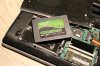
AND BEHOLD!
The Holy Grail
-
definitely agreed!! for backup get the biggest storage SSD(Super Slow Drive)!!.)
-
Should be released Q1 2015
-
Here you go:
http://www.amazon.co.uk/HyperX-Impa...1414136965&sr=8-1&keywords=1866Mhz+CL9+sodimm
It says that it automatically overclocks to the fastest supported speed of your notebook.Kaozm likes this. -
That's right, there's effectively no real difference between modern SSD's - best thing to do is get the one that's on best offer for the storage capacity as long as reliability has proven to be no issue with that manufacturer or model.
-
I would imagine it would be able to. For instance, my laptop only officially supports 1333Mhz RAM according to the CPU spec, and plug and play Corsair & Kingston RAM auto overclocked to 1600Mhz CL9 when I put it in (since then I've overclocked it further by flashing it to 1866Mhz CL9, but that's a different story).
-
Any news to the GS70 with 6GB VRAM?
-
Mid to end of November in UK (Scan /Overclockers) is the latest I've heard. Am waiting for more details on this myself. Im not a massive gamer, but I'd at least like to know the difference in price before i commit to one or the other. You never know what games are coming out in next few years that might require a bump in memory to run properly...
-
Difference in price is 250 dollars and you get the 4K screen as well (for gs60, but I am assuming the same deal goes on for gs70, without 4K though)
-
gtx 860m is essentially gtx 960m, there might not be a gtx 960m
I hope they will do something though!
-
The 960M most likely won't be a re-brand of the 860M, if there is one. It should have more cores and outperform the 860M by 20% or more.
maxheap likes this. -
You wouldn't mind making a thread on how to flash some ram please??:hi2: Desktop wise i have just paid out to get what i want.. (or if you got some good links)
And if i have understood right? About all notebooks have bios's that you get 1% of the settings from a normal atx 200$ motherboard? No RAM timings, No voltage control etc etc..?
LostCoast707 likes this. -
I don't think, but I don't know, that 860m will be 960m. The gap is just too big to justify a rebrand of the 860. I think it makes more sense that 860 will be 950m, while 960 will be an inbetween 860 and 970m. Considering 970 has about twice the cores, they can work something out heh.
-
Hi, I used a program called Typhoon Burner to flash the RAM with a CL10 1866Mhz EEPROM from a Corsair Vengence stick of RAM, I then edited the EEPROM XMP profile using Typhoon Burner to tighten the timings (and I reduced the voltage to 1.6V, standard CL10 profile I downloaded was at 1.65V). I then tested it using Memtest86+ (to test for stability) booted from a USB stick - that's the important part because if you load Windows with an unstable RAM timing you could corrupt the OS. (And always useful to have a stick of slow standard RAM that you can put in the machine if you're too enthusiastic with you XMP settings on your flashed sticks and therefore causes it to not boot - you then just put your standard slow stick of RAM in amoungst your modified sticks & then the PC boots to the timings of the slower stick, which enables you to get back into Typhoon Burner to modify the XMP settings again.)
Notebook's generally don't come with BIOS that allows you to tweak voltages, timings, speeds, but my M17xR3 is an exception to that rule, although strangely when I tried setting RAM timings using the BIOS the settings bore no relation to the actual settings applied - that's why I had to use Typhoon Burner to edit the EEPROM XMP profile so that it would automatically run at the timings, speeds, and voltages that I had set in the XMP profile. Here's a link that got me started, RAM overclocking is a bit of a dark art to me so I'm not gonna start a whole new thread on it:
http://forum.notebookreview.com/ali...enchmark-thread-part-4-a-234.html#post8381346
(I didn't follow all of his recommendations though) (You have to pay for the Typhoon Burner program). I had pretty good quality CL9 1.5V 1600Mhz Corsair Vengence & Kingston RAM that I flashed - so it was able to do pretty well at 1.6V.Kaozm likes this. -
It would be awesome if we got a 960 core 960m, fingers crossed!!
-
That would suck.
Maxwell is 128 cores / SMM so 7 SMM is 896core, 8 SMM is 1024 core.
To have 960 cores it would need to be a 30 SM Fermi GPU.maxheap likes this. -
My predictions on where 960M and related 900M/900 parts could fit in:
2048 - GTX 980
1920
1792
1664 - GTX 970
1536 - GTX 980M
1408
1280 - GTX 970M/ GTX 960?
1152
1024 - GTX 960M?/ GTX 950M?/ GTX 950?
896
768
640 - GTX 860M/GTX 850M/ GTX 940M?/ GTX 940?
512
384 - GTX 840M/ GTX 930M?/ GTX 930?
256 - GTX 830M/ Tegra M?
128 -
Looking good, wont buy them brand new but if I purchase my gf laptop soon it will be taken into consideration. I typically try to buy the 1 step down to save money
-
Gee you are right I totally forgot about 128 units per SMM
-
Excellent! So one should always buy ram with XMP profiles!? or did you somehow flash those xmp's on to ram that did not have it from factory?
-
Honestly I didn't even realize laptop so-dimms came with XMP profiles. But in any case Thaiphoon Burner writes to the SPD chip on the ram, so XMP or not it doesn't matter.
Kaozm likes this. -
Yeah, for laptops I think it makes sense to buy RAM with an XMP profile - this is where manufacturers of RAM state that it's auto overclocking (like that RAM that I linked you earlier on amazon). With Typhoon Burner it's possible to create XMP profiles onto sticks that didn't have an XMP profile before - at least that is what I can remember. I think Typhoon Burner gives you the power to flash almost any EEPROM to any stick of RAM as long as it's physical layout is the same - same size in GB (same number of chips I guess - is that called density?). My stock RAM already had an XMP profile, and the EEPROM that I flashed also had an XMP profile. Cost about £10 for Typhoon Burner - a good program, if you've got some RAM lying around it's kind of useful to see what you can turn it into! I didn't find it an easy process though, some trial & error, that's why I called it a dark art in my previous post - I don't know enough about it - it's way more complicated than just overclocking your GPU (or CPU).Kaozm likes this.
-
So maybe these would be perfect for gaming then? flashed to 1866. Don't think i would need more than 2x4gb (8gb) If i buy the p35w with 6gb vram 970m
Vengeance® â 8GB High Performance Laptop Memory Upgrade Kit (CMSX8GX3M2A1600C9) -
Those are the exact sticks that I have, and are the ones that I flashed to 1866Mhz. But theyr'e not gonna work for the P35W - that uses 1.35V RAM I think, so you need to buy 1.35V RAM, and you may or may not be able to overvolt from there, but I think you'd at least be able to tighten timings with Typhoon Burner. My M17xR3 has BIOS settings for 1.5V-1.65V RAM, so I don't know how flexible the P35W can be with voltage to the RAM, even if the XMP profile is modded to tell the PC to use say an overvolt to 1.5V. (Don't want to go too far off topic here, best to PM me if you have more questions.).Kaozm likes this.
-
So, my 980m sager arrived. It's idential to the one in my sig minus the GPU. About to bench me some games. EXCITED.
Mr Najsman, moviemarketing, Tonrac and 3 others like this. -
Temps, overclock results, and benchmarks would be interesting.
Kaozm likes this.
-
Seems like HIDRevolution is selling AW 18 with 980M SLI
HIDevolution Alienware 18-HID19 NVIDIA Dual SLI GTX 980M Gaming Laptop
HIDevolution Alienware 18-HID19 NVIDIA Dual SLI GTX 980M Gaming Laptop
GTX 900M series officially announced by NVIDIA!!!
Discussion in 'Gaming (Software and Graphics Cards)' started by Cakefish, Oct 7, 2014.