 Problems? See this thread at archive.org.
Is the 780m heavily bottlenecked by a 2670qm?
-
-
I can't get much higher than 1500MHz:
Generic VGA video card benchmark result - Intel Core i7-3920XM Processor Extreme Edition, MS-16F3 score: P8250 3DMarks
1550MHz seems like the max. -
1550?
what do you need higher memory overclocks for, as they are useless for gaming/benchmarking. :? -
When I overclock, I start off by literally finding the absolute maximums that everything can reach.
I suppose it's just a habit. -
Meaker made a pic showing those FC03 chips on his MSI 780m. Those are the same chips a Titan card uses. I don't remember the post. I'll try and find it.
Since those chips are implemented on the MSI 780m, and they get downclocked from their original specs, it would help the card run cooler on a single fan design like the one on a GT70/GT60. They can operate at 1500MHz 24/7 because that is their intended working frequency.
Here's the spec sheet directly from Samsung:
https://www.google.com/url?q=http:/...CA&usg=AFQjCNGiURC2bvTDVTYsr9AQcyKzg2rscA
Well just like CPUs with silicon that don't perform on par with the intended design specification get labeled as lower end products (Core i7/i5/i3 vs Pentium Bxxx), so do RAM chips too. Usually with memory chips you can only push them so far. I'll try not to get technical and make it short: raising frequency raises heat as we all know. Once heat reaches a certain point the transistor's tolerances change, leading to bit errors.
250MHz is very near to the higher frequency FC03 model so those errors would not influence at all. Now since I don't have access to internal die shots of those chips, I can't predict how high they can stand before errors occur. That's why I'm assuming 1500MHz to be very safe. Based from what I've learned when I've made some research at university for Micron.
Those benchmarks made by the chinese guy with a GT70 confirm the higher overclocking potential of the MSI card. They got removed from his chinese forum post. I don't know if Cloud still has the pics
-
1500MHz may be safe, and I understand how binning and picking silicon works. Just that you state 1500MHz would be the most stable overclock. It could be less than or more than that amount. There is no "ideal" or "stable" overclock frequency really. All depends on the quality of the process and the silicon. I'm sure the faster quality check parts are binned as FC03 and lesser ones as FC04, but that's about the size of it.
I do have to say that the 780m is definitely a higher TDP chip, consumes more power. In general the 780m in the P157SM at stock draws 20-25% more power than the P150EM with 680m at 1000/2400 an CPU at 3.9GHz. So I think it is safe to say the 780m is likely a 120W TDP chip. On the other hand the 780m system does run about 10C cooler than the 680m system overclocked. Of course the best way to really tell is to put the 680m in the P157SM or the 780m in the P150EM, but since the P157SM is not my machine, I'm not about to try, but I am sure someone will soon enough. -
Anyone have an idea when Nvidia will have drivers for the 780M on their website? Thanks
-
Chip binning is part of it but it would not surprise me if batches of higher quality silicon are used to get higher speed chips at reasonable yields.
-
Likely. I'll see how high I can push this FC04 vRAM.
-
Every chip is different and with vram you have 16 and are bound by the slowest one
-
Funny, I was just going to edit my post make that exact same comment, you're only as fast as your slowest chip.
-
The fastest way to see how high your chip will go is to run firestrike normal mode. It allows for very high video memory over clocks.
This is ran at 1350 vmem
NVIDIA GeForce GTX 680M video card benchmark result - Intel Core i7-3940XM,Alienware M18xR2 score: P6213 3DMarks -
Love this thread! More guys MOAR
-
yes I agree
+1 -
-
Default clock 850MHz?
That's not stock is it? -
It is. GPU Boost goes to 849MHz
-
It must be modded. I wasn't paying attention.
Stock is 771MHz: -
771MHz, base clock
797MHz turbo boost
849MHz GPU Boost 2.0 clock
Since basically all notebooks with GTX 780M is capable of cooling it properly, they will run at 850MHz all the time anyway
-
looks like he has you riri fifi.
-
Talking only about the gpu score.
-
Yep
The overall difference comes from that 3720qm vs 2670qm
-
I hope you are wrong. 100W tdp is already high enough for a laptop card. 120W is ridiculous if true! No wonder the 780M is so much faster and a bit of a cop out therefore. May as well slap in a 150W tdp card and make it 60% faster...
-
Ohhh already at my 680m score
only up from here.
NVIDIA GeForce GTX 680M video card benchmark result - Intel Core i7-3940XM,Micro-Star International Co., Ltd. MS-16F3 score: P5853 3DMarks
The msi system showed much lower power draw than the clevos (which were prototype units). -
Quit playing Meaker. Go do a June run.
-
With +135/+500 OC (i.e. 984/3000) on the 780m on the P157SM, the power draw is frequently 180-190+, so with Clevo machines you'll likely be limited on OC by the stock PSU. Otherwise temperatures are decent with the stock cooling.
-
Are you taking psu losses into account? 200-205w from the wall means a 180w supply is maxed.
Also I live in scotland, makes no difference if I run in june or january, its all the same here
-
Yes I am, of course. All I am saying is that if it's pulling 190W+ it's near the max power threshold for the PSU, so overclocking any amount more will limit performance. I just experienced this with Dirt 3 with overclocked 780m, it was pulling 203W and performance was jerking all over the place, and overall performance was a measly 2.6FPS more than at stock.
Sager (and Clevo builders) need to consider sourcing a 220W-240W PSU, because even with the software limits of +135MHz the PSU is not adequate. -
That's not exactly what I meant....
More like do another run this month and your score should be higher with the same overclock..speculation of course...
Edit: You know, like this....
PS. No a/c or exotic cooling or outside. just sitting on the Cooler Master cooling pad in a 95F room.
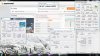
NVIDIA GeForce GTX 680M video card benchmark result - Intel Core i7-3940XM,Alienware M18xR2 score: P6383 3DMarks
![[IMG]](images/storyImages/firestrike680m3940xmsin.jpg)
-
Yeah this 780m is really a PSU killer. Dirt 3, Crysis 3, Battlefield 3 (lol all 3's) when OC'd push it beyond the stock PSU limit. I guess I'll have to get my modded PSU completed to even give this a shot to test actual performance when overclocked.
-
HA, maybe the 4's will fair better
I'm curious to see your results with PSU issues and draws... I like the MSI GT60, but with it's NOS system and I believe stock 180W PSU, I see issues if they limited the PSU to 180 and won't allow higher, ie only battery "NOS" extra power. I assume the Sager and Asus will support a higher PSU if we plugged it up.
Maybe I'm totally wrong -
I want to gather benchmarking information against the GTX 780M. With or Without overclocks via software or a custom vbios. Please post your scores / benchmarks etc on this thread please -> http://forum.notebookreview.com/gam...ks-overblocks-vbios-afterburner-evga-etc.html
-
I've asked Sager if they are going to offer a larger PSU even as an accessory for overclockers. Because even a slight OC can push it to the limit on some games. That's all at stock voltage and just using nvidia Inspector with +135 clock limit on GPU.
-
Can't wait til my P375SM arrives in that case: should be no problem OC-ing its dual 780ms. Sager did actually bump up the limit on that PSU to 330W (likely 'cause it will be the same unit they'll use for their desktop Has well model which always had trouble with the PSU).
-
Yeah 330W should be adequate, although likely run over 300W draw at peak loads. But at least it shouldn't stutter and throttle. I hope they offer a larger PSU for the 15" models. That would be a bummer.
-
People getting stuttering during an overclock, thinking that it is the PSU.. If the PSU in the P157SM, the Asus G750 and the MSI GT60/GT70-2od are all just connected to the laptop with a 2 wire plug, that means that the laptop and AC adapter cannot communicate with each other to look at capacities. The only reason why you'd see performance degradation is if the laptop is throttling because of temperature, or possibly if it is detecting a voltage drop at the DC input and has the logic to throttle instead of dealing with the lower voltage or crashing or just cutting the connection.
I would think that a quality PSU would deliver adequate voltage and would trip before voltage lowers enough to cause throttling or crashes.
Are any of these AC adapters a 3 wire connection to the laptop that allows communication, like a Dell?
Anybody experiencing loss of AC power with a 2-wire outerput AC adapter, it could be from a limit within the laptop if the AC adapter is still on, indicating that a larger AC adapter will do nothing for you (hello MSI), or the AC adapter tripped and you could possibly use a larger AC adapter without the laptop trying to protect itself.
You think you are having problems now, wait until you get an extreme chip and overclock both the CPU and GPU and crunch for science with Folding@home when you aren't gaming. Might not be pretty -
We know the old machines can use more, I got 240w out of mine with no throttle.
I have myself a delta version of the slim brick. I will be investigating it to see if I can get it working like my flextronics version.
Edit update: getting 19.5v no load voltage. My machine is not assembled at the moment (no cpu or gpu) but the charger does activate the battery charge light. -
Doesn't the 330W mean 330W minimum? Like the real total amount it can give is ~350W or so? So I shouldn't need to worry about ocing the cards a bit and it running out of juice, yes?
-
330w will be the highest rated continuous load.
-
Not sure if anyone discussed this before. But does anyone know an estimate or possibly the exact percentage of how much faster the 780m will be over the 8970m? Really would love to know, as I'm going to be ordering a clevo this weekend, with the 780m or 8970m. And i want to know if the 200$ investment in the 780m will be worth over the 8970m.
-
Just to get the info out, the power supply specs for G750JH: (Asus' website.)
Output :
19.5 V DC, 11.8 A, 230 W
Input :
100 -240 V AC, 50/60 Hz universal
3/ 2 pin compact power supply system (Happy overclocking!)
-
Now if only it had a propper mxm slot. Just not interested in a system unless it does.
-
GTX 780M is about 33% faster than 7970M. Considering that 8970M got 50MHz higher clocks than 7970M, you`re looking at probably around +28% for the GTX 780M.
$200 more for the 780M worth it? Hell yeah -
Tanks for the reply! Now I'm sure to get the 780m. Also another question is, would you recommend a 17.3" or 15.6" for a college student that lives on campus?
Scratch that question, decided to go for the 15.6", only need to connect to an external monitor if I wanted something bigger.. -
It's definitely a power issue. Any time it exceeds 200W or so power draw, things start to get funny. I have two other 180W PSU's that I tried with same result. I'll finish modifying my 240W PSU and see if same thing happens.
-
We did extensive testing. For cpu and gpu overclocking or high gpu overclocks you need a larger psu. No 180w can hack it.
-
Any idea if a 240W is available with 5.5/2.5mm barrel connector?
-
Only the ones I mod unfortunately.
I`m upgrading, are you? (GTX 780M review inside)
Discussion in 'Gaming (Software and Graphics Cards)' started by Cloudfire, May 8, 2013.





![[IMG]](http://imageshack.us/photo/my-images/507/firestrike680m3940xmsin.jpg/)


