Problems? See this thread at archive.org.
Hmm, the holes holding the card to the mobo are located differently...
I don’t think I can mount it at all this way...
-
At first glance it looks like the right screw hole appears to be ìn the sweetspot, but upon further investigation I was disapointed...
Guess we'll have to wait until the Frankenstein cards appear -
Let's wait and see

-
I was curious if anyone has tried a Tesla M6 mxm card, there's someone on ebay who is selling a precision m6700 with one installed who says it's like an m5000m/gtx 980m card, even has msiaf showing it's fine. But a seller of just the card on ebay says to not do this.
https://www.ebay.com/itm/Dell-Preci...158296?hash=item4db28e6558:g:QpkAAOSwvYRfUF1y
https://www.ebay.com/itm/NVIDIA-Tes...sh=item523877aa1e:g:8xsAAOSwwR9fB37B#viTabs_0 -
Yeah I was thinking that, they won't last long. The other ones are hundreds of dollars so if you're looking to upgrade gpu in that system it's a no brainer. I'd do it but thankfully past that time all done with this thing and got really lucky with a 980m for 110$. No more tearing this thing apart for me lol
edit: the downside is that the laptop seller says no hdmi/dp output only vga but if you can deal with that it's amazing. -
Wonder if it will show up in LVDS display without Intel GPU. My guess is no.
mirage_bg likes this. -
I also don’t think it will...
-
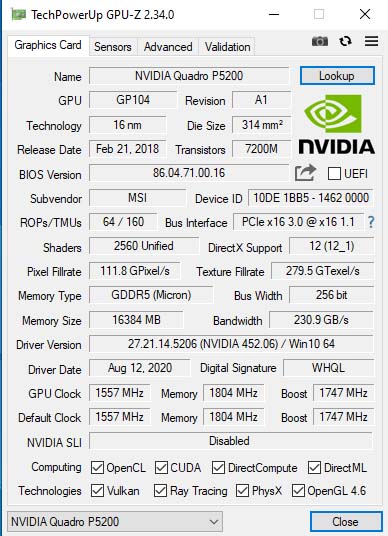
I am using a Quadro P5200 in an MSI GT70 laptop.
I hope it will be rtx 5000 in this size.Attached Files:
mirage_bg likes this. -
-
Would you upload a screenshot from FS with P5200?
-
Hi guys! I'm very need you help!!!
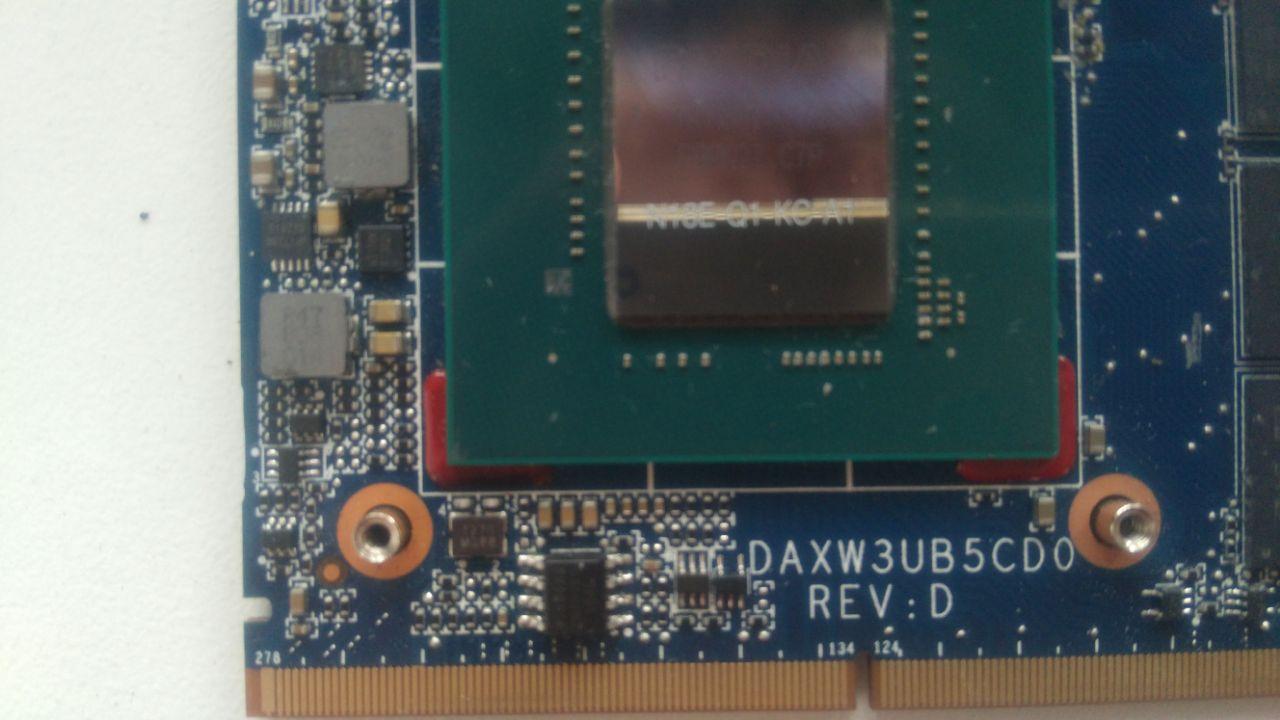
So... I bough Quadro p3200 from HP laptop, it came without vBIOS chip so I soldered it to the PCB and flashed with the DELL Precision M7730 vBIOS and... it's not detecting in any of my laptops, only black screen appeared. I read on this forum that the Quadro revisions's C and D need to move some resistors to be detected, I have rev. D unfortunately so I ask you to help me with this.
P.S.
I flashed 3 different vBIOS on the chip directedly with the SPI programmer that I have and the result are the same, so the issue is on the right positions of the resistors.
I upload the photo of the resistors and the vBIOS that I flashed.Attached Files:
-
-
Not yet 100%. The external screen is absolutely ok. The internal screen freezes many times. Why? There is a lot of consumption. Tests, photos on internal screen. Games are only good on an external screen. Then there is not too much power consumption ..... NV panel setting.
So tests, quadro calculation and display on the internal screen are perfect ..... quadro (internal) less score, lower performance (not because of consumption!) .... intel HD4600 unfortunately ruins. It would be nice to turn it off completely.
I'm using a quadro driver now.Attached Files:
-
-
What does the card do? Can it just be a good vbios question?
-
Thanks!
I thought it would be worthy to upgrade my 8770W from GTX 1070 to P5200, but I am not sure anymore, looking at the difference:Attached Files:
-
-
When it comes to games, it’s not worth it. If you want to use quadro stuff, the situation is different, especially with an external display.
Attached Files:
mirage_bg likes this. -
-
Yeah, in my case - mostly for gaming...
-
It's only black screen and that's it. It's not a vBIOS problem.
-
![[IMG]](images/storyImages/3c3D.gif)
Attached Files:
-
-
What the...
GPU? Interposer card? Tell me more
-
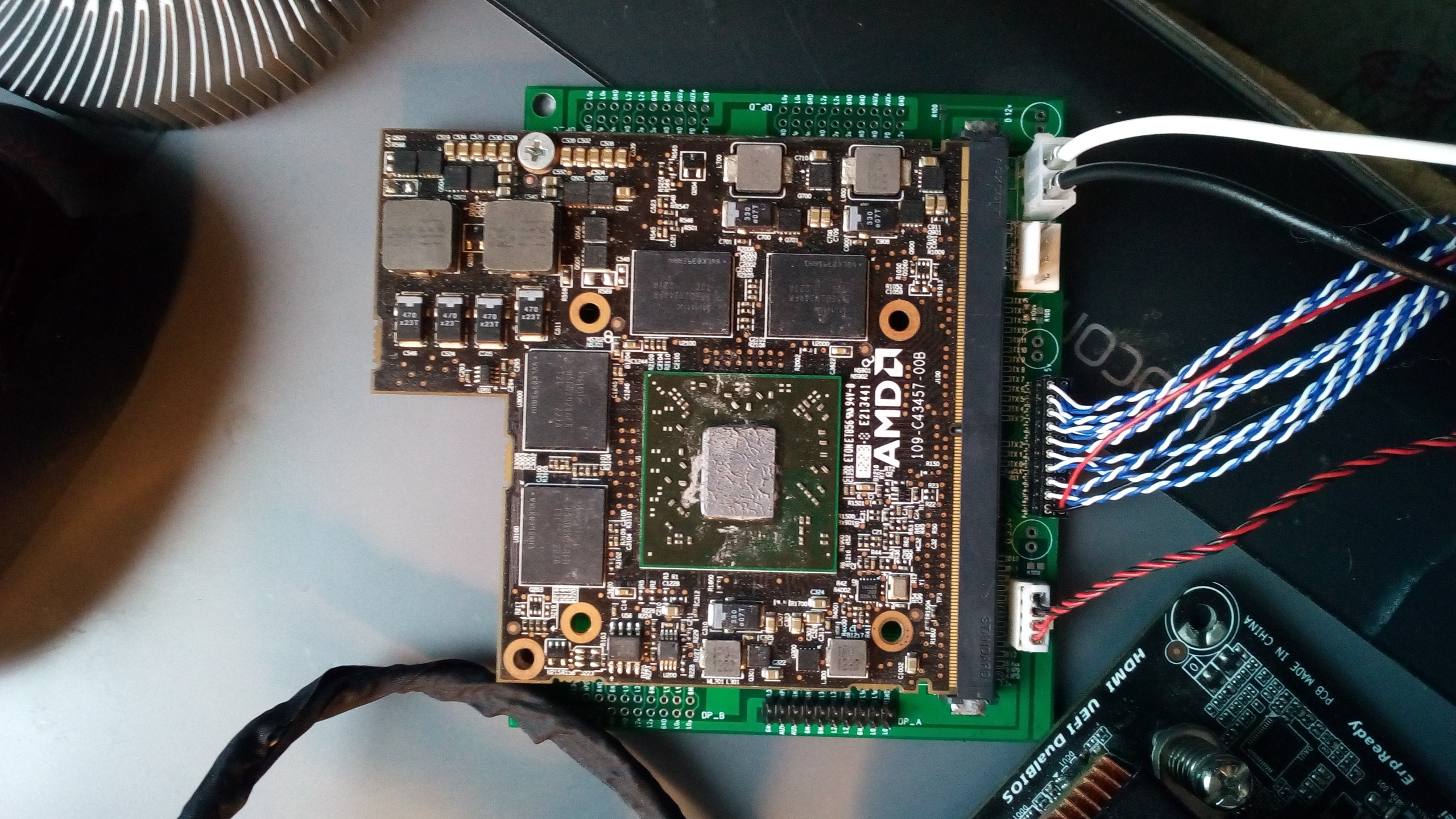
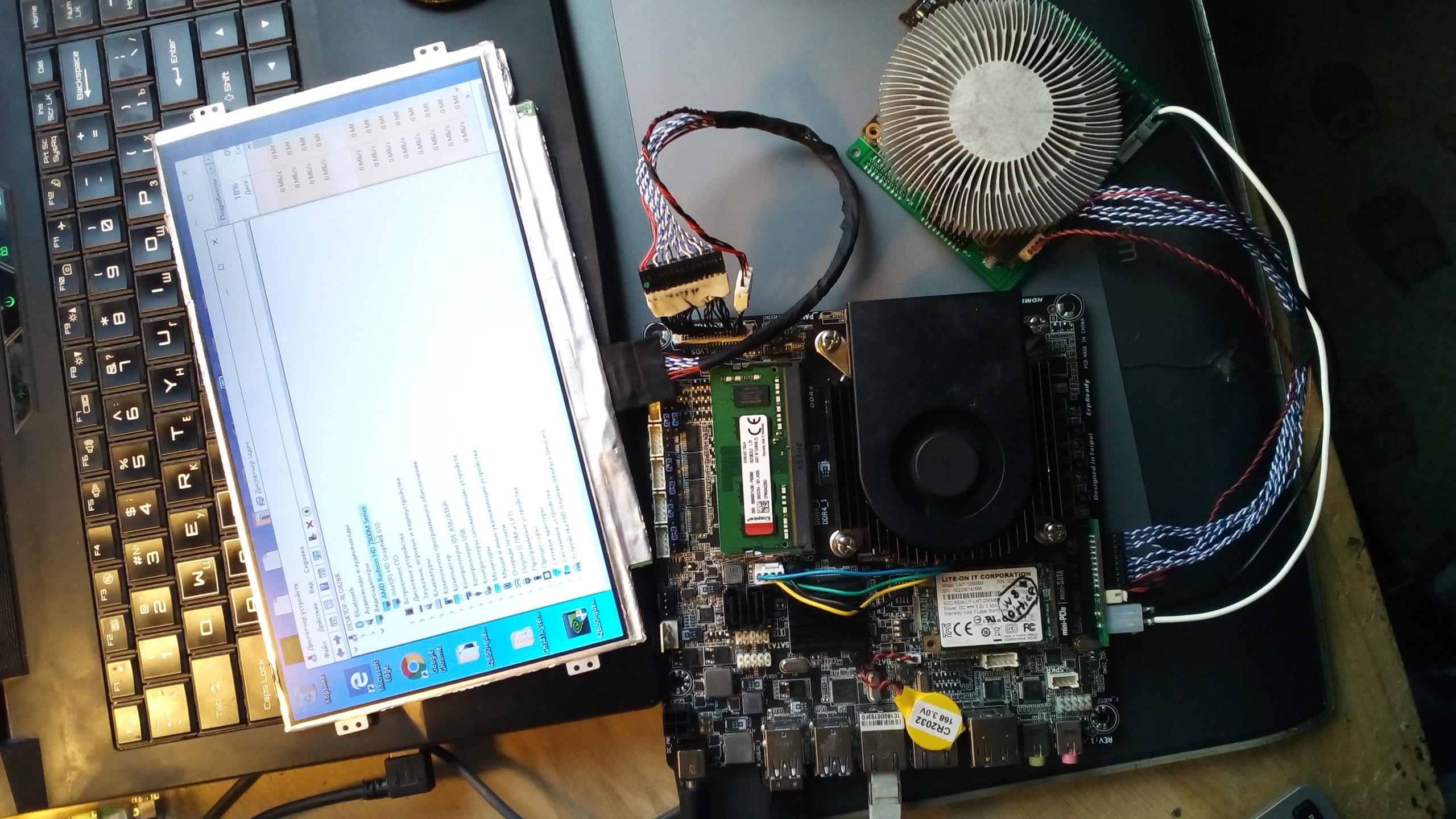
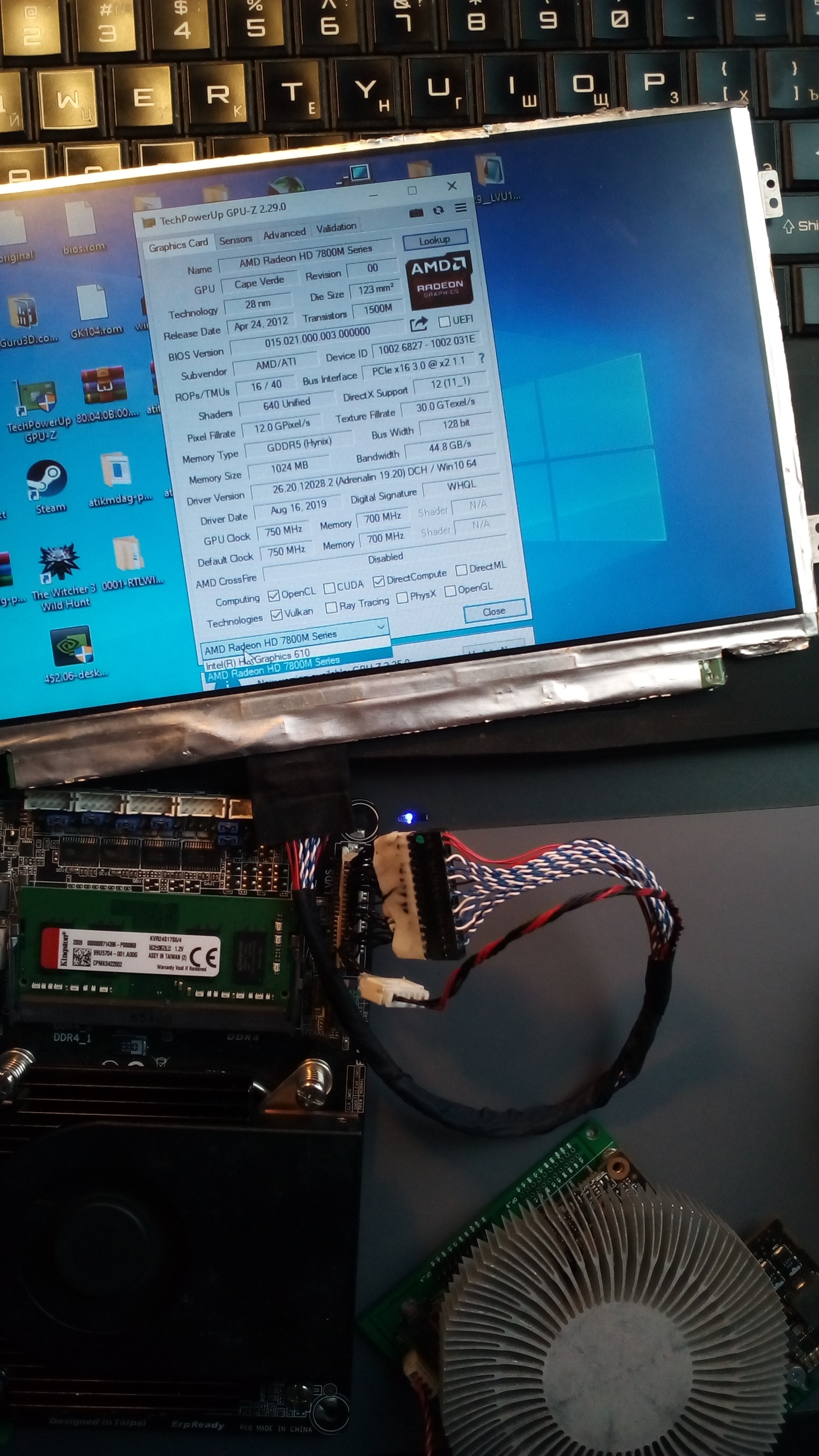
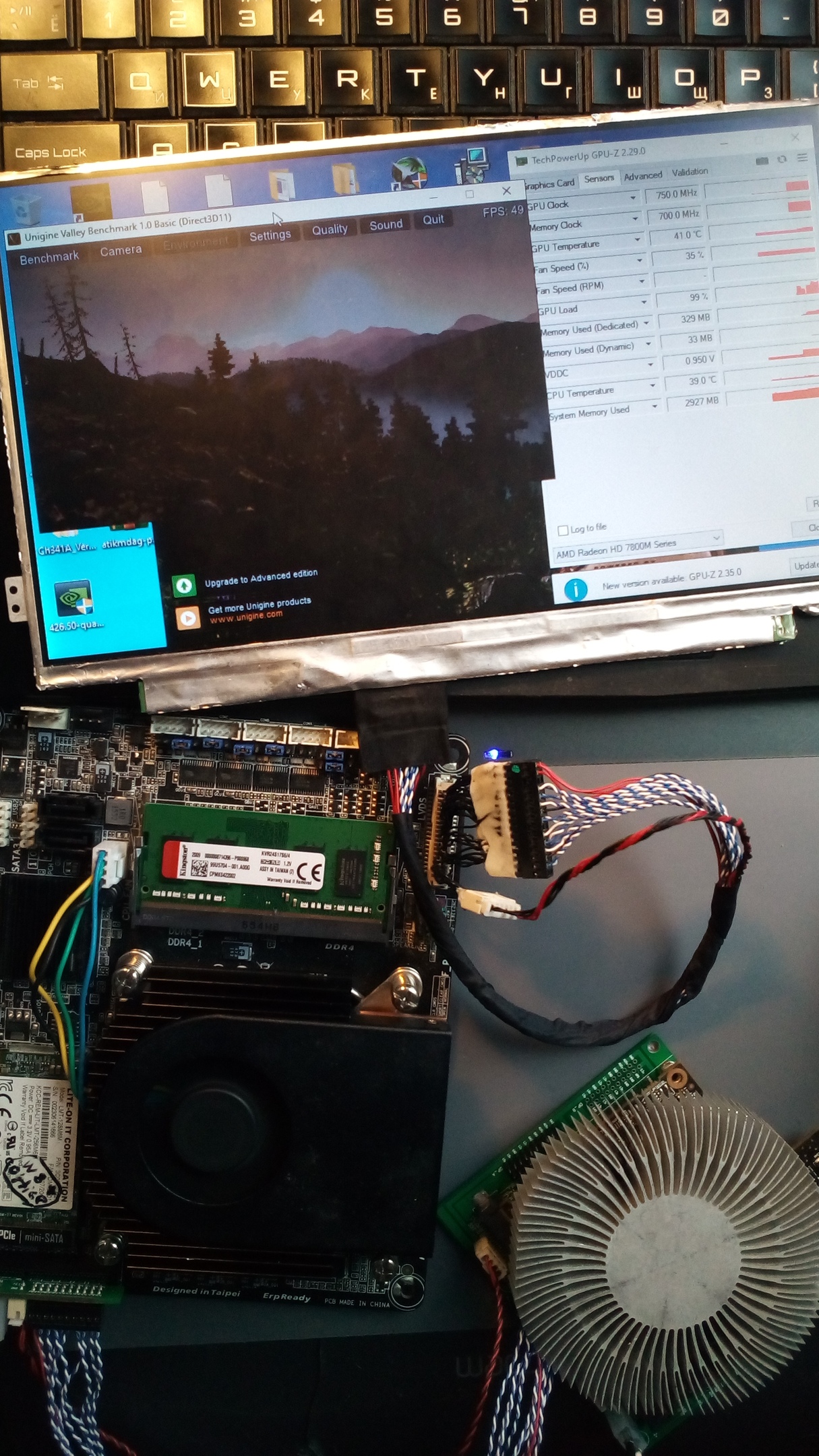
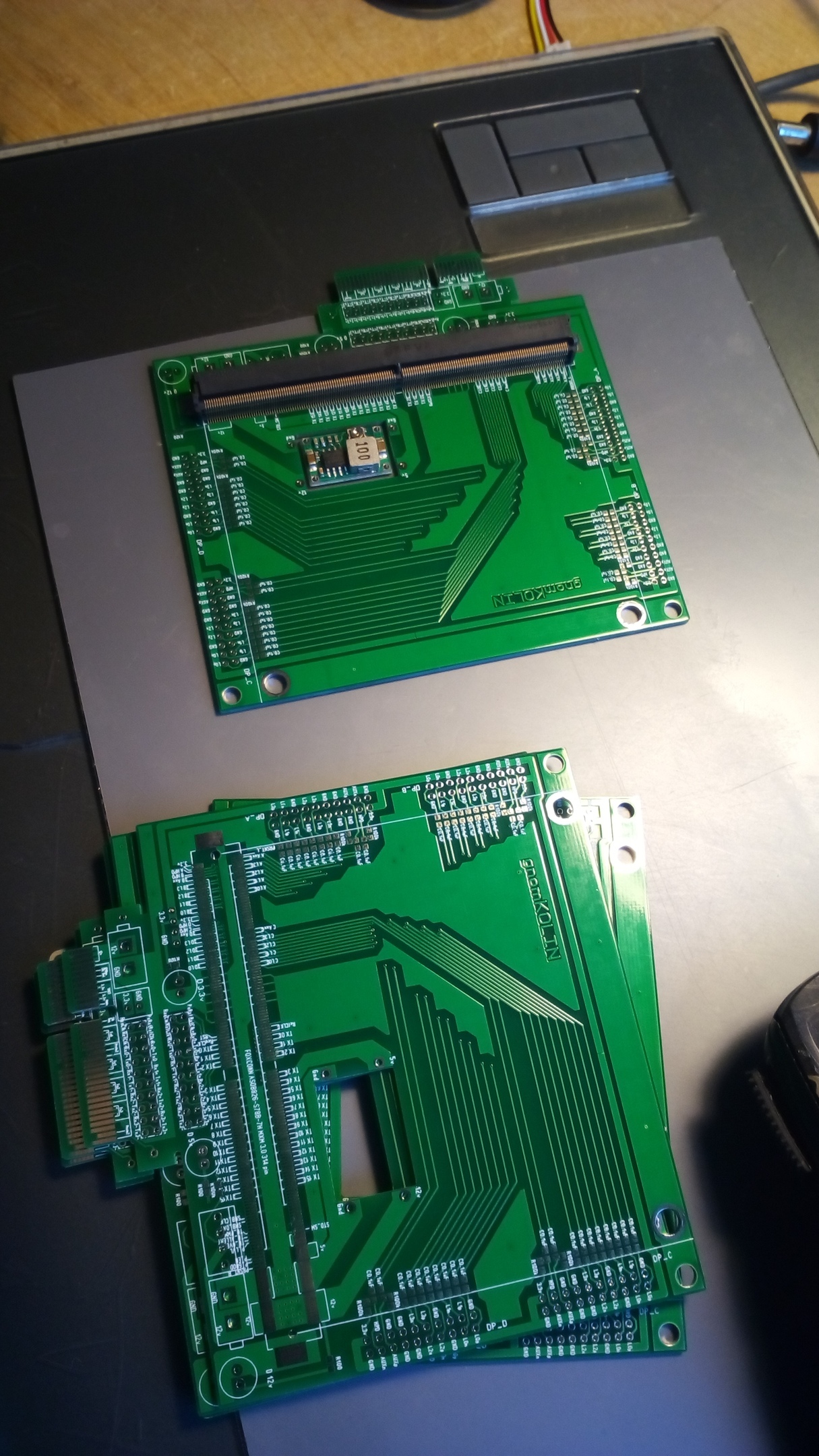
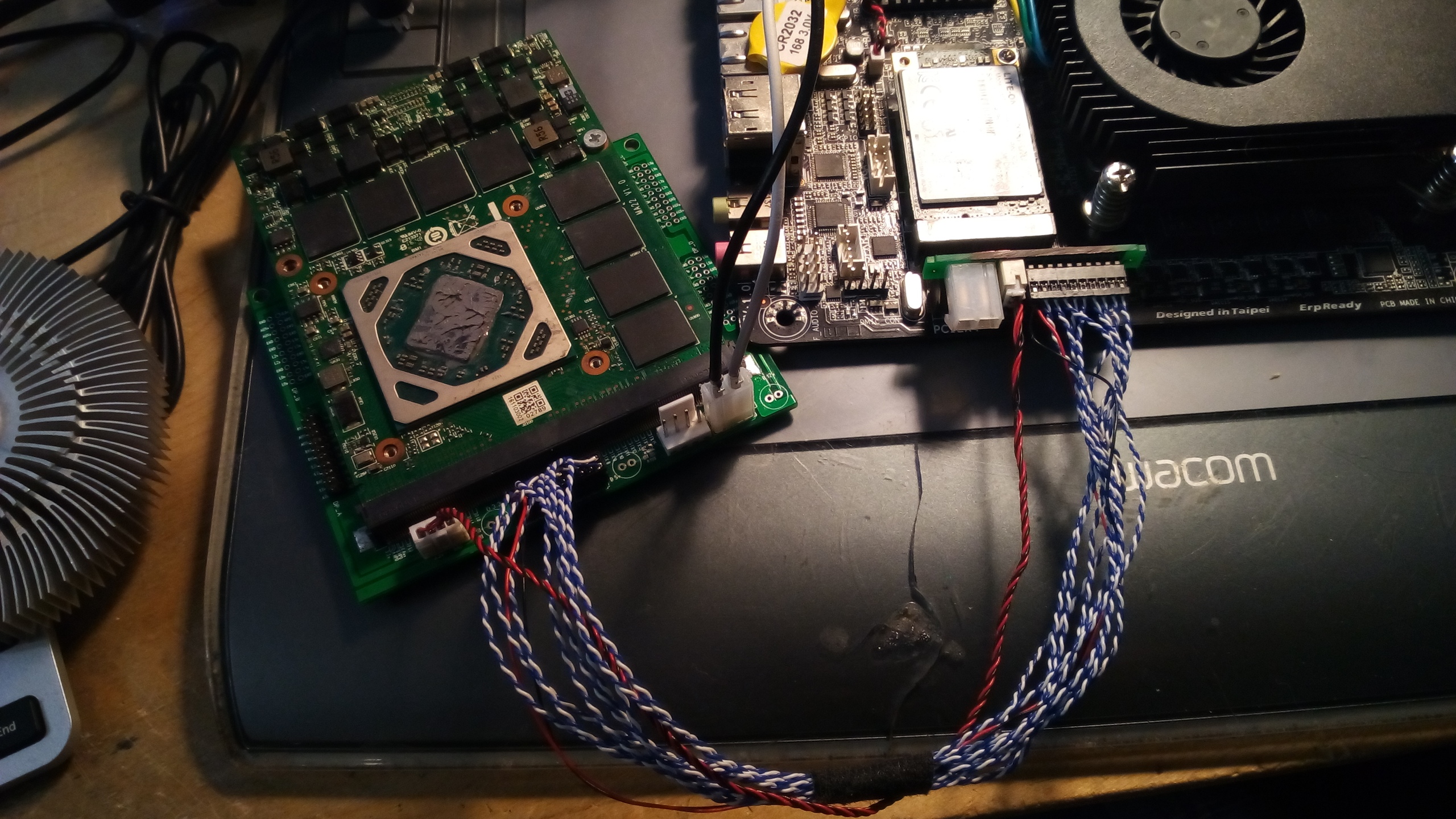
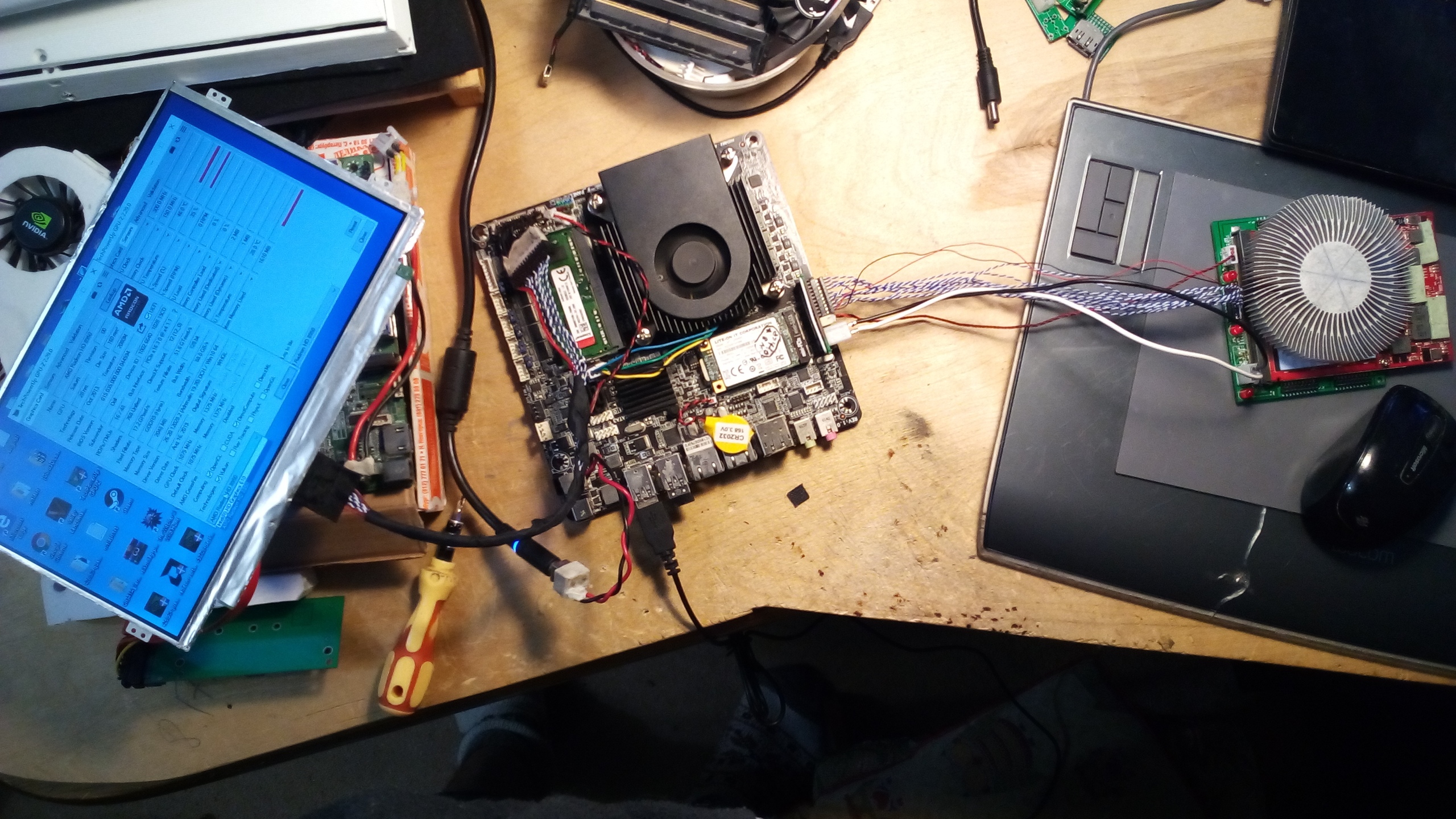
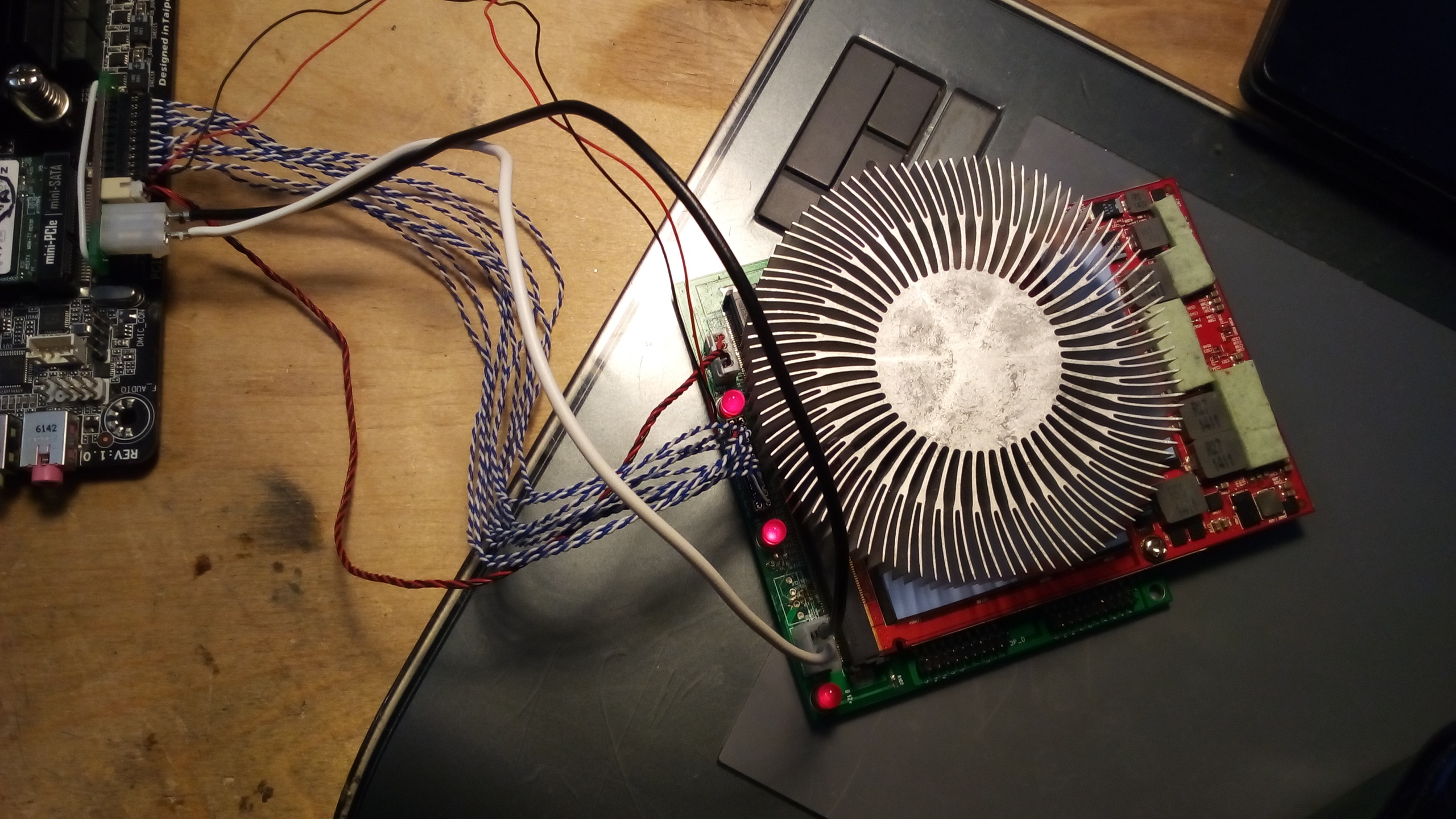
It is my DIY MXM 3.0 to Pci-e adapter first turn on. And it is working!
UPD:
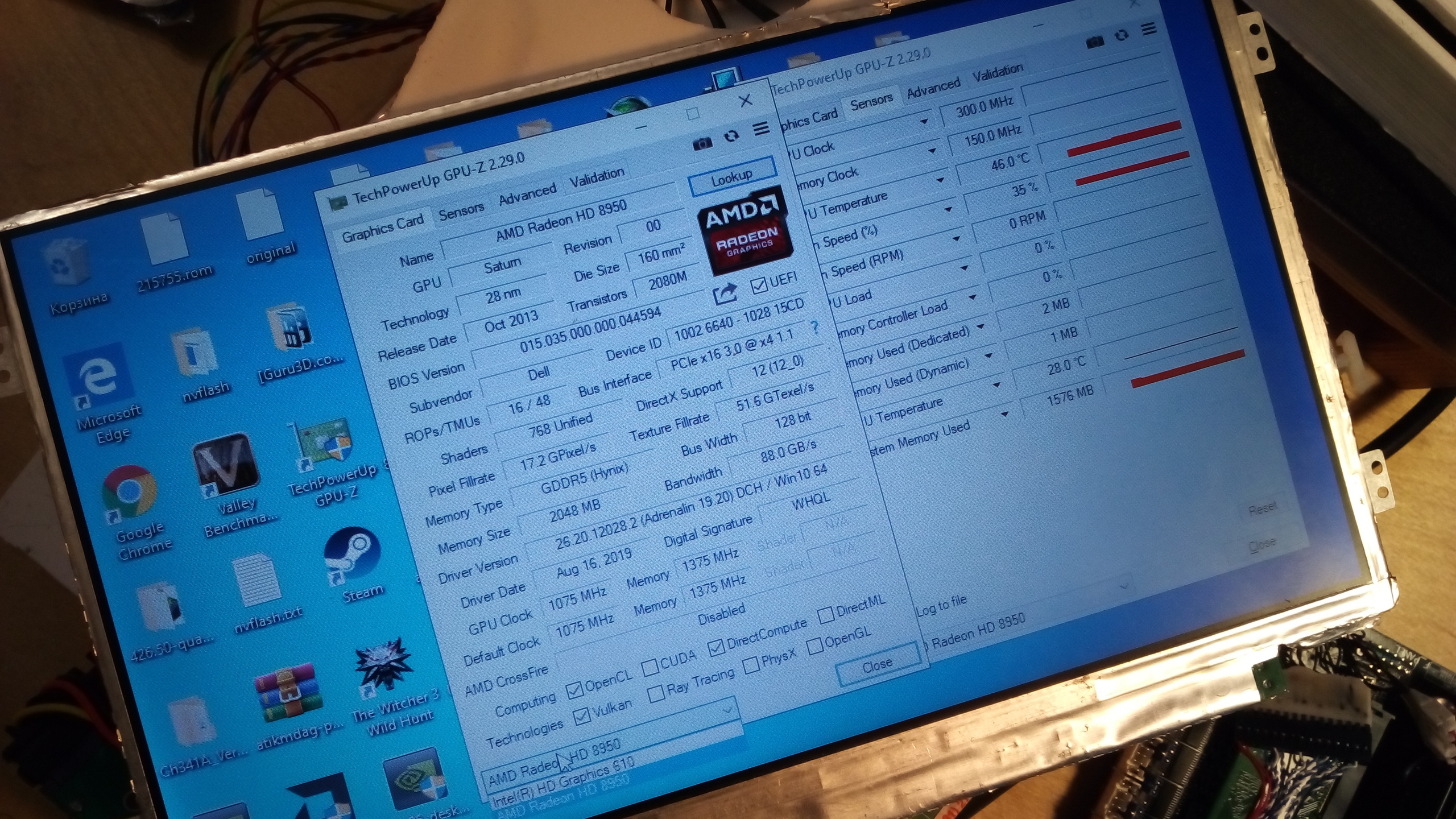
Card is AMD HD7850M from Asrock mini pcLast edited: Oct 17, 2020triturbo, @tomX, Papusan and 1 other person like this. -
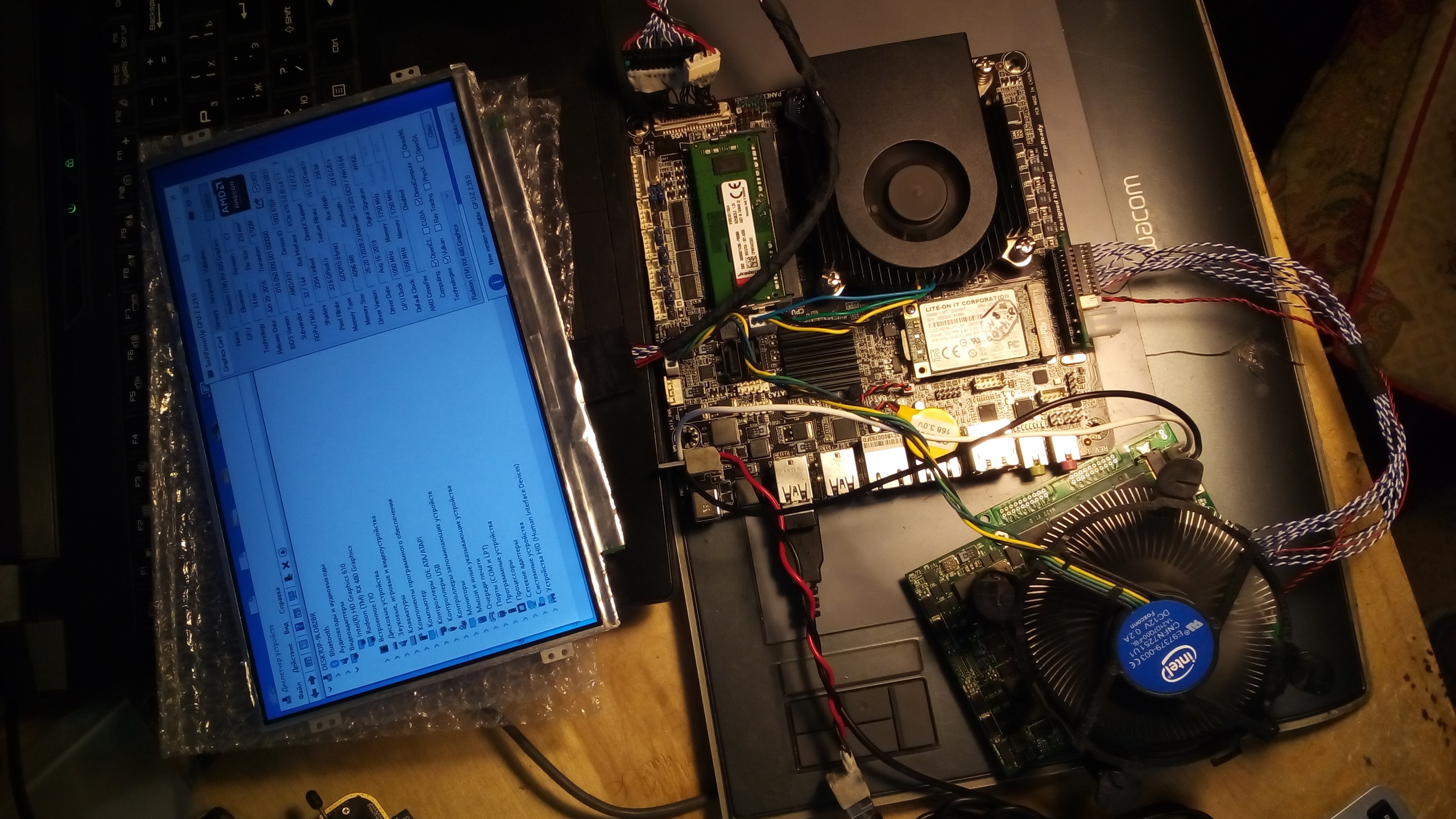
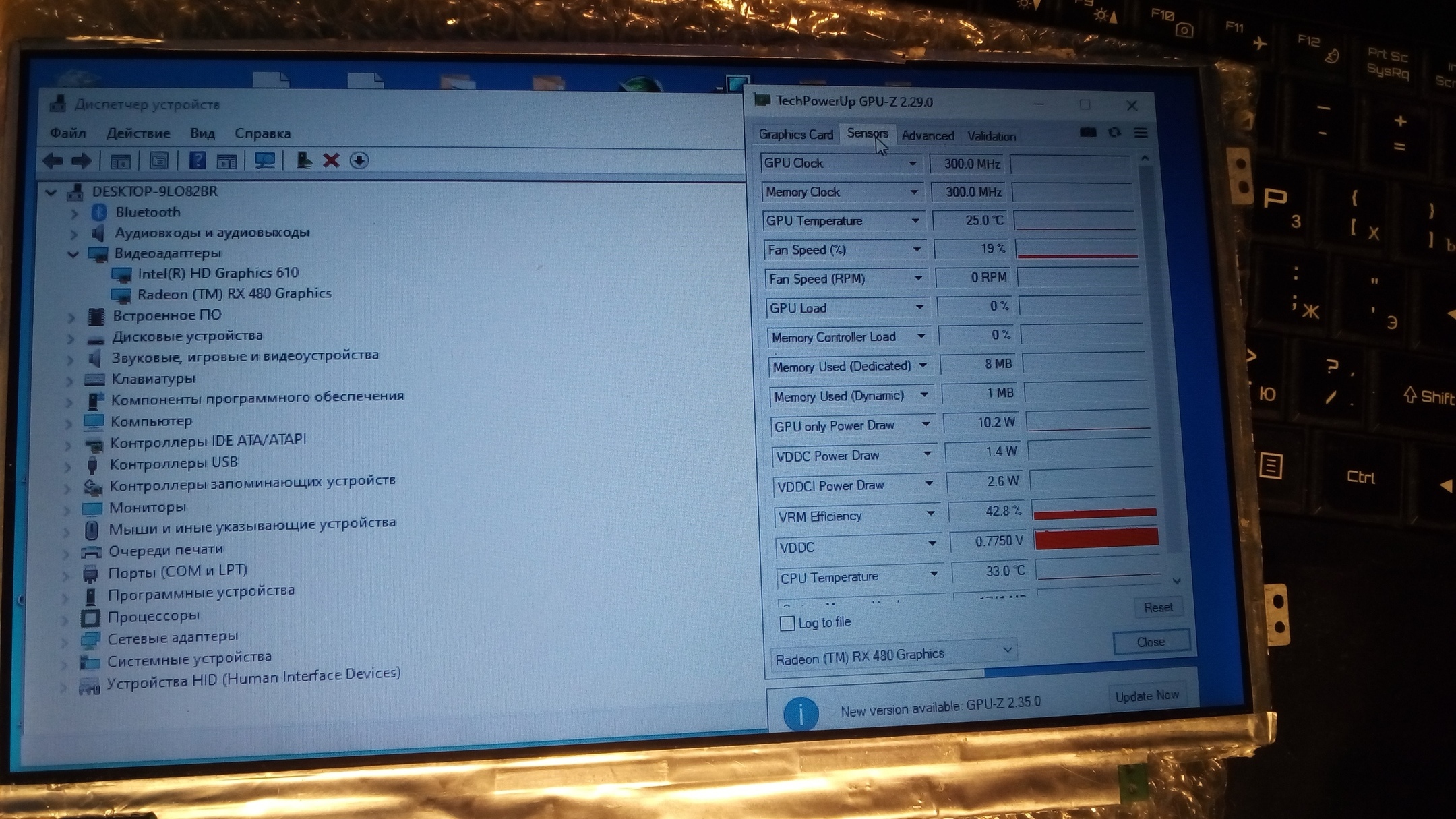
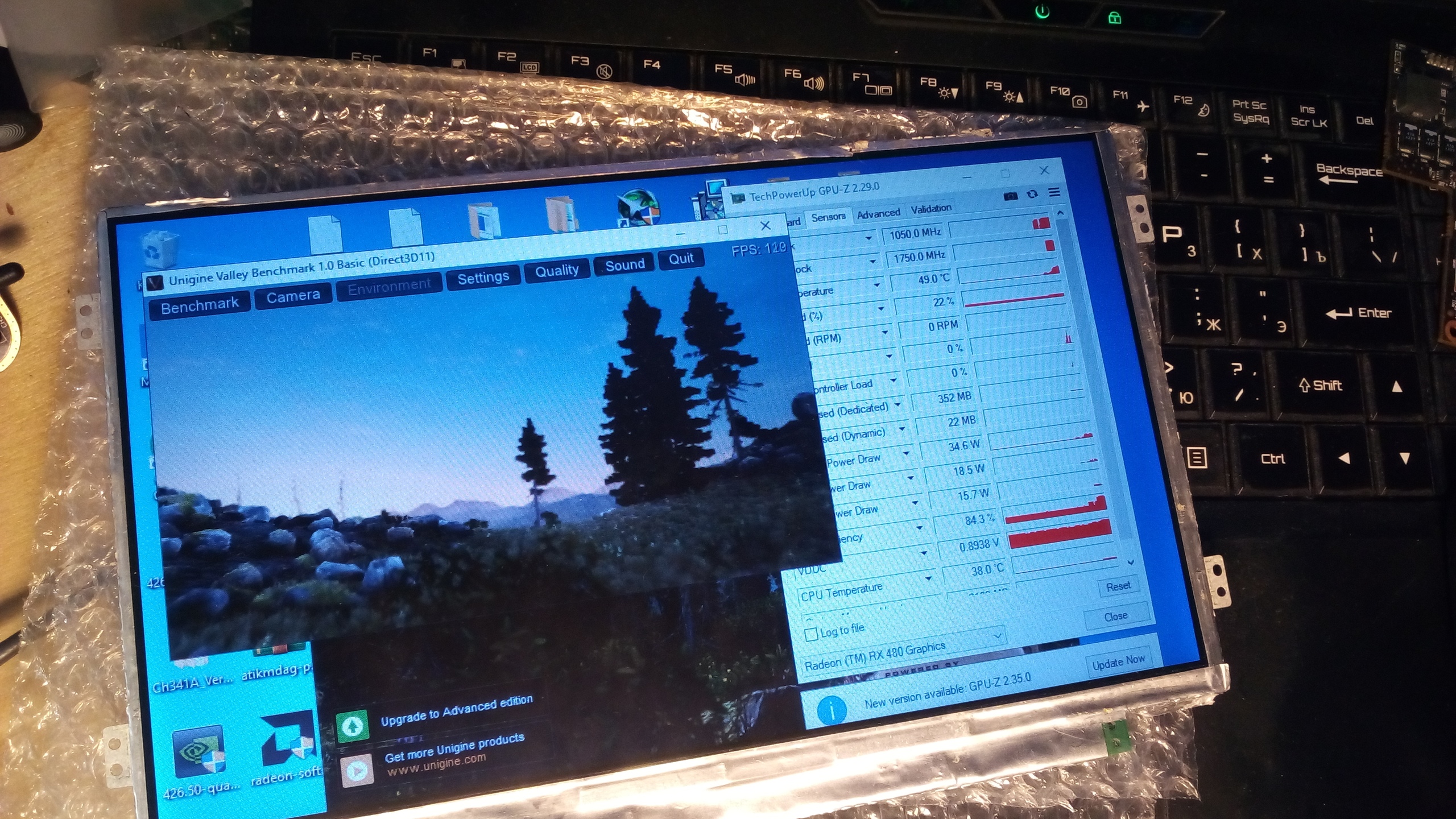
I've tryed to run Zrt RX480 MXM card with my diy adapter. It works well, but only in pci-e 1.1 x4 mode (my motherboard ga-h110tn supports pci-e 3.0 x4). Trying to find out how could it be set to pci-e 3.0 mode.
Also, MXM cards can be powered from wide voltage range (7 - 20v) that could be taken directley from PSU. In my case it is 19,5v.Attached Files:
Khenglish likes this. -
-
Kudos for your efforts! But how do you want to make it all work inside a Notebook?

Gesendet von meinem CLT-L29 mit Tapatalk -
UPD
And last standard MXM card I have AMD M6100 works with my adapter too! But only after Dell vbios flashing. Now I have to get some Nvidia's..Attached Files:
-
-
Hi!
I don't have plans to put it into a laptop. Modern laptops dont have enough space inside to fit 2 sandwich PCB's plus additional cooler with fan. Also there are no any power connectors inside laptops so without hard diy modding it won't work.
Right now I'm using this adapter just as diagnostics tool to find out how exactley does MXM work. But in future I want to rebuild it as eGPU for Thin mini-ITX/STX motherboards that can work via full Pci-e, Mini Pci-e, M.2 ect =)
Something like that:
![[IMG]](images/storyImages/KrkU4A4HilE.jpg) Last edited: Oct 21, 2020triturbo, @tomX and CaerCadarn like this.
Last edited: Oct 21, 2020triturbo, @tomX and CaerCadarn like this. -
We tried this. Tesla M6 does not have video outputs wired. Requires Optimus.
-
Yeah I have optimus as does the computer for sale there so it would work for that, the guy mentions only vga output as well but you can get around it by using hmdi adapter but obv no audio. So very specific systems it would work as the one for sale in the link. Still for what it was for sale at up there, not sure about now, and the peformance it's a steal.
-
Here’s to hoping we get some RX6000 cards in some workable variant of MXM 3
-
RTX MXM 20 series franken 3.1B standard on taobao:
https://detail.1688.com/offer/616319612209.html?spm=a261b.2187593.0.0.1de1c293kmHQzD
https://detail.1688.com/offer/626893919191.html?spm=a261b.2187593.0.0.1de1c293kmHQzD
https://detail.1688.com/offer/626610689293.html?spm=a261b.2187593.0.0.1de1c293kmHQzDexpresstyle and Papusan like this. -
220W without an external power connector might be a bit of wishful thinking, but who knows..
-
I knew it!
220W TDP for 2070.....omg, my 8770W won't handle this even with its modified heatsink... -
Hmm the Ranger 17 R1 could handle this with some modifications
-
220W without external power? Sounds like a good way to blow up your MXM MOSFETs.
-
Ah no, just from a heat displacement perspective.
My Ranger wouldnt allow for more than 118w I think it was EC related so I gave up and got a P750ZM -
It was a general remark, not directed toward you specifically. Sorry for the confusion.
-
No worries,
Either way though, true enough Would be kind of difficult to run in anything outside of the P775/P750/P870 chassis I would imagine... -
well, from my own experience, you can run an RTX2070 desktop at 150w and below with undervolting at above 1800MHz
-
Mmmh rtx 2080 clevo its rated at 150w, so I guess that the tdp on those gpus is indicative, surely will be more vendor of these gpus in 2021, and we can have an better idea
-
Hi everyone, I wonder if someone tried to install a Clevo MXM3 graphic card on an Asrock Z390M-STX MXM motherboard.
I know that there might be a problem with the bios of the MB, that is not recognizing the clevo modul.
there might be Also a problem with the power delivery.. -
Make a thread for that
-
it should works as long as you mod your mxm slot like here :
https://premamod.wordpress.com/2017/10/10/clevo-pascal-mxm-standard/ -
Hi, I plan to upgrade (for the first time) my Alienware 17 (RANGER) with a P4200 from an HPwith no eeprom soldered on it (normal) at a good price if think (300€)
And buy an eeprom with a vbios and have some one competent to solder it to the card could you telll wich one would work? The Dell vbios or a Quadro vbios? -
it's more complicated than that, there is multiple revision of the P4200 "HP", some can work with a soldered eeprom, some need also additionnal smd.
Furthermore you better off buying a used GTX1070 for a little bit more, they sell for around 300~400€ and they are better overall in gaming
The P4000 is already limited by it's memory bandwidth in gaming while having less cuda core and a lower frequency, P4000 and P4200 have the same memory bandwidth...
For instance, Cyberpunk 2077 on my P4000 with my 3920XM run at 30~40fps at medium/high 1080p settings while a 7700HQ/1070 mobile run at 50~60fps on ultra settings.Ashtrix and WalkerInTheMoon like this. -
Has anyone tried this mxm3.0b to pcie16 cable in any machine https://m.intl.taobao.com/detail/de...yWpGm&id=599010631937&ns=1&abbucket=17#detail
I can't read Chinese and my phone wot translate. The link might also be old but I have no way to tell.
Sent from my SM-G973W using Tapatalk -
Thanks a lot for not making me throw my money at random!
Sorry but I don't know what is a smd?
By the way the P4200 is a
MODEL : XW3
revision C
DAXW3UB5CC0
was it at list a good one?
What I liked about it was the power of this gpu,
and It seems to be the real MXM 3.0 B size
About the 1070
I was interested until I read that it is necessary to file the carcass of my ranger ...
which is a little too extreme for me
The 1060 seems easier, Am I right ?
Envoyé de mon MI 9 en utilisant Tapatalk -
you can find this kind of things at AliExpress in english
-
Thank you but I have not had any luck on ali express. If you can give me a link I would greatly appreciate it.
To reiterate indo not want to put mxm in a desktop (I can find those adapters easy) I want to plug a standard PCIe x16 desktop gpu directly to the MXM 3.0b slot on my motherboard. -
smd = surface mounted device
Look at MSI 1070 or "Aetina"/Dell/HP 1070, these are regular mxm form factor, like a 980m for exemple. -
I tried to buy it, but I couldn't. Stupid Chinese. I entrusted the purchase to a separate Chinese company, they could not buy it for me.
The inventor merchant does not want to distribute his goods outside of China. -
And using an agent is not an option, as in the seller is refusing to sell to agents?
The hopeful of keeping MXM 3.0b alive thread!
Discussion in 'Gaming (Software and Graphics Cards)' started by King of Interns, Aug 17, 2016.






-preview.png)