Problems? See this thread at archive.org.
I would be very interested to hear if anyone is able to successfully procure these
-
-
Guys I have came across these interestign stuffs:
- GTX 980m equivalent for <$100
https://www.ebay.com/itm/NVidia-Tes...171257&hash=item421df0eb44:g:pgMAAOSwh4BfK5Jn
And there are multiple seller selling the same mxm card for similar price. Maybe a cheaper option for anyone who does not need drivers newer than 378.66?
- Quadro P4000 for ~$200
https://www.ebay.com/itm/NVIDIA-Qua...522478?hash=item5da29352ae:g:juwAAOSwOWBe0C2X
Select "Used"
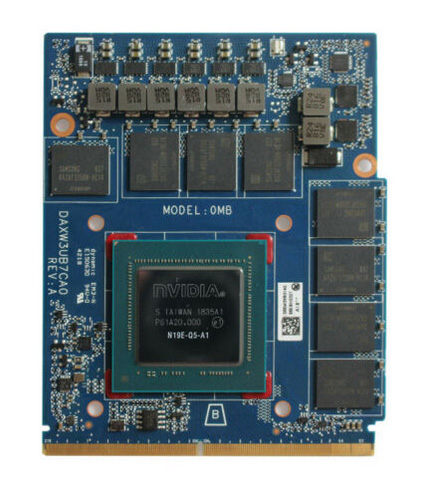
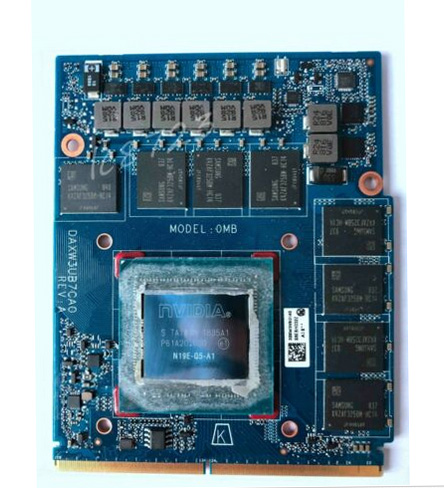
- Quadro RTX 5000 and RTX 3000 mxm cards (embedded version, so need some serious hacking.(either driver or hardware). Or if you have a ASRock Deskmini)
https://www.aetina.com/products-detail.php?i=427
https://www.aetina.com/products-detail.php?i=426 -
You are late to the Tesla M6 party. I’m waiting for Tesla P6 to come down to that price.
-
looool I was looking for GPUs that supports ESXi and bumped into that (Wanna turn my Deskmini into a ESXi host.)
Had it came to even lower prices? -
The lowest I’ve seen was $70 for a used card. They have their limitations though, like no HDMI output and they must be used with optimus, it will not work on edp or lvds as there are no wired outputs on the card for it.
-
Kinda wanna try flash the vBIOS with M5000m.... Just waiting for my next paycheck
-
It has been done by valmarkelectronics on eBay. It does not change anything that I’ve said earlier. You will not get output over LVDS or eDP or HDMI.
-
Given the price if I'm in China it'd still be much cheaper to have a BGA core change than 980m or M5000m
-
If I remember correctly, @Khenglish said there is hardware missing on the M6 PCB that is otherwise present on the 980M/M5000M but I could be wrong. Either way these are old cards these days, barely passable for 1080P gaming. I’m much more interested in the unobtanium RTX 5000
-
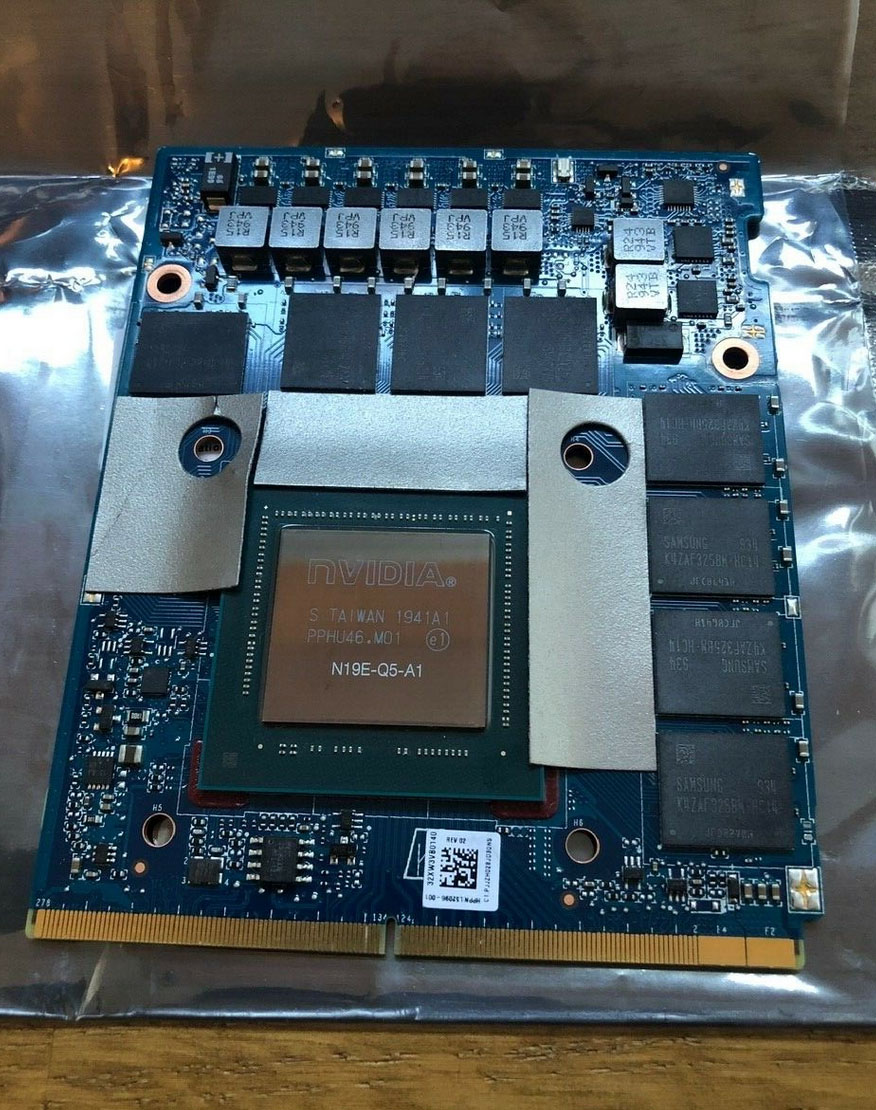
I'd say the best chance lies with the HP RTX 5000. All other RTX 5000 you see are "embedded" cards for Industrial use, which will likely throw error 43
-
Finding one for a reasonable price that is. I’m not paying $1600 for a funky MXM 2080 when a whole RTX 2080 laptop can be bad for that sum. I love my M18x R2 but I have sane limits on what I’ll spend to upgrade
-
Lowest I can find on taobao is ~$900-1200
-
Hey,
Anyone tried perfectron 2060s or franken 2070/2060 with Tornado F5? -
Tesla M6 can't output video (missing hardware), you MUST USE optimus to use them.
-
NVidia Tesla M6 8GB GPU Video Card 808409-001 806127-001 GM204-995-A1 805132-B21
Price:US $99.00
Shipping: $109.03
<100$???
For 200$ you can find 980m on ali. -
Ridiculous price. it should be no more the $600
-
Chinese know what they have, and who want it. They adjust their prices accordingly. Look On eBay for Cleve 8970M. One of them must have seen my thread about it for M17x R2, now they all tack it on to their listing and charge double what a normal 8970M should cost. Supply and demand, really that simple.
-
I think it also has to do with the fact that no many manufacturers are producing MXM RTX 200 series. Clevo only? In the past we had MXM cards from Dell, Clevo, MSI and Asus. Now MSI and Asus went BGA, Dell has it's own FF and we only have Clevo left, and Clevo doesn't even produce as many laptops as the other manufacturers. In my former AW 18 I had one Clevo 980M and one MSI 980M working on SLI, lol.. good old days
-
Sure, that’s part of it. Clevo and HP are the only ones making consumer MXM cards, and they’re not even “standard” form factor anymore. Clevo dumped that with the GTX 980 and HP with the Quadro RTX. MXM is certainly on its way out, unfortunately.
-
I do really hope we will see a normal RTX 5000 MXM-B form factor from China, as the ones from Aetina and PNY with their 110mm high are simply out of consideration for my HP 8770W and I am sure most probably for other MXM upgradeable laptops too...
Otherwise the prices for GTX 2060/Super/2070 from TaoBao are ridiculous indeed!
1000€ for single GPU?!? -
lol the sad thing is even a desktop RTX 2080 is ~$500-600 now.

-
Need to be cautious about those 980m from China. Those are made by 3rd party and have shrinked choke as appeared from photo. (likely recycled core as well)
-
-
Amazing, how did you get hold of it please?
Can you post pictures of it set up and GPU-Z PCIe bandwidth report?Last edited: Dec 26, 2020 -
will do, i got my motherboard ****ed up, seems like i fixed it but need to test it and i have no time.
will post some info once i have some time.
i got it via taobao via a guy i know from china as the seller does not ship internationally. -
After seeing Asus make an E-GPU that is super small, but non-upgradeable, it made me think that MXM GPU's would be perfect for SFF E-GPU boxes. You get great performance on top of upgrade-ability in a small form factor.
thewizzard1 and Clamibot like this. -
@Tenoroon Just saw this on DigitalTrends - Here's a link for anyone else curious.
https://www.digitaltrends.com/computing/asus-rog-flow-x13-and-xg-mobile-ces-2021/
I'm hopeful for MXM, but it's not likely coming from Asus, who's last MXM venture was proprietary. -
I don't care who makes an MXM E-GPU, but if its proprietary like ASUS's, people will find away around it.thewizzard1 likes this.
-
This is basically ausus custom egpu with mxm card inside which connects directly to pcie 3/4 4x, since these small form factor laptop has a gpu already soldered to pcie->cpu 8x/16x lanes.
You can do the same with a 3d printed case and a 3060 TI/3070/3080 desktop or so for better performance however it will be significantly larger considering you'll need a psu.
But i bet the egpu also has a psu on its own to feed it 150W+.
I dont see the purpose of this since if you move around and need a good laptop, better buy a 15" beefy laptop with 3000RTX series already in the laptop either bga or mxm.
instead of carrying essentially two laptops with two psu to power egpu and laptop itself.
for portability/home use, you can probably buy some cheap laptop with 1650ti or so for gaming on the go and at home as i mentioned make your own egpu setup for cheap, connect it via the pcie 4/3 4x and you're good to go, better than TB. -
You mean using the M.2 port? The bad thing that's a shared port that connects to the CPU using the DMI bus. A modern GPU needs dedicated PCIe 3.0 x8 or PCIe 4.0 x4 at least to not get bottlenecked.
-
@Yevgeny Stalinsky The unit is rated for 280W - I'm willing to bet it's a custom PCB with COB. MXM is unlikely at that power rating - If it was 200W, I might be hopeful, but not 280W.
It's also mentioned (but nto confirmed) as PCIe 4.0 x8, with some USB via LTT. -
In that case thats even worse since you will be needing to carry that custom gfx box along with a huge ass 300w adapter and a laptop with its own adapter unless they make a 400w adapter for both if you decide to carry both the laptop and the box.
So that is essentially like carrying two laptops as i mentioned, regarding the port it is going to be hard to do PCIE 4.0 8x since the laptop will have to support two PCIE inputs for the igpu and egpu while connected, i havent seen such form factor yet, so i think what they are going to do is m.2 or special/custom port for pcie 4.0 4x which is basically pcie 3.0 16x which is enough for any gfx available now.JRE84 likes this. -
Off course it's proprietary
https://videocardz.com/newz/asus-an...e-notebook-with-external-geforce-rtx-3080-gpu.
![[IMG]](images/storyImages/ASUS-Flow-X13-RTX-3080-6.jpg)
Love how corporation thinks. So dimension wise it's basically itx type gpu plus some pcb in front added for connectivity ports and pcie connectors + blower style cooling. You could easily design enclosure around that same size and functionality for their own blower type graphics which would eg. sff users welcome with open arms too and normal type e-gpu pci-e connector. But noooo, that wouldn't bring attention to their new and innovative product which they will sell for the price of the laptop. Good job!Last edited: Jan 14, 2021Ashtrix, thewizzard1, JRE84 and 3 others like this. -
aluminum fin stack :/
I'll stick it out with my wares but at least they try, even if they consult no one in the market first -
This thing seems weird and i am not sure who this is for, why not to buy a 15"-17" laptop with mxm or bga 3000rtx and go around with that instead of a small laptop and a 10" tablet essentially.Last edited: Jan 16, 2021
-
Hi!
I would replace a video card in an MSI GT70 (4gen) laptop. Specifically, the Quadro P5200 would be replaced by a Quadro RTX 5000.
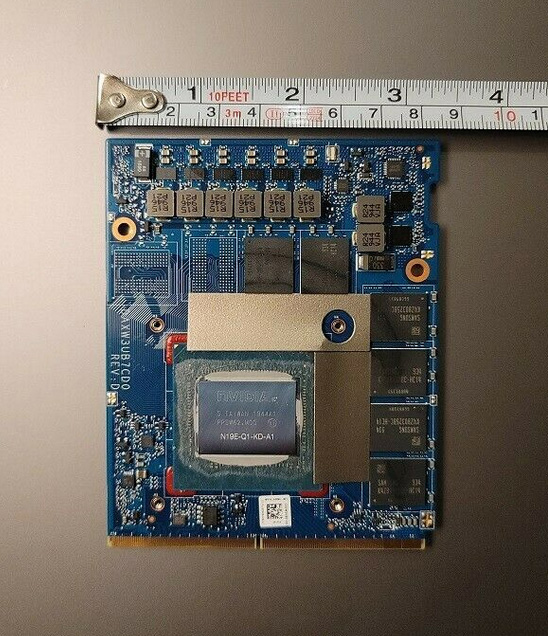
My question is, there are several assumptions here as well. I saw versions A and D. D is wider. Install terms do not matter? What is the difference between the two? I'll get version D. -
If you already have a Quadro P5200, there's almost no need to upgrade. While the Quadro RTX 5000 is a bit faster, they are super expensive and hard to find. You would be better off building a desktop than buying an RTX 5000.SMGJohn likes this.
-
How performant is the Quadro P5200 with respect to the Geforce cards? Does it have 1080 level performance?
-
Like 1080 Max-Q
-
I don't think so, it should match a "max-P" 1070 but that's it, memory bandwidth is way lower than any 1080, furthermore it's a locked 100w or 115w if I remember correctly with no voltage/frequency tweaking allowed so it's pretty unefficient compared to "optimised" 1070 with undervolt.
-
The rtx 5000 totaled € 809. (postage, delivery) EU purchase. I can sell the P5200 I am using now so it is no longer so expensive. The old MSI GT70 laptop is important to me. I really like it, I don't need new ones. Be just a little faster with a 1080 speed + rtx function, dlss and it suits me better than now.Txordi likes this.
-
Unfortunately slower. The VRAM clock is very small. It's locked and I can't lift, pull. I can influence the core clock a bit. Set to a level .... MSI AB and affect consumption, so I can use the card because it consumes too much on a 150W basis. MSI AB shows the current Watt consumption, that's a good thing.
With ultra setting, everything is at its maximum. DLSS is not, do not know.
-
The rtx 5000 totaled € 809. (postage, delivery) EU purchase. I can sell the P5200 I am using now so it is no longer so expensive. The old MSI GT70 laptop is important to me. I really like it, I don't need new ones. Be just a little faster with a 1080 speed + rtx function, dlss and it suits me better than now.AdonaiDuma and Txordi like this.
-
I can influence the GPU consumption by setting the clock. In my case, it has to be taken down for stable usage because the card consumes 150W.
-
Well, if you insist on buying the RTX 5000, send us the pics of the version A and version D variants so we can see the differences, if worst comes to worst size wise, you may need to dremel/cut some of the chassis. Another thing to note, you may be in uncharted territory with the RTX 5000. Most people don't want to spend money that can be used on a desktop on some MXM card that may or may not work. Though, if you are still willing to go through with the upgrade, as I said earlier, send us pics of the version A and D models and let us know what model you plan on buying.
-
So basically it would be better to get a GTX 1070 or a Quadro RTX 5000. Thanks for the info. I'd like to get a Quadro RTX 5000 for my Ranger, but they're way too expensive in the US market. I'm going to wait and see if prices come down because I'm not going to pay an insane amount of money for a GPU.
-
I have already purchased the card ( REV D) and it is on its way. I will report the results as soon as I know. I bought on Ebay and saw 2 types. I know I took a risk because I really want to. If it doesn't work, I'll sell the card. REV A and REV D.
Attached Files:
AdonaiDuma likes this. -
-
Compared to the other results, it was offered at almost half the price. I bought it quickly. EU purchase. The Quadro P5200 also succeeded. It's hard, but it's there. Maybe I was lucky.
-
For the REV D card, you may need to cut the little tabs at the sides of the MXM slot as the REV D card doesn't have the holes for the tabs to click in. Let us know how it goes though, I'm quite interested in seeing this work.
-
Thanks for the help and I'll sign up!
The hopeful of keeping MXM 3.0b alive thread!
Discussion in 'Gaming (Software and Graphics Cards)' started by King of Interns, Aug 17, 2016.