 Problems? See this thread at archive.org.
Thanks for the link. :thumbsup:
BTW, I came across this post there regarding this expresscard:
forum.thinkpads.com • X220 (and X201, X200) USB 3.0 Expresscard
It's on p.3 and author is piledriver:
"The USB3 side is ASM1042, and may be picked up and just work with Win8, and just works with Linux as long as you add the (IIRC) xhci or hppcie modules to /etc/modprobe.preload (using the X300 ATM, google to make sure)
The E-SATA side is ASM1061 or 2061, and should be picked up (at least SEEN) automatically once the USB is found, as it's a USB device."
I've always suspected the eSATA part of the card had a different processor from the USB3 part.
-
Something some of you might find interesting.
Does The USB 3.0 Controller On Your Motherboard Matter? - Should You Care About Your Motherboard's USB 3.0 Controller?davidricardo86 likes this. -
If anyone needs the AKE BC618T drivers for Windows 7 64 bit here they are:
http://sdrv.ms/19uhTLP -
Hello, I haven't been on the board in a while and fell out of the loop. However I do need an expresscard with at least 2X USB 2.0 but wouldn't mind paying more for an extra port and/or USB 3.0.
After reading through this thread for 15 minutes I haven't been able to reach a general consensus over what works and doesn't. Optimally I would of course get 3X USB 3.0, however I have expresscard 1.0 and therefore only a 2.5GT transfer maximum.
My budget is $12 Tax and shipping included.
This caught my attention 54mm Express Card ExpressCard to 3 Port USB 3 0 Adapter for Laptop | eBay
As did this Express Card ExpressCard 54mm to USB 3 0x2 Port Adapter | eBay
But then again I might as well get this ExpressCard to 2 USB 2 0 Ports 54mm PCMCIA CardBus Card | eBay
The only reason i would get a 3.0 adapter is because I have a Buffalo MiniStation Plus USB 3.0 drive with a fast seagate 7200RPM drive in it getting 22-27MB's each way when I should be getting 85-120MB's. -
That's still a whole lot faster than anything USB 2.0. At this point, I wouldn't even consider it.
Well that's definitely cheap. But I think they're all made at the same Chinese plant. If one brand is better than the others, it hasn't been evident by this thread.lebob23 likes this. -
Alright so the 3X 3.0, are you wary of the DN0075 USB3.0 FL1100 (FLUSB3.0-3.5.18.0 driver) chip?
Or would I be better of with one that uses the renesas_72020x_3.0.20.2 driver?
-At this point I am OK with losing an extra port if saving $2.70 and waiting an extra couple of days to get better performance and reliability. Or maybe double the savings and go with this nearly identical model that claims to be bc618t too. http://www.ebay.com/itm/Express-Car...977?pt=LH_DefaultDomain_2&hash=item27da4a5899 -
I can't say. There just doesn't seem to be any consensus when it comes to these things: some work well, some don't work at all.
All I can say for sure is that I have the AKE (renesas) card and it appears stable, and the speeds are comparable to my OEM 3.0 ports. -
Alright so the BC618T with a renesas chip.
Thanks for your help. -
-
Wish I knew what factors are in play here so I could have avoided purchasing cards with NEC/Renesas chipsets. Those worked with USB 3.0 flash media, but wouldn't when used as a USB 3.0 disk controller.

-
this is by far the fastest USB expresscard that's out on market, at least the ones I've found. AKE 3 ports maximum bandwidth per port at 186MB/s with cstate off, windows 8/8.1. the AKE 2 ports comes in next at 175MB/s. using two or 3 ports at once will get reduced speed, because maximum bandwidth is limited by the expresscard hardware itself and also the 200MB/s PCIE x1
-
I've already posted results that illustrates, my card is much faster than that. Now that you mention it, I wish I could test both port simultaneous to test how well that is handled, or if it is even possible.
-
I took a look at your results, and Reads are impressive, but what's the deal with those Writes? They look terrible.
-
it seems unreal to have an expresscard that goes over 200 MB/s simply due to the fact that its likely running on PCI-E 1.0 spec. having speed go over 200MB/s simply means expresscard supports gen 2.0, which card says nothing about and also your laptop expressport runs on gen 2.0 spec. I look up the card it says 5gbps, well all of them say 5gbps cause that's usb 3.0 value, if they don't say it it wont sell.
another fact that I also own Kingston Hyperx 3.0 64gb and in CDM it gives me roughly around 180 MB/s. could be just me. can you try running your usb stick with that expresscard again but this time with HD Tune? block size ~1MB+ that'll show it's true speed at Queue Depth of 1 which is what USB stick are meant for, transferring large files.
just to mention in my original post 185 MB/s for 3 ports and 175 MB/s for 2 ports are tested with 1MB+ block size under HD Tune. also I want to mention Crystal Disk mark is fairly inaccurate. I'd have raid 0 on two sata 6gbps SSDs only to have some values going over 1200MB/s which should not be possible..
Crystal Disk mark runs it at Queue Depth of 4, the value you see is QD4 performance for Kingston HyperX which is junk. at QD1 you'll roughly get 265 Read and 190 write MB/s. Use HD Tune -
As requested above.
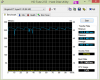
-
excelent thanks for help. I went into my bios to set it to pcie 2.0 and I get the same performance. so the expresscard is set to work towards maximum speed around 400 MB/s which is awesome, thats way faster than laptop usb 3.0 speed, which is pretty funny. Pcie is awesome is the way to go!
-
I have such an AKE card based on ASMedia chipset. On my system it doesn't even need any external power to run an HDD or charge a mobile phone.
However, it is kinda loose with my ExpressCard slot, and thus not recognized on startup until I put it out and then back in. Seems I'll have to modify the slot a bit to make it sit deep and tight. -
so which one is faster?
the 39$ AKE card or the other one?
54mm Express Card ExpressCard to 3 Port USB 3 0 Adapter for Laptop | eBay
VS
Express Card SuperSpeed 54 to USB 3 0 x 2 Ports Adapter | eBay -
Yes, I noticed that on my HP as well. A lack of quality control I always suspected.
-
Or just manufacturers playing loose with the tolerances on the official dimensions. It wouldn't be the first time.
-
My AKE card from ebay isn't loose at all and fits snugly in the expresscard slot like it is supposed to.
-
Well hopefully we can convince laptop manufacturers for the next generation of USB ports to recess then enough to allow for flush mount in the way that express card does. Too bad mine still doesn't fit flush. (Actually its the spring load. It can be pushed in to flush, but that just release the spring to eject it out. The normal state is 1/4 inch from flush.)
-
Hello, i have an Express Card 34 with 2x USB 3.0, chipset NEC upd720202 : First it was error code 10. Installing new drivers didn't help however flashing firmware 2.0.2.0 (from intel http://goo.gl/ANa0IX 2nd file) apparently did since i now have working "host controller" & "root hub" in the device manager.
However whatever i plug, even no matter what i plug in any of the two ports, nothing will get powered, even a mouse receiver..!! This card is making me crazy, is there a way to get it working..? -
This is the nature of these very inexpensive cards. I still get malfunctions with mine for time to time.You might try updating the drives or reinstall them via properties.
Additionally, you could try shutting down your computer and restating with the devices already installed. I ended up having to discard my 34 (I just couldn't get it to work) and purchasing a new 54 card that works as indicated. -
Actually i just thought about it after posting and started with the device attached : it caused hang during boot and blue screen as a final..!! And i was wrong on one thing "USB Root Hub" is still Code 10. I reinstalled drivers dozen of times, different versions. Maybe i should/could try a different firmware (if so, which)?
PS: I already got a 54, it's 2x eSata, wanted to know : shouldn't it be plug&play? The USB/eSata combo on a Thinkpad i have is, but this Express Card doesn't seem to be... So i gotta unplug the whole thing in order to detect a disk i just plugged..? What a crap! I guess i just gotta order another one, asking selling if it supports plug&play first, right? -
Is the 3 port or the 2 port one better built?
-
You might want to identity it for others.
As for me, once I got that I discarded the device as faulty. I suggest you do the same.If its not, its faulty. -
I forgot to install the driver haha.. However after doing it (and rebooting) first time i plug a disk, it's detected, then i can remove it, but after that plugin once more doesn't work, in any of the two ports.. Defective or bad driver? Don't wanna buy the same again if it's crap!
EDIT: It's the JMB36X from JMicron, i checked and my driver's old, i found new one but guess what.. Their drivers FTP is DEAD!! JMB36X_WinDrv_R1.17.65_WHQL_eSATA.zip : this is the file i need, any driver website send you to their FTP.. Damn!!
FOUND! In case you need it : http://download.au-ja.de/driver/jmicron/JMB36X_WinDrv_R1.17.65_WHQL_eSATA.zip
RESULT: Same.. First plug work, then unplug, then replug = nothing happens. Defective, you sure some may not support well plug&play..? -
deldeldeldel
-
Not sure to understand why you're saying so.. It's quite the opposite!! It's a bit too thick to it gets stuck inside, it's clearly well connected!! I tried many times & it's always same thing : 1st time ok then after unplug nothing. When i unplug i do not pull at all, you can make sure of that. Any other ideas?
-
I already told you some of them are raggedy. Why are you risking your notebook for such an inexpensive item? All I did was plug my present on in and BAM! It just worked. No fumbling with matches, shives, or installing/uninstalling drivers all day. These things are cheap items. That's just the nature of the beast.
-
Here are the Express Cards i can currently get : AKE ASM1042 for 1xUSB 3 + 1xeSata /// AKE JMB363 for 2x eSATA /// AKE BC398 for 2x USB 3.0 -------- I've read the thread a little and it's disapointing : Apparently if you manage to find an Express Card with USB 3.0 ports that work, you'll have to use the mini power cable cause the ports doesn't got enough power.. Seriously?! So far, is there a really GOOD card you can find on ebay at a reasonnable price?
-
I think they are all pretty reasonable price ($9-13 shipped from US)
Still waiting for mine , but my guess is that they are more less than same. -
They're at least different from the one i have in my hands now! And i've just read the former pages and saw the 3x USB 3.0 ExpressCard..
I thought it must be crap since 2x already not working but then i read reports saying it's the fastest & working best..!! However it says this :
"External power is required for some high current consumption devices and 2 or 3 devices at the same time"
Not sure what to understand.. If i have, let's say 2x WD Passport to plug, or even 3, will it be ok or it won't? -
It won't; its a gimmick. which underscore the entire line of these express card products. They're all cheap Chinese made. None are quality cards. Sometimes they work, sometimes they don't. Just as the price implies. I have however, been able to get two USB 3.0 thumb drives to work simultaneously.
-
It depends on your notebook mostly, AFAIU, and not on the card. Mine does not require additional power for an hdd+something not-so-much consuming. Maybe it can handle 2 HDDs without additional power, but I didn't try it since it's not supposed to. It was cheapest eBay offer at the time, shipped from China, ASMedia chip.
-
Well it's for a Lenovo x230..
-
Just received one, but it does not have the AKE branding on it, use ASmedia chip. Doesn't really stay put in the slot.
orz
What ways you guys make it "permanently" stuck in there? -
You can use matches or whatever you feel adventurous enough to put between case and adapter. Also, always be careful when you remove devices from it.
-
On the top or side?
Btw, sequential tops out around 170 on my m660, not sure if there is a pci e 2.0 option. Drivers are auto with windows 8.1 -
baii, I used one on top. Inserted the adapter until it can't go further and then put a match between notebook case and the adapter. It holds well enough and doesn't put too much stress on the case.
Considered putting a metal platter of special form (which holds just perfectly while stresses case much more) but eventually decided not to mess with it.
With match I have no disconnects or whatsoever, but I don't connect-remove devices all the time. -
I am planning to just use clear tapes to wrap it, or find someway to held it within, will report back when done.
Starlight5 likes this. -
The power issue has nothing to do with the cards. They are limited to the amount of power your laptop gives them over the expresscard slot. That being said, I have a 16GB USB key and a 2.5" external working at the same time without any power issues. I can also use it to charge my phone and it works too.
Starlight5 likes this. -
USB Key doesn't require much power. It's not comparable to an HDD in any ways.. Thanks for the report anyways.
-
I get the feeling that was meant as a confirmation. Many HDD require external power even with standard USB. So if you get just one to operaste, consider yourself lucky.
-
You don't seem to understand. You think these cards are all crap that barely works, when in fact they can't possibly do any better from a power perspective.Starlight5 likes this.
-
I only use WD Passports, they don't requite external power
No, that's you.. I didn't meant that. I just said USB KEY (not HARD DRIVE) doesn't require much power. -
See? You think that the problem is with the cards. There is nothing wrong with them. The amount of power they can put out depends on the amount of power from the expresscard slot on your laptop. Unless someone has your same exact laptop and has determined the maximum wattage that can be pulled from that expresscard slot, the only way you can find out is on your own. Just buy whichever one you want, because it isn't going to change anything with regards to what devices it can power.
-
I'm guetting both the 3 ports and 2 ports version. I also need 34' expresscard however the one i bought in the past was too thick and wouldn't even enter the unit a bit! I'm afraid they're all like this, when i see the pictures of the ebay listings..
-
How thick is yours? Mine is 5mm.
Flush USB 3.0 Expresscard Adapter
Discussion in 'Hardware Components and Aftermarket Upgrades' started by damaph, Jul 26, 2010.


