 Problems? See this thread at archive.org.
Which firmware are you using?
-
.0002 firmware.
Here is the AS SSD result
It says iaStor instead of mAHCI. I hope its fine because i installed Intel RST drivers. -
iaStor = Intel RST driver
Just curious how filled was your drive when you ran the AS SSD? -
around 12-15GB filled. Just OS, Office 2010, Nikon Capture NX2 and couple of utilities.
-
Okay. Thanks
-
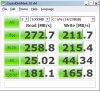
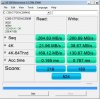
Here is my score in Safe Mode.
-
Your SSD seem to be not performing well.
Did you buy it new? If not, I would suggest to do the secure erase then reinstall the OS. -
Yes, new from TD.
-
What's wrong with his results? To me they seem excellent
-
His 4K and Acc.Time. Phil and 5482741 got those scores (4K) at normal mode. Shouldn't it be higher since he ran it on safe mode?
Here's my Vertex 2 Acc.Time (normal boot) and its faster than his score (safe mode)
![[IMG]](images/storyImages/OCZVertex2ASSSDFORUL.jpg)
-
I would suggest to do the secure erase then reinstall the OS then bench.
Btw, can you point me to where you got the SSD tweaks from? From my experience, some tweaks actually make your SSD performance slower. -
I followed a couple of them. Listed below.
Tweaktown SSD Guide
http://forum.notebookreview.com/har...marks-brands-news-advice-619.html#post6599846
The SSD Review: Windows 7 SSD Performance Optimization Guide
The only setting i didn't play with is to change the power setting to high performance. I left it as it is , but changed the power setting for HDD to never turn off. -
I thought the 14MB/sec random read was in high performance right?
If not it should be run in high performance. -
Thanks for the advice Phil and others. I'm just doing a spring (or summer) cleaning to regain some space then consolidate my media library on the SSD. I got the 160 Intel so might as well use it. Sorry I can't provide amusing anecdotes of putting an SSD in an UltraBay.
-
I didn't install the Intel RST using the Load Driver method during the OS install. I installed it after the OS install was complete. Does that make a difference.?
-
It didn't for me but it may.
Have you posted on the Crucial forums yet? I think it could save you a lot of time. -
Any tools to do the secure erase? Will that cause further problems?
-
Yes, i did post there. Responses are slow.
C300 256GB out-of box performance drop on SATA II ... - Crucial Community -
Seems like good advice though:
... you have some driver or program hurting performance... You'll have to use MSConfig (Startup and services tab) to disable things one at a time until you find out what it is, then you can remove it.
How did that go?
Also try disabling the write caching all together. I read that on the OCZ forums. -
I will be doing that once i get home. By the way, is there any recommended ways to optimize ssd performance by moving the users folder to HDD (i have Hitachi 7k500 drive in my upgrade bay). Is it worth it?
-
i have a step by step how to do that in the thread in my sig.. not sure if i can recommend it.. does it wear the ssd less that way? yes.. is it worth the trouble ? you decide

-
I haven't heard of that tweak yet. I doubt it's worthwhile.
Mrfractal has good stuff. Some more tweaks spread out through this thread:
http://forum.notebookreview.com/win...-your-windows-7-boot-time-tweaks-allowed.html -
It won't optimize performance but can ease your space issues. If you plan on using the drive for long term storage moving your music, download and other folders to the storage drive then usually puts these files right to the storage system rather than moving them later.
Also in this way you can keep the SSD free of the writes etc. to begin with so there is alot less maintenance. I also keep my documents, pictures and video folders on the d:\ drive as well.......... -
now that's a small SSD!! SANDISK INTRODUCES WORLD?S SMALLEST 64GB SOLID STATE DRIVE
-
More details on the new Samsung SSD series here:
Samsung SSD | Samsung SSD | Tech Specs | Research your SSD with Detailed Information
Some first benchmarks to be found here:
[Sammelthread] Samsung 470 Serie SSD - Forum de Luxx -
Thanks for mentioning. I can't see the results without subscribing.
Could you post the AS-SSD benchmark result here? -


Of course, here you go. -
Thanks for that.
It doesn't seem like a very good performer and it's not that cheap either:
http://geizhals.at/eu/?cat=hdssd&asuch=samsung 470 -
Indeed, bit disappointing for a new ssd. You would expect the performance to be at least on par with the sandforce or micron controllers.
-
Samsung never was good at benchmarks, but when it comes to real-live scenarios it's pretty good, and Samsung makes very reliable SSDs.
-
The way it looks right now is that they're slower than the competition and more expensive.
-
You're right, that's how it is right now.
-
My SSD and HDD review is online:
SSD vs Hard Drives: A Beginner's Guide to SSD Upgrades
Real world performance of:
* OCZ Agility 2 120GB (OCZSSD2-2AGTE120G)
* OCZ Vertex Limited Edition 50GB (OCZSSD2-1VTXLE50G)
* Crucial Real SSD C300 64GB (CTFDDAC064MAG-1G1)
* Western Digital Scorpio Black 500GB 7200rpm (WD5000BEKT)
* Seagate Momentus XT 500GB (ST95005620AS)
* Fujitsu 320GB 5400rpm (MHZ2320BH-G2) -
Nice review Phil...If u would believe it I am in the middle of similar (diff drives) and just waiting for my Samsung 1.5Tb drive to come in before completing it. Its not so much based on the beginners guide theory as it is my Crucial C300 Review with others utilized as comparison through performance comparisons as well.
-
great article! wow! the agility kicks butt!
-
Thanks mfractal. As you may have seen the Agility 2 was the only 120GB, so it got some advantages of that.
Cool. Will that be on NBR too? -
thanks phill.. ur review was really help in finally soldifying my beliefs in SSDs..
-
My pleasure Sean. Looking forward to read how you like your C300.
-
Thats a loaded question that I can't answer in consideration of site rules eheheh. See 1. below...will b there
-
Hey guys,
I am looking for a 100-128gb SDD for under $350. So far, I'm looking at the Patriot Inferno 100gb, which seems like a solid choice based on the reviews. What are some other good ones? -
Take a look at the vertex agility as well. According to Phil's review it's a solid performer
-
Any 120GB Sandforce drive is good, like Corsair Force 120, Vertex 2 and Agility 2. In that order.
-
Are there any drives (both Sandforce and non-Sandforce) that I should stay away from?
-
Some SSDs with early Jmicron controllers can perform worse than 5400rpm hard drive in some scenarios. The controller is used in OCZ Core, Kingston V series first generation and possibly some other SSDs.
For Sandforce drives, I personally would rather not buy from a small brand as there is a chance of bad firmware or the lack of updates. -
What constitutes a small brand? I've heard of brands like OCZ, Crucial, Kingston, Corsair, etc, and have used [some of] their products in the past.
-
For example: I hadn't heard anything about Mach Extreme Technology MX-DS. It's a Sandforce.
I would just stick with the Corsair Force or (if it's cheaper) Vertex 2. -
Thanks! +rep
EDIT: what if the Vertex 2 is $30 more and is 20GB less in capacity - what's more worth it?
http://www.amazon.com/OCZ-Technolog...TF8&coliid=I10LGN1QY3CGMK&colid=28BOCUASB1PES
http://www.amazon.com/Corsair-Force...TF8&coliid=I18C8YPW9K2U4J&colid=28BOCUASB1PES -
I recommend Corsair Force. Here's why: Corsair Force F120 SSD Review | StorageReview.com
It's a little bit cheaper on Newegg: Newegg.com - Corsair Force CSSD-F120GB2-BRKT 2.5" 120GB SATA II MLC Internal Solid State Drive (SSD) -
I've read about it on newegg - the reviewers seem to have higher rates of failure than those who own the Vertex 2 The price/gb and the reviews have me leaning towards it though.
-
12 reviews isn't enough to make any conclusions. I wouldn't worry about it.
SSD Thread (Benchmarks, Brands, News, and Advice)
Discussion in 'Hardware Components and Aftermarket Upgrades' started by Greg, Oct 29, 2009.


