Problems? See this thread at archive.org.
Why do You think it will be slower then 470?
-
Only track record of primarily OEM SSD's. Previous gen Samsung that were primarily OEM had underwhelming performance. OEM's want to buy the cheapest they can, yet sell at the highest price point they can. HP and Dell will sell you a 256GB SSD for a $600 premium and it's something like a WD SiliconEdge Blue. Not a bad drive, but far from a top performer.
-
I saw Samsung claimed their SATA 3 drive will be R/W of roughly 500/300 MB/s. Right in line with the Intel 510 and Crucial M4, even a tad faster. Randoms we shall see.
-
Samsung 470 was sold as OEM version too, performance was identical to the 470: SSD shootout: Samsung 470 vs. Corsair Nova vs. OCZ Vertex 2
Judging from the specs the new PM830 will be a significant step up in performance over the 470. -
When do you guys think the consumer revision will be released?
-
Hi Guys,
Just after some advice really as I recently installed my first SSD....Great!!! - I am very happy with the Crucial C300 256gb I have...maybe not the fastest but a good drive nonetheless....
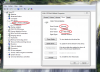
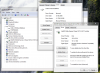
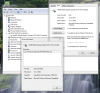
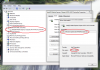
Now, where I could use some help is regarding Drivers. I have done a clean install on my M18x with all Dell Drivers for it, which included Intel RST....However, I just had cause to go look in device manager and thought I would check the SSD Driver and its shows as Microsoft??? (see screenie's).
Now, I tried to update the driver by browsing and pointing to the RST folder on my system but everything I try comes back with the message that "Windows has determined the driver for this device is up to date!"
So, in a nutshell, how the heck do I go about updating the driver to use Intel's RST Drivers?
Any help appreciated, as looking at the screenshots, I am not sure wether or not what I currently have is right - especially when the C300 Driver is saying MS....Does what I have mean I need do nothing? - am I already using Intel RST for the SSD as I am a bit confuddled!!!Attached Files:
-
-
I suggest to download the Intel RST driver from Intel.com and run the .exe file.
-
Is that the top file on the link Phil? - also, this is the version I have at the moment.....do I need to uninstall the previous version of Intel RST first?
Attached Files:
-
-
Indeed, it's the top file:
File name:
iata_enu_10.6.0.1022.exe
Version:
10.6.0.1022
![[IMG]](images/storyImages/blank.gif)
Date:
06/08/2011
Status:
Latest
Size:
6.89 MB
Language:
English
NO, you do not need to uninstall the previous version, as Intel drivers are pretty much well written, so they know how to uninstall previous version while installing new one.
As a matter of fact, I just installed this one (10.6.0.10 22) over my previous 10.6.0.10 02; only requires a reboot after...
 Last edited by a moderator: May 7, 2015
 -
Thanks for that info mate. Much appreciated. Tell me, in device manager, when i double click on my SSD and go to the driver tab, it shows as a MS driver 2006 (as previously pictured).....is this normal 'cos I thought that it would show Iastor or RST or something to show that I was on RST Drivers (or is that shown in the driver tab for controllers?).....just curious.....Last edited by a moderator: May 7, 2015 -
My pleasure Sir.
Actually, you should look under Storage controller instead of under Drives, see the image below, sorry my win is in French, but I guess you get the picture anyways, right ?
![[IMG]](images/storyImages/inteljpg.jpg)
-
Merci,
So once correctly installed, just check driver tab under controller and ignore whatever the driver tab says when I double click the drive itself? - here's what I have currently and obvioulsy, once updated, the version number should change to 10.6.0.1022
About right? - It got me a bit confused seeing the driver as MS when I double-clicked the SSD itself in device manager.Attached Files:
-
-
You have already the Intel Rapid Storage driver 10.1.2.1004 installed.
There will only be little increase(if any) in performance by version 10.6.0.1002/1022. -
Fair point. What I was really worried about was that I had MS drivers instead of Intel RST....I thought that the driver tab on the C300 (below) itself showed what driver I was using......might as well update to the latest version even if its a tiny boost.
Attached Files:
-
-
So I got my Samsung PM810 last fall and it has been running really great. I think I would never be able to return to a HDD.
My current setup have been running for over 6 months and I haven't done any SSD specific maintenance.
![[IMG]](images/storyImages/cdm100mb.png)
![[IMG]](images/storyImages/asssdt.png)
![[IMG]](images/storyImages/ssdlife.png)
-
btw, the davepermen channel is unbiased and always focused on the needs of many. unlike yours, focussing only on your special hdd > ssd needs. now where's that big article showing how ssds are worthless, again? you promised.
-
Hey davepermen!
No, I'm focused on getting a real return on my $$$ - not just benchmark or a few seconds saved in actual productivity scenarios.
I know I'm very late with that promised post - it will happen, just winding down the summer work schedule that has been the best it has been for a while.
And, no - no worthless - just need to be used in very specific ways to be worthwhile for me.
Worthless was the gen 0/1/2 stuff - with their way too small capacities to be practically faster for my uses and their outrageous $$$$ that plainly advertised for 'suckers only' - after I got to try them and saw what little they offered me for so much of my hard earned money.
I still saw their benefits - but the juggling act of moving ~30-50GB of DATA around a few times a day did not do my productivity any good to make them worthwhile.
Waiting for the affordable 512GB offerings to build my new mobile SNB workstations on - this capacity, I can make work.
-
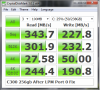
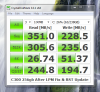
OK, so I updated my RST's as per previous posts and these were the results. First shot before, second after....(not back to back benches - few idle hours between). Sure, not a massive gain but I am happy. Not bad for a realtively "outdated" C300 'eh?? (quite pleased as it was only £200 brand new & sealed in the box!)
Attached Files:
-
-
IRST is not a magic wand, meaning there's limits to what it can do.
But I agree with you, your C300 seems to work great !
In my humble opinion (yes, I know...), IRST delivers his best when working with a RAID pile, as it's buffer can make your 4K writes jump from whatever up to ± 170 ~ 190MB/s...
That's what I get with my 2 G2 on a fresh windows installation, and I quick format and reinstall windows every six months or so, when my writes (sequence and 512K) fall down from 212MB/s to 125MB/s...
But yeah, seeing your numbers, it's pretty good, very interesting indeed !
-
I considered getting two C300's but decided against raiding because of Trim. From what I did read on SSD's prior to buying, there was no support for it in Raid. That said, i suppose if you reinstall every few months, its not a big issue and GC would do the job in the short term.
Might look about for another cheap one! -
May I ask, did you create your RAID0 array in 2 volumes or do you use it as 1 volume?
I want to use my RAID0 array with C: for the OS and D: for my data.
I can accomplish this with either defining both SSDs as 1 volume in the RAID0 array and then partition it for C: and D:
or define 2 volumes(matrix configuration) in the RAID0 array, allowing me also the separate OS and Data.
2 volumes give me the option to specify 2 Write Back Caches, one for each volume.
What do you think is better? -
Hmmmmm
If I may...
It's absolutely true that RAID prevents TRIM, most likely because Engineers are too lazy to build a controller which shall pass the TRIM command from the O/S to the drives...
This being said, I've owned two Sammys PM800 (not the 470 series) in RAID too, but quick formating and reinstalling windows never helped me to get their original performances back, whatsoever, which my two Intel do...
Therefore, I would be personnally very cautious in RAIDING two C300, while I realize that this guy most likely is build out of the same chips as my Intels, as both Micron (Crucial) and Intel use the exact same chips; in fact, they are (the chips) made in joint-venture between the two companies somewhere down in Utah in a Micron factory, if my 512K block still holds the right information, if I remember correctly...
The only advice I would offer, particulary if you do RAID them, but even if you don't, is to always leave say 25% to 33% of free space, allowing ITGC to work optimally.
But you seem to already have a great rig there; Enjoy !
-
Yes, I agree. I suppose in an ideal world, Trim would work on Raided SSD's but over-provisioning as you say can mitigate this with good GC. I seem to recall a figure of about 18% to over provision by to ensure this.....obviously as I went for single SSD, I didnt bother to explore this further as I didnt fancy the idea of losing 50gb of my SSD right off the bat......maybe at a later date I will - by then, their may be Trim for Raid......
-
That's a very good question as I never tried with two volumes.
I build a RAID0 array with my two Intel G2-160GB.
I do not partition the volume, so I end-up with one volume of 298GB (once formatted, 2X160GB not formatted).
Therefore, I don't know if you would get the option of 2 Write Back Caches, but it's worth a try I'd say, because Cache is where and how you can speed-up the rig (Cache beeing defined here as volatile memory which is obviously WAY faster than any SSD's chip).
So, say you go with your Matrix option, and get two write-cache buffer, results might be very interesting, might just wanna try it next time I reinstall...
Sorry, not able to answer clearly your question because I never tried it.
But definately worth a try.
Steve: Manufacturers DO INDEED over-provision their SSDs; however, if you fill it up to say over 85% ~ 90% of their capacity, the over-provisionning is just not enought, almost useless... -
I was meaning "over-provisioning" MORE than the manufacturers have done by creating a blank partition on the drive that gets used for NOTHING! (Short-Stroking) - in effect, from my understanding, never allowing your drive to fill up to such an extent where GC becomse useless.
Say I had a two 250gb SSD's setup up in Raid 0, create 2 partitions, one 400gb and 100gb blank/unallocated. Install the OS to the 400gb partition and that should "over-provision" the raided drives to about 20%.....
Of course, this loses ALOT of expensive SSD storage space..... -
This thread is huge and has become such an amalgamation of different information it's hard to locate information related to initial things to do with using an SSD.
My laptop will arrive this week and for me this is my first SSD and I want to make sure I do things correctly. I see things like turn off sleep/hibernation? Turn off indexing, prefetch & superfetch, defrag. Set BIOS to AHCI? Update firmware from Intel?
Can anyone help? I'd also like to suggest a sticky at the top of this forum that is a simple guide of what to do when you get an SSD. -
All you need to do:
Install Windows 7. It will automatically format and align the drive for you.
Run the Windows Experience Test once you have all your drivers installed (graphics/audio/chipset being most important).
Verify that defrag was disabled on the SSD. Running the Windows test ought to do this, but check in the control panel. NEVER DEFRAG AN SSD!!!
You can turn off search indexing if you want and a whole host of other things, but really only turning off defrag (so it NEVER runs on the SSD, running on mechanicals is still fine) is necessary.
Also, make sure TRIM is enabled. I forget the exact command, but there is a command string you need to type into an elevated command prompt (run as admin) and it'll tell you.
You can delete the hibernate.sys file if you don't use hibernation so as to fee up the space (equal to the amount of system RAM), but you don't have to. -
Thanks a ton Matt. +rep!
So there's no issue with sleep and SSD?
Best to just put the laptop to sleep when not using it? -
Well I sleep my laptop all the time (M4) with no issues, but others can have trouble. It is probably drive-dependent. Worst case, you find out it doesn't work (don't keep anything critical open when you try it). If there are problems, they will crop up immediately.
-
Corsair Nova 2 60GB (advertised at 270/240 read/write):
Did benchmarks with ATTO, AS SSD, CrystalDisk read speeds seemed good to me but writes were slower than what I expected. For CrystalDisk I originally ran with 5x but had lower results then disabled my antivirus and ran again at 1x that got me slight increases (those results posted). Other two benchmarks had the system in a normal state. This is all on a fresh windows 7 x64 install on my acer TimelineX 3830TG-6431 with 8GB of RAM (upgraded).
![[IMG]](images/storyImages/9mlTn.png)
![[IMG]](images/storyImages/qXixM.png)
![[IMG]](images/storyImages/2fBWV.png)
Sidenote: If anyone knows/ has ideas why the write speed seems low please let me know. I already made sure AHCI is enabled in the bios and TRIM appears to be working. Also checked partition offsets and they seemed to be correct as well. Thanks! -
Your writes are definitely off.
What's the chipset of your Acer ?
Did you buy the SSD new or second hand ?
I suggest you read this, this and this.
You might as well try the latest RST...
Best,
eYe
-
arsad, SandForce based SSD right?
I'm guessing that it is lifetime write throttling (LTWT) imposed by the DuraClass 'tech' that SF forces on every manufacturer to guarantee a minimum duration (1-5 yrs) lifetime of the SSD.
From my experience, nothing you can do about it: I used my $400 Patriot Inferno as a USB (2.0!) external 'USB key' when I encountered that issue.
Even SE it won't bring back the performance.
Hope the situation is different for your drive, but as mentioned; it's the controller/firmware that is dropping the performance like this on you. -
Corsair Nova 2 uses Indilinx Barefoot controller. Writes should be ~ 240MB/sec.
Perhaps changing the write caching helps. -
I am already using the latest RST drivers and I asked Corsair about this sending them the benchmark information and they said based on the ATTO results it was working correctly... I feel better since they say nothing is wrong however still not exactly at ease.
@eYe Its a new drive just purchased from Newegg.
I noticed that those links are changing power management settings so I am going to retest without making any changes except setting power management to "High Preformance" instead of "Balanced" just to see if that changes anything. I'll look at the edits later in detail and possibly try them out.
Just ran the seq in crystaldiskmark no change in speed (just wanted to check).
Device Manager Reports the Chipset as Intel 6 Series /C200 Series Chipset.
I'll update with registry edits later.
EDIT: Followed the JJB thread instructions and umm... no change to read but write got slower...(seq down to less than 70)... wanted to test a theory so I changed to 1x50 instead (for less wear). Ran one test for a baseline then disabled the realtime shields on AVAST and ran again on 1x50 there is a slight increase in write maybe about +5mb/s at best, so I guess that was not an issue.
Used Restore Plan defaults (I am assuming the registry edit just makes the settings visible). Then ran another 1x50 and performance was better (again crystaldisk noted small improvements except in 512k write which jumped to 121mb/s from 64mb/s) than when the settings were adjusted as per the guide.
For now running a final 1x1000 to compare to my previous post (technically this would be with the same settings as my previous post if the registry edits just make the options visible, only difference is antivirus as noted below):
![[IMG]](images/storyImages/rWrry.png)
As you can see the preformance is roughly about the same for reads and the random writes actually went down... although around this time windows was notifying me about updates so that "might" have thrown that off.
Just remembered in my first post I had AVAST disabled for the crystaldisk... that DID slow down the writes on the 1x1000 previously as well so I think that is the reason behind that. -
Yes, the registry tweak only SHOWS options that were hidden for the processor's "fueling"...
Now, at that point, since you've got a laptop, and since laptops have batteries, you might just wanna try this:
→ Start Windows Explorer
→ Right-click your C drive in the LEFT pane
→ Choose Property
→ Click Hardware
→ Highlight your C drive
→ Click Property
→ Click Change Settings
→ Click the Strategy tab
→ Check both boxes...
→ Click OK...
→ Reboot...
→ Re-run the test (I suggest 2X500MB instead of 1X1000MB if you want to use CDM)
If after that your results still show crappy performance, no matter what Corsair says about Atto, see tiller's post above,
you might just want to revert back to MS AHCI controller instead of IRST, which tends to show the best results with RAIDed SSDs.
-
Thinking to buy 60 GB OCZ Solid 3 for 117.63 backs ($) in Ukraine. Is it worse to buy now or better to wait until OCZ Vertex becomes cheaper? I noticed big difference in 4KB reads like 10000 versus 16000.
-
It would be best to buy Intel, Micron (Crucial) or Samsung...
-
This.
Way too many unresolved troubles with Sandforce drives. -
I know. In my case either buy osz or stay with hdd. I just don't have extra money
-
I guy wrote on newegg that you must leave at least 64 mb unformatted space for selfcaching
-
I fully understand that.
This being said, you can either buy this guy now and pray for the best, or you could wait saving some extra money to go with the guys who will not only sell you an SSD but also, reliability.
Don't get me wrong: I know we do not find money in trees, we gotta work hard for it, but at the end of the day, it all comes down to:
Would you either buy something cheap which might let you down anytime or;
Would you rather wait, and then get something which you know upfront you'll be satisfied with...
All in all, the choice is yours;
because of the nature of an SSD, I would personnaly wait to get the extra money to go with the best; after all, we're talking data here, and in most cases, it's priceless
Again, your call Pal
Cheers !
eYe
-
I have such feeling like I have just ate 3 commercials of MaterCard
Actually in my case if I won't like it I will just give it back for refund.
As I understand if OCZ SSD works fine for first month then it has same chances to stop working as other SSDs, right?
I am glad for your answers.
However I am thinking to either to buy OCZ or... buy another OCZ later. So I need to know performance difference between OCZ model, not reliability between brands. I already know that I should buy Intel or Crusial or Samsung. -
Which does nothing concerning the fact that these drives up and fail a lot.
Yes all drives have a chance to fail, but only Sandforce drives like to fail 1-2 months in as a norm. You are rolling the dice getting a Sandforce drive, especially an OCZ. They are a terrible company in terms of owning up to issues. They like to blame the consumer for having "outdated tech" when their products don't work right. Even when that tech is still heavily being sold. Believe me, they pulled that on me when i got my Vertex 2. That was before I knew better...And if the drive fails on you after the first month, you can't get your money back. You'll EVENTUALLY get a refurbished drive from OCZ that will likely crash even faster on you. They are fine drives when they work, that just isn't nearly often enough.
Crucial M4 actually runs pretty close to the Vertex 3 in pricing, often better even. And it is a way better drive, honestly probably the best reliable, fast, super-performance drive out there. -
No, it can be bad right out of the package, work for a day/week/month or even die on you 3/4/5/6+ months down the road.
You won't be able to return for a refund. Small consolation to RMA/exchange it and do this dance again in a few months... (until the warranty expires or the company goes bankrupt).
Remember that you have a responsibility with your money. First to get the best possible products for your specific usage patterns that last as long as possible (at their rated spec's). Second, to support only those manufacturers that give you these kind of products.
Giving not just OCZ, but anything with SandForce controllers your money at this point and for the foreseeable future is giving them a clear indication that we as consumers are willing to be beta testers (indefinitely) by supposedly saving a few dollars (vs. the 'real' SSD's out there).
Don't be so enamoured with skyhigh benchmarks showing technical differences between SSD's: get an SSD (used, if you have to...) that reaches (in real world use) and surpasses OCZ/SF by continuing, day in day out, to perform at least as well (in the real world) as their synthetic benchmarks fail to show how 'ordinary' their products really are.
If you just have 'XX' amount of money to burn and an SSD is the obvious way to spend it, then I guess OCZ/SF products are the best way to see your money go up in smoke.
(Well, significantly higher chance with them than any other SSD manufacturer/controller maker out there, by far). -
Hey Jimmy Dean!
I'm from Croatia where earnings aren't that good as in the USA or other countries (I believe that in Ukraine is almost the same situation) and I know Your situation, but don't by OCZ! It's just a friendly advice and if You need any proof just say and I'll do my best to prove You I'm wright. -
Hope this helps !
-
Yeah, But it sucks with writes on 64GB version. Just 95 MB/sec! Do you have any review?
Updated. Do you need my PayPal's email?
OK friend! Please do this!
I found this very good review comparing to all OCZ sata3 models. The difference is noticeable. Like 17 MB/sec vs 22 MB/sec. On the other hand I remember old OCZ Vertex 2 showed even better results for 4K reads, isn't it?
@tilleroftheearth noted
-
Nope, I already sent You 1000 , hope it's OK!
1. In that very good review try looking at writes for random data for any tested drive and You'll never see anything close to 450 MB/s, that's just how SandForce works. Period!
2. And it can get even worst if You write lot of data to SandForce based SSD.
3. -
Just an update on my Corsair Nova 2 SSD, I decided to put it in my desktop for a benchmark just to see if it was due to the laptops power management. The desktop is using the latest RST and I used crystal disk mark 5x50mb on it and numbers were much better:
![[IMG]](images/storyImages/FSrFX.png)
Then I figured I would put it back in my laptop just to get a benchmark at 5x50 to compare and it got more or less the same numbers on AC then did the same on DC power with similar results, however an interesting thing when running the 1x1000mb bench afterwards the results are similar to the speeds from earlier, any ideas why that would be? (I have Write Caching on, and write-cache buffer flushing on (so defaults)).
http://i.imgur.com/e1Gbk.png -
Most likely, your test using 5 X 50MB measures the CACHE (SDRAM? DDR3?) on your SSD (controller) instead of the cells themselves.
However, running a 1000MB test exceeds the amount of CACHE on your SSD (most likely 128MB) and therefore, measures the real cells...
I don't have the exact specs of your drive, but say it has 128MB of SDRAM CACHE Memory, and say you write 50MB, CDM will measure the SDRAM's speed because as soon as the writes occur in the cache, the controller sends the information it's written.
But if you run a test with 1000MB, this is more than the 128MB of CACHE can hold, therefore, CDM will get the information the writes are done only after some real cells of the SSD will have received (1024MB - 128MB) ± 896MB, thus your lower results because SDRAM is always way faster than any SSD's cell.
Just my two cents though!
SSD Thread (Benchmarks, Brands, News, and Advice)
Discussion in 'Hardware Components and Aftermarket Upgrades' started by Greg, Oct 29, 2009.