 Problems? See this thread at archive.org.
Hmm...maybe we have stumbled upon something here..wish I had the tech knowledge to make reasonable assumptions though.
Can we say that System Restore is bad for the ssd?
Can we say it reduces performance significantly in a short span of time?
Has this been observed and reported elsewhere?
Is there anyone here who has System Restore turned on and its been on for a few weeks that would be willing to do a CrystalDiskMark test right now before changing anything and then turn system restore off, use Toolbox and then another test and post both results? Could it be possible that ssd performance degradation over time can be mainly caused by System Restore?
This is becoming a very interesting topic because, as I said, my ssd is divided into 2 logical drives to which the drive that didn't contain the OS (or restore points) was always less than a second for Toolbox whereas the other was longer. Now that Restore is off, both are equal at less than a second.
-
-
Thanks!
Which particular AS freespace cleaner you use?
Also what's the difference between defrag c: /x (command prompt) and windows defrag tool? -
You can download AS freespace cleaner here: http://www.ocztechnologyforum.com/f...TURBO-owners-with-FW-1.5-you-do-not-need-this.
The defrag c: /x is the windows defrag tool except it only consolidates free space. -
Just ran the IOMeter bootup benchmark and was wondering how it compares to other Intel and other SSD's. The downloads and instructions are here.
http://www.ocztechnologyforum.com/f...age-results-on-various-systems-also-post-hereAttached Files:
-
-
Many Thanks sgilmore62. AS Cleaner is currently running (40GB more to fill)

Btw, Tony-TRIM = PD10 + AS cleaner, right? -
Yes but I use defrag c: /x instead of PD10 because it runs background processes that can block GC.
-
I see.
Update: Disabled TRIM -> Defrag c: /x -> AS Cleaner -> idled on log on screen for 40mins -> enabled TRIM = same slow write speed.
SSD degration?
-
http://www.gearlog.com/2010/03/corsair_unveils_force_series_s.php
Cosair's new SandForce based SSD. 100 and 200GB sized drives out this week, but prices unknown. I'm speculating, but it looks to be the Sandforce 1200 controller -
No, wear leveling hasn't kicked in, try going to sleep mode then once everything shuts down to sleep press the power button and leave at that logon screen for 20 minutes.
-
README on Intel's SSD Toolbox:
"The Intel Optimizer may take several minutes to complete depending on system configuration. While it is running, only 1GB of space will be available on your drive until it is finished running, at which time all the free space is returned to your drive. Please refrain from adding or deleting files and general system use while the Intel SSD Optimizer is running.
To reduce the amount of time the Intel SSD Optimizer takes to run, reduce the number of System Protection restore points. The amount of time the Intel SSD Optimizer takes to complete is related to the number of System Protection restore points and the number of total files of the system. See Microsoft FAQ on System Protection restore points here: http://windows.microsoft.com/en-US/windows-vista/System-Restore-frequently-asked-questions"
From the above link, referencing why System Restore doesn't work on a FAT32 system:
"System Restore doesn't protect FAT32 and other FAT disks because FAT disks don't support the use of shadow copies. Shadow copies contain information about changes to documents and system files. Shadow copies require the NTFS file system. In this version of Windows, System Restore uses shadow copies to create restore points."
Shadow copies: http://technet.microsoft.com/en-us/library/cc785914(WS.10).aspx
Back to basics on why SSDs need TRIM in the first place: http://www.maximumpc.com/files/u90693/trim_full.jpg
Corsair's TRIM FAQ:
TRIM actively deletes invalid data from the SSD’s memory cells to ensure that write operations perform consistently at full speed. Invalid data is defined as data that has been deleted by the user/host OS, but which remains physically stored on the memory cell until it is overwritten. Since a memory block must be erased before it can be re-programmed, TRIM improves performance by pro-actively erasing data blocks containing invalid data, thereby allowing the SSD to write new data to the memory without first having to perform a time-consuming erase command.
My working theory is that however Windows is backing up files with System Restore using shadow copies is persistently writing out every block on the drive with partial data given time and number of snapshots. The SSD Optimizer essentially performs one single erase cycle over the span of your entire drive, erasing every full block so it's ready for writing when your OS needs it. This is what TRIM does at the point of initial deletion anyway, and goes hand in hand with wear leveling. The reason TRIM increases the life of your drive, even though it and the Optimizer are performing an erase cycle, is that when the drive's firmware sees more free blocks, it's able to more effectively use wear leveling techniques to spread writes across the entire drive. TRIM counter-intuitively increases the lifespan of SSDs by allowing firmware wear leveling to operate at peak efficiency, thus ensuring all of your NAND cells have equal life remaining and one isn't going to just die on you someday. Also if you recall, the SSD Toolbox was briefly pulled because it was actively deleting Windows System Restore points. The Optimizer thought the blocks containing restore points were bits of deleted data so it was TRIMing them.
If I'm making any sense, and I'm understanding and speculating correctly, System Restore is rapidly filling up every block on the drive in such a way that makes the manual TRIM command take a long, long time. The side effect is rapidly degrading performance and an equally rapid increase in erase cycles, resulting in a decreased lifespan of your drive.
It's all speculation right now, but it's the best theory I've heard so far. Feel free to dissect it and revise it. -
Nice stuff...
My system is NTFS.
The question I then have is why TRIM isn't doing its job before I use the toolbox, unless of course the creating of restore points does something to prevent trim from doing its job, ergo, it then takes so long for the Toolbox to do its job. -
hey guys, i reckon im going to take the plunge and buy an intel x-25m G2 80GB in a few weeks...
which online store that ships internationally (to australia) has the best prices?
thanks alot.
sorry, i dont know any US sites. i figure i can get one imported cheaper than i could buy it here. -
I've seen that "fill up" message too - only it never happens?
The only thing that will fill up the drive is a data integrity scan - and even after that Trim is done in a matter of seconds. -
A matter of seconds can be very subjective as the Optimizer working in a second or less seems to be proper in the normal scenario.
So, are you saying that you hve system restore turned on, you have checked and not observed any performance degradation and that you have used optimizer and it worked in 'a few seconds' or less??
Can u post a Crystal score by chance?
I am also posting and looking around Intel now and this seems to be very common and almost normal as the site is littered with threads of drives showing common symptoms where the restore function is appearing to be the culprit.
To me, the G2 can be just the tip of the iceberg. I wish I knew someone who had the G1 and system restore on who has been watching their performance scores... Since their is no Optimizer for a G1 how would this drive react over time?
My biggest curiosity is this...
I have always watched all my ssds and when degradation in ssds was recognized for lack of trim, I posted several times about my experience. I never observed any degradation or slowing or performance drops in my ssds, especially in the Sammy 256Gb. I also never had system restore turned on. Now, I am curious as to whether our answer to the whole TRIM phenomena is really nothing more than Restore being shut off and the ssd having little to no problem completing the read block, delete block, write block function scenario in a fashion that performance slowing is really not noticeable.
This would answer to me why I never experienced slowing which I found very unusual as I have had, run and tested ssds continuously since day one. I always found it very unusual that I could never duplicate the slowing and to me, this would be because my system restore hasnt been on in years as well...escept for this two week span where I left it on...and had slowing. -
System restore is off for me.
And the "few seconds" statement - it might be 1 or 2 seconds... I never took a stopwatch to it.
Regarding performance - the only thing that degrades slightly is sequential speed but isn't noticeable after over 300GB of writes. -
Same result...
![[IMG]](images/storyImages/Untitled-2.jpg)
-
Ok....the issue is moot if system restore is off Detlev. I think, quite frankly, this may be a very significant issue to discuss further
-
I had the same theory and bought from this place http://www.memoryc.com/ but just looked now and do not see any SSD from Intel listed I bought 2 OCZ brand SSD, will be busy next week or as soon as I can get my hands on Windows 7
I didn't find any USA shops that would send to Australia (Amazon, Newegg) except for sellers on eBay -
Les,
I think you are making too much of the System Restore issue causing slowdowns on SSD's.
I have always had system restore turned off the minute a clean install of Windows showed the desktop. When I tried the Torqx SSD a while back, it very obviously showed a slowing down (to USB speeds) when filled past 50%.
The reason System Restore is crippling to not only SSD's but normal HD's too is because it is basically running/monitoring/creating all the time.
When running a manual TRIM command on an SSD, the SR function goes into overtime trying to figure out how to keep up with the new 'data' that is being created.
As mentioned several times on this thread - SR is useless for a certain level of user. In my case, it has never fixed anything that didn't require a re-install afterwards anyways (and having wasted 4+ Hrs in the meantime waiting for SR to go back to a restore point to see that it didn't work).
On an SSD, it certainly seems even more true that SR should be the first thing a 'power' user does - but that does not ensure there will be no slowdows either on an SSD. -
If you have a desktop that you can put your Samsung drive in as a spare you can open a command prompt as administrator type diskpart then type list disk then type select disk # (#being whatever number the Samsung is) then type clean all.
After this go to control panel>administrative tools>computer management>storage>disk management>right click on the disk that is your Samsung and select format, just do the quick format. Run AS freespace cleaner with FF checked across the whole drive. Put the drive back into the notebook and re-image the drive with the image you made before erasing the disk. -
just a side note... are you sure you're not just testing the Samsung's cache?
-
That doesn't matter with this file benchmark his drive is still performing well below spec. His Samsung 256gb should be getting 220 reads and 200 write with ATTO. My Summit is the 64gb version of the same Samsung drive and it's spec is 220 sequential reads and 120 sequential writes.
![[IMG]](images/storyImages/summit.png)
Here is an ATTO of my X-18m
![[IMG]](images/storyImages/x18.png)
-
256MB File... 256MB Cache if I am not mistaken...
Also, the 4K speeds seem too quick for a Samsung Drive... -
This is a sequential file transfer benchmark, not a random test. The Samsung drives weakness is small random writes not sequential ones.
-
4K sequential writes??
Also - you are using a HDD test on a SSD. -
SSD's are designed to mimic HDD's -- why not an HDD benchmark? Anyway heres another with 512mb total length..
![[IMG]](images/storyImages/512length.png)
The ATTO benchmark measures sequential file transfer rates for both reads and writes. -
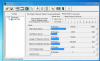
By the way, this is a 160GB G2 drive
![[IMG]](images/storyImages/attonotrimmsm8941004.th.jpg)
Looks very similar.
Don't think there is anything wrong. -
I don't see anything wrong either, knew going in the Intel SSD's weakness was sequential writes but since I'm not editing videos or doing much sequential write transfers it doesn't matter. If I was doing alot of video editing and needed to do alot of sequential write transfers, wouldn't use an SSD. Would get a couple or three Vraptors RAID'ed together as a data drive on a desktop but would still use an SSD like the Intel for the OS.
-
Hi sgilmore62, just wondering how long does it take the clean all command to finish? currently on 20 minutes mark and still counting
EDIT: Nvm. just finished. -
Hi guys,
I just attempted to flash the firmware on my X-25M 160GB, which has firmware 2CV102G9.
I burned the ISO file using Win7-64bit, and booted from a CD-R, which was verified after burning by the Windows7 ISO software.
Once I did a reboot (after pulling the battery on my laptop), I received the following error in DOS:
Error reading from drive A: DOS Area: General Failure:
Abort | Ignore | Retry | Fail
The only option that worked was fail or if one ignored, then got:
Invalid Opcode: 0013 25E2 0246 0000 0000 0000 0000 0000 0000 0000 0000 0000 0000
Anyone have any ideas what's going on? This SSD is installed on a Toshiba M750, with 4 GB RAM.
Thanks! -
What controller, Intel? (ICH 'x') - Also, try to burn another CD in case its faulty?
Are you in IDE mode? -
Yes, I guess I'll have to try to burn another - not sure which mode I'm in - will update this post accordingly.
OK, the BIOS shows that I am in AHCI positively, Port 0 for the SSD. -
Try switching AHCI off - that might have been the problem if you are on an Intel controller. (the NVidia Chipsets don't allow a Firmware upgrade)
-
You can also try switching to the other port and removing any other drives. If it wont work on your system you may have to try it on another. Some systems and PCB's BIOS are particular when it comes to security freezes and other issues.
-
Yes, that worked - thanks!
Switched to IDE mode and then no probs!
Now on firmware 2CV102HD! ^
Thanks for your quick assist as well! -
Great
Enjoy! -
i found out which SSD I'm getting its OCZ core series v2 will that be better then the Kingston v series i have?
-
yes, the core2 uses 34nm but of a slightly lesser quality to keep prices down along with the same Indilinx controller as the Vertex, Agility, etc.
-
I re-installed PCMark Vantage so could compare the X-18m HDD suite with the Summits score and was surprised the Intel scored 8,000 points less.
Intel X-18m
OCZ Summit -
Update: Still no improvement
--------------------------> BEFORE <----------------------------------- -------------------------> AFTER <----------------------------
![[IMG]](images/storyImages/March18100146pm.jpg)
-
actually got worse
You know where the problem with you guys is?
You see a problem where there is none. -
If You're talking about this one don't buy it, it's using old JMicron controller.
-
Don't think so
. The "AFTER" test was done right after the image restore.
I left it idling for like an hour and got the ff result:
![[IMG]](images/storyImages/March1810updated.jpg)
-
Nice! +1 rep
-
its not that im buying the ocz core series v2 i have bought another laptop of ebay (arriving in the mail any day now) which has the ocz ssd in it but i already have a Kingston 128gb v series ssd, yeh i know they both use the JMicron controller what i am trying to figure out is which one is better or does the JMicron controller make them identical?
-
OK, I have a few SSD questions. I have several SSDs. Two intel 160GB X-25M's which will be used in a future laptop (M17x R2) But I also have two 256GB Samsung drives(both support TRIM). I want to install the factory image two one of them for the M11x. I've heard that it's not good to clone as it can throw off alignment. Is this also true with creating an image and using that? One of the reasons I want to do this is because there is minimal bloatware, but I also like the security of having the diagnostics partition as well as the recovery partition. Will I benefit from having them on an SSD the way I would with an HDD?
Another question. I want to use the other 256GB SSD in the Dell Inspiron 1720 I have. But currently that laptop uses windows Vista. I've read Vista is pretty bad with SSD's as it cannot support trim. Is there a program that can be scheduled to run trim for the O/S?
Few more random questions
Is there a way to return an SSD to stock speeds if it suffers degradation?
In windows 7, how can I verify that TRIM is enabled?
Sorry for all the questions, I've done some searching and reading and found no real answers and am completely new to the world of SSDs. The more I read, the more confused I got. I've also searched this thread using the seach function, but the sheer size of the thread is crazy. Thanks for the patience if you read this far
-
I have replied to a few of your questions in the other thread...long explanations so you can pop there I am sure...
-
On Intel drives you can use the Toolbox for a manual Trim - but you honestly don't need it regularly.
The performance change is not noticeable after over 300GB of writes on an Intel G2 drive.
And about the install - why not do a clean reinstall and keep the old drive as backup?
I have my old Vaio's drive stashed away - I could swap it back in and would work. -
Agreed.... There are so many reasons for the clean install with respect to an ssd...and the end result is performance.
Maybe I or Detlev will get off our butts and put together a SSD Optimization Guide eheheh. -
Guys, thanks. I think I'm going to stick with my clean install. I've just always been paranoid about a failing HDD and as a result I have 7-10 external that badly need to be orgainzed. I guess an SSD is a much safer bet. And I can just copy images if need be, although I do have the factory HDD with the clean image on it. Lasted about 20 min. in the computer.
Les, thanks for the reply in the other thread. I must have missed it bouncing around.
SSD Thread (Benchmarks, Brands, News, and Advice)
Discussion in 'Hardware Components and Aftermarket Upgrades' started by Greg, Oct 29, 2009.




![[IMG]](http://img85.imageshack.us/i/attonotrimmsm8941004.jpg/)


