 Problems? See this thread at archive.org.
I got a new laptop which is ASUS UX430UN, i7-8550U, 16GB RAM. I read the guide by Douglas as posted on the 1st page of the thread and created 2 profiles in Throttle stop. The 2 profiles are Normal performance and Battery Mode. Below are the screenshots of my settings. No matter how I try to undervolt, once I run prime95 to perform a stress test, the throttlestop will show my laptop throttle immediately after starting of stress test. Based on reviews on this laptop, they do seem to encounter throttle issues. I will investigate more to try figure out sth. Just sharing my review when working with this model of laptop.
![[IMG]](images/storyImages/image234)
![[IMG]](images/storyImages/image235)
![[IMG]](images/storyImages/image236)
-
Cannot see the pics. Please check. BTW, please make sure the offset voltage of CPU Core and CPU Cache is the same, otherwise it will not take effect.
-
Hello guys!
I have very stubborn Dell Laptop Precision M6800 running under Win7 Ultimate and equipped with i7 4800mq and original 240watt power adapter and i have throttling issues, which i can not solve myself.
Hope i will get some advice here)
So the issue is - the TDP is locked to 47W and under load almost never i get proper 35x turbo boost. I have tried ,any things including bios mod. Now i have completely unlocked bios with unlocked TDP/TDC and other values. However all these manipulations make no sense to changing 47W limit for throttling. Undervolting cpu-gpu-cache was some help to get up to 33x turbo but it is still not full extent of capabilities of this cpu even by default...

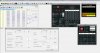
I have tried both throttlestop, Intel XTU and RW everything 159a0 trick with writing values. Nothing. I either get power or current limit. Usually current limit.
Yesterday i discovered that if i make sleep-wake up cycle - i got TDP/TDC completely out - as soon as i start prime95 and similar stuff - i get cpu under thermal limit. With some undervolting, applying liquid metal thermal interface i managed to get 37x stable 4 core turbo boost with adequate temps under everyday load (screen shows thermal limit for reference - fan is not spinning full speed)
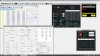
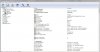
The effect is persistent after reboots. After shutdown and power-on - i get my throttling back - and need another sleep-wake cycle to get it back.
Any ideas how i can make this permanent or simulate sleep cycle by some script?
I am fully aware of what am i doing concerning my hardware - unlocking bios of this laptop was much more dangerous)
By the way, the laptop was delivered to me with Intel Management Engine completely disabled, which i guess can be part of that strange behaviourLast edited: May 29, 2018duttyend likes this. -
I recently bought an ASUS GL503GE-ES73 Intel i7 8th generation notebook. I'm very upset with the coil whine noise that comes from it. Digging the forums, I found a workaround that made the noise disappear. Mostly, it consists in changing the Windows registry and using ThrottleStop to disable C1E.
As far as I could see, this will stop the CPU to enter in "low voltage" mode when idle. I suppose some of the side effects will be shorter battery life and maybe hotter machine. Anyway, I would like to know if I should expect any other "problems" leaving C1E disabled.
PS: ASUS support told me to RMA it, but this is not an option for me, since I bought it in USA but I live in Brazil (BR is not covered by warranty). Unfortunately, "RMA" seems to be the default answer to any question asked to their support.
Thanks! -
Sorry for the mishandling of the images. Please refer to below again.
https://imgur.com/a/RO37M2q
https://imgur.com/a/tpv3RAI
https://imgur.com/a/W8m4KBw
https://imgur.com/a/JEYFxqZ
https://imgur.com/a/6tlPh6B
https://imgur.com/a/1W0f1P6
https://imgur.com/a/9ZvUNCU
![[IMG]](images/storyImages/01.png) Last edited: May 29, 2018
Last edited: May 29, 2018 -
Get it.
Maybe not relevant, you can try to set the offset voltage of System Agent to be same as iGPU one. It should be necessary for 8th CPU, at least my 7th CPU is necessary, to change the iGPU voltage. Good luck
-
You need to check off Speedstep otherwise you get lower CPU clocks.duttyend likes this.
-
That doesnt make any difference. I get same results even if disable speedstep via bios/TS
-
You need speedstep enabled otherwise the cpu simply won't turbo beyond stock stocks.duttyend likes this.
-
Thanks. Just found out that my laptop throttle due to EDP other shown in the limit reason. This may sound stupid, but can I ask what does EDP other means?
-
Good day everyone.
Is it possible for the iGPU voltage to be blocked? I went with mine all the way to -1000mV and seems like nothing happened. I have an Asus 503GL with i5-7300HQ and intel hd graphics 630. Is there any definite way of checking if throttlestop really made changes to the voltages? I mean for the CPU also. I lowered cpu core and cache voltages down by -140mV, but when I look at the voltages in HWinfo they seem unchanged. Also in throttlestop when I change the profile to one with stock voltages, I do not see any change on the main throttlestop screen.
Kind regards -
Again, the offset voltage of System Agent is necessary to be same as iGPU one to take effect for 7th CPU. Try it and see the difference. Also, do you choose "Save voltages immediately" in "FIVR Control" windows? Good luck
-
@cktducky thank you. I will try that. Yes I have the option "Save voltages immediately" selected.
Also I figured out how to see the voltages change when switching profiles. The trick is to have another profile with checked "unlock adjustable voltage" and set the voltage offsets to zero and click apply. Now when profiles are switched on the main screen I can also see CPU voltage change (VID). -
Hi guys sorry for asking this. Why I have all the time EDP OTHER and PL2? I didn t readed all the pages .
![[IMG]](images/storyImages/image.jpg)
and I have some problem with bd prochot too in games like pubg
I have an Acer predator helios 300 PH317-52-76YH with i7 8750hariab likes this. -
Uncheck BD Prochot.
If your bios has adjustable VR Current Limit, set that to 200 amps.
You can also try setting that in Intel XTU as well, but make sure you uninstall XTU after you set it, before using Throttlestop again. -
I don t have intel xtu installed.Why I have this ? I just bought the laptop
Still same problem:
![[IMG]](images/storyImages/same.jpg)
-
Try increase power limits in ThrottleStop TPL settings. Or already mentioned XTU. Have you undervolted, if not try it. You bought a notebook with locked down Cpu. See also what power settings you have available in bios (advanced tab).Last edited: Jun 2, 2018raz8020 likes this.
-
In bios on advcaned tab I have only this 3 options:
![[IMG]](images/storyImages/34284511_1740887522658869_6084406561646575616_n.jpg)
-
You can try to unlock your bios - for insyde its not so hard. Or just extract IFR and use EFI shell to set necessary variables. I have used this method for my old acer v3
-
Then do the other steps. Read you up on the TS guide. How to use ThrottleStop
https://www.notebookcheck.net/ThrottleStop-Primer.213140.0.html
Intel Extreme Tuning Utility (XTU) Undervolting Guide - NotebookCheck.net Reviews
XTU functions similarly as ThrottleStop -
Hi guys, I have to do a new thread with my laptop .
I undervolted all the night yesterday and now I`m at -225 and I think is perfect to me.Is it too much ?
![[IMG]](images/storyImages/dim.jpg)
If I max the package power long to 56 shall edp other dissaper?
![[IMG]](images/storyImages/edp.jpg) ariab likes this.
ariab likes this. -
Nowi got some crashesin pubg after 1 hour and half .Is too big the differences between cpu and cache ?
-
Haha - that undervolt is way too aggressive. You can start at -120. I have seen some people claim -150 but I don't know if that will hold understress test without crashing. It depends on your system.
CPU core & cache should have same undervolt -
Hi- quick question. I undervolted only CPU Core and Cache, but noticed Analog I/O shows an offset on subsequent launches of ThrottleStop, despite default settings. Is that normal?
http://oil-khratyn.ir/ -
So, umm, hello guys
I have problem with my Lenovo z710 (i7-4700MQ,) for some reason i don't believe it is necessary to they set prochot to 85c.
![[IMG]](images/storyImages/yrDhSux.jpg)
I have unlocked bios but it seems there is no response to any setting I change in thermal things.
So I looked in i7-4700MQ datasheets, downloaded BAR-edit and I believe I can set TCC offset to 0, but I have no idea what I should look for and that's why I'm here for help.
![[IMG]](images/storyImages/dLEIvlZ.jpg)
![[IMG]](images/storyImages/6zytXmb.jpg)
Tell me please what you need from me to solve this mystery.
Thanks and sorry for my terrible englando. -
I have an i7-7700HQ (base 2.8 GHz, boost 3.8 GHz). I am trying to find the best EPP value for when plugged in. Reason for this is because without Speed Shift enabled, the CPU seems to boost around 3.4-3.6 GHz all the time even under light loads of 15-20%, causing the fans to come on a lot for not really any reason.
With Speed Shift enabled and EPP set to 128, the idle/low load clock speeds are much more controlled, around 2.6-2.8 GHz, but no matter what type of load I introduce, the clocks never exceed 3.5 GHz (not even under max single-core loads). If I reduce the EPP to around 80-100, then it will hit 3.8 GHz under heavier loads but I end up with the original problem again where it's always hovering around 3.6 GHz even under minimal loads.
So... the big question... how do I get it to reach 3.8 GHz when needed, but also stay at lower speeds when the load is insignificant?
Thanks -
@unclewebb Just realized there is a new update.. LOL.. Thank you very much for your awesome work and sharing it to us.. I hope you keep TS alive as I cannot live without TS anymore since I have learned about it.. ^_^
Vasudev likes this. -
I think your laptop was not well optimised from the factory. Undervolting (with ThrottleStop) and a repaste might help some.
The EPP scheme will vary by laptop. I use 78 typically as it is the higest my system permits max turbo clocks; that varies by system so you need to experiment:
EPP = 255 is "min energy consumption"
EPP ~128 is Intel's typical base recommendation for manufactures as a balance between performance and energy consumption.
EPP = 0 is "max performance"
EPP ~101 is highest @GoNz0 could use to hit max clocks (Dell 9560 7700HQ).
EPP ~78 is highest I could use to hit max clocks (Dell 9550 6300HQ)MFB, djsubtronic and Vasudev like this. -
Eh?
i5-8250U here, can get a -200mV undervolt by disabling turbo boost.
I have two profiles: one with a -140mV undervolt and TurboBoost enabled, and another with a -200mV undervolt but TurboBoost disabled.
I've been running rock solid here, except when I switch between profile 1 and two. It seems the voltage drops before the clocks... not good to run a CPU at 3.4GHz at 0.7v, so that microsecond delay is enough to lock up my CPU.
That being said, a -200mV undervolt on the FIVR page translates to about a -160mV reduction on the CPU VID for some reason... I have no idea.
8th gen U CPU run at far higher voltages than 4-7th gen U CPUs for some reason. Meh.Vasudev likes this. -
He's running a 8750h at -225 mv and system now crashes.Vasudev likes this.
-
VID responds to resistance from current based on IA AC DC loadline. It will never fully equal your undervolt. You have to set IA AC DC loadline to 1 (if available in your bios) to get VID to respond more closely to the actual voltage (especially at full load).
-
Firstly, according to your mentioned, I think the main problem is, there is something running in background. Please check it out(you can check it by "Open Resource Monitor" in "Task Manager") first before you do any optimization. Normally, for the modern CPU, the "still" status(no any program running in foreground) in Windows 10 should be below 3%.
Actually, many people got the wrong concept that the higher clock will get hotter and lower clock will get cooler. The CPU is not really same as the human, running faster will get hotter. For CPU, the higher clock without workload will not get hot significantly but the lower clock without workload also will not get cool significantly also because the CPU without workload will go to "HALT" status(i.e. do nothing) itself. Thus, the higher clock with "do nothing" will not get really hot in CPU.
The root cause of the thermal dissipation from the CPU is "workload" not the clock frequency itself. Thus, the sentence "causing the fans to come on a lot for not really any reason" is actually NOT to be true. The truth is that there is something running in background. Setting the lower EPP is just FORCE to prevent the CPU frequency get higher so the result is, the workload will be finished with much longer time. There is no any advantage to do so in your situation.
According to the i7-7700HQ specification from cpu-world.com, the turbo frequency clocks are as below,
Maximum turbo frequency:
3800 MHz (1 core)
3600 MHz (2 cores)
3400 MHz (3 or 4 cores)
The highest clock frequency is all depends on how many cores are being active at that moment. It is not the matter how EPP setting and how much workload is. Thus, if there is something running in background, I can say it is difficult for only 1 core to be active all the time so the CPU clock will nearly not go to 3.8GHz.pressing and djsubtronic like this. -
Actually, -200mV is too much for CPU undervolt. The main failure point is not only the CPU get much workload, but also the CPU get "nothing to do". The VID is actually depends on the CPU clock frequency, that is the workload at that moment. That is related to "resistance from current based on IA AC DC loadline" Falkentyne mentioned in the previous post. When the CPU is idling at lower CPU clock frequency, the normal voltage is just about 0.60V ~ 0.65V. It is safe for CPU working(it is the matter in silicon) normally. However, you can imagine if it is -200mV undervolt, the lowest voltage will go down to 0.4V that it is absolutely to make the CPU down easily.
-
Thanks for the useful info guys!
-
This is without doubt one of the best pieces of software that can be found on internet
. I keep playing with ThrottleStop and get more impressed every time by how much control over the CPU one can get. I think I have everything set up, mostly undervolting to keep fans quiet, plus speedshift with different profiles triggered by gpu or cpu temp, and separate profile when on battery. So I would like to thank the developer for this amazing program.
I only have one problem so far. I checked the NVIDIA gpu to have the temp indication in tray. Indication is working but sometimes when it goes up it will lock on a certain value and will not go down although the load is gone and temps physically dropped, and fans go to idle. I need to restart throttlestop and it goes back to normal.
It's an Asus gl503 with a gtx1050 on win10.
Kind regards -
Some nvidia drivers causes those symptoms it is no big deal at all .. but this happens with only certain nvidia drivers and you may need to update your nvidia driver it may resolve this.
The temperature of the nvidia GPU gets like a freeze like effect after being inactive so.. for example.. if your nvidia GPU temperature was 45c before nividia GPU switch off due to no 3D rendering is active.. it will keep the latest record of temperature in a freeze state but once your nvidia GPU becomes active again it will monitor your temperature normally
In conclusion or at the end... it is not ThrottleStop fault
-
@ THEBOSS619 Thank you for your reply.
What you say makes perfect sense, as this is observed when I exit a 3D application.
GPU driver is the latest.
So in theory forcing windows to only use the dedicated gpu should resolve this?
Kind reagrds6.|THE|1|BOSS|.9 likes this. -
Yes it will resolve this as long as the nvidia GPU doesn't shutoff even if there is no 3D activity but expect higher idle temperature and less battery time.
Also...you have an alternative way.. you can simply depend on HWInfo [ https://hwinfo.com/download.php] for monitoring your temperature of GPU & CPU & others too on temp indication in tray
marcin01 likes this. -
@ THEBOSS619 thank you for the suggestion. I will look into it. If I can set hwinfo to autostart and display cpu & gpu temps in tray, then I'm good.
Kind regards6.|THE|1|BOSS|.9 likes this. -
I just started using Throttlestop after I got a new laptop, so I've been out of the loop and was wondering if someone could explain this to me... after playing a game I noticed that the PROCHOT 97C ( https://imgur.com/6j4Mkof) was checked but the max recorded is 91C. Why is that?
-
Several ways to implement throttling (Crippling). How Dell cripple performance explained by..... And This is only the tip of the iceberg. More will come.Ashtrix, pressing and 6.|THE|1|BOSS|.9 like this.
-
![[IMG]](images/storyImages/undervolted.png) Hello Again - I attach a picture of my screen - can you tell me what the 0.9500 v readout means?
Hello Again - I attach a picture of my screen - can you tell me what the 0.9500 v readout means?
I have tried increasing the voltage and that stopped the BSODs but now I want to try undervolting.
Does this screen say Throttlestop has already done this for me? -
LOL! How you know I got a Dell?
But yeah, so is that what the Limits button is for? I wasn't sure what it meant before but it makes sense if that's what it did...to show me why my XPS actually throttled because it may not be the processor even though PROCHOT was checked. -
Well he is Darth Plagueis and he knows his way.
Aside from undervolting, uncheck Speedstep and check-off Speedshift in Main window and in TPL. -
Well he is Darth Plagueis and he knows his way. You need a repaste or send the unit back if its in return window period. Use traditional paste first and you should see 10C temps in max temps.
-
My i7 4700HQ laptop died and I bought what I thought to be a good-enough laptop CPU: All-not-new 8th gen 14nm+++++++ i7 8550 U
It's a U. Unclewebb said they're cancer. But it's 4 cores, 8 threads. Should be cool, huh? Might be good enough to replace my old 4700HQ pal (may it rest in peace on silicon heaven)
And it completely handles 3.7GHz just fine at 25W ~75°C! Great piece of tech, definitely a step-up from my 4700HQ
...but then it cripples to 2.6GHz 15W ~50°C because butts
mmmmmmmmaybe because the VRM can't handle extended periods of 15W+ but most likely they wanted to keep the temperatures low
I definitely should've gone with what unclewebb said about U processors.
Oh well.
Can anythign be done in that regard? Do I have to unlock the BIOS again to access more power options? -
What are your Limit Reasons? If it is anything but PL2 or PL1 then I can't help you.
My laptop has the 8250U + MX150, so quite similar with yours.
When I play Cities Skylines my CPU is running at 100% TDP limited to 25W (edited by me) and my MX150 overclocked +1000MHz on VRAM and ~+200MHz on the Core so the CPU and GPU combined is outputting about 50W of heat. My temperatures are about 70-75C, which is fine but I don't want to get my liquid metal temperatures high.
It depends on your VRMs - I know for certain that Dell XPS's VRMs can't handle more than 15W of power but my XiaoMi can handle the CPU running at 3.1GHz full turbo drawing 40W indefinitely, and the only limit is the temperature, which I stopped after about 1 minute when the CPU got up to 80C.
If your Limit Reasons is only the Power Limit, then you might be able to raise that power limit but only if your manufacturer hasn't locked down other things such as thermal/current limits.
Keep in mind that I once saw my 8250U draw 56W @ 3.1GHz but 15W @ 1.6GHz. Twice the performance but more than 3x the heat. with no undervolt running Prime95... You get significantly lower benefits on higher clock speeds with the 8th gen U CPUs. Intel was desperate to compete with Ryzen mobile and so they decided to ramp voltages up.
These CPUs aren't cancer, it depends on the manufacturer. A 8550U limited to 15W is about equal in performance to a 4700HQ at 45W, so that is quite an improvement.pressing, raz8020, Vasudev and 1 other person like this. -
It's a Lenovo Ideapad 320-15IKB (Type 81G3). Not sure about the VRM on that thing. How'd I know?
The Limit Reasons is PL1 and EDP OTHER. PowerCut on FIVR is locked and PL3 is locked and disabled on TPL
I've noticed that by undervolting, it achieves higher clocks using the same power (sounds logic). I can undervolt that thing safely only up to to -110mV. At -115mV it would randomly reboot at prolonged high CPU usage (e.g. 2hr+ gaming session). It's currently drawing 15W at 2.7GHz, full CPU usage and with the MX150 disabled/idle. 3.7GHz pulls 30W from the Package with 100% CPU usage.
It gets hot as is during gaming, and I need to set a specific profile for gaming, otherwise it would keep trying to run at 4GHz, which would, with the help of the MX150, be poking into 85°C, then it would back down a little, then trying to run at 4GHz over and over again. I found 3.2GHz to be a sweet spot for gaming, as neither the CPU or GPU goes over 75°C, and nothing I game on mobile uses that much CPU anyway.
However I have two "issues":
- I feel that the CPU is largely underutilized during CPU-only tasks. I firmly believe it could run great at 3.7 or even 4GHz for a good time. However I'm not so sure about the rest of the supporting hardware, such as the VRM.
If my Limit Reasons is PL1 and EDP OTHER, could that be bypassed?
- Running AVX instructionsets kills my laptop under 10 seconds lol. Temp spikes up to 94°C without the fans even having time to spool up and it shutdowns the machine for a couple of seconds (scary on the first time, I must confess).
I think that's a question better directed to @unclewebb . I've read that the CPU greatly throttles to compensate for AVX instructions (which would still much more effective than a non-throttled system on these scenarios), however with ThrottleStop, it just breaks everything, as it doesn't throttle and I think I've seen the power package going over 80W lol
Could ThrottleStop detect such scenarios and allow throttling?
Btw I'm stoked to see some benchmakrs between the 4700HQ and the 8550U. They're pretty much equal.
Not sure if I'm more impressed by a 4 year old CPU having the power of a newer CPU, or the newest one achieving the same performance a "high power" CPU used to get, and producing less heat and consuming way less power.
The U might not be cancer, anyway.
Also, are you monitoring your GPU frequencies? I haven't bothered overclocking the core clock from mine, because it would throttle for temperature even at stock frequencies. Overclocking wouldn't do anything, I think.
VRAM overclock, on other hand, might be interesting. I thought that running a +300Mhz overclock on it was pushing it over the edge, but I'll try pumping it up a little closer to 1000Vasudev likes this. -
Unless you are using your iGPU (integrated GPU) it should be using minimal power.
If your computer becomes permanently broken due to you, as the user, overheating it or causing to handle too much current, the laptop is *extremely* poorly designed. Most VRMs throttle when they exceed their current or thermal limit. You would know if your VRMs are not capable of handling that much current if VRM Thermal/Current lights up in red in ThrottleStop Limit Reasons.
A system shutting down seems scary. Funnily enough, every single laptop I've owned (4 Acers and 1 Xiaomi now) don't ever throttle their CPUs until it reaches the PROCHOT temperature, about 97C. The GPU, however, seems to begin to throttle slightly at about 80C, but its not like a low end dGPU ever reaches 80C without the CPU first reaching 100C. I find that GPUs run at far lower temperatures than CPUs on laptops.
EDP Other is difficult to mitigate, but PL1 can be raised. You can try to use XTU first to raise your Long term power limit and see if that does anything.
My MX150 has a TDP limit of 25W (presumably). When I overclock the GPU, the memory stays locked on to the +1GHz VRAM clock but the Core Clock varies to keep in line with the power limit. Meh, the core clock doesn't actually make that much of a difference, GDDR5 VRAM speed affects the performance much more.
My teacher has come in and class has started, I'll add more information when I get back homepressing likes this. -
It's an ideapad. I highly doubt it's goodly designed. I'd trust ThinkPads, but IdeaPads...
I still think my last one died because I messed too much with VCCIN and power limits, heh.
I can briefly see the PROCHOT lighting up, fruitlessly. The fan begin spooling up, but it's useless. System shutdowns even before the fan hits 100% RPM. Power spikes so high it can't even think about it.
Same things happens with my desktop, but it's watercooled, so handles better. Still, it's scary to see a system I designed to work below 65°C hitting 80°C so quickly, before the radiator does its miracle.
Wanna experience? Run the latest Prime95 Small FFT test. At your own risk, of course. It should panic and shutdown under 3 seconds
I also think it isn't exactly healthy for the system
Can't ThrottleStop raise the Long Term Power Limit? I thought I messed with that on TPL. I'll install XTU and see what I can do there.
Thanks for the tips!
---------------------
Hah I'm genuinely impressed!
I increased the long term power limit on XTU and managed to shave 42 seconds from the 1024M test. It finished in 160.16 seconds, rather than 202.4 seconds
Though it hit PROCHOT by the finish, I consider it a success because the 15W limit has been bypassed.
I'd never know that XTU had something ThrottleStop didn't!
Now, off to tweak the frequency for some optimal temperature x performance...Last edited: Jun 13, 2018
The ThrottleStop Guide
Discussion in 'Hardware Components and Aftermarket Upgrades' started by unclewebb, Nov 7, 2010.


