Problems? See this thread at archive.org.
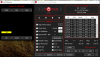
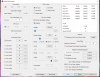
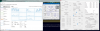
Here is my take on EPP settings:
-
Throttle when applied:
It's a throttle monster, cap'n!
![[IMG]](images/storyImages/Screenshot_8229.png)
![[IMG]](images/storyImages/Screenshot_8230.png)
![[IMG]](images/storyImages/Screenshot_8231.png)
-
EDP OTHER is Electrical Design Point which is also known as the Current Limit. This register has always been the PP0 Current Limit. Based on your testing, I think it still is.
You then have this current limit as well as the newer IccMax current limit. Both of these need to be set adequately to avoid EDP OTHER throttling.duttyend, Vasudev, Maleko48 and 1 other person like this. -
Mmm. Well more tools for us the better the market is! =D
Now if I could know why what's shown as "power limit 4" in my BIOS affects this, and why it also needs to change the "current limit" bits in my BIOS, AND why TS doesn't read that, I'd feel satisfied. I'm just curious at this point. -
if i have my laptop plugged in, will C1E do anything? also should i leave the minimum processor state in windows to 100%?Last edited: Sep 15, 2018
-
Wow, highly appreciated!

Looks like I totally missed this while traveling... -
ICCMAX and PP0 Current Limit are definitely not the same value and they also seem to use different dividers for current as well.
ICCMAX=50 amps, PP0 at zero, stock (base clocks=7820HK @ 4.5 ghz @ 1.178v)
PP0 Current Limit=50 (ICCMAX is back at 200A): Base clocks 4.5 ghz @ 1.178v.
duttyend likes this. -
*Edit*
PP0 Current Limit *is* Power Limit 4.
Had to make a new TS folder to verify that so it didn't automatically put a 0 there.duttyend, raz8020, D2 Ultima and 1 other person like this. -
Got it. Two different names for the same thing. The PP0 Current Limit name and register has been around since the 2nd Gen Sandy Bridge era. I guess it got renamed somewhere along the way. MSR 0x601 is the register that TS writes and reads this info to and from. Have a look with RWEverything if you want to check what divider is being used.
-
Per unclewebb himself c. January 2013:
http://www.tomshardware.com/forum/361101-28-eist-idle-multiplier
IIRC:
C1E gives more finite voltage steps to jump between which yields slightly lower power consumption in some cases but also less stability in some cases too.
But to answer your question:
Yes C1E applies whether plugged in or not.duttyend likes this. -
So leave c1e off and minimal state to 100 for better stability but will give same temps
-
Newer gen CPUs can switch power states much faster than they could in 2013 so setting your Windows CPU minimum state to 100 is up to you and depends more on exactly how responsive you want your machine to be. Setting EPP to 0 is the more modern way to go about it, but still not quite as responsive as EPP=0 AND WinMinCPU=100 (AKA: desktop).
C1E is mostly antiquated on newer gen Intel CPUs and will have negligible heat savings if any compared to the more modern core/package sleep states that are available now. If anything it stands a greater chance at creating instability as mentioned elsewhere/previously.
@THE-HL If lower thermals are what you are after and you already stripped your heat sink screws I would start with undervolting your CPU to reduce temps.Last edited: Sep 15, 2018duttyend likes this. -
Yes, i have Windows Defender. I hope @Vasudev can help in thisLast edited: Sep 15, 2018
-
I did a quick search of this thread for Windows Defender written by user name Vasudev and within a second or two it found where he talked about this subject.
There you go. It seems to be the Windows Defender - Core Memory Isolation feature that prevents ThrottleStop from reading the MHz correctly.
At the moment, if Core Memory Isolation is an important feature to you then you will have to live with ThrottleStop botching your MHz. I have never been a big fan of Windows Defender. The latest version is new and improved and likely quite competitive with other antivirus programs but in the early days, it was usually at or near the bottom of the barrel compared to its competition.
I might look into this problem in the next few months but I am more likely to forget about it once again. -
Now its showing the MHz numbers correctly. You are the best!
-
.
I'll tell you one thing, if you use Intel MEI query program it'll straightaway show C1E is disabled by default, so I saw no benefit from enabling it, that's why I said Speedshift can take care of optimized performance based on EPP value you have set and also get some nice boost in NVMe SSD score.
Have you tried unchecking Clamp option in TPL and try moving the Turbo Time Limit and PP0 Turbo limit to same value otherwise you'll see mysterious EDP or PL2 flashing in Limits. A good value in your case would be 64 or 128. Optionally set Intel Power balance for CPU to 31 and GPU to 9. You can try speedshift with value 0 or 20 for aggressive CPU clocks even on balanced power plan provided you uncheck C1E and Speedstep/EIST.
If you use 3rd party AV/Internet security there's a small chance that TS is blocked from accessing MMIO or whatever register it writes making it virtualized and non-persistent. Its a good idea to whitelist it just in case!
I suppose unclewebb gave you the answer already. Never upgrade Win 10 w/o GPs. Block it with wub. As an added measure, disable Auto starting apps after restart for best experience
https://www.tenforums.com/tutorials...finish-after-update-restart-windows-10-a.html
Thanks @unclewebb Rep added. Last edited: Sep 16, 2018duttyend likes this.
 -
No, I don't get throttle. That was a controlled test.
-
@D2 Ultima - I am working on a few new features so users will be able to create their own custom TS versions.
![[IMG]](images/storyImages/RPLgB7M.png)
Loading up a custom image is done. Time to start working on some custom color options. -
-
After few hours of BF4 i have these limit reasons with i5-8250U. Is this normal with this CPU? My actual Throttlesop FIVR and Turbo Limit settings are here
![[IMG]](images/storyImages/C24UDoi.png)
-
Hi,
I've been using throttlestop from 8.xx upto the latest 8.7 and it will still randomly crash switching from ac to battery / vice versa. I'm currently using it in my xps 15 9570. What information do you need so I can send it to you? Can't seem to find the problem why the app randomly exits.
Thanks -
I have that issue as well. Its completely random though.
-
So why was there EDP and current limit flags?
-
-
I'm using the latest TS and I'm getting random TS turning off (green on the taskbar) when switching from Ac mode to battery.
-
For me, TS force exits when switching from battery -> AC.UNFORSWEATABLE likes this.
-
Same here, but the opposite. From AC to Battery
-
Huh, cache iccmax. That was what was nerfing a 4.5ghz OC on the older P870DM over 18 months ago. I could never find a way to get around it. Hwinfo always showed the same 20.00A limit (which it called "system agent iccmax") despite these settings being maxed in Premabios:
I was getting the same thing in this P870DM3 (an iterative update on the same mobo with another 6700K) and setting the VR voltage limits higher to 1750mV and doubling the values for PS Current Threshold (in the DM3 they weren't zero) stopped the throttles at 4.5/4.6 and permits a mostly unthrottled stable 4.8ghzraz8020 likes this. -
Question about Throttlestop, so my pc stays at 4.18 ghz but if i open throttlestop it goes up to 4.30 and stays like that, is it supposed to be like that?
Attached Files:
-
-
You have something running in the background taking up at least 2 full CPU threads. I also can't tell if your cstates are disabled or not somehow (hard to know whether bioses or windows are locking out any cstates higher than C3), but I think that's irrelevant. Something is clearly making your CPU clock up due to "Terminal Velocity Boost" (TVB).
-
Hmmm does this help?
Attached Files:
-
-
Why do you have that bloatware on your computer?
Windows defender service, Alienware bloatware and what is taking up Local security authority process?
Yes, those programs are a problem. No I don't know what to do about it. -
Thought windows defender is good enough unless theres a much lighter one, the alienware one is part of the command center and the Local security authority processes are CNG Key Isolation, Credential Manager and Security Accounts Manager.
-
Are any users with this problem using the Task Scheduler? Did you fully read and follow the guide in the second post of this thread?
ThrottleStop runs for days and weeks and months at a time without ever crashing on my computer but the Windows Task Scheduler will kill it if you have told the Task Scheduler to do that.
http://forum.notebookreview.com/threads/the-throttlestop-guide.531329/#post-6865107
In the Options window do you have AC On - Battery Off checked? Are you using the Task Scheduler? Did you follow the guide?
No planned fixes for any issues related to the Task Scheduler. It has some options in there that need to be disabled. Read the guide.
Your screenshot shows one thread spending 43.9% of its time in the C0 state. Of course your CPU is not going to idle down when you have a load like that on one of the cores. Just for a refresher, here is what an idle CPU looks like.
![[IMG]](images/storyImages/wx1hwoC.png)
Individual cores averaging 99% of the time in core C7 is the sign of an idle CPU. If a CPU has something to do and you have Speed Shift enabled, the CPU will rev up to full speed so it can get what needs to be processed done quickly. Your CPU has 6 cores plus hyper threading so it should be able to process all of your Windows background tasks while only needing to spend 0.5% in the C0 state. Anything higher than that and I would be looking to see what is running on my computer that should not be. Windows 10 by itself is not that bad but there are a lot of bloated and inefficient apps that you constantly have to be looking out for. Keep a close eye on the TS C State data. It tells it like it is.
If you want your CPU to run slower, adjust your Turbo Ratio Limits lower.
I know what to do about it. Delete and uninstall the poorly written sludge ware that is slowing down and overheating ones computer. For some antivirus programs, the cure is worse than the disease. Lots of threads on the web about the "Local Security Authority Process" going rogue.
https://answers.microsoft.com/en-us...security/dae24a53-90f9-47f1-8418-00b5c8034784
I recently did a fresh Windows 10 install and there was nothing like that going on when I was done.Last edited: Sep 17, 2018 -
Yea when i boot it takes about a minute to settle but the cpu stays at 4.18 ghz, if i open throttlestop it raises to 4.30 ghz and just stays like until reboot, I was wondering if that is intentional or I did something wrong.
-
What program is showing you 4.18 GHz? I hope not the Task Manager. It has some rounding issues. Try using CPU-Z instead.
If your turbo limits are set to 43 in ThrottleStop and the CPU has something to do then yes, your CPU will run at 4.30 GHz. If your bios turbo ratio limits are set differently than what you have set in ThrottleStop, when you boot up and run ThrottleStop, it will increase your CPU speed.
How about reboot and before running ThrottleStop, delete the ThrottleStop.INI config file so it can read the present values from your CPU. If you want a slower CPU, adjust your Turbo Ratio Limits down to 42. You can use TS to run your CPU at whatever speed you like.
If you plan to stick with ThrottleStop, I would not run Intel XTU or the Alienware OC Control application. Pick whatever tool works best for you.Last edited: Sep 17, 2018 -
I deleted the ini and restarted and it looks like throttlestop doesnt make the cpu jump to 4.30 anymore and yea i love throttlestop its so much better, i just run alienware because i wanted to give it a try since it looks decent enough to get it to work but here's what i get
Attached Files:
-
-
The 8250U is a low power CPU with a TDP rating of 15 Watts. These CPUs are designed to throttle when pushed hard so your Limit Reasons screenshot looks normal. There are a few tweaks you can do with TS to try to get a little more performance and less throttling but your CPU cores are already hitting 88°C. The manufacturer reduced the Intel specified 100°C thermal throttling temperature down to 95°C so you do not have too much more room to go before your CPU will start thermal throttling.
Is performance OK or do you have some horrible throttling issues? Do you want to try to push it harder? Your CPU will probably be OK but something else in your laptop might go pop if you try to go a little harder. Are you prepared for the consequences? If so, I would disable BD PROCHOT and in the FIVR window I would check out that new Disable and Lock Turbo Power Limits feature. Turn on the TS Log File feature before you play your next game. This way you will have a solid record of your CPU performance and any throttling that happens. Checking the boxes in the Options window, Nvidia GPU and Add Limit Reasons to Log File can be useful info added to the log file.Last edited: Sep 17, 2018duttyend, FrozenLord, Papusan and 1 other person like this. -
You have ThrottleStop set up to use the 43 multiplier when 1, 2, 3 or 4 cores are active so it makes sense that your CPU is trying to run at 4.3 GHz when lightly loaded. If you do not want your CPU jumping up to 4.3 GHz, set all of your turbo ratio limits to 42. Problem solved.
The data coming from TS does a better job of tracking the CPU multiplier compared to any of the competition, especially when you have the turbo ratio limits set up like you do. You can trust the TS reported multiplier.
Not sure why you have Adaptive voltage set to 0.9004V and then you are using an offset voltage on top of that. Most people just leave the Adaptive slider set to Default.
Stuff like that goes right to my head. Thanks!
TS does what it does while consuming a lot less CPU cycles compared to the competition. I use it myself.
-
Np! also i uninstalled alienware overclock control and cpu consumption went from ~20% to 7-8%, i still need alienware command center for keyboard but rather use throttlestop for any oc or cpu stuffraz8020 likes this.
-
I think some programmers get paid by how many CPU cycles their software can chew up. That helps manufacturers convince consumers that they need a faster computer every few years.
No one pays me so I go the opposite way. Less is best. The new TS feature that lets a person see live CPU temp data in the system tray combined with the Stop Data feature puts TS in a league of its own.
![[IMG]](images/storyImages/1mCstsH.png) Vasudev, FrozenLord, judal57 and 2 others like this.
Vasudev, FrozenLord, judal57 and 2 others like this. -
Is it ok using TS with balanced power plan with Speedshift on?
-
I see, thanks. No, im okay with this. Now i put down the Turbo Ratio Limit from 3,4Ghz to 3,1Ghz, and the temperature went down to 85 degrees maximum, but mostly 74 degrees while the game is running.
-
I've been using the new setting to disable and lock turbo power limits under Memory in FIVR to prevent Intel DTPF from kicking in on my XPS 15, but have found that this setting doesn't persist after putting the laptop to sleep and waking it back up again. Is there any fix for this? Shutting the laptop down and restarting applies the setting again, but only for it to go away after a sleep cycle.
-
If you can stay below 90 degrees and you will be fine. You will have a healthy CPU for many years to come.Vasudev and UNFORSWEATABLE like this.
-
That is great news. There has been virtually no feedback about what could be a great feature for many users.
Open up the TS - About box. Are you running TS 8.70.4? As far as I know, the latest version should work correctly when resuming from sleep.
If you are running the latest version and you are still having problems, when you resume from sleep, open up the FIVR window and clear the Disable option. Press OK. Open up the FIVR window again, check the Disable option and press OK. This should reset this setting without needing to reboot.
If everything is working correctly, you should not need to do that. I will go do some more testing to see if this is working correctly for me.
Edit - I think I see a bug. I will see if I can come up with a quick fix.Last edited: Sep 17, 2018duttyend, Vasudev, Papusan and 1 other person like this. -
I am using 8.70.4 and doing what you instructed seems to make it work again. But would it be possible to have it so I don't have to do that every time I sleep cycle my xps 15? Much appreciated
-
ThrottleStop 8.70.5
https://drive.google.com/open?id=1Kb4jdQhp85QsPjLG-gd9AxLfKZVZ7K0A
Of course it is possible. This version should apply the new Disable and Lock Turbo Power Limits feature automatically after resuming from sleep.
This version also includes the new custom logo feature. Add an image file called logo.png with a size of (230x90) or less to the ThrottleStop folder to change TS to a custom image. Custom colors are at the top of the things to do list. Maybe next week. Here is an example logo you can check out.
https://i.imgur.com/1VAxquT.png
The Logo Min feature has been replaced. Now it is called MHz Min and when this Option is checked, you can minimize ThrottleStop by clicking on the right hand side MHz or VID. I find I click on this less accidentally compared to clicking on the logo accidentally.Last edited: Sep 17, 2018 -
Thank you very much, Unclewebb!
I'm really anxious for the updated Premamod version. I really miss the colors and theme. D: Icktducky likes this.
The ThrottleStop Guide
Discussion in 'Hardware Components and Aftermarket Upgrades' started by unclewebb, Nov 7, 2010.


-preview.png)