Problems? See this thread at archive.org.
Can go to 1023 here, in 1/8 amp my current limit goes to 8191. But not on covfefe it sits at 255.Sent from my OnePlus 1 using a coconut
-
-
Unless this bug does not exist on 8.70.0, but does in .1 and 2., this is not a bug.
You have to go into TS options and set the "AC Profile".
This profile is the profile that TS launches up when you load the program.
I tested profiles 1, 2, and 3 for AC profile and they all work as expected.
Unless it's a different issue? -
Pick a profile. "Save" at the bottom of TS. Change to any other profile. Close TS without saving. Restart TS. It should be on the first profile, but it will not be.
Sent from my OnePlus 1 using a coconut -
That save doesn't save the profile.
It only saves the settings like for "Set multiplier" and some of the buttons (like power draw, speedstep, etc).
The profiles are saved in the FIVR settings.
What you're trying to do is make the first profile active. You have to do that in options so the "AC Profile" becomes profile #1. -
No, TS used to work like that. Unclewebb even agreed it was a bug that it did not work like that.
Sent from my OnePlus 1 using a coconutVasudev likes this. -
Ok I understand now.
I never use the 'save' setting like that. I only use it if I have something like "max power" or "C1E" settings or something configured.
I guess I thought there was a 'new' bug in 8.70 that didn't exist in 8.60 (Not about the ICCMax or VR Faults stuff).Vasudev likes this. -
Thanks, but nope, i've installed and reinstalled this version of visual c++ whit no luck.
-
Do you have antivirus preventing core files from actually being copied or updated?
-
ThrottleStop 8.70.4
TechPowerUp Edition
https://drive.google.com/open?id=13W0dEZPFZS7KKCEtjJZ5TMWCa0M3eh0c
- fixed Task Scheduler finding RwDrv.sys bug.
- fixed button outline color in Limit Reasons.
What version are you trying to use? The latest 8.70 version has mfc120u.dll within the program itself so you should not be seeing this error.
All recent TS versions will open up in the last profile you used before you closed it. Many years ago TS might have worked differently but that is how it works now. Gold star for @Falkentyne for suggesting to set an AC profile in the Options window if you want TS to start up in a specific profile. That idea works great.
Some motherboards have options in the bios that do not work correctly. I think the new TS - IccMax feature is working correctly on the majority of 7th and 8th Gen, mobile or desktop CPUs. TS is not going to work 100% correctly on any of the Core i9-7900 series because I have never used one of these. Maybe someday.
For IccMax development, I used an Asus board and a 7th Gen - 4 core desktop CPU. Based on the Intel docs and based on the CPUID barely changing between recent generations; I do not believe there is any significant difference internally between a 7th Gen, 8th Gen or one of the upcoming 9700K / 9900K CPUs. They might be tacking on extra cores to keep up with AMD but internally, all of the registers appear to be in the same location without any significant changes.
This Asus board has two bios settings; Core/Cache Current Limit Max and iGPU Graphics Current Limit Max. For testing, I set the first one to 192A and the second one to 128A. After booting up, I removed the ThrottleStop.INI config file. When ThrottleStop starts up without a config file, it will read how the CPU has been set up by the bios and ThrottleStop will use those settings as its initial values.
![[IMG]](images/storyImages/oflkA9q.png)
CPU Core shows 192A and iGPU Graphics shows 128A so the bios is setting these values correctly in the CPU. ThrottleStop is reading these values correctly from the CPU and it is reporting these values correctly.
Either the bios is broken or it is not allowing you to set this appropriately.
Within the CPU there seems to be IccMax data in 3 different locations. Position 0 - CPU Core, Position 1 - iGPU Graphics and Position 2 - Not Sure. ThrottleStop labels this last one as CPU Cache because it is in a similar location as the other Cache related information within the CPU. This last one is set to 20A by the bios. I can adjust this from 1 to 255.75A and it does not seem to change anything. It does not cause any throttling to be reported in Limit Reasons when set to the lowest value. With full Prime load, the multi stays high regardless of this setting. Maybe it is only used on mobile CPUs or low power U CPUs or who knows. I thought about leaving this one disabled. The bios does not have any option to adjust this value but I decided to leave it unlocked in case some user somewhere finds a use for this adjustment. Maybe a low power U might need this adjustment. Who knows.
When I set the TS CPU Core IccMax to a very low number, Limit Reasons reports EDP OTHER throttling on the CPU Core and Ring.
![[IMG]](images/storyImages/P7VlnnP.png)
When I set iGPU IccMax to the minimum value, Limit Reasons reports EDP OTHER throttling on the GPU. GPU-Z also confirms that the GPU is being throttled. It has dropped down to a lowly 100.0 MHz.
![[IMG]](images/storyImages/9jdsqLm.png)
The largest value the IccMax register within the CPU can hold is 1023.
1023 / 4 = 255.75A
If some bios lets you use a value greater than that, the bios is probably broken. On the low end, the IccMax register can accept a value as low as 4.
4 / 4 = 1.0A
I tried going lower but my CPU would not accept any value less than that. The Asus bios allows settings of 0.25, 0.50 and 0.75 but they do not work. The max value the bios allows me to select is 255.50 but the CPU can accept 255.75 so that is the max that ThrottleStop uses. The bios is not always right.
On this board the PP0 Current Limit is Locked and set to 0. I believe the 7th and 8th Gen CPUs no longer use this register or setting.Last edited: Sep 12, 2018 -
So, I have a Dell and apparently C-states lower than C7 aren't enabled on Dell laptops, as putting the CPU in too low a sleep state can crash the machine...
Also, you mention:
Why these two? I'm aiming for maximising efficiency while on battery, so I would think leaving those two settings on would make a large difference... -
When Speed Shift is enabled, the SpeedStep setting is ignored.
In this situation, SpeedStep can be enabled or disabled. It does not matter. Many bios versions will turn on SpeedStep automatically and this can also happen after resuming from sleep. Speed Shift will take over control of your CPU regardless. -
Will it provide in the Purple version? Thanks unclewebb.

-
+1 for the fixes for the Premamod version, if it's not too much trouble, Unclewebb !
-
Now that we know that the IccMax feature is working OK, the question becomes, what can we do with this new tool?
For a long time users have asked for power limits that can be adjusted for each profile. That would be a good feature to have but I have not got around to it yet. Since power and current are directly related, would it be possible to use the new IccMax feature to indirectly create a power limit feature for each profile? Maybe. Let's do some testing and find out.
I will use Prime95 Small FFTs since it puts a nice healthy load on a CPU. The Core i5-7600 I have uses the 39 multiplier when 4 cores are active. With the IccMax setting at its max, the CPU happily runs at full speed without a hint of throttling. Our baseline is 69 Watts.
![[IMG]](images/storyImages/9GKkOmh.png)
Let's lower the CPU Core IccMax down to 50.00A. What happens? Prime95 is still running on all 4 cores but the CPU is forced to throttle back and slow down so it does not exceed 50A.
![[IMG]](images/storyImages/7vNv3dL.png)
The CPU automatically drops from 3900 MHz to 2705 MHz and power consumption drops to 37.4 Watts. Holy smokes. I just created a low watt CPU and it did not cost me a nickle. Using TS, it would be super simple to use 255A for the main profile for maximum performance and I could set up a 50A profile to keep power consumption and heat in check. Setup a TS keyboard shortcut and no problem instantly swapping between these 2 very different CPUs.
Next test; down we go to 25A. The CPU has now throttled itself back to a mere 1602 MHz. A sad bout of throttling but it is just under 20 Watts.
![[IMG]](images/storyImages/014m69I.png)
Final stop, IccMax adjusted down to 14A. I hate giving manufacturers any ideas but look at this sorry specimen.
![[IMG]](images/storyImages/dm5gvUA.png)
The 70 Watt CPU has now been fully tamed. It is still happily running Prime95 but is just under 12 Watts at 1003 MHz. Very sad indeed.
Is anyone seeing the potential here? A very simple adjustment and you can easily tailor power consumption to your laptop's cooling capabilities. There are a lot of laptops leaving the factory with completely inadequate cooling so this looks like a great way to fine tune a modern laptop.
Now what happens to CPU speed when you have a more realistic load? At a 25.00A setting, instead of 4 threads of Prime95, how about 2 threads of the milder TS Bench?
![[IMG]](images/storyImages/tsqIp5e.png)
The CPU is still throttling but at least it is running at a more respectable 2930 MHz and power consumption is 15.5 Watts.
You can also create a battery profile now and instantly change your high performance 6 core CPU into a power sipping U CPU. The possibilities are endless.
The future of TS? How about a super duper version that combines all of the recent versions into one. Click a button or two and you can throw on your purple suit for Friday night.
Where is some testing of the other new TS feature? I was thinking that the Disable and Lock Power Limits feature might give the DPTF driver a fit. Hoping so at least.Last edited: Sep 12, 2018FrozenLord, duttyend, Papusan and 8 others like this. -
I'm liking this, Unclewebb!
But one huge favor
If you make another purple version (with the option switch), can we not have that ugly white title bar?
Ever since i used 3.70.0, I fell in love with the lack of that white bar at the top.
I tried 3.70.1 but that new white bar really spoiled my mood it's so out of place!
Back to 3.70.0 and I can pray for an @unclewebb miracle ! -
Was going to do a long bug report before actually reading the TPL window.
Above were my previous settintgs... and I was wondering why my CPU seemed to be instantly throttling to 25W.
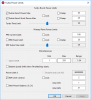
Spot the difference. I got mixed up with the Power max and Short Power max. Completely my fault, but maybe that "Turbo Boot Power Max" should be renamed to "Turbo Boost Long Power Max" to make sure users know it compliments "Short Power Max"?Attached Files:
-
-
The super duper version will let you switch colors and turn the title bar on and off. I promise.
Someone complained so I copied XTU exactly to avoid confusion. Adding the Long word makes sense to me. I will do it right now before I forget. -
On my 7700HQ I get about 70% C7 Package State at idle which consumes around 0.6W. Could probably do a bit better if I really combed through my services and tasks / etc.
-
Well I only brought it up because when I asked you about it a few weeks ago when you showed off the purple colour TS, you said you remember it working the way I'd described and you said you would probably re-add the ability in the next release. But if using the AC adapter plug feature is what I need to use, then fair enough. It does seem that if TS doesn't properly shut down it keeps the last good-shutdown profile, so that's good. I'll try to get that AC profile technique working so I can tell people how to do it.
As for this... I don't know. What I have and set DOES make a difference over leaving it at "auto". The BIOS shows it as 1/8 amp, but I couldn't understand what or why it's doing what it's doing. You can see the setting here (and here, and here too), at 8191 (I tried 8192 for 1024 but it would reset unless I did 8191, which when divided by 8 comes out to 1023.something) which I thought was what TS was reading. But now I'm just more confused. Unless the 1023 specifically actually has a further divide as you've shown, but then I am also confused as to why it's only doing 122A standard. Bleh I think this is one of those things where the more I think about it the more I'll get confused and I should just blanket-blame Clevo.
Oh well. I guess if that's the case I'll simply return to 8.7.1 and give it a nice 255A limit like I had on my haswell chip way back when. Thank you for the long explanation though! -
Last version still shows the same error, I tryed to disable windows real time protection but nothing changes, that's really strange.
Now i'll try to reinstall visual, unfortunately i don't have another PC to make a try.
Edit: I found the 8.50 exe file, I'm using it with .dll and .sys from 8.70, it seems to work.
Nothing but the windows protection, i've also tried to disable it.Last edited: Sep 13, 2018 -
For battery set SST to 180 to limit max clocks to 2.1-2.3GHz. try a value between 150 and 200. Find a sweet spot for your use case. I use 180 for getting longer battery runtimes with Speedshift 180 on 6700HQ to get 8-16hrs on same battery with ethernet only. With Wifi and BT, I can manage 10hrs and with Wifi On and BT off, I can get 12 hrs on 90Wh battery(it has wear level of 8%, original cap was 96Wh)
-
Could someone explain me what this function exactly do?
disable and lock the memory mapped turbo power limits.
And please tell me if the c state demotion options should be ticked on or off??Last edited: Sep 13, 2018Maleko48 likes this. -
I'm waiting for it patiently...
-
@unclewebb now that i am fully free from power limit throttling and any kind of throttling on my 4710hq, do you think there is a way to unlock the multiplier on throllestop ? i would like to have it at 4ghz on all cores. at this moment all cores at 3.5ghz work really good
-
Short answers:
1: P870DM3 is able to use 8191 (bios) not 8192. 8191 divided by 8 = 1023.875/4=255.97
2: P870TM1 is able to use 1023 (bios) not 1024 1023 divided by 4 = 255.75
3: P870DM3 is defaulted to 122A (bios) If I remember correctly. (This factor is also based on what cpu is installed)
4: P870TM1 is defaulted to 138A (bios)
No where is the default cache amps 20 so not sure why TS would show this if you remove the ini file. The Clevo P870TM1 would take like 5 minutes to boot. Provided it was even able to boot.
There is nothing to blame. They are different, but yet the same.Last edited: Sep 17, 2018 -
All right, sense is made here.
But then why is it when I set everything to 8191 that I could find, a deleted .ini throttlestop still reads me as 122A? O_O
This is what I didn't understand. I checked the BIOS a few times too. Hence why I just decided to blame clevo call it a day, haha.Vasudev likes this. -
Check the edit.
This edit:
3: P870DM3 is defaulted to 122A (bios) If I remember correctly. (This factor is also based on what cpu is installed)
This I assume is a machine default that you do not see since it's not exposed in the conventional bios. Speculations of course. -
Intel CPUs have 3 sets of power limits that control the amount of turbo boost the CPU can use. If you click on the TPL button and look at the top of that window, ThrottleStop has always had access to the turbo power limits in the MSR section of the CPU.
The second set of duplicate power limits is located in memory. Due to a limitation of the WinRing0 driver, ThrottleStop 8.60 and previous versions of TS could not be used to access these secondary power limits.
The third set of power limits is controlled by PECI. No version of ThrottleStop has access to these power limits.
The way Intel CPUs work is they constantly check these 3 different power limits. If the CPU is operating within these power limits and it is not overheating, it will deliver as much turbo boost as possible. If any of these limits is set too low, the CPU will throttle and slow down regardless of how the other two limits are set. The lowest power limit controls the maximum CPU speed.
It seems that more and more 7th and 8th Gen laptops have started using the second memory based power limit. That left ThrottleStop at a disadvantage. Intel XTU has always had access to this second power limit but not ThrottleStop. If the bios or a driver decided to set a low power limit, there was nothing that ThrottleStop could do to get the CPU above this limit.
With TS 8.70, that all changes. I thought the best thing to do would be to simply disable this limit and lock this memory location. Once that is done, no other software including any Windows driver will be able to change this power limit. I do not have access to any recent hardware to test my theory but I am thinking that doing this could solve a wide variety of throttling problems.
Will it solve all modern throttling problems? Unfortunately, no. It will only fix throttling problems that are being caused by the turbo power limits being set too low in this memory location. If your computer does not use this throttling method then there is no need to check this new box in ThrottleStop.
The code for this new feature is completely separate from the rest of ThrottleStop. If you find that you do not have any use for this feature then clear that box and you can delete the RwDrv.sys driver file from your ThrottleStop folder. This driver is only used for this specific feature.
Not sure. What are you trying to accomplish? I have all of these options checked. On the CPUs I have tested, they do not seem to do very much whether they are checked or not. Do some testing and let me know if you learn anything about one of ThrottleStop's least useful features. -
@unclewebb
Is there any tool in existence, other than 1) A great Power in the Heavens, 2) Praying to the Volcano God, 3) Prema, that allows a user to access the PECI power limits? -
@Falkentyne - Intel has a wonderful looking PECI tool but us peasants do not get to play with tools like that. Being an insider at Intel would have made my life developing TS a whole lot easier.
-
Then the Prema mods don't have it either, since we have the same BIOS (unless you sold your DM3 or you have a more custom one from Prema)
-
Ummm, no bios shows it. Or in some cases, 0 represents this number.
-
Ah I see. You said conventional BIOS so I assumed you meant the standard ones. Well thanks again
-
I never said conventional. I said bios.
I also had a DM3, but now have a TM1 in my signature.
But what you can try is setting it all to 8191 and reboot to windows. Once in windows, load up Hwinfo. Then run a cpu benchmark to see if you get throttling.
Real XTU. This was what I used on my DM3 from Sager, before even flashing the Prema bios. That was completely stock. And TS would not change amps (but when deleted it showed what the stock amps were), however Real XTU would. Once it was changed with XTU, then TS would work. The same with multipliers.
This is to say XTU had access to that section of the bios.duttyend likes this. -
You did say "conventional bios":
That said,
A long time ago, I found I couldn't sustain speeds above ~4.8GHz. I asked @bloodhawk about it and he suggested among other things to change the current limits to a higher amount, so I picked as high as they would go (in this case 8191). I determined that throttling stopped at that point and was able to do 5GHz cinebench runs and firestrike runs etc. The oldest folder I have here though is all the way back at TS 8.41, when I started simply swapping the .exe files in, so it's very possible I just ALWAYS had the PP0 current limit set to 1023 from way back when and I never checked with a new TS with no .ini file, and TS never actually did anything at all
On the other hand, fresh out of the BIOS with no .ini file, both TS 8.60 and 8.71 read my PP0 current limit as 300 and core IccMax as 122. This is what had confused me. I combed through the BIOS and I could not find anything else to change, so I simply decided it was not so important since I seemed to still be able to overclock without any real issue or throttling. I was more curious and confused, but if everything works then I'm fine with that. Just felt weird that BIOS settings would actually change, and say they've changed, and produce a result, but still be somehow at defaults
-
You are totally right, that should have been bios. The edit was different on a different screen I had up.
Now that could be possible. You would have had to delete it or changed it to show different than 1023.
When you get time, reset the bios to factory and see what it shows. I'll do my TM1 in a few, but it does default to 164A in TS for PP0 Current Limit -
Sure, will post back when I do
Sent from my OnePlus 1 using a coconut -
Okay Brother D2,
This is what is going on as of today.
The first picture i was making a change in XTU to see if it showed up in the bios.
The bios is set to zero on Amps/Iccmax
So far....Last edited: Sep 14, 2018 -
I don't think Intel would've allowed you to develop TS if not being merged with XTU with some more graphs.
I think I fixed intermittent hanging or stuttering whilst using TS 8.7x series. I increased ICC max for Cache from 12A to 90A.
@Johnksss Any idea why cache ICC max is set so low than CPU?duttyend likes this. -
Well mine was set to 11A on my 6700HQ.. so.. I don't know why that low so.. I already put it to 80A
Vasudev likes this.
-
Have no clue. It could be based off the original machine for testing....
-
Why i have negative MHz numbers?
![[IMG]](images/storyImages/qTrP7qx.png)
-
All right, I loaded defaults (set back static voltage though) and checked:
![[IMG]](images/storyImages/Screenshot_8218.png)
![[IMG]](images/storyImages/Screenshot_8219.png)
So 0 limit there.
Then I manually set 8191 on every current limit option I could find like I had before, set my PL1 and 2 to 300W again and then booted, deleted the .ini and checked again:
![[IMG]](images/storyImages/Screenshot_8220.png)
![[IMG]](images/storyImages/Screenshot_8221.png)
and finally, I tried changing PL3 to 300W and PL4 to 400W, to see if either of those were being read:
![[IMG]](images/storyImages/Screenshot_8222.png)
And there we go. It's reading PL4 as PP0 Current Limit.
Absolutely nothing I touch in that BIOS does anything to ICC Max in FIVR. So why it allowed me to OC and run benchmarks by changing it before, the world may quite literally never know.duttyend, Johnksss, Maleko48 and 1 other person like this. -
It also seems to mean that power limit 4 is so how use able while power limit 3 is ignored
Let me ask you this. When you set 8191 every where and then boot to windows...If you do not load TS, are you able to run high benchmarks?
I set 1023 (or 8191) and it shows 255.750 in windows.
But maybe you are right, the world may never know...
Last edited: Sep 15, 2018Vasudev likes this. -
I suppose I could try a BIOS-level OC, though older versions of TS had no access to IccMax. I'll do that maybe tomorrow evening I have much I'm doing today. A cinebench run would probably suffice; I couldn't hold that clockspeed the first time when everything was on Auto
-
True, it was just vcore/cache voltage then.
Yeah, just something simple and quick to run. -
So, i have an alienware i9 laptop does this means i only need speedshift enabled (0-128) and not c1e or speedstep?
-
Basically, yes. Although EPP range is 0-255. Speedshift is basically a more responsive and robust version of SpeedStep, but implemented independently of SpeedStep.Vasudev likes this.
-
Would the best setting be 128 or lower?
-
C1E is independent from the Speed Shift setting. Intel recommends that C1E should be enabled. Probably good to do this when on battery power but it might not make any significant difference.
Speed Shift 0 - Maximum performance
Speed Shift 80 - Similar to the the traditional Windows Balanced power profile.
Speed Shift 128 - Typical default setting for most laptops. Slightly less performance than 80 on some CPUs in some situations.
Speed Shift 255 - Minimum performance.
Are you using the default Windows antivirus program? There is an option in there that can prevent ThrottleStop from reading the MHz correctly. I think @Vasudev knows the details. I keep forgetting. Virtualization or something like that.
TS shows 8960 for PL3. The first digit 8 indicates that bit[31] is set which is the Lock bit.
0x960 hex = 2400 decimal and when you divide that by 8 you get PL3 = 300W so that looks correct.
I do not have any documentation for PL4 and I am not sure if your bios is handling this one correctly. What TS shows for PP0 Current Limit comes from a MSR that has nothing to do with PL4. For a quick test, open up Limit Reasons and start a TS Bench test. While this test is running, use TS to adjust the PP0 Current Limit from 400 to 50 to 1 and to 0. Does anything light up in Limit Reasons?duttyend, Vasudev, UNFORSWEATABLE and 1 other person like this.
The ThrottleStop Guide
Discussion in 'Hardware Components and Aftermarket Upgrades' started by unclewebb, Nov 7, 2010.