Problems? See this thread at archive.org.
Yeah that's how it should be. But in my case, balanced power plan somehow overrides throttlestop's multipliers too.
-
-
Man you are my hero
In my MSI GE72VR 7rf I have locked bios but with key combo I can see almost all biost options. With that trick I manage for example to OC my ram from 2666 cl16 to 2933 Cl 15.
But going back to the topic I have also found DPTF option in bios witch was disabled, and I did exactly what you and now my temps are lower by around 4-5 C
There is no performance regression. I must tell I even score 100more points in physic test in firestrike.
One question?
I have only those 2 drivers in device manager? is it correct?
Intel(R) Dynamic Platform and Thermal Framework Manager
Intel(R) Dynamic Platform and Thermal Framework Processor Participant
and also I have only one option in power plan regarding dptf
Config TDP level
I don't have the rest. I did all as you said in your post
What do you think?
And did you mod your bios by yourself?? I am very interested in bclk OC on my locked i7 7700hqc69k and 6.|THE|1|BOSS|.9 like this. -
I'm happy to see my findings are helping you I wish others notice my posts .. I'm really trying my best to benefit every one here as long as I know & certain about it
Regarding to your case...
The most important is
Intel(R) Dynamic Platform and Thermal Framework Manager
Intel(R) Dynamic Platform and Thermal Framework Processor Participant
to have full functional DPTF others are not necessary at all.. they are made for Tablets & 2 in 1 Laptops
but yours & mine are gaming laptop
so others drivers are really not necessary
only the 2 above I mentioned is important
To have all the power plans of DPTF you must use my Intel DPTF registry fix I just mentioned it in the same post
http://forum.notebookreview.com/goto/post?id=10797302#post-10797302
After using the registry fix.. no need to restart your laptop just open you Power Plan and you will see it because restarting laptop will hide those DPTF power plan settings
but it will still work
About BCLK OC... You must know what you are doing.. or else.. you will brick your laptop..
Thanks to @I506dk for making this PDF for newbies on BCLK OC I'm sure it will work on 7700HQ but the problem here it depends on OEM how BIOS is locked down
If you could dump your BIOS and gave it to me.. I will help you on that and unlock BCLK .
First use & download AFUWIN from this link https://ami.com/?AMIBIOS_and_Aptio_AMI_Firmware_Update_Utility.zip and choose Aptio V under
[AMI Firmware Update Utilities] section then it will lead you to the download link
Search for a folder named [afuwin] and extract it... after that open afuwingui.exe and click [save] button and give me the file that you saved it... this is your backup BIOS.
But first of all before getting into this game... read about it from this link
https://www.win-raid.com/t286f16-Guide-Flashing-modified-AMI-Aptio-UEFI-using-AFU.html
I'm not responsible for any kind of problems that is caused to you.Attached Files:
Last edited: Sep 22, 2018 -
-
Do you mind, if I send the logs of TS to you via PM? I did see some performance decrease with Disable Turbo boost limits in FIVR section. I see reduction in cpu performance out of the blue. Even @judal57 has the same issue. Is it because my limits are set to 92W by BIOS?
judal57 loses the display signal of eGPU whenever that option in FIVR is checked. He's using 4710HQ at 35x on all cores whereas mine is bone stock clocks on 6700HQ BGA.
If IMON can be accessed it'll be life-saver. I do like Witcher 2 AoK and Witcher 3.
Can you access the IMON through RW-E?Maleko48 likes this. -
I always like seeing log file data. Tell me what you are doing on your computer while testing. The new FIVR - Disable and Lock Turbo Power Limits feature is experimental. I do not have any recent hardware that can benefit from this setting or any way to test or improve it. Your feedback would be appreciated.
If Speed Shift is enabled within the CPU, the Windows Balanced power plan will change the EPP value within the CPU and that will allow Windows to be in control of the multiplier.
I could not get this new TS feature to work on my computer. It looks useful. Maybe I will have to add it for real. It might be a feature of a slider control that I did not know about.
The only way that ThrottleStop will be able to go higher is if you enable the FIVR - Disable and Lock Turbo Power Limits feature. As mentioned, that feature is still a work in progress.Last edited: Sep 22, 2018Vasudev, magnetoeric, UNFORSWEATABLE and 2 others like this. -
@ Krzyslaw
@ THEBOSS619
About the DPTF thingie, have you guys tested the performance in games? Since @ THEBOSS619 said it lowers the CPU cache speed thought if there was a difference, it could have been less peformance.6.|THE|1|BOSS|.9 and c69k like this. -
I want to go lower from 25 to 20 and from 44 to 40 and with this RwDrv.sys its finally working. Thanks!
And probably i found a bug. If the Disable and Lock Turbo Power Limits enable in the FIVR, then the "Set Multiplier" will change to 63T from 31T.
![[IMG]](images/storyImages/d9bDA9H.jpg) Maleko48 likes this.
Maleko48 likes this. -
Hi!
I cannot overcome the 15W TDP limit on my T440s (i5 4300u). Thermals are fine, below 70C. The power limit (PL1) kicks in after about 20 (no matter what turbo time window I set) seconds of stress test. I tried manually writing to 0xFED159A0 (also noticed intel XTU does that).
Any changes I make to 0x610 seem to be almost instantly overridden.
Is there any hope to raise the power limit?
![[IMG]](images/storyImages/iSeKTAv.png) Maleko48 likes this.
Maleko48 likes this. -
@unclewebb
Could you make an option to see Package power consumption of the CPU in milliwatts? When chasing for every milliwatt for battery life, one decimal point suddenly isn't enough lol. Other software like HWInfo and HWMonitor are waayy too CPU heavy.
Btw on Linux Mint 19 I was fiddling around with powertop and tlp and suddenly powertop was reporting that my Cpu CORES were 95-99% in C10 state, yet when in Windows TS reports 95-99% of the cores in C7 state. Interesting. I'll have to dig around to see which is correct and whether CPU cores actually support C10. Nevertheless, the Package was limited to C8 (80-90%). Thought you might be interested. I'll post screenshots if anybody wants.Maleko48 likes this. -
Thank you for the guide.
I am familiar with the tools you provided me so firstly I will try on my own. If I will have question I will ask you. The guide was prepered for the previous revision of MSI GE72 so it should be similar to mine.
I also know how to oc with bclk. I will try it later when I will have time, but I will also firstly buy the programer as something can go wrong.
As for power plan settings I have added your reg file to my register but It only showing me TDP config option, rest are not visible.
On my sytem DPTF reduced the power consumption but when I am chcecking the Throtlestop the cache speed ratio is on the same level as it was before during load. Everything runs smooth and at the same high performance level. Also I noticed higher score in FireStrike in Physics test by around 100-120 points, so all in all I gain a bit performance in CPU bound situations, rest FireStrike test went up by a margin of error, arround 20-40 points. Probably due to the less heat. Also With DPTF enabled i was able to lower a bit more the voltage on cpu Core and Cpu Cache in throttlestop from -156.3mV to -159,2mV so here is another very little gain.Last edited: Sep 23, 20186.|THE|1|BOSS|.9 likes this. -
You should not have to use the Disable and Lock Turbo Power Limits feature to go lower. Did you do any proper testing with the TS Bench or Prime95 Small FFTs? Do not go by what HWiNFO is showing you and if you are going to be using ThrottleStop, uninstall Intel XTU so the two programs do not interfere with each other.
If this is a bug, it is not critical. When Speed Shift (SST) is enabled, the value in the Set Multiplier register is ignored by the CPU.
I would close RWEverything and then I would check the FIVR - Disable and Lock Turbo Power Limits feature. Checking that box will lock 0xFED159A0 so other software cannot write to it.
I have never seen this before but if that is the case, why not use ThrottleStop to lock this register?
![[IMG]](images/storyImages/PAq9jNn.png)
After you have applied these two locks and you have ThrottleStop setup properly, now you can open up RWEverything if you want to see how those two power limit registers are doing.
With the Intel docs I have, there is no way to report the cores being in C10. It shows a register that keeps track of the CPU Package in C10 but not the individual cores. A U CPU definitely supports package C10 but this seems to be disabled in most Windows 10 laptops. The problem is either how Windows is setup or how the bios has setup the CPU. Not enough complaints for manufacturers to get this important power saving feature working correctly before shipping their products.
I definitely would if that information was 100% accurate but it is not. The power consumption that all software shows you is estimated power consumption which is not the same as measured power consumption. The only purpose of this calculated data is to control the Intel Turbo Boost function when the CPU is significantly loaded. It was never intended to be used to accurately determine power consumption when the CPU is idle and rapidly entering and exiting various C States. When idle, I would ignore this number and watch the C State data instead. Increasing C state residency time is the best way to improve battery run time. -
The reason that I said CPU cache speed is lower is due to the speed fluctuating on high load from [3.6Ghz to 3.5GHz] and then comes back to 3.6Ghz again.. maybe because I got it OC'ed it so DPTF sees it as running over there Max speed so.. it brings it down to 3.5GHz
I didn't have this kind of behavior with disable DPTF so.. I'm quite certain it is due to I'm running over the maximum due to BCLK OC
Just a note:- I have got 6700HQ so.. maximum default speed is 3.5Ghz on CPU & CPU Cache.. but due to BCLK OC.. it became 3.6Ghz on both
I'm enjoying low temperature with same performance I argue anyone with
unlocked BIOS to enable this feature.. seems Intel knows there own product very well [Duh.. obviously]
Gaming performance is the same really but I noticed higher minimum FPS when doing a benchmark mode on F1 2018 Tried testing it multiple times and the results is indeed consistent that my minimum does improved after DPTF enabled
Last edited: Sep 23, 2018 -
Hmm.. weird.. I just tested on my friend's laptop.. he got ASUS GL553 and tried the registry fix and it worked before publishing it here
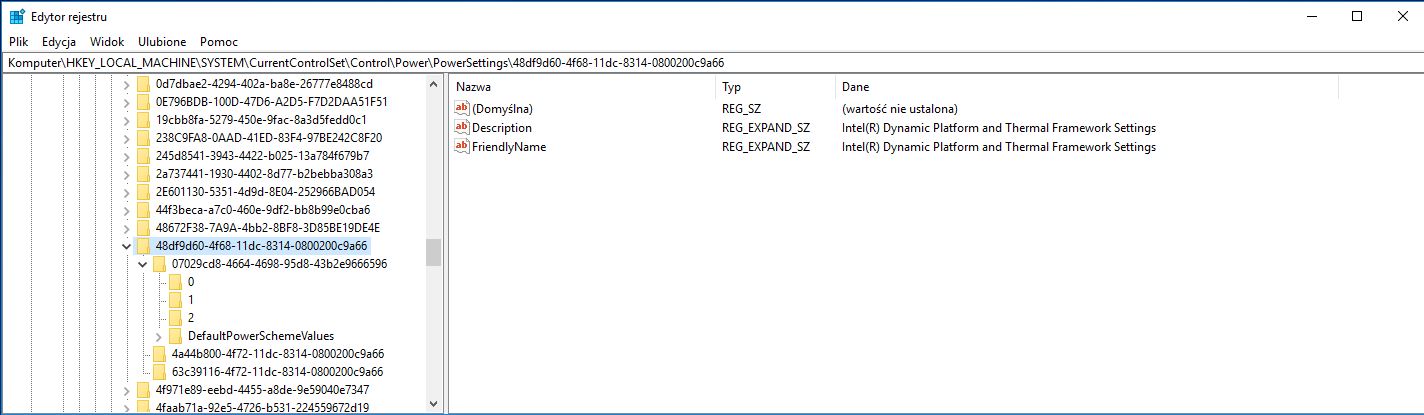
Could you check on your registry through [Regedit] and go to this location
[HKEY_LOCAL_MACHINE\SYSTEM\CurrentControlSet\Control\Power\PowerSettings] and search each folder until you find a folder contains those keys like the picture below
Mine was found on [48df9d60-4f68-11dc-8314-0800200c9a66] as highlighted on this picture above
If you couldn't find it on the same key like the picture above then I think that is why the Intel DPTF reg fix didn't work for you so...
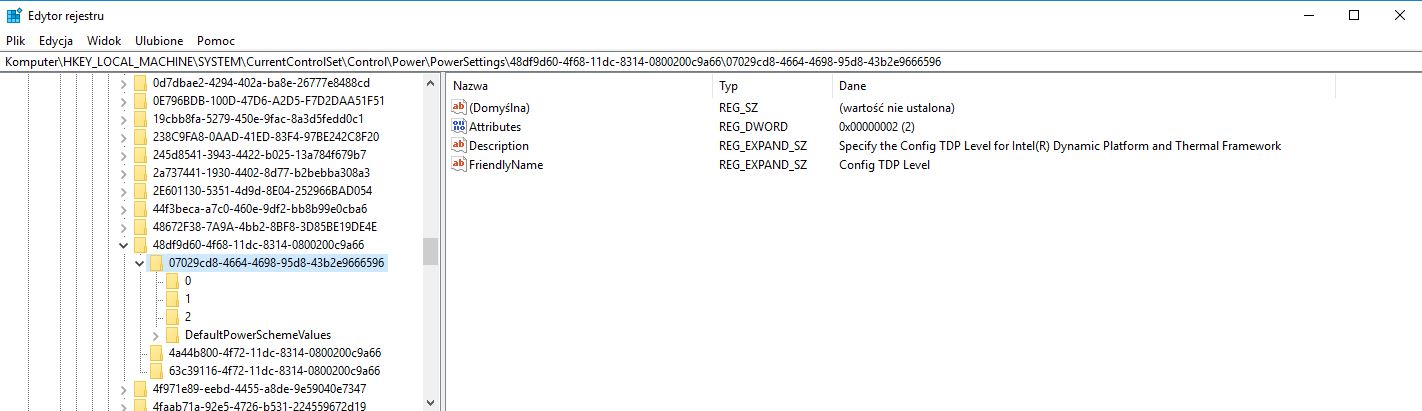
Search for it.. it must be similar like the picture above that contains two keys with the same name which is (Intel(R) Dynamic Platform and Thermal Framework Settings)
After you found it.. show me a screenshot of it so that I could provide a reg fix for you
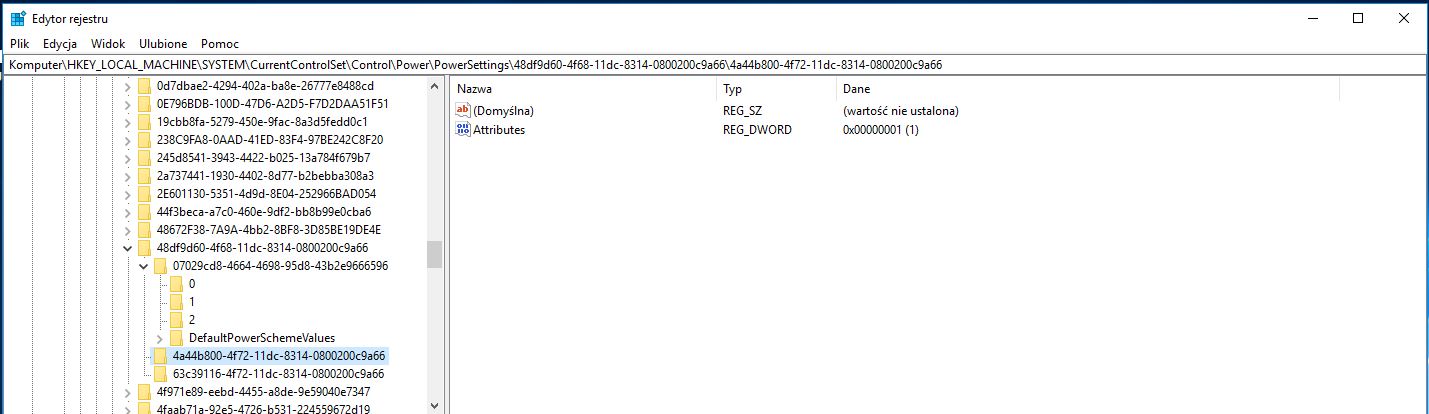
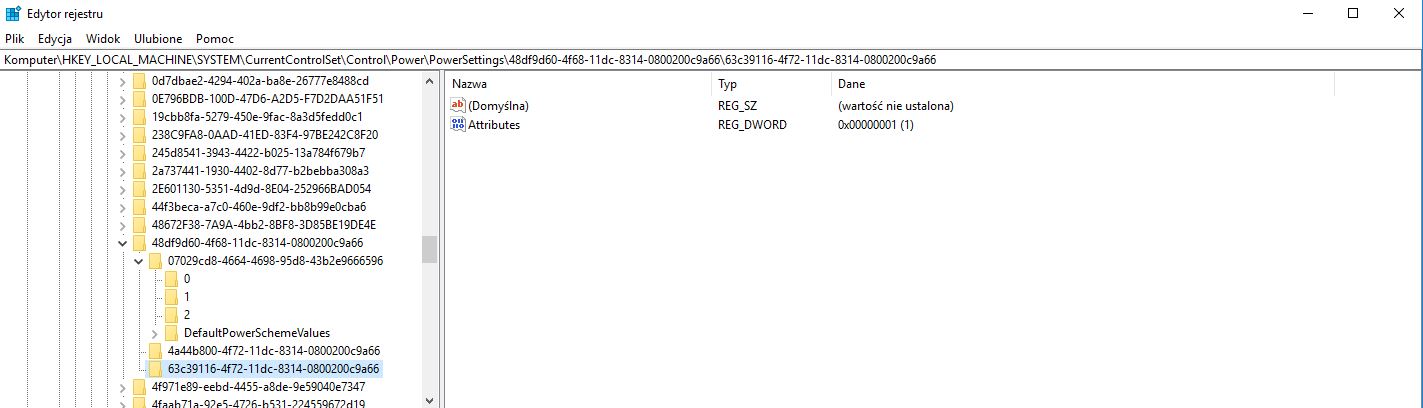
By the way...If you found it on the same key like the picture above.. continue searching because I am afraid that the Reg fix that you used that I provided previously caused a duplication while the original ones is on different location.Last edited: Sep 23, 2018 -
I have found Intel DPTF on the same key I have attached my screanshots
In games the cpu speed fluctuates depending on the cpu need and usage, but If there is need my cpu can maintain full speed 3.4GHz on all 4 cores during games and even during torture test in prime95, At only 40W now.
I have capped my cpu to 40W and turbo to 45W in Throtlestop. I starts at 3.4GHz and stay there for a whole test at 40W no signs of any limit in Throtlestop.
I didn't have that before enabling DPTF, Without DPTF it was throtling to around 3.26GHz on all cores.
I am also using the new Option: Disable and lock tubo power limitAttached Files:
Last edited: Sep 23, 2018Maleko48 likes this. -
-
Alright Try those then.. and let me know
check your power plan without restarting as Intel DPTF drivers attempt to
hide it only but they are
not deleted
Attached Files:
-
-
I just did the DPTF thingie, after enabling it on BIOS, device manager showed an unknown device, which didnt find any driver.
So I downloaded it from https://www.station-drivers.com/ind...temid=353&func=select&id=97&orderby=4&lang=en
In case anyone tries it.6.|THE|1|BOSS|.9 likes this. -
Download this one.. it is more recent & updated version.. sometimes Station-Drivers post it on there forums but they don't post it on there main website
https://www.station-drivers.com/ind...w=topic&catid=13&id=44&Itemid=858&lang=en#240
Intel Dynamic Platform Therma Framework (DPTF) 8.5.10100.6838 WHQLFrozenLord likes this. -
I will, btw I did a quick test Cinebench run, max temp down by ~7º and 1-2 points higher. I know is a small sample, and need more testing, but looks promising
Vasudev and 6.|THE|1|BOSS|.9 like this.
-
Awesome news Hope people will benefit from it
I will put it on my signature linking it to my post
Vasudev likes this.
-
@ THEBOSS619
Okay, maybe you can help me regarding DPTF. I got an Inspiron 13 7000 2-1 with Intel i5-6200u and HD520.
I managed to setup throttlestop with decent settings -150 CPU and -80 iGPU. Temps reached 38-40*C from previous 50ish.
I had previously installed the DPTF drivers from Dell, version 8.2. I ran your regedit DPTF fix, but I could not see any extra DPTF settings under advanced battery settings. I then tried to install the latest DPTF drivers version 8.5 from stationdrivers and they installed fine. However, sadly, there was still no DPTF settings under advanced battery settings.
To make matters worse, the current ThrottleStop settings kept giving me BSOD. So I created new .inf and set small increment of -50 for cpu but even that gives me BSOD now.
I deleted the systemdrivers DPTF drivers, deleted the regedit settings for DPTF, and reinstalled the original dell v8.2 DPTF drivers. Still, any minor tweaks to voltage offset STILL causes BSOD.
Any suggestions or ideas where I might have gone wrong or how to fix? Thank you!
Vasudev and 6.|THE|1|BOSS|.9 like this. -
Have you tried this one from this link?
http://forum.notebookreview.com/threads/the-throttlestop-guide.531329/page-887#post-10798787
Regarding your BSODs well.. have you tried use your laptop without undervolt? If no more BSODs then you need to use less undervolt to be stable
Related to DPTF.. you must remove or delete those dell drivers.. OEM will ALWAYS provide $hity driver with outdated drivers that causes alot of issues including the most common thing ---> [BSOD]
Download & Install DPTF 8.5 after removing your previous drivers and then apply my DPTF reg fix that I mentioned above
-
@unclewebb i am having this problem since today
![[IMG]](images/storyImages/rv9csk.jpg)
i also tried with a new throllestop and is the sameVasudev likes this. -
What version of Windows are you using and are you using Windows Defender?
-
![[IMG]](images/storyImages/2mrguo0.jpg)
and yes, i am using windows defender -
I do not run Windows Defender and I never, ever have a problem with the WinRing0 driver going missing. I am having no issues running ThrottleStop on Windows 10 Build 17134.286.
Try running OpenHardwareMonitor.
https://openhardwaremonitor.org/
While OHM is running, try starting up ThrottleStop. Both programs use the WinRing0 driver but OHM has the driver hidden in another file so it sneaks under the radar without Defender having a fit. This trick usually allows ThrottleStop to start up.
Have you recently tried using any GPU overclocking software? Some of these programs also use the WinRing0 driver. Try using Autoruns to hunt down the WinRing0 driver. Delete it and then start ThrottleStop to see if it can reinstall it.
![[IMG]](images/storyImages/PIn3Pov.png) Last edited: Sep 23, 2018cktducky, Papusan, Vasudev and 1 other person like this.
Last edited: Sep 23, 2018cktducky, Papusan, Vasudev and 1 other person like this. -
Yes i did double check. I checked the values with HWINFO and AIDA and i did TS Bench too. Without the "RwDrv" i cant change it from the default values.
-
Opening TS after OpenHardwareMonitor Fix it, now is fully working
-
@judal57 - Just curious. After you exit TS and exit OpenHardwareMonitor, can you restart ThrottleStop without needing to run OpenHardwareMonitor or do you always need to run OpenHardwareMonitor to get ThrottleStop to start now?
@UNFORSWEATABLE - If you do some TS Bench or Prime95 testing, why not post some pics of your results? There is no way that I can fix things when problems are not fully documented. Sometimes the problem is simply how a user has ThrottleStop set up. Without the Disable and Lock feature selected, it would be great to see a picture of TS with the TPL window open while running the TS Bench with Intel XTU uninstalled.
The more info the better. I like log files too. -
@unclewebb after runing OpenHardwareMonitor, i can restart and open TS without problems. i dont need to run OpenHM anymore. is starting with windows like always THANKS
edit: and yes, i am using gpu overclocking too. a gtx 1080ti at 2050mhz
https://www.3dmark.com/3dm/28742647?Last edited: Sep 24, 2018 -
When running ts bench i get errors. What does that indicate? Awesome to read the DPFT info.
6.|THE|1|BOSS|.9 likes this. -
I'm having some TDP issues with a Toshiba Z20t-b. This is a Core M-5Y51 totally passively cooled.
ThrottleStop appears to not be able to actually change the "Turbo Boost Long Power Max" value. It says it changes it, but it doesn't change the TDP live reading level at which PL1 kicks in. It still happens at the stock TDP level for PL1, which is 6W. ("Turbo Boost Short Power Max" is stock at 15W btw, but I don't think thats relevant here). This 6W limit throttles the CPU well before the thermal limit is reached (95C) and is making it run well below what it could benchmark wise.
Whereas Intel XTU can change that value just fine. If I change it with XTU, (even if I then run TS), it all just works on the level that XTU has set.
Second TDP problem I have is that when I unplug and run on battery. That value gets lowered behind everyone's back to a measly 4.5W. This really affects performance and temps are kept so low its not even funny. Even XTU can't change that. XTU thinks it still has the 8W value I manually set, even if I re-set it while on battery, somehow Toshiba have enforced 4.5W no matter what.
EDIT: Actually on battery TS is saying the 4.5W limit is being imposed by PL2, whereas when on AC power the limit is being imposed by PL1. That might provide a clue to whats going on I guess.Last edited: Sep 24, 2018 -
It indicate that you have RAM issues.. have you got your Ram OC'ed? like increased speed or adjusting the timing? or due maybe your DRAM voltage is low or low SA voltage?Vasudev likes this.
-
Long thread, over a long period of time, changing hardware.
I am, hopefully, getting a new Razer 15 laptop with a i7-8750H processor today.
I hope to use this laptop predominately for general business use, but will want to game on it from time to time. I don’t plan to OC.
@unclewebb, thank you for your program, and constantly updated guide. Do you have recommendations for settings with the 2 goals?
1) thermal performance being a big issue, I know undervolting is the main thing, but what else can help here without affecting performance, while on AC power
2) when on battery, I would be ready to take a small performance hit to lengthen battery life.
I’m not a numbers junky, and am not competing on my freaking abilities. I would like to minimize temps for comfort, and maximize laptop life. Lover battery life during the work day is just useful. -
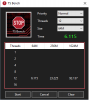
Pretty simple stuff. Your computer is not stable. Almost always, it is either your CPU or your memory. If you are under volting your CPU, errors are a good sign that your CPU needs more voltage. To troubleshoot I would not under volt the CPU and then I would run the test again. If you are not getting errors at default voltage then your CPU under volt is the cause. If you are still getting errors then it might be because one or more of your memory modules is failing.
I have never used this before but if you think you might have memory problems, try running the Windows Memory test, MdSched.exe
![[IMG]](images/storyImages/a0fUaOx.png)
Did you try using the FIVR - Disable and Lock Turbo Power Limits feature? Intel CPUs use a duplicate set of turbo power limits. Intel XTU controls both sets of power limits at the same time. My theory is that by disabling one set of power limits, there will be less chance of the second set of power limits being randomly changed.
Yes, that is the problem I am trying to find a solution to. Turbo Power Limits being changed behind one's back. Try my solution. Uninstall XTU, check the above option in TS and then try adjusting the power limits that are available in TS. Can you get beyond 4.5 W on battery power? There is also a third set of power limits that neither TS or XTU have access to. There is a good chance that Toshiba is using this third set of limits to enforce the 4.5W limit. If this third set of power limits is causing this problem then there is probably nothing you are going to be able to do about it.
That is pretty much it. If you want your laptop to run cooler, give it less voltage. Adjust the CPU Core and CPU Cache offset voltage equally in ThrottleStop. I do not own an 8750H so I do not have any recommendations for how much. Do a Google search or just start dropping the voltage and do some testing. If you lose stability or start getting errors in the TS Bench test or other tests; you have gone too far.
Some people like to Disable Turbo when running on battery power. I like to concentrate on the C States and I try to make sure that when my CPU should be idle, that it really is idle. Individual cores spending 99% of the time in C7 is a good place to start. If cores are not idle, find out why. Find out what crap or poorly written driver is running on your computer and try to fix it.
![[IMG]](images/storyImages/wx1hwoC.png) Last edited: Sep 24, 2018Vasudev and 6.|THE|1|BOSS|.9 like this.
Last edited: Sep 24, 2018Vasudev and 6.|THE|1|BOSS|.9 like this. -
I downloaded the folder with the files, and added your reg fixes to my registry, but no jow. I would guess that I need to get a modified bios in order to enable DPTF in the first place. [laptop is Gigabyte P35x 5, with 6700 HQ] Oh, well,.....
Thanks for sharing all this interesting information.
Best,
JoeVasudev and 6.|THE|1|BOSS|.9 like this. -
You said it by your self it must be enabled or it won't show up on your power plan settings
and even if it did magically .. it won't work without DPTF enabled on your BIOS
Vasudev likes this.
-
That's what I was afraid of. Unfortunately, Gigabyte's latest AMI bios is pretty "locked down", and doesn't have that option.
Best,
J6.|THE|1|BOSS|.9 likes this. -
I tried as you suggested in the earlier post on removing Dell DPTF drivers and installing the newest ones with the reg fix but still no option in power plan settings. I did notice that DPTF is not in my bios, it just appears in the Device Manager? Or am I not understanding something?6.|THE|1|BOSS|.9 likes this.
-
I did say Dell removed DPTF on some models and most likely it's present on Precision and XPS lineup on latest BIOS. Because all models had this feature and removed later upon updating to latest BIOS and downgrade will brick the laptop permanently.6.|THE|1|BOSS|.9 likes this.
-
Also, since I have an integrated iGPU (Intel HD 520) on my laptop, how do I go about lowering the voltage offset?
In the FIVR section, I read a guide say to adjust the Intel GPU, however, another guide said to adjust the System Agent + iGPU Unslice together. Which would be the correct one assuming no dedicated/discrete video card is installed. -
I usually don't recommend you mess with iGPU offset(not unslice) because it cause stutters and restrict the max undervolt your cpu can go. You can ask @pressing since he uses PC for Low latency apps. Kabylake and above sees much lower temps with everything undervolted to same values.(CPU,Cache,iPU,System Agent and iGPU unslice).pressing, Maleko48 and 6.|THE|1|BOSS|.9 like this.
-
Thanks for the reg fix. I added those reg files and all options were avalible.6.|THE|1|BOSS|.9 likes this.
-
You must have DPTF enabled on your BIOS... I even mentioned that from the very first post
Here...
So.. in case you don't have a DPTF option available on your BIOS then unfortunately it is highly likely that it is not supported or disabled but hidden due to locked down BIOS so... in order to find out.. unlock or mod your BIOS
Awesome..
As long as it is an AMI bios.. there is always something..
Maybe try your chances & see if you can do it?
Here's the link
https://www.win-raid.com/t286f16-Guide-Flashing-modified-AMI-Aptio-UEFI-using-AFU.html
Last edited: Sep 24, 2018 -
What about an i5 8th Gen. ? it is still considered technically an i7 version due to 4 Physical cores & 8 Logical Cores just like 6th & 7th Gen. of i7
I know everyone have his own preferences but.. I'm just throwing an idea here that's all
-
I backed the cache undervolt off a bit and no errors.
I have a i7-8850H
now running cpu undervolt -139.6mV, turbo capped at x41, ICCMax rather hight at 128 . cache undervolt -127.9mV. iGPU -48.8mV. havent messes with the iGPU Unslice. TPL clamped at 65/80. nothing else changed. Haven't ventured any further yet.Vasudev and 6.|THE|1|BOSS|.9 like this. -
Hello,
I have an Aorus X7 DT V8-CL4D with an i7-88500H processor and GTX 1080. I'm still learning how to use this software, but so far my Performance profile is at -125mV for core and cache, no undervolting to the GPU, IccMax at 128, Speed Shift EPP at 32, I have clock modulation and set multiplier unchecked, BD ProcHot, SpeedStep, C1E are checked.
In FIVR, "Turbo Overclocking" says +4 ( I don't know what that means)
Turbo Ratio Limits is confusing me; I know you can set the number (Ghz?) per core depending on how many are active, and for the performance profile I set all 6 at 43 (which is the turbo boost for this processor). However, where it says "overclock" in the window with "max" there is 47. I'm not sure what that means and whether I should be checking that box or leaving it blank.
Under Options, I have the alarm set up that if the temps are 10 degrees from the limit or the GPU reaches 80 degrees it automatically switches to a failsafe profile where the turbo boost is disabled, the Speed Shift goes to 128 and I set all cores to 40 with a -40mV for the GPU, again though, I'm confused with how the turbo ratio limits section works with that 47 Max and the overclock box checked or unchecked.
Also, with Intel XTU (before I removed it) there was a way to set the Turbo Boost Power Max (and Short) to unlimited vs the current 55/85 that I have set up as default. How does one do that in ThrottleStop? Is this a bad idea in general? What does Clamp mean? My Turbo Boost Power Max has the clamp box checked but the turbo boost short power max does not.
Under Speed Shift in TPL it originally had min set to 1 and max set to 43? I don't understand this though because I thought it was supposed to be 1 to 255? I changed it to to min 1 and max 255. Is that correct? Under Range is says 1..43. I'm confused by this.
I know its a lot, but any help would be appreciated. I tried reading up on as much as i could on the net but I've reached an impasse with my understanding. Thank you for your help. -
@f3n1c3, thats what i'm working on too. i left epp at 128.
-
That means your CPU supports limited overclocking. Whatever the default values are for the Turbo Ratio Limits, you can increase each of those numbers by +4. I believe the 43 multiplier is the default multiplier when a single core is active. If you check the Overclock box, that should allow you to adjust this up to 47. If you do not check the Overclock box, the maximum multiplier will be limited to 43. Multiply your multiplier by the BCLK speed which is approximately 100 MHz and you get you maximum speed (47 x 100 MHz = 4700 MHz). Make sense?
The Base Frequency for the 8850H is 2600 MHz. When you select the Disable Turbo feature, the multiplier will drop to a maximum of 26 and you will be left running at a maximum of 2600 MHz. Kind of harsh. Instead of using Disable Turbo, it might be better to setup a second profile with lower values for the Turbo Boost Limits. Maybe 30 or 32 whether 1, 2, 3, 4, 5 or 6 cores are active would be a better compromise.
In ThrottleStop you can adjust the Turbo Boost Power Max up to 1000 or 2000 Watts. That may not be the same as XTU Unlimited but it is more than high enough to avoid any turbo throttling.
In the TPL - Speed Shift section, the Min and Max refer to the multiplier. If you set a max value of 40, your CPU will only be able to use a 40 multiplier, max. Your default max multiplier is 43. That is the number that is in the Range box. Set the Speed Shift Max to 255 if you do not want it to interfere with your maximum multiplier. Some people like to increase the Speed Shift Min value. I believe the lowest multiplier for your CPU is 8 but if you would prefer that it never goes below 16, set 16 for the Speed Shift Min value. A setting of 1 just tells the CPU to use the lowest value that the CPU supports. There is no 1 multiplier available.
The Speed Shift EPP value on the main screen stands for Energy Performance Preference. A setting of 0 asks the CPU for maximum performance. 80 is my fav compromise, 128 is typical Windows default and an EPP setting of 255 would result in a really slow CPU.
I appreciate a wall of text but a few pics would probably tell me a few things that you forgot to mention. Don't be afraid. Imgur is wonderful. It is easy and fun to copy and paste images to imgur. Highlight a TS window, hold down the ALT + PRINT_SCREEN buttons, go to imgur and do a CTRL + V to paste and upload an image. Post a link here and make me happy.FrozenLord, Maleko48, raz8020 and 2 others like this. -
Thank you very much for the reply, your patience, and your knowledge; I will definitely include a link to screenshots this time.
A couple of follow up questions if you don't mind:
I'm sorry, I still don't fully understand the function of checking the overclock box itself because I can change the individual core values (for all or one) up to 47 without the overclock box checked. If I don't check the box and change the values to 47 does that mean they won't take effect? If I do happen to keep all the values at 43 for all cores and don't check the overclock box then will all cores still reach 43? I forget if by default all cores reach 4.3GHz in turbo boost without overclocking or just one.
Is there a specific sequence by which cores values should be implemented? (43,42,42,41,41,40) or (43,42,41,40,39,38) etc. is one way of dividing up core values and their range better than others?
Do you not recommend setting the Turbo Boost Power Max (and Short) to "unlimited" (say 1000 Watts) while plugged in for Performance profile?
Do you not recommend setting the Speed Shift EPP to 32 then just for the Performance profile? (I was thinking in terms of 32, 64, 128 etc.) Should I keep BD PROCHOT checked
Does the way I set up the Alarm in options make sense? I changed my Failsafe profile which is selected if the alarm triggers to (40, 38, 38, 36, 36, 34) - bad move?
Thank you again for all your help!
Here is the link to the screenshots for the Performance profile.
https://imgur.com/a/uISyCx0
Also this one for the battery profile
https://imgur.com/a/U5O9imq
**For Failsafe and Battery I undervolted the GPU by 40 and 49.8 respectively
**For all profiles, the IccMax for CPU Core and CPU Cache are 128 and 11 respectively, Intel GPU is at 32. Does that seem correct? (I don't know what this one means/is either)Last edited: Sep 25, 2018 -
This where i got to after half a day going thru progressively and with the info above.
*** got 4968 on pcmark10Attached Files:
Last edited: Sep 25, 2018 -
The ThrottleStop Guide
Discussion in 'Hardware Components and Aftermarket Upgrades' started by unclewebb, Nov 7, 2010.