Problems? See this thread at archive.org.
@unclewebb I found some f***ery going on with Intel. Smdh. This morning I noticed System Usage Report was chewing up about 20% CPU spread across all cores. A quick Google search later and I found I was not alone:
https://notepad.patheticcockroach.com/4291/how-to-get-rid-of-intelr-system-usage-report/
When I went into REVO Uninstaller, I found an Intel application I don't even remember installing but knew I didn't want: Intel Computing Improvement Program.
After uninstalling a handful of Intel Driver Update related applications and a restart later, I now have a pretty tame CPU idling between 85-90% C7 package state with C7 core states between 97-99% as you suggested they should be. The funny part is I was wondering what the Energy Server QUEEN CREEK service was all about the other day when cleaning out unnecessary services from running automatically and never got around to digging deeper. However it also was NOT chewing up 20% CPU yesterday either.
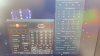
Here is my CPU now:
Also I do not use antivirus besides Windows Defender.
I'm in way too deep now to do a clean install. My wife would kill me. I just don't have that kind of time right now unfortunately.
-
hey there. i was hoping someone can help me with throttlestop settings for: i7 6500u @ 2.5ghz
im using it to disable the BD PROCHOT, but still not seeing good enough results.
are there any settings or tweaks anyone suggests?
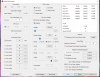
heres a screen shot:
(the C0% seems to average between 10 - 30, when i open facebook for example it jumps up to 80-90%)
P.S.
the reason im using throttlestop, is because my dell inspiron was throttling the CPU due to a faulty OEM charger. so im using this to stop the throttling... -
Why have you disabled turbo? I have never seen 500MHz clock speed on skylake U chip. I think your mobo is faulty or try a older BIOS if you updated recently. Its usually configured from 6/7/8x-max clock speed.
Your CPU might be throttling. Even at 500MHz temps are 50C. -
Did you move the ThrottleStop folder after you first ran ThrottleStop.exe? Open up the Options window and at the bottom, click on the Log Folder button. Try creating a new Log folder and put it somewhere you can find it. Exit ThrottleStop after you are finished testing so ThrottleStop can finalize and save the log file to the directory you just chose.
Lowering your CPU temps is always a good idea but at the moment, your CPU is not overheating so why bother? Your CPU is not thermal throttling so pulling your laptop apart and making it run 10°C cooler might look nice in ThrottleStop but it will not make your laptop run any faster.
If you are happy with performance then you are good to go. You can try under volting the CPU core and CPU cache voltages some more to lower temps. When you lose stability, you have gone too far.
I do not think so. At any instant in time, either thread could be spending more time in the C0 state compared to the other one. Hyper threading allows each core to process two threads at the same time. It seems like for each core, thread 0 is the primary thread and thread 1 below it in ThrottleStop is the secondary or hyper-thread. It all depends on how tasks are scheduled as to which one will be spending the most time in C0.
There is always a reason. Good work finding this. Users need to keep their eyes open and pay attention to what their computer is doing when idle, especially after adding any new software.
When idle, that is TOO high. Open the Task Manager and have a look for any tasks that are running in the background. Here is what a 2 core U CPU can look like when idle.
![[IMG]](images/storyImages/IBGabCB.png)
There is no reason to check Disable Turbo. People tend to do this because they have too much crap running in the background. Fix that problem.
You have Speed Shift - EPP checked on the main screen but you do not have Speed Shift enabled. Go into the TPL window to enable Speed Shift if you are going to use this feature. After that, you should see SST in green on the main ThrottleStop screen. An EPP setting of 0 will get you maximum performance.
Many Intel CPUs use 8 as the minimum multiplier but some of the low power U CPUs have access to a 5 multiplier. A slow CPU is not very efficient so that is probably why you do not see this more often.
I do not see any signs of throttling. The problem is that Speed Shift is not setup properly and the older SpeedStep has been disabled. When you do not understand what something does, it is easy to create a real mess. -
Thanks for the advice bro, I will bring this laptop to another city service center,,ask them to applying new thermal paste, do you have any suggestion best thermal paste to use?
I've tried undervolt to -100mV, got blue screen after 1 min use, -90 -80 game crash after 20-30min playing then got blue screen to, -70 -60 game crash auto force close, after that got blue screen to
Last edited: Oct 15, 2018 -
-
thanks for the help so far, now i have my log files
https://pastebin.com/embed_js/cP6qEdUP
please inform me about the log file, is the result good or not
you are the best mr unclewebb
-
Your throttling is perfectly normal. Your 8250U is being throttled down to 15W. Have you considered changing the long term power limit in TPL TS and seeing if that works?
If not, Click this and follow the instructions and see if the TPL works.Attached Files:
-
-
@demonwalker - In the TPL window, try increasing the Turbo Boost Long Power Max from 15 to 18. Run another log file and see if you are able to get beyond 15 Watts. Some laptops can go higher and some cannot. In the FIVR window, I am pretty sure that you already have the Disable and Lock Turbo Power Limits box checked.
If the 15 Watt limit is written in stone then your only option is to try and undervolt some more. Less voltage equals less watts so the CPU will be able to maintain full speed longer. -
hey @unclewebb
thnks for the previous advice. i set up speed shift to 0, now heres my specs.
Btw, my computer was throttling, due to dells power adapter or battery oem chip malfunctioning, it causes the computer to throttle really strong. before i installed throttlestop, my computer felt like an old fashioned 20 year old pc.
now its working much better and i hope when i get a new charger and battery itll be back up and running iwthout throttle stop
the C0% u see here is when IDLE. during light internet use its around 4-6%. sometimes closer to 10.
Vasudev likes this. -
Yes unclewebb it was improperly configured HWP setting. Sometimes you get confused why CPU don't maintain rated clocks. So I thought 55C at 500MHz was really odd and it was artificial FW and DPTF throttling.
After setting up SST the temps are really good in @simcha binyamin katsof screenshot. -
I'm a i7 8750H user. SpeedShift was disabled by default on my bios. I enabled it and my formerly stable -170 mV undervolt became unstable and started giving me bsods. I had been using my cpu at -170 mV for weeks without a single problem. Is there something with the SpeedShift technology that makes the cpu less tolerant to undervolting?
-
1.8% when idle is still a little high but it is a lot better than your previous screenshot.
Why would you not want to run ThrottleStop? It lets you adjust the voltage of your CPU so it can perform faster and cooler. It also shows you that your CPU is being limited to Package C3. You should ask Dell why your laptop is not using the power saving features that your CPU is capable of using. If the CPU was allowed to use Package C8, battery run time would probably be much improved.
Idle temps would also be better if package C8 was being used.
@Tofacitinib - I have not tested this but other users have reported the exact same thing. You cannot undervolt as much when Speed Shift is enabled. Speed Shift allows the CPU to change speeds much faster so it makes sense that a CPU might need a little more voltage to remain stable when this is happening. Intel might not have noticed this problem because at default voltage where they do their testing, this would never be a problem. I am sure at default voltage that your CPU is 100% stable whether Speed Shift is enabled or not.
For some CPUs, a -170 mV undervolt is living on the edge. Have you run a variety of stress tests or do you go by, if it is stable for daily use then it is stable? Look in the Windows logs for WHEA errors. I like running a thread or two of Prime95 Small FFTs. Windows should rapidly move the load around from core to core which is just as important as a full load test. An 8750H will also switch back and forth to a higher multiplier when lightly loaded.
Would an undervolt of -160 mV make your CPU stable with Speed Shift enabled? It is your call. If you have to add 60 mV or 70 mV to your CPU just to get Speed Shift stable then it is definitely not worth it. Speed Shift is just one more item that Windows 10 is forcing onto people's computers whether they like it or not. -
Sorry for dumb question but what is processor duty cycling?
-
@THE-HL - From the Intel bible, everything you ever wanted to know about HDC and then some. What I am thinking is that if HDC is enabled and actually working, I think a user should see an increase in package C state residency time. Not something I would use when plugged in but when running on battery power, maybe HDC will help the cause a little.
14.5 HARDWARE DUTY CYCLING (HDC)
Intel processors may contain support for Hardware Duty Cycling (HDC), which enables the processor to autonomously force its components inside the physical package into idle state. For example, the processor may selectively force only the processor cores into an idle state.
HDC is disabled by default on processors that support it. System software can dynamically enable or disable HDC to force one or more components into an idle state or wake up those components previously forced into an idle state. Forced Idling (and waking up) of multiple components in a physical package can be done with one WRMSR to a packaged-scope MSR from any logical processor within the same package.
HDC does not delay events such as timer expiration, but it may affect the latency of short (less than 1 msec) software threads, e.g. if a thread is forced to idle state just before completion and entering a “natural idle”.
HDC forced idle operation can be thought of as operating at a lower effective frequency. The effective average frequency computed by software will include the impact of HDC forced idle.
The primary use of HDC is enable system software to manage low active workloads to increase the package level C6 residency. Additionally, HDC can lower the effective average frequency in case or power or thermal limitation.
When HDC forces a logical processor, a processor core or a physical package to enter an idle state, its C-State is set to C3 or deeper. The deep “C-states” referred to in this section are processor-specific C-states.6.|THE|1|BOSS|.9, Vasudev and c69k like this. -
Hello again,
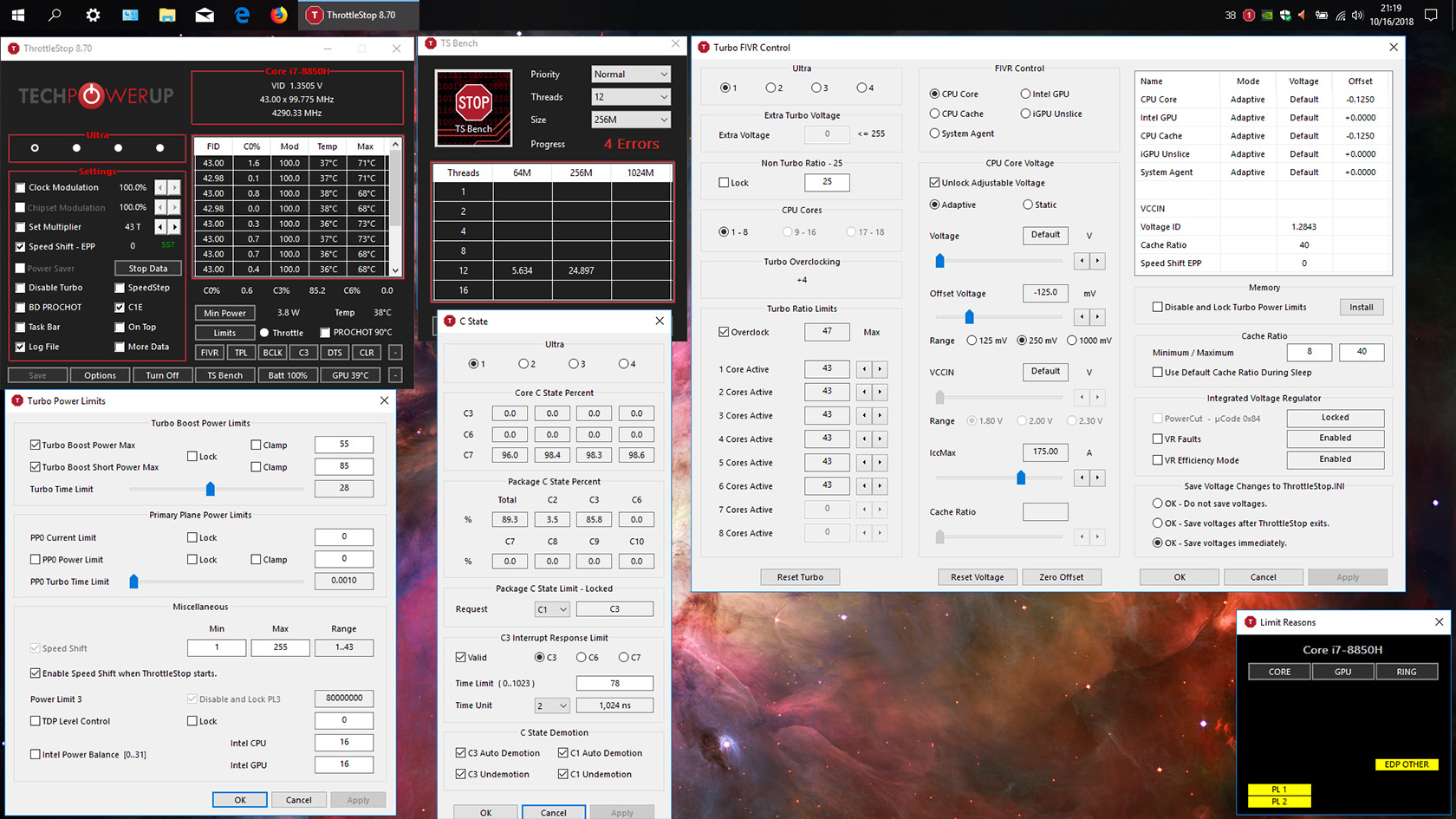
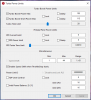
In my continuing quest to better understand this fantastic software and my own computer, I have some questions/issues after using Throttlestop for a while. I have included images of all my settings and logs for my "maxed-out" profile, for highest possible performance while maintaining reasonable stability. For tasks like video editing, 3D modeling, etc. where I can't risk crashes whatsoever, I use a second profile which is basically the same except not overclocked to 4.3GHz on all cores and the SpeedShift EPP set to 64 instead of 0.
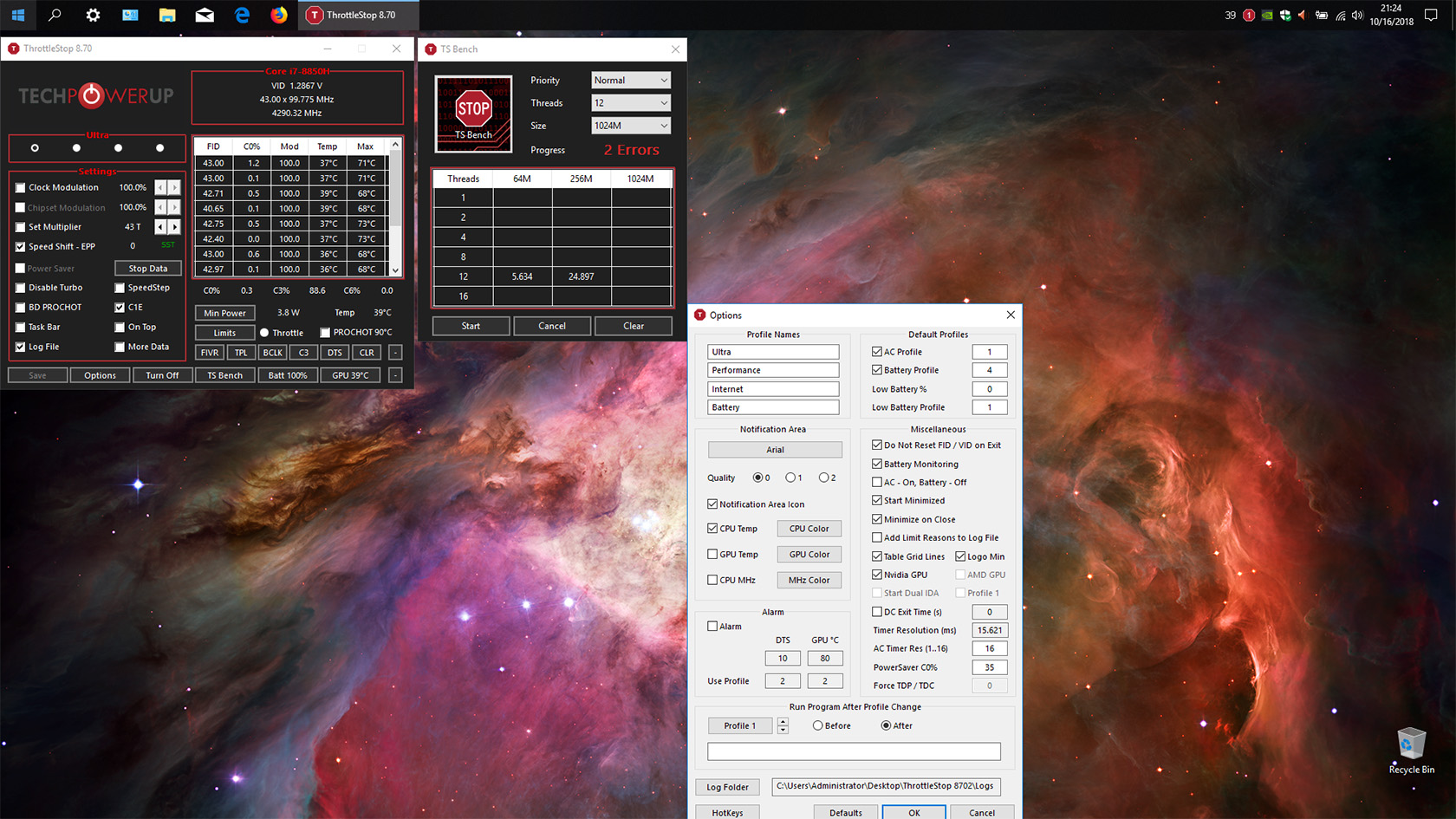
When I run the TS Bench in this maxed out profile I often get errors, though now and then it runs through and I get those results as shown (which I don't know what they mean actually, [see image]). Also,when running the longest TS Bench setting I can see the "Throttle" radio button go on and off now and then, even though temperatures are staying below 80.
As you can see, under the "Limits" pane I get those yellow signs (I also don't know what these mean either).
FIVR
I'm wondering about that "IccMax" setting. I read that it's OK to set it to the max, though I have it at 175 (max for me is 255) for CPU Core, is this correct? "CPU Cache" IccMax is set to 11.00 (max is also 255). Should these be the same? What about IccMax for GPU, it's currently set at 32?
My undervolt seems best and most stable at -125mV. I've pushed it to -150mV but my computer becomes unstable at that point.
Should I check the "Disable and Lock Turbo Limits" setting? Why does it say Install? How would this help or not help?
Turbo Power Limits
I still don't understand if I should have Turbo Boost Power Max (and Short) checked or not, whether it should be locked, clamped, or if my numbers (watts?) should be changed. Turbo Time Limit? Any advice or thoughts on these would be appreciated. Again, I'm trying to maintain some semblance of stability with this profile, as I would still like to try and use it for some projects and games.
In summation, I would like to understand what those errors mean during TS Bench, if and why my computer is throttling when the temperatures don't even seem to pass 80 degrees, and if the settings I am currently using are optimal or if there are issues. Again, this is my "max-performance" profile and I am open to taking a bit of risk for performance. My secondary profile would be max performance with stability as priority for 3D modeling, video/photo editing, etc.
Any assistance would be greatly appreciated. I appreciate your guys' patience and willingness to help newbies like me. Major props to unclewebb for this software and his patience, thank you.
Benchmarks:
Cinebench
OpenGL: 130.46 fps
CPU (consecutive tests): 1368, 1339, 1279, 1315, 1339
Geekbench 4
CPU: 24652, 24582
Compute Benchmark (OpenCL): 181682 (CUDA): 188294Attached Files:
-
-
I have run prime95 blend test for half an hour without a problem. I have been using my cpu at -170 mV(core -170.9, cache -170.9) for weeks and never had a problem in games. I've a cinebench r15 score of 1240 which i believe is good enough for a i7 8750H. I will run prime95 small fft too just to make sure.
-
Hi,
First, thank you for last update. It's always nice to see that you keep updating your software with interesting new features.
However, I'd like to understand something: I've read that on Windows 10, when you click on the battery icon in the notification tray, changing the power mode actually changes the speedshift settings. So I wonder how it works with ThrottleStop. Which one of them has the priority? Is there a way to block the Windows one so I can stick with my ThrottleStop profiles?
Thank you for your help.
-
Hey everyone,
I am very new to undervolting and overclocking and I was wondering if someone could help me out using Throttlestop.
I currently own an Aorus X5 V8 with an i7 8850H. I undervolted the CPU Core and Cache with -100mV. It also has a liquid metal repaste. Right now, I am busy exporting a bunch of edited pictures, which has all cores running at 100% at approximately 3.3Ghz. The temperatures average about 68c, with an ambient temp of 28c and without the fans being close to max speed, which I assume is very decent when running all 6 cores at 100%.
My question now is, why can't or don't the clocks go higher? My assumption was that all 6 cores should be able to run at 4Ghz at the same time when properly cooled. I based my assumption on this table:
EDIT: according to XTU, which I have now uninstalled as I read here that it can mess with Throttlestop, my laptop is power limit throttling. According to TS, I am using 45W, which is what it's rated for I think. Not sure what to do about it! Can it go past 45w or is there something else I can do?
![[IMG]](images/storyImages/sQWYx7M.png)
If you need anymore information or screenshots of specific settings, please let me know!
Last edited: Oct 17, 2018 -
I noticed a side effect of DTPF (at least with its default BIOS settings).
The other day I was playing and after a while, the laptop suddenly suspended. Turned it on, and start playing again, and once again, after a while ,it suspended again.
Then I noticed TS was not running (for some reason, it sometimes happens when I plug/unplug the laptop to external monitor,keyboard and ethernet cable, I think its problem of the task manager actually since HWInfo ,which also have a task for it, also closes)
So I ran OCCT stress test (with TS on) and when temperatures passed the limit (BD PROCHOT), the laptop suspended. Tried it thrice.
Then I disabled DTPF on BIOS, and tried the same, this time, instead of suspending, the CPU throttled. -
Change your S3/CS Thermal Trip Point if your BIOS lets you do this
-
Errors in the TS Bench usually means one of two things. Either your memory is failing or your overclock is not stable. Give your CPU Core and CPU Cache some more voltage and see if these errors go away. Lower your multiplier, overclock less and see if these errors go away. If not, you might have a memory module that is failing. There should be absolutely zero errors when running the TS Bench. It does the exact same calculation twice and it compares the results. If the two values it calculates are not identical, that is a problem that needs to be fixed immediately before you corrupt your Windows install.
Yellow boxes in Limit Reasons means that your CPU has recorded some throttling. Before you start testing, click on the individual headings, CORE, GPU, RING to reset these throttling flags within the CPU. If you are testing with the TS Bench, watch Limit Reasons. If any of these boxes turn red, that means throttling is in progress. If you see a yellow box, that means the CPU throttled. It may have only throttled for a millisecond but it definitely throttled. Also watch the CPU multiplier. When fully loaded with a 43 multiplier, ThrottleStop should be showing a steady 43.00. The Limit Reasons info is like gold when fine tuning an overclock. Start a TS Bench, open Limit Reasons and then open the TPL window and play with the power settings while the benchmark is running. You should start to get a better feel for what various settings do. You can also close the TPL window and open up the FIVR window and play with some sliders in there while the CPU is loaded with the TS Bench. Use low settings and see if anything lights up in red in Limit Reasons. Increase it to make evil throttling go away. Never use the Clamp option.
For accurate results, push the BCLK button 5 or 10 times in a row and make sure the BCLK reported is consistent. If you see numbers like 99.767, 99.768, 99.765, 99.895, 99.767; well the 99.895 number is obviously wrong so keep pushing the BCLK button to get back to one of those other numbers. I get extremely accurate and consistent BCLK numbers that usually only vary by +/- 0.0001 MHz. The default internal clock that Windows uses might not be this accurate so it is a good idea to use this method to tune ThrottleStop before you begin testing. I am kind of OCD about accurate data, especially BCLK numbers.
You posted a beautiful looking log file so I decided to copy and paste a section of it for teaching purposes.
Set all IccMax values sky high while tuning for maximum performance.Code:DATE TIME MULTI C0% CKMOD CHIPM BAT_mW TEMP GPU VID POWER 2018-10-16 21:57:18 43.00 0.4 100.0 100.0 0 39 39 1.1549 4.5 2018-10-16 21:57:19 43.00 0.2 100.0 100.0 0 39 40 1.2860 4.2 2018-10-16 21:57:20 42.39 0.3 100.0 100.0 0 39 40 1.1538 4.4 2018-10-16 21:57:21 42.71 0.4 100.0 100.0 0 39 40 1.3545 4.4 2018-10-16 21:57:22 43.00 0.6 100.0 100.0 0 39 39 1.3281 4.8 2018-10-16 21:57:23 43.00 11.7 100.0 100.0 0 49 39 1.1208 13.9 2018-10-16 21:57:25 42.99 72.3 100.0 100.0 0 59 39 1.1439 47.5 2018-10-16 21:57:26 43.00 100.0 100.0 100.0 0 62 39 1.1509 83.1 - full load, full 43.00 multi, perfect. 2018-10-16 21:57:26 43.00 100.0 100.0 100.0 0 64 39 1.1478 82.3 2018-10-16 21:57:27 42.38 99.4 100.0 100.0 0 63 39 1.1636 82.9 - throttling begins. In Options window 2018-10-16 21:57:29 42.01 99.1 100.0 100.0 0 64 39 1.0443 82.5 - check Add Limit Reasons to Log File 2018-10-16 21:57:30 41.91 99.1 100.0 100.0 0 64 39 1.1484 82.3 - to try and find out why. 2018-10-16 21:57:31 41.71 99.1 100.0 100.0 0 65 39 1.1471 82.1 2018-10-16 21:57:32 41.91 99.1 100.0 100.0 0 65 39 1.1450 82.4 2018-10-16 21:57:33 41.98 99.1 100.0 100.0 0 66 39 1.1432 82.5 2018-10-16 21:57:33 41.83 99.1 100.0 100.0 0 66 39 1.1486 82.3 2018-10-16 21:57:35 41.75 99.1 100.0 100.0 0 66 39 1.0605 82.2 2018-10-16 21:57:36 41.73 99.1 100.0 100.0 0 66 39 1.0414 82.2 2018-10-16 21:57:37 41.79 99.1 100.0 100.0 0 67 39 1.0208 82.3 2018-10-16 21:57:38 41.68 99.1 100.0 100.0 0 68 40 1.1483 82.1 2018-10-16 21:57:39 41.84 99.1 100.0 100.0 0 68 40 1.0177 82.3 2018-10-16 21:57:40 41.87 99.1 100.0 100.0 0 68 40 1.0621 82.3 2018-10-16 21:57:40 41.78 99.1 100.0 100.0 0 68 40 1.0602 82.2 2018-10-16 21:57:42 41.63 99.1 100.0 100.0 0 69 40 1.1465 82.1 2018-10-16 21:57:42 41.55 99.1 100.0 100.0 0 68 40 1.1475 80.6 2018-10-16 21:57:44 41.57 99.1 100.0 100.0 0 69 40 1.1473 82.0 2018-10-16 21:57:45 41.66 99.1 100.0 100.0 0 69 40 1.0367 82.1 2018-10-16 21:57:45 41.60 99.1 100.0 100.0 0 69 40 1.1522 82.0 2018-10-16 21:57:46 41.60 99.1 100.0 100.0 0 69 40 1.0283 82.1 2018-10-16 21:57:48 41.57 99.1 100.0 100.0 0 69 40 1.1461 82.0 2018-10-16 21:57:48 41.71 99.1 100.0 100.0 0 69 40 1.0149 82.1 2018-10-16 21:57:50 41.62 99.1 100.0 100.0 0 70 40 1.1418 82.1 2018-10-16 21:57:50 41.55 99.1 100.0 100.0 0 69 40 0.9928 82.0 2018-10-16 21:57:52 38.89 99.4 100.0 100.0 0 63 40 0.9731 78.6 2018-10-16 21:57:53 35.36 100.0 100.0 100.0 0 62 40 0.9536 54.9 - Turbo Boost Long Power Max set to 55W 2018-10-16 21:57:53 35.49 97.0 100.0 100.0 0 59 40 0.9980 54.5 - much more significant throttling 2018-10-16 21:57:54 42.98 35.7 100.0 100.0 0 50 40 1.2100 28.4 - temps are great so try to increase this limit 2018-10-16 21:57:55 43.00 0.2 100.0 100.0 0 49 40 1.1544 11.7 2018-10-16 21:57:56 43.00 0.2 100.0 100.0 0 48 40 1.3099 11.5 2018-10-16 21:57:57 43.00 0.2 100.0 100.0 0 47 40 1.2748 11.6 2018-10-16 21:57:58 42.91 0.2 100.0 100.0 0 47 40 1.1697 11.8 2018-10-16 21:57:59 43.00 0.2 100.0 100.0 0 46 40 1.2699 11.7 2018-10-16 21:58:00 43.00 0.3 100.0 100.0 0 46 40 1.2706 11.9 2018-10-16 21:58:01 43.00 0.3 100.0 100.0 0 46 40 1.2766 11.9 2018-10-16 21:58:02 43.00 0.2 100.0 100.0 0 44 40 1.3466 11.7 2018-10-16 21:58:03 43.00 0.2 100.0 100.0 0 44 40 1.2799 11.8 2018-10-16 21:58:04 43.00 0.2 100.0 100.0 0 44 39 1.3799 11.8 2018-10-16 21:58:05 43.00 0.3 100.0 100.0 0 43 39 1.2866 12.2 2018-10-16 21:58:06 43.00 0.4 100.0 100.0 0 44 39 1.2699 12.2 2018-10-16 21:58:07 43.00 0.3 100.0 100.0 0 43 39 1.1539 11.9 2018-10-16 21:58:08 43.00 0.2 100.0 100.0 0 42 39 1.2891 11.8 2018-10-16 21:58:09 43.00 0.2 100.0 100.0 0 42 39 1.3273 11.7 2018-10-16 21:58:10 42.41 0.2 100.0 100.0 0 42 39 1.2899 11.8 2018-10-16 21:58:11 42.47 0.3 100.0 100.0 0 42 39 1.3799 12.0 2018-10-16 21:58:12 43.00 0.4 100.0 100.0 0 42 39 1.2460 12.0 2018-10-16 21:58:13 43.00 0.2 100.0 100.0 0 42 38 1.2991 11.8 2018-10-16 21:58:14 43.00 0.2 100.0 100.0 0 42 38 1.3250 11.7 2018-10-16 21:58:15 43.00 0.2 100.0 100.0 0 41 38 1.2500 11.7 2018-10-16 21:58:16 43.00 0.5 100.0 100.0 0 42 38 1.3439 12.6 2018-10-16 21:58:17 42.99 2.1 100.0 100.0 0 41 38 1.1749 14.8 2018-10-16 21:58:18 42.40 0.7 100.0 100.0 0 41 38 1.2899 12.7 2018-10-16 21:58:19 42.75 0.3 100.0 100.0 0 41 38 1.1185 11.9 2018-10-16 21:58:20 43.00 0.6 100.0 100.0 0 41 38 1.2744 12.3 2018-10-16 21:58:21 42.52 0.2 100.0 100.0 0 41 38 1.1677 11.8 2018-10-16 21:58:22 43.00 0.2 100.0 100.0 0 41 38 1.1549 11.8 2018-10-16 21:58:23 43.00 0.2 100.0 100.0 0 40 38 1.1748 11.7 2018-10-16 21:58:24 43.00 0.2 100.0 100.0 0 41 38 1.2813 11.6 2018-10-16 21:58:25 43.00 0.2 100.0 100.0 0 40 38 1.1539 11.7 2018-10-16 21:58:26 43.00 1.7 100.0 100.0 0 40 38 1.2068 13.7 2018-10-16 21:58:27 43.00 0.4 100.0 100.0 0 41 38 1.3199 12.2 2018-10-16 21:58:28 43.00 2.0 100.0 100.0 0 46 38 1.3280 14.8 2018-10-16 21:58:29 42.98 1.8 100.0 100.0 0 41 38 1.2158 14.4 2018-10-16 21:58:30 43.00 1.8 100.0 100.0 0 40 38 1.1478 14.2 2018-10-16 21:58:31 43.00 1.9 100.0 100.0 0 43 37 1.2974 14.4 2018-10-16 21:58:32 42.99 1.8 100.0 100.0 0 41 37 1.1949 14.3 2018-10-16 21:58:33 42.99 2.7 100.0 100.0 0 41 37 1.1549 15.7 2018-10-16 21:58:34 43.00 0.7 100.0 100.0 0 39 38 1.2876 12.6 2018-10-16 21:58:35 43.00 1.3 100.0 100.0 0 39 38 1.1354 13.6 2018-10-16 21:58:36 42.97 3.6 100.0 100.0 0 40 38 1.3031 13.9 2018-10-16 21:58:37 43.00 0.5 100.0 100.0 0 40 38 1.3254 5.0 2018-10-16 21:58:38 43.00 10.0 100.0 100.0 0 43 38 1.3252 19.1 2018-10-16 21:58:39 42.92 5.0 100.0 100.0 0 41 38 1.3428 11.8 2018-10-16 21:58:40 42.88 1.4 100.0 100.0 0 39 39 1.1544 6.1 2018-10-16 21:58:41 42.96 1.0 100.0 100.0 0 40 39 1.1520 5.4 2018-10-16 21:58:42 43.00 0.8 100.0 100.0 0 39 39 1.1455 5.1 2018-10-16 21:58:43 43.00 0.4 100.0 100.0 0 39 39 1.2100 4.5 2018-10-16 21:58:44 43.00 0.2 100.0 100.0 0 39 39 1.1544 4.1 2018-10-16 21:58:45 43.00 0.2 100.0 100.0 0 39 39 1.1553 4.2 2018-10-16 21:58:46 42.71 0.3 100.0 100.0 0 41 39 1.2590 4.3 2018-10-16 21:58:47 43.00 38.1 100.0 100.0 0 51 39 1.1915 28.9 2018-10-16 21:58:48 42.97 78.1 100.0 100.0 0 61 39 1.1504 59.1 2018-10-16 21:58:49 43.00 100.0 100.0 100.0 0 64 39 1.1404 84.0 2018-10-16 21:58:51 42.99 100.0 100.0 100.0 0 66 39 1.1473 84.0 2018-10-16 21:58:52 42.27 99.3 100.0 100.0 0 65 39 1.1492 83.2 - probably not the 85 Watt Short Term Limit 2018-10-16 21:58:52 41.88 99.1 100.0 100.0 0 65 39 1.0437 82.4 - Limit Reasons might show something else 2018-10-16 21:58:54 41.71 99.1 100.0 100.0 0 65 39 1.1514 82.1 - perhaps IccMax related 2018-10-16 21:58:55 41.58 99.1 100.0 100.0 0 66 39 1.1470 82.0 2018-10-16 21:58:55 41.86 99.1 100.0 100.0 0 66 39 1.1484 82.2 2018-10-16 21:58:56 41.82 99.1 100.0 100.0 0 67 39 1.0406 82.3 2018-10-16 21:58:58 41.70 99.1 100.0 100.0 0 67 39 1.1472 82.2 2018-10-16 21:58:58 41.55 99.1 100.0 100.0 0 67 39 1.1461 82.0 2018-10-16 21:58:59 41.66 99.1 100.0 100.0 0 67 39 1.1699 82.1 2018-10-16 21:59:01 41.70 99.1 100.0 100.0 0 68 39 1.1750 82.1 2018-10-16 21:59:02 41.73 99.1 100.0 100.0 0 68 39 1.0612 82.2 2018-10-16 21:59:03 41.78 99.1 100.0 100.0 0 68 39 1.1472 81.1 2018-10-16 21:59:03 41.78 99.0 100.0 100.0 0 69 39 1.1466 82.2 2018-10-16 21:59:04 41.68 99.1 100.0 100.0 0 68 39 1.1459 82.1 2018-10-16 21:59:06 41.51 99.1 100.0 100.0 0 69 39 1.1456 81.9 2018-10-16 21:59:06 41.46 99.1 100.0 100.0 0 70 39 1.0197 82.0 2018-10-16 21:59:07 41.52 99.1 100.0 100.0 0 70 39 1.0281 81.9 2018-10-16 21:59:09 41.62 99.1 100.0 100.0 0 69 39 1.1704 82.0 2018-10-16 21:59:10 41.53 99.1 100.0 100.0 0 70 39 1.1476 81.9 2018-10-16 21:59:11 41.52 99.1 100.0 100.0 0 70 40 1.1451 81.9 2018-10-16 21:59:12 41.56 99.1 100.0 100.0 0 70 40 1.0405 82.0 2018-10-16 21:59:13 36.87 99.7 100.0 100.0 0 63 40 0.9796 69.4 2018-10-16 21:59:14 35.41 100.0 100.0 100.0 0 62 40 0.9781 54.8 - 55 Watt PL1 limit is obvious. 2018-10-16 21:59:15 35.38 100.0 100.0 100.0 0 62 40 0.9783 54.8 2018-10-16 21:59:16 35.29 100.0 100.0 100.0 0 61 40 0.9519 54.8 2018-10-16 21:59:17 35.30 100.0 100.0 100.0 0 61 40 0.9584 54.1 2018-10-16 21:59:17 35.29 100.0 100.0 100.0 0 59 40 0.9563 54.9 2018-10-16 21:59:18 39.97 50.6 100.0 100.0 0 51 40 1.1653 35.5 - load is decreased, multi increases 2018-10-16 21:59:19 43.00 0.2 100.0 100.0 0 49 40 1.1588 11.7 - no more throttling. 2018-10-16 21:59:20 43.00 0.2 100.0 100.0 0 48 40 1.1682 11.7 2018-10-16 21:59:21 43.00 0.3 100.0 100.0 0 47 40 1.2899 12.0 2018-10-16 21:59:22 42.73 0.2 100.0 100.0 0 47 40 1.2150 11.8 2018-10-16 21:59:23 42.76 0.3 100.0 100.0 0 46 40 1.1501 11.8 2018-10-16 21:59:24 43.00 0.2 100.0 100.0 0 46 40 1.1549 11.6 2018-10-16 21:59:25 43.00 0.3 100.0 100.0 0 45 39 1.3099 11.9 2018-10-16 21:59:26 43.00 0.4 100.0 100.0 0 45 39 1.1570 12.1 2018-10-16 21:59:27 43.00 0.2 100.0 100.0 0 44 39 1.1433 11.6 2018-10-16 21:59:28 43.00 0.2 100.0 100.0 0 45 39 1.1448 11.6 2018-10-16 21:59:29 43.00 0.2 100.0 100.0 0 44 39 1.1349 11.6 2018-10-16 21:59:30 43.00 0.3 100.0 100.0 0 44 39 1.2869 11.9
Your CPU is able to go over 80 Watts so you might not need this setting. This feature requires that you install a separate dll file. If you need this feature, click on the button and follow the directions. ThrottleStop has lots of features. Best to only use what you need. If a feature does not solve a throttling problem, no need to click on it. Keep testing. I would save this feature for later.
The default 28 seconds turbo time limit is fine. If you want more full load performance for longer, try increasing the 55 Watt limit and see how it goes. I would set them both to 85 Watts, maybe higher, but that's just me. Your cooling looks great so why not try to get more performance?
That is throttling in progress. Open Limit Reasons and you will probably see something lighting up in red.
Most CPU throttling in 2018 is CPU power consumption based and not temperature based. Kind of dumb for enthusiasts but Intel did this to keep their corporate customers like Dell, HP, Lenovo, Asus, etc. happy. At least you have a K series CPU so your tuning options are much greater than what the common folk get to play with.
Not the Task Manager but this is often times a problem with the Task Scheduler. I posted a guide about the Task Scheduler and how to avoid this problem. Follow the guide exactly.
http://forum.notebookreview.com/threads/the-throttlestop-guide.531329/#post-6865107 -
I don't think the 8850H is a "K" series CPU. It still has a 45W TDP that I believe is strictly enforced. The users that were exceeding this were MSI users who were tweaking the IMON slope/Imon offset values in their unlocked Bios.
It's a HQ processor that has a few higher multiplier bins -
My mistake. It is not a K series with a fully unlocked multiplier but ThrottleStop does show that it supports limited overclocking and the multiplier can be increased by a maximum of +4 bins.
It will be interesting to see a longer test. Long term it appeared to be throttling to 55 Watts. During a longer test, maybe it will drop lower than that. Some Prime95 or other high stress testing with Limit Reasons open would be interesting to see after a few minutes. -
Found some more strange stuff with C-states, @unclewebb
If your bios has "Firmware configuration" set to "PRODUCTION" under "Platform settings" instead of "TEST", it will lock the c-states to C-10 lowest and enable them, even if you had CFG lock set to "disabled" (cfg lock=disabled allows changing c-states) and a higher cstate limit set (like c1e), it will completely ignore what you set. -
Wow. This is so cool, I'm learning so much from this, at the risk of sounding like a broken record, thank you unclewebb!
Here are some preliminary tests after reading your post, I'll do some more at length tests when I have more time.
I lowered the overclock to 43, 42, ,42, 41, 41, 40 (which at that point I don't think it's an overclock at all, I think this is just how it's meant to run by default, I'll have to check on that. It would be nice to run all 6 cores higher but at this point I'm not sure I should or can.)
Increased IccMax CPU and Cache to 255 (max)
Lowered undervolt to -100mV
Increased Turbo Boost Power Max and Turbo Boost Short Power Max to 85
In doing all three TS Bench tests (64, 256, 1024) I noticed no red throttling, no errors in TS Bench (ran all three tests three times)
** Interestingly, when I tried to do this with an -125mV undervolt and same settings, that's when I would get errors on the longest TS Bench test. What would that mean exactly?
Out of curiosity...just to be sure, how would I go about checking if my memory is failing or not, or in any case the integrity of my memory? I'd like to know considering this laptop is less than a month old. I'm guessing that if by lowering the undervolt I get no errors then perhaps the memory is fine?
Miscellaneous questions:
I don't have "set multiplier" checked, so the value there shouldn't matter right?
I set both Turbo Bost Maxes to 85 and then clicked locked, but now I can't unlock it or change the values. How can I unlock them?
I did these tests with Firefox open and about 10 tabs open....is that a no-no?
Thank you!
I included some snippets from the log sheet when I did the tests.Attached Files:
Vasudev likes this. -
-
Would you mind telling me does your GT73VR reach package c6 or lower now?
-
Doesn't change a thing.
It can reach c7 on battery power only on the package :/ -
That is textbook. Your -125mv undervolt was too deep and causing the errors. Adding that 25mv back got rid of the errors. Your memory is likely just fine.
If you want to unlock those settings again, just rename your TS config file to "filename.bak" then restart your computer and let TS generate a new config file with default parameters. You will have to re-set all your settings again though.
Leaving FF open with a bunch of tabs just means you won't be seeing your 1 core boost clocks very frequently if at all while testing. -
What should I do to reach package C6 or C7? Mine GS73VR can only reach package C2 after a fresh windows installation. Installing the intel AHCI driver let me reach package C3. Battery or charger doesn't affect the result. Thanks in advance.
-
Quick question for the group. Has anyone noticed any difference at all between setting speed shift epp to 0 and turning off speed shift completely? From what I can tell, if you turn off speed shift in TS, then windows takes over...in my case even if I have speed shift turned off in my bios. What has everyone else noticed?
-
When i disable speedshift in my bios, throttlestop does not show any info on it. It is simply left blank at the FIVR tab.
-
Should I run CPU or GPU or both stress tests for undervolting igpu and system agent? Can someone recommend a free GPU stress software? Thanks in advance.
Also I just found out that Linpack Xtreme is very effective for testing cpu undervolt. My 6700HQ @ -0.152 passed hours of P95 29.4b8 and OCCT but crashed in Forza Horizon 4 Demo and Linpack Xtreme in a few minutes.Vasudev likes this. -
Hello,
I'm still trying to fine-tune my machine with @unclewebb and his continued support and other members' input. I've been trying to get to a point where I can run all 6 cores at 4.3GHz, mostly just to see how far I can reasonably push things and see if the software I use can handle such settings. So far I've been able to do so with no throttling in TS Bench with a -100Mv undervolt, and increasing my Turbo Boost Power Max and Short Power Max to 105 and 115 respectively. Max temps I've seen so far in the longest TS Bench is 85 degrees. If I undervolt more I start to get sporadic errors in TS Bench, though not often. Last time I ran TS Bench with a -115Mv undervolt like 6 times before getting one error at the end on the 7th try only.
With the first settings I mentioned I've been able to get consistent Cinebench scores around 1410 and Geekbench 4 scores around 25200. I think I might be reaching the end of my rope though because even though I'm not seeing any throttling and no errors, now I'm getting "VR CURRENT" under "Core" in yellow in the Limit Reasons pane. I don't know what this means though as it just starting happening now, which I find odd. I'm starting to think that maybe there's just no good way to run all cores at 4.3GHz but there could be some other settings I'm not making use of that could improve things, or maybe some combination that I'm missing.
Anyways, I've included my settings and log. In the beginning of the log my undervolt was at -115 and I ran the tests over and over with no problems until eventually there was 1 error at the end of the longest TS Bench test. Then I reduced the undervolt to -100 but now I get this VR Current...if anyone has any ideas I'd appreciate it. Thank you!Attached Files:
-
-
I'm really confused about stability now. Even after stress testing with linpack xtreme, BSOD still happens in forza horizon demo. Could someone recommend a reliable stress testing software? I'm trying asus realbench right now because apparently that's what they use to test overclock stability.
-
Sounds like your voltage regulators may be overheating in the long term heavy usage scenarios.f3n1c3 likes this.
-
My $0.02:
Dial back your undervolt some more and see if it happens s again. Continue repeating until no more errors. If you reach stock voltages and still error out, either you are overclocking your GPU too much or you have a BIOS/driver related issue. -
Thank you for the reply Maleko48,
That makes sense, because now that I waited a while and redid the TS Bench tests I didn't get a single yellow signal, no errors, no throttling, nothing. Smooth as can be. But it seems that if I do many tests one after the other that's when things start to go downhill a little. Any thoughts on what I could do differently with my settings? I know that one thing is getting settings to the point so as to get good benchmark scores, and another thing is getting maximum stability with max performance. Honestly I'm more interested in the latter, though it is satisfying to see such high numbers...
Thanks for your help!Last edited: Oct 20, 2018 -
I came to this thread to ask a question, happened to see your response about not seeing the 1 core speeds... that was exactly my question. Even when I run CB 15 or Passmark single core tests, TS/HWInfo still show all six cores at my six core max turbo speed I set. How can I actually see the speed of the single core to ensure I am reaching it (and to try overclocking single core speed more)?
I did try shutting down all unnecessary service and apps while running the test but still seeing my six core limit of 4.3 Ghz on all cores when I run such single-core tests. (shutting everything down did improve my single core results though, I noticed)
Or is this something we will just never see on Windows 10, and we just live with it? (and assume it's reaching whatever speed we tell it to use for single core vs dual core and so on)
Thanks.Papusan likes this. -
The only real way to alleviate high VR temp issues is to open the laptop up and rework the cooling solutions a bit. Your options are limited. Unfortunately it sounds like Dell didn't use an adequate VR solution to drive the beefier 8th gen CPU at its maximum capacity.
It takes quite a bit of Windows Services nuking to really see 1 core speeds. To start, what is your C0% at idle when you have no extra programs or services running? What's your highest package and core C states?
Also, 1 core boosts are nearly instantaneous much of the time and often times hard to see and depends on the workload encountered. -
When I purchased this laptop (Aorus X7-DT-v8, not a Dell, unless I'm not understanding what you mean) HIDEvolution installed new thermal paste and thermal pads. Supposedly they're well-known for this and they test the laptop afterwards. Unless they did a poor job this is about as good as the cooling will get without more invasive alterations, from what I understand. To be honest, when I run the laptop on its default settings it rarely goes above 75 degrees on strenuous testing. Even just overclocking it to 4.2 GHz on all cores it stays well below 80 (I never even saw it come close to reaching 90 degrees on 4.3GHz on all cores when bench testing). Considering the default for this CPU is 4.0GHz on all cores that's not too bad I don't think. I was just seeing if I could push it to 4.3GHz and if there was some tweak to deal with that VR Current yellow signal.
Last edited: Oct 21, 2018
-
Oops my bad then, for some reason I thought you were on the new G series Dell. But either way, the cause and solution of the problem remains the same. While HID gave you the upgraded TIMs it still can only do so much for the other critical components such as VRs that aren't always heat sinked themselves. It also depends on case heat saturation too as to the cause/source of the problem.
Your best bet to get around VR throttling is to either increase airflow over VRs, heat sink them to something nearby, or fool the temp sensor into reading cooler than it actually is (this is a dangerous option that can destroy your VRs under the right circumstances).
But the first thing you really need to find out is if the VRs are *actually* overheating or if the computer just thinks they are because of case heat soak and saturation bringing the temp probe to too high of a reading.
There is a Dell XPS VR throttling thread about the XPS 15" that has major VR heat issues. I would recommend checking out that thread to get an idea of what I am talking about and what some of the potential cooling solutions might look like to solve a VR heat issue.f3n1c3 likes this. -
Reduce the undervolt to -100 works flawlessly. I'm just too lazy to test -150 to -100 one by one through playing the demo.
-
Thanks a lot for your help - I believe I see about 1.5-2.3% on idle; killing the three Tobii eye tracker processes gets it down to 0.9%. So basically, it's hard to test the single core speeds, right - this is what I surmised, because I got my single core to rise just by quitting those Tobii services and a couple of others (but not extreme task killing). I am guessing there is no real way to overclock specifically for the single core speed anyway, you just get to set a multiplier for it and that's that? Plus I am guessing, since Windows 10 is multi-core-tasking the CPU usually anyway, even a single-threaded app is going to be limited to your six-core speed, does that sound like the correct summary? If that is the case, I am not going to worry about it. Once I saw my single core speed rise just from killing some tasks, I figured it was the case that it's not really running on a single core (and hence the TS and HWInfo meters showing all cores loading up to the 6-core max speed).
Thanks again. It's been quite a journey getting this AW to the point it's at, even had an order in for a Clevo at one point, but decided to stick with the AW since I like most of its other features. Fixed the area of looseness in the keyboard, and the trackpad, and someone finally figured out the network issues, which was a Windows thing, not a wifi card issue. CPU throttling was an ongoing battle but seems solved for now! (after two re-pastes, first with thermal paste, second with liquid metal, and replacement of all factory pads and additional pads behind motherboard and on SSDs)Maleko48 likes this. -
It is not hard at all to test for single core speed. Start by turning off HWiNFO and its meters because it is not the tool for the job.
For accurate monitoring, all you need to use is ThrottleStop. Many monitoring apps keep too many cores active and will interfere with seeing the maximum single core multiplier. Run something simple like a single thread of the TS Bench test. The 4700MQ has a maximum single core multiplier of 36 and during this test, ThrottleStop has no problem showing a multiplier within a hair of this maximum.
![[IMG]](images/storyImages/C1IgtqU.png)
Getting rid of useless background apps and processes that interfere with your CPU using its single core multiplier is an easy way to add some free performance. -
Thanks for reaching out - hmm, so yeah, I would have expected to see what your screenshot shows. However, with nothing else running, no HWInfo open, just TS, and I run a single thread - I see load spread among all cores, with no core running faster than the others, and all at or below my 6-core speed limit. The C0% is not 95% on one core - rather it is 25-70% on all cores (constantly fluctuating). This is why I thought there was no way to test, as I never seem to get a single core using more CPU like your screenshot shows. (before I had tried Cinebench single core and Passmark single core tests)
Would there be something else keeping the test from running with the expected output like what you show?
EDIT: My six cores are set up as follows from top to bottom, max multiplers: 43, 44, 45, 46, 47, 48. I did some more playing around, I realized that if I ended more stuff from task manager, then I saw all cores getting into the 4.4x Ghz range. They briefly touched 4.5. Load still distributed among all cores though, not just one like in yours. So is it still like I originally thought, all the other services running are keeping all cores occupied due to Win10 distributing them, and thus the number of cores active is locking in its multipler that is set for that number of cores, hence I only barely saw it hit 4.5, and usually 4.4 (i.e., 5 or more cores were kept active by other stuff in Windows)? Thanks.Last edited: Oct 22, 2018Maleko48 likes this. -
I assume from top to bottom in ThrottleStop you meant to say that you were using 48, 47, 46, 45, 44, 43.
When idle, what does ThrottleStop show for C State activity? To access the highest single core multiplier when your turbo ratios are staggered, the CPU needs to have at least the C3 C state enabled.
On my CPU, a single thread of the TS Bench will bounce around from core to core. One thread usually shows over 90% in C0 but sometimes during transition, it will show that it spent half of its time on one core and the other half on another core.
![[IMG]](images/storyImages/txDnBkw.png)
The peak multi in this case is still 35.91 which means that it must be using the single core 36 multi for the majority of the sample period.Maleko48 likes this. -
Ha, I did write the order of the multipliers wrong. It is as you corrected me. Was tired.
It seems like my C3% bounces between 15 and 39% when idle. I did kill even more processes this time though, I think before that it was a very low percentage. It goes to 0% when performing the test, which is expected (I assume, judging from your screenshot). Also this time, killing even more stuff, I did see one core almost hit 46 and at 90% load, so at least it's getting to the three-core multiplier.
Thank for explaining how to read the other C states, I am not that familiar with them although I know it was mentioned in the other reply.
So it does appear to be "working" (or rather, I understand it better and how to induce the behavior of the fewer cores better). Is there anything you recommend to tune, or at this point it's ok to leave it? I am thinking it's possible if it ever reaches the single core multiplier, and the undervolt is too low, it would crash the computer? (and in that case, only thing to do is reduce the max multiplier for single and maybe dual cores) I can't see heat ever being an issues on one core, right... I don't seem to find much info about "tuning" the single core performance so I am guessing there isn't that much to do at this point. Windows and so many programs are going to hit multiple cores one way or another (on their own or via Windows foundation libraries) that I guess it's just not that important unless one is overclocking competitively for the single core speed?
Thanks again for your assistance. I did read the two guides I found all the way through originally, just never saw much about tuning for single core. -
after few days im deciding to repaste my laptop, with 2 different method, using spatula to spread the thermal paste & let hs to spread the thermal paste, but no difference before & after changing the thermal paste, i've reading some article says thermal paste need a curing time, is that true?
im using thermal grizzly kryonaut
sorry for my bad english
-
Yes, as far as I can tell, there is a curing time with most thermal pastes.
Several products are marketed as having next to no curing time, but that statement is usually based on tests done in desktop builds where the curing time might be in the range of very few hours.
(One of the examples I can give you from the top of my head is IC Diamond 7 that states that up to 2 hours may be needed for curing in desktop builds but can be a week or more in laptops!)
Considering that in this regard, the important aspect is the pressure between CPU / IHS and cooler, I feel quite safe telling you that you will have a much longer curing time than the afore-mentioned 2 hours - desktop coolers produce a much higher pressure than those flimsy laptop coolers.
Therefore, I would recommend giving the device about two weeks of curing time before deeming the repaste a failure (except if your CPU shows drastic temperature problems, then your repaste is indeed faulty ;-) )
The ThrottleStop Guide
Discussion in 'Hardware Components and Aftermarket Upgrades' started by unclewebb, Nov 7, 2010.