Problems? See this thread at archive.org.
You'll have to test that for yourself.
But as far as I know, in non avx loads, the core will use the original voltage (because the cachev is higher than the core).
I didn't test this. set VR IA AC DC Loadline to 1 and try it yourself.
-
-
no undervolt with apollo lake or gemini lake right ?
I don't see any FIVR button. -
I found this post in this thread. Not much has changed since I originally posted this.
This next post has helped to jog my memory. I was in the process of adding full Apollo Lake support to ThrottleStop when some members of the user community had a fit because a new version of TS was a day late. After the abuse, I decided to stop spending my own money on new hardware that I really didn't need.
Last edited: Dec 7, 2018Queen 6 likes this. -
I am sorry to make you remember that.
Anyway, Thanks for the throttlestop.
I'll just stick with lowering "TDP" when I don't need cpu power. -
Did I a quick test and -250mv cpu, +0mv on cache, is like not undervolting at all.
Today I updated the BIOS, ran OCCTP and it throttle like before. So I downgraded back to same BIOS version, and it was thorttling the same. I reflashed the same EC version (alhought, acording to BIOS, I still had the same version) but didnt help much either. I think it was SpeedShift set to 128 on TS, at 64 it workd fine again.
But OCCTP after around ~20 seconds, it throttled a bit to 3.5-3.7, and I remember one day, when the system was fixed, to leave throttlestop running, went to the bathroom, kitchen (no more than 2-3 minutes) and when I came back I saw it was keepeing 3.9GHz. I think the graphs also showed the CPU kept 3.9GHz whole time, but now Im not sure.
On OCCTP it uses almost 60w to keep 3,9Ghz, but after those ~20 seconds, it gets down to 45w, hence the throttle, which I think its the normal behaviour.
So either I didnt check or remember properly or the BIOS upgrade changed anything, even after downgrading it back (unlikely)
Good thing is the IMON tweaks you posted actually work with this laptop, unlike my last one, so I can avoid this throttling Last edited: Dec 8, 2018raz8020, Vasudev and Falkentyne like this.
 -
This MSI model is even worse than the cancer model from Dell. "Dell sets the TDP limits for the processor to 78 watts for the first 30 seconds and then 56 watts, which is noticeably above the nominal TDP classification of 45 watts for this processor." Dell XPS 15 9570
Only differences are the partially unlocked bios in Msi vs. Dell's disgusting features and locked firmware...Last edited: Dec 8, 2018 -
Hi everyone
Could you please analyze my setting below and tell me if this looks correct to you?
I have a Lenovo Ideapad 330 with a 8250u and a MX150 and my goal is to have the processor and GPU working at full speed in games... I've noticed that without using Throttlestop, my CPU gest locked at 1600mhz and the GPU goes full boost up to 1721mhz... when I use Throttlestop without any restrictions, the CPU goes full power but then the GPU gets throttled back, topping at max of 1450mhz.... so I intend to up the CPU from it's original 1600mhz to a bit more, but without affecting the GPU... I think the issue is lack of power and the low TDP, as I have a 120mm fan underneath my laptop and the temperature of both CPU and and GPU never goes above 70ºC..
I have not undervolted anything, btw. I'm a bit scared of messing with these things...
Thanks a lot for your help!
![[IMG]](images/storyImages/33kyz9g.jpg)
-
Your BIOS/EC is probably enforcing a maximum system power limit, which prevents the CPU and GPU from simultaneously delivering their best performance. If that is the case, there is little or nothing you can do about it unless you know someone that can rewrite the firmware and remove the virus code that the manufacturer infected it with. On a late model computer with firmware signature enforcement cancer you would have to force flash the modded firmware with an SPI programer.Maleko48, raz8020 and Falkentyne like this.
-
I've read these three values (Intel GPU, iGPU Unslice, System Agent) need to be set to the same value for undervolting. Is this correct?
Also, what is the best way to test/benchmark the undervolting for these parameters? -
@pi1ot
Definitely Intel GPU and iGPU Unslice should be same. System agent undervolting is deadly for my laptop, it always crashes with sound and picture which scares me, and I believe it does not really make things cooler.
Re. testing undervolt stability the best I found is AIDA 64 (free trial) with only fpu and Gpu(s) ticked=max. power draw. And any demanding game.
Sometimes system crashes on exit of the above AIDA or game or during system idle, even though it is stable for hours during tests so then, obviously you have to lower undervolt=rise the voltage.
Below is a screenshot of my undervolts as an example.Attached Files:
-
-
Anyone have the link to the Windows 10 ThrottleStop auto start up guide? The link in the 1st page of this guide jumps to page number which isn't showing it. Thanks.
-
@unclewebb is there a way for winring0.sys to access MSR 0x1a2?
Apparently that's set to a different value 14 (20 in decimal) with Lenovo Vantage (or some kind of driver) on the X1 Extreme to artificially limit the temp to 80c. If 0x1a2 is changed to zero then it'll stop throttling at 80c.
@Mr. Fox @PapusanMaleko48 likes this. -
-
Thanks guys. Is there a official list of command line flags? I would like to get throttle stop to appear on the system tray. Ticking the right boxes in Options seems to work when I start it from the taskbar but not so much when running as a Task Scheduler.
Also my ThottleStop 8706 is running in 32bit mode in Win 10. I would like it in 64bit. -
Have you heard of this, http://rweverything.com/
I've never personally used it, but I saw it in the Thinkpad Reddit and bookmarked it to research later. What is really odd is that my X1E which has the 1.15 bios is not limited to 80C while it is for some but not everyone. Haven't figured that one out yet .. maybe its a cpu thing. I have the 8750H and it isn't limited to 80C. -
Thanks for the info! I will probably set System Agent back to 0 then even though I haven't had any stability issues just based on what you have said, especially if there is no noticeable drop in in VID.
For AIDA64 you are talking about the "System Stability Stress Test" right ? Unfortunately I don't have any games to test the GPU and have some fun too
Thanks again for the advice!c69k likes this. -
I have.
8850H on my friend unit limited to 80w if that MSR isn't tweaked to zero (o).
On my T430 bios the unlock isn't perfect, that particular MSR is locked and will cause BSOD when set to different value.
Newer models are unlocked, possibly (at least on the X1E). But I don't know why.Vasudev likes this. -
You are welcome !!!
Yes, AIDA 64 system stability stress test.pi1ot likes this. -
I'm looking to UnderVolt my new computer that has an i7-8565U Whiskey Lake processor. It's got a 15w TDP which is a lot less than the more powerful processors that use 45w.
I have no sense of how much the processor can be undervolted or where to start (how many mV?). For my older computer there was a lot more information out there from people who've undervolted it. Any guidance on how to go about undervolting would be appreciated.
What benchmarking softwares should I use to test? On what settings should I test it, for how long?
https://ark.intel.com/products/149091/Intel-Core-i7-8565U-Processor-8M-Cache-up-to-4-60-GHz-
https://en.wikichip.org/wiki/intel/core_i7/i7-8565uLast edited: Dec 13, 2018 -
Tip:
8565U=Whiskey Lake=Kabylake-R=8550U=8250U
A quick google search is very fruitful. Said search in this thread is also very helpful.
Undervolt as you would your old CPU. You can never damage a CPU by undervolt. Start with 80, move up from there. For "stress testing", imo there is no better substitute than everyday use. (as well as Prime95). Test anyway you like, it really doesn't matterraz8020, cktducky, nosauce and 1 other person like this. -
I thought I had successfully undervolted -- TS Bench run 50x no errors, Prime95, AIDA64, etc. Stable for days, no issues.
Today while using the machine I got a BSOD -- how can I tell if it is just another Windows BSOD or related to the undervolting or is there no way to be sure?
Here is the data from event viewer - BSOD error is "SYSTEM_THREAD_EXCEPTION_NOT_HANDLED"
https://imgur.com/a/0PN2LLJ
(rather than dump all the data here
I did search and it seems people who undervolt get this error, but do so when they are trying to find the right undervolt not much after all the stress testing etc is done. Unclewebb did state that cpus wear in a little after time, but its just been a few days, not months.
Any advice would be appreciated. I have a few days left before deciding whether to keep this new laptop or not. -
You run your Cpu outside Intel's specs for their chips. The more you undervolt the bigger is the risk.
http://forum.notebookreview.com/thr...-by-obsidian-pc.801464/page-336#post-10826266raz8020 and Falkentyne like this. -
I understand that but like I said, I've run every test and stress tested without any issues. I'm just trying to find out if there is a way to tell if a specific BSOD is undervolt related or just a faulty driver or something.
-
BSOD=Unstable system. Thats it! Download WhoCrashed. Run it next time and check the log if you run into a new BSOD. Kernel Power Errors pop up usually from power malfunction. Up to you if you will continue with same undervolt or increase the voltage a bit. Look after drivers - software who "may" trigger the Bluescreen is same as look after a missing needle in a haystack. You could of course take a look into Reliability Monitor in Windows and see if there has been installed new drivers newly before this happened.Last edited: Dec 14, 2018Ashtrix, Falkentyne and raz8020 like this.
-
Great advice and that is what I had already done. I've been using WhoCrashed for years and it actually told me its not a hardware issue Well, its a recently released machine (Thinkpad X1 Extreme) so all the drivers and hardware are relatively new. I did Google the BSOD also and it happens to people that aren't undervolting also, which is why I wanted to know if there is a way to tell and if it is from undervolting, is it from the CPU or GPU .. I actually reduced the undervolt on the GPU because I have read the GPU is more sensitive and can't be undervolted much, if at all. Thanks in advance for your advice.
-
Thanks a bunch! I've started at 80mV, we'll see how it goes. Will look into Prime95. I did search before posting. I didn't get any hits on this thread for 8565U and no relevant hits for 8565U + ThrottleStop on google.
-
Try updating windows 10 to latest update if you're on redstone 4 aka v1803. https://support.microsoft.com/en-in/help/4471324
I had the same Thread Exception BSOD but my conflicting drivers/trace were directx based system file and after update it is fixed.
Also enable/disable DPTF in BIOS/Windows and see if it fixes for you. -
That you! That update has not been installed because most likely I'm not on the Targeted update branch. I'll install it. I suspected my BSOD was not due to undervolting .. I've stress tested the hell out of this machine and backed off on the undervolt and stress tested it again and no BSOD, no software crashes, etc. Thank you for your advice and help!
-
You could also just use windbg and download the symbols for windows 10 (have to install the SDK and select "Debugging tools for windows"). Always had problems with it finding the symbol packages I installed without errors though. But at least you don't have to pay for extended information. There's some updated debugger now, but seems only available from the (yuck) store.
https://docs.microsoft.com/en-us/windows-hardware/drivers/debugger/debugger-download-tools
Have fun getting the symbols, though! MS doesn't offer them offline anymore.
https://www.bleepingcomputer.com/ne...longer-providing-offline-msi-symbol-packages/Last edited: Dec 14, 2018 -
I got the same BSOD after i closed a game. It is related to some directx which is unrelated to undervolt. It didn't happen to me again after installing some security updates. I'm still on 1803 build btw.
-
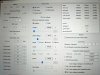
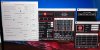
I'm experiencing BSOD when using a "Battery Profile" with TS on my i7-8750h Thinkpad X1 Extreme. I first configured a Performance profile which seems stable, by undervolting and changing the TDP through the Turbo Power Limits (TPL). However, it also copied the Turbo Power Limits to the Battery Profile. What should I do here - leave the undervolting the same for all profiles and adjust the Turbo Boost and Primary Power Limits on Battery, and to what?
-
I've noticed on my laptops that undervolts are less stable on AC power than on Battery Power. E.g. I'd get BSODs occasionally -200mV whilst on AC power but never on battery power. Perhaps the motherboard constantly trying to balance power requirements between charging the battery and providing power to itself is causing micro-variations in voltage that either the motherboard VRMs or AC adapter cannot handle. I've seen 19v laptop power adapters dip to 18v when suddenly put under load.
-
With AC Adapter (plugged in) it's perfectly fine - it passed 6+ hours of Prime65 and 50 looped runs of Cinebench15 (best score was 1244). My question is, after using a successful "Performance" profile that includes undervolt (CPU Core, CPU Cache, iGPU and System Agent) and TDP (57w / 75W), how / what changes do we perform to set up a battery profile?
When I go to set the Battery Profile (4) changing Speed Shift from 0 to something like 128 or 196, it crashes when I run a single test of Cinebench and I can't change the TDP because it changes it for all profiles, not only the one you're setting up. I disabled ThrottleStop when on battery and rebooted on battery, got a score of 458 on CineBench.
PS Something else I noticed - when switching profile on Throttlestop and running Cinebench, it always crashes. It happened both when I started the laptop plugged in and switched to battery, and when I booted from battery and switched to the Pperformance profile (automatically) when I plugged it in.Last edited: Dec 15, 2018 -
-
Do you mean on all profiles? Because I had Speed Shift 0 on Performance (1) and 128/196 on Battery (4) when it crashes
-
If you use same voltage for all profiles (with same clock speed) and you get crash with Speed Shift put to 128 but not if you put it to 0 you now know why.raz8020 likes this.
-
Yep, got it. So basically, I have to figure out what undervolt works with 128 or 196 Speedshift on Battery mode ( all while using the same TDPs on all profiles, as you can't change for one profile only), plus disabling turbo. That sounds tricky as you're adding an extra variable to follow / test, battery life. That or leave Lenovo's stock settings for battery use, which kind of sucks.
PS, is a 0 Speedshift preferred for plugged in Performance profile? -
Read about "Enable Speedshift" in the post below. I prefer 0 and other prefer the oposite end of the scale.
http://forum.notebookreview.com/thr...e-on-windows-enabling-deeper-c-states.815602/ -
Somebody with i7 7700hq can share some ss with settings?
With these settings after playing a while Escape from tarkov, cpu frequency drop to 2.69
Throttlestop settings remain after restart?Because in Hw monitor voltages is still changed.
Attached Files:
Last edited: Dec 16, 2018 -
-
![[IMG]](images/storyImages/vyx6n94q.png)
I have a I7-8750H and want to undervolt it. The problem is, that the Offset Voltage does not take affect. -
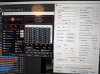
@Papusan - no go, I've reduced undervolt CPU / Cache to 0.110v and iGPU/System Agent to -0.010 (Disabled Turbo too), while reducing SpeedShift EPP to 128, still crashes with this Battery Profile.
Plus, whatever I change (Undervolt, EPP) when running on Battery profile, Cinebench is stuck at 470pt. Am I doing something wrong or missing a setting?
 Last edited: Dec 16, 2018
 -
You need to undervolt the CPU Core and CPU Cache equally. Your screenshot shows that you only adjusted the CPU Core. The CPU is ignoring your undervolt attempt. Set both of these voltages to -100 mV, do some stability testing and go from there. Also a good idea to check off the Disable and Lock Turbo Power Limits box in the FIVR window. Clearing the BD PROCHOT box is another good idea. The 8750H is not overclockable. Set the Turbo Ratio Limits to their default values; 41, 41, 40, 40, 39, 39.
@looper444 - Full load Prime95 and Cinebench testing is important but it is just as important to do some part load testing. Try some tests while running only 1 or 2 threads of Prime95 or 1 or 2 threads of the TS Bench. While these tests are running, use ThrottleStop to adjust the CPU multiplier from maximum to minimum in any random direction up or down. If Speed Shift is enabled, you can adjust the CPU speed in the TPL - Miscellaneous section. If Speed Shift is not enabled, make sure SpeedStep is enabled and then you can adjust the CPU speed using the Set Multiplier option. An undervolt is only stable if the CPU can change speeds on the fly without crashing. It sounds like your CPU undervolt is too aggressive. Undervolting is a compromise. What works at full load might be too much for day to day use or when running on battery power. Give your CPU more voltage until it is stable.
Perhaps a good future feature for ThrottleStop would be to automate this sort of testing procedure. ThrottleStop could feed random numbers to the Set Multiplier value for an interesting real world test.Last edited: Dec 16, 2018 -
If I read this properly, Burak5 set cpu voltage offset to -0.6543 v, for example my 8750h idles at 0.540v, so let's hope throttle stop will ignore his settings, because with less than 0 volts on cpu, it should be immediate crash. BTW I can set cpu voltage offset, without adjusting cache voltage at all and it works fine with all voltages showing as set.
-
@unclewebb - first of all, a huge thank you for the wonderful program and all the help you offer to the community! I'll try that testing procedure. However, I'm a bit confused as I've set two different profiles, each with its own undervoltage for AC and Battery operation. One works, the other doesn't.
Performance Profile 1 (for AC plugged):
Speed Shift: 0 | CPU+Cache: -140.6v | iGPU+System Agent: -46.9v. Passes all stress tests.
Battery Profile 4 (used when on battery):
Speed Shift: tried between 0 to 196 | CPU+Cache : tried between -100 to -140.6v | iGPU+System Agent: tested between 0 and -46.9v. Turbo Disabled here. This profile constantly fails no matter what I select.
The only common denominator between the two profiles is the TPL, which is set at 57w for Turbo Boost short, and 75W for TB long, plus 28sec for PP0 Turbo Time Limit, and 'Miscellaneous' Min 8 and Max 41, which is the multiplier
Since the profiles have different undervoltage and Speed Shift numbers, could it be the TPL settings, which are common on both profiles (no way of having different TPL settings for each profile, right)?
Last edited: Dec 16, 2018 -
Do you mean it passes all full load stress tests? On a mobile CPU with cores entering various low power C States when idle, setting core voltage based only on full load stress testing is meaningless. When a core is lightly loaded, the core voltage has already been reduced. The offset voltage that works wonderful at full load is now being applied to an already reduced voltage and guess what? Your CPU will not be getting enough voltage and it is going to randomly crash with a BSOD.
For your battery profile, did you start your testing with 0 offset voltage for everything? Does your CPU pass that test? You start at zero and work your way towards -100 mV or further. You do not start at -100 mV and work towards zero.
Your TPL settings are not the problem.
As for Speed Shift, some users in this forum have discovered that the voltage that works well at full load needs to be increased slightly when Speed Shift is enabled. For this reason, some users prefer to disable Speed Shift. When you think about it, this makes sense. A CPU held to a constant speed will be quite happy at a constant voltage. If the CPU speed and voltages are varying all over the place, the CPU is going to need a little extra voltage so it can make these transitions reliably. That's why I thought a new TS feature that varies the CPU speed while full load testing might significantly speed up the overclocking and undervolting stability testing procedures that users go through.
Edit - For your 8th Gen CPU, when using TS 8.70, I think it is the Intel GPU and iGPU Unslice voltages that have to be set equally. Similar to core and cache, if not set equally, the CPU will ignore or use the numerically smaller value. I do not have any modern hardware for testing purposes so run something simple like the Heaven benchmark or GPU-Z Render test, adjust these voltages and see what happens to the GPU core temperature and speed.
Yes, you can set only the CPU offset voltage while leaving the CPU Cache offset voltage alone and ThrottleStop will show the change in VID voltage but internally, the actual voltage going to the CPU is not changed. The CPU looks at your voltage request. If it makes sense, it adjusts the voltage. If it does not make sense, your request is ignored. If you use split settings and put in a request for -100 mV for one and -50 mV for the other, an 8th Gen CPU usually uses the numerically smaller value so it will go with -50 mV for both.
I think he posted that picture to show us that his undervolt was not working. I guarantee you that if he sets both the CPU Core and CPU Cache to -654.3 mV, the CPU will immediately crash. That is why I suggested, start at -100 mV and see what happens.
It is not ThrottleStop that will ignore odd ball CPU voltage requests. It is the CPU that ignores these requests.Last edited: Dec 16, 2018 -
Yes, at full loads. In order for an undervolt to be successful / reliable, should we use the same on all profiles? In my case, the aggressive undervolt Performance profile (AC - plugged in) with around -140v CPU passes stress test, but the less aggressive Battery profile ~100v fails. So, if on Battery Profile I succeed at -30v CPU (just an example), does that mean I should apply the same undervoltage to the Performance Profile too - even if it thermal throttles or doesn't reduce temperatures? Does it matter that I have enabled the "Ultimate Performance" option on Win 10 power options?
PS 1 I tried Disable Turbo on the Performance Profile as this was the only difference after your explanation, and sure enough, it crashed on the first run of Cinebench, just like the Battery Profile... What does that mean? Could it be a Cinebench issue, because TS Bench doesn't produce any errors, or that it needs more juice when running under and at up to 2.2ghz? It is strange though, as I've read a lot of people achieving higher undervoltages with turbo disabled. Here it's the opposite
PS 2 This is driving me nuts lol - I disabled both turbo and Speed Shift this time, and currently passed 10 rounds of Cinebench at -130v, failed at the 20th
Last edited: Dec 17, 2018 -
Every CPU is unique. Intel programs a voltage table into every CPU it makes. The default voltage that a CPU requests varies based on the MHz it is running at. As the MHz decreases, the amount of voltage that is needed for the CPU to run reliably also decreases. On an assembly line churning out millions of processors, Intel does not have the time to create a voltage curve that exactly matches the voltage that the CPU needs at every possible speed. Easiest thing for them to do is to add on a little extra voltage here and there along the curve so Intel can guarantee stability for the life of the processor.
Users have more time than Intel, so enthusiasts can use offset voltage to better match the voltage curve to what the CPU actually needs to run reliably. The problem with offset voltage is that it changes the voltage for every MHz. Intel might have included an extra 150 mV of voltage when your CPU is running steady, fully loaded, at 3.90 GHz but at 2.20 GHz when turbo boost is disabled, maybe Intel only included an extra 100 mV or 75 mV. Your -150 mV offset that works great at full load is going to result in the CPU not getting enough voltage when it is only running at 2.20 GHz. Guess what happens when a CPU is not getting enough voltage? It is going to crash. Ka-Boom!
Sometimes life sucks. It sounds like the voltage curve that Intel programmed into your CPU is not a perfect match for the voltage that your CPU actually needs. If it makes you feel any better, my CPU sucks too. I can also use a big undervolt when it is fully loaded but my laptop will instantly crash as soon as the load is decreased. Life is a compromise. I have to undervolt literally half as much. Instead of -100 mV, I am lucky if I can run reliably at -50 mV. Sounds like you are faced with the same reality.
Nothing wrong with Cinebench or the TS Bench or most any other bench. If they are crashing it is because your CPU is not stable. Give it more voltage until it is stable. Do more testing at different MHz values. Every benchmark tests the CPU a little differently. That is why it is a good idea to use a variety of benchmark tests. A stable CPU can pass all of them at any speed.
Still doing full load testing at full MHz? Why? Full load, full speed stability is not your problem so why waste your time testing this scenario? Your problem is at 2.20 GHz so start testing at that speed and use 1 or 2 or 3 or 4 threads of Prime95, etc. See how much voltage your CPU requires to run reliably at that speed when not fully loaded.Last edited: Dec 17, 2018raz8020, Maleko48 and magnetoeric like this. -
No, no, my bad for not clarifying, that was with turbo disabled, so 2.2ghz max. And thank you for the further explanation. If I read everything correctly, I'm focusing on finding a stable undervolt for CPU+Cache with Turbo Disabled. Then move on to the Intel GPU and iGPU Unslice voltages. Not sure what I should do about the Speed Shift after that, try to activate it and play with some numbers on both AC and Battery, or skip on it entirely.
-
Tried to install that update and it looks like I already had it. I noticed I also BSOD with the external monitor connected, so I turned off the undervolt to the GPU since I hear it provides negligible changes to power consumption anyway. We'll see how it goes. Thanks for the advice!Vasudev likes this.
-
Hi everyone. I just made an account so that I can ask for help here. I'm having a problem with my 2016 HP Spectre X360 with an i7 6500U throttling on sustained loads even when the temps are nowhere near TJ Max. I tried increasing the power limits both in TS and XTU but those don't seem to do anything and ofcourse I did undervolt to -80mv on the core/cache and -60mv on the igpu/unslice already too which stops it from throttling when it still has the normal 15W power limit since the CPU now only draws 12-13W now.
The problem is after putting a constant cpu or gpu load and from what I observe when the CPU hits close to 80C for a while the PL1 limit lights up and it seems like the powerlimit gradually decreases to 9-10W or so which after my undervolt would cause it to throttle to 2.4-2.6ghz jumping around there on a x264 stress test. The gpu throttles as well adhering to the same powerlimit if I used a GPU stress test instead.
I have already changed the thermal paste so it never hits the TJ Max that causes thermal throttle but I tried putting my laptop over a desk fan which kept temps in the lower 60s and only then I could prevent it from throttling. Also tried running the laptop without the bottom cover which helped airflow considerably and made it stay in low 60s as well and that would not throttle as well.
Can anyone help me figure out how to stop it from throttling without those methods since using the laptop normally under full load the CPU never gets above 80C anyways but throttles still and when the temps drop I can hear the fan slow down. The only way to clear the PL1 after it triggers is to unplug or plug in the power adapter which seems to reset some power management thing that allows the full CPU TDP again. Or stop the load on the CPU for a while. Thanks. Its a lot of information because I've been trying for so long trying every throttlestop settings and nothing seems to work. Its a pain to unplug and plug in the ac adapter every few minutes to sustain full speed while rendering a video.
Here's my throttlestop settings:
https://imgur.com/a/KvPC0kZLast edited: Dec 18, 2018
The ThrottleStop Guide
Discussion in 'Hardware Components and Aftermarket Upgrades' started by unclewebb, Nov 7, 2010.