 Problems? See this thread at archive.org.
Hy guys. My version has expired and I downloaded the latest version from Techpowerup. I overwrited the old files with the new. Unfortunately between the files there were also the throttlestop.ini.
I have lost all my settings. Is there a way to revert back my settings?
My voltages are up, all the profiles are gone and the cpu is running only at 800MHz.
-
-
Actually my TS has expired too even though I was pretty sure that the expiration was removed in 8.70.
-
Check the OP and his signature http://forum.notebookreview.com/threads/the-throttlestop-guide.531329/
https://drive.google.com/file/d/19h2pOlAZWjP0UVecQw-i6HTJikgq_xzo/viewMaleko48 likes this. -
I already had the 8.70.6 but it still expired
-
Hi, Thanks a lot for your replay and links

Both Limit Reasons boxes and multiplayer seems to be ok during Prime 95 on it also nothing turned red. I hit about 70 C and 58 W after15 minutes and no more, just multiplayer during testing was sticking at 28 (also during TS 4 core Bench) - which is probably standart behavior?.
I posted some screens about my settings, so I would be pleased if you corect me if something is set wrong. I added also screen of my Intel control panel which is strangely missing Power option in main box.
Since I am not able run XTU to boost GPU and my goal is got some more FPS I am very disapointted with LENOVO becose I have installed latest graphic driver...
I checked my power GUIs and these key are comletely missing there HKEY_LOCAL_MACHINE\SYSTEM\CurrentControlSet\Control\Power\PowerSettings\44f3beca-a7c0-460e-9df2-bb8b99e0cba6\3619c3f2-afb2-4afc-b0e9-e7fef372de36
Please unclewebb would you recommend me some tweak to add these![[IMG]](images/storyImages/bD1Cjd.png) settings back to registry?
settings back to registry?
Thanks! -
TS working fine even after a reboot as of 10:00AM 05/05/2019
And so much for a "4.5W" CPU - my m3-7Y30 routinely spikes over 5W just to open apps like Edge and Word. it would be throttling to 800MHz if I didn't change the TDP to 13W -
The original release of ThrottleStop 8.50 had an expiry date but ThrottleStop 8.60 and ThrottleStop 8.70 do not have any expiry date that I know of. The ThrottleStop 8.60 download at TechPowerUp includes a re-release of ThrottleStop 8.50.5 which also has the expiry date removed.
Yes. ThrottleStop does not have any other settings hiding in the registry or anywhere else.
I think you might be screwed. All you had to do was copy the new ThrottleStop.exe over the old ThrottleStop.exe. No need to delete the INI config file. It is backwards compatible. If you do not keep backups of your important stuff, you can try using some file recovery software. There are a few free programs out there. It might be too late but maybe you will get lucky and find your old ThrottleStop.INI config file.
It seems impossible but I have learned that anything is possible. If you still have this version, send it my way so I can test it. The exe file should have this checksum.
ThrottleStop 8.70.6
SHA-1: 2af7e74e4d0f048974572b9faea4d7f64ddd1a9d
Have a look at your Turbo Ratio Limits window. When 4 cores are active, your maximum multiplier is 28. Your CPU is running exactly as Intel intended. No throttling. As for your Intel GPU, not much you can do with it. Don't blame Lenovo. Even if you could tweak your iGPU, a 2nd Generation Intel GPU needs to be upgraded.Falkentyne, Papusan, Vasudev and 1 other person like this. -
is 83°c max temp during cinebench R15 multi core test pretty good?
-
That sounds fantastic. As long as your CPU is not thermal throttling, any temperature is good. Intel rates your CPU to be able to run 100% reliably up to 100°C so you have lots of headroom still. Are there any boxes turning red in the Limit Reasons window while running Cinebench?
-
nothing, the clock stable at 3.1ghz and 23w tdp.
668cb multi core score!Vasudev likes this. -
it's an i5 8250u
-
Thanks for this. I had to check it again because I had the 8706 file already, but I fixed my situation by downloading the files again from the link that was provided.
-
http://forum.notebookreview.com/threads/why-does-the-8250u-require-such-a-high-voltage.815154/page-2
I used to routinely get above 730cb with my 8250U. My record high is 753 You should be able to go further. With a -140mV, my 8250U would use 30W. To have Cinebench multiscore running at 23W on the 8250U either indicates a massive (-200mV or more) undervolt, hundreds of background processes, or throttling. Are all eight cores running at 100% C0% at 3.4GHz?
EDIT I see its at 3.1GHz. That should explain why it isn't using so much power or getting such high scores. why are they not at 3.4GHz?
P.S. Beat a max core temp of 63C w 25C ambient temp on your Cinebench!Vasudev likes this. -
Ahh, no way I going to test again my voltages for all frequencies. I think this was the last nail onto my Windows based laptop’s coffin, gonna sell it.
Vasudev likes this. -
It should destroy 6700HQ at CB r15. 6700HQ scores around 680 on average and 696-701 as highest score.
-
I can only undervolt at -0.105, and I clamp the turbo tdp to 23w to keep the temp below 85°c (that's why the max clock is only 3.1ghz) , I think it will throttle at 90°c
-
Nevermind dude. I found that I still had a clone of TS 8.50 or older and my autostart was still calling for the clone. I guess now everything is fine. Sorry :S
-
I don't know about cinebench loop test, but it seem really stable running ableton live with a bunch of heavy plugins
-
hello, I have the same cpu m3-7Y30 on my samsung tablet with windows 1803. I struggle to understand all the parameters of throttlestop. Can you show me your settings ?
I hope I can copy them, I mainly do internet browsing on mine, but with the new version 8.70, there is some lag, for instance when I switch between windows -
The best thing you can do with these m-series CPUs is remove the power limit. Next is to improve your thermals. But the best thing you can do is to 'Disable and Lock Turbo Power Limits' in TS>FIVR. Then go to TS>TPL and change the Turbo Boost Long Power Max and Short Power Max to a higher value.
But what affects your day-to-day activities most is your Speedshift EPP value. Check that it is enabled, then adjust the value. 0 is max performance, 255 is max battery. For snappy performance, keep it below 128.
Don't click on anything you don't know the function of, even if I have told you above. Make sure you know what you are changing. If not, a quick search of the 953 pages on this thread will give you a lot of information. What applies to the 7Y30 applies to the Intel Core M3/m5/m7 of the Skylake/Kabylake/Broadwell generation including 7Y75, 6Y75, 6Y30, 5Y10, 5Y30c etc.
And make sure TS is set to 'Ok - Save voltages after ThrottleStop exits'. I like to live dangerously.Attached Files:
-
-
I recently gotten a laptop, Acer Aspire 7 A715-71G with i5 7300HQ and a GTX1050. This thing is amazing for the value I payed, less than 500$.
Now my concerns are how do I safely work with it? I have filled around with the undervolt thing and did a straight -125mv on core and cache, disabled turbo and the laptop never reaches 55c in stress test and 60c in gaming.
So fun thing with this laptop, the fans are "silent" when cpu is under 65c and gpu 50c, as soon gpu reaches 50c the fans kick on at a 50% speed, which is noisy.
Either way I am super happy, is there anything else I should do with throttlestop to tweak or so?hmscott likes this. -
Since last one month or so, i'm seeing edp others in yellow in limit reasons. It occasionally flashes in red while using my laptop normally. Does this by any chance cause random stutters in games? Log file doesn't report anything under limit reasons. I'm currently using -160mv on core and -140 on cache.
-
I'm wondering: how beneficial would it be to get throttlestop on my Surface with the core-m 7y30? Is there margin in thermals and performance boost? Any experience?
On this 7820HK throttlestop is like a miracle but I hadn't tried it on the Surface.Vasudev likes this. -
Hi guys, I really searched a lot to understand what does "Turbo Time Limit" , "PP0 Turbo Time Limit" and "Clamp" in TPL mean with no luck! for now I put EPP to 0 and that's all should I do more?
-
No worries. Thanks for taking the time to confirm that everything is OK. I started getting worried that maybe there was one last line of expiry code that I somehow forgot to delete. We should all be good for a few decades now.

It makes it a lot easier if you post a screenshot or two of your present settings. It helps me see if ThrottleStop is working as designed. Sometimes I can spot settings that could be completely out to lunch for your CPU. Some Log File data is another valuable piece of information.
Maybe. Why not play a game with the Log File option checked. It should show if your CPU is randomly dropping MHz. The Limit Reasons screen samples at a higher frequency so it is possible to see something briefly flash red even if something is not recorded in the log file for limit reasons. The CPU Multi column will show if the throttling was severe or insignificant.
That is hard to believe. You have to introduce your Surface to ThrottleStop. They could become life long friends. I am sure that @Che0063 can confirm that. Even better friends than ThrottleStop and your 7820HK.
I don't even know what CPU you have. Post some screenshots. That makes it so much easier to answer your questions.Solid Eye, magnetoeric, Vasudev and 2 others like this. -
I am worried about this WinRing0 driver problem in the new Windows builds. TS is so much better than XTU. Unclewebb is there a possibility of a workaround or do we have to find ways of never updating again?
-
NP sir.
And well, Considering what you say I guess I will TS my Surface. Any advice from @Che0063 then? -
Your m3-7Y30 will become best friends with TS. What are your thermals right now? If they are below 70C under full load, you might have some success disabling power limits
And change these values to, for example, a more conservatine 8-10W first
I guarantee you on stock settings Your m3-7Y30 would be throttling to 4.5W or 7W. You can get much better sustained combined iGPU plus core performance via this method. I will warn you that I've seen my m3-7Y30 use up to 16W with the Core plus GPU fully loaded. My Teclast can only dissipate 13W passively to a temp of 93. I know this because I have set my unlocked BIOS to automatically throttle my CPU to maintain a temperature of 93C. This type of throttling shows up as AVG THERMAL in TS's Limit Reasons reason. If I add an external fan blowing under the laptop, the laptop can dissipate upwards of 15W. On stock limits I think you will see PL1 or PL2 light up in red in TS>Limit Reasons.
Changing the TDP is likely the single biggest benefit your CPU can have. Unfortunately, I've heard reports that the Surfaces use a skin sensor and use the value of the skin sensor to ruduce heat. This is done in an attempt to make the laptop exterior cooler. For my device, I have added a thermal pad transferring the heat to the base of the laptop. As you can imagine, the base gets so hot it burns my lap when I use it on my legs. I look forward to using it in the winter though.
If you keep hitting this skin sensor wall, unless you can unlock your BIOS, tehre's not much you can do about it unfortunately. If you see this type of throttling, your CPU should not be throttling to either 4.5W or 7W, but rather, some other arbitraty wattage as the CPU tries to comform with the skin temperature limit. You might see something like 'SKIN TEMP' or something in TS>Limit Reasons.
Undervolting should give you a little performance boost, but I don't think m-series CPUs can undervolt by much. I can 'only' do -80mV.Vasudev likes this. -
Nice one. Will do everything you suggest. But what do you mean by "full load"? ...is TS bench enough or you mean full AVX load like prime or similar?
-
Anything you define it to be. Could be Prime95 + Furmark (=throttling guaranteed on almost all mobile CPUs) or a simple TS Bench. The former can easily double, even triple the power consumption of the latter.
-
Now, first question arises.
Why with cpu-only load (TS bench), I can't go over 1.5 GHz (with speedstep)? ...pkg power does not exceed 4.5 W and I see no limits at all popping out in the limits window...
isn't this weird? Shouldn't it try to apply turbo frequencies till it starts throttling? ...Plus temps are not going over 40-41°C
...even by disabling speedstep and enabling speedshift with 0 SST I can barely go over 1.5 - 1.6 GHz...same temps and no limits poppingLast edited: Jan 6, 2019 -
Sorry about that, I meant in general what does these options control?
I have GT75 Titan 8RG with i7 8750H and this is the screenshots of all of my settings: https://imgur.com/a/2H5doB7 -
What power plan are you on? Ensure that 'max processor state' is set to 100% in power plan settings.
Also ensure your Turbo Ratio Limits are set correctly. If they don't go over 1.6 in TS Bench, does the CPU go to 2.4GHz at all? The all core turbo for the M3-7Y30 is 2.4GHz -
You should be. The day that Microsoft decides to start blocking WinRing0, it is game over for ThrottleStop. So far I think the WinRing0 driver is only being blocked in the recent Windows 10 Insider Preview version, 1809 - 18305.1003
No workarounds at the moment and there likely never will be.
Where are some screenshots? How can I make ThrottleStop better without seeing how it is doing in the wild?
Intel CPUs use two power limits to control the turbo boost function. There is a short term power limit and a long term power limit. A mobile CPU with a 45 Watt long term turbo power limit might have a short term turbo power limit of about 55 Watts. When you first start running a stress test, the CPU will max out at 55 Watts and then after a short period of time, the CPU will automatically slow down so it does not exceed 45 Watts. The main turbo time limit controls how much time the CPU is allowed to run at the high power limit before it must slow down to the low power limit. ThrottleStop lets you set this to a sky high value of 3670016 seconds but the practical limit is usually a lot less than that. 28 seconds is a common value for this. Sky high values will likely be ignored by the CPU so it is probably best to use a more realistic time limit.
The main turbo limits are for the entire CPU package. The PP0 limit refers only to the CPU cores. The PP1 power limit only applies to the Intel GPU. When these settings are not being used, they are usually set to 0.
When a CPU reaches the long term turbo power limit there are two things that can happen. If Clamp is not checked, the CPU should only reduce its speed to its default speed. The 8750H has a Base Frequency of 2.20 GHz so it should not go below this value when power throttling. If Clamp is checked, then the CPU will reduce the CPU speed as much as necessary to literally clamp the CPU to the power limit you have set. If the power limit was set very low to 10 Watts, when stress testing, the CPU would be forced to slow down to a crawl to make sure that power consumption does not exceed 10 Watts.
Your screenshot shows that you have set both of the power limits to 200 Watts. There is a possibility that your CPU will ignore this value. There are a variety of power limits within Intel CPUs. When it comes to throttling, the lowest power limit wins. Even with these two limits set to 200 Watts, during a long term stress test, some laptops will still force the CPU to throttle so it does not exceed its Intel rated 45 Watt TDP value.
Thanks for the pics. To better understand how these settings and how Intel CPUs work, open Limit Reasons, run the TS Bench, and while the CPU is loaded, adjust these settings and watch what happens to the CPU speed and watch to see if any throttling flags light up in Limit Reasons. This program was built with experimentation in mind. You learn more doing hands on testing than you do by reading a wall of text in a forum. If you do some testing, share what you learned by posting some pics. Intel makes way too many CPUs for me to understand them all.
If your CPU is throttling or running like crap, yes, you should try doing anything and everything to stop that from happening. If your CPU runs like a beast, go enjoy playing some games.FrozenLord, Vasudev and Solid Eye like this. -
I registered just to say thank you unclewebb!
Thanks to your tool I was able to squeeze an aditional 30% out of my Lenovo 320s ikb13. -95 mV on Core and Cache as well as upping power draw to 35W did the trick. The cpu now hits termal throttling at 95°c, at which point clock gets reduced from 3400 to 3200. 3200 mhz while drawing 25W is much faster than before.
So thanks mate!
P.s. if someone knows how to squeeze enen better perf out of a 8250u, I would be interested to hear. -
This is extremely rich, and explained very very very well! THANK you so much for your time and effort, really appreciate it. and yes I do the benchmark every time I adjust a new settings, setting the timers too high gave me the best score for 64M = 6.1. and no limits of any sorts since one month so far. the only one can give me EDP and thermal throttle is prime95 in matter of few seconds! again thank you.
-
That day most users will stick with older versions w/o updates.
-
Will do as soon as I can. By the way I did set turbo limits at 2.6 GHz and I will check my power plan settings even though I already messed up with those in past and I should have the right settings.
With speedstep on it's literaly at 1.5GHz fixed when I run TS bench, no matter what. 4 - 4.5W PKG power and no limits popping.
With speedstep off and speedshift on at 0 SST I get basically the same PKG power but I see frequencies going up to 1.6 GHz with instant spikes at 1.8 or 2 GHz at best. Still no limits popping.
In both cases temps are very low. 38-42°C and this makes sense considering such a low PKG power. Plus I was using with its keyboard and stand to avoid the possible "skin sensor" interaction.
Will figure out what's going on and/or post some screens to get some help. -
Another reason not to update, hopefully we will get the heads up here, because MS will probably list this as priority security update or some other nonsense.
-
Hello @unclewebb, I would thank you for the usefull TS utility, and moreover for your support in this forum and other community. I'm reading lot of stuff by you (and many others skilled users) around the web, learning alot about my hardware, and tweaking succesfully the system.
There is a question about how TS is working, I cant still understand... a little intro on my scenario:
MSI GS65 (so 8750H cpu) and 1070 MAX-Q
Windows 10 1803 (build 17134.472)
TS 8.6
Using HWiNFO for monitoring some stuff, I noticed the core and cache voltage offset I have set with TS (for undervolting) remain valid, at least that's say HWiNFO in IA and Uncore offset value, even after a reboot or shutdown, with TS not running. I have not configured auto startup for TS (no task scheduler like in first page, and of course not the default windows startup way).
I thought no offset was applied after reboot or shutdown if TS was not started again, with "Turn On" button enabled.
What I'm not understanding? Thanks!
I attach a screenshot of my CB record also, to show some settings too:
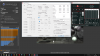
-
You are most welcome.
Does your laptop have any voltage control options in the bios? Is Intel XTU installed and running in the background or are you using any MSI app that uses any part of Intel XTU? Have a look in the Task Manager for any XTU remnants.
During a reboot or shutdown, the bios is supposed to reset the FIVR voltages to their default values. Windows 10 has a hybrid shutdown or reboot feature that might not allow the bios to take care of the voltages. Instead of resetting all of the FIVR voltages to zero, it will just leave them as is. This is unusual but it is not the first time I have heard about this happening. To bypass the hybrid feature, hold down the Shift keyboard key and while this is still held down, click on the Windows 10 - Power - Shutdown menu option. After you start up, check the voltages with HWiNFO and CPUID HWMonitor. If you use Sleep, remember to restart these two apps to make sure they re-sample your CPU voltages.
For future reference, the Turn On button only controls 3 things; Set Multiplier, Chipset Clock Modulation which is no longer used and Clock Modulation which is rarely used. The FIVR voltage controls and most everything else in ThrottleStop works whether ThrottleStop is in Monitoring mode or in Active mode.
When bench testing I would use a Speed Shift EPP value of 0 for maximum performance. Sad to see that MSI set the maximum PROCHOT temperature to 90°C when the Intel specified and safe value for the 8750H is 100°C. Reducing the maximum safe temperature can reduce performance and is not what Intel wants manufacturers to be doing.
@-BaTaB- Are you using the FIVR - Disable and Lock Turbo Power Limits feature yet?
@pete962 - Last time Microsoft tried to block the WinRing0 driver, users must have complained so Microsoft caved in. Anyone on the Insider Preview versions needs to provide feedback. I know I complained last time they came up with this idea.proj3ctmayh3m, Papusan, Maleko48 and 1 other person like this. -
@unclewebb ok, so I found out that my custom power plan was messing something up. With the standard power plan I'm in a better spot. Cores go up to 2.4GHz. I'm at roughly 8W PKG power and hitting PL2 and EDP OTHER limits. It's still weird that I don't get the 2.6 GHz even if I've set 2-core turbo to 26.
I'm using the disable and lock turbo power already and I've also set both limits @ 12W in the TPL panel. Now using SpeedStep or SpeedShift makes no difference, I'm at the 2.4 GHz wall in both cases. Icc max or something else to mess up with maybe?
I might also disable the modern standby and check all the settings of the standard power plan, maybe there is still something to change in there too.Vasudev likes this. -
http://www.cpu-world.com/CPUs/Core_m3/Intel-Core m3 m3-7Y30.html
@-BaTaB- For the m3-7Y30, the maximum multiplier when 2 cores are active is 24. There is no way around this limitation. Using ThrottleStop to set the 2 core turbo to 26 will be ignored. If your CPU is running both cores at 2.4 GHz, that is as good as it gets.Maleko48 likes this. -
Hey! Thank you very much for ThrottleStop. I have been using Intel XTU for a while but in the end I prefer your program over theirs.
I am not quite sure if my settings are "perfect" for my daily usage and I don't really know where to start...
Maybe I'll start like this:
I've got a T480s (i5-8350U, 16GB RAM, no dedicated GPU).
My current settings:
https://imgur.com/a/H7U0rzv (I don't know how to directly insert screenshots in here - sorry)
About my usage:
I only browse (with five to fifteen tabs) [Firefox] and I use Thunderbird, Word, Acrobat Reader. That's basically it.
Thank you for any advice and thanks again for creating such a helpful thing!
Best,
DD -
The good thing about ThrottleStop is your settings do not have to be perfect. If your undervolt is stable, it should allow your CPU to run a little cooler or run longer while on battery power. If your CPU is able to run at its Intel rated speed without any throttling then you must be doing something right. If you have any specific questions or concerns, just ask.
All your settings look reasonable and well thought out. No signs of randomly clicking on boxes just for the sake of clicking on boxes. Your imgur link is also wonderful. Maybe I should add it to my signature. Got a question? Here is what I need to see.
For your settings, some CPUs need to have the iGPU Unslice offset voltage set equal to the Intel GPU offset voltage. If you do not do this, on some CPU models, the Intel GPU undervolt will be ignored. -
got the same laptop as yours, how was your mx150? seems like Lenovo set the GPU power limit too early on this laptop
-
I rarely play games. Haven't installed a single game on the 320s. I only use the MX150 for GPU acceleration in perf hungry apps like Sigma Photo Pro. Even a gimped version of a low end GPU like the MX150 is easily 2-3x faster than the CPU. And that makes a world of difference when editing RAW files.
-
AH, well you got me there then. I was hoping I could still get that 0.2 for free.
So I guess everything is ok now. Time to downvolt.
@Che0063 do you usually go with Prime95 + Furmark to load cpu+gpu? -
Thank you very, very much!
Yeah, it runs smoothly but sometimes it could be cooler in my opinion. I think it's not really software related though, it's more of a thermal paste issue. I'm just too scared to touch those screws at any rate as there is still a guarantee running...
I've set my iGPU offset voltage equal to the Intel GPU offset voltage now. So far, good.
Yet again, I have to say thank you and keep up the good work!unclewebb likes this. -
Could someone explane me how to put pictures please?
The ThrottleStop Guide
Discussion in 'Hardware Components and Aftermarket Upgrades' started by unclewebb, Nov 7, 2010.


