Problems? See this thread at archive.org.
I just did. Still don't know how to make the images show up in the post itself LOL
-
-
http://forum.notebookreview.com/thr...nabling-deeper-c-states.815602/#post-10711650
Try this.
On somewhat light loads, I got 5-6 hrs of battery life with a 48WHr battery.
And I can also use it to throttle the CPU, correct?Last edited by a moderator: Dec 31, 2018 -
I actually did try this. This is exactly what I used, and I got very weird results.
Edit: The culprite was MSI Afterburner. After disabling it I went from 11W/5W avg pkg power at startup to .5-1W. So strange hmmmmLast edited: Dec 30, 2018 -
Try uninstalling the AV?
From what I can remember, some AVs still secretly run in the background even if you think there is no trace of them in the Task Manager.
Did you use the latest Intel HD drivers?
It has been a total crapshoot for me. The infamous "Optimus stuttering" has returned and battery life has gone down a little. -
-
I am not sure what the corporate I.T. guy would recommend. My fave tweaking tool is Autoruns. Startup items or drivers can be deleted with it and then you can reboot after that.
Autoruns v13.93
https://docs.microsoft.com/en-us/sysinternals/downloads/autoruns
You are on Windows 10 version 1809. I am sticking with version 1803 for as long as I can. Maybe 1809 or Windows Defender is keeping your computer extra safe. So far you are the only person to report this issue so I will have to wait to hear some more error reports.
A throttling computer is about as much fun as getting poked in the eye with a pointed stick. Don't be afraid to experiment. Set IccMax sky high and see what happens.
I was helping one user today and he showed me a screenshot with CPUID HWMonitor on top of ThrottleStop so I could only see half of ThrottleStop. He then drew a colored box around the HWMonitor temperature numbers. I had a look and ThrottleStop was reporting the exact same maximum temperatures. I wanted to scream!!!! There is no reason to run 101 monitoring programs if they are all telling you the same thing. ThrottleStop's monitoring capabilities are being overlooked. TS can provide users with extremely accurate data without the excessive load that some of the competition's monitoring tools are putting on ones CPU.
People do not spend enough time testing monitoring programs to make sure they are efficient. I have spent years trimming the fat off of ThrottleStop. The first screenshot you posted showed that the C0% was way too high. Keep a close eye on that number after you install anything on to your computer. When idle at the desktop, no more than 0.5% in the C0 state is best.
![[IMG]](images/storyImages/OcB6s2Y.png)
You can copy and paste the Imgur Direct Link into your forum post. If you want the picture to show up in a forum, surround the link with img html tags.
[ img ] before the link and [ /img ] after the link.
Remove the blank spaces in those two tags. -
Thank you. I was able to undervolt the iGPU this way (moving the iGPU Unslice together with the iGPU voltage). -67.4 mV plugged-in with my external monitor + peripherals. -72.3 mV on battery.
Actually, I found that using TS Bench and checking for errors was the best way to figure out how much I can undervolt my iGPU. I get errors when I undervolt the iGPU too much, just like with the CPU. I used Furmark to check for crashes/artifacts and ended up undervolting way too much. I also think that TS Bench is the best way to check for CPU undervolt stability.c69k likes this. -
Try trimming as much from the os you can.
try this:
1. use Inspectre and disable meltdown and spectre
2. use o&o shutup and w10privacy to trim telemetry
3. disable as much Services as you can. you can use blackviper for setting Services. remember that if you want completly disable Windows defender you need to use regedit and put 4 in The start reg key.
4.use autoruns to check disable unnecesery things
5. you can disable memory core isolation
6. if you can try Intel DPTF fix from @6.|THE|1|BOSS|.9Last edited: Dec 31, 20186.|THE|1|BOSS|.9 and Vasudev like this. -
I'm afraid you're correct there - latest windows 10 breaks WinRing0 and I havent found a way to get around that yet:pressing, unclewebb, Maleko48 and 1 other person like this.
-
Are you using Windows Defender? It likes to put ThrottleStop on the dangerous list and can prevent TS from starting. Have you tried the one trick that worked last time Microsoft nuked WinRing0? Download and start up OpenHardwareMonitor.
https://openhardwaremonitor.org/
Once it is running, try opening ThrottleStop. OpenHardwareMonitor uses the exact same WinRing0 driver but the driver is hidden within another driver file. This allows the WinRing0 driver to fly under the radar and fooled Microsoft last time.
@nosauce - Interesting to hear that the TS Bench is useful for setting both the CPU and iGPU voltages. Not sure why. A few other users here and there on forums have started to realize that the TS Bench is a useful and easy way to dial in CPU voltages. It is another TS feature that mainstream users tend to ignore. Desktop enthusiasts prefer to melt their CPUs into the motherboard with many hours of Prime95 or Linpack testing instead.Last edited: Dec 31, 2018 -
By just copying into the Throttlestop folder and ticking the checkbox to use it.
Edit: Afraid it seems windows 10 1809 does check those certificates now. Cannot seem to get rid of the error, even if I add it to the local machine trusted root certificate store (do not do this SHA1 is a broken encryption standard).Last edited: Dec 31, 2018 -
I am not trying to sound smart but instead of opening more programs, why not nuking Windows Defender instead?
Common sense, VirusTotal and properly configured Ublock Origin works about a thounsand times better than any kind of AV. -
I'm afraid I dont use Windows Defender (I use BitDefender, which disables WD. I have tried disabling both but the issue still persists).
I've also tried the OpenHardwareMonitor trick, but whilst OHW runs ok Throttlestop produces the same WinRing error. Only solution I found was to revert back to previous windows build.unclewebb likes this. -
Sorry to double post, thought its worth adding that the WinRing0.dll error produces an event 7000 in event viewer:
The WinRing0_1_2_0 service failed to start due to the following error:
Windows cannot verify the digital signature for this file. A recent hardware or software change might have installed a file that is signed incorrectly or damaged, or that might be malicious software from an unknown source.
I am wandering whether there is a setting somewhere in windows where I can choose to ignore the digital signature for this file?
Edit: also worth posting is that running OpenHardwareMonitor also triggers that same event, so it looks like OHW has the issue too, it just fails to stop this app from launching... Having launched though OHW cannot see CPU temps, or voltages - only utilisation. -
Thanks for your testing. This is valuable information. Most appreciated.
Looks like Microsoft has decided to put the WinRing0 driver out to pasture. Great for security and if I was them, I probably would have done the same thing years ago.
This is not great news for enthusiasts that own poorly engineered laptops. Time to switch to Intel XTU. I hope XTU has finally learned how to apply the offset voltages reliably, especially after resuming from stand by.
I plan to continue using Windows 10 1803. Hopefully the Windows Update Mini Tool will keep my computer safe from updates that I do not want or need.
Windows Update Mini Tool (WUMT) Wrapper Script
http://m.majorgeeks.com/files/details/wumt_wrapper_script.html
You could try disabling driver signing but this method applies to all drivers. I cannot recommend doing this unless you are desperate. Open a command prompt with Admin privileges and type in these two lines.
bcdedit.exe -set loadoptions DISABLE_INTEGRITY_CHECKS
bcdedit.exe -set TESTSIGNING ON
Reboot for these settings to take effect.
To go back to normal, open a command prompt with Admin privileges, enter these two lines and reboot.
bcdedit -set loadoptions ENABLE_INTEGRITY_CHECKS
bcdedit -set TESTSIGNING OFFLast edited: Jan 1, 2019raz8020, Maleko48, Vasudev and 1 other person like this. -
I don't know exactly what problem you have because I am using Throttlestop 8.70.6 with RwDrv.sys and no problem with WinRing and anything with throttlestop. XTU is pooooooorrrrr!!!
I am on W10 1809 v17763.194 ( .195 version has only minor security update to Internet Explorer ).
I can send you info about my services, disabled telemetry with w10privacy and all config info you need and so on if you want for investigation?
BRLast edited: Jan 1, 2019 -
17763.195 without any AV or Win Def, TS is working 100% fine.
@unclewebb Unfortunately this is about the best I can do regarding C States. Even then the C7/C8 percentage wildly interchange with each other. Poorly optimized driver somewhere, probably. Oh well, what did I expect from a cheap 600AUD Chinese laptop. E.g. the Hingle Angle detection service adds 5-8% of C0%. I have to find a way to fix that - its disabled for now. At least I'm getting reliably 8-10hrs of use from the 37WHr battery.
Oh, and I'm reliably able to enter C9 state on my laptop (m3-7Y30), according to the 0x631 offset in RW-Everything>CPU MSR. This only occurs when the system is in S0 Low Power Idle (Modern Standby), but never when the system is fully on. I've never seen in in C10 though.
I can't show a screenshot of it here because for some reason the counters reset upon resume from S0 LPI. I think I must have fiddled with something in my BIOS.
EDIT: Nevermind, I had S0 LPI disabled for some reason. Here is proof of C9 residency:
Last edited: Jan 1, 2019 -
Thanks for the updates. Here is a summary.
Windows 10 Pro Insider Preview, Version 1809, Build 18305.1003
The WinRing0 driver is being blocked so ThrottleStop does not start.
Windows 10 Version 1809, Build 17763.194
OK
Windows 10 Version 1809, Build 17763.195
ThrottleStop works OK but possible problem installing the RwDrv.sys file and using the FIVR - Disable and Lock Turbo Power Limits feature.Maleko48, raz8020, Vasudev and 1 other person like this. -
Did you try setting reg start keys to 4 in regedit to all possible defender and security services?
In insider Microsoft enabled reptoline for spectre and maybe this is the problem as it is blocking something, also Microsoft added sandbox security feature called InPrivate Desktop.Last edited: Jan 1, 2019Vasudev likes this. -
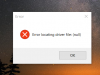
If i wanna use throttlestop on boot with task manager, i got this error :
(I was on .195 but came back to the 1809 Build 17763.194, and doesn't change)Attached Files:
-
-
Did you attempt using the rwdrv.sys at all then gave up like me? I suspect the driver file is still registered in your system.
-
A couple of my quick observations regarding this...
- These settings appear to be overridden by the new Windows Power Pop-out. Obviously, whether or not this works for you may depend on whether your manufacturer has set up the computer properly for this.
![[IMG]](images/storyImages/EXTid9O.png)
This is confirmed working though because benchmarks take 10s at best performance, 14s at recommended and 15s at battery saver. I can also see that on best performance, windows is enabling the cTDPup profile so that the usual 15W TDP is broken (sits around 20W on battery and 28-30W on AC). Interestingly, my computer never switches to the cTDPdown profile - maybe explicit recognition from windows that running at the lowest possible power setting isn't necessarily conducive to power savings.
- I also had to add a 32-bit DWORD into the key called "Attributes" and set it to hex 2 to make these show up. For some reason, these are hidden by default even when the keys are added to the registry.
All of the above is on my Microsoft Surfacebook 2 (15" GTX1060) running Windows 10 Version 1809 (Build 17763.195). That Windows Power fly-out is definitely new to Version 1809 of Windows 10 because I remember the tech media making a big hoo hah about it.Maleko48, 6.|THE|1|BOSS|.9 and Vasudev like this. - These settings appear to be overridden by the new Windows Power Pop-out. Obviously, whether or not this works for you may depend on whether your manufacturer has set up the computer properly for this.
-
Create power plan profiles and name as Balanced,Power saver and high performance using the same base. Then download Powerplan switcher from MS Store and set Balanced on AC and power saver on battery. Enabling auto switching in power plan switcher app. Sometimes if you see higher battery drain, click on powerplan switcher app in tray and switch to high perf and then to power saver to kill that unusual battery drain. You may have to disable hibernate for TS to work flawlessly when you suspend into RAM aka Sleep.
@6.|THE|1|BOSS|.9 has added DPTF reg settings for getting high performance and better battery runtime. I used HDC setting which he linked to get better battery and performance on AC.Maleko48 and 6.|THE|1|BOSS|.9 like this. -
Not trying to be rude here but... I'm not having any problems with TS or power plans... these are just my observations on my device on my version of windows.
None of those DPTF settings seems to do anything on Windows 10 version 1809 (at least with my device which I would presume (coming from Microsoft) has the Intel settings properly configured).6.|THE|1|BOSS|.9 and Vasudev like this. -
If i'm not wrong, throttlestop works fine and the disable and lock TPLimits too, i got the message i post only on boot, with the task manager i had create. I can simply open throttlestop myself without the task manager, and works too, but i don't know and understand why it say "error locating driver file (null)"
If i stop the task, throttlestop on boot, i don't have this message, and then open it manually and no error message.Maleko48 likes this. -
Did you enabled dptf in bios?
Could you try setting hidden w10 power plan called ultimate performance
Run cmd as admin and put
powercfg -duplicatescheme e9a42b02-d5df-448d-aa00-03f14749eb61
Then Run dptf reg fix once again. configure New power plan and test.
don't open power plan pop up in w10 as Then w10 probably will override settings as it is using speedshift epp values to mange battery and performance. set them once in throttlestop and dont use w10 pop up power plan settingsMaleko48 and 6.|THE|1|BOSS|.9 like this. -
For me this is strange as on my laptop w10 17763.194 there are no problems like you have and also with winring from previous post. sorry to ask but Did you place The file in correct place?
did you disable memory core isolation?
and all defender and security registers?
I will later, at the end of the day, export my service config and will place The attachement here do all of you could try it your problems with winring and disable lock Power limits are working -
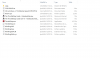
1 - I copy paste from a back up of my files ( not download the last time the "RwDrv.sys", when i use throttlestop the second time, i delete files, when i wanted to try Intel XTU ) Check my picture of my files.
2 - I didn't touch "memory core isolation", don't know what it is.
3 - Defender register ? No i didn't touch the register. What is the link with throttlestop ?
When i play games, my cpu is on 57° on lobby, to 67° to 74° when gaming, on average (Afterburnner on screen display ) but when i look to throttlestop or HWmonitor, i can see 86° Max on some core(s), should i be aware of this, or it is normal ?
Thx for the help and wish you my best for this new year xDAttached Files:
Last edited: Jan 2, 2019 -
-
Those power plans does reduce the battery drain by hefty amount. Balanced will provide enough power on demand and Power saver will make sure to reduce CPU performance when its in standby or idle. In Balanced mode I get 6hrs battery on 87Wh battery(10% wear level, original was 96Wh), in power saver mode battery is around 10-12hrs with Wifi,BT and location turned ON and without Wifi and BT then battery life will be 12-15hrs on eth.6.|THE|1|BOSS|.9 likes this.
-
I tried undervolt by -160mv in my system (i7 8750h) but the temp got no changes
its the same thing. I get higher score in cinebench though
What am i missing? -
Hello guys, I recently download Throotlestop and seems to me it is working, atleast the muliplayer option and Power ballance option, so I am very glad and thanks unclewebb for!
Currently I am stuck running game on very old machine Lenovo AIO with HD 2000 and locked bios without Lenovo support...Not becose I am crazy or dont want spent many for new PC but simply dont want triggering my wife who dislike my gaming...you know
I am a bit noob at the topic but atleast I managed upgrade CPU from from Pentium G 630 to i5-2500S (only fan now sounds like plane).
My issue is I noticed that I am walking arround 7 W at idle and 30 W when playng WOT and max 38,5 W when run TS Bench on full 4 core despite my I5-2500S is told running to 65 W TDP. Do you think is this TDP throotling or not? I can add some print screen if you dont mind.
Sorry for my bad english and Thanks for your reply!Last edited by a moderator: Jan 2, 2019Maleko48 likes this. -
Do you have any insight into how they work?
-
This is largely governed my the BIOS SPeedshift settings. When disabled in the BIOS, the slider will have no effect on my Teclast laptop with the core M3 7Y30. Windows will try to change the setting but it will revert to what TS set it to. When Speedshift is enabled in the BIOS, the Slider will have an effect, but TS still is able to occasionally override the settings. Running 17763.195 Ver 1809 here.
IF Speedshift is enabled in the BIOS and/or the Power slider has any effect on the system (which can be determined by whether the EPP in TS>FIVR changes or not), the OFFSET for the EPP values Windows chooses can be set here:
Computer\HKEY_LOCAL_MACHINE\SYSTEM\CurrentControlSet\Control\Power\PowerSettings\54533251-82be-4824-96c1-47b60b740d00\36687f9e-e3a5-4dbf-b1dc-15eb381c6863
and changing the 'Attributes' value from 1 to 2. Then change this value in Advanced Power Options:
By default on Balanced, The value is 50% on battery. That means that Windows will choose a Speedshift EPP of 178 for 'Better battery', 127 for 'Better Performance', and 84 for 'Best Performance'.
IMO Microsoft should have that slider a full range from 0-255. That would make it much better than having 3 pre-set values. But oh well, Microsoft knows best, right? -
What version of ThrottleStop are you using. This might have been fixed in version 8.70.6. The download link is in my signature.
You did not post a ThrottleStop screenshot so it is hard to say. I will try guessing. Did you set both the CPU Core and CPU Cache offsets equally?
Probably not. The 65W TDP rating is a maximum rating. You did not post a ThrottleStop screenshot. If your CPU is running under the 65W TDP limit, it is probably not throttling. Is the CPU multiplier less than expected when stress testing? Did you open the Limit Reasons window to check for throttling? Anything turning red in there?
Welcome to NBR. For future reference, there is absolutely no reason to include the entire first post of this thread in your question. Don't be afraid to learn about the Edit button so you can clean that mess up.
-
You mean Power plans? Or auto switching of power plans?
-
Sir, I can guarantee you that at least on my device, it does more than just configure EPP. I have TS set to configure and lock my EPP (confirmed by checking in FIVR after moving the slider).
Running TS Bench at Best Performance yields approx. 10.5s consistently. Running TS Bench at Recommended yields approx. 11.5s consistently. I can also see that the package power (according to TS anyway - which yes, I understand is only an estimate) is approximately 10W higher.
I mean that power slider - yes, I understand it probably configures EPP but does it do anything else? -
I never bothered with power slider since I use TS 8.70 which can override Win 10 EPP values.
For the most part W10 Balanced uses EPP of 127 or 128, in power saver (Best Battery) use 180-230 (255 cause CPU to give absolute crap performance and stutters at most light tasks) and High performance use EPP value 0.
I use EPP 80 in TS on AC mode and on battery EPP value of 180 is used.Maleko48 and 6.|THE|1|BOSS|.9 like this. -
The EPP that is found on Windows Power Plan will fight against TS all the time... that's why I recommended to change the "attribute" registry to "2" and then change it to what you want from the Windows Power Plan let Windows handle the EPP alone & only
while TS controls everything else
You can't trun off or disable Windows power plan from using EPP so... we let windows manage that only to your liking
-
I had trouble with EPP on TS 8.6 on v1703 and 8.70 fixed those issues since unclewebb made sure TS setting is preferred and MSFT doesn't interfere with TS.Maleko48, 6.|THE|1|BOSS|.9 and c69k like this.
-
I'm so blind, didn't see your updates, sry for this (i 'm on 8.70.0 ). Can i keep my config file and copy paste the update or i need to delete everything and restart over all ? ( Same question for "RwDrv.sys", redownload it and overwrite ? )
( I wish you the best Unclewebb for this new year. Happy new year bro and thanks for your hard work, software )Last edited: Jan 3, 2019Maleko48 and 6.|THE|1|BOSS|.9 like this. -
Well.. I'm already done with it on my side long time ago but if it is already fixed... then I guess on the next Windows major update (were everything gets reset to default) I will do that and let TS handle it
-
In my case, windows has control over EPP, core multipliers and package TDP on battery. When plugged in, TS works fine irrespective of whatever plan i choose using the sliders
Vasudev likes this.
-
With little delay but as promised, my services config from W10 1809 17763.194 + more
Files in zip:
1. Services config exported (to csv and reg for you to choose.)
2. Disable Hibernation
3. Disable Memory Core Isolation
4. W10privacy config file
Services (my own configuration), exported with Black Viper Serivce Configuration Script 5.4.2 by MadBomb122
Hibernation & Core isolation - regular reg files (from tenforums)
W10privacy - My configuration, standard exported ini from w10privacy
Could someone chceck if ThrottleStop works in insider with this tweaks.
Before importing services reg keys and w10privacy config make a backup of yours for safety. ( after applying those tweaks defender and windows update won't work for good)
If someone want:
Hidden W10 power plan called ultimate performance:
Run cmd as admin and put
powercfg -duplicatescheme e9a42b02-d5df-448d-aa00-03f14749eb61
Then you can config "new best" w10 power plan profile.
For those who can use DPTF, I advice to use this power plan in combination with DPTF FIX by @ 6.|THE|1|BOSS|.9
I also advice to disable Spectre and Meltdown via Inspectre.
BTW, with this tweaks you will probably see improved performance, but it depends on your rig config
For those who want nice bump in performance of nvidia gpu I advice to disable c-states in bios and c1e in Throttlestop, also make request of c1 in throttlestop.
You will see for example arround 300-500points more in graphics score in Firestrike, depends on your card.
After this you will probable see a slight bump up in CPU temp, so do this if you are sure that your laptop have sufficient cooling.Attached Files:
-
W10 Services Config_Disable Core Isolation & Hibernation_w10privacy config.zip
- File size:
- 8.7 KB
- Views:
- 57
Last edited: Jan 3, 2019 -
-
New best Win power plan profile? Bruh, Its's pure Scam!
http://forum.notebookreview.com/threads/windows-10.762434/page-538#post-10821215Vasudev likes this. -
By saying new best I don't mean that it is mega boombastic fantastic, but for me when I enable it I feeled a bit better smothness in some games on my laptop while plugged in.
And regarding your attached post:
1) Ultimate Performance does not allow the HDD to sleep. - ( if you want full perf, why you want your hdd to sleep? For waiting for hdd to go back to work?)
2) Ultimate Performance does not force maximum performance when on battery. It prioritizes medium power saving measurements while on battery, as opposed to High Performance which does, in fact, force high performance. - I don't know why you want max perf on battery? For what, for 15 minuts of gaming?
Please explain it to me I don't want to make argue with you, but I think that all should try what works best for them and not just saying that "bruh, it's scam".
That's why I posted this.
And also they could have made changes to reduce micro latencies as they could did other stuff that it is not visible in settings.
It all depends on rig and overal config. For me this plan works better (more fluent/smooth in games than regular High perf power plan)
BR -
Ultimate power plan was meant for workstations.
http://forum.notebookreview.com/threads/windows-10-redstone-4.813941/page-16#post-10702409
Ultimate Performance does not force maximum performance when on battery. It prioritizes medium power saving measurements while on battery, as opposed to High Performance which does, in fact, force high performance.
Why on earth prioritizes medium power saving measurements while on battery on a power plan intended for <desktops - workstations>. And from what I know... Etc Azor's Gaming brand, the (Sinking ship) AW recommended gaming on battery.
If I want lower performance on battery I could change settings. Not put power savings as default. For me flawed thinking.
I run a desktop chips in my laptop. Can't feel a ****y with this new *best* Win power plan.Last edited: Jan 3, 2019unclewebb, Vasudev and 6.|THE|1|BOSS|.9 like this. -
Is there an ETA for the new TS version? Mine just expired.
Also, does the TS.ini file contain all the relevant settings? I kinda forgot my old ones, so I'm worried I might miss something when the new version is out.Vasudev likes this. -
Hi 6.|THE|1|BOSS|.9,
just tried your dptf fix, and I only got 2 dptf settings on advanced power plan settings (low power mode, and the other I don't remember :v ), there no config tdp, power limit, acoustic, etc.
regedit shows that the dptf registry is the same as yours and there's no duplicate.
it's an i5 8250u
my bios has option to disable/enable dptfVasudev likes this. -
Apologies if this has been answered before ,but is anyone having Throttlestop preventing shutdown in the 8.70 build? In the last build I could shut down fine, but now I have to click the "shut down Windows anyway button" to turn the computer off, because throttlestop is running. Not a deal breaker, I can force shutdown even if apps are preventing it, but would rather not if possible.
Im on a laptop - Alienware 13r3 w/ Intel I7-6700 if thats of any use. Happy to provide more info.
The ThrottleStop Guide
Discussion in 'Hardware Components and Aftermarket Upgrades' started by unclewebb, Nov 7, 2010.