Problems? See this thread at archive.org.
hey guys,
how do i know if throttlestop is working once I have it running, turned on, and with the settings the way i want them?
I feel like I may have lucked out - I can undervolt both the CPU Core and Cache to -140mV and the iGPU to -75mV! 8750H!
-
I do not know your processor well. For some processors (like mine, 6700HQ), undervolting does not yield more speed, but it does decrease temps under load, which can permit more consistent speed. For others, the undervolt actually allows higher speeds. You should play with yours and see what it can do - and report back.
Best,
Joe -
Posting a picture of the FIVR window would help. Posting any pictures would help.
I think an under volt of -125 mV to -140 mV is normal for an 8750H. Can you run the ThrottleStop TS Bench without any errors? Try adjusting the number of threads too. Some people only test by fully loading their CPU with 12 Threads but it is also important to make sure your CPU is stable when it is partially loaded with only 1 or 2 threads.
Can you run Cinebench and does ThrottleStop report a 39.00 multiplier for the entire test? It should. A properly running 8750H can do this. Some Overpowered laptops from WallyMart are hitting scores of 1300+ in Cinebench. If your CPU is throttling and not running at full speed when bench testing, that might be why your better than average under volt is working for you. Keep testing and post lots of screenshots. Make me happy!pressing likes this. -
If Speed Shift is enabled, should I disable Speed Step? Since Speed Step is software based and Speed Shift is hardware
-
SpeedShift takes control, overriding Speed Step so it should not matter. Intel's documentation is thin here FYIjoluke likes this.
-
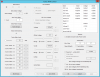
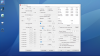
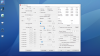
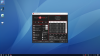
I appreciate the help from you and the rest of the crew! Here are my settings. What do you think?
Stupid question, but... What is Cinebench? Is it free? And I did all the benchmarks from Throttlestop & "UserBenchMark" with no issue at these settings! -
I agree with @pressing
It does not seem to matter. If SpeedStep is already enabled, I usually just leave it.
Google is your friend.
It is just a benchmark program that fully loads your CPU. Using 3D rendering, it draws a nice picture. The higher the score the better. When testing with Cinebench 15.038, an 8750H can hit a score of 1300+ but many laptops throttle like crazy and people are not seeing scores anywhere close to that.
The latest Cinebench version is R20.0. It is a more demanding benchmark and takes longer to complete so throttling or overheating problems will be more evident when running this one. Not sure what scores are normal for an 8750H. You can download both versions from TechPowerUp as well as many other download sites.
https://www.techpowerup.com/download/maxon-cinebench/
Open ThrottleStop Limit Reasons and watch the CPU multiplier while Cinebench is running. Do you get a steady 39.00 multiplier or far less. If less, find out the reason for throttling and try to correct it.
The UserBenchMark is a very light weight benchmark for a 6 core CPU. When playing around with under volting, it is best to put a bigger load on the CPU for a more robust kind of test.
A Speed Shift EPP setting of 80 is preferred over 128 for improved performance. -
Hey, thanks for the nice response.
I did the Cinebench test, interesting results:
-Ran it three times, Yielding about 2650 - 2800 score
-I have my Turbo Clock limited to 3.6ghz, as I'd have a little bit slower, but cooler & more energy efficient computer, also does turning the Speed Shift EPP to 80 make the laptop run hotter?
-My CPU hit 95 degrees celsius running the test
-I'm guessing the CPU Multiplier is labeled as FID in the tray icon? It sat at 36.00 consistently until it hit 95 degrees, and then stayed around 34.25
What does this all mean? Is 95 degrees bad? -
Hello, my laptop seems to throttle iGPU clock speeds at 300mhz instead of 1000mhz for some reason. I found a fix for this, and it's to remove the AC power and put it back in and it resets the clock speed. However, I find that Throttlestop crashes if AC power is to be removed and put back in. Would be very nice if this was to be fixed. I'm not sure whether TS is a cause for the clock speed throttling, but it seems to happen randomly.
-
Make sure your undervolt handle lower clock speed (when on battery). As well see if you have put up ThrottleStop exactly as the guide in post #2.
-
95 degrees Celsius is not ideal at all even though you still under the maximum temp that the CPU can handle which is 100 degrees Celcius. You should try aim for the CPU to be 85 degrees Celsius or less for longer periods
-
What should I do? Undervolt it more? Any suggestions?
I just ordered mx-4 thermal paste and some thermal pads - I'm going to play around with repasting my laptop. -
Just a quick note for TS users (v8.7 currently) using Speed Shift + EPP and the SpeedStep checkboxes.
Last week, I got an older sixth gen i7-6700 desktop that needed a quick and dirty tune up which I also did a quick CPU repaste on and then threw TS on it too with a clean install of Win10x64Pro.
Enabling SS-EPP @ 35 I noticed that this platform was getting significantly slower speeds from my ISP (Gb Fibre) than before I had re-pasted it and put on a fresh Windows installation on it.
Testing it further, the DSLReport testing showed that it was faster when TS was disabled.. (and of course, faster than before the clean install too).
What I found is that having both the Speed Shift - EPP and the SpeedStep checkboxes checked was slowing it down by about ~50Mbps vs. TS being 'off' for downloading when testing with DSLReports.
With Speed Shift - EPP set to 0 (zero), that difference was now ~75Mbps slower when download testing using DSLReports.
The solution, of course, was to uncheck SpeedStep.
With SpeedStep unchecked and Speed Shift - EPP set to 0 (zero), the DSLReports download stats are the highest I've seen from an older system like this.
Leaving the system idle for over three hours in an ambient 20C room, the temps were around 29C on that chip.
When it is working on the TS Bench Normal, 8T, 64MB size test, it gets up to 54C with a 'score' of 9.612 with an undervolt of -150.4 on CPU/Cache and is almost totally silent doing it.
That SpeedStep anomaly doesn't show up with Fast.com or Speedtest.net... but DSLreports shows the importance of a true low latency computer on an external resource like an ISP.
Thanking unclewebb once again for this great piece of software.unclewebb, t456, FrozenLord and 1 other person like this. -
I would highly recommend repasting but before try undervolt some more if you are able to. I would upgrade the thermal pads with either Arctic or Gelid GP extreme if you know the dimensions of the factory pads. My ideal thermal paste is Kryonaut or Gelid GC Extreme. I've never used Mx-4 so I comment on that paste but it should work better than factory thermal paste.
-
I actually changed my order to Kryonaut! It seems to get really positive reviews. I got the 1g tube, so hopefully it works well the first time. I've never done thermal paste before so I will try the "pea" method on both the cpu & gpu. I will also install some Artic Thermal Pads so the heatstink touches the aluminum baseplate a bit better - even if the computer gets hotter on my lap I'd rather that than a fried CPU.
Undervolting helped a little bit - I experimented a little bit and ran Cinebench, Prime95, etc. with and without Throttlestop in action.
I found without it, my CPU would regularly hit 96 and 97 degrees and throttle a bit more, and with it, my computer hits 94, 95 regularly and, while still throttling, throttles a little less. -
Depending on the shape of the CPU die. A line 3/4 of paste for the CPU If its rectangular and a X of paste on the GPU if it's a square. Good luck and dont rush, if you not confident take it to a PC repair shop and provide Kryonaut to them as they will use a generic paste most likely.
-
This thing is awesome, just set it up for the first time on a laptop with an i7 8750H.
So far undervolt testing goes fine, I've left if at -60mv for the core/cache and -40mv for iGPU. From what I've seen around here, I should be able to go further without issues.
The way the laptop came set up, the CPU stays at 4GHz and this doesn't make me happy. My plan is to have it run a bit cooler and quieter. Disabling Turbo in ThrottleStop works, it immediately jumps to the default 2.2GHz, however, I would like to have it somewhere in between. Being new to this, I'm asking for a bit of help, what's the best way to achieve this? (have it work somewhere a little above 3GHz for example). I've tried the obvious way, to change the multiplier but it doesn't seem to do anything. No matter what value I put there, the CPU speed won't change. Am I missing something maybe? Is there a hidden setting which needs to be checked for this to work? -
Strange behaviour.
These are my settings with ThrottleStop 8.7.0.6 on ASUS GL703GS (i7-8750H): https://hastebin.com/atarovumid.ini
I've noticed that when I set FIVR with undervolt and then Apply/OK, at next reboot (yes, reboot not shutdown and I've disabled Fast Startup) the PC will still keep undervolt, even if I don't run ThrottleStop. I even renamed the directory before reboot, still keeping UV though (!??).
How can it be?
Apparently this laptop has Intel XTU installed by default by ASUS to mange OC (using "fan modes": Silent, Balanced, Turbo)...
To check undervolt without TS running I use HWiNFO.Last edited: Mar 15, 2019 -
You might want to post some TS screen pics so we can see your settings. Enabling SpeedShift will allow you to have full speed when needed, but as much time in rest states as possible. Don't look at the FID - at idle, your processor may kickup to full speed only for a small portion of the time. When Idle, the %CO (% of time at full speed) should be low, as should the pkg power (when optimized, this can be under 2 watts). If your fan is well controlled, keeping power low will keep the fan quiet. You're off to a good start. Best, Joe
-
When a computer reboots, the bios is supposed to zero all of the offset voltages. Either someone at Asus forgot to read the Intel manual about this kind of stuff or maybe Intel XTU is interfering with things. If ThrottleStop is not running after you reboot, at least you cannot blame ThrottleStop.
Let's make sure I understand the problem. You paid big money for a laptop with a CPU that is happy to run at 4 GHz and you would like it to run at 3 GHz instead?
Definitely. You forgot to include a ThrottleStop screenshot. I have no idea if you have Speed Shift enabled or not. If Speed Shift is enabled (SST in green on the main screen), you could set Speed Shift EPP to 128 or higher. When lightly loaded, your CPU will run at a lower speed. If this is still too much computing power, open up the FIVR window and try lowering the Turbo Ratio Limits to 30. This should help give you the slow CPU that you desire.Papusan likes this. -
Thank you!
Yes. I'll be back with screenshots and I will try with your suggestions. I appreciate the fast response
It's not that I don't like the idea that it can run at 4GHz, mostly it's the cooling that bothers me. With the fan profile set to sort of medium, so that it's not way too loud, it's not able to cool it properly so it gets to the limit and throttles quickly. This is why my plan is to find a sweet spot where it's running a bit slower but the fans are more tame and the temps are in check. With turbo disabled, when running at 2.2GHz, it doesn't go much above 60C under load.
Forgot mention, it's an Asus G703GX.
-
Has ThrottleStop ever been tested with XTU installed? Maybe this is a side effect indeed using ThrottleStop over XTU...Last edited: Mar 15, 2019
-
For the past several years, my Dell XPS laptops (9550 & 9560) have had problems running both ThrottleStop and XTU together. I tried several times, now just don't run them together and fully uninstall XTU.
These Dell laptops also run wonky with just XTU alone. I always suspected the XTU software was not fully tested by Intel but who knows. XTU has a beautiful UI.
ThrottleStop has been very stable, even on the beta versions @unclewebb sent me for testing. -
Instead of disabling turbo boost, leave it enabled and then adjust the FIVR - Turbo Ratio Limits lower. This setting allows you to use as much or as little turbo boost as you want.
Of course it has. The two programs work OK together as long as you ignore XTU. Sometimes Intel XTU is not aware when other programs like ThrottleStop are making changes to the CPU. XTU might show that an offset voltage is still being applied but it might not be true if ThrottleStop has already changed it. When using both programs together, look at the FIVR voltage monitoring table to see the voltages in real time.
I also recommend using the FIVR - Disable and Lock Turbo Power Limits feature. This improves compatibility because it prevents XTU making changes that ThrottleStop does not have access to.
Not really a side effect. Probably just the bios not doing its job. -
Alright! Balance in the world has been reached. Found a way to change the max limit.
The turbo ratio limits in FIVR menu are greyed out. I'm assuming they're locked?
I was able to change the max multiplier in the TPL menu. Set it to 31 so I'm running it at 3.1GHz and all is well. Under heavy load it won't go above 70-75C with the fans running on medium speed (not loud at all). I know I can also increase the undervolt a bit more and it is still running with stock thermal paste (to be repasted soon).
-
Hello!
Thank you for making and supporting ThrottleStop!
It really is an excellent program and the available guides are out standing for the less technically adept amongst us, like myself.
I have just purchased a new Dell G5 15 and have been undervolting to reduce temperature issues with some success, however, I have run into a problem. ThrottleStop loads fine manually but, after following the guide for windows 10 task scheduling, it will not load on log on.
Winring0.dll could not be opened.
Can anyone suggest a fix for this?
Thank you.Last edited: Mar 16, 2019 -
Can't you just click on the left/right triangles, click apply.
-
No, they're not active. If you look at them compared to the ones next to the voltage for example, they are in a lighter grey color.
-
@cucubits - Most of the screenshots I have seen from other 8750H owners have the turbo ratio limits unlocked. If ThrottleStop shows that these are locked, it must be your bios that set the lock bit. Shame on Asus.
Shame #2 is your screenshot also shows that your under volt is not working. When you change your offset voltage and hit OK or Apply, you should see the voltages immediately change in the table in the top right corner of the FIVR window. Your screenshot shows +0.0000 from top to bottom. That means the under volt is not being applied. You could try giving Intel XTU a try but I am guessing that under volting is locked by the bios so you will be out of luck.
One bad screenshot means Asus just lost me as a customer for any of their laptops. I am not interested in buying anything that is locked down like that.
Did you follow the guide posted in the second post of this thread exactly?
http://forum.notebookreview.com/threads/the-throttlestop-guide.531329/#post-6865107
I hate to nag but when I say exactly, I mean exactly. I won't mention names but some people have been known to cut a corner or two.
Are you running Windows Defender? You might have to add ThrottleStop to its safe list. Are you using an account with Administrator privileges? Where is your ThrottleStop folder located? Sometimes ThrottleStop gets unzipped onto the desktop and then gets moved to a different drive. Something like this might cause a problem.
The method posted in the ThrottleStop guide continues to work for me on a few different versions of Windows 10. Let me know if you get this figured out. -
Hey guys question, when i set my oc to 4.8 in throttlestop I get loud fans in games like half life which do not require much power, if i lower down to 4.3 it goes back to normal, is there any way to keep the 4.8 with balanced fans or not so loud? I have an alienware 17 r5
-
It really is shameful that Asus locked out the CPU settings. I mean this is supposed to be aimed at the enthusiast market who usually start messing with settings the day they get it. Their halfased bundled software doesn't even work properly.
Still it's a powerful machine and thanks to ThrottleStop I can at least have it run cooler and more silently.
Thanks for pointing out the voltages, I hadn't thought to check there to confirm the changes. I do wish there was a way to unlock and undervolt it though.
This is how little settings they've left in the bios:
Last edited: Mar 17, 2019 -
Is it necessary to tick "enable speedshift when throttlestop starts" in tpl tab? I enabled a hidden power setting called processor power management through regedit and the values entered in that setting are reflecting in throttlestop window too. For example, if I set the value to 25%, speedshift epp value shows as 63.
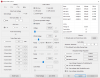
One more thing: I am on a fresh install of 1809 build and somehow my laptop doesn't seem to enter C7 state. Throttlestop table always shows either C0% or C6% always being active even on battery mode. I flashed a new BIOS update before installing the OS. Could that be the cause for this behaviour? I didn't observe any major change in battery usage, but I noticed a rise in CPU temperature by atleast 5-10C :| Could someone please shed some input on this? Thanks in advance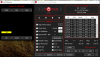
-
Your screen shot shows the processor in C7, but not the package. Mine has always been that way (now on 1809. but it was true on earlier builds); processor can spend a lot of time in C7, but package does not [6700HQ]. I would be interested if someone has an explanation.
It does sound like your power management setting may be acting via Speedshift. I have generally preferred doing what I can with ThrottleStop, because Win is not always transparent about what it is doing - but either way seems to work. Speedshift was definitely a step forward.. Joe
magnetoeric likes this. -
Thanks for your reply. On previous build, somehow the windows setting didn't work in my case. I could only change the EPP value from throttlestop. But now that this seems to be working, I don't want throttlestop and windows to fight each other in taking control of that value
I might have to repaste my laptop again, since I didn't see any reports of temperature increase after BIOS update. Cheers. -
Pretty sure I followed the guide exactly!
It was one of the other possibilities you suggested. I had moved the ThrottleStop folder to a different directory. Being technologically retarded I was not aware that would be a problem. I deleted and reinstalled where I wanted it and now task scheduler is working. Many thanks.
However, I do have an additional question.
I have undervolted my i5 8300h to -169.9mv clock/cache and -50.8 igpu. TSBench runs (8 threads, 1024m) without error but if I am also stressing the gtx 1050 4gb with Unigine Heaven at the same time TSBench sometimes picks up 4 or 5 errors.
My computer does not crash or freeze when idling or under load and I notice no graphical errors in Heaven. I don’t have a game to test at present. I am not entirely sure what TSBench errors indicate exactly. Should I dial back the undervolt? -
This mean that you will have some hangs or crashes during gaming.
I can set my 7700hq to even -175 and I have no errors even with valley but during long constant load during game I had freezes and hangs. You need to lower UV. try adding 10mV and try. If still error then add more. It is problem with to less voltage on core or cache I think, because I can set my igpu and igpu unslice equal to core and cache with no problem under havy load and long gaming.Vasudev likes this. -
When you do stress testing, you need to stress the whole system. Other components' load will cause voltage drop on CPU so you need reduce your undervolt.
-
For music production, some people recommend disabling c-states to reduce audio stuttering. Unfortunately, some computers do not provide that option in BIOS.
In ThrottleStop, there seems to be several ways to help by essentially "locking" CPU multipliers, including:
- (TPL>Miscellaneous>CPU Min-Max). Set the Min-Max to all-core max GHz (or lower) OR
- (Turbo FIVR Control>Turbo Ratio Limits). Set the limits to all-core max GHz (or lower)
These tweaks do not disable core and package c-states (as shown in ThrottleStop "C8" window). These tweaks don't seem to improve DPC latency either. But do reduce audio stuttering on my computer.
Any ideas why "locking" CPU multipliers is so effective?Last edited: Mar 18, 2019Vasudev likes this. -
Just scroll back 800 pages in this thread and you will find a registry trick that might still work to disable the C states. Good bye to all of 'em!
http://forum.notebookreview.com/threads/the-throttlestop-guide.531329/page-206#post-9631401
It means that ThrottleStop did the exact same calculation twice and got two different results. That is not a good thing.
Definitely!
The C State screenshot you posted is showing cores spending 75% of their time in C7. If that is when your computer is idle, that is terrible. 99%+ in Core C7 when idle is normal on a lean system. Time to do some Windows house cleaning.
![[IMG]](images/storyImages/qpuIla3.png)
Some manufacturers or perhaps some bad drivers can prevent your CPU from reaching the deeper package C states. This is bad design and difficult to track down and fix. That is why they hit the "Ship it Now" button. No one cares about the small details anymore. If consumers are lined up to buy, why wait.Last edited: Mar 18, 2019magnetoeric, hmscott, Vasudev and 2 others like this. -
That was an epic post and fantastic registry trick. Thanks!
-
Thanks guys. I will adjust until stable. I may look at trying some more strenuous test programs too.
Really great support on here. It is appreciated.
Edit- where can I make a small donation?Last edited: Mar 18, 2019 -
Donation is a dirty word on NBR. I am doing great so I always recommend buying dinner for someone that really needs it.
I agree. I almost forgot about that trick. I think I will add a link to that post to the first post in this thread. Keep the C State haters happy.Avé César, magnetoeric, Papusan and 3 others like this. -
I fixed this behaviour by updating all the drivers from driver booster app, and now the stats seem to be the way it used to be before Thank you for your reply.
-
Hey guys, I can't figure it out how to make my laptop stable during high loads. I have tried undervolting to -150mv but doesn't do anything.
I have the msi gs65 i7-8750h, graphic card 1060. I'm a total noob in this area so I dunno what everything mean.
Here are some screenshots.
https://imgur.com/fre1ltH
https://imgur.com/3zKQDoj
https://imgur.com/DL8ex73
https://imgur.com/bZxD6CU -
If this is the case and XTU also does nothing (haven't tried yet), is there any hope in the future to unlock it? We're still on the first bios release. Is there a chance someone mods a future bios release to unlock all options? Or is this an actual hardware lock?
-
If instability is the problem, you should try reducing the undervolt. Your temperatures are not super high. See if you can find an undervolt level that reduces temperatures without causing crashes. Processors are different, so it may take some playing. In general, undervolting reduces temperatures and throttling - but too much undervolt can cause crashes, either at full load, or even, sometimes at low load.
Keep us posted. Lots of folks here can help.
Joe -
It is usually just a manufacturer setting a single lock bit in the bios. It is not likely that Asus will ever change this in any future bios release. It is possible that a modified bios will never be released by the community to unlock the adjustable voltage feature. If this is going to be a major problem for you, dump your laptop on EBay and try again. Before buying something else, do lots of research on NBR and try to find out what problems your future laptop has and if these issues can be fixed or not. Lots of laptops are half baked products. Some can be fixed or significantly improved. Others cannot.
It is probably doing something but under volting is not a cure for a poorly designed heatsink and fan or a poorly installed one. Your temperatures are too high. I would try changing the thermal paste. If you cannot get a handle on CPU temps, it might be another candidate for EBay or you might have to forever run it at less than its Intel rated speed.
When setting your turbo power limits, the short term power limit is typically set equal to or higher than the long term limit. You have your power limits set opposite to this. -
Hi everyone..
1.Has the issue with Winring0 on October update been resolved? I am currently on the April update and planning to update next month.
2. I have undervolted my i5 8250U to - 112mV which is stable in TS Bench, Intel Burn Test but Windows still locks up at odd times particularly while playing games even 2D ones. Should I test alongside any GPU benchmark?
3. Does undervolting the Intel iGPU make any sense? If yes what is the general range? The others like System Agent, unslice etc should I try undervolting them as well?
4.Does Core Parking actually result in any battery life saving? I set it up to have only 2 cores active at anytime but the package power continued to fluctuate between 0.6-0.7W as before. Battery life didn't improve by any noticeable amount. Are the cores actually powered off? (As a sidenote on my Android device while reading ebooks I get 10+ hours with the big cores on and close to 15 when off.)
Thanks. -
If i'm running let's say pubg with cooler boost from dragon center or any other game the temps are around 75-85. But, the fan noise is too loud.
Do I need to change something in the FIVR/TPL panel?
Or can I do something from the BIOS?
Thank you for the answers.
The ThrottleStop Guide
Discussion in 'Hardware Components and Aftermarket Upgrades' started by unclewebb, Nov 7, 2010.