 Problems? See this thread at archive.org.
I also have the GPD Win 2 and use Throttlestop on it (thanks @unclewebb!)
In your case I believe you were wanting keyboard accessibility functions within the TS program, which I am sorry that I don't have any good solution for, however there is also another issue that effects anyone trying to use TS on the device.
The issue looks like it's strictly resolution, due to the limited 1280x720 screen you can't see even access the bottom buttons in some windows due to the taskbar being in the way. The simple solution I came up with is to move the taskbar off to one side or the other and voila you can see and click the buttons now! You can either leave it this was all of the time or just move it, make your change, and move it back. The latter is what I do since once it's setup I really don't need to mess with it anymore.
I have not done much tweaking in TS with that CPU, I just put an undervolt on it to help reduce temps and fan noise. I think mine is currently sitting at -75mv. I use my GPD Win 2 strictly for gaming on the go (at lunch at work so I don't have to haul my laptop to work everyday).
@Robgeta you are welcome to a copy of my INI file if that will help out. I might need to make you a few of them with various undervolts so you can find one that works. PM my if I can help in any way.
-
As a quick aside, you can always hold SHIFT and RIGHT CLICK the Throttle Stop taskbar window button then PRESS "M" (for move) on your keyboard, then use the ARROW KEYS to adjust the window position to a position that wouldn't normally be possible doing it visually and using the mouse pointer, and finally press ENTER to "let go" of moving the window around with your arrow keys.
-
Hey guys, I just bought my first gaming laptop ever and am having some issues. I have a Powerspec 1520. I ran cinebench the other day without making any modifications and scored around a 2500. Today I replaced the thermal paste and added another RAM drive - when I tested cinebench again I scored an 1800. I opened throttlestop and undervolted both the core and cache and got a 2300. Then I noticed throttlestop telling me I'm throttling both at idle and when I run cinebench…. what do I do?
I also just restarted my computer to install some updates, now there's also a "PL1" yellow icon under "core" for the limit reasons in addition to "EDP other" flashing yellow and red under the core and ring.
-
@initialize - I answered your question over on the PowerSpec thread. I think when you correct a couple of minor things your new laptop is going to come alive.

http://forum.notebookreview.com/thr...o-pb70ef-g-tuning.829255/page-9#post-10926120Papusan, Vasudev, tilleroftheearth and 2 others like this. -
I think he means the above
I am at 1080p but with 150% scaling so my resolution is effectively 1280x720.
Essentially for the C state, Options, and FIVR windows the bottom buttons (Apply, OK, Close, Cancel etc) are entirely hidden and cannot be accessed.
@Maleko48 's method does not work because Windows automatically snaps back. Though thank you, I learn something new today. Instead dragging the side of the window (not in the grey sub-boxes) works.
It entirely is not an issue, since TS is just a set and forget program. If I want to change any setting, I just temporarily change my scaling. Or, I can just drag any part of the side of the window.
@unclewebb Just a BTW, almost all features that were present in my 8250U are available and working on my m3-7Y30. TPL/PP0 Limits change, TDP control works (though I override it with my BIOS), undervolting, ICCmax, Turbo Limits etc all work. Even Disable and Lock Power Limits work:
Obviously it is reliant whether the BIOS has locked these but it goes to show that TS works fine. -
@Che0063 - Thanks for the feedback.
One TS feature that I have always liked is that the entire user interface is a title bar. You can left click on any open space, on any user interface, hold it down, and drag the window anywhere you like. This will allow you to see the buttons at the bottom or see whatever you need to see.
In this example, I grabbed ThrottleStop by the lower edge and moved it up to the top of the screen for easy access to the buttons.
![[IMG]](images/storyImages/lAgrZf7.png) Last edited: Jun 25, 2019
Last edited: Jun 25, 2019 -
This is a cool shortcut, but does not work for TS. It's also very hard to do on a tiny handheld device with only two hands lol. If you try it and move the window off screen (above) then it just snaps back to be on screen. Even with a touch screen I try to click the "OK" button that I can now see and it just snaps to that location.
The issue isn't so much where it is on the screen, rather that the entire window is too large for the screen and cannot exist in place while the title bar of that window is well above the viewable screen area.
This doesn't help on a 1280x720 device and already at 100% scaling, where you can't go below 100% to make things any smaller. I did give the solution below which is the only way I know for it to work on this machine. Like you said, I don't have to change it much but this week I had to tweak my undervolt since I was getting crashes while playing a new game, so it is annoying to have to use my method to change it each time.
Only working solution that I have found. *edit* until I reread the better solution below!
The buttons are on the FIVR window at the bottom, so the feature of those +/- buttons pictured does not help to see them. *edit* OK, I see now what you meant by left clicking anywhere in the blank space on the opened FIVR window, THAT WORKS! Thank you sir, very helpful and way better than my method!Maleko48 likes this. -
Should I change my CPU cache IccMax to 255A as well?
-
I told you that was a useful feature. I would document this but hardly anyone reads documentation so I stopped writing it a long time ago. I think all programs should have that useful feature.
It is your computer so you can do whatever you like. If you do not like to see your CPU throttling, increase IccMax to the max. Intel has been forced to create a wide variety of throttling methods to keep all of the manufacturers happy. 99% of throttling is unnecessary. Full speed ahead! -
What’s the difference between the IccMax for the core and cache? Right now I have the core one turned up to 255, but the cache is still at 20 or something. Just to be sure, you’re saying turn the IccMax up for the cache as well?
I apologize again for all the noob questions btw... I literally started learning about all this stuff last week haha -
If you have a throttling problem and increasing some value in ThrottleStop makes that problem go away, that to me is a good thing and is highly recommended.
Turning up IccMax - Core in ThrottleStop can make EDP OTHER throttling go away. You can waste time trying to find out just the right amount to increase it or you can simply drag the slider all the way to the right and max it out. I would simply set IccMax to 255.75A and call it a day.
I do not think adjusting IccMax - Cache in ThrottleStop does anything good or bad. It will not hurt if you increase this but I do not think it will help solve any throttling problems. I do not own your CPU or anything similar to it. I just do the programming. I include interesting things with the hope that some user with some CPU model will find some of these tweaks useful. I also hope that they will post some pics of any success stories in this thread or maybe some benchmark scores so other users can also benefit. This thread has been going for a long, long time so I guess this dream is a reality.
VoodooChild, t456, initialize and 1 other person like this. -
Well you reached more then 10k pages trying to help people with loads of tips, tweaks and so on... We got all the time in the world to use the search function and learn a bit from from your wisdom


Well... 10k pages of pure wisdom.. That will take a while to read but eventually we will get there!
-
It's amazing to me that ThrotleStop was written without actual access to all of the hardware it's currently used on; and it still works so well! I genuinely prefer it to Intel's XTU, which is my "Plan B' program haha.
Just to keep it on topic; I have CORE and CACHE IccMax set to maximum (255.75A) with no ill effects.joluke likes this. -
Greetings.
This is slightly off-topic, but I do not know of a better place to ask this.
After upgrading to Windows 10 1903 on my X1 Carbon 6th (i7-8550U) yesterday, ThrottleStop reports that my CPU became roughly 1.5x more power hungry. I. e. earlier when I was gaming (i. e. not 100% load) it was possible to sustainably reach 3500 MHz staying within 25W and no thermal throttling (with undervolting and whatnot), but now it reaches ~35-40W, hits 97°C and throttles to 3000 MHz within a few seconds of load.
What could cause that?Last edited: Jun 28, 2019 -
@intelfx86 - Did you click on an Upgrade Now button and go from 1809 to 1903? Whenever a new version of Windows comes out and I am feeling lucky and adventurous, I download an ISO and do a clean install to a clean hard disk. Just general paranoia. I have not installed 1903 to any computers yet so I am not sure what is going on with your computer.
When you are sitting at the desktop with Chrome, etc. all closed and only ThrottleStop open, what does it report for C0%? A fast and lean 8550U will be down around 0.3%. If you are using some sort of slow and sluggish balanced profile, the reported C0% will be higher.
![[IMG]](images/storyImages/0oJvXoC.png)
I am wondering if something significant is still running in the background after you upgraded. Maybe a new and improved driver that is stuck in an infinite loop, sucking up CPU cycles. C0% is interesting when there are problems.
Are your ThrottleStop settings exactly the same as before? Your percentage difference is huge so something significant must have happened. I read my fair share of forums and this is the first I have heard of this problem. If you cannot think of anything, post some screenshots of ThrottleStop, including the FIVR window.
Those settings are highly recommended. VoodooChild, FTW_260, Vasudev and 2 others like this.
 -
So, I posted this at the Dell Precision sub-forums, but I'll repost here for more visibility. I've been facing battery life woes with my Dell Precision 7530 notebook, and I realised by sheer dumb luck that leaving Adobe Lightroom open in the background magically doubles the battery life.
I ran two complete discharges of my battery, first with Adobe Lightroom open and minimised, and the second, with nothing running. Only HWiFO was otherwise open for logging, as I couldn't find a way to exert an equal load for both discharges, and it was easier to handle this overnight.
TL;DR: Nearly 12 hours of idle battery life with Adobe Lightroom in the background, versus 6.5 hours with nothing running. The Precision 7530 is definitely capable of low power draw, even with the NVIDIA GPU attached. There is very likely a firmware problem that Dell needs to address, ASAP. Anyone else willing to dig into this is welcome to experiment.
Within the zip linked are two PDFs (and the corresponding Excel spreadsheets) showing the power draw data, plus a regression line for the battery discharge. I also plotted the battery discharge as histograms (filtering outliers), and those are in the zip, too. Even the powercfg battery report is attached, for extra proof. Some spoiler images:
![[IMG]](images/storyImages/kIys7W4.png)
LR in background:
![[IMG]](images/storyImages/GkV9sGW.png)
![[IMG]](images/storyImages/0SYKNAt.png)
Nothing in background, complete idle:
![[IMG]](images/storyImages/OttY62c.png)
![[IMG]](images/storyImages/BBefQ17.png)
ZIP LINK -
Taking major Windows updates resets tons of customized settings back to stock and reactivates services and scripts that you may have had disabled. You must clean out the junk every time after taking a major update. It is a PITA but worth it. I just finished with my cleaning and have far better battery life and performance than before. I didn't note actual wattage differences but my fans would hardly stay off before cleaning out the BS and now they hardly turn on during normal usage.Last edited: Jun 29, 2019tilleroftheearth likes this.
-
Need some help with resetting a few things. I checked the "Disable and Lock Turbo Power Limit" box and my CPU has been stuck at max speed even with throttlestop turned off and only background apps running. The only way to get the clock speed to come down is by disabling turbo with throttlestop.
-
Enable TS & uncheck BD PROCHOT(on AC mode only), C1E and Speedstep. Change speedshift value from 64 to 80.pressing likes this.
-
I think its a driver or firmware bug!
I am inclined to think that p3200 is way more power efficient than your intel iGPU.
Was Dell command center or Precision optimizer running in background? You may need to go power options > change advanced settings > Intel Graphics power plan option > On battery : Max battery Life & on AC: Balanced.Ionising_Radiation likes this. -
What background apps? Here is how the Task Manager looks on my computer while running Windows 10 - 1809.
![[IMG]](images/storyImages/GEPo5Aw.png)
Windows 10 can be very efficient when idle.
A CPU is not going to slow down if it has a task to perform. Look at the picture of ThrottleStop you posted. Two different threads / cores are reporting that they are spending 100% of their time in the C0 state. A driver or something has bugged out. Open up the Task Manger, click on the Details tab and then click on the CPU heading to organize your tasks by CPU Usage. There has to be something in there that is running at full bore. You must have installed something, either on purpose or accidentally. Find out what the problem is and get rid of it.
For comparison, my old 4th Gen laptop with a 4 core CPU can process all of the Windows 10 background tasks while only needing to spend 0.2% of its time in the C0 state when idle.
![[IMG]](images/storyImages/RZgDTsa.png) Ionising_Radiation, Vasudev, Papusan and 2 others like this.
Ionising_Radiation, Vasudev, Papusan and 2 others like this. -
Nope, I don't have any Dell software running.
I do think it's a GPU issue, and here's my hypothesis: the firmware doesn't tell the NVidia GPU to sleep upon start-up, but when Lightroom starts, it takes explicit control of the GPU, and when it's minimised, it also explicitly tells the GPU to sleep, hence the massive power savings.Vasudev likes this. -
Does Quadros support Display GPU activity in notification tray feature?
-
Yes. I use that. When Lightroom is open and minimised, the icon lights up. It goes grey when nothing is being used.
And despite that, the power draw drops. -
Are all drivers updated to latest versions possible? Did you use Max Performance in Nvidia control panel?
-
All drivers latest, I use Optimal (or Optimised, cannot recall), I've also set the Intel iGPU as the preferred system-wide GPU.Vasudev likes this.
-
Pretty much all are green! I don't know why the insane power draw!?
-
Exactly. That's not even the craziest thing.
The moment I open Lightroom (which is supposed to use the dGPU), and minimise it, power draw drops. I am confused.Vasudev likes this. -
I upgraded in-place. Yeah, I should totally reinstall Windows from scratch before jumping to any conclusions.
Well, if I go and aggressively kill off everything that runs in the background, I can get it to 1-2% C0, but generally it's 5-10% C0. But it's always been like that. I'm not sure what exactly is to blame. Every power-performance tradeoff setting I could find (in firmware settings or in Lenovo settings or in Windows power settings) is set to max performance.
At least not in userspace.
Yes, they are. But I did a few more experiments and now I don't even know what to think. I ran stress-tests in Linux (with undervolting, cTDP adjustment, PL1/PL2 adjustment) and the CPU levels off at 3200 MHz, not 3500 MHz. Maybe I'm misremembering something.
Then I rebooted into Windows and noticed that the "disable and lock turbo power limits" option apparently doesn't work anymore. Even worse, now it looks like the short turbo power limit doesn't work because I'm getting throttled by power at 25W no matter what I do.duttyend likes this. -
After upgrading to Windows 10 1903, make sure the Windows Core Isolation Memory Integrity feature is disabled.
https://www.tenforums.com/tutorials...-isolation-memory-integrity-windows-10-a.html
You can also try reinstalling the RwDrv.sys file. Microsoft might have deleted that useful file.
https://mega.nz/#!CNNA0SoC!Z2Xi2icwX4d4jzW016dKnKGhVglWmSSPpgiRU7VCG6g -
Oh yeah, that was my first guess, along with speculation vulnerabilities mitigations. Well, it's weird: any kind of virtualization isolation features were disabled, but I just caught a BSOD that was saying something about hypervisors.
It was there, but I went ahead and reinstalled everything with a clean configuration file into a different folder. No change, either. But then I toggled Lenovo's "intelligent thermal solution" (intelligent throttling) on and off again and suddenly everything got back to normal. Funny that when I uninstalled Lenovo's ITS/PM/DPTF drivers completely it didn't help.
I've no idea what happened or how to prevent this in future. I suppose I just won't be shutting down my system, reboots only, so that all the MCH registers will stay that way. -
Unfortunately, after a reboot things have gone back to "bad" and PL1/PL2 limits became permalocked again. The power consumption anomaly is gone for good, though — I'm still wondering what that was.
I have also noticed that I cannot raise turbo frequency limits to 4 GHz anymore — 3- and 4-core turbo frequencies are now capped at 3.7 GHz.
So, I have an idea.
unclewebb, could you please describe which exactly MSRs and MMIO registers does ThrottleStop alter and how? Any pointers to relevant Intel documentation (official or leaked)?
I'm specifically interested in the "Disable and lock turbo power limits" feature that requires a separate driver, but everything else would be nice too.Last edited: Jul 6, 2019 -
The only thing I can imagine is that when there is no GPU activity (grey Nvidia icon, 0.0C reported (pl0x check)) and the Nvidia GPU is being "powered off completely", something within the GPU remains active, something like CPU C States being stuck at e.g. C3 but applying to GPUs. When the GPU powers on but does nothing, it remains "on" but in a low power idle state but not off.
6.6W on idle isn't that impressive - it seems plausible that the extra few watts is the Nvidia GPU turned on but completely idle. Then again, you do have a workstation cpu/gpu.
Your logs don't show temperature - maybe do the same test again but log the temperatures? if it really si the GPU's issue, the extra 6W of heat should be transferring to the CPU (if they share a heatsink)
I can't remember if it was you but I did suggest someone to feel around the laptop's internals to see what was getting hot.
But if you said it happens in Arch Linux, maybe it is a firmware issue. It seems like you have been having the issue for a few months iirc. Get it returned. Don't put up with lazy manufacturer garbage. Demand a full refund. -
Alright, more findings. It would seem that with stock configuration, X1C6 is capped on 30W short and 25W long (~10 seconds interval). "Disable and lock turbo power limits" is necessary to lift this cap. However, ThrottleStop's "TDP level control" conflicts with "Disable and lock <...>", reintroducing the 25W long cap (in cTDP-up case).
So, for anyone's further reference, here's configuration that kinda works for me:
- Windows: DPTF = disabled/removed
- Windows: ITS (Intelligent Thermal Solution) = disabled/removed
- ThrottleStop: "Turbo Boost power limits" = 44W/44W
- ThrottleStop: cTDP adjustment ("TDP level control") = disabled
- ThrottleStop: "Disable and lock turbo power limits" = enabled
Vasudev, Maleko48, unclewebb and 1 other person like this. -
Hey every one, pretty new using throttlestop.
Just a question.. Is that normal that I don't have to turn throttlestop on for my undervolting to be operational? As soon as I set an offset core and cache undervolting, I can see that it is operational even without turning throttlestop on. I checked with hardware monitor. -
The ThrottleStop Turn On - Turn Off button for most users is obsolete. It only applies to Set Multiplier and the two Clock Modulation options. It will likely be retired if I ever resume working on ThrottleStop.
Most new CPUs use Speed Shift instead of SpeedStep. If you are using Speed Shift (SST in green), there is no need to check the Set Multiplier option. It is obsolete when using Speed Shift.
Clock Modulation is rarely if ever used on modern laptops so no need to check that one either. Chipset Clock Modulation has been grayed out for a few CPU generations too.Last edited: Jul 7, 2019 -
Can't do that with Dell after 30 days; best I can do is get a whole new laptop. And apparently it isn't just me who's experiencing this issue.
-
A person on another forum was having some EDP throttling problems which is usually related to the Current Limit. On older CPUs like my 4th Gen 4700MQ, the current limit is located in MSR 0x601 and there is a duplicate current limit for the CPU package in memory location 0xFED159B0. You can use RW Everything to access this memory location.
Bit[31] is the lock bit so if this bit is set, this register cannot be changed.
On my Lenovo laptop, the lock bit is set in both locations.
![[IMG]](images/storyImages/196rLKH.png)
2A8 in hex is 680 in decimal
680 / 8 = 85 Amps
A value of 0 in MSR 0x601 or in this register indicates that this register is not being used.
The person I was trying to help sent me a log file with this value in it.
0x800001B8
The first 8 confirms that the lock bit is set.
1B8 hex = 440 decimal
440 / 8 = 55 AmpsFalkentyne and 4W4K3 like this. -
I installed XTU to see if there was more options or at least an agreement with the value i register with TS, but this is not the case for the ''turbo boost long power max'' and so on. I am on windows 10 LTSC 2019 and power plan is ''high performance''.
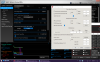
For instance, if I DISable ''turbo boost short power max'' in XTU, then TS still says it is CHECKED
what software is right?
I also seek information on ''"tdp level control". I have a thinkpad and there is guide here for the X1 https://medium.com/@n4ru/45w-performance-from-15w-kaby-lake-r-d8d5e7ea4fad which says
What does ''"tdp level control" do ? and what value can I apply ?Attached Files:
-
-
@artic_squirrel - My suggestion is to run Intel XTU OR ThrottleStop but do not run both of them at the same time. A CPU has one set of control registers for voltage, turbo power limits, MHz, etc. Does it make any sense to have 2 different programs on your computer plus Windows all writing different information to the same CPU control registers? That is asking for trouble.
Most users assume that XTU was written by a big company so everything that XTU does and shows must be right. XTU assumes that it is the one any only program on the planet that can access the CPU power limit and voltage registers. When ThrottleStop makes a change, XTU does not check to see what just happened. When both programs are running at the same time, some of what Intel XTU shows is misleading and not accurate. What XTU shows can be completely different than what the values in the control registers are showing. On my 4th Gen, XTU still allows me to adjust the turbo power limits even though the power limit register is locked by the bios so it cannot be changed.
I used to test XTU on a regular basis to see if they fixed any of the bugs. I gave up on it. For me, ThrottleStop does everything that XTU does but it does it with 1/10th the CPU and memory usage. As far as I know, Intel XTU still does not set the voltages correctly after you resume from hibernate or sleep, regardless of what XTU claims to show. Sure I am biased but speaking as a user, why would anyone want to run an app that is controlling the most important parts of their CPU that has proven to be unreliable and inconsistent?
Any setting in ThrottleStop is continuously checked and maintained and it does this very efficiently. ThrottleStop is well aware of XTU and Windows trying to screw things up. That is why so many people use ThrottleStop even though it looks like crap from the 1990s. If you make a change with XTU while ThrottleStop is running, ThrottleStop will recognize that something has changed and ThrottleStop will overwrite that register back to what you told ThrottleStop that you want. Does that make sense?
The U series CPUs are sort of like 3 CPUs in one. By default they have a 15W TDP rating but you can switch them to a TDP-up value of 25 Watts for more performance or you can change them to a TDP-down setting of about 10 Watts for longer battery life. I have never played around with this setting on an 8th Gen U CPU but it might be useful for some people when running on battery power. Thanks for the link.
I have always found that the best way to improve battery run time is to eliminate the crap running in the background. Get the ThrottleStop reported C0% number as low as possible. Get rid of inefficient apps like Intel XTU that significantly interfere with your CPU being able to use the deep low power C states.
I usually keep quiet about XTU and let users come to their own conclusions but enough is enough. Even if they ever fix the bugs, it is still way too big and bloated. Nice graphs though.
For my daughter's 8550U, 25 Watts is good but I think 38 Watts is even better. It runs like a speed demon until it reaches the thermal throttling temperature where it automatically slows down to prevent any damage.
![[IMG]](images/storyImages/eo0J744.png)
-
GIVE ME MOOORE
Heya @unclewebb , figured I would report this. getting more duplicates as i go
(guessing it happens on win 10 when set auto run as a task and then crashes when testing undervolting while using TS Bench)
Thank you sir
![[IMG]](images/storyImages/TlRIYjS.jpg)
-
With my i5 8265U, I struggle to go beyond 15W during cinebench or the TS test.
I do not know what settings I can change. I always have the ''thermal'' in RED for core and ring And I get PL2 as soon as the CPU is under load.
THe temperature reached 89 degrees in 2 seconds, yet I keep the fan at high speed, like 5000 RPM. I tried thermal paste, artic silver and kryonaut already.
THe laptop is a 13''
here are my setting.
-
do you think that a thermal pad like here is better than thermal paste (possibly badly spread) ?
https://www.ebay.de/itm/Alphacool-0-5MM-Wärmeleitpad-20x20mm-Eisschicht-17W-mk-Sarcon-XR-m-ThermalPad/121783288959
Alphacool™ Eisschicht 0,5MM 20x20mm Wärmeleitpad 17W/mK XR-m
Size 20x20 MM +/- 10%
Thickness 0,5 MM +/- 10%
Thermal conductivity ~ 17W / mK +/- 20%
Temperature resistance -40 - 150 ° C -
Density 2.45 g / cm³ +/- 10%
Hardness 72.0 Shore OO
+/- 15%
Extensibility 50%
+/- 20%
Tensile resistance 1.0 N / mm
+/- 15%
Voltage stability> 14000 V / mm
+/- 10
here is how bad my kryonaut is spread
Last edited: Jul 11, 2019 -
Are you using OBSIDIAN launcher to start ThrottleStop? Are you using TS 8.70.6? Is TS in an unzipped folder in a consistent location on your hard drive? Just curious. I know ThrottleStop can create multiple entries in the Windows icon list but I have not had this happen to me lately. I think Windows cleans up this list every once in a while.
Edit - In Windows 10 1809, Windows cleans up its list of taskbar icons each time I close and open the Windows taskbar / notification area icon list.
Some companies lock their CPUs down so you will not be able to run them at their full potential regardless of how you adjust ThrottleStop or Intel XTU. If I got stuck with something like that, I would put it back in the box and take it back to the store to try to get a refund.
For your settings, when trying to go beyond the 15 Watt TDP power limit, I would set the TDP Level Control to 0, change your turbo time limit to the default 28 seconds, either do not check the PP0 Power Limit or if you are going to check this, make sure it is set to a value much greater than zero. Also set the PP0 Turbo Time Limit to 28 seconds and do not check the Intel Power Balance feature. This might not make any difference. Just some things that I noticed that might help.
If you are going to undervolt the Intel GPU then try undervolting the iGPU Unslice equally. If you do not do this, your iGPU undervolt will likely be ignored.
That screams, "inadequate heatsink". These devices have a 15 Watt TDP rating. Some manufacturers use a heatsink rated for 15 Watts and that is it. On a warm day or if the load is excessive or if anything is not quite perfect, throttling is the result.
In ThrottleStop where it says PROCHOT 90°C; that means the manufacturer decided not to use the Intel specified 100°C thermal throttling recommendation. Instead, they decided to cut corners and chop 10°C off of that. This will reduce maximum performance. Manufacturers can do whatever they want. It is up to consumers to complain but unfortunately, not enough do. Most are unaware that they have been cheated. In your screenshot, it is thermal throttling, not power limit throttling, that is reducing your performance. Your 8265U is running the TS Bench test at about two thirds the speed compared to the 8550U pic I posted above. Both CPUs use almost identical maximum turbo ratios. That makes it impossible for even highly educated consumers to make any sort of CPU comparison based on the published specs.Last edited: Jul 11, 2019FrozenLord, pressing, Maleko48 and 1 other person like this. -
ho yeah I thought the 90 degrees were due to my settings in TS, because on my other thinkpad with i5 520m from 2010, I can reach 100 degrees.
So it turns out that when i apply more thermal paste [kryonaut], I get 25W max and lower temps. THis time I spread the paste in a big X across the 4 corners, as it is mentioned in the manual.
THis time I am limited by power throttle. I get PL2 near the beginning in YELLOW,
then PL1 at the end in RED.
I undervolted a bit more with igpu slices too and I entered your setting about PP0 and intel balance
Last edited: Jul 12, 2019 -
Is there a way to change the Platform Power Limit from within Windows? Now that my MateBook X Pro can run unconstrained (up to 48W package) without DPTF interfering, it shuts down when I load the CPU on battery, because the 7.6V battery can't supply enough power. I'd like to prevent that by creating a script that limits the Platform as a whole to 40W whenever on battery.
-
Reduce your TS battery profile's ICCmax setting in FIVR to cap your maximum power consumption exactly where you want it. You'll want the heaviest possible test load to help determine your ideal ICCmax setting though. (Also undervolt first if you haven't already.)
-
I was hoping to do it through Platform instead of the CPU itself because then I can account for the entire system's power draw (GPU, VRM, whatever), which is what the battery ultimately cares about, instead of having to extrapolate from the power draw of individual components.
-
I see what you're going for now. CPU is still going to be the bulk of your power consumption on a machine like yours though. A quick search online tells me it is possible to manually power limit (some/most?) Nvidia GPUs on Linux but I'm not sure if Windows has an equivalent function or method short of using MSI Afterburner to set temperature limits and/or a custom GPU voltage curve if your machine or GPU even allow for that in the first place (sadly, my Dell's GTX1060MQ does not).
EDIT:
@Brad331 have you tried the NVIDIA SMI? I'm not sure if laptop GPUs work with it or not.
https://cryptomining-blog.com/tag/nvidia-tdp-limit-nvidia-power-limit/Last edited: Jul 15, 2019FrozenLord, pressing and Brad331 like this.
The ThrottleStop Guide
Discussion in 'Hardware Components and Aftermarket Upgrades' started by unclewebb, Nov 7, 2010.


