Problems? See this thread at archive.org.
Thanks for the tips! My main concern is actually not the GPU using too much power (since it's the MX250 1D52 limited to 10W anyway), but simply that all the components have varying amounts of load at any time. Therefore to be safe, I have to set my CPU Core current limit for the worst cast scenario: when the CPU, iGPU, dGPU, SSD etc are all loaded, like when rendering in Premiere Pro. Running an AIDA64 stress test with all of those checked, the discharge rate goes way over 70W unlesss I limit the Core to 18A. But that gives me a measly 2GHz max clock, which is wasted headroom whenever I'm on a different kind of workload. For example, it becomes an unnecessary bottleneck when I'm scrolling through a heavy webpage, which is a CPU+iGPU only workload. It's pretty crazy, when I stress everything except CPU Core, I can still discharge at 59W!
-
It is highly unlikely that your battery cannot supply enough power. As you noted without stressing the CPU it could discharge at 59W. It is probably the CPU power limit tripping some hidden register that prevents some component from overloading (maybe VRMs). This is common in a lot of notebooks. The explanation that I remember is that the EC has some current-trip limit and shuts the notebook down. It's not possible to override (as far as I'm aware) this limit without modding your BIOS. IIRC the Matebook X has a 60Whr battery. With the majority of regular li-ions (or lipos), it is perfectly safe to discharge at up to 2C (That's 120W for you)
It is possible with your battery that you were on low battery - the high discharge rate combined with the (perhaps unusually high) internal resistance of the batteries caused a sudden voltage sag which activated the under-voltage lockout. (usually about 6-6.6V)
Nice guide on your website btw. I sustained 40W on my previous Xiaomi Mi notebook pro 8250U with stock heatsink, but with liquid metal and 25W MX150. I hadn't bothered to add heatpipes and pads because I didn't know where the heat was coming from without an IR camera. These chinese brands have better cooling on their ultrabooks than some gaming laptops! -
Thank you for the insight! It was actually fully charged, but I can believe that if a high discharge rate can cause a low-charge battery to sag, an even higher discharge rate can cause even a fully charged battery to sag.
Anyway, battery or EC, the effect is the same: limited power when on battery. Therefore we need some kind of limiter, or reinstate DPTF but with laxer parameters — because DPTF used to prevent this from happening. Unfortunately, I can't access the DPTF configuration because the BIOS menu is locked and the EFI registers in the IFR of this device are all mixed up. If anybody knows another way, please let me know. -
Im having problem with throttlestop and my new acer helios 300, if throttlestop is open turbo power limit wont work it will be stuck at 45 watt same as without turbo.
any help appreciatedLast edited: Jul 22, 2019 -
Are you trying to go higher than 45 Watts?
Intel CPUs have duplicate power limits. Make sure you have checked the FIVR - Disable and Lock Turbo Power Limits box and installed the RwDrv.sys file into your ThrottleStop folder so this feature will work. You can download it here.
https://mega.nz/#!CNNA0SoC!Z2Xi2icwX4d4jzW016dKnKGhVglWmSSPpgiRU7VCG6g
This works on many laptops but not all. Some laptops with the 8750H are locked to a maximum of 45 Watts and there is nothing you can do about it with software. I would not recommend buying a laptop if I knew it had that limitation. -
actually its the new helios 2019 with 9750h which has turbo mode aka PL1 of 56 watt instead of 45 watt but when throttlestop is running it wont be able to change it to 56 watt from 45 watt, seems something to do with TPL.
-
@yahyoh - Did you enable that option in ThrottleStop that I told you about? That disables the secondary set of power limits.
-
Didnt work sadly
edit: i tested it with XTU and it worked nicelyLast edited: Jul 22, 2019 -
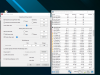
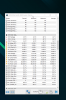
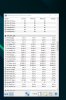
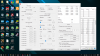
@yahyoh - If you have some time and want to help with ThrottleStop, can you do some testing for me? Post a screenshot of the TPL and FIVR windows so I can see how you have ThrottleStop setup. Run something simple like the TS Bench test, open the Limit Reasons window and show me a screenshot of the 45 Watt throttling that you are seeing while running ThrottleStop.
Maleko48 likes this. -
sorry for the late reply
heres a few screen shots shows PL1 and PL2 in normal vs turbo with TPL and FIVR windowsAttached Files:
-
-
Your screenshot shows that you have the Turbo Boost Long Power Max set to 45 Watts and you also have the Clamp option enabled which will force the CPU to throttle below its default speed. Did you do any testing with the Long and Short power limits set higher in ThrottleStop and without the Clamp option being checked?
I would reboot, don't run XTU or HWiNFO and then fix ThrottleStop. Do some hands on testing with Limit Reasons open to see when throttling kicks in. The TS Bench is probably good enough for this purpose. PL2 should go red first and then PL1 will go red if these power limits are holding your CPU back. I am trying to see if there is a throttling problem or if the problem is because of how you have ThrottleStop setup.Maleko48 likes this. -
i tried to change the PLs under TPL manually, it kinda worked but now cant use the normal power limits 45w PL1 and 56w PL2 as non turbo so its always running at 80w PL2 and 56W PL1 which not ideal. in intel XTU there was no issue.
the attached files shows when PL1 and PL2 kicks in since the start.Attached Files:
-
-
@unclewebb I was posting in other thread but i might try to ask here. Since you're expert - do you have any idea how i can demand static voltage on this one?
I was trying to reach steady 5ghz with my i7 7700k. But unfortunately no luck so far. So i decided to try something with static voltage. Apparently it is only reason why it keeps crashing. I cant measure exact VID for this clocks with adaptive setting.
BUT - somehow when im setting it up in throttlestop - it doesn't affect VID at all. It's still same and keeps changing as if it was adaptive.
Any idea what could be a problem in this case? I heard that MSI somehow could screw us up on this. Other possibility is that im doing something wrong/missing some setup to make it work.
-
The screenshot you posted is not showing that. It shows PL1 is the reason for throttling and your CPU is running at 44.9 Watts so power limit throttling is keeping the CPU a hair under the 45 Watt limit.
![[IMG]](images/storyImages/cXlIefe.png)
The other screenshot you posted shows that none of the boxes are red in Limit Reasons. This means at that moment, the CPU is not throttling due to power consumption. Your CPU is running slightly slower than its maximum speed but I think this is because of your Speed Shift setting. You can open up the FIVR window at any time and in the monitoring table at the top right, it will show you what EPP value your CPU is using in real time. If Speed Shift EPP is set to 128, some CPUs will not be able to reach their rated maximum speed when bench testing. If you are using the Windows Balanced power profile, this can reduce your Speed Shift EPP setting to a less than optimum value.
Windows 10 has a bad habit of hiding some of the power profiles. You can still access the Windows High Performance power plan by opening up a command window and using this command.
powercfg /s SCHEME_MIN
To go back to the Balanced power profile you can enter this command:
powercfg /s SCHEME_BALANCED
When testing, go by what ThrottleStop is showing you. Ignore HwINFO and Intel XTU. After you make a change with ThrottleStop, XTU will not show you the change. You might also need to restart HWiNFO after making some changes with ThrottleStop. -
@Rahego - Some desktop boards feed voltage directly to the CPU so the VID signal is ignored. That means the CPU will get its voltage based on what you have set in the bios and anything voltage related you try to set in ThrottleStop will not do anything.
Some Asus boards have a bios option that lets you determine if the VID signal should be used or not. I cannot think of their name for this at the moment. MSI might have a similar bios option. For a fixed or static voltage, I would just enter this info into the bios.
If you want a steady multiplier when idle, you will probably need to disable your C states (C3, C6, C7). That might be holding you back from getting the 50 multiplier.Last edited: Jul 25, 2019 -
I dont think you understand what i meant, these screen shoots in turbo mode and throttlestop is holding back the PL1 to 45 watt as if the turbo mode is not working, in 1st screen shoot its limiting the power to just 56 watt as non turbo PL2 instead of 80watt and 2nd screenshots shows how its limiting the PL2 to 45watt after the 28sec window
the helios 300 2019 has 2 power limits modes
1- normal PL1 45 watt and 56 watt PL2
2- turbo PL1 56 watt and 80 PL2
but the issue when running throttlestop the system wont able to change the power limits it will be always stuck at 45,56watt limits till i restart the machine and not use throttlestop, on the other hand XTU doesnt cause such issue -
Trying to find out why I've lost all C-States? I'v changed my Windows power plan to all defaults, it's just sitting in C1? Scratching my head...
I noticed because it's idling around 50C where it used to idle 38C. It would also enable C3, C6, and C7 on idle. But now it's not?
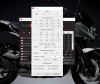
One of the only changes I can think I'v made is updating my nVidia graphics a few days ago. And I can't be sure eactly when this happened. I literally just noticed today. Ugh...could it be that? I guess I could try to rollback.
Ugh I am averaging 8W draw on idle??? WTF is going on? It used to be near 0.8W
I rolled back nVidia driver with no luck. Very perplexed, and would appreciate any input. Had perfectly accessible C3, C6, C7 states days ago and now they are all gone. Would re-installing ThrottleStop possibly change this? Grasping at straws here...
This is probably asking a lot but if anyone knows any specific registry attributes that control enabling and disabling c-states? Perhaps I have unknowingly changed one of these while working with ParkControl?
I suppose my last resort will be to fully Reset Windows and hope the registry values all go back to default. Unfortunately, I'm pretty sure I never made a backup. -
Was wondering if someone could provide a little help with a project I am working on. I have a system with a Gemini Lake N4100 in it that I have done a fan mod to it that keeps it very cool. I already removed the TDP time limits and increased the Watts and now both the GPU and CPU are running at 700 mhz and 2400 mhz respectively with no throttling. Had to find an extra place outside of the MSR where it also had a throttle set but got that removed finally. After going through the Intel papers and doing some research, it appears that the GPU speeds are writable and can be increased. With what I am using it for this would be a big boost as I have a decent amount of CPU headroom but would love to see if I could get the GPU speed increased a bit. I am not sure if it could be accessed via a memory dump in RW or in MMIO, and have no idea how to enter the correct address or offsets in the Intel papers in RW. Here is a quote from a forum where a guy basically was trying to do the same thing with the Apollo Lake SOC which is basically the same silicon as mine.
https://www.overclockers.com/forums...ange-ratio-on-Apollo-lake-soc-and-intel-HD500
Not sure if this is the exact place that I would need to change it, I guess there would be maybe a few different ways to do it. But to me removing the maximum MHZ limit and increasing the multiplier might be the way to do it, or simply increasing the multiplier on its on so it could go over the 700 mhz limit. Already seen huge improvements in performance in the programs I am running, but as they tax the gpu to 100% it would be nice if I could use some of the headroom to bump up the mhz a bit more on that. Not sure if it's possible or not, but any help would be greatly appreciated. -
You didn't somehow disable C states in the bios by chance did you?
-
Does anyone have any idea why I have getting all 0s in RW for memory addresses FED10000 and FED15900? Again I am on a Intel Gemini Lake N4100 cpu with 8 gigs of ram, can't understand why they are not showing up! *EDIT* I am guessing the memory is mapped completely differently here than the rest of the Intel family, anyone got any clue where these might be?
![[IMG]](images/storyImages/Untitled.jpg)
Last edited: Jul 27, 2019 -
It’s not a BIOS option with this laptop (PB70EF-G Insyde H2O). I’m almost certain it was a change as a result of my registry edits and tweaking Park control/Power settings. It was working normally for over a month, definitely user error haha.
Ended up working 30hrs this weekend alone and haven’t booted up the laptop since! Still at work now actually.I should be able to tackle it Tuesday though. Thanks for the reply! -
how do i test my cpu and gpu overnight ? I have cinebench and prime95 and furmark, but i do not know how to launch them in a loop for several hours. What software can test both the gpu and cpu together?
I run w10 and i5 8265u -
I was wondering if someone could help me with finding this address in RW. I am on A Gemini Lake CPU system, and like Apollo Lake the computers base memory address is not under FED10000, looking at the Intel Documents for it, shouldn't there be a way to calulate where this is? Either though the PCI device bus, 0,2,0 or through MMIO? Any help would be greatly appreciated! Sorry for my lack of knowledge when it comes to RW and registers =/
![[IMG]](images/storyImages/Qya87b3.jpg)
![[IMG]](images/storyImages/qAfTGt3.jpg) Last edited: Jul 29, 2019
Last edited: Jul 29, 2019 -
Hey Folks,
I have a Gigabyte Aero 15 coming in on thursday. It has a i7 9750h with a 2070 max-q. Anyone got the throttlestop setting for this laptop? -
Greetings.
I was been using the Throttlestop on Windows. Recently, I changed my OS to Linux/FreeBSD(dual boot). I have been searching a way to Undervolt my CPU since.
I learned that 0x150 register is used to control voltage, but it doesn't exist on Ivy Bridge and older series. I have pentium T3200.
I read the intel developers manual but couldn't get any clue.
Which MSR is used on pentiums for Undervolting?
@unclewebb -
Everytime i opened throttlestop i have the error "The application was unable to start correctly(0x000007b).Click Ok to close the application". What can i do to solve this error?
-
Sorry for being not active.. my situation doesn't allow me to be active any more but... I found a time to provide an updated DPTF fix.. since Intel updated the drivers for Intel DPTF and they even renamed it to [Intel(R) Dynamic Tuning Settings] so I would like to provide & notify an updated fix for this updated driver
 look at my signature or to quoted message... both has been updated
Link for the updated Intel DPTF driver:-
Intel Dynamic Platform and Thermal Framework Version 8.6.10400.9366 WHQL
https://www.station-drivers.com/ind...tory&Itemid=352&func=fileinfo&id=4113&lang=en
Enjoy
htaige, pressing, 4W4K3 and 1 other person like this. -
I apologize if this is off-topic but I wanted to follow up with an answer to a question I posed a few days ago about losing core and package c-states in Windows.
I ended up clean installing Windows and it DID NOT fix the issue. So it was not a Reigstry change problem.
I then removed all overclocking in BIOS (memory) which also did not fix anything.
I then set my entire to default and clear CMOS.
That fixed it!!! I have all working C-states C3, C6, and C7 again. Additionally idle temps are MUCH lower.
So, I wasted a lot of time and effort with Windows when I should have just reset BIOS. For whatever reason, it had locked the CPU into C0 and was idling around 8W! Back down to less than 1W now if I close Chrome. Overclocking re-applied, but if this happens again I am going to consider backing off on the memory a bit.tilleroftheearth likes this. -
Glad you got it fixed man! I thought it might be bios related, though totally wasn't expecting that one!4W4K3 likes this. -
Kicking myself for not trying the Bios reset first. I think because I wasn’t having any errors, or crashes, or performance loss other than a bad idle (too much power draw and locked/disabled c-states) I thought it had to be a Windows power scheme setting. Turn out, once again, I was wrong! I’m glad it’s acting right again!tilleroftheearth likes this.
-
Could you please explain what you meant by setting entire to default and clearing CMOS? I've been facing similar issue where package c state doesn't enter c7 and idle power usage is >3w on my acer nitro 5 after clean install of windows 1903. I am using OEM's drivers too, but still facing this
-
The BIOS defaults can be set within the BIOS menu. Clearing the CMOS is accomplished by physically removing the watch-style battery on the motherboard for 20-30 seconds. I also remove the battery during this process. Clear CMOS and setting s BIOS defaults are technically different procedures to accomplish roughly the same thing.magnetoeric likes this.
-
Was just playing around with my BIOS settings and enabled S0 Low Power Idle (InstantGo/Connected standby)
And here are my C9 residency screenshot - 91.4% C9 with a package power consumption of 0.166 Watts on my m3-7Y30. Entire system consumption (this is with display off) is 0.6-0.8W.
Unfortunately in S0 low power idle these monitoring software don't run properly. As far as I know programs are simply suspended. That's why I couldn't get TS screenshots in time.
I'm still scratching my head as to why my laptop won't enter C9 when the display is powered off.pressing likes this. -
A question. I have a new machine with i7-9750h.
Undervolting with throttlestop was able to get it to max turbo boost under stress test, without altering temperatures, however, after that, undervolting has literally no effect on performance and temperatures.
Temperatures don't go down, and performance still stays stable, at least according to benchmarks. Aroud 180mV on Core undervolt gives me optimal performance, and I was able to go as low as -250mV on core without performance drops. (at least in benchmarks). I didn't try to go beyond that...
However, I still do not understand why there is no effect on temps - any ideas?
In case it matters something, I am using Y740 from lenovo. -
A likely indication you're reaching the limit for the heatsink/TDP design of that chassis (Y740). The cooling solution for that model seems adequate, but not exceptional. The 9750H is a hot chip like the 8750H and really benefits from a big cooler and lots of airflow. The Y740 has only 3 heatpipes, one of which is shared between CPU/GPU. Under load for an extended time, you're likely going to see some heat soak. Have you looked into replacing the thermal paste with a better material? This usually is good for a few degree difference over most factory paste.
-
I have not, as my unit is still under return / exchange period. Also, repasting myself might result in losing the warranty...
Do 15 inch and 17 inch have same cooling system? I admit, I haven't treid opening it myself (again: warranty).
I've compared my temperatures to the ones other people were getting and they are better by few degrees. Could by thermal paste, I guess. -
And you undervolt both core and cashe?
-
My cache unervolt is -125mv. Core -250mv. I am slightly afraid to undervolt cache too much. Besides, I haven't noticed any performance / temp difference from undervolting cache at all.
EDIT:
I mean it does affect the temps, but there's no difference between -125mv or 180mv on cache, temps remain the same, and clocks are already on max.Last edited: Aug 6, 2019 -
@notfunny - Some users with the 8750H or 9750H like to under volt the CPU Core more than the CPU Cache. How much more is debatable. I have not done any hands on testing so I cannot say for sure whether this works or not. I have only tested an 8th Gen U CPU and doing this did not make any difference at all. If -125 mV and -250 mV were used, the -250 mV was ignored and both were set internally to -125 mV.
Let's say for a baseline, your CPU Core and CPU Cache are set to a negative offset voltage of -125 mV. If you keep the cache the same and you drop the core to -150 mV or -175 mV, perhaps that is better. At some point though, you can keep going and going and the CPU will ignore your requests and it will not make any difference.
For a test, I would use something very consistent like the built in TS Bench test. Set up two different profiles in ThrottleStop, one with the core and cache offsets set equally and a second profile with the core offset set higher than the cache offset. While your CPU is fully loaded running the 1024M TS Bench test, switch profiles back and forth. The goal is to prove that setting these offsets differently is definitely, 100%, making a difference to either performance, reported power consumption or your core temperatures.
If you are able to prove this one way or the other, maybe post some screenshots of your testing or upload some ThrottleStop Log File data to www.pastebin.com so I can have a look.Samchanchan11, 4W4K3 and Papusan like this. -
Cache undervolt does reduce power consumption during TS builtin temps, as well as temperatures. Not much difference when running AIDA though.
It also improves the temps during cinebench as well as reducing power draw.
Many thanks.Last edited: Aug 6, 20194W4K3 likes this. -
The TS Bench heavily uses the cache so it makes sense that this test is able to show the benefits of under volting the cache.
Now the the question is, does under volting the core more than the cache make any measurable difference. -
Both on cinebench and TS Bench, when I had UV of 180/125 Cpu/Cache, Power draw was at 60W. Dropping both to 180/180W changed it to ~ 53W. Haveing it opposite way -125/180 Core/Cache returned the values to ~60W. (These numers are correct for TS Bench or CB only... ). On AIDA power draw remains constant ~60W even at -200mv.
-
If an under volt of 180/125 gives you the exact same results as an under volt of 125/180 then that would indicate that setting these values differently is being ignored by the CPU. In theory, it should give you the same results at an under volt of 125/125. Setting these both to 180 gave you better results so that leads one to believe that they need to be set equal.
When AIDA testing, is your CPU speed maxed out and consistent or is the CPU speed throttling? Do you have the FIVR - Disable and Lock Turbo Power Limits option checked and did you download and install the RwDrv.sys file into your ThrottleStop folder? What are your turbo power limits set to in ThrottleStop? -
Clocks are consistent at max Turbo boost, at least after the fans start working.
I didn't change in FIVR anything besides undervolt values in core, cache and igpu. (I played with locking turbo boost limits). I didn't in RwDrv.sys.
Turbo power limits are 60 - 90. -
A question - what disable and lock turbo power limits option supposed to do? I don't have much experience with TS, I admit. Usually simple undervolt would solve most of my heating problems.
(Tried with 7700hq and 8565u earlier). -
The Disable and Lock feature will disable and lock the secondary set of turbo power limits on many different laptops. I tested this feature on a Lenovo C930 and the 8550U was able to pull 38 Watts without any power limit throttling. PL1 and PL2 were not lighting up in red in Limit Reasons when stress testing.
![[IMG]](images/storyImages/eo0J744.png)
At default settings, most laptops that are using Intel's low power U CPUs will throttle down to their 15 Watt TDP rating. Can your 8565U run at full speed or long term does it throttle down to its 15 Watt TDP rating? The Disable and Lock feature can help with this problem.pressing likes this. -
I installed throttlestop the other day, and am trying to uninstall it. Does anyone know if there is a way to uninstall the program completely? I can not find it in the app add/remove section of windows 10?
-
It’s an portable app. Look where you put(unpacked) the ThrottleStop folder. Or just search after it.
-
So if I just delete the folder that contains the application files it will be deleted? I did not want to do something like that Incase it left behind some registry changes or things like that? -
Yees (ThrottleStop is an portable app). If ThrotteStop run then exit. Then go where you have the TS folder and delete it. Re-start the OS. But why wouldn’t you have TS?
The ThrottleStop Guide
Discussion in 'Hardware Components and Aftermarket Upgrades' started by unclewebb, Nov 7, 2010.