Problems? See this thread at archive.org.
You'll need minimum 5 post to be able to use the uppload feature. But here is an better choice..
Create an Account – Imgur
-
-
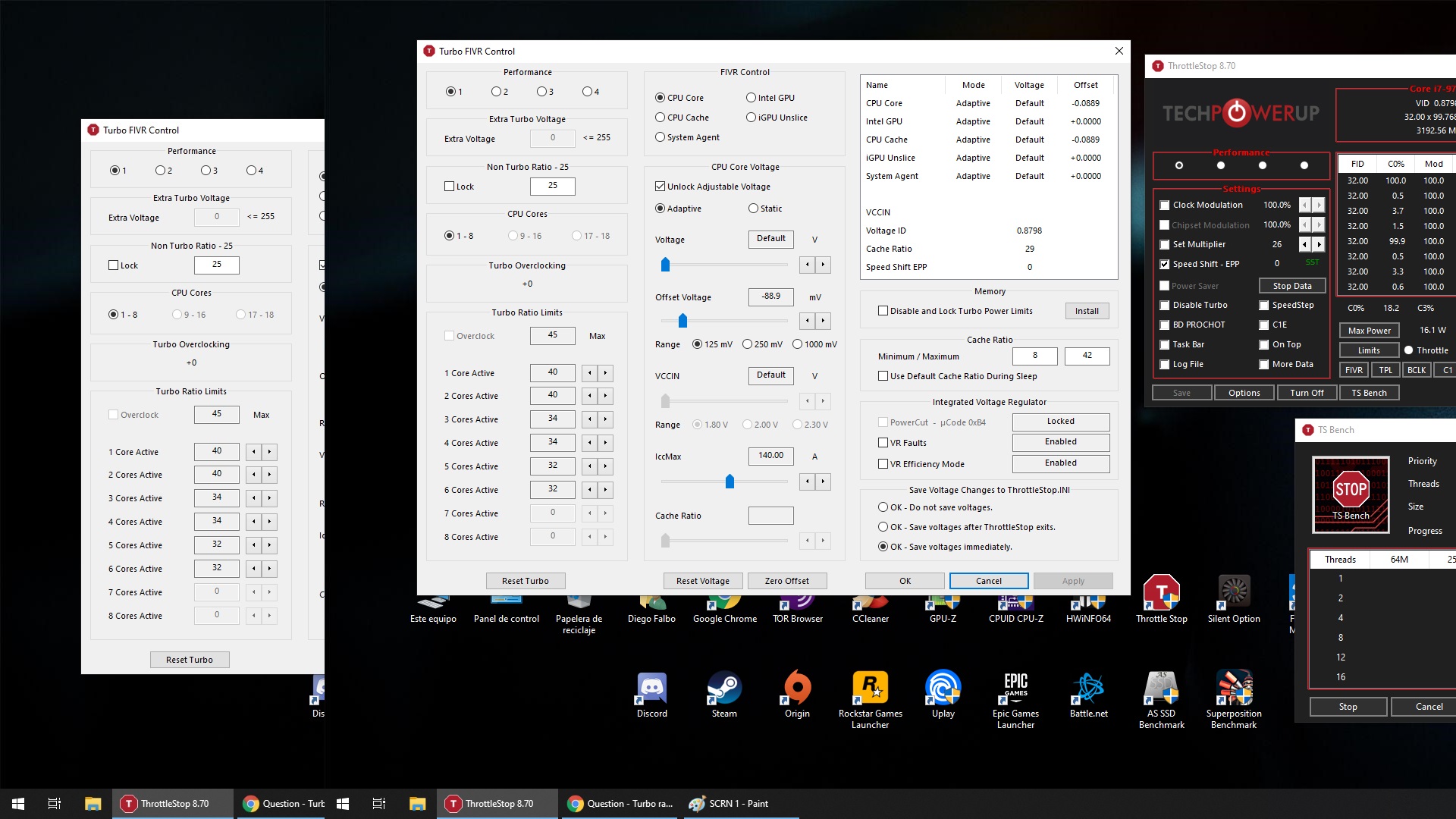
Alrighty, here are my ThrottleStop screenshots:
https://imgur.com/pjHhwoQ
https://imgur.com/SmoVkty
https://imgur.com/DVkMZxY
https://imgur.com/jOIksRd
Only the Turbo Ratio Limits screen seems to have any effect, and only for reducing the turbo. So I set 4-core to 11 so I'd have better gaming performance, and all the rest to 33 so they'd be at normal stock speeds for regular computer activities. Heavy CPU workloads suffer in this arrangement, and GPU performance is still below what I consider acceptable considering what the hardware should be capable of. -
Is there an optimal way to set it up? E.g. set Windows to 0 and let TS handle it or vice versa? I seem to get varying results between Windows EPP vs TS SS settings on a Razer Blade ...
-
Without any proper documentation or new hardware to play with, ThrottleStop will not fully support new CPUs like your N5000. It will be the end of the TS era. Sad times.
Can you show me screenshots of your varying results or is it just something you feel and it is hard to verify?
It should not really matter whether Windows or ThrottleStop is in control of the Speed Shift EPP variable within the CPU. The original reason I added Speed Shift control to ThrottleStop was because on older laptops or older CPUs, Windows was ignoring Speed Shift. There was no way to enable Speed Shift back then.
If Windows can enable and control Speed Shift consistently, (no bugs), I would let it. To do this, setup ThrottleStop and do not check the Speed Shift EPP box on the main screen. Open up the FIVR window and at the bottom of the monitoring table in the top right corner, keep an eye on the Speed Shift EPP variable being reported. That is what the CPU is currently using for EPP. Now you can switch between various Windows power profiles and watch how the Speed Shift EPP variable changes. If there are no bugs then it should be safe to let Windows control the EPP setting. This way you do not have to worry about ThrottleStop and Windows fighting over control of EPP.
Edit - I think some of the recent Tongfang based laptops with Intel 8th and 9th Gen processors do not enable Speed Shift. In that situation, if you want to use Speed Shift, your only option is to use ThrottleStop. These are wonderful laptops by the way. They give full control to the user and do not have ridiculous throttling schemes like many of the major manufacturers are using.Last edited: Oct 14, 2019tilleroftheearth likes this. -
Hey @unclewebb
I am trying to tweak C-states and cant find much in regards to tweaking the c-states "interrupt response limit", and I was hoping you could shed some light on that. I have noticed I lose real world performance unchecking all the c state demotion boxes, but are not sure how to tweak the rest, and preferably for performance. -
I would have to guess that virtually no one uses this ThrottleStop feature. I originally added this to ThrottleStop because it gave me some control over what C states my mobile 4th Gen CPU uses. On many CPUs, adjusting these high or low does not seem to make any meaningful difference to anything. I will probably put IRL control on the future chopping block and remove this from ThrottleStop.
What sort of real world performance? I did not notice any measurable difference with these boxes checked or not checked. I have also thought about removing these boxes from ThrottleStop. I cannot remember anyone in this forum thread talking about either of these features.
What are your C state tweaking goals? Best thing you can do is use the C state data to help track down and eliminate useless background apps. Windows 10 is fairly lean. You just need to keep a close eye on idle C state activity every time there is an update or every time you install a new program on your computer. Installing the Adobe Creative Cloud on my daughter's computer was not good for idle C state residency time. I think too many programmers with too much time on their hands got involved in that project.
Edit - An idle computer with cores spending about 99% of their time in C7 is where a lean computer should be.
![[IMG]](images/storyImages/tazlvt9.png)
-
Good Question in regards to performance loss. So when I uncheck both of the C1 demotion, my Q1T1 nvme drive performance goes down to about 30mb/s, and leaving just one of checked box has the same effect, but if both are checked, then the original performance of about 55 to 65 mb/s Q1T1 stay's the same, and the desktop and applications in general are more responsive. As you know, q1t1 is the primary way by which drives are measured, and hence the popularity of Optane. Im not sure why sequential write does consistently better with all of this.
Unchecking C3 boxes lead's to very noticeable microstutter in games(frame rate dips to 1fps) and they have all been online games too, which are relatively CPU intensive. I am not sure why I am the only one noticing this, but it did happen. If your interested I can make a video showing all of this in games.
The end goal was just to increase cpu and drive performance and various forums have said that disabling C-states does offer some performance, however those are desktop forums. Since I dont have the option to disable it, tweaking interrupt response time to possibly lower stutter and increase cpu and drive response time seemed like a possibility since the demotion checklist can also be used to reduce performance notably. It really started when I just wanted to see what unchecking them actually does, and previously I never even bothered with C-states as desktop users are a different breed of their own, and laptop battery life is important.
Last edited: Oct 14, 2019 -
On my laptop, these are checked by default. When not checked, my Q1T1 numbers also goes down a little on a SATA SSD. There is a lot of variation in these numbers from one run to the next.
Checked
![[IMG]](images/storyImages/ZRnvRQn.png)
Not Checked
![[IMG]](images/storyImages/GM7Nqyu.png)
If you want to disable all C states for testing purposes you can go back in the ThrottleStop thread to find out how.
Read this post and a couple after it.
http://forum.notebookreview.com/threads/the-throttlestop-guide.531329/page-487#post-10308682
C States Disabled
![[IMG]](images/storyImages/9qqMV6z.png)
Disabling all of the C states including C1, C1E, C3, C6 and C7 raises my core temps by almost 40°C. Not great for everyday laptop use but interesting for testing purposes. On my 4700MQ, disabling the C states has the side effect of the CPU not being able to use the maximum turbo multiplier anymore so I lose about 200 MHz of CPU speed. My performance in CrystalDiskMark drops slightly, likely because of that.
Good to see that someone finally found some use for the ThrottleStop C state stuff.
Edit - Here is the Windows trick to disable all of the C states except C1.
http://forum.notebookreview.com/threads/the-throttlestop-guide.531329/page-206#post-9631401
This is much more practical. Disabling C1 on a laptop is definitely not for lap use.Last edited: Oct 14, 2019Eason and tilleroftheearth like this. -
Can anything be done about it?
-
Nothing can be done if I do not have any documentation or access to new hardware to experiment with. My wallet is closed. No more buying computer parts that I do not need.
-
It's certainly not good for the environment. Would be nice if companies had proper buy-back programs.ole!!! likes this.
-
Will the project be open sourced so it can be continued?
-
There are no plans to open source ThrottleStop. This project is officially dead. There have been no new versions for the last year.
Users with new CPUs will have to use Intel XTU instead.ole!!! and tilleroftheearth like this. -
gofundme gogo? or in a yr or two when something from intel is worth buying, willow cove/tiger lake for example.
-
It sad, someone makes a great program but we as users of it didn't support it enough to make it worth your while. IMO you should be rich form this project, either from us users or from a company nabbing you up for valuable abilities, or both. I know others seem to like XTU but I absolutely hated it. Never could make it autostart and once and a while when I checked I noticed my settings reverted back, making me then check it every boot. Annoying. Personally I never had anything XTU could do that TS couldn't do, and there were things that TS could do that XTU could not. And of course we've had your support here, for free, all this time.
Speaking of support, does anyone know why all of a sudden I get the following error window each boot? "Error creating service. The specified service already exists." It is indeed my TS startup that is causing this error. I did not change anything that I am aware of, but likely were a few windows updates in there. TS does start up and run ok, i just have to click this error every boot.
Here are the things I have tried:
Disabled the TS from Task Scheduler and the error goes away, but then I have to manually start TS each boot
Created a new TS startup task and it does the same thing.
Fiddled with settings that I hadn't changed but none helped (removed admin check box, tried at boot instead of at login, couple others)Last edited: Oct 15, 2019 -
Is it normal for my RB to show 0% for all states below C3?
-
@Porter - The "creating service" error might be related to the FIVR - Disable and Lock feature. Try disabling that feature and see if this error goes away.
What ThrottleStop version are you using? Right mouse click on the ThrottleStop title bar and select the About... menu. ThrottleStop 8.70.6 contains a fix for this error. Make sure you downloaded ThrottleStop.exe from TechPowerUp.
https://www.techpowerup.com/download/techpowerup-throttlestop/
This version was signed by TechPowerUp. Most other download sites are not offering this signed version.
![[IMG]](images/storyImages/vxi569i.png)
Did you follow the Task Scheduler guide exactly? No cutting corners. The Task Scheduler can be finicky. Options that one would think are disabled might actually be enabled. The guide explains this.
http://forum.notebookreview.com/threads/the-throttlestop-guide.531329/#post-6865107
Writing free software is not a good way to get rich. Definitely no regrets though. I do not see myself buying any new Intel hardware in the next year or two. No new hardware means I have no plans to continue working on ThrottleStop. Users need to be prepared for this before buying their next laptop.
Your complaints about XTU are valid. It amazes me that a company the size of Intel cannot write a program that properly sets the voltages after resuming from Sleep. One should not have to constantly monitor their voltages to make sure Intel XTU is working properly.
Normal? Maybe. Appropriate? Probably not. Can you post a picture of your C State window when idle?
Many laptop manufacturers have decided to disable power saving technologies like the package C8 state. They might do this to improve some benchmark score or maybe they are doing this because they are too lazy to get this working properly. Easier and cheaper to just turn off package C8, C9, C10. Most consumers will never know the difference whether C states are enabled or not.Papusan likes this. -
I think it might have been cause my laptop was plugged in - oops! is there any way to go into deeper C states while on AC power?
-
@unclewebb Have you had an opportunity to look at EasyCPU? - http://forum.notebookreview.com/threads/easycpu-how-to-improve-the-cpu-performance.830312/
Would you consider it a viable option to ThrottleStop for the future? Clinging to TS as long as I can, which should be the entire life of this machine without issue. Thinking to the future though; my next system needs some control software and I doubt XTU will be the right choice.redmop likes this. -
I tried EasyCPU but it did not allow me to overclock my 4700MQ. Hopefully the programmer continues to develop EasyCPU and it supports Intel's future CPUs.
As far as I know, the important parts of ThrottleStop like voltage control work on Intel's 10nm Ice Lake series that was recently released. There is some code in ThrottleStop that tries to take a wild guess about what features that a CPU supports. For example, If it finds that the FIVR register is available, the current version of ThrottleStop will try to let a user access the FIVR window and make adjustments.
Without new hardware to test ThrottleStop on, it is quite possible that I have overlooked something. Intel tends to be fairly consistent from one generation to the next but it is also possible that Intel will make a significant and undocumented change that could put an end to ThrottleStop.
I am still waiting to see some screenshots. Is there a problem with the package C states? When plugged in, the package C states really do not matter. An extra watt or two one way or the other is never going to be noticed on your power bill. When running on battery power, the more C states the better. -
so assuming 9900ks being mostly the same as 9900k/kf, it should be support by default on TS?
also for the link above, https://www.techpowerup.com/download/techpowerup-throttlestop/
would 8.70.6 also expires eventually? some TS has expired in the past.. -
No more expiring versions. TS 8.70.6 will never expire.
The 9900K, KS, KF or K whatever are all the same CPU. ThrottleStop works 100% correctly on them as far as I know. It is the next generation of Intel CPUs that I have no idea if ThrottleStop will work correctly on. The only way to make sure is to buy new hardware with money from my own pocket. Not sure if I will be doing that. At the moment, probably not. If ThrottleStop only needs a minor tweak or two, I might be able to do that without having to invest any money in new hardware. I work full time to survive. Not a lot of time or money left over to put into ThrottleStop development.Striker1234 and ole!!! like this. -
I was able to get 4700 Mhz all cores with ts, thank you again unclewebb. I'd like to ask you maybe silly question. Why does cpu show 4695 Mhz instead of 4700 Mhz?
-
Hello!
Hope you can guide me with simple questions:
I have the Processor 8950HK + GTX 1080 + GSync Monitor.
How can I monitor the power that is being consumed by the iGPU?
Can I undervolt the iGPU by 1000mV?
I'm asking because the laptop is GSync and looks like the iGPU is not used at all, currently I have the iGPU -250mV and is stable. -
Can you post a screenshot? The true BCLK might not be exactly 100.000 MHz. For many mobile CPUs, approximately 99.769 MHz seems to be a common number. When using ThrottleStop, press the BCLK button a few times. Each time you push that button, ThrottleStop will try to recalculate the BCLK. The reported BCLK should be fairly consistent. TS gets it right most of the time but sometimes it might glitch out a hair. Some monitoring programs are glitching out more than just a hair.

On most recent CPUs, when under volting the Intel GPU, usually you have to under volt the Intel GPU and the iGPU Unsilce equally or else your under volt will be ignored. Are you under volting both of those?Striker1234 likes this. -
Thanks for the quick reply!
I just set -150mV on both. -
like you say unclewebb it shows 46.97x99.767 Mhz. Is there any way to do it like it shoud be? Even afterburner shows 4695 Mhz
-
You need mod bios to be able to change spread spectrum settings. But you can overclock the BCLK to get abov/equal 4700MHz. This if your current bios and or XTU allow you to do the changes.
-
@Papusan XTU and TS works together?
-
No. Use one or the other. I would completely uninstall XTU if you're using/testing TS.
-
You want run XTU due opportunity to change BCLK settings ? If so, not worth it over ThrottleStop.tilleroftheearth likes this.
-
I just asked if any chance. I won't change TS for anything else. Would be nice if we can add this option on it
-
Run a thread or two of the TS Bench test to put some load on your CPU. When you do that, you should see the full 47.00 multiplier in ThrottleStop.
I am guessing that the 99.767 MHz BCLK is generated internally within the CPU. Do a Google search for some TS screenshots and that number is very common. Many performance oriented desktop boards will allow you to adjust this to a perfect 100.000 MHz to keep your OCD in check but laptops rarely seem to have this feature available in the bios. It is not a good idea to change the BCLK while in Windows because it can lead to slight timing errors. Windows timers are typically calibrated when you first boot up.
I followed that wise advice a while ago and I do not miss XTU at all.tilleroftheearth and Papusan like this. -
Is it normal for CPU Cache IccMax to be as low as 11A on an i7 8750-H?
How about System Agent IccMax and iGPU? Am I messing with things I shouldn't be here? -
As with any setting in ThrottleStop, is it causing a throttling problem? If you adjust the Cache IccMax value sky high and nothing changes, that means it really does not matter. If you lower a setting and your CPU starts throttling and Limit Reasons lights up like a Christmas tree, that's a problem.
Always keep in mind that ThrottleStop was written by one guy with no proper documentation from Intel and with no recent hardware for testing purposes. Some settings that I find hiding in the CPU might be incorrectly labelled or adjusting what I have found might not do anything at all. When I am not sure, I might add a slider so users can adjust something. Then I have to endlessly search forums to see if someone, somewhere finds a use for a feature that I have added.
Seems like a bizarre way to have to write software like this but overall, it has worked out pretty good so far. -
Setting them higher certainly seems to make the machine feel blazing fast but it could all be in my head.
I noticed Throttlestop doesn't allow changing System Agent IccMax but Intel XTU does - what exactly is this affecting? -
Not sure. Do some testing, check for throttling. If your CPU can run at its full rated speed, none of these settings matter.
Some items that Intel XTU lets you adjust might not be doing anything at all. XTU allows me to adjust the power limits on my 4th Gen CPU but these limits are locked and cannot be adjusted. When I check the CPU registers, nothing has changed. Just because XTU was written by a big company and they should know what they are doing does not guarantee anything.
Do you have any throttling problems?Papusan likes this. -
Another question:
Should I uninstall XTU if using Throotlestop?
There are services running belonging with XTU. -
I've been systematically working through my undervolt, benching, and tuning for the last couple days or so. XPS 9570 w/ i7 8750h chip.
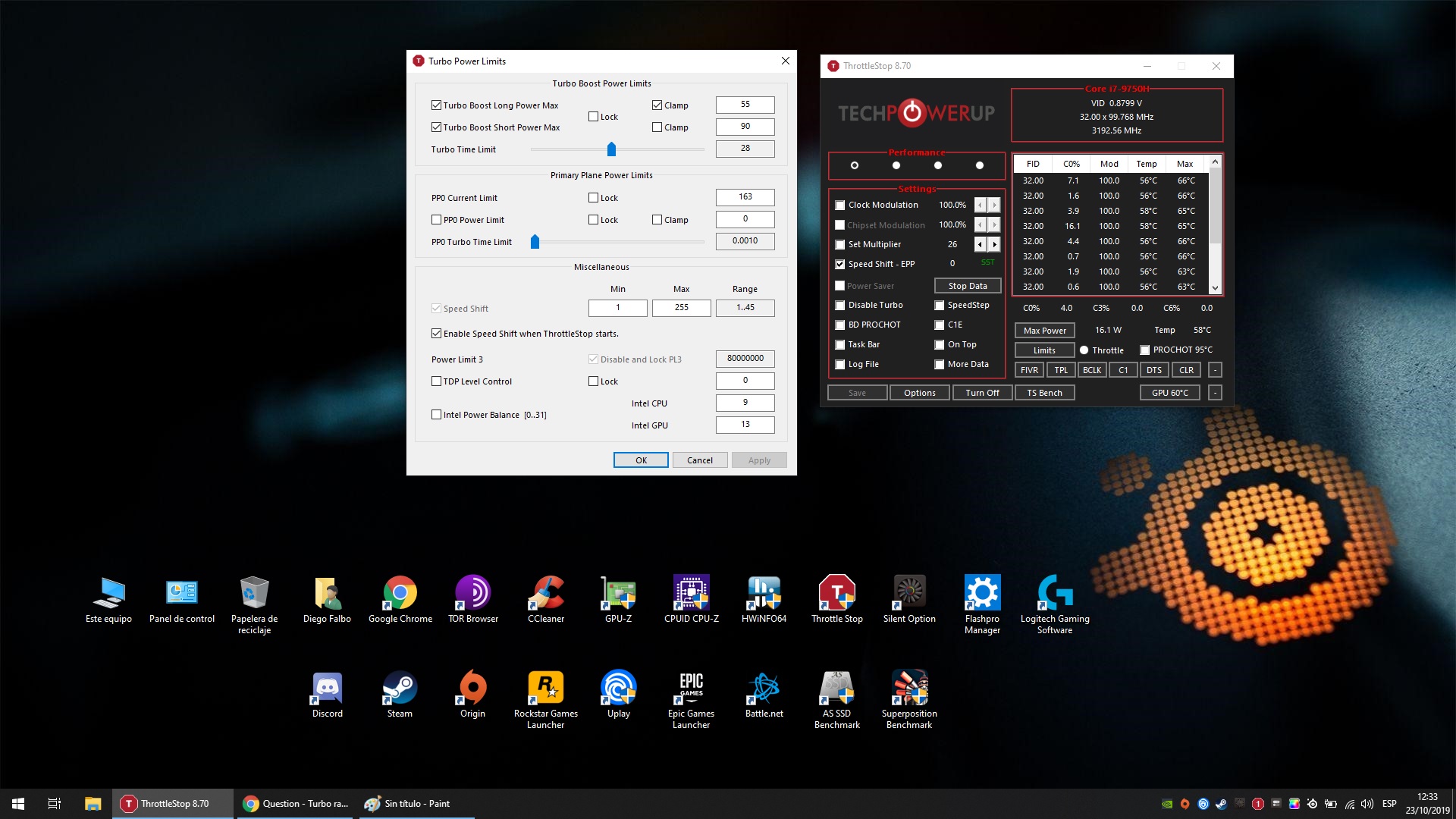
I made the potential mistake of checking "Disable and Lock PL3" in the TPL settings. The register now contains "840C8A00". If I understand correctly, that means it's locked, but the values aren't zeroed out.
Since then I've re-flashed the bios and started looking into RW Anything so I can at least "undo" that setting, as I don't have a solid understanding of exactly what PL3 does (other than a deep sleep state.)
2 questions:
* What must I do to "reset" this?
* Do we fully understand what this register will be used for in current and future generations of chips?
Thanks for your support - amazing software - from a dude who used it 9 years ago
![[IMG]](images/storyImages/qt1GF3U.png)
-
The good news is the values in that register are so high that they should not become a limiting factor or cause any throttling.
You might have clicked on this accidentally or the lock bit might be set by the bios. If something shows that it is locked in ThrottleStop and you are trying to unlock it,
1) Exit ThrottleStop
2) Delete the ThrottleStop.INI configuration file
3) Completely shutdown Windows. Hold the Shift key down on your keyboard while selecting the Windows Shutdown menu option.
4) Restart your computer.
5) After you have booted up, run ThrottleStop and it will create a new ThrottleStop.INI configuration file.
6) Open up the TPL window and see what value is in the Power Limit 3 register.
I never got a lot of feedback about this feature so it is possible that there is a bug. If you click on the Disable and Lock PL3 box and this register is already locked by the bios, ThrottleStop will continue to show a value in this register. You can use ThrottleStop to lock this register if it is not locked already but you cannot use ThrottleStop to unlock this register. In your situation, I am guessing that the bios has locked this register.
Where have you been? You have been using ThrottleStop for 9 years and you have only posted 9 messages on NotebookReview?
We will call you one of ThrottleStop's silent supporters. If you would have asked me back then if TS would still be going strong in 2019 I would have probably said, "No Way!!!!" Glad I kept at it.Avé César, Papusan, redmop and 1 other person like this. -
Exited TS, deleted .ini, shut down holding shift. TS launched with the warning message as if first time running. Lock and disable PL3 is still grayed, same value in register (840C8A00).
I recall the disable and lock checkbox unticked and text not grayed out when browsing through a couple reinstallations. I don't recall what the register value was before I checked the box, but it was a similarly seemingly random non-zero value.
How would I go about removing the lock bit? I just don't like that I can't undo something, especially if I locked a dynamic value in place.
Same! I've been in and out of enthusiast communities. The pursuit of higher clocks in notebooks has led me many places - pin modding, hardware mods, PLL mods... all sorts of new things to learn and push the limits.
For the first time, I get to use the same tool in completely new ways to bring the best out of my chip - and there's so much more there than what I originally used it for (setting the TPL from 10W to 30W).Last edited: Oct 22, 2019 -
The first 8 in that register represents the lock bit.
Your bios is setting the lock bit and there is nothing you can do about it.
That is possible. Were you using a different bios version at the time?
As I already mentioned, this is not that important to your laptop. The power limit in that register is set high enough that it will not be a factor in any throttling. With a low power U series CPU, there are other power limits that you need to be concerned about.
That is one thing I like about ThrottleStop. A single tool that covers the older Core 2 and all of the Core i series. TS automatically changes and varies what options are available depending on what CPU it detects. Programming and maintaining this has been a pain in the butt with buttons and features randomly appearing and disappearing. I no longer own a wide enough variety of hardware for testing purposes. -
Okay, Good to know that there is definitely no harm done. I was concerned that I would no longer be able to enter S3 sleep state. Got PL3 and S3 mixed up.
I still like to know where info would be stored, other than changing the register lock bit, that would gray out the TS option. Call it an instinctual discomfort of making an uneducated and unintended permanent change. (The "oh s***" moment)
I did not change BIOS versions. The text grayed immediately upon checking and never came back even with a bios rewrite and .ini deletion.
Edit: I'm good now that I had a little time to reflect and get away from the problem. There's so many positives I haven't mentioned - I am able to run -250mV core / -125mV cache stable and completely eliminate any sort of throttling while benchmarking. This while also running much higher clocks on the dGPU thanks to having the available power overhead. My 2018 XPS 15 is keeping pace with, or outperforming, most 2019 machines. Plus I get the added benefit of a couple more hours of battery when I'm using it casually. I'm loving it
Last edited: Oct 22, 2019 -
Hi, I have a problem with my Turbo Ratio Limits, I set it to 40X on 1/2 Cores Active but the CPU only raise to the value in 6 Cores (32X in this example)
I open programs or use the bench tool to stress only 1/2 cores but the CPU stays at 32X all time!
I try turning off Speed Shift, use Clock Modulation, C1E ON, etc but nothing workAttached Files:
-
-
@Orangeclock89 - Did you disable the C states in the bios? On a CPU with a locked multiplier, you need to have either core C3, C6 or C7 enabled for Intel Turbo Boost to work correctly. When your CPU is idle, what does the C State window show in ThrottleStop?
I think there is also a duplicate turbo ratio register hiding within the CPU. Are you using any other CPU control programs on your laptop like XTU or some laptop specific software? Check your C states first to see if that is the problem.Last edited: Oct 23, 2019Mr. Fox and Orangeclock89 like this. -
Yes! Thanks.
The problem was the C States BIOS in BIOS disabled. I turn it on and now works good!
I have Intel Speed Shift in BIOS disabled, but its works on the software! Its normal? -
@unclewebb Can you please check it asks me this dll folder. I can't open program. Thank you.
The ThrottleStop Guide
Discussion in 'Hardware Components and Aftermarket Upgrades' started by unclewebb, Nov 7, 2010.