Problems? See this thread at archive.org.
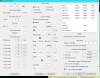
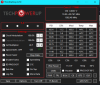
Not too long, after several runs of 256M TS Bench, it starts to thermal throttle and even the mouse pointer lags. Also a VR CURRENT label showed up in Limit Reasons window, sometimes it goes red while THERMAL under CORE and EDP OTHER under RING are constantly red after a time. In Geekbench 4, this modification gave me +2000 multi-core points. : P I think it can be further increased with a custom fan profile, but it's not supported yet by any software. BTW, I don't know why it starts to thermal throttle, the TJmax is 100°C as per Intel's site, ThrottleStop says 92°C.
-
-
Maybe your Zenbook has some thermal and or powergates you have not disabled.
For example, looking at the temp sensors in one of the free monitoring software, you might see that when certain temp sensors hit a temp threshold, throttling starts. On the Dell XPS 15, there is an amibient temp sensor that might throttle at 74*C. Some fixes might include: permanently uninstalling Intel DPTF or finding the physical sensor on the board and disabling it. Of course, the extreme heat could shorten the life of components, kill the laptop, or perhaps fire.
Note the "name" of some temp sensors might be incorrectly labeled in your monitoring software so you have to use some common sense there as the DIMM temp probably is not hitting 120*C lol.
You might figure out some power thresholds that are not easily defeated. Maybe something like RWEverything to observe registers and Zenbook forums help.
A small laptop designed around a 15W system just won't sustain 50W. The current and heat are pushing the components too hard. The fans and radiators are just too small. The mosfets, in particular, will get very hot; as you push them, they become increasingly inefficient and hotter, spiraling out of control. Other components in the VRM may be more robust but in a tiny laptop there is very little cooling in that area, principally the motherboard and some stagnant air will passively extract a bit of heat.UDPSendToFailed likes this. -
@pressing
Thanks for explaining it! I'm satisfied with the 4.3GHz allcore, I don't want to push it any further at all costs, +2000 points in Geekbench 4 is still a good increase. It will almost never run fully loaded, but when the power is needed, it's better to have the best settings. : P
Sorry for the confusion. I just want to make sure that the current settings are safe for normal usage, light gaming, sometimes rendering, etc. I don't really know if these components are designed to have a "reserve", so they can do more than it's set by default, it's just limited to save battery, etc, or they get overloaded by these settings.
Last edited: Feb 19, 2020 -
I think ThrottleStop is working as intended on the 10th Gen U series!
I have no idea how much extra power consumption and performance is OK. If possible, try to use some common sense. Now you know why I include that lame "be careful" message when you first start ThrottleStop.
Intel allows Individual manufacturers to offset the default 100°C TjMax value. ThrottleStop tells it like it is. A TjMax setting of 92°C is what a cowardly manufacturer uses when shipping an under designed laptop. Too bad they do not have the guts to advertise this limitation. Consumers paying for a new laptop should be provided with enough information up front so they can make an informed buying choice.
Personally, I would clear the BD PROCHOT box in ThrottleStop. You appear to be getting lots of bang for the buck so feel free to ignore that advice.golovkin, pressing and UDPSendToFailed like this. -
Hi, just for info @unclewebb , today after a back up of all my system, I took the risk of update windows on my pc for "security" patches, always using 3rd party software (wub.exe +wumt ) as i always do. I didn't update since 8 month and thought i need to update my NetFramewoks too...
Because of my tweaks since day 1, and my options (Windows options, update differ 1 month) , I received the update via wumt from the 14 january 2020 with the KB4534273. Got a back up of the "mcgenuineintel.dll" in case but after the update done, it 's still the good one, no changes.
So far so good, undervolt still works on my MSI GE73 Raider 8RF as Throttlestop shows in the FIVR panel (ver. 8.70.6)
On the support page, MSI didnd't update the Bios too for now ( https://fr.msi.com/Laptop/support/GE73-Raider-RGB-8RF )
Edit : Windows ver 1809, took update for the OS, Flash, Net Frameworks. Hide rivet networks update, Intel Corp Display (what a mess WU wanna gives you old intel Gfx drivers as always...)
But I thought they implement the devil mcupdate_genuineIntel.dll in december via windows update ?!... I am surprisedLast edited: Feb 23, 2020 -
I had a look at the file list. mcupdate_GenuineIntel.dll is not anywhere in the KB4534273 update.
On December 10th, 2019, Intel came out with an advisory and warned their customers that adjustable CPU voltages could potentially be dangerous.
https://www.intel.com/content/www/us/en/security-center/advisory/intel-sa-00289.html
By this time, HP was already blocking voltage control with BIOS updates. You only need to change a single bit in a single register. Any manufacturer at any time can easily put an end to adjustable voltages. Microsoft has followed HP and is now doing the same on their Surface Pro.
In December, based on previous experience with similar security updates, I thought it would probably be 3 or 4 months before this fix would show up on Windows Update. They will wait until everyone has forgotten about this issue and their guard is down and then wham, good bye adjustable voltage and good bye adjustable turbo ratio limits.
I am not 101% sure about this but as always, best to be ready and best to keep a close eye on any updates. Maybe I am just paranoid but there will be no automatic Windows updates for me. -
Yeah , i read about HP and Microsoft surface pro, was quick from HP.
But i saw your post here ( https://www.techpowerup.com/forums/...setting-in-fivr-filed-of-throttlestop.262308/ ) from december 2019 and i thought you had receive the devil mcupdate_genuineIntel.dll like i would today with windows update (feel weird at the moment....).
Was it on an HP notebook? Other Brand ?
I'm sure you are right and Thx to @Papusan too for point this post : https://news.softpedia.com/news/new...able-for-all-windows-10-versions-529050.shtml
Maybe today was my last windows update for 2020 x)
Edit : But if they don't implement it via Bios, but with Windows update, do you think it can be reversible with a back up ?Last edited: Feb 23, 2020Papusan likes this. -
hello
is there a way to display the pkg power in the task bar, near the CPu Mhz ? If not, can it be an option in the next update of throttlestop? I would like also the ''remaining time''' and how much power the battery gives being in the notification area. -
My computers are OK. I am just trying to warn others about the devil. He is real. He will tempt you with updates. If you are not careful, he will take your voltage control away and make life miserable for you and your laptop.
From the Softpedia news story, I had a closer look at KB4497165 which contains some microcode updates for Windows 10 1909 and 1903.
https://support.microsoft.com/en-us/help/4497165/kb4497165-intel-microcode-updates
These might have just been recently released but some of these microcode updates are from months ago. The one for the 8th Gen U CPU is microcode 0xB4. The guy at TechPowerUp with his 8th Gen U was using microcode 0xC6 when he first discovered that voltage control was disabled.
That is why the patch to watch out for from Microsoft Update is probably still a couple of months away. This high risk, imminent threat to humanity, would have been patched immediately if it was truly that big of a risk.
It is a confusing mess at the moment. Different Intel CPU families use different microcode numbering schemes. @purezerg showed that for his 9th Gen Xeon 2286M, microcode 0xC6 was the last one that still allowed CPU voltage control. For him, 0xC6 was good, for 8th Gen U, 0xC6 is bad.
Any volunteers? Who wants to become the official Intel Microcode Guru? You can set up a new NBR thread and try to keep track of all the different Intel CPU families and what microcodes allow software voltage control and which ones do not.
I think if it is only a microcode update through Windows Update that you will be able to reverse it by replacing the file, mcupdate_GenuineIntel.dll with a previous version. For the truly paranoid, the best thing to do right now is to take ownership of this important file away from Windows and then disable write control so no other software or updates in the future can write to or replace this file. If you do this right now while you have voltage control working, your laptop should maintain voltage control for ever and ever. You will just need to avoid any future firmware / BIOS updates.
@artic_squirrel - For battery info in the task bar, my fav program is Battery Bar. Displaying package power in the task bar is a good idea but not sure if I will get around to adding this to ThrottleStop.Last edited: Feb 24, 2020 -
Has anyone had issues disabling turbo-boost on an i7-6560u? Disabling turbo completely neuters my performance to about .5 GHz, which is a far cry from the 2.2 promised.
Also, does enabling speed step on one profile automatically activate it on others? It's not a big deal, I guess, but seems like a bug.
Edit: microcode revision D4, according to hwinfo.Last edited: Feb 25, 2020 -
@rocketvole - What are your goals? What problems are you trying to solve by using ThrottleStop? What software or games are you trying to run on your laptop?
Intel's U series CPUs are low power CPUs. They have a 15 Watt TDP rating. By Intel design, these CPUs will slow down so they do not exceed the TDP power limit. They were not designed to run continuously at full speed. On some laptops, properly setting up ThrottleStop can improve things significantly. Just keep in mind that a 15 Watt CPU and a laptop designed around a 15 Watt CPU is likely going to have some limitations.
The Core i7-6560U can turbo boost up to 3.2 GHz. Why do you want to disable that feature?
http://www.cpu-world.com/CPUs/Core_i7/Intel-Core i7-6560U Mobile processor.html
Is your real problem overheating? Disabling turbo should not neuter your CPU down to 0.5 GHz. There is a lot more going on. If you need help, post lots of pictures of ThrottleStop. I do not need to see HWiNFO, CPU-Z or anything else. Show me some examples of the problems you are having. If you do not fully understand Intel CPUs and if you are new to ThrottleStop, the wrong settings can create a lot of problems. Some laptops have throttling issues. Tell me what laptop model you have so I can do some research.
If I had a 6th Gen U CPU, I would use ThrottleStop to enable Speed Shift. I would not be using SpeedStep. These are two different CPU control methods that are not compatible with each other. SpeedStep came out in 2005 and Speed Shift was introduced in 2015. I prefer the newer technology.
ThrottleStop allows you to have different SpeedStep settings for each profile but I cannot think of a reason why someone would want to do that. When you disable SpeedStep, you can end up with the CPU not operating properly and getting stuck at some odd ball speed. Many desktop guides recommend disabling SpeedStep with no real understanding of its purpose.Papusan and tilleroftheearth like this. -
For some reason, I cannot upload images. I guess it's because i'm still a new member. I have a dell xps 13 9350, with i7-6560u, 16gb ram, 512 ssd, 4k display. I've gotten some performance gains and slightly lower temperatures by undervolting the cpu and intel gpu by a bit, but my primary focus is making the battery run longer in my laptop, and I'm doing so by keeping the same under-volt values but changing other settings.
After setting the "Disable turbo" setting in TS's main screen and running a cpu stress test, the clock speed is locked to .49 ghz and won't go above, as seen in w10 task manager. The main reason that I'm doing this is because I want to increase battery life. This is with changing nothing but undervolting.
Other than that, I've also enabled speed shift with an EPP of 200, but disabling or enabling this setting still keeps the turbo locked at .5. Speed step has been enabled in TS by default, and I haven't touched it.
I have also begun to read on C-states, but I'm not sure if threre's anything I can change. -
@rocketvole - Upload your images to www.imgur.com and post some links here.
What sort of stress test are you using? Are you doing your stress testing while plugged in or while running on battery power? Some stress tests like Prime95 are so stressful that they will have a low power U CPU throttling like crazy. Open up Limit Reasons while testing. I need to see some pics so I can make some recommendations.
Clear the BD PROCHOT box in ThrottleStop. This will prevent some common throttling methods used in many Dell laptops.
What does your CPU show for C state activity when your computer is idle at the desktop with only ThrottleStop running? -
There is a long and very useful thread on reducing power consumption and increasing battery life in Windows OS and Software forum. Because processors spend most of the time at or near idle, the changes that improve battery life the most are those that reduce the number of background apps. Disabling turbo is likely to have almost no effect on battery life unless you are stressing the processor most of the time. I agree with UncleWebb that SpeedShift is much more effective at managing processor clock. I would disable SpeedStep and change the Speedshift number to 80 or so. Note that if Windows is running in "balanced" power mode, it may also be changing SpeedShift values. Look on FIVR window on right to see what actual SpeedShift number is - and if it agrees with your setting.
I cannot explain how you got to 0.5 gHz in the absence of pictures. You might consider starting over (delete Throttlestop.ini, then reboot.
Good luck,
Joetilleroftheearth likes this. -
@unclewebb : I'm using a stresser that runs in chrome. It really doesn't matter what I use, though, because I can tell that the mHz is locked to .5 even when browsing light stuff. It's a noticeable decrease in performance. https://imgur.com/a/UdB2VJy
@Jdpurvis : my workload revolves a lot around switching tabs and making images work. Turboboost is activated quite a lot when this happens, so I'm pretty sure I'll see at least some battery gains when it's turned off. AFAIK, speedshift overrides speedstep (since speedshift is set in the bios), but I have disabled it now. I don't see a change in performance.
thanks for the tip. It turns out that I was in balanced, and it wasn't working, but I still get throttled to .5 -
I have not updated my microcode since last year 2019 and still am unlocked on TS, I am on code 0x84 for a i7-7700k oc to 4.6 with TS. Thanks for the suggestion to copy my file over to save for future emergencies!!
unclewebb likes this. -
@rocketvole - I do not believe that the 0.49 GHz that the Task Manager is reporting is accurate. Your ThrottleStop screenshot shows a very dynamic multiplier and it is reporting a CPU speed much higher than what the Task Manager is showing. I have a lot of confidence in the multiplier that ThrottleStop reports. It is one of the few monitoring tools that closely follows the Intel recommended monitoring method. The first thing people tend to think is, Microsoft is a big company, their programmers must know what they are doing. Maybe, maybe not. Let's do some testing to find out what app is properly tracking your CPU speed.
Enable Speed Shift and set EPP to 255. Is ThrottleStop reporting the minimum CPU speed yet? Did the Task Manager change at all or is it still reporting the same thing? If ThrottleStop is not yet reporting your CPU at its minimum speed, open up the TPL window and set the Speed Shift Min and Max values both to 5. Any changes in reported MHz? After you have finished this test, you can reset the Speed Shift Min and Max values to 1 and 32.
If the ThrottleStop reported speed changes during the above testing and if the Task Manager just keeps reporting the same thing, I would say that the Task Manager is not accurate on your CPU. Ignore what it is telling you. Nice graph but it is worthless if the data being graphed is not accurate. Speed Shift rapidly changes the CPU multiplier. Any monitoring app that does not use the high performance monitoring timers within the CPU or does not follow the correct monitoring procedure, is not going to be able to accurately report what a CPU is doing.
As mentioned by @Jdpurvis, any EPP setting greater than 80 can limit the maximum speed of your processor. Start by using an EPP setting of 0 just to try and prove that your CPU and Speed Shift are both working correctly. Does that allow your CPU to run at its full rated speed?
Your decision to set EPP to 200 is the cause of your problem. You are telling your CPU to run sluggishly so it is. Forcing a CPU to run slow when it has a task to complete is not an efficient way to run a processor. Intel developed Speed Shift to get away from this backward thinking. Intel discovered that the most efficient way to complete a task is to let the CPU do the task as fast as possible. Once done, the CPU core can go back into core C7. This saves power. A fast CPU will have higher peak power consumption but if the cores are allowed to go into C7, the CPU will consume less total power while completing any task.
Is the C State screenshot you posted when your CPU was idle? I hope not. An efficient 2 core U series CPU should have those cores spending close to 99% of their time in core C7 when idle.
![[IMG]](images/storyImages/8OFM7P7.png)
When Windows 10 is setup correctly, it is not that bloated but a lot of apps are. Use the C state data in ThrottleStop to keep an eye on things. Maximizing your C7 residency percentage is an easy way to increase the efficiency of your computer which will save power and improve battery run time.
When undervolting, set the CPU core and CPU cache offset voltages equally. If you are going to undervolt the Intel GPU, you need to undervolt the Intel GPU and the iGPU Unslice equally.
While trying to get things sorted out, do not check the BD PROCHOT box. Whether this is checked or not, your CPU will still throttle and slow down if it ever gets too hot. BD PROCHOT and PROCHOT (processor hot) are two different things.
Thanks for the pics. Hopefully you can do some more testing and post some more pics.rocketvole, Papusan and tilleroftheearth like this. -
I am sure that it is somewhere in the back pages but I have a question please, I have been using TS for 2 years now, just recently updated to 8.70, seems fine and works good as far as I can tell, checked it with HWiNFO all matches up.
My question is the FID is running at 4.5 to 4.6 all the time even with no load and the temps are 35C to 45C, Unless I use Speed Shift, but then the FID only gets to 3.8 even on the 4.6 profile I made, Am I doing something wrong or need to change a setting ?
Or just leave it running at 4.6 on the FID and move along with my life lol
Let me know if you need SS any help appreciated!
pressing likes this. -
@Mari1225 - The Speed Shift EPP value on the main screen can be changed. If you have that set to the default 128, it can interfere with your maximum CPU speed. Try setting this to 80. It is my personal fav.
If you are using the Windows Balanced power profile then it can interfere with the ThrottleStop Speed Shfit EPP value. Use the Windows High Performance power profile if you want ThrottleStop to be in charge of the EPP value. Look in the FIVR window to see if the requested value on the main TS screen is the same as the actual EPP value that is reported in the FIVR monitoring table at the top right.
Hard to tell if you are doing something wrong if you do not post some pics of your problem.tilleroftheearth and Mari1225 like this. -
Win 10 is on High Performance power profile. here are some SS Thanks!
UPDATE: yes changed to 80 for SS EPP, Fixed it now! Now the FID jumps from 9 to 4.6 when needed for heavier loads, like gaming. Now they both say 80 instead of 128 on both tables. Thanks!
Attached Files:
Last edited: Feb 26, 2020unclewebb and tilleroftheearth like this. -
-
-
Remember that FID is a momentary value. To see this, set SpeedShift to 0. FID will be quite high, even at idle, when C0% is quite low (and, therefore, processor is mostly in higher C states).
Mari1225 likes this.
-
so I made a separate profile called default with all the same settings as a fresh install (no undervolt, etc). https://imgur.com/a/jgjl99n
setting the epp to 255 makes the minimum processor state around .5 ghz, which spikes up whenever I do something on the laptop. This sounds pretty expected, but the minimum processor state I assume is .5 ghz. According to the power settings in my laptop, the minimum state should be 5%, which is about 125 mhz. Changing the speed shift min and max values to 5 doesn't change anything- still get .5 ghz.
I don't think this is an issue with the EPP. On my AC profile, which has an EPP of 128, turning off turboboost within TS results in the same kind of performance- locked to .5 ghz. Setting the Epp to 0 on all my profiles does allow the processor to run at maximum speed all the time.
Task manager shows the same values as TS. The core multiplier looks dynamic because I didn't enable turboboost when I took the photos, because screenshotting with that setting on was incredibly slow. My bad. The minimum CPU seems to be 5 * 99 mhz, so it seems that disabling turboboost limits the CPU to the minimum state. https://imgur.com/a/XhEqQfC -
That is not how Intel CPUs work. The minimum multiplier for your CPU is 5 so the minimum speed is going to be 498.84 MHz (5.0 x 99.767 MHz) ~0.5 GHz. For your CPU, there are no multipliers less than 5. That is as slow as your CPU can go. The 5% value in the Windows power profile is merely a request. Your CPU cannot run at 125 MHz so it runs at the slowest possible speed.
An EPP setting of 128 has proven to cause problems. Your EPP setting of 200 is definitely causing problems. Have you tried setting EPP to 80 yet?
ThrottleStop appears to be working correctly. It is sending the EPP value that you entered to the CPU. It is up to the CPU to decide what speed it is going to run at based on the settings that you have requested. Perhaps disabling turbo boost while using a high EPP value is a bug within the CPU. If you do not want your CPU stuck at 498 MHz, increase the EPP value and do not disable turbo boost.
Under volting is no longer working on another laptop model. This time it is the Dell G3-3590-A30P with a 9750H that has lost control of its voltage and the turbo ratio limits. Have you ever wondered, "What would modern laptops be like without under volting?" This year, you are about to find out.
https://www.techpowerup.com/forums/threads/throttlestop-undervolting-isnt-changing-anything.264262/Last edited: Feb 26, 2020Mari1225 and tilleroftheearth like this. -
Ok cool thanks! I got it changed as well
-
@unclewebb setting the EPP to 80 and turning off turboboost is still limits the core to .5. I'll try a full delete and reinstall later, but this issue really isn't that big of a deal. I guess I'm just going to limit the speed shift min and max. Thanks for the help.
-
I have checked up Fixes & Enhancements in firmware for Dell G3 3590 latest System BIOS v1.9.2. Nothing written in there that say or mention SA-00289 or CVEID: CVE-2019-11157.
Either have Dell forgot mention it in specs, baked it into the other fixes, hided it or the voltage has been locked from the beginning for this Dell model.
Would be pretty nasty if they hide it in the other fixes.
Btw... More mess from Redmond HQ. Want the last Microcode without this coming stinking Voltage cap Mess but with fixes for all the other Intel flaws, then download the last patch and save it. You can install it as standalone with the doors closed.
![[IMG]](images/storyImages/windows-update-logo-306x205.png)
Intel Microcode Updates Windows 10 1909, 1903, 1809 and below (02/25/2020)
good Morning February 26, 2020 8:37 am 22 comments
[Update 02/26/2020]: Microsoft has updated all Intel microcode updates again. [2.Update]: But it looks like Microsoft has only changed the date in the catalog and in the descriptions. The links remain the same...Fire Tiger, unclewebb, Mari1225 and 1 other person like this. -
hi to everybody
initially i wanted to just express my eternal gratitude to unclewebb, dufus and other contributors to this wonderful software but just two days ago i stumbled upon a really nasty throttling issue so i'm gonna split this post into two to try keep the spirit of the original message "untainted" -- please excuse me in advance
----
so how this story started: one year ago i bought a quite well maintained second hand dell latitude e7440 for relatively cheap (laptops -and most electronics really- are horridly expensive here) and, while the lg branded display panel isn't good at all color-fidelity wise, i was still content with the purchase. with time i bought some extra memory for it, got a msata ssd for the empty wwan bay and step by step i started improving on it until the power brick "malfunctioned" (read: the brick's internal chip that identifies its wattage got fried as usual with dells) and this thing started throttling over the most trivial of things. to make things even worse, summer came and with it this started overheating HARD as well. trying to find solutions i found about throttlestop.
to make this story short, after reading hundred of pages of this very thread (especially in the range 350-500, roughly the time period when haswells were popular) and applying what i learned i managed to:
- reduced temps by a whooping 15°c on average thanks to the combination undervolting + repasting
- decreased energy consumption by quite a bit, making the worn out battery of this laptop (now at 71% capacity) last longer
- managed to completely change the throttling behavior of the cpu, previously it LOVED to drop down to 800mhz over things as simple as putting the laptop in suspension; currently it seldom throttles, and when it does because of pl1 the cpu throttles down to --drumroll please-- 2.6ghz, that's right, it "throttles down" to full speed minus turbo
so once again, and especially considering this man apparently doesn't accept donations and feeds on a diet of gratitude, a big loud THANK YOU with all my heart to unclewebb for this phenomenal piece of software, dufus for his fantastic knowledge and other posters who indirectly contributed with ideas on how to improve my own situation
thanks again. really. Papusan and Fire Tiger like this.
 -
now, onto the recent throttling issues, first a little preface: i'm *not* a gamer by any means and i mostly use the laptop for all kinds of work but gaming, if you call sporadically launching the "fightcade" emulator from time to time "gaming" -- this is why i never noticed this problem until now
a friend of mine is doing 3d animations and instead of waiting for renders and such i simply got the same program and tried watching them "on the raw", and while i'm using fairly conservative detail/resolution levels i'm getting throttled very hard at almost random times
according to throttlestop the limit reason this time is GPU POWER and it happens after a non specific time while on PL1 throttling -- while i understand perfectly why PL1 happens and i can live with this, this new GPU POWER thing makes the igpu run at base speed, 200 mhz, and absolutely everything slows down to a crawl. sometimes this also triggers CPU POWER as well but the scaling down never goes past 1.8ghz
what i've tried:
- increased vccin
- removed undervolting to igpu
- played a lot with diverse intel power balance combinations
- IGPU = 20 in throttlestop.ini (i'm using version 8.74 of ts btw)
- capped cpu speed to 2.1ghz via set multiplier
my specs:
i was going to write a wall of text here but pics are worth a thousand words each:
my cpu:![[IMG]](images/storyImages/Y9ia3f4.png)
main screen of ts:![[IMG]](images/storyImages/ERaIWVe.png)
options:![[IMG]](images/storyImages/B2qpcme.png)
c states:![[IMG]](images/storyImages/JDuRW67.png)
note: no matter what i do i simply cannot make the package go lower than c2, i've tried killing every single non system process one by one to find a culprit to no avail
fivr:![[IMG]](images/storyImages/HJz8qvT.png)
i'm using a "3d graphics" profile for testing as seen in the options screen, the differences between this and the basic "plugged to the outlet" profile are:
- non turbo ratio: 0 (so i can then set the multiplier to 21 to try give a little more headroom for the igpu)
- intel gpu offset: +0
- vccin is now 1.79999999 or so
- tried enabling powercut to no avail -- i only managed to see the words "enabled" only a single time: after i checked the box and accepted the disclaimer. now checking the box does nothing
tpl window:![[IMG]](images/storyImages/ASiE6N4.png)
note: long power went from 15 to 17 after checking "disable and lock tpl"
----
here i'm including a quite interesting log from a test i did yesterday, and it's interesting because the GPU POWER issue appeared relatively fast and also it went away by itself roughly ten minutes after it started:
https://pastebin.com/q14amuXw
what i want: as i've stated several times by now i'm completely content with being limited by PL1, i understand why this happens and this throttling isn't that bad, all i want however is to minimize this GPU POWER issue as much as possible
as you can see i don't have much unlocked things to play with here, i'd like to know if there's any way to give more priority to the igpu which apparently is very starved for power
thank you very much for your time and any possible solutions to this. hope i haven't forgotten to include anything else in the details
-----
edit
-----
addendum: forgot to mention that according to gpu-z:
- this igpu has a max speed of 1100mhz
- it likes to idle at 950mhz
- when limited by PL1 it drops down to values between 350mhz and 600mhz with the average being 500mhz @ 4W of power consumption
- when limited by GPU POWER clock speed goes down to 200mhz with a reported 1.8W of power consumption more or lessLast edited: Feb 28, 2020 -
@Nijimin - Love your wall of text and screenshots and stuff but not enough time to read and process it all at the moment.
Try using PowerCut again. For this to work, manually set the VCCIN voltage and press Apply. Somewhere around 1.75V works OK for my 4th Gen CPU. After that, check the PowerCut option and press Apply again. In the FIVR monitoring table, you should see Lock show up in the column to the right of VCCIN.
![[IMG]](images/storyImages/XwE2lRf.png)
That is all the PowerCut feature really does. It just locks the VCCIN voltage which screws up power consumption reporting. I called it PowerCut to make it sound more exotic! When you use sleep or hibernate, you will need to enable Power Cut again after you resume.
Mighty kind of you to acknowledge @Dufus. I am just an average Joe programmer. Dufus has always been the brains behind ThrottleStop. He constantly sent me Intel's secrets that he discovered and acquired through his hard work. ThrottleStop would only have been a faded memory in 2020 if it was not for all of his help.
for Dufus! I think I spotted him the other day on some forum somewhere. Hope he stops by here and sees the appreciation.
-
i mean, it's evident the man is tremendously knowledgeable on this topic, i think i'd be disrespectful not mentioning his contributions... "here's detailed info on [very obscure point goes here]", "you're wrong, actually this works like this and that" and "i've prepared a working solution to your *very* specific problem" and dufus feels like a god from olympus descending to impart knowledge to us lesser beings
i've followed your advice and insisted with the powercut feature, true enough for some reason it takes a while insisting on "apply" until it suddenly works and locks the vccin: it refused several times to lock it while the vccin slider was all the way to the right but then locked it when i accidentally put it in 1.707v... i'll try to "accidentally" put it on 1.75v for the next time, lesson learned i guess
and, holy god, what a difference!
![[IMG]](images/storyImages/JsnLyFV.png)
not only the igpu hasn't throttled not even once but it has stayed at full turbo speed practically all the time!! not even mentioning this 15w system happily sipping 18w on average and my face was literally
i'd gladly sacrifice some of this extra turbo to feed back that kinda squalid x14 multiplier however, it seems i'll have to play a bit with the intel power balance feature this weekend
once again, thanks a lot for this wonderful software -
To get the most out of PowerCut, only enable it when the CPU is idle and power consumption is at a minimum. If you do this there should be no need to play around with the power balance feature. There should be enough Watts for both the CPU and the iGPU to run at full speed. Do not check Disable Turbo Boost. Let 'er run wild and free of throttling.
Papusan likes this. -
I haven't been following the undervolt locking bios/microcode mess, will it eventually get to all new laptops? (& desktops too?) With no way around it like an "op out" where you take responsibility of your own pc?
My GE75 seems to still be fine, but I'm pretty sure the new tablet just got one of the updates that killed my undervolt (HP spectre x360 13).
I have other hobbies that are constantly competing for my time (and money). If this keeps up I think I'll start spending more of both on other things. Been looking for a way to make a decision and this one might just throw me over the edge.
I guess I could resort to my "end of days" plan and play my GoG games offline the rest of my life as long as some stupid windows timer doesn't kill the OS after a time.
-
unfortunately (for me) i'm not able to *announcer voice* LET IT RRRRRIP!!! because GPU POWER eventually rears its ugly head to happily poop the party:
![[IMG]](images/storyImages/yuK9YsU.png)
granted, this happened after HOURS of testing while being kinda cruel with the system: "gotta open vivaldi", "i need some music, where's foobar", "y'know what? let's open photoshop and edit textures on the fly goddammit". so getting a [gpu power] throttle after alt-tabbing all the time and opening and closing vivaldi for the third time in a row didn't surprise at all. note how prior to this the igpu was running full turbo speed all the time while sporadically getting EDP CURRENT on gpu and ring, and PL1 on core meaning the system ran at speeds between 1.4 and 2.2 ghz, 18w on average.
that said, i'd like to try experimenting a bit. does the IGPU parameter in throttlestop.ini accept non integer values? -
@Nijimin - Your screenshot shows that Package Power is at 9.3 Watts. When I enable PowerCut on my CPU, Package Power at idle is about 3 Watts and at full load of the CPU and iGPU, it does not exceed 4 Watts. Not sure if your PowerCut is working correctly for you or if you have it enabled.
During the GPU-Z render test, with PowerCut off, GPU power consumption is 17.5 Watts.
![[IMG]](images/storyImages/xa6Fu4T.png)
Same test with PowerCut enabled, GPU power consumption is only at 1.6 Watts with the GPU happily running at full speed.
![[IMG]](images/storyImages/QWewF4D.png)
Try doing the same GPU-Z Render test with PowerCut off and then on. Is it showing VCCIN - Lock in the FIVR monitoring table?
The IGPU INI file option only takes whole numbers. Why do you need non integer numbers? Just set this to 20 or 30 so you can avoid iGPU throttling. If you ever need to change this value, you need to reboot and restart ThrottleStop.
Did you clear the check marks from the TDP Level Control and the Intel Power Balance options. These two might be interfering with your other fixes if they are left checked.
I think big brother is hell bent on taking software voltage control away from Intel's laptops. All of them. Desktops should be OK as long as you do your voltage adjustments in the BIOS. Maybe this pain in the butt will ultimately turn out to be a good thing. Will it force manufacturers to offer proper voltage control in the BIOS for laptops? Never hurts to dream. -
now this is interesting, because in my case the package power at idle is 2.5w more or less and at full load it shows 18w. additionally i've tried many times to enable powercut with the recommended value 1.75 to no avail, but if i enter 1.74 it sticks at once
gonna take some screenies, brb
-------------------------
edit
-------------------------
now i understand what you meant
![[IMG]](images/storyImages/oDmuiXO.png)
here i made a mistake, i rebooted instead of turning off the computer to "reset" powercut -- when windows started again turned out vccin was still locked... but as you can see, this time package power stayed low
interestingly enough both cpu and gpu are functioning full speed but no turbo in sight. temps are still manageable (92° package, 93° max core, prochot is 97°)
gonna play for a while with this. now if you excuse me...Last edited: Mar 1, 2020tilleroftheearth likes this. -
oh well, it was fun while it lasted
![[IMG]](images/storyImages/zzpiQ8t.png)
well for clarification what i was thinking was to intentionally throttling the igpu just a lil' bit to see how this would behave: while monitoring the situation of that previous "incorrect powercut" i noticed trouble usually started to brew above 10w, so i thought about limiting it to 9.5w, hence my question
gonna try again to see if the latest GPU POWER issue was because of thermals (note prochot in screenie) -
The struggle is real. Here is a sad story of a Dell laptop owner trying to get voltage control back.
https://www.techpowerup.com/forums/threads/undervolting-not-working.264318/#post-4216797
Going back to a previous BIOS and a previous microcode version has not solved his problem.
Careful which road you go down, it might truly be a one way street.pressing, Papusan and tilleroftheearth like this. -
Dumb question here but how do you tell if you lost voltage control? Does it require testing or can you tell from something in TS?
-
There are seveal ways to see it in TS
As you can see.... The -125mv offset doesn't show up in the monitoring window <Offset> on right.
Use TS version 874 https://www.techpowerup.com/forums/threads/undervolting-not-working.264318/post-4217971Porter likes this. -
newer versions of the tool shows here (1.) if fivr is locked (it says then instead "FIVR Control - locked"), but you can also try setting an offset here (2.) which should be immediately reflected at the top right after clicking "apply" -- if not, you're locked
![[IMG]](images/storyImages/ODq2yCe.png) Porter, Papusan and tilleroftheearth like this.
Porter, Papusan and tilleroftheearth like this. -
owned by papusan
on a side note, in case anybody cares about my issue (doubtful) i've confirmed the instances where i got slammed by a gpu power throttle while in powercut mode were due to gpu thermal, in fact, there were instances where thermal didn't even appear as a red block (too fast to even notice) but it still immediately triggered a gpu power shortly after, most probably some dell mechanism as thermal was being triggered at 95 degrees, still away from the 97° of prochot set by them
gonna try doing a controlled throttle while under the "fake powercut" mode i can access on this laptoppressing, Porter, Papusan and 1 other person like this. -
No worries, brother
Dell use several ways to destroy it's products.
How Dell cripple performance explained by...... -
is there any way to change the theme of throttlestop? Would prefer it to be white, so my eyes don't burn when I'm using f.lux's darkroom mode
-
holy crap, what a read
eye opening to say the least
incidentally: i've been testing this "intentionally throttled" config while reading the entirety of that thread and doing other things while also running the 3d app for hours and the system has been rock solid so far, zero catastrophic throttling in all this time. maybe tomorrow i'll post the final chapter of this little notebook's saga
Papusan likes this. -
@unclewebb could you maybe please implement an execute command line when TS detects entering and leaving standby. also add logging for it too that it shows in log if and when standby was entered and left.
-
Good stuff but ThrottleStop is still in suspended development mode. Not sure if or when I will get back to it.maffle likes this.
-
Hi there.
Im using a Dell Inspiron 17 5759. i have the "plugged in not charging" error due to using a non original charger
Can you please help me set the correct settings to throttlestop for my pc?
Heres a screen pic of throttle stop
thank you : )
SB -
The screenshot you posted looks OK. You disabled BD PROCHOT in ThrottleStop and that is allowing your CPU to run at its full rated speed. If your laptop is idle in that screenshot, you probably have too much useless junk running in the background. On a 2 core CPU, you really need to keep a close eye on background tasks. Get rid of stuff that really does not need to be running all of the time.
Clear the Task Bar check mark if you want ThrottleStop to minimize to the system tray / notification area.Papusan likes this.
The ThrottleStop Guide
Discussion in 'Hardware Components and Aftermarket Upgrades' started by unclewebb, Nov 7, 2010.