Problems? See this thread at archive.org.
That is true. The problem is that I do not own or have access to a wide range of recent CPUs. No 8th, 9th or 10th Gen hardware for me. I have a 7th Gen desktop and a 4th Gen laptop. I have never been able to do any thorough testing of what voltage settings work best for what family of CPUs. An 8th Gen desktop CPU might work one way and a similar 8750H might work differently. An 8th Gen U CPU might work some other way. That is why there are so many conflicting opinions.
Here is my official advice. Start by setting both the CPU core and CPU cache offset voltages equally. This always works on every CPU. Once you start to get a feel for where your CPU is stable, try adjusting the CPU core to a bigger undervolt number compared to what you have the CPU cache offset to. On the 8750H and 9750H, some users are 100% certain that this gives improved overall temperatures and performance. Without access to hardware, I cannot argue for or against doing this.
if -125 mV is stable for the core and cache offsets, keep the cache at -125 mV and increase the core offset number. Try -150 mV for the core or -200 mV, etc. At some point, you might find that going beyond that point provides zero benefit. I have seen people using -1000 mV for the core. Their CPU is still stable so obviously the CPU is ignoring this setting.
I do not ever remember anyone using a CPU core value numerically lower than the cache value. If -100 mV for the cache is OK, setting the core to -75 mV I think will result in both using the lowest value of -75 mV.
Many people watch YouTube videos and then blindly follow the herd. I always recommend doing some thorough testing on your own computer. Whatever settings you decide to use, make sure that you can prove that those settings actually work. Think of the voltage adjusters in ThrottleStop as merely requests. The CPU can decide to ignore any or all of the voltage request if it does not understand your request. That might be why Intel XTU decided to force the core and cache offsets to equal values. It just keeps thing simple.
Start with offsets equal, run a benchmark or two, set core more than cache and test again. To confirm, you need to go back to your original settings to make sure nothing has changed. Laptop testing can be a challenge. As temperatures and fan speeds change, it can be very difficult to keep every variable consistent. That is why lots of testing is important. Performance can also change significantly when running benchmark tests back to back. The amount of turbo boost available to the CPU can be significantly reduced after the first benchmark run. If you make a change to your voltage settings and immediately do another benchmark test, you might not end up with a meaningful comparison.
-
-
Please post affected models in the thread above. It will be updated with confirmed models continuously as they being posted http://forum.notebookreview.com/thr...-win-update-bios.831450/page-10#post-10999828
Last edited: Mar 28, 2020 -
I spent the whole day testing and playing around with different voltages and found that setting the core to undervolt more than the cache has no noteworthy difference in terms of temperatures and performance versus setting them to undervolt equally in my 6300U. Even then, I can only manage about -110mV on core while keeping the cache at -100mV before BSODing so it's not even that big of a variance. Might as well just stick to -100mV on both.
Heck, I don't think undervolting the iGPU is even worth it. It's much harder to verify stability and it, at least in my case, did nothing in lowering temps.
As always, thank you for your insights. I love how passionately you try to answer every single one of our inquiries even though you're probably sick of reading them over and over again. Cheers to you @unclewebb and keep safe!Last edited: Mar 29, 2020tilleroftheearth, unclewebb and Papusan like this. -
Damn Intel/Acer seems blocked UV recently, now its stuck with factory -125Mv on my Helios 300 2019

Not even XTU doing anything.
Good Job Intel. ughhhhh -
Rename the microcode update file in system32 and test again, most likelly its only the Windows doing the microcode update, unless you updated the BIOS recently..
yahyoh likes this. -
You are the man, it worked...mostly, but to apply UV now i have to reboot lol. I might try to downgrade the bios, as i tried to downgrade before changing the mcupdate_GenuineIntel.dll it didnt work i might try again tomorrow to see if i will be able to change voltage on the fly.pressing likes this.
-
If you use takeownership Windows shouldn't replace the file each time it boots, at most you would need to change it every time there is a full windows update, at least that was how Win10 handled that file when I was toying around with different microcodes and wanted to stop windows from messing with my BIOS edits.
-
Just curious, what qualifications must a version number need to pass for it to be promoted out of beta status?
-
Intel doesn’t force the notebook manufacturers to remove undervolt adjustment. It’s up to Acer in same way as the desktop motherboard manufacturers to implement needed options in advanced settings in firmware. Acer failed hard on this.
Haven’t seen new uCode updates from Microsoft that remove undervolt adjustments.Last edited: Mar 30, 2020maffle, tilleroftheearth, Mr. Fox and 1 other person like this. -
Correct. The implementation and the option to override or bypass is left to the discretion of laptop OEMs. Sadly, none of them care or know what they are doing. If they did there would be a lot less broken garbage being sold. Many people assume they do know and care, and blindly place their trust where where only distrust is warranted.Talon, tilleroftheearth, Papusan and 1 other person like this.
-
Are you talking about ThrottleStop 8.74 which is listed on TechPowerUp as beta? All software is beta software. There have only been a few very minor changes to ThrottleStop. TS 8.74 is just as reliable as TS 8.70.6. For most users, I continue to recommend TS 8.70.6 because it has been signed by TechPowerUp. That might help keep some antivirus programs happy.
ThrottleStop development and beta vs non-beta versions is all totally random. No real logic to any of it. I just tend to work on TS when I get bored and have a whack of time to kill. Kind of like now. -
i already did, it did not work sadly, i think acer embedded the code too deep with bios update, downgrading bios didnt help , formating windows didnt help either
edit: even deleted the whole file from system32 lol still the same, Uving only apply upon restart.Last edited: Mar 30, 2020 -
So the 8.74 EXE isn't signed even if TPU themselves host it?
-
I left HWiNFO running in the background just for giggles yesterday and was surprised to find out it logged 8 WHEAs throughout the course of the day (including one LLC Cache error). I thought my -100 mV UV was perfectly stable. Turns out I was wrong lol. What's a good increment to bump the voltage up from the edge of stability? I've read +20 mV but maybe that's a tad too much? Do you think +10 mV would suffice?
-
TechPowerUp can decide to sign or not sign whatever they want. I appreciate that they signed the previous version but it is not a requirement for them to host ThrottleStop. Keep in mind that ThrottleStop is free software. Anyone can host it. Once I release a version, anyone can do whatever they want with it. If you want to know if a version has been signed, right mouse click on ThrottleStop.exe and select the Properties menu item. You should see something like this.
![[IMG]](images/storyImages/DfSPMgp.png)
Signed versions will include a Digital Signatures tab. That helps TS look like a legit piece of software thanks to TPU.
That is a good idea. I think Windows itself keeps track of the WHEA errors so you might not need to keep HWiNFO running. Next time you see some errors, exit HWiNFO and restart it and see if it is able to detect any WHEA errors.
You seem to know what you are doing when it comes to testing. Change your voltage and see if the WHEA errors go away. Being on the cutting edge of stability is never a good idea. Live a little. Give your CPU some voltage.Ashtrix, tilleroftheearth and djdelarosa25 like this. -
Hi Unclewebb,
I want to disable the BD PROCHOT on my laptop HP-14ac001tu with Celeron N3050 and Windows 10 (Version 1803 64-bit) on it using Throttlestop because the power port is broken and the battery is failing, and finding a power port replacement is very rare, then it caused my laptop CPU to slow down to 0,48 GHz. And the temperature is only like 46 degrees Celcius. But almost all of the options are greyed out, like if the laptop BIOS is heavily locked. Did my laptop's BIOS are so heavily-locked? Because almost all of the computers, even I tried the program using a neighbour's laptop that has a little bit newer Celeron on it (it's the apollo lake N3350), and the BC PROCHOT checkbox is not grayed out at all. Can you find a solution for this? Did I need to do something? I updated the BIOS (now I'm on the version F.30) and drivers to latest version and the settings is still grayed. I disabled Windows Defender and disable the driver signing enforcement, still doesn't work. Can you find some solutions for me? Thanks. -
Just an update: seems like +10 mV from the edge of my "stable" (as in not BSODing) undervolt wasn't enough as I still got one WHEA (Code 19) over the course of like 8 hours (an improvement versus the 8 WHEAs I got from my baseline undervolt). @bennyg was right in my case, +20 mV from baseline it is. So far so good
Also, this might be a stupid question but does the CPU wear over time in a sense that I have to decrease my UV?Last edited: Mar 31, 2020 -
Not sure in what country you are, but if you search for 799736-F57 on ebay there are tons of dc-in jacks(with cable) starting at 2$:
https://www.ebay.com/sch/i.html?_from=R40&_trksid=m570.l1313&_nkw=799736-F57&_sacat=0
And how to take it apart:
If not, all this part numbers are compatible:
799736-F57 / 813945-001 / 814142-003 / PJ799 / 799736-S57
And the list of laptops that use the same cable is gigantic, check this web-site that lists all the compatible part numbers and laptop numbers:
https://www.1bit.pt/pt/dc-power-jac...4-ac000-series-799736-f57-com-cabo-8-pin.html
EDIT:
Going by your name, I think you are in Brasil, if so, lots of offers on Mercado Livre:
https://lista.mercadolivre.com.br/799736-f57_OrderId_PRICE
The cheapest being 35 reais, thats no much more expensive than the average price of 5€ on eBay and its already on Brasil, so no need to deal with customs.Papusan and tilleroftheearth like this. -
Unfortunately for your CPU model, I do not have any documentation that shows where BD PROCHOT is located or even if this function exists. Without documentation from Intel or hardware for testing purposes, I decided not to add this feature to ThrottleStop for your CPU family. That is why BD PROCHOT is greyed out.
If you want to try and help me with development, run my RegReport program.
https://drive.google.com/open?id=0B0dpSo9k93jDVTZ6WXhDUVlrUFU
Unzip this file, run the Report.exe program and press the Report button. This will create a file called Report.txt which will contain the values of all of the important registers it finds in your CPU. Either send me that report in a private message or attach it to your next post. You can have a look at the file it creates. No worries. This file does not contain any personal information like your bank card and PIN number.
That is actually a really good question. I have found that it is not unusual for a CPU to wear in a little over time. An undervolt that is 100% stable when a CPU is brand new, might not be 100% stable 6 months later. After that, if you are not pounding on your CPU too hard with excessive voltage, then they tend to stabilize for a long period of time. That is one of the reasons why I do not recommend spending night and day trying to find out the bare minimum amount of voltage that you can get away with. An extra 10 mV of voltage is always better than 10 mV not enough.
Day to day changes in room temperature can also play a part in stability. I do not have AC so the room temperature where I live can vary +/- 15°C between summer and winter. In my overclocking days, I can always remember having to back off my overclock a little in the heat of summer. Intel's Core i technology seems more stable when running at high temps compared to their previous Core 2 technology.djdelarosa25, Papusan and tilleroftheearth like this. -
i noticed after deleting mcupdate_GenuineIntel my UV stopped applying even after reboot, resotoring the file to system32 as mcupdate_GenuineIntel_backup and it started to work again after reboot.
It seems theres some other service or applection by windows blocking the UV, as its only applying through a reboot which means its applying before that system service is running? or im i wrong?
edit: no im not crazy, it does not seems bios blocking it, it seem some service, as applying uving on TS then just loging out and loging back to windows in will let the UV apply.Last edited by a moderator: Apr 2, 2020JRE84 likes this. -
Hi Unclewebb,
Here's my RegReport for Celeron N3050 with 6 report attempts (because it reports different registers per attempt)
https://drive.google.com/open?id=1MMj1vuqkvXmN-AdY3XuUnf_dnwyTy3q1
I actually can replace laptop parts other than the hinges and the display... but here's the reason why I can't replace the ports
I'm sorry to say this - but I live in Indonesia - and the price for just a power port can be like $4 (Rp 65000), also for some reason the available sparepart store that had the compatible port are closed because of the Coronavirus. Can you please update the Throttlestop soon? I have a desktop that is a lot faster for my work - but the monitor can't be turned on anymore because the motherboard and the power supply adapter was blew up for reasons, but the desktop is still working. (replacing the motherboard is very expensive too), I can use TV but my mom just watched too much indian shows that she even forbade me to use the TV.
I actually replaced my laptop power adaptor that costs like Rp260000 ($16 - and it caused my savings to almost broke), but it didn't work, that's why i discovered this program since I hate overclocking because it destroys processors. (don't quote my opinion - there's another personal reasons)
I'm still 15 - so I can't do anything other than waiting for school days just to collect Rp 15000 (close to $1) pocket money per day because of the Coronavirus? If you add support for the CPUs - you're saving so much people out there that they can't even afford a power jack replacements and batteries for lots of months.
Thanks. -
@wilsontulus5 - Thanks for the reports. Your Celeron N3050 does not use the same power control register that the Core i CPUs use. Your CPU is very different compared to Core i CPUs. I cannot make any changes to ThrottleStop to help you with your problem.
Why not post some screenshots of how you have ThrottleStop setup? Did you adjust the turbo power limits higher? That might help you with your slow CPU problem. -
Hi Unclewebb,
Here's my Throttlestop screenshot, also with the INI inside..
https://drive.google.com/open?id=1uzPZMTDfmVMUk0vYyFOaNAZzOy0CsJ7U
I hope you can add the Intel Braswell architecture codes to your Throttlestop program. You helped lots of people that had broke their laptop's batteries and powerjacks without having them to buy a replacement, especially if they're just a school student.
If there's no solution - then I have to spend like 2 weeks of school just to save some decent pocket money for replacements... because of Coronavirus I can't go to school for like 3 weeks... And I have so much homework and most of them use PowerPoint and Word for that... Also Skype is laggy.. all because of an accident happened some weeks ago and it broke the power jack, luckily survived but damaged the "smart" connector...
Thanks. -
Hey there,
Wondering if I can get some help with my PC. It crashes on wake from sleep - with profile disabled and voltage reset to 0.
I have a dell xps 9343 with intel i5 5500u. I managed to get a stable ,-0.80, -0.75 and -0.065mV undervolts in p95 and TS Bench, but had difficulty getting any of them to stick and be stable after waking from sleep or rebooting. No luck. Then I updated from the stable throttlestop to the beta after reading the thread about Dell XPS 15 voltage setting. My computer would crash on wake from sleep after the configuration.
Now, even after I switch the profile off so that it is 0mV offset and all default settings in options and FIVR menus, my computer is still unable to wake from sleep.
I tried setting all of the settings in all of the profiles to default and mV. I tried reconfiguring the undervolt and re-unconfiguring it thinking that the settings might be stuck. No luck. I tried deleting the TS program and settings files. I tried re-installing windows from the backup partition on my device, and I have tried reinstalling windows from a windows DVD. After the second windows installation, the Sleep power option is no longer available and replaced by hibernate.
At this point I am looking to either properly configure the undervolt with no crashes, and/ or revert the computer back to normal. Do you think it is an issue with my device firmware or damaged hardware? Any help is appreciated.
Many thanks,
JM -
I already added code to ThrottleStop to support the Intel Braswell CPUs. Can you push the TPL button and take a screenshot of that window. Can you try increasing both the long and short turbo power limits? These limits might be locked on your laptop.
The Celeron N3050 is a very low power CPU. Even when new, it was not very powerful at all. It looks like you have too many programs running on your computer. This will make your computer very slow. Open up the Task Manager and click on the Details tab and then click on the CPU heading. Try to find out what is running on your computer. Maybe you need to get rid of some programs that are running in the background. If you have a bad antivirus program, it can make a computer like yours extremely slow.
@jonfmalm - If you are not using ThrottleStop and your computer cannot wake from sleep, that is a problem with your Dell XPS computer. How long has it been since resume from sleep worked correctly? Some computers have problems like this even when they are new. Dell is better than most when it comes to releasing BIOS updates to fix nagging problems like this. Are you using the latest BIOS version from the Dell website? Look for a newer BIOS version. Preferably one that was released before December 2019.
You might have a minor problem like one of the memory chips is failing. Your computer is 5 years old now so stuff like that happens. The only problem is that Dell soldered the memory to the main board so there is no easy or cheap way to test or replace it. It was probably a nice laptop when it was new but when manufacturers cut corners like this, you have to get rid of them when some minor problems start to develop. They can be too expensive to repair. @Papusan hates disposable laptops with soldered components.
If your computer is broken, using ThrottleStop is probably not going to fix your problem.
Edit - Sad to report. Even the gaming oriented Dell Alienware M17 is not immune. A report has just come in to TechPowerUp about another laptop model that has lost CPU voltage control.
https://www.techpowerup.com/forums/...ervoltage-offset-suddenly-not-working.265287/Last edited: Apr 1, 2020 -
Hi Unclewebb,
I adjusted so many settings. Nothing worked.
So many options are locked, so take a look at the TPL window I captured.
Also sorry for being late because of the bad Internet signal probably because of the high demand due to Coronavirus and people being work and study at home - all using Internet. Also I don't expect you to be that fast for peeking through my reports and tried to import them into your program...
Here's the link of the TPL screenshot - with some useful things...
https://drive.google.com/open?id=15UBThJjw7EnPreT3AEhjqyTsn9tAu56K
I actually tried to RegReport again, but while stresstesting - I thought the registers will going to be very different than usual while stresstesting the CPU. It's 6 attempts as usual. Also if you can - I also give you the BIOS of my laptop - it's revision F.29 from the official HP website for this laptop.
Here's some story about this laptop, sorry if it's too long.
I bought this HP laptop from 2015, actually this belongs to my sister but she just gave this laptop since 2018 because she got a new Dell laptop with Kaby Lake i3 and 1TB HDD in it (she doesn't like SSD for some reasons), that's when I got to the middle school (or junior high school? I'm 13 in 2018). Then in 2018 I upgraded the RAM from 2GB to 4GB, after that Windows 10 is not laggy anymore, until the accident occured 4 weeks ago, now in 2020. In 2019, one of the battery cells inside the pack was suddenly dead, the voltage of the dead cell is only 0V and if I force the battery to charge using a 18650 battery charger (it's from a flashlight, the charger and it's regulator is good with 4,19V final voltage measured, and any power supply is usable because it requires a microUSB input from a good charger), all of the charger's LED indicator (there's 2 indicator LEDs (separate LED for each color), red for charge and green for full) just shut off until I removed the battery, and that's a sign of a dead battery. Luckily I saved the 3 remaining cells, they're seems to be healthy, they're useful if I want to make some projects. The reason why the power port is broken is because 4 weeks ago I just tripped my feet at the laptop charger when my mom called me to wash some dishes (I love washing dishes because it's easy). Luckily the laptop didn't fall and the male connector of the charger is OK and the pin inside doesn't bent, but the female connector of the laptop seems to be damaged. The laptop still works even if I wiggle the connector while the laptop is running, then I booted into Windows, and, suddenly the laptop just got slow - when I opened CPU-Z - the clockspeed seems to be very throttled, the clock speed is only 0,48GHz instead of 1,60 - 2,16 GHz. The laptop uses passive cooling, I just cleaned the laptop and replaced the thermal paste 4 months ago (the paste is Deepcool Z3), and I checked the temperature and the reported temperature is only 40 degrees Celcius, then I tried the HP diagnostics UEFI to test everything - the diagnostic said that everything is OK - only the battery is reported as bad. Then I just thought that maybe the power adapter is going to fail, then I bought a power adapter replacement - it's the 65W adapter with the same 19,5V voltage and the same connector, part number is 677770-002 (the original adapter is 45W with part number 740015-002), i bought it for $16 and it's a bit larger and heavier than the original. I attached the adapter - the clock speed is still throttled at 0,48 GHz. Even disabling startup programs and even booted using Hiren's bootPE and opened CPU-Z, the CPU clock is still 479.1 MHz (0,48 GHz). I reset the CMOS and updated the BIOS - nothing worked. Then i found this solution called Throttlestop, but Throttlestop doesn't support my CPU. Then I realized it's a power connector problem, but I think the laptop doesn't accept the 65W charger since the power adapter test passes and the diagnostic doesn't said anything? Something fishy going on my laptop now.
The RAM is ok - I tested the RAM using Memtest86 (x64 UEFI version), no errors detected. I tested the hard disk using CHKDSK, no bad sectors found, but the SMART status showed a raw read error rate with value of 2, but the hard disk seemed to be fine.
End of story.
Thanks Unclewebb, if you can do this - you also save lots of people that broke their laptop's power port and the battery and can't afford the replacement. I know, lots of the students are probably use a low-end laptop like this, even a super cheap Chromebook. (I don't want to use Chromebook because many schoolworks use the offline, Windows program like GIMP, Visual Studio, and Microsoft Office, offline programs means "the program that installed on your computer without needing an Internet connection to work", and I learn programming while I still a very basic at programming...)
NOTE: THIS IS NOT AN APRIL FOOLS JOKE! NO FORUMS IS AN APRIL FOOLS JOKE!
I appreciate your work. Thanks. -
SOLVED!
Hi, set up exactly http://forum.notebookreview.com/threads/the-throttlestop-guide.531329/,
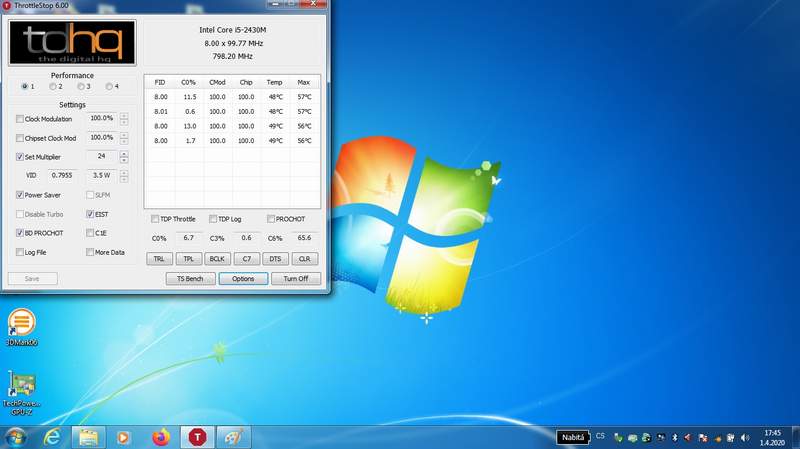
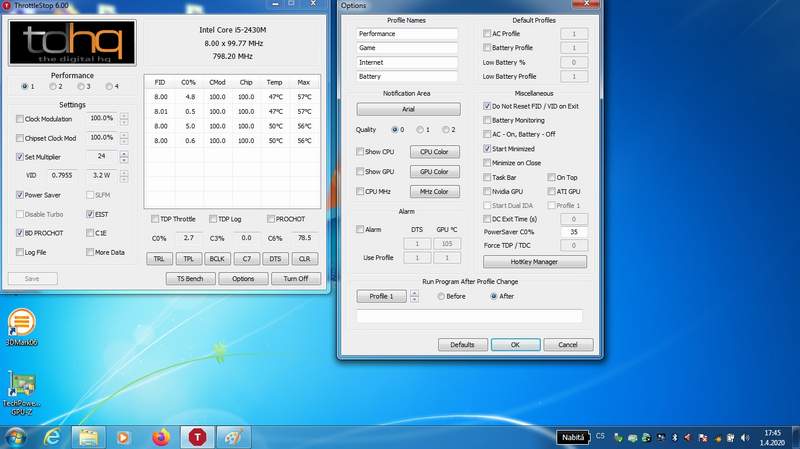
Throttlestop 6.0, Win 7 64b:After Windows started Throttlestop did not started in tray icon. But show up window. Also i can´t minimize TS to tray icon. Any help?
Sorry for lama's question.
SOLVED!
How to Clean the Notification Area Icon Cache in Windows 7 & Windows 8 - 7 Tutorials
https://www.digitalcitizen.life/how...utm_medium=redirect&utm_source=7tutorials.comLast edited: Apr 1, 2020 -
Be super careful using Conductonaut if you've never used liquid metal before. It's dangerous and can lead to rendering your unit dead if any leaks and shorts something out, be careful.Danny Utoyo, Papusan and unclewebb like this.
-
I need some explanation regarding my laptop's behaviour whenever I boot it on for the first time. As soon as windows loads up, power usage will be over 25w and the CPU multipliers will be 37-39 (Mine's i7-8750) for few minutes even on battery where maximum usage would never cross 25w and multipliers will be 22 max. After certain time, it returns to normal. Is this the usual behaviour on every laptop?
-
It is the usual behaviour on any computer if your install of Windows is bloated or you have a lot of apps that start up with Windows. Some antivirus programs like to give your hard drive a good thrashing when you first start up. I have no idea how your laptop is set up or how you have ThrottleStop set up. Post a ThrottleStop screenshot if you think your CPU is doing something that you do not think it should be doing.
Why are you still using ThrottleStop 6.00 from October 2013? Do you have a soft spot for that old version? I finally fixed the bug that you solved. The system tray icons work great in ThrottleStop 8.70 and Windows 10.
If I can do what?
It was kind of you to send me the 20 MB Insyde flash program along with all of those ROM files but what am I supposed to do with that stuff? I have zero experience with that program or editing a ROM or flashing that to the BIOS. I am not brave enough to do that to my own computer. I would never edit a ROM and ask someone else to install that on their computer. That is way too dangerous.
I asked you to try increasing the turbo power limits in the TPL window but your screenshot shows that you did not do that. That is the only ThrottleStop advice that I have for you. It would also be a good idea to stop and delete all of the useless Windows background tasks. Using the proper power adapter that your computer originally came with would also help out.
If using ThrottleStop did not solve your problem, there is nothing more that I can do.djdelarosa25, magnetoeric and Falkentyne like this. -
Luckily you can just roll back the BIOS to an earlier version and avoid the BS.
-
already rolled back to the previous bios, it seemed something is locking it up in winodws itself.
As per my previous post:
Last edited by a moderator: Apr 2, 2020 -
Sometimes after waking up from hibernate, TS kinda is "bugged" showing a c0% activity over all cores of 3-4% like this, even nothing else is running, and process explorer shows 99% idle:
![[IMG]](images/storyImages/afuj7Nb.png)
![[IMG]](images/storyImages/J45N1qK.png)
This wont go away anymore until rebooting the laptop. Not sure if the readings are just wrong, of it is a bug again with the XP 15 9570. Have no idea though what could cause this.
After shutdown and power on (reboot doesnt seem to help) it is back to normal:
![[IMG]](images/storyImages/lTLAHVk.png) Last edited: Apr 5, 2020
Last edited: Apr 5, 2020 -
I did a Before and After Hibernate test on my laptop. About a minute after resuming, the C0% before and after for each thread was close to identical.
![[IMG]](images/storyImages/sSYbPbX.png)
TS is not bugged. The amount of time a core has to spend in the C0 state processing background tasks is not comparable to what Process Explorer or the Task Manager shows for CPU usage. These programs are not measuring the same thing.
One thing that significantly influences C0% when a CPU is lightly loaded is the CPU speed. A faster CPU will get background tasks done much quicker. This allows the CPU to spend less time in the C0 state.
A CPU that is forced to run at 800 MHz is going to need to spend 5 times longer in the C0 state compared to the same CPU running at 4000 MHz. That means a slow CPU that needs to spend 4.0% in the C0 state would only need to spend 0.8% in the C0 state on the same CPU when set to its maximum speed. Big difference. In either situation, Process Explorer would probably show the exact same thing.
ThrottleStop is measuring C0% directly from high performance timers within your CPU. If it is showing you a difference, it is showing you something that is actually happening after you resume from hibernate. This does not happen on my computer with Windows 10 so there must be some program or driver on your computer that is more active after you resume which is forcing the CPU to spend more time in the C0 state. Maybe the CPU is bugged. Probably not. Maybe it is a bad driver. I have no idea why or what the problem is but it is definitely happening.
If you want to do some more testing, try setting the Speed Shift EPP variable to 0 so your CPU can process the background tasks more efficiently at a more consistent speed. Before and after you resume, make sure everything else is turned off. No Google Chrome, no Process Explorer or Task Manager, no nothing. Only TS open on the desktop. Let it sit for a while and see if it ever changes or is still stuck at a higher C0%.maffle, Papusan and tilleroftheearth like this. -
@unclewebb Thanks for looking into this and some words on it. Then this is a bug with the XPS 15 9570, and its catastrophic bios/EC. It seems to be the same phenomenon, when resuming from S3 sleep, and a constant c0% activity is shown in TS, but this time just on one core, and won't go away anymore, until a reboot. I found out later, that the issue here could be removed too, if deactivating all USB devices via device manager, also BT. And the broken c0% activity would go away.
The shown issue above is though happening on all cores and also all virtual cores. I also have to add, that a normal reboot of Windows did NOT fix this (no I dont use Windows quick boot), I had to power off and then power on again, to clear the c0% activity over all cores, and then it went back to the normal behavior.
Like I said, this is also not a 100% reproducible issue, it happens at least once every few days though, after several hibernate cycles. I have the suspicion that it happens with a higher than, when I have a device on the TB connected and let it hibernate during this time and wake up. Disconnecting the TB port doesnt help anymore though after this is triggered.
I have no idea what is causing it, but I am sure it has something to do with a broken state the CPU enters, or the EC/bios, and some feedback loop is going on not going away anymore, in a driver or the EC.
The shown above issue was done with no tasks at all, I also killed literally everything after making the screenshots, and lots of times before. This wasn't the first day I had this issue, I have it at least 2-3 times per week. And I did a lot of testing already on this, also with killing all tasks possible. I just made the screenshots with process explorer ect to make a point.
The 3-4% over all cores wont go away anymore even if waiting hours. Just when doing a shutdown and reboot.Last edited: Apr 6, 2020 -
I have finally been able to fix my stuck in package C2 bug after resuming. When I see this problem, I need to open the Intel HD Graphics Control Panel and I have to force it to Single Display mode. After that, Package C6 instantly starts working correctly. I am no fan of Dell but in this case, it is a crappy Intel GPU driver that gets the blame.
![[IMG]](images/storyImages/vWKYexW.png)
There is always a mad rush to get products to market to take advantage of specific selling seasons like Back to School, Black Friday, Christmas, etc. Minor bugs are put on the things to do list. If very few people notice or complain, things like C state bugs never get fixed. Extended battery run time might be a feature someday if some smart guy ever tracks down this bug and gets it solved. Maybe next year or maybe Intel will continue to lose market share to their competition.
A constant CPU load is usually a driver that is stuck in a loop and is constantly sampling something a billion times a second instead of a hundred times a second. If you are curious, try setting EPP to 0, turn on the More Data option and then turn on the Log File option. Is C0% fairly constant in the log or is there a series of regular spikes? You can also do this test with your normal EPP setting of 84.Last edited: Apr 6, 2020custom90gt, Papusan, tilleroftheearth and 1 other person like this. -
Hello guys,
I'm kinda lost here, i hope you can guide me!
So, lets go:
Relevant system info:
- Laptop OMEN by HP - 15-dc0017np
- Processor intel core i7 8750-h
- Dedicated Nvidia gtx1070 with max Q
Doing my tests with Cinnebench.
i'm reaching 94C , its way too much for my taste! i would like my temps to have a max of 85..86c maybe. if if it sacrifices some performance.
I should also mention that i already repaste about 2 or 3 months ago.
Here is my LOG, as well as my options:
Code:DATE TIME MULTI C0% CKMOD CHIPM BAT_mW TEMP GPU VID POWER 2020-04-07 13:03:01 21.64 5.7 100.0 100.0 11180 39 36 0.5481 3.2 2020-04-07 13:03:02 15.65 5.1 100.0 100.0 11180 38 36 0.5525 2.4 2020-04-07 13:03:03 11.49 5.8 100.0 100.0 11180 39 36 0.5457 2.2 2020-04-07 13:03:04 14.79 5.6 100.0 100.0 11180 39 36 0.5468 3.0 2020-04-07 13:03:05 9.47 4.0 100.0 100.0 11180 38 36 0.5508 1.5 2020-04-07 13:03:06 11.04 5.7 100.0 100.0 11180 38 36 0.5574 1.9 2020-04-07 13:03:07 9.93 3.5 100.0 100.0 11180 38 36 0.5522 1.3 2020-04-07 13:03:08 9.53 3.5 100.0 100.0 11180 38 36 0.5482 1.3 2020-04-07 13:03:09 9.41 3.8 100.0 100.0 11180 38 36 0.5453 1.3 2020-04-07 13:03:10 9.85 3.6 100.0 100.0 11180 37 36 0.5527 1.3 2020-04-07 13:03:11 9.77 3.4 100.0 100.0 11180 38 36 0.5533 1.3 2020-04-07 13:03:12 10.29 3.4 100.0 100.0 11180 38 36 0.5532 1.3 2020-04-07 13:03:13 9.60 3.6 100.0 100.0 11180 38 36 0.5526 1.2 2020-04-07 13:03:14 9.56 3.4 100.0 100.0 11180 38 36 0.5525 1.2 2020-04-07 13:03:15 15.76 7.2 100.0 100.0 11180 38 36 0.5542 2.7 2020-04-07 13:03:16 19.31 5.0 100.0 100.0 11180 39 36 0.9318 3.0 2020-04-07 13:03:17 20.22 6.0 100.0 100.0 11180 39 36 0.5466 4.1 2020-04-07 13:03:18 15.23 5.1 100.0 100.0 11180 38 36 0.5480 2.2 2020-04-07 13:03:19 17.52 4.6 100.0 100.0 11180 39 36 0.5474 2.2 2020-04-07 13:03:20 25.54 5.1 100.0 100.0 11180 39 36 0.5508 4.4 2020-04-07 13:03:21 22.09 6.5 100.0 100.0 11180 39 36 1.0203 3.7 2020-04-07 13:03:22 27.62 8.2 100.0 100.0 11180 41 36 0.6700 7.0 2020-04-07 13:03:23 26.69 7.5 100.0 100.0 11180 45 36 0.9708 5.9 2020-04-07 13:03:24 32.94 7.0 100.0 100.0 11180 42 36 0.9243 7.1 2020-04-07 13:03:25 33.41 8.3 100.0 100.0 11180 44 36 0.9944 7.1 2020-04-07 13:03:26 21.04 7.4 100.0 100.0 11180 42 36 0.9734 4.6 2020-04-07 13:03:27 29.30 9.0 100.0 100.0 11180 44 36 0.9932 7.2 2020-04-07 13:03:28 19.15 6.0 100.0 100.0 11180 39 36 0.5519 3.1 2020-04-07 13:03:29 12.52 6.4 100.0 100.0 11180 38 36 0.5466 2.3 2020-04-07 13:03:30 9.75 3.8 100.0 100.0 11180 38 36 0.5425 1.3 2020-04-07 13:03:31 11.22 6.7 100.0 100.0 11180 39 37 0.6067 1.7 2020-04-07 13:03:32 14.83 6.2 100.0 100.0 11180 39 37 0.5535 2.7 2020-04-07 13:03:33 11.98 6.3 100.0 100.0 11180 38 37 1.0138 1.9 2020-04-07 13:03:34 12.92 6.0 100.0 100.0 11180 38 36 0.5494 1.9 2020-04-07 13:03:35 14.17 4.9 100.0 100.0 11180 39 36 0.5458 1.9 2020-04-07 13:03:36 9.82 4.3 100.0 100.0 11180 38 36 0.5461 1.4 2020-04-07 13:03:37 10.71 5.3 100.0 100.0 11180 39 36 0.6783 1.5 2020-04-07 13:03:38 9.61 3.3 100.0 100.0 11180 38 36 0.5533 1.2 2020-04-07 13:03:39 13.95 6.3 100.0 100.0 11180 38 36 0.5482 2.2 2020-04-07 13:03:40 9.74 3.4 100.0 100.0 11180 38 36 0.5476 1.3 2020-04-07 13:03:41 13.35 4.7 100.0 100.0 11180 38 36 0.5582 1.9 2020-04-07 13:03:42 9.54 4.0 100.0 100.0 11180 38 36 0.5530 1.3 2020-04-07 13:03:43 12.02 4.9 100.0 100.0 11180 38 36 0.5460 1.6 2020-04-07 13:03:44 10.61 7.1 100.0 100.0 11180 39 36 0.5531 1.7 2020-04-07 13:03:45 9.52 6.3 100.0 100.0 11180 38 36 0.5511 1.6 2020-04-07 13:03:46 18.47 7.8 100.0 100.0 11180 43 36 0.9872 3.4 2020-04-07 13:03:47 30.62 5.8 100.0 100.0 11180 39 36 0.5475 5.2 2020-04-07 13:03:48 15.07 6.4 100.0 100.0 11180 38 36 0.5525 3.4 2020-04-07 13:03:49 11.36 4.9 100.0 100.0 11180 39 36 0.5466 2.6 2020-04-07 13:03:50 10.09 3.5 100.0 100.0 11180 38 36 0.5530 1.4 2020-04-07 13:03:51 14.81 5.9 100.0 100.0 11180 38 36 0.6083 2.5 2020-04-07 13:03:52 11.29 3.9 100.0 100.0 11180 38 36 0.5482 1.6 2020-04-07 13:03:53 10.35 5.8 100.0 100.0 11180 38 36 0.5476 1.9 2020-04-07 13:03:54 10.31 5.5 100.0 100.0 11180 38 36 0.5566 1.8 2020-04-07 13:03:55 21.55 5.1 100.0 100.0 11180 39 36 0.5525 2.5 2020-04-07 13:03:56 12.10 6.4 100.0 100.0 11180 38 36 0.5472 2.1 2020-04-07 13:03:57 15.48 5.5 100.0 100.0 11180 38 36 0.5524 2.2 2020-04-07 13:03:58 12.97 5.4 100.0 100.0 11180 38 36 0.6310 2.1 2020-04-07 13:03:59 10.10 6.9 100.0 100.0 11180 38 36 0.5458 2.0 2020-04-07 13:04:00 22.12 7.3 100.0 100.0 11180 41 36 1.0140 3.1 2020-04-07 13:04:01 10.75 5.3 100.0 100.0 11180 38 36 0.5516 1.9 2020-04-07 13:04:02 17.34 8.2 100.0 100.0 11180 39 36 0.6268 3.8 2020-04-07 13:04:03 10.76 6.2 100.0 100.0 11180 39 36 0.5466 1.9 2020-04-07 13:04:04 18.92 6.5 100.0 100.0 11180 39 36 0.5508 3.3 2020-04-07 13:04:05 24.45 7.3 100.0 100.0 11180 39 36 0.5376 4.7 2020-04-07 13:04:06 20.36 6.3 100.0 100.0 11180 41 36 1.0233 3.5 2020-04-07 13:04:07 21.07 5.8 100.0 100.0 11180 39 36 0.5458 4.0 2020-04-07 13:04:08 10.22 5.3 100.0 100.0 11180 40 36 1.0374 1.7 2020-04-07 13:04:09 19.30 4.9 100.0 100.0 11180 38 36 0.5569 3.0 2020-04-07 13:04:10 20.30 5.2 100.0 100.0 11180 40 36 1.0385 3.3 2020-04-07 13:04:11 18.57 5.6 100.0 100.0 11180 38 36 0.5458 3.3 2020-04-07 13:04:12 21.71 5.4 100.0 100.0 11180 39 36 0.5449 3.6 2020-04-07 13:04:13 10.31 5.2 100.0 100.0 11180 38 36 0.5532 2.1 2020-04-07 13:04:14 27.88 5.3 100.0 100.0 11180 38 36 0.5474 4.7 2020-04-07 13:04:15 36.79 10.0 100.0 100.0 11180 58 36 1.0211 11.5 2020-04-07 13:04:16 36.44 18.5 100.0 100.0 11180 53 36 1.0609 17.3 2020-04-07 13:04:17 36.83 18.4 100.0 100.0 11180 56 36 1.0433 15.8 2020-04-07 13:04:18 37.05 21.6 100.0 100.0 11180 58 36 1.0142 17.6 2020-04-07 13:04:19 36.13 55.9 100.0 100.0 11180 70 36 1.0033 27.1 2020-04-07 13:04:20 35.94 39.3 100.0 100.0 11180 58 36 0.9662 27.6 2020-04-07 13:04:21 36.12 73.0 100.0 100.0 11180 79 36 0.9487 34.2 2020-04-07 13:04:22 36.00 99.8 100.0 100.0 11180 82 37 0.9454 47.5 2020-04-07 13:04:23 36.00 92.4 100.0 100.0 11180 87 37 0.9871 52.4 2020-04-07 13:04:24 36.00 100.0 100.0 100.0 11180 87 37 0.9860 56.5 2020-04-07 13:04:25 36.00 100.0 100.0 100.0 11180 88 37 0.9885 55.6 2020-04-07 13:04:26 36.00 100.0 100.0 100.0 11180 89 37 0.9868 56.3 2020-04-07 13:04:27 36.00 100.0 100.0 100.0 11180 90 37 0.9867 56.4 2020-04-07 13:04:28 36.00 100.0 100.0 100.0 11180 90 38 0.9869 56.3 2020-04-07 13:04:29 36.00 100.0 100.0 100.0 11180 90 38 0.9867 56.1 2020-04-07 13:04:30 36.00 100.0 100.0 100.0 11180 91 38 0.9860 56.3 2020-04-07 13:04:31 36.00 100.0 100.0 100.0 11180 90 39 0.9858 56.6 2020-04-07 13:04:32 36.00 100.0 100.0 100.0 11180 91 39 0.9868 56.4 2020-04-07 13:04:33 36.00 100.0 100.0 100.0 11180 91 39 0.9851 56.5 2020-04-07 13:04:34 36.00 100.0 100.0 100.0 11180 91 39 0.9869 56.5 2020-04-07 13:04:35 36.00 100.0 100.0 100.0 11180 91 39 0.9869 56.6 2020-04-07 13:04:36 36.00 100.0 100.0 100.0 11180 91 39 0.9869 56.6 2020-04-07 13:04:37 36.00 100.0 100.0 100.0 11180 91 39 0.9869 56.4 2020-04-07 13:04:38 36.00 100.0 100.0 100.0 11180 92 39 0.9871 56.6 2020-04-07 13:04:39 36.00 100.0 100.0 100.0 11180 92 39 0.9861 56.3 2020-04-07 13:04:40 36.00 100.0 100.0 100.0 11180 92 40 0.9867 56.2 2020-04-07 13:04:41 36.00 100.0 100.0 100.0 11180 92 40 0.9878 56.3 2020-04-07 13:04:42 36.00 100.0 100.0 100.0 11180 93 40 0.9869 56.3 2020-04-07 13:04:43 36.00 100.0 100.0 100.0 11180 94 40 0.9867 56.2 2020-04-07 13:04:44 36.00 100.0 100.0 100.0 11180 94 40 0.9866 56.2 2020-04-07 13:04:45 36.00 100.0 100.0 100.0 11180 94 40 0.9867 56.6 2020-04-07 13:04:46 36.00 100.0 100.0 100.0 11180 93 40 0.9869 56.1 2020-04-07 13:04:47 36.00 100.0 100.0 100.0 11180 94 40 0.9875 56.4 2020-04-07 13:04:48 36.00 100.0 100.0 100.0 11180 93 40 0.9894 56.0 2020-04-07 13:04:49 36.00 100.0 100.0 100.0 11180 93 40 0.9867 56.0 2020-04-07 13:04:50 36.00 100.0 100.0 100.0 11180 92 40 0.9875 56.0 2020-04-07 13:04:51 36.00 100.0 100.0 100.0 11180 94 40 0.9878 56.0 2020-04-07 13:04:52 36.00 100.0 100.0 100.0 11180 93 41 0.9877 55.8 2020-04-07 13:04:53 36.00 100.0 100.0 100.0 11180 93 41 0.9880 56.1 2020-04-07 13:04:54 36.00 100.0 100.0 100.0 11180 94 41 0.9868 56.0 2020-04-07 13:04:55 36.00 100.0 100.0 100.0 11180 94 41 0.9875 55.7 2020-04-07 13:04:56 36.00 100.0 100.0 100.0 11180 94 41 0.9875 55.9 2020-04-07 13:04:57 36.00 100.0 100.0 100.0 11180 95 41 0.9875 55.9 2020-04-07 13:04:58 36.00 100.0 100.0 100.0 11180 94 41 0.9875 56.0 2020-04-07 13:04:59 36.00 100.0 100.0 100.0 11180 94 41 0.9869 56.1 2020-04-07 13:05:00 36.00 100.0 100.0 100.0 11180 94 41 0.9877 55.8 2020-04-07 13:05:02 36.00 100.0 100.0 100.0 11180 94 41 0.9910 55.7 2020-04-07 13:05:03 36.00 100.0 100.0 100.0 11180 93 41 0.9894 53.9 2020-04-07 13:05:03 35.96 100.0 100.0 100.0 11180 90 41 0.9662 54.8 PL1 2020-04-07 13:05:04 33.73 100.0 100.0 100.0 11180 86 41 0.9404 45.1 PL1 2020-04-07 13:05:05 33.69 100.0 100.0 100.0 11180 85 41 0.9399 44.7 PL1 2020-04-07 13:05:06 33.71 100.0 100.0 100.0 11180 86 41 0.9402 45.1 PL1 2020-04-07 13:05:07 33.70 100.0 100.0 100.0 11180 85 41 0.9407 44.5 PL1 2020-04-07 13:05:08 33.65 100.0 100.0 100.0 11180 85 41 0.9399 45.0 PL1 2020-04-07 13:05:09 33.62 100.0 100.0 100.0 11180 86 41 0.9391 44.9 PL1 2020-04-07 13:05:10 33.61 100.0 100.0 100.0 11180 85 41 0.9399 44.8 PL1 2020-04-07 13:05:11 33.64 100.0 100.0 100.0 11180 86 41 0.9417 44.8 PL1 2020-04-07 13:05:12 33.65 100.0 100.0 100.0 11180 85 41 0.9406 44.9 PL1 2020-04-07 13:05:13 33.65 100.0 100.0 100.0 11180 84 41 0.9150 44.9 PL1 2020-04-07 13:05:14 33.65 100.0 100.0 100.0 11180 84 41 0.9407 45.1 PL1 2020-04-07 13:05:15 33.64 100.0 100.0 100.0 11180 86 41 0.9397 44.9 PL1 2020-04-07 13:05:16 33.69 100.0 100.0 100.0 11180 85 41 0.9407 44.7 PL1 2020-04-07 13:05:17 33.71 100.0 100.0 100.0 11180 85 41 0.9397 44.9 PL1 2020-04-07 13:05:18 33.75 100.0 100.0 100.0 11180 83 41 0.9401 44.9 PL1 2020-04-07 13:05:19 33.74 100.0 100.0 100.0 11180 83 41 0.9406 44.8 PL1 2020-04-07 13:05:21 33.72 100.0 100.0 100.0 11180 83 41 0.9401 45.1 PL1 2020-04-07 13:05:21 33.69 100.0 100.0 100.0 11180 83 41 0.9158 45.0 PL1 2020-04-07 13:05:22 33.67 100.0 100.0 100.0 11180 85 41 0.9398 44.8 PL1 2020-04-07 13:05:23 33.66 100.0 100.0 100.0 11180 83 41 0.9149 44.9 PL1 2020-04-07 13:05:24 33.70 100.0 100.0 100.0 11180 85 41 0.9440 44.9 PL1 2020-04-07 13:05:25 33.80 100.0 100.0 100.0 11180 86 41 0.9408 44.9 PL1 2020-04-07 13:05:26 33.71 100.0 100.0 100.0 11180 83 41 0.9404 45.0 PL1 2020-04-07 13:05:27 33.71 100.0 100.0 100.0 11180 85 41 0.9407 44.9 PL1 2020-04-07 13:05:28 33.70 100.0 100.0 100.0 11180 85 40 0.9408 45.1 PL1 2020-04-07 13:05:29 33.67 100.0 100.0 100.0 11180 85 40 0.9414 44.8 PL1 2020-04-07 13:05:30 33.66 100.0 100.0 100.0 11180 85 40 0.9406 45.0 PL1 2020-04-07 13:05:31 33.70 100.0 100.0 100.0 11180 84 40 0.9158 44.8 PL1 2020-04-07 13:05:32 33.70 100.0 100.0 100.0 11180 86 40 0.9397 45.0 PL1 2020-04-07 13:05:33 33.66 100.0 100.0 100.0 11180 85 40 0.9407 44.8 PL1 2020-04-07 13:05:34 33.70 100.0 100.0 100.0 11180 85 40 0.9398 45.2 PL1 2020-04-07 13:05:35 33.65 100.0 100.0 100.0 11180 85 40 0.9154 44.9 PL1 2020-04-07 13:05:36 33.70 100.0 100.0 100.0 11180 84 40 0.9390 45.0 PL1 2020-04-07 13:05:37 33.72 100.0 100.0 100.0 11180 85 40 0.9149 44.9 PL1 2020-04-07 13:05:38 33.72 100.0 100.0 100.0 11180 84 40 0.9158 44.9 PL1 2020-04-07 13:05:39 33.74 100.0 100.0 100.0 11180 85 40 0.9398 44.9 PL1 2020-04-07 13:05:40 33.76 100.0 100.0 100.0 11180 84 40 0.9408 44.8 PL1 2020-04-07 13:05:41 33.73 100.0 100.0 100.0 11180 85 40 0.9404 45.1 PL1 2020-04-07 13:05:42 33.75 100.0 100.0 100.0 9825 85 40 0.9414 44.8 PL1 2020-04-07 13:05:43 33.75 100.0 100.0 100.0 9825 84 40 0.9408 45.0 PL1 2020-04-07 13:05:44 33.72 100.0 100.0 100.0 9825 84 40 0.9396 44.9 PL1 2020-04-07 13:05:45 33.72 100.0 100.0 100.0 9825 86 40 0.9158 44.9 PL1 2020-04-07 13:05:46 33.74 100.0 100.0 100.0 9825 85 41 0.9158 45.0 PL1 2020-04-07 13:05:47 33.73 100.0 100.0 100.0 9825 86 41 0.9415 45.1 PL1 2020-04-07 13:05:48 33.72 100.0 100.0 100.0 9825 86 41 0.9398 44.7 PL1 2020-04-07 13:05:49 33.74 100.0 100.0 100.0 9825 86 41 0.9413 45.1 PL1 2020-04-07 13:05:50 33.70 100.0 100.0 100.0 9825 86 41 0.9401 44.9 PL1 2020-04-07 13:05:51 33.72 100.0 100.0 100.0 9825 85 41 0.9408 44.9 PL1 2020-04-07 13:05:52 33.73 100.0 100.0 100.0 9825 85 41 0.9149 44.9 PL1 2020-04-07 13:05:53 33.73 100.0 100.0 100.0 9825 85 41 0.9222 44.9 PL1 2020-04-07 13:05:54 33.72 100.0 100.0 100.0 9825 85 41 0.9407 44.9 PL1 2020-04-07 13:05:55 33.81 100.0 100.0 100.0 9825 86 41 0.9149 44.8 PL1 2020-04-07 13:05:56 33.71 100.0 100.0 100.0 9825 84 41 0.9406 45.1 PL1 2020-04-07 13:05:57 33.72 100.0 100.0 100.0 9825 86 41 0.9404 44.9 PL1 2020-04-07 13:05:58 33.71 100.0 100.0 100.0 9825 86 41 0.9390 44.9 PL1 2020-04-07 13:05:59 33.66 100.0 100.0 100.0 9825 86 41 0.9146 44.9 PL1 2020-04-07 13:06:00 33.70 100.0 100.0 100.0 9825 86 41 0.9407 45.0 PL1 2020-04-07 13:06:09 33.72 100.0 100.0 100.0 9825 85 41 0.9399 45.0 PL1 2020-04-07 13:06:09 33.71 100.0 100.0 100.0 9825 85 41 0.9407 44.8 PL1 2020-04-07 13:06:10 35.40 12.0 100.0 100.0 9825 50 41 0.5682 10.0 2020-04-07 13:06:11 18.17 4.7 100.0 100.0 9825 49 41 0.9810 3.5 2020-04-07 13:06:12 27.01 5.0 100.0 100.0 9825 48 41 0.5375 3.6 2020-04-07 13:06:13 14.81 3.6 100.0 100.0 9825 47 41 0.5903 1.8 2020-04-07 13:06:14 17.09 4.8 100.0 100.0 9825 46 40 0.5425 2.3 2020-04-07 13:06:15 26.55 6.0 100.0 100.0 9825 49 40 0.9777 4.5 2020-04-07 13:06:16 27.89 6.6 100.0 100.0 9825 48 40 0.5416 5.7
![[IMG]](images/storyImages/rd7N0CV.jpg)
![[IMG]](images/storyImages/CmLBpmY.jpg)
![[IMG]](images/storyImages/m4AIQhk.jpg)
Cheers -
Hey @unclewebb , this may or may not belong here but I was hoping to get your thoughts. I have a Thinkpad P1, and although Throttlestop shows PROCHOT at 96, this thing thermal throttles (with BD PROCHOT off, and showing the "THERMAL" throttle reason) at 80, very consistently and clearly.
Per some research I've done, the MSR_TEMPERATURE_TARGET is set to 20 (0x14), and even if I adjust it to be 4 (like PROCHOT seems to suggest it should be), it eventually gets overwritten to 20. Any ideas with what's going on here?
There are a number of threads out there for these Thinkpads which show this, but all the evidence suggests that people can get around it (in Windows, anyways) by disabling Hyper-V or Intel VT-D in the BIOS. This makes no difference for me, though. My laptop is just locked at a maximum of 80.
Any thoughts on this? -
Intel says any peak core temperature under 100°C is perfectly fine. They call that a "safe operating temperature". That is why they set the thermal throttling temperature to 100°C. Your screenshot shows that your laptop manufacturer set the thermal throttling (PROCHOT) temperature to 97°C. This will force thermal throttling before your CPU ever gets to its 100°C recommended limit.
If you disagree with Intel and you just want to keep your CPU away from this temperature then the best way would be to reduce the turbo power limits. If you look in the log file, you will see PL1 in the far right column as the reason for throttling. At this point, the power column is showing 45 Watts. In ThrottleStop you have your power limits set to 65 long (PL1) and 75 short (PL2). This means that your CPU is ignoring the power limit values that you are requesting in ThrottleStop.
Why does this happen? There is actually a third set of turbo power limits that are controlled by the EC. Some manufacturers like HP and Dell got sick of ThrottleStop performing its magic. They are now using this third set of turbo power limits to prevent the CPU from going beyond its 45 Watt TDP rating. There is no freely available software that lets one get beyond this limit. People that want full control of their CPU need to shop elsewhere.
Instead of setting your power limits to 65 - 75, you might as well set the long term limit to 45 because if you do not do this, the EC is going to override your ThrottleStop setting and do this anyhow. Your log file shows your temps up into the low 90s when power consumption is reporting 56 Watts. You do not want temperatures that high so you need to reduce the short power limit. Maybe you can try setting the short limit to 50 Watts to keep the peak temps down. You can also try reducing the turbo time limit from 28 seconds down to 8 seconds. This will force your CPU to spend less time at the higher power limit before it gets forced to the long term 45 watt limit. The possibilities are endless. Maybe 55 Watts for the short limit but only 1 or 2 seconds for the turbo time limit.
The power limits in ThrottleStop do work. The CPU just compares all 3 sets of turbo power limits and uses the lowest value it finds. Using ThrottleStop to go equal to or lower than the third set of EC controlled power limits should allow you to control your CPU. You might want to try increasing your turbo ratio limits back to their default values. Instead of worrying about what speed your CPU is running at, setting the power limits will automatically control its speed without forcing your CPU to run slow when it is lightly loaded.
For your voltage settings, it is typically the Intel GPU and iGPU Unslice that need to be set equally or the Intel GPU might ignore your request.
The main TS screen shows that you are requesting a Speed Shift EPP value of 64. The FIVR monitoring table shows that the CPU is actually using an EPP value of 84. That means that Windows is in charge of the EPP setting. If you would like ThrottleStop to be in charge of this, try using the Windows High Performance power profile. A setting of 84 is perfectly fine so in this case, I would not check the Speed Shift EPP option on the main screen of ThrottleStop. That will allow Windows to be in full control of Speed Shift EPP.
Have you ever wondered how much performance is sacrificed when a manufacturer decides to limit an 8750H to its 45 Watt TDP limit? Head to HWBot for a comparison.
https://hwbot.org/submission/4206534_kill4l_cinebench___r20_core_i7_8750h_3147_marks/
That is a lot of lost performance when a manufacturer decides that a 45 Watt laptop is good enough. Too bad this information is not more readily available so consumers could make more informed choices. -
@skyh13 - I have heard about the MSR_TEMPERATURE_TARGET issue in the Thinkpad series. I remember having a look at this issue but never got around to doing anything about it.
When Intel first introduced the temperature target offset feature, Intel only allocated 4 bits to contain this information. That allowed an offset adjustment from 0°C to 15°C. A manufacturer could use this offset to reduce the standard 100°C thermal throttling temperature down to 85°C.
ThrottleStop assumes that the offset value is only 4 bits and ThrottleStop also assumes that the amount of offset is not dynamically changing. That means ThrottleStop only samples the offset value in the TEMPERATURE_TARGET register once when you first start ThrottleStop. Any newer CPUs that are using 5 bits or 6 bits to contain the offset value is also being ignored by ThrottleStop.
The Intel publicly available documentation that I have access to is not clear at all. For some CPU families, it simply lists these bits as Reserved and it does not show what CPU families support 4 or 6 bits. Without proper documentation or access to a Thinkpad laptop with this problem, I decided to walk away from it.
Before walking away, I did discover that the offset stored in MSR 0x1A2 also seems to be duplicated in memory location 0xFED1599C
On newer CPUs, I am not sure if changing the offset in MSR 0x1A2 is enough to change it in both locations automatically.
If you are familiar with RWEverything, you can use it to monitor this register and this memory location. If you can come up with any new information, I will consider looking into this some more. I need to know if this offset is being changed in multiple locations as well as the frequency of these changes. If you use RWEverything to make a change, does this change take effect or 1 second later does it automatically change back.
When this temperature offset variable was first introduced, the CPU had to be reset before it would take effect. The BIOS could set this but when I used RWEverything to change it in Windows, this change had no effect to the throttling temperature. Newer CPUs must be different now.pressing likes this. -
Hey peeps, I have a Acer V5-573G with a I5-4210U/GTX 850m which is throttling when running the Nvidia grphics card and the CPU at the same time, Ive literally tried everything to stop the PL1, I raised it on the BIOS, nothing, unlocked the Configurable TDP option and used Intel XTU, used the Disable and lock Turbo Limits on TStop, tried to change the values trhu MSR modifying the address 0x610h, EVRYTHING. I dont know what else is left to try..
does anyone know what else what I could be possibly missing?
MSR registers shows that the change was made, bits 14:0 in the address 0x610 are only 1, thats literally a 4000w TDP limit, there must be some other factor in play, Ive no clue what could it be, here are the complete bits of the address 0x610, I dont know if this can be helpful
![[IMG]](images/storyImages/IgTrCiH.png)
PS: Temps are 67c when underload so thermal throttling is discarded
-
Hey Unclewebb,
I'm concerned about my gpu (nvidia 960m) getting a bit high when gaming (GoW 4) on my Dell XPS 9550 i7-6700HQ. I repasted in Sept 2019. When I game im usually on my charger. The logs of my gaming session starts at 12:04PM today. During idle (non-load) i hover between 25-30c and C0% ranges from 0.4-0.6. Any advice is appreciated. Thanks
P.S. Limits read BD Prochot on Core and EPD Other on Ring, both yellowAttached Files:
-
-
Hi! Thanks so much for dedicating your time to such a well elaborated reply!
I want to start "fresh" with the settings, and i deleted the ini file and rebooted. Upon starting throtlestop again, after the initial warning, i went straight to the TPL and the values are the same! and i don't remember what were the default ones!
I totally forgot that i have checked the option "do not reset on exit". What are my options now? i already deleted the entire folder to make sure, shutdown the laptop instead of reboot, re-downloaded the app and the values are still there! -
Thanks so much for the reply. In looking at the memory dump on RWEverything, at 0xFED1599C, I see that temperature value from MSR_TEMPERATURE_TARGET duplicated there. If that offset in MSR_T_T is 0x14, then if I change the memory location to 0x04, then the memory location immediately is overwritten with what's in the MSR. So it seems that that memory location is directly fed by what's in the MSR, and to your point, changing the MSR does change it in both locations.
However, here's the behavior I'm seeing -- if I change the MSR from 0x14 to 0x04 (so the offset from 20 C to 4 C), that value will stay there, until one of a number of things happens, at which point it gets overwritten to 0x14 again. Here is a list of those things that I've found:
1. In "Lenovo Vantage" I change the "Intelligent Cooling" setting to literally anything. Turn on, Turn off, Performance, Cool & Quiet, doesn't matter, just as long as I change it, it'll overwrite MSR with 0x14 immediately
2. Change the Windows Power setting (best peformance, better battery, etc) will overwrite immediately
3. Run something which causes the CPU to heat up until it hits 96 (my manual MSR setting), at which point I see in Throttlestop that PROCHOT gets flagged, and then the MSR gets overwritten with 0x14 ~6-7 seconds later, and the system thermal throttles back down to 80 C.
Now, I'll be honest.. I would swear that this laptop didn't always do this. Lenovo people have suggested that Linux users are having trouble with it because of the way that the intelligent cooling firmware or something is implemented, however Windows users have had trouble because, supposedly, VT-d or Hyper-V are then causing Lenovo's software to be unable to write to the MSR (and if you try to use RWE to write to the MSR, Windows will crash). In my case, I can write to RWE just fine, I don't have Hyper-V, and none of the other changes seem to do... anything. So I'm not sure what to think. -
There is another factor. The EC controls a third set of turbo power limits. Some manufacturers use the EC to set the long term turbo power limit equal to the TDP which is 15 Watts for your CPU. The turbo power limits are stored in 3 separate locations. The lowest value always wins. Setting the power limit in MSR 0x610 sky high will be ignored. ThrottleStop and Intel XTU have no access to the EC so long term, 15 Watts is your max.
@zilla0617 - Your log file shows the GPU getting up to 92°C. That is within spec for an Nvidia GPU but it is definitely hot. I was helping someone the other day with a similar Nvidia GPU. His computer is no longer stable once his GPU reaches 82°C. I recommended using Nvidia Inspector 1.9.7.8 to slow his GPU down so it does not get so hot. Not much else you can do. As your GPU gets older, it will start to go downhill and then you too might lose stability when running the GPU at 90°C. Laptops with components that are soldered to the main board are disposable. They are built to last long enough to get through the warranty period. You can try redoing the thermal paste again. Your CPU is doing great. It is running at its full rated speed without any temperature or power throttling issues.
Your BIOS might be setting the two main power limits to 65 - 75 by default. They might do that to fake consumers out. 65 looks good but it is obvious that the third and hidden power limit is set to 45.
I think that option was for Core 2 Duo processors from about 12 years ago. Not sure what or if it does anything on the newer Core i CPUs.
Set your undervolt up the way you previously had it. If you are looking to keep your CPU from getting up over 90°C, try setting your turbo power limits to what I previously recommended. -
brothers and sisters i come here to testify that i managed to enable UV again on my Dell G3 3590 following the steps that JAWW posted here.
thank you very much JAWW.JAWW and tilleroftheearth like this. -
There are always Windows Updates and other software updates. It is really difficult to keep track of some of the sneaky changes that are happening on a regular basis. Kind of like Dell quietly blocking under volting without informing users.
It sounds like the Lenovo Vantage software is causing this problem. Do you really need Lenovo Vantage? My laptop runs fine without any Lenovo software on it. There is nothing in Windows 10 that I know of that manipulates the temperature offset register. It seems like it is just Lenovo that is doing this. I would try removing Vantage, even temporarily, to see if this is the cause.
If you want to keep Vantage, I will try adding some code to ThrottleStop to monitor and adjust the offset value to either 0 which is the Intel recommended value or to 4. Let me know what value you would prefer.Papusan likes this. -
EDIT - Dell changed the GPU throttle I think from 78*c to 74*c around 2018. I can't remember the exact flags and think that was done in 2018 via BIOS. It is in the forums.
You should check out the XPS subforum here for some tips. Not a gaming laptop so power and thermal engineering on the XPS is weak.I have a 9550 so will get you started:
- Undervolt and repaste lowered thermals about 6*c each (total CPU drop 13*c in benchmark) vs factory on my 9550 6300HQ. During benchmarks core deltas were about 2*c. GPU generally stays below 74*c in hard benchmarking. The 6700HQ somewhat overwhelms the chassis so the i5 was the "sweet spot" IMHO.
- No comments on your ThrottleStop settings which are similar to mine.
- "EPD Other on Ring" yellow flag - not sure there is a fix to that. Some weeks I don't see it but usually do even just surfing the web.
- Windows Power Options - use "High Performance" (particularly as you run SpeedShift).
- Dell Command | Power Manager - you can try setting "Ultra Performance" "Cool". These map some fan and power registers we can't otherwise access.
- Since the CPU and GPU share heatpipes, can you reduce the performance of the CPU to give more thermal headroom to the GPU? Change EPP to say 78 (that will give access to max turbo speeds but also reduce power consumption); you need to bench test your CPU as that figure varies a bit by processor. You could even try higher EPP. EPP for max energy efficiency is 255 as you know.
- The XPS heatpipes are not too flat so even the pros repaste a few times and stress test to figure out best performance; it is a pain. I see max temp delta of 5*c among your cores; that seems a bit high. The temps at idle are not particularly helpful. Make sure your heatsink is flat. You want the absolute min amount of thermal paste with full coverage; small rice grain size worked for me. There are tons of before and after repaste temps and benchmarks for the 6700HQ at the notebook review XPS forum.
- Are you using new thermal pads on the VRAM? If so make sure you have very soft fluffy ones and that they are not too thick. OEM thermal pads might not be thick enough but several people used new pads that were too thick and/or too dense and that lifted the heatsink off the GPU to bad results.
- I recall some people used MSI Afterburner to undervolt & change clocks on the GPU. There are some tips on the notebook review XPS forum.Last edited: Apr 7, 2020 -
Thank you for your response. The GPU throttle affected XPS after mine, I believe the 9570 and newer. I experience no throttle just the heat from gaming. Im already using the Windows High Performance profile. I'll try using ultra performance or cool during my next gaming session. Im currently running 0 EPP for max performance. The VRAM pads are the stock ones the came with my XPS Dec '15. I looked into MSI afterburner to undervolt, it does not work with the 9550. The 9560 was the 1st XPS that enabled GPU undervolt using MSI afterburner
@unclewebb That's unfortunate that's the case with soldered items. I'll look into Nvidia inspector, hopefully that will make a difference. As it is with every Nvidia driver I remove all the unnecessary components within the drive to make it as slim as possible. That's good to hear that my CPU is running great, many hours of reading, tweaking, and your wonderful program. Thanks again.Last edited: Apr 7, 2020Papusan likes this. -
Hi @unclewebb
Thanks again. I have tried just about everything I can think to now, uninstalling Vantage, disabling Lenovo services (especially things like the "intelligent thermal solution service" and the "power manager service"), disabled the associated System Devices in Device Manager.. and still, something is overwriting that MSR value with 0x14. I'm at a loss as to what is dictating this overwrite.
With or without Vantage, some code in ThrottleStop to adjust that offset would be amazing. Some developers created scripts to do this in Linux, https://github.com/erpalma/throttled. Not sure if that would be of any help to you or not.
I'm somewhat ambivalent towards which value, but logical or not I suppose I feel more comfortable with 4 as an offset rather than zero, but either would be much better than now.
I really appreciate the help, and I'm sure a lot of other thinkpad owners would appreciate this, too, assuming they're having the same trouble that I am.pressing likes this.
The ThrottleStop Guide
Discussion in 'Hardware Components and Aftermarket Upgrades' started by unclewebb, Nov 7, 2010.