Problems? See this thread at archive.org.
80° on a gaming laptop with a powerful VGA is perfectly normal.
But why on hell everyone is disabling Turbo ???
That’s something to avoid on an Intel CPU. You are crippling performance in a bad way.
Set Speed Shift EPP to 128 or something similar, and if it is not enough try to lower the maximum Turbo ratio by 100/200 MHz.
-
This just keeps getting worse, I can't even disable Turbo anymore.
-
@Higor R. Carvalho - I would like to think that laptop manufacturers are well aware that their laptop designs run hot as hell when gaming. Many mass market gaming laptops have truly sad and inadequate cooling solutions. It is normal for them to run right up to the maximum temperature and to start thermal throttling. Terrible design but unfortunately, this has become the new norm.
Using ThrottleStop to undervolt the CPU core and cache definitely helps the cause and is highly recommended. I would avoid disabling turbo boost unless your laptop is constantly overheating. Taking care of the excess voltage should be all that is required. If you do need to slow your CPU down, try lowering the turbo ratio limits a little. This allows you to control how much turbo boost your CPU uses. The Disable Turbo option is extreme. It cuts CPU performance almost in half on some mobile CPUs.
Why not? When you make a statement like that, why not include some details and some ThrottleStop screenshots to show everyone what you are talking about.Higor R. Carvalho likes this. -
Sorry if this has bee asked already, I did google search it and went a few pages back but couldn't find anything concrete.
Since XTU is working fine with my i7-10875H and is undervolting both core and cache is there a chance that TrottleStop will get an update for it to work on comet-lake H cpus?
I know XTU and throttleStop are 2 different things but it doessees encouraging that soome OEMs. mostly ODMs are allowing for undervolting so I thought this could bring back the developmentback on trk if you like.
Again, apologies if this been asked million times, I don't have much time I can spend searching for every bit of detail of the the matter today so sorry.
Thanks all, hope you're all safe and your temps low
Zill -
Hello I am newbie to this forum and TS respectively. Before I begin I want to apologize for my English
I have Acer Aspire 3 A315-54-5265 with i5 10210u. I have one problem - about fan noise. He has one fan (as I know) and he is constantly on and making very very very big noise. I can hear it from another room. I tried to decrease core and cash voltage by -100 but it is unstable. Stable is by -50 but it give no effect. So I disabled turboboost and the temperature dropped to 70C and fan noise is acceptable. Do I do everything right can I act more effectively and have turboboost on and temperature below 70-75C? -
EDIT:
See this video:
Your chassis might be similar given that its the same family.
Maybe a repaste will help.. -
I think he has one pipe
So you suggest just glue pipe on fan?
![[IMG]](images/storyImages/r0dZGHs.jpg)
-
See the edit, the other video is from the AMD version.
The fan looks a bit dusty, as does the heatsink, repaste it with Artic-MX4. -
Thanks for your reply. I dont think about repaste because this laptop is all brand new and is 2 monthes old. And fan was loud the first day i opened the box. I think the problem is with cooling design. How do you think will adding addition pipes give a result?
-
You can't "add pipes" to the cooling system of a notebook.
-
Why not? I think about something like this.
-
You don't think about re-paste, but you are willing to do something like that ???
-
First, thanks for the answer!!
haha i think it's the first thing newbies, like me, think to control those high temps. xDD
I've now setted the EPP to 128 as you said, but you lost me on this thing about 100/200mhz, couldn't find it.
I'll post what i've made on my Throttlestop.
Thanks for the answer!!!
I understand you completely since i pass 6 years without a computer, and nobody, literaly nobody, told me that laptop have those extreme temps, in a way that my hand can't keep on the keyboard when gameplaying and even on Youtube (O_O). When i've bought this laptop i tought that the two "huge" coolers on it would make the cooling right... And the Acer told me, since a sended the laptop to support, that the laptop is normal and doesn't have ANY Thermal issues or Throttling, but they, at least, changed the termalpads for me. Don't know what they think they're winning with this... It's only bad marketing for them. :/
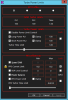
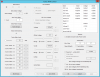
I've uncheked the Turbo thing and i'll post my Throttlestop configs here... If you think i can change something to improve the temperate and my gameplay experience, please, you can tell. xDD
Thanks again guys!!!
![[IMG]](images/storyImages/2020-06-04-1.png)
![[IMG]](images/storyImages/2020-06-04-3.png)
![[IMG]](images/storyImages/2020-06-04-4.png)
![[IMG]](images/storyImages/2020-06-04-5.png)
-
First things first, Higor: download an updated version of Throttlestop. Your is very old.
In FIVR control, deselect the LOCK in Non Turbo Ratio box, and under it restore the usual Turbo Ratio Limits for an i7-7700HQ (I don't remember the defaults for your CPU).
If the maximum turbo ratio is too high, you could lower it (i.e. 34 -> 33 or 32) and see if temperatures are better.
It is much better than limit your CPU to 2.8 GHz.
I don't remember max clock speed for all cores for the 7700HQ, but IIRC it was 3.4 GHz.Last edited: Jun 4, 2020Higor R. Carvalho likes this. -
I tried to download the other vetsions, but didn't work... got a lot of errors and missing dll's. Even with the C+++ package installed.
I deselected the lock in non turbo, but every value a put over of 28 doesn't work. When i put 34,33,32,31,30,29 it rollback to 28 again.
@edit
other question: if i put the -125mV on CPU Core i must put in CPU Cache too right? And is good to put 125 on other things too? Like: Analog I/O, System Agent, Intel Gpu (this one i guess not). -
ThrottleStop has already been updated and works correctly on Comet Lake mobile CPUs.
@andrewjazzy posted some pics in this thread showing ThrottleStop 8.70 running on his 10750H.
http://forum.notebookreview.com/threads/the-throttlestop-guide.531329/page-1158#post-11017609
I recommend downloading TS 8.74 from TechPowerUp.
https://www.techpowerup.com/download/techpowerup-throttlestop/
Better yet, download, unzip and copy TS 8.75 beta 5 into your ThrottleStop folder. It is beta in name only. It is just as stable as any other version.
https://drive.google.com/file/d/1KM4O2iTi6nx3LmxP29ZLe9CodK1oa8G6/view?usp=sharing
@bui89 - In the FIVR window, are the Turbo Ratios locked or unlocked? If these settings are not locked, I would enable turbo boost and maybe decrease these limits a little. Modern laptops run hot. Over 90°C is normal. Disabling turbo boost reduces performance too much. Post some pictures so I can see your settings.
Your screenshot shows that you have Speed Shift Max set to 28. That is what is limiting your CPU to the 28 multiplier. Fix that and use the latest version of ThrottleStop.raz8020, Papusan, tilleroftheearth and 1 other person like this. -
I've changed to 38... but is it still keeping the Non Turbo Ratio at 28.
![[IMG]](images/storyImages/2020-06-04-7.png)
![[IMG]](images/storyImages/2020-06-04-8.png)
I'll try to download the 8.74 and install it.
@edit
i download the 8.74 worked.Last edited: Jun 4, 2020 -
In the previous pages of this thread I think unclewebb posted the link to the latest beta, which is even better.
Not necessarily.
-125 mV is ok for your CPU (it could go even further, but it’s not sure).
Change just Core and Cache, don’t touch the rest.tilleroftheearth and Higor R. Carvalho like this. -
Ok!!
And, btw... I think my Non Turbo Ratio limit is 28. I can't put more them 28... -
You are not supposed to put more than 28. It is not the turbo speed. It is the NON turbo speed.
Edit - Found a 6 core Xeon W3670 hiding in the basement. Got motivated and updated the C States window so ThrottleStop properly supports Intel's 6 and 8 core CPUs. It should work correctly on new stuff like the popular 8750H and 9750H.
![[IMG]](images/storyImages/Cvm3mtp.png)
![[IMG]](images/storyImages/k59lB8K.png) Last edited: Jun 5, 2020
Last edited: Jun 5, 2020 -
Hey guys, I wanted to post some details about my Dell XPS 13 7930 (late 2019 model) with the Core i7-10710U Comet Lake processor. Just to refresh, its 6 core/12 thread processor with a 1.10 GHz baseclock and 15-25 W TDP envelope. See Intel Ark link here for the full processor specs. I upgraded to this laptop from a 2013 Lenovo and have been super happy with it thus far. My machine is running Windows 10 Pro version 1903.
Here are my ThrottleStop settings:
- CPU core: -95 mV; CPU cache: -95 mV; Intel GPU: -30 mV; iGPU unslice: -30 mV; system agent: unchanged.
- Turbo ratio limits: 40, 40, 36, 36, 33, 33 (from the defaults 47, 47, 41, 41, 39, 39). I then checked the box "Disable and Lock Turbo Power Limits."
![[IMG]](images/storyImages/3TA5At4.png)
![[IMG]](images/storyImages/5F0N1F3.png)
I've used Cinebench R20 to benchmark the CPU and see what is stable. No issues so far with the -95 mV during daily use or whilst benchmarking. Here's a screenshot of the ThrottleStop pane whilst running R20:
![[IMG]](images/storyImages/Zk07S5O.png)
And here's a Pastebin of my log file whilst running R20.
I tried changing some of the long and short power max values under the TPL options, but I'm new to this whole thing and couldn't figure out really what I needed to do with the values. From my testing, it seems a 3.5 all core boost only uses 40ish W of power, so I'm not sure why the defaults are so much higher at 64 and 64. I've just dropped a picture of the default pane settings here for reference:
![[IMG]](images/storyImages/qFRLSQg.png)
Hope this helps give some of you folks perspective on this 6-core chip Let me know also if you see any settings I've goofed as I'm a new to all this stuff - cheers!
EDIT: trying to figure out how to get pictures to load in here sorry!
EDIT: think I got the pictures to work
Last edited: Jun 6, 2020 -
Thanks for all the computer pics. I cannot afford to buy one of everything Intel makes so feedback like this helps more than you can imagine. Fantastic to see that you are getting your 10th Gen low power 15W U CPU to run fully loaded at 38W with the help of ThrottleStop. Looks like someone at Dell forgot to lock your new laptop down. Maybe they thought that since Intel XTU does not support these CPUs that nobody would notice.
Dell might have decided to start following Apple's lead. Instead of worrying about power limits, they might set these sky high by default so any throttling will be thermal throttling instead of power limit throttling. Many Apple laptops have barely adequate cooling and run at absurd temperatures and they makes piles of money so it makes sense for Dell to follow them down this path.
A couple of questions. When your CPU has 1 or 2 cores active, it is not going to be overheating, so why did you decrease the turbo ratio limits from 47 to 40? I see this as reducing performance when you really do not need to. If you are doing this to reduce fan noise when lightly loaded, that makes sense. I just hate seeing people reduce their CPU performance if they do not need to.
When testing with Cinebench R20, have you tried leaving the cache voltage as is at -95 mV and then tried to reduce only the core offset voltage further? Some people in this forum have had success doing that on the 8750H and 9750H. These voltages can be adjusted independently but I am still trying to figure out what CPU models show an advantage or not by doing this.
When using imgur, if you want the pic to appear in this forum, use the BBCode link. It has the proper tags already included.
https://i.imgur.com/lrHO8ne.png
If your pics are huge in size, you can copy and paste the Direct Link instead.
Edit - You probably already know this but once you are happy that your voltages are stable, in the FIVR window you can switch to, OK - Save voltages immediately.Last edited: Jun 6, 2020 -
Thanks for your response @unclewebb.
To your first question "When your CPU..." I just noticed I entered the incorrect default turbo ratio limits in my post - I've edited it as such (47, 47, 41, 41, 39, 39 are the correct numbers). My approach to altering these values was really a hailmary. I kept backing all the numbers down until I could hold an all-core turbo without throttling. That number ended up at ~33-35 on cores 5 and 6 depending on laptop location. It's likely I'm misunderstanding the purpose of the values however. If I reduce only cores 5 and 6 to 33 and not the other cores, that would dictate the max possible all-core clock to be attempted is 3.3 GHz whilst still allowing a 1 to 2 core boost to 4.7 GHz? Looks like I should collect some more formal data with different ratio limits.
To your second point "Testing with R20..." I have kept the Cache and Core voltage offsets identical. I didn't quite understand how they're different and figured it easier to keep them the same. Let me try maintaining the -95 mV cache voltage and see if I can drop the core voltage to -100 mV or lower.
Cheers for clarifying how to post pictures properly
pierro78 likes this. -
Running into some very weird issues. I've used Throttlestop on my i7-8750h Asus laptop for about a year with no issues, but I got a new Acer Helios 300 and is running into a roadblock.
When I click apply in the apply on the undervolt settings, I get a BSOD 75% of the time. The weird thing is its not a WHEA uncorrectable error. It seems to be driver related. I got a kernel security check failure but after restart I started consistently getting DRIVER IRQL NOT LESS OR EQUAL. I'm pretty sure the undervolt is fine, as it passes 1024mb TS Bench with 0 errors on the times it does apply.
Now the Acer helios has a quirk in that it has a -0.125v undervolt out of the box, and I understand it uses XTU services to do that. Is it possible its causing compatibility issues with throttlestop?
The BSOD only happens when I click apply in Throttlestop and it happens instantly, so I am fairly certain throttlestop is the cause. -
Alright, I deleted my ThrottleStop folder and extracted fresh files to remove any configuration. I was methodical this time. See the following data I collected below @unclewebb and others
![[IMG]](images/storyImages/2Nu2zOu.png)
I already know my previous undervolt values were stable (-95, -30 etc.) so I started there. I've put "X" to indicate whether or not the limit window indicated the specific flag. Where you see "0, 0, X" is to indicate there was no "EDP Other" limit reason for "Core" or "GPU" columns during that test, but there was one for the "Ring" column.
You'll note that trial 1 did not have the "Speed Shift - EPP" box checked. For trial 2, I then checked the box and set the value to 28. This changed nothing on the benchmark so I don't quite get its function. For trial 3, I tried pushing the CPU core undervolt to -100 mV per Unclewebb's suggestion. We see a slight bump in the benchmark results from this small change.
Additionally, you'll find separate log files for each of these trials: default/baseline, trial 1, trial 2, trial 3.
Not super sure what the next approach is here. Maybe keep dropping the "CPU Core" to try and hit -110 mV? Perhaps I start adjusting the turbo ratio limits? Let me know if anyone has further thoughts
Last edited: Jun 7, 2020pau1ow likes this. -
@unclewebb I think I found a bug. When I try to change speed shift max in TPL, sometimes hitting apply won't apply the new value. Instead I have to change something else in TPL like PL1 then hitting apply to apply the new value.
-
Strange. With TS 8.75 beta 4 I can undervolt the core to -850 mV and the cache to -140 mV in my 9750h and works fine. With TS 8.75 beta 5 this nivel of undervolt instantly crashes the system. The max that I can reach on the core is -160 mV. Someone have the same issue? Do you know why this is happening @unclewebb ?
-
Found some room to add a new power consumption icon to the system tray. I cannot remember who asked me for this feature. It is working good and ready for testing.
![[IMG]](images/storyImages/oDg3LUS.png)
I also traded in the black dot Lock PROCHOT Offset indicator for a lock icon.
![[IMG]](images/storyImages/aD9WsML.png)
I just tried testing this on a Core i5-7600. Changing Speed Shift Max and pressing Apply worked perfectly for me. The CPU multiplier changed instantly. That proves that the Speed Shift Max value is being properly written to the CPU. If your CPU is ignoring this request, it might be a problem with your CPU. I have heard that these Speed Shift values are only requests and the CPU can pay attention to these requests or ignore them. On my 7th Gen desktop CPU, the Speed Shift Max requests are always followed exactly, whether at idle or full load.
@dell7390 - Instead of lowering the core offset voltage 5 mV, try changing it by 50 mV or 100 mV. Some 8th and 9th Gen CPUs are happy with offsets of -200 mV core and -125 mV for the cache.
Do you realize that the CPU will ignore the majority of that -850 mV request? The CPU will ignore requests that it does not understand.
What sort of stability testing have you done with the core and cache offsets at -140 mV? Many of these CPUs are not 100% stable with the cache voltage at this level. Start with some 1 or 2 Thread TS Bench testing to get your CPU warmed up.
Try doing some testing with Cinebench R20 at an offset of -125 mV for the cache and core. Now start lowering the core in steps of -25 mV. Run another Cinebench test each time to see if your scores or temps improve. This is how to do proper voltage testing. Somewhere between -100 mV and -850 mV you will reach a point where lowering the core offset voltage is not accomplishing anything. When you are no longer accomplishing anything by lowering the voltage, stop. You have gone far enough.
I heard that the FaceIt anti-cheat is also blocking the RwDrv.sys file. This will prevent the FIVR Disable and Lock feature from working correctly.Last edited: Jun 8, 2020raz8020, t456, Papusan and 1 other person like this. -
Blocking the program which is to modify memory content...
Anyway, I found that it is still OK to use RWEverything to change memory content manually. Still checking..
Since my Windows was crashed before due to this "paged" issue, I need to use long time to reinstall/setup my laptop again... -
@unclewebb I went for -125 mV on the CPU which made it through a Cinebench benchmark. Here's the log file for that run. I then got a hard bluescreen when I tried pushing the CPU Cache offset however.
I think my voltage offset adjustments end there. Is there a best approach adjusting turbo ratio limits? Decreased all 6 values together, only two at a time, etc.? If I know 3.3-3.4 GHz is likely the all core turbo this chip can handle, do I only adjust cores 4 and 5? Thanks!
![[IMG]](images/storyImages/UulxBQ1.png) unclewebb likes this.
unclewebb likes this. -
Why did you do that? Leave the cache at -100 mV. That is close to its safe limit. Only adjust the core offset. Your results show that when you adjusted the core offset another 25 mV from -100 mV to -125 mV, you gained almost 250 points in Cinebench. If that worked so well for you, why would you not keep adjusting the core voltage further? It is always the cache voltage that is the limiting factor. Some users have been able to take the core to -200 mV and keep seeing increases in their Cinebench scores along the way.
It depends on what you are trying to accomplish. I think for a lot of people, there is no need to lower the turbo ratio limits. I think adjusting the turbo power limits is a better way to accomplish your goals.
Your testing shows that your CPU can go hard at up to 60W. That might be a good setting for the short term power limit. For the long term limit, maybe somewhere around 35W would be a good number. The default turbo time limit is 28 seconds which controls when the CPU will switch from one power limit to the other. Your 60W number is really aggressive for a 15W laptop so maybe you will have to reduce the turbo time limit down to about 8 seconds. That way your CPU can perform great when lightly loaded. When heavily loaded, it will switch to the lower power limit to keep everything in check.
Everyone wants to avoid thermal throttling but it really does not matter whether your CPU thermal throttles or power limit throttles. If you want your CPU to run cooler, adjust the long term turbo power limit from 35W to 30W or 25W. If you do not like your CPU instantly hitting 100°C, lower the 60W limit or reduce the turbo time limit. The possibilities are endless. Some laptops will allow you to adjust the PROCHOT Offset temperature in the Options window. If this feature is not locked, you could set this to 10 and you would never have to worry about your CPU going over 90°C (100°C - 10°C).
You really lucked out. Your laptop has decent enough cooling and unlocked power limits without any nutty throttling schemes imposed by the manufacturer. You can use ThrottleStop to fine tune it so it runs just how you like. Your screenshots are going to boost sales, for your laptop model and for TS.
Edit - Not often that Dell does something right so I will include the specs so people do not have to scroll back.
Last edited: Jun 8, 2020Papusan and tilleroftheearth like this. -
@unclewebb when TS 8.76 will be avalible for download?
-
Hi UncleWebb and other pros,
I can't seem to change the PL1 limit of the Acer Helios 300 (2019). PL2 seems to take the number I put in throttlestop, however, no matter what number I put in PL1, it uses the 56w limit which I believe is the default "turbo" limit of the laptop. I already checked disable & lock power limits.
Is there anything else I can try?
Edit: as a test, I disabled Intel extreme tuning in Windows Services (thinking throttlestop was clashing the whatever Acer loaded into their software to control the power limits). It made it even worse, instead of 80W/56W, it was going to 54W/45W.Last edited: Jun 8, 2020 -
Hi @unclewebb i just created an acc so that i could thank you for this great software. I have an i7-9750H currently undervolted at -300mv Core and 145mv Cache with around 3200 points in Cinebench R20 and no Limits.
I also wanted to ask you if there's any reason to further undervolt the iGPU under -125mv? -
@xKeita - That is a solid Cinebench R20 score for the 9750H. With the cache at -145 mV, most users stop seeing any Cinebench improvements somewhere just over -200 mV for the core. If you go up in steps of 25 mV, do you see Cinebench improvements level out at -200 mV or -225 mV. Any info to confirm what works best on the 9750H helps other users. Most people on the forums still believe that you must set these voltages equally. My personal crusade is to debunk that myth.
When under volting the iGPU, are you also undervolting the iGPU Unslice? I think you should be. I am not sure what are typical numbers for the iGPU. As far as I know, there is not nearly as much to be gained with the iGPU compared to the CPU. Don't get too carried away and sacrifice stability.
The default TDP for the 9750H is 45W. Intel recommends that OEMs set the long turbo power limit to this value and to set the short power value about 20% higher then this so 45W / 54W makes sense.
Some Acer or XTU software might bump this up to 56W / 80W. Without access to your computer, I have no idea if they set a lock at this level. It might not be possible to go beyond these power limits. You would need to install an unmolested version of Windows 10 with no Acer or XTU software to find out if this power limit that they are using is set in software or is hard coded and forced by the EC regardless of what software you are running. Not sure if it is worth trying to get to the bottom of this. 56W is not so bad. It is better than 45W which many Razer laptops are locked to.raz8020, Normimb, Papusan and 1 other person like this. -
Thanks for the reply. I stopped throttlestop and installed Intel XTU and same behavior - no luck pushing past the 56W PL1 limit.
The sad thing is the chip is rated for 4.0GHz on all cores, at 45W you get nowhere near that. Even at 56W, I have a hard time hitting 3.7GHz with no thermal problems.
My old i7-8750h with a 90W / 70W PL2/1 limits is actually higher than my i7-9750h by about 10% in cinebench r20. Pretty sad for a "upgrade". -
Well, just finished doing testing. There isn't any significant difference between -200 and -300mV @ -140mV CPU Cache (3171@[email protected]), seems like the only way to get "more points" in cinebench would be lowering the cache undervolt but I had to lower it from -145 to -140 due to BSOD while idling. Also just tested a -140mV&-140mV for funzies but it instantly thermal throttled
As for the iGPU, yes I'm setting both to the same voltage, but I don't know, not really any noticeable improvement
Edit: forgot to mention that also at -300mV Core it reached the lowest Max Power consumption of 61W vs 62 at -200mV in a 40x multiplier. going further, like -800mV and even -1000mV doesn't get any better than that.unclewebb likes this. -
3100ish is the upper limit of the 9750h. To go higher like I did you need faster memory.
-
Hello everyone! I need a bit of help with my laptop. It is a Dell Inspiron 7460 with a i5 7200U and a 940MX 4GB GDDR5.
Does anyone in here knows if it is possible to increase the power limit? I already tried undervolting, increasing the values of turbo boost power limits and checking disable and lock turbo power limits, but i keep getting the pl1 and pl2 reasons under core, and pl1 under gpu when under heavy load, like stressing.
Also edp other is usually yellow after some load, for which I tried increasing IccMax to 255 under cpu core and cache, also increased PP0 Current Limit to 60 (was 0 before, don't know what it means), but I think it didn't changed a thing.
I wish I could disable any throttling that wasn't a thermal one. But maybe that's dumb, don't know. Only know that this 15W power limit is a pain.
Already read about modding BIOS but I'm not that desperate. Yet. -
@tomazpcnm - Many Dell laptops from the 7th Gen era are completely locked down. A low power 7th Gen U has a 15W TDP rating and some OEMs set their laptops to this value and there is nothing you can do about it, besides sell it. Next time you buy a laptop, spend a day thoroughly testing it and send it back if it does not meet your expectations.
That is not dumb. Thermal throttling makes sense. Restrictive power limits might make sense when running on battery power if it has limited capacity but these limits are not necessary when plugged in if temperatures are OK.Papusan likes this. -
Yeah, well, lesson learned. Unfortunately I'll have to stick with this laptop for quite some time, but next time I'll give salesperson a headache so I don't get one later.
At least using TS helped minimize the problem, so thanks!unclewebb likes this. -
ThrottleStop 8.76
2020 June 9
https://drive.google.com/file/d/1qwMnF9u6Axl1Z9ch8XTz7NNIRIBgBEMV/view?usp=sharing
New Features
- added max temperature and max power consumption reporting to the main screen.
- redesigned C States window with 6 and 8 core support.
- new Notification Area power icon.
- added adjustable PROCHOT Offset feature.
- redesigned Throttle indicator on the main screen.
- Nvidia MHz reporting added to the log file and to the GPU button.
- improved consistency between user interface and Notification Area temperatures.
- enabled Limit Reasons access for Intel 10th Gen Core i CPUs.
Known Problems
- crashes (BSOD) on Windows 10 2004
Do not use the FIVR - Disable and Lock Turbo Power Limits feature.
- mfc120u.dll errors
If you are using a 64 bit operating system, install both the x86 and x64 Visual C++ drivers.
https://support.microsoft.com/en-us/help/4032938/update-for-visual-c-2013-redistributable-package
Virus Total Report
https://i.imgur.com/LJokE59.pngLast edited: Jun 10, 2020FrozenLord, Papusan, skyh13 and 8 others like this. -
Thanks for the update. I posted it on MajorGeeks:
ThrottleStop 8.76 -
Can confirm 8.76 beta works fine on my Lenovo Flex 5.
Testing the newest 19645 build too of Win 10. Will try on my old 3570K box tomorrow 8.76.Attached Files:
Last edited: Jun 10, 2020Papusan likes this. -
-
Excellent. Features of showing Power in task bar is very nice. Everything seems to be working fine. Thank you for your great job!unclewebb likes this.
-
Your are a Legend!
Anything to note in particular vs coffee lake ? Also, and excuse the noob's question but i still get mfc120u.dll and mscvr120.dll when i try and launch. I did google search it and install all the usual MS redists but to no avail.... Any ideas?
I'm on 1909
Thanks again can't get it to work and dial it in. Cheers
Edit: Fixed, I was only installing the x64 redists you also need x86...Last edited: Jun 11, 2020 -
This is why I quit writing documentation. The people that need it most, never read it.
I included this information in the ReadMe file and went one step further and included this info in my post above.
I just installed Visual Studio 2019 last night. Hopefully it will not be too painful to compile ThrottleStop with this new version for the next release of ThrottleStop. I hate changing anything that works reliably but it might be time to move on from forcing users to install Visual C++ drivers from 2013.
Thanks for your feedback. I recently installed Windows 10 1909 and went through the same user experience. I did not like installing drivers either.
I like that new feature too. It wraps around at 100W but that should be enough for most laptops. Package power consumption of 125W will be displayed as 25W. If you hover your mouse over the icon, it will confirm the real power of 125W.raz8020, Ashtrix, tilleroftheearth and 5 others like this. -
VS 2015 or 2017 should be good enough to target most OS but with MSFT its better to stick with 2019 and support it longer.
I personally switched to VS Code. I hate seeing too much loading screen to load small projects. I haven't tested C/C++ MFC in VSCode.
Any changes in TS 8.74 beta vs 8.76? -
Quite a few changes. The previous page lists them all. I like TS 8.76.
http://forum.notebookreview.com/threads/the-throttlestop-guide.531329/page-1170#post-11021881
I just compiled a version of TS using Visual Studio 2019. It was a painless procedure. I did not have to make a single change to ThrottleStop. I will include the redistributables within ThrottleStop. I tried doing that with the 2013 version but it never seemed to work correctly. I will do some testing on an older computer I have to try and maintain as much backwards compatibility as possible.
When compiled with VS 2019, the new TS is bigger and the TS Bench is running slower. I guess Microsoft refers to this as progress. CPU usage is still minimal so in theory, most other benches like Cinebench R20 and game play should be exactly the same.
Edit - The idle C0% data is looking better than ever. Not sure if it is because TS 8.76 is new and improved or it is because of the VS 2019 compiler. I will cut MS some slack for the code bloat they just added to my TS test version. The screenshot is while using the Stop Data feature so that data is what the CPU was up to over a 60 second interval.
![[IMG]](images/storyImages/d2hOmVv.png) Last edited: Jun 11, 2020
Last edited: Jun 11, 2020 -
@unclewebb Reminder to please update your signature to reflect the latest version. Thanks
Vasudev and tilleroftheearth like this.
The ThrottleStop Guide
Discussion in 'Hardware Components and Aftermarket Upgrades' started by unclewebb, Nov 7, 2010.