 Problems? See this thread at archive.org.
I really like TS 8.76 but I think it is going to have a very short life span. Let's just say that I have a few other things I am working on. It takes a while to get feedback or bug reports so no hurry to update the download links. The signed TS 8.70.6 and TS 8.74 beta downloads at TechPowerUp continue to work well.
-
-
Back in my previous post, I already confirm this theory.
I own Acer Nitro 5 i5 9300H. If you happen to had same processor as mine, you can try to undervolt to get the best performance.
TL,DS; Based on my testing, I need to undervolt CPU Core minimum of -240mV and Cache -150mV if I want 3.8Ghz when limited by long turbo power limit instead of 3.2Ghz like on stock. -
I think those spectre, meltdown, plundervolt etc security exploits got a SW workaround making the huge binaries.
Remember the garbage app, I wrote to stress test the CPU, it seems the app gets stuck when CPU is on 100% usage after recent uCode updates on 14nm+++++...... micro-archs. Afterwards, the packager I used started adding telemetry so the garbage app was axed!
Then I stumbled upon stress cmd line based app in Linux that even runs on liveCD to be much better for ease of use on quick thermal testing on Linux distros.unclewebb likes this. -
Has anyone figured out any workarounds for the known BSOD issue ( PAGE_FAULT_IN_NONPAGED_AREA) introduced by Windows 10 2004? It seems to only happen at startup or when resuming from sleep. I've mitigated the startup crash by delaying the ThrottleStop task by 1 minute after logon, but it looks like resume from sleep can still result in BSOD even when ThrottleStop is no longer running - which is surprising.
(When I say workarounds, I mean workarounds that still allow ThrottleStop to disable and lock TPL.) -
Thanks for the update. Nice seeing you continue work with TS.
One question Unclewebb. Is it possible you can add in an options so we can toggle back the old monitoring as my TS Papusan Edition? I still like the older and cleaner layout and where you could click on the PKG Power button to show current, minimum and Maximum values. This is of course my own taste. As well a bit smaller footprint on the whole TS window would be nice. Thanks.
Edit. Added in TS Papusan Edition. I prefer the cleaner look.
Last edited: Jun 13, 2020 -
Do you have hybrid shutdown/startup enabled? Turn it off by disabling hibernate.
It seems you're running out of RAM and the application which was previously in some memory location in virtual memory can't be referenced after boot. Simply, Win 10 saves a checkpoint which loads all your apps (freq. used) in RAM and slowly push it to Swap space or Page file once it exhausts System RAM used as cache. I use ISLC or RAMMap to clear Standby list apps and similar situation is also present on Linux where you run out of 8/16GB of RAM when you transfer huge apps from one disk to another or even directories.Code:powercfg -h off
I might be completely wrong on my theory too. Unless you ask W10 developers in feedback hub you might never see a fix!
I'm still using v1809 so my knowledge is limited since I only used 1903/1909 for 1hr.
Oh yeah, I think its a font style or something? I prefer Cleaner looking fonts since my eyes are failing too soon! -
I did. I've tried disabling both hibernation and page file allocation, and neither worked. The error isn't related to any actual memory or page file issues, it's related to the RwDrv.sys driver used by ThrottleStop. @unclewebb mentioned it in his release notes for the latest TS version.Vasudev likes this.
-
Hi guys.
I have a problem. I bought a p775dm3 barebone + 1080, which happen to have a modded bios that allows 9900K ( previous owner was running with a 9900k ).
I put a 6700k on it, and everything works fine appart from 1 annoying point. CPU is stuck to 800mhz. I tried fresh intall, default bios settings, but it doesn't solve the problem. And i'm not competent enough to know every bios options.
Would you have an idea how to solve this problem ? As it is at 800mhz, oc the computer is unusable.
Thanks for your time.
edit : i changed cpu vr current limit to disabled, and now it raised to 2.2ghz under stress.
according to xtu, it seam that edp is enabled, and under throttlestop it says edp other in limits but cant find where to disable it... -
Hi @unclewebb, my dad has a new laptop with an i5-8265U CPU, so I decided to do some tests.
I undervolted -110 offsets for both core and cache; i increased PL1 (from 17 to 20) and PL2 (from 35 to 38) and then checked "disable and lock turbo power limits" features. Here's some screens:
So i run cinebenchR20 and reached 1315pts and got EDP, PL1 and PL2 lighning in red
is there something i could do to improve my performance and avoid power limit throttling?Code:DATE TIME MULTI C0% CKMOD CHIPM BAT_mW TEMP VID POWER 2020-06-13 16:13:10 8.50 4.2 100.0 100.0 0 37 0.5331 2.5 2020-06-13 16:13:11 8.32 4.1 100.0 100.0 0 37 0.5331 2.5 2020-06-13 16:13:12 7.66 4.0 100.0 100.0 0 37 0.5331 2.5 2020-06-13 16:13:13 7.56 4.3 100.0 100.0 0 37 0.5334 2.6 2020-06-13 16:13:14 36.93 10.6 100.0 100.0 0 59 1.0773 9.9 2020-06-13 16:13:15 38.04 16.9 100.0 100.0 0 56 1.0399 17.2 EDP 2020-06-13 16:13:16 37.37 26.2 100.0 100.0 0 63 1.0172 21.2 2020-06-13 16:13:17 37.99 25.3 100.0 100.0 0 55 1.0747 20.2 2020-06-13 16:13:18 37.28 42.9 100.0 100.0 0 66 0.9917 22.2 PL2 2020-06-13 16:13:19 33.79 88.3 100.0 100.0 0 59 1.0475 30.9 2020-06-13 16:13:20 37.38 40.1 100.0 100.0 0 61 1.0220 20.4 PL2 2020-06-13 16:13:21 35.20 98.2 100.0 100.0 0 73 1.0103 33.4 PL2 2020-06-13 16:13:22 34.93 99.2 100.0 100.0 0 74 0.9806 35.2 PL2 2020-06-13 16:13:23 34.21 89.5 100.0 100.0 0 73 0.9806 33.0 PL2 2020-06-13 16:13:24 33.33 99.0 100.0 100.0 0 74 0.9556 35.3 PL2 2020-06-13 16:13:25 33.44 99.0 100.0 100.0 0 76 0.9779 34.6 PL2 2020-06-13 16:13:26 33.59 99.1 100.0 100.0 0 76 1.0460 34.9 PL2 2020-06-13 16:13:27 33.69 99.1 100.0 100.0 0 77 1.0000 35.0 PL2 2020-06-13 16:13:28 33.70 99.2 100.0 100.0 0 78 0.9801 34.8 PL2 2020-06-13 16:13:29 33.67 99.1 100.0 100.0 0 79 0.9777 35.0 PL2 2020-06-13 16:13:30 33.65 99.0 100.0 100.0 0 78 0.9589 35.0 PL2 2020-06-13 16:13:31 33.77 99.2 100.0 100.0 0 80 1.0082 35.1 PL2 2020-06-13 16:13:32 33.83 99.3 100.0 100.0 0 78 0.9508 34.8 PL1 2020-06-13 16:13:33 25.31 100.0 100.0 100.0 0 64 0.7833 19.0 PL1 2020-06-13 16:13:34 24.53 100.0 100.0 100.0 0 62 0.7832 15.9 PL1 2020-06-13 16:13:35 24.45 100.0 100.0 100.0 0 62 0.7606 15.6 PL1 2020-06-13 16:13:36 24.48 100.0 100.0 100.0 0 62 0.7834 15.5 PL1 2020-06-13 16:13:37 24.43 100.0 100.0 100.0 0 61 0.7601 16.0 PL1 2020-06-13 16:13:38 24.65 100.0 100.0 100.0 0 61 0.7651 15.7 PL1 2020-06-13 16:13:39 24.63 100.0 100.0 100.0 0 61 0.7651 15.7 PL1 2020-06-13 16:13:40 24.56 100.0 100.0 100.0 0 60 0.7610 15.9 PL1 2020-06-13 16:13:41 24.31 100.0 100.0 100.0 0 61 0.7830 15.7 PL1 2020-06-13 16:13:42 24.62 100.0 100.0 100.0 0 61 0.7832 15.8 PL1 2020-06-13 16:13:43 25.00 100.0 100.0 100.0 0 61 0.7832 16.3 PL1 2020-06-13 16:13:44 25.00 100.0 100.0 100.0 0 61 0.7828 16.4 PL1 2020-06-13 16:13:45 25.00 100.0 100.0 100.0 0 60 0.7831 16.4 PL1 2020-06-13 16:13:46 24.76 100.0 100.0 100.0 0 60 0.7832 16.3 PL1 2020-06-13 16:13:47 25.00 100.0 100.0 100.0 0 60 0.7833 16.4 PL1 2020-06-13 16:13:48 24.87 100.0 100.0 100.0 0 60 0.7650 16.6 PL1 2020-06-13 16:13:49 24.82 100.0 100.0 100.0 0 61 0.7828 16.1 PL1 2020-06-13 16:13:50 24.92 100.0 100.0 100.0 0 60 0.7877 16.4 PL1 2020-06-13 16:13:51 24.73 100.0 100.0 100.0 0 60 0.7828 16.6 PL1 2020-06-13 16:13:52 25.00 100.0 100.0 100.0 0 61 0.7874 16.5 PL1 2020-06-13 16:13:53 25.09 100.0 100.0 100.0 0 61 0.7881 16.6 PL1 2020-06-13 16:13:54 25.20 100.0 100.0 100.0 0 61 0.7831 16.8 PL1 2020-06-13 16:13:55 25.09 100.0 100.0 100.0 0 62 0.7830 17.0 PL1 2020-06-13 16:13:56 25.13 100.0 100.0 100.0 0 61 0.7877 17.0 PL1 2020-06-13 16:13:57 25.00 100.0 100.0 100.0 0 60 0.7878 16.9 PL1 2020-06-13 16:13:58 25.21 100.0 100.0 100.0 0 60 0.7828 16.8 PL1 2020-06-13 16:13:59 25.28 100.0 100.0 100.0 0 60 0.8055 17.1 PL1 2020-06-13 16:14:00 25.30 100.0 100.0 100.0 0 60 0.7827 16.9 PL1 2020-06-13 16:14:01 23.49 100.0 100.0 100.0 0 60 0.7880 15.0 PL1 2020-06-13 16:14:02 25.11 100.0 100.0 100.0 0 61 0.8059 16.7 PL1 2020-06-13 16:14:03 25.87 100.0 100.0 100.0 0 60 0.8060 18.5 PL1 2020-06-13 16:14:04 25.46 100.0 100.0 100.0 0 60 0.7838 18.2 PL1 2020-06-13 16:14:05 24.61 100.0 100.0 100.0 0 60 0.7874 16.9 PL1 2020-06-13 16:14:06 24.57 100.0 100.0 100.0 0 60 0.7646 16.9 PL1 2020-06-13 16:14:07 24.56 100.0 100.0 100.0 0 60 0.7649 16.9 PL1 2020-06-13 16:14:08 24.59 100.0 100.0 100.0 0 61 0.7646 16.8 PL1 2020-06-13 16:14:09 25.00 100.0 100.0 100.0 0 60 0.7877 16.8 PL1 2020-06-13 16:14:10 25.20 100.0 100.0 100.0 0 61 0.7827 16.9 PL1 2020-06-13 16:14:11 25.19 100.0 100.0 100.0 0 61 0.8055 16.9 PL1 2020-06-13 16:14:12 25.20 100.0 100.0 100.0 0 61 0.7881 16.9 PL1 2020-06-13 16:14:13 25.19 100.0 100.0 100.0 0 61 0.7870 16.9 PL1 2020-06-13 16:14:14 25.20 100.0 100.0 100.0 0 61 0.8054 17.0 PL1 2020-06-13 16:14:15 25.29 100.0 100.0 100.0 0 61 0.8055 16.9 PL1 2020-06-13 16:14:16 25.29 100.0 100.0 100.0 0 61 0.7828 16.8 PL1 2020-06-13 16:14:17 24.87 100.0 100.0 100.0 0 61 0.7648 17.4 PL1 2020-06-13 16:14:18 24.87 100.0 100.0 100.0 0 61 0.7823 16.7 PL1 2020-06-13 16:14:19 25.19 100.0 100.0 100.0 0 60 0.7830 16.8 PL1 2020-06-13 16:14:20 25.29 100.0 100.0 100.0 0 61 0.8058 17.2 PL1 2020-06-13 16:14:21 25.26 100.0 100.0 100.0 0 61 0.8055 16.9 PL1 2020-06-13 16:14:22 25.27 100.0 100.0 100.0 0 61 0.7832 16.9 PL1 2020-06-13 16:14:23 25.26 100.0 100.0 100.0 0 62 0.7828 17.0 PL1 2020-06-13 16:14:24 25.25 100.0 100.0 100.0 0 61 0.7823 16.8 PL1 2020-06-13 16:14:25 25.19 100.0 100.0 100.0 0 61 0.8051 17.0 PL1 2020-06-13 16:14:26 25.24 100.0 100.0 100.0 0 61 0.7823 16.9 PL1 2020-06-13 16:14:27 25.28 100.0 100.0 100.0 0 62 0.7828 16.9 PL1 2020-06-13 16:14:28 25.28 100.0 100.0 100.0 0 61 0.7823 17.0 PL1 2020-06-13 16:14:29 25.15 100.0 100.0 100.0 0 61 0.7827 17.0 PL1 2020-06-13 16:14:30 25.00 100.0 100.0 100.0 0 62 0.7825 17.2 PL1 2020-06-13 16:14:31 25.28 100.0 100.0 100.0 0 61 0.7832 17.0 PL1 2020-06-13 16:14:32 25.31 100.0 100.0 100.0 0 62 0.7845 16.9 PL1 2020-06-13 16:14:33 25.32 100.0 100.0 100.0 0 62 0.7827 16.9 PL1 2020-06-13 16:14:34 25.38 100.0 100.0 100.0 0 62 0.7831 16.9 PL1 2020-06-13 16:14:35 25.21 100.0 100.0 100.0 0 61 0.7832 17.0 PL1 2020-06-13 16:14:36 25.28 100.0 100.0 100.0 0 62 0.7823 16.9 PL1 2020-06-13 16:14:37 25.31 100.0 100.0 100.0 0 62 0.8059 16.9 PL1 2020-06-13 16:14:38 25.31 100.0 100.0 100.0 0 62 0.8059 16.9 PL1 2020-06-13 16:14:39 25.29 100.0 100.0 100.0 0 62 0.8058 17.0 PL1 2020-06-13 16:14:40 24.99 100.0 100.0 100.0 0 62 0.7832 16.9 PL1 2020-06-13 16:14:41 25.32 100.0 100.0 100.0 0 62 0.7827 16.9 PL1 2020-06-13 16:14:42 25.32 100.0 100.0 100.0 0 62 0.7833 16.9 PL1 2020-06-13 16:14:43 25.35 100.0 100.0 100.0 0 62 0.7827 16.9 PL1 2020-06-13 16:14:44 25.33 100.0 100.0 100.0 0 63 0.8054 17.0 PL1 2020-06-13 16:14:45 25.20 100.0 100.0 100.0 0 62 0.7827 17.1 PL1 2020-06-13 16:14:46 25.11 100.0 100.0 100.0 0 61 0.7828 17.0 PL1 2020-06-13 16:14:47 25.32 100.0 100.0 100.0 0 62 0.7827 16.9 PL1 2020-06-13 16:14:48 25.29 100.0 100.0 100.0 0 61 0.7827 16.9 PL1 2020-06-13 16:14:49 25.23 100.0 100.0 100.0 0 60 0.7842 17.1 PL1 2020-06-13 16:14:50 23.36 100.0 100.0 100.0 0 61 0.7834 14.7 PL1 2020-06-13 16:14:51 25.26 100.0 100.0 100.0 0 62 0.8066 16.8 PL1 2020-06-13 16:14:52 25.08 100.0 100.0 100.0 0 62 0.7831 17.3 PL1 2020-06-13 16:14:53 25.00 100.0 100.0 100.0 0 62 0.7833 17.0 PL1 2020-06-13 16:14:54 25.16 100.0 100.0 100.0 0 61 0.7831 17.1 PL1 2020-06-13 16:14:55 25.00 100.0 100.0 100.0 0 61 0.7828 17.1 PL1 2020-06-13 16:14:56 25.14 100.0 100.0 100.0 0 61 0.7863 17.0 PL1 2020-06-13 16:14:57 25.00 100.0 100.0 100.0 0 60 0.7830 17.0 PL1 2020-06-13 16:14:58 25.68 100.0 100.0 100.0 0 64 0.8057 17.8 PL1 2020-06-13 16:14:59 26.02 100.0 100.0 100.0 0 63 0.7832 18.5 PL1 2020-06-13 16:15:00 25.22 100.0 100.0 100.0 0 61 0.7842 16.8 PL1 2020-06-13 16:15:01 23.48 99.9 100.0 100.0 0 61 0.7827 14.5 PL1 2020-06-13 16:15:02 25.16 100.0 100.0 100.0 0 62 0.7831 17.0 PL1 2020-06-13 16:15:03 26.36 100.0 100.0 100.0 0 63 0.8055 18.7 PL1 2020-06-13 16:15:04 25.76 100.0 100.0 100.0 0 62 0.8059 17.8 PL1 2020-06-13 16:15:05 25.20 100.0 100.0 100.0 0 62 0.7827 17.0 PL1 2020-06-13 16:15:06 25.19 100.0 100.0 100.0 0 63 0.7836 16.6 PL1 2020-06-13 16:15:07 25.30 100.0 100.0 100.0 0 62 0.7827 16.9 PL1 2020-06-13 16:15:08 25.09 100.0 100.0 100.0 0 62 0.7833 17.1 PL1 2020-06-13 16:15:09 25.00 100.0 100.0 100.0 0 62 0.7832 16.8 PL1 2020-06-13 16:15:10 25.00 100.0 100.0 100.0 0 63 0.7832 16.9 PL1 2020-06-13 16:15:11 23.47 100.0 100.0 100.0 0 59 0.7230 15.4 PL1 2020-06-13 16:15:12 24.73 100.0 100.0 100.0 0 62 0.7837 16.2 PL1 2020-06-13 16:15:13 25.17 100.0 100.0 100.0 0 64 0.8062 17.5 PL1 2020-06-13 16:15:14 25.97 100.0 100.0 100.0 0 63 0.8058 18.8 PL1 2020-06-13 16:15:15 25.09 100.0 100.0 100.0 0 63 0.7882 17.1 PL1 2020-06-13 16:15:16 25.20 100.0 100.0 100.0 0 62 0.7833 16.6 PL1 2020-06-13 16:15:17 25.21 100.0 100.0 100.0 0 62 0.7834 16.9 PL1 2020-06-13 16:15:18 25.28 100.0 100.0 100.0 0 62 0.7834 16.9 PL1 2020-06-13 16:15:19 25.18 100.0 100.0 100.0 0 63 0.7828 17.1 PL1 2020-06-13 16:15:20 25.30 100.0 100.0 100.0 0 63 0.7828 16.8 PL1 2020-06-13 16:15:21 25.24 100.0 100.0 100.0 0 63 0.7827 16.9 PL1 2020-06-13 16:15:22 25.30 100.0 100.0 100.0 0 63 0.7831 16.9 PL1 2020-06-13 16:15:23 25.19 100.0 100.0 100.0 0 63 0.7828 17.0 PL1 2020-06-13 16:15:24 25.16 100.0 100.0 100.0 0 62 0.7830 16.8 PL1 2020-06-13 16:15:25 25.26 100.0 100.0 100.0 0 62 0.7831 17.2 PL1 2020-06-13 16:15:26 25.20 100.0 100.0 100.0 0 63 0.7823 16.7 PL1 2020-06-13 16:15:27 25.09 100.0 100.0 100.0 0 63 0.7823 17.1 PL1 2020-06-13 16:15:28 25.31 100.0 100.0 100.0 0 63 0.8055 16.9 PL1 2020-06-13 16:15:29 25.32 100.0 100.0 100.0 0 63 0.8064 16.9 PL1 2020-06-13 16:15:30 25.19 100.0 100.0 100.0 0 63 0.7828 16.9 PL1 2020-06-13 16:15:31 25.19 100.0 100.0 100.0 0 63 0.7828 16.9 PL1 2020-06-13 16:15:32 25.10 100.0 100.0 100.0 0 63 0.7827 16.9 PL1 2020-06-13 16:15:33 25.19 100.0 100.0 100.0 0 63 0.7825 17.0 PL1 2020-06-13 16:15:34 25.19 100.0 100.0 100.0 0 63 0.7828 16.8 PL1 2020-06-13 16:15:35 25.10 100.0 100.0 100.0 0 63 0.7832 17.3 PL1 2020-06-13 16:15:36 25.05 100.0 100.0 100.0 0 63 0.7822 16.8 PL1 2020-06-13 16:15:37 25.00 100.0 100.0 100.0 0 63 0.7825 17.2 PL1 2020-06-13 16:15:38 24.88 100.0 100.0 100.0 0 63 0.7833 16.9 PL1 2020-06-13 16:15:39 23.47 100.0 100.0 100.0 0 60 0.7201 15.4 PL1 2020-06-13 16:15:40 24.49 100.0 100.0 100.0 0 63 0.7823 16.2 PL1 2020-06-13 16:15:41 25.00 100.0 100.0 100.0 0 63 0.7826 17.1 PL1 2020-06-13 16:15:42 25.70 100.0 100.0 100.0 0 65 0.8286 17.9 PL1 2020-06-13 16:15:43 25.72 100.0 100.0 100.0 0 63 0.7823 18.4 PL1 2020-06-13 16:15:44 25.08 100.0 100.0 100.0 0 63 0.7827 16.9 PL1 2020-06-13 16:15:45 25.08 100.0 100.0 100.0 0 63 0.7876 16.9 PL1 2020-06-13 16:15:46 25.18 100.0 100.0 100.0 0 63 0.7827 16.8 PL1 2020-06-13 16:15:47 25.19 100.0 100.0 100.0 0 63 0.7830 16.8 PL1 2020-06-13 16:15:48 25.20 100.0 100.0 100.0 0 63 0.7827 17.2 PL1 2020-06-13 16:15:49 25.19 100.0 100.0 100.0 0 63 0.7832 16.8 PL1 2020-06-13 16:15:50 25.20 100.0 100.0 100.0 0 63 0.7838 17.0 PL1 2020-06-13 16:15:51 25.19 100.0 100.0 100.0 0 63 0.7828 16.9 PL1 2020-06-13 16:15:52 25.18 100.0 100.0 100.0 0 63 0.8059 17.0 PL1 2020-06-13 16:15:53 25.16 100.0 100.0 100.0 0 63 0.8054 16.9 PL1 2020-06-13 16:15:54 25.19 100.0 100.0 100.0 0 64 0.7828 16.9 PL1 2020-06-13 16:15:55 25.12 100.0 100.0 100.0 0 63 0.7827 17.0 PL1 2020-06-13 16:15:56 25.10 100.0 100.0 100.0 0 64 0.7831 16.9 PL1 2020-06-13 16:15:57 25.24 100.0 100.0 100.0 0 63 0.7830 17.0 PL1 2020-06-13 16:15:58 25.17 100.0 100.0 100.0 0 64 0.7837 16.8 PL1 2020-06-13 16:15:59 25.18 100.0 100.0 100.0 0 64 0.7822 17.0 PL1 2020-06-13 16:16:00 25.18 100.0 100.0 100.0 0 63 0.7832 16.9 PL1 2020-06-13 16:16:01 23.36 100.0 100.0 100.0 0 63 0.7827 14.7 PL1 2020-06-13 16:16:02 25.15 100.0 100.0 100.0 0 63 0.7825 17.0 PL1 2020-06-13 16:16:03 25.86 100.0 100.0 100.0 0 66 0.8055 17.9 PL1 2020-06-13 16:16:04 25.94 100.0 100.0 100.0 0 64 0.7827 18.6 PL1 2020-06-13 16:16:05 25.31 100.0 100.0 100.0 0 64 0.7823 17.1 PL1 2020-06-13 16:16:06 25.00 100.0 100.0 100.0 0 64 0.7823 16.7 PL1 2020-06-13 16:16:07 25.08 100.0 100.0 100.0 0 64 0.7826 16.8 PL1 2020-06-13 16:16:08 25.04 100.0 100.0 100.0 0 63 0.7822 17.2 PL1 2020-06-13 16:16:09 25.16 100.0 100.0 100.0 0 64 0.7822 16.9 PL1 2020-06-13 16:16:10 25.17 100.0 100.0 100.0 0 64 0.8054 16.9 PL1 2020-06-13 16:16:11 25.00 100.0 100.0 100.0 0 64 0.7828 16.9 PL1 2020-06-13 16:16:12 25.15 100.0 100.0 100.0 0 64 0.7819 16.9 PL1 2020-06-13 16:16:13 25.17 100.0 100.0 100.0 0 63 0.7823 16.9 PL1 2020-06-13 16:16:14 25.16 100.0 100.0 100.0 0 63 0.7832 17.1 PL1 2020-06-13 16:16:15 25.08 100.0 100.0 100.0 0 64 0.7823 16.8 PL1 2020-06-13 16:16:16 25.10 100.0 100.0 100.0 0 64 0.7823 16.9 PL1 2020-06-13 16:16:17 25.17 100.0 100.0 100.0 0 64 0.7823 16.9 PL1 2020-06-13 16:16:18 25.16 100.0 100.0 100.0 0 65 0.7820 17.1 PL1 2020-06-13 16:16:19 25.07 100.0 100.0 100.0 0 63 0.7836 16.8 PL1 2020-06-13 16:16:20 25.18 100.0 100.0 100.0 0 64 0.7826 16.9 PL1 2020-06-13 16:16:21 25.08 100.0 100.0 100.0 0 64 0.7828 17.1 PL1 2020-06-13 16:16:22 25.18 100.0 100.0 100.0 0 64 0.8055 16.9 PL1 2020-06-13 16:16:23 25.18 100.0 100.0 100.0 0 64 0.7828 17.0 PL1 2020-06-13 16:16:24 25.08 100.0 100.0 100.0 0 64 0.7872 17.0 PL1 2020-06-13 16:16:25 25.17 100.0 100.0 100.0 0 64 0.7823 16.8 PL1 2020-06-13 16:16:26 25.00 100.0 100.0 100.0 0 64 0.7827 17.0 PL1 2020-06-13 16:16:27 25.17 100.0 100.0 100.0 0 64 0.7828 16.9 PL1 2020-06-13 16:16:28 25.17 100.0 100.0 100.0 0 64 0.7827 16.8 PL1 2020-06-13 16:16:29 25.18 100.0 100.0 100.0 0 65 0.7823 16.9 PL1 2020-06-13 16:16:30 25.19 100.0 100.0 100.0 0 64 0.8060 17.0 PL1 2020-06-13 16:16:31 25.19 100.0 100.0 100.0 0 64 0.7831 16.9 PL1 2020-06-13 16:16:32 25.18 100.0 100.0 100.0 0 64 0.7831 16.9 PL1 2020-06-13 16:16:33 25.08 100.0 100.0 100.0 0 64 0.7827 17.1 PL1 2020-06-13 16:16:34 25.15 100.0 100.0 100.0 0 64 0.8057 16.8 PL1 2020-06-13 16:16:35 25.17 100.0 100.0 100.0 0 64 0.7832 16.9 PL1 2020-06-13 16:16:36 25.17 100.0 100.0 100.0 0 64 0.7831 16.9 PL1 2020-06-13 16:16:37 25.16 100.0 100.0 100.0 0 64 0.7822 16.9 PL1 2020-06-13 16:16:38 25.00 100.0 100.0 100.0 0 64 0.7825 17.3 PL1 2020-06-13 16:16:39 25.00 100.0 100.0 100.0 0 64 0.7827 16.8 PL1 2020-06-13 16:16:40 25.17 100.0 100.0 100.0 0 64 0.7826 16.8 PL1 2020-06-13 16:16:41 25.00 100.0 100.0 100.0 0 64 0.7856 17.0 PL1 2020-06-13 16:16:42 25.09 100.0 100.0 100.0 0 64 0.7828 16.8 PL1 2020-06-13 16:16:43 23.28 100.0 100.0 100.0 0 63 0.7837 15.0 PL1 2020-06-13 16:16:44 25.00 100.0 100.0 100.0 0 64 0.7837 17.2 PL1 2020-06-13 16:16:45 24.87 100.0 100.0 100.0 0 64 0.7832 16.8 PL1 2020-06-13 16:16:46 24.88 100.0 100.0 100.0 0 64 0.7831 17.2 PL1 2020-06-13 16:16:47 26.01 100.0 100.0 100.0 0 65 0.7833 18.4 PL1 2020-06-13 16:16:48 25.40 100.0 100.0 100.0 0 64 0.7832 17.8 PL1 2020-06-13 16:16:49 24.86 100.0 100.0 100.0 0 63 0.7596 17.0 PL1 2020-06-13 16:16:50 24.75 100.0 100.0 100.0 0 64 0.7825 16.9 PL1 2020-06-13 16:16:51 25.00 100.0 100.0 100.0 0 65 0.7832 16.6 PL1 2020-06-13 16:16:52 25.19 100.0 100.0 100.0 0 64 0.7826 17.0 PL1 2020-06-13 16:16:53 24.79 100.0 100.0 100.0 0 64 0.7830 17.2 PL1 2020-06-13 16:16:54 24.69 100.0 100.0 100.0 0 64 0.7826 16.9 PL1 2020-06-13 16:16:55 25.00 100.0 100.0 100.0 0 64 0.7828 16.6 PL1 2020-06-13 16:16:56 25.08 100.0 100.0 100.0 0 66 0.8051 16.9 PL1 2020-06-13 16:16:57 25.06 100.0 100.0 100.0 0 65 0.7827 16.9 PL1 2020-06-13 16:16:58 25.08 100.0 100.0 100.0 0 64 0.7842 17.1 PL1 2020-06-13 16:16:59 23.21 99.7 100.0 100.0 0 63 0.7833 14.8 PL1 2020-06-13 16:17:00 24.62 99.8 100.0 100.0 0 64 0.7837 17.0 PL1 2020-06-13 16:17:01 24.73 99.9 100.0 100.0 0 64 0.7832 17.0 PL1 2020-06-13 16:17:02 31.63 36.6 100.0 100.0 0 66 1.0430 12.0 2020-06-13 16:17:03 37.73 10.9 100.0 100.0 0 53 0.5121 11.8 2020-06-13 16:17:04 30.36 2.6 100.0 100.0 0 52 0.5026 2.1 2020-06-13 16:17:05 21.25 1.4 100.0 100.0 0 50 0.5295 1.2 2020-06-13 16:17:06 12.97 0.9 100.0 100.0 0 50 0.5083 0.9 2020-06-13 16:17:07 17.51 0.8 100.0 100.0 0 48 0.5433 0.8
-
If ThrottleStop is not running, maybe the BSOD you are randomly having has nothing to do with ThrottleStop or the RwDrv.sys driver. That driver is not being used by ThrottleStop if ThrottleStop is not even running.
Based on feedback in this forum, I included in the release notes that this driver might be causing issues with Windows 10 2004. I have not had a chance to do any testing of this. I am still not sure if it is this driver causing this problem or perhaps one of the anti-cheat programs that is causing this. It will probably be a week or two before I get around to installing Windows 10 2004 for testing purposes. Not yet sure which computer I want to sacrifice to the Microsoft gods.
Bad news @Papusan . The new TS shows power consumption and max power consumption on the main screen. No button required. That is the important stuff. When a CPU is mostly idle, package power consumption data is not accurate. If you really need to see this number, I will get rid of the Package Power label and I will show Minimum power consumption data in that space. The button has been retired and is not coming back.
How? Where? ThrottleStop already packs a lot of info and controls into a very lean foot print. ThrottleStop already has a feature that lets you shrink it down to half its size. You can also shrink it in half again if you do not want to look at he monitoring table data. It is like you are telling someone with anorexia, I would love you more if you could just shed a few pounds.
I tried using TS on my tablet. Everything was packed so close together that the user interface was difficult to navigate. Trimming off a few pixels here and there is just not practical. I use TS mostly on my old school 1920x1200 monitor with a Windows scaling factor of 100%. TS at full size takes up 11% of my screen real estate. That is perfect.
If you are using Windows scaling at 125% or 150% then yes, I agree, ThrottleStop will be a huge ugly eye sore with blurry looking fonts. The MFC tools that TS uses were originally developed in the 1990s. Even with many updates and even when using VS 2019, scaling is still a problem. To make TS better I would have to rewrite it from the ground up. That is not going to happen.
As for the font that TS uses, I think the older versions of TS used a Tahoma font. Long term, I might add a font picker for this. Short term, I will try sending you a version later today that uses a Tahoma font.
I shrunk the C States window down. Do I get a pat on the back for that? I am still waiting for someone with a 6 or 8 core CPU to post a C States screenshot.
@Akern1 - It looks like the laptop you are using has power limits set by the EC. PL1 appears to be set to 17W and PL2 is set to 35W. You will not be able to use ThrottleStop to get beyond these limits if they have been set internally by the EC.
@edryr - EDP throttling is typically caused by the PP0 Current Limit (TPL window) or by the IccMax values in the FIVR window. Increase those and see what happens. Post lots of TS screenshots with Limit Reasons open while your CPU is loaded and throttling. Uninstall XTU. It causes more problems than it solves.Last edited: Jun 13, 2020raz8020, Vasudev, Papusan and 1 other person like this. -
Some years ago I was working on designs for city street maps and wanted to find out which was the best readable font for the street names. So printed about a hundred different fonts with ever decreasing font sizes to see which one would survive at being legible at the smallest possible size. From the tested sets the clear winner was Bitstream Vera Sans and Tahoma came in a close second:
![[IMG]](images/storyImages/5548888Tahoma_6pt_vs._Bitstream_Vera_Sans_6pt.png)
Difference is probably due to the slightly larger horizontal padding around each letter; the Bitstream one takes up one-third of an extra line. Yet Tahoma is included in Windows by default and Bitstream Vera isn't. It is a free-to-use font though, but don't know how that works when embedding it into a program.raz8020, Papusan, tilleroftheearth and 1 other person like this. -
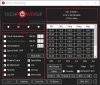
OK @Papusan, how about something like this.
![[IMG]](images/storyImages/rQfOUSG.png)
Switched back to a slightly larger Tahoma font, high contrast pure black background and a good looking logo. Added minimum power consumption data to the main screen.
When you combine all these new features, what do you get? That's right, round 2 of the TS Papusan Edition. I will send you a download link shortly.
Thanks for your continuing support of project ThrottleStop. As my biggest supporter, you have already contributed more than enough. No need to open up the wallet.
I am always open to suggestions for some minor tweaks. You will have to ask Microsoft to fix their scaling routine if that is the real problem.
Edit - Almost forgot. The screenshot shows the new POWER throttling indicator glowing in red. Looks like some throttling due to the PL1 limit being set to 47W by Lenovo.raz8020, t456 and tilleroftheearth like this. -
As I said, it's my taste. I don't like so much info show up (but the old info and style is nice - One temp monitoring up is much better as I see it). I know you can click on the buttons down right side to make a smaller TS window but with less info. But I really liked the old TS version

Big red Power lightning text up is too glory. I like small Throttle button like this (can be up the whole time). All the different temp and power info at same time all the time is too much.
Last edited: Jun 13, 2020 -
The round indicator has also been retired. The new indicator shows more information and informs a user whether the problem is power, temperature or BD PROCHOT related. It is there to get a user's attention without overwhelming them.
I will send you the new version including the logo.png file. If you do not like the new version, you can add the logo.png file to your previous ThrottleStop folder.raz8020, tilleroftheearth and Papusan like this. -
Thanks.
One idea. If the PKG box have been there.... Click on it to show all info... Then can the info be shown all over the place. Otherwise the current reading only should be there. Sorry if you may not understand what I mean. -
Here it's up. It's bright and clear to read text. And thanks for the logo for TS version's.
Edit.
8.75 vs. 8.77
Last edited: Jun 13, 2020raz8020 and tilleroftheearth like this. -
Only work around I was able find was reverting back to 1909
And if you are BSODing then the disable and lock TPL is not working at all (I thoroughly tested this).
After hours of disabling programs and tinkering with the settings in 2004 (I uninstalled most of my programs, it honestly almost resembled a clean wipe) I can safely say that the problem is the 2004 update but I don't know what exactly.
Running out of RAM? xd -
Does this mean that you can survive and someday be happy with the new version? Most users are not fans of having to click on buttons to see data.
I like the new version. I like being able to look at it and see the temp and power and look to the right and see the max values. That and the C0% data is all that is important. How many years have you been using the old version? Give the new version some time. It will grow on you.
Do you want to see the Min power consumption data on the main screen? To me it is useless information but I guess it is slightly more useful than a box that says Package Power.
Where the throttle indicator used to be, that new open real estate gives me a spot to left mouse click so I can easily move and drag ThrottleStop to a new location on screen. The new throttle indicator also gives more info before I need to open Limit Reasons to see what is really going on.tilleroftheearth and Papusan like this. -
My Clevo eat everything of TS Same for the other machines. I have swapped around versions several times. For me is only the "current time reading of power, temp and C0% data" enough. Only when I check things more out, I click and put/show out max and sometimes minimum values. This way I can have from both worlds
Minimum info as I want and max if I need. But it has to be the whole main TS window up. Not the shrinked windows after you click the shrink buttons bottom right.
But the TS version looks good. But old fashion/the old dog is difficult to change.Last edited: Jun 13, 2020tilleroftheearth likes this. -
As far as I can tell, disable & lock TPL does seem to be working - as long as I start TS without causing a BSOD. When I start TS without a BSOD, and then run HWInfo, all the power limits show up as I configured them in TS.
Delaying TS startup 1 min after logon does seem to take care of avoiding BSOD at startup, but resume from sleep still feels like playing the lottery.OmarEVG likes this. -
New thread up for 10th gen laptops. Please post in my thread with model if you experience locked out Voltage control on your 10th gen laptop. Thanks
BLACK LIST 2. Adjustable voltage control/turbo ratio limits locked out - Affected 10th gen notebooks -
In the panel ''turbo power limits'' is there any reason to enable ''lock'' and or ''clamp'' when custom values are entered for the various PLs?
My thinkpad has an update a few days ago, for Intel Management Engine 11.8 Firmware, Version 12.0.64.1551
- Fixed the following security vulnerabilities:
CVE-20200531, CVE-20200532,CVE-20200534, CVE-20200535, CVE-20200536, CVE-20200537,
CVE-20200538, CVE-20200539, CVE-20200540, CVE-20200541, CVE-20200542, CVE-20208674
is this to fix plundervolt ? -
-
The purpose of Clamp is if you set a power limit, your CPU will clamp itself down to that value no matter how much MHz throttling it has to do.
When Clamp is not checked, only the additional turbo boost speed will be throttled. When not checked, the CPU should not go lower than the base frequency (non turbo frequency). Some people like using Clamp. I never use it.
The Lock option was added to ThrottleStop in case some OEM or some software was changing these power limits. Most computers do not do this so this option is rarely used but it is nice having this option just in case.
After the update, does undervolting still work? Does the monitoring table in the top right corner of the FIVR window still show your Offset voltages?Papusan likes this. -
Win 10 uses too much RAM as cache and doesn't free up aggressively.
-
Clamp is great for occasional or unexpected AVX loads (like ffmpeg video encoding, RealBench uses that too iirc), Intel chips seem to ignore TPL limits and go way above, which can result in overheating and heavy throttling. If you enable Clamp, it will stay at the set TPL at the expense of frequency/performance.
unclewebb likes this. -
@unclewebb I came across a bug in TS Bench. I was running TS Bench 2 threads based stress 64M and I toggled off Speedstep and TS became unresponsive and appeared stuck and benching actually completed 4-5 secs faster even after multiple tries with Speedstep ON/Off on-the-fly!
I also observed that TS Bench were somewhat skewed by 5 secs and the same was very much noticeable on 6700HQ with Speedshift values changed on the fly by me to reproduce the bug. Is it known issue? -
It is now.
That sounds to me more like a feature. When TS becomes unresponsive, all CPU resources are going to the TS Bench without any interference. Slightly better bench times make sense. That is why smart people set Cinebench to a high Windows priority when benching. That trick is sometimes worth a few more Cinebench points.
The only purpose of the TS Bench is so a user playing with ThrottleStop has a handy tool available so they can load the CPU, create some heat and watch the multipliers. Because this bench is built into ThrottleStop and ThrottleStop runs at a high priority so it can battle throttling, it is possible for TS or the bench to become unresponsive at any time. If you are only running a 2 thread load, it should not become unresponsive but Windows is Windows. Its multi tasking abilities are far from perfect.
I tried your test and I was able to toggle SpeedStep on or off without any issues while a 2 Thread TS Bench test was in progress. I am blaming Windows for any unresponsiveness.
I was doing some TS programming this weekend, I screwed up and I accidentally got stuck in a BSOD loop. That was no fun. I thought only idiots do dumb stuff like that. No comment.
I had to go into Safe Mode and delete the ThrottleStop.INI configuration file to save my butt.
That motivated me to create a new TS feature that I should have created years ago. If TS crashes while it is starting because of some overly aggressive and untested voltage settings, next time TS goes to start, it will display this new message.
![[IMG]](images/storyImages/6A0ePI6.png)
That should give you a chance to fix the problem before your computer crashes (BSOD) again and again and again. No more navigating through Windows 10, trying to find your way into safe mode. -
That is an awesome feature indeed! You just can't stop perfecting TS can you? Please do keep trying, it makes an awesome software even better!
-
I noticed in your signature that you have a ThinkPad P1. Is that still the computer you're using? I have the same machine, except with the i7-8850H.
I have similar issues with BSODs, and I was convinced that Lenovo software was causing problems, but I can't seem to consistently get a root cause, cause the BSODs still happen even with no Lenovo software running. Interestingly enough, I have better luck having Throttlestop start immediately rather than waiting 1 minute, because then it BSODs 100% of the time if I delay it.
Also, I saw someone else post this too, if anybody is having trouble with the "Error creating service: The specified service already exists" error when trying to use the Disable and Lock Turbo Power Limits feature, check out this thread:
https://www.techpowerup.com/forums/...-the-specified-service-already-exists.253614/
I was having the same problem recently, and what fixed it was removing the key in the registry mentioned in that thread. If you search for RwDrv in regedit, you'll probably find it, it was somewhere under HKEY_LOCAL_MACHINE/SYSTEM/CurrentControlSet/ServicesLast edited: Jun 15, 2020 -
I always keep my USB flash drive with ubuntu and windows in hand when my PC BSODs.
I think there's some issue with Intel p-state driver on Windows 10. I have 2 laptops, one with Pentium 2020M(2c/2t) and 6700HQ(4c/8t)(On Linux steady state performance is worse than 2020M) . On Pentium 2020M, disabling Speedstep should lock it 2.4GHz or max clocks, in latest version TS overrides everything and I got speedshift like autonomous boosting and I found it much more efficient than EPP. The PC was more responsive with Speedstep off.
I will send detailed logs and a small gif video of both laptops later this weekend. I'll PM you. It seems Windows update could be a known contributor to odd bugs. -
i tried -100mv cache and -200 core on my 9750h in my sager. ran 1024 2 threads of the TS bench no issue. played my modern warfare game for a few days no issues finally. would get up to 90c but i thought, okay is what it is.
well today it BSOD, i restarted and then i did core -150, cache -90 and for about an hour it hasn't gone over 81c and hasn't BSOD. it was an auto upper-80s at the previous settings, so how come it is cooler at less of an undervolt? -
Just want to add some information :
I use Lenovo Legion Y740 and already update my machine to the latest BIOS version (BVCN14WW)
One of the changes in the latest BIOS update is " Enhancement to address security vulnerability CVE-2019-11157"
But I can confirm that my machine still can use undervolt and throttlestop without a single error/problem and my offset voltages still show in the top right corner of the FIVR window (double checked using HWInfo) -
months later update. HP released a few firmware on june 3. it doesnt allow fallback to previous firmware. from the update that blocks undervoltage to now, there has been 4 firmware updates. seems like to fix a few type-c bugs I have to update the firmware soon. only the newer firmware allows power via type-c port. and also fixing some DP1.4 bugs. sad day where we cant pick what we want to update.
-
I found the page by lenovo about this
LEN-29846 Intel Processors Voltage Settings Modification Advisory CVE-2019-11157
https://support.lenovo.com/us/en/product_security/LEN-29846
My thinkpad was patched and their changelog was
- (New) Support ST Micro TPM Firmware WUFU.
- (New) Change charge led behavior.
- (New) Enable FMP SUPPORT.
- (Fix) Fixed an issue where system might hang after Intel AMT Control is set
to Disabled by ThinkPad Setup.
They did not mention anything about this CVE....I still can undervolt.
their patch goes back to the ThinkPad X260, that's old. before this the thinkpads are not affected they claim.Last edited by a moderator: Jun 17, 2020custom90gt likes this. -
after updating windows to the new microsoft edge update (KB4559309), i noted some problems going on with throttlestop
first of all, my c0% is constantly zero, yet before the update it was displaying the correct values
also my speedshift looks a bit different than usual (?) i keep it in 20 but most of the time it is on the processor's maximum frequency and multiplier, having some sudden descents to low frequencies
i have an i7 9750H, -125mV undervolt and maxed processor clock set at 3.6GHz
also changed IccMax and PP0 current limits -
@pombozzera - When you have a problem, post a screenshot or two so I can have a look.
ThrottleStop uses high performance timers within the CPU for monitoring purposes. Unfortunately, these are shared timers so any other software running on your computer can interfere with these timers. This will prevent ThrottleStop from getting accurate information from them. It does not make any sense why Edge would be doing this but anything is possible. Try exiting any other monitoring software on your computer and kill Edge if it is running in the task manager. Maybe it is Edge causing the problem or maybe it is something else.
Open up the TS FIVR window and have a look at what Speed Shift EPP value the CPU is using. On some computers, depending on what Windows power plan you are using, Windows will be in control of the EPP value, not ThrottleStop. If ThrottleStop has no control over the EPP value then do not check this option in ThrottleStop. Let Windows control EPP. No point in having two different programs both trying to control the same thing.
Are you running Windows 10 2004? It might manage the CPU more aggressively.Last edited: Jun 17, 2020tilleroftheearth likes this. -
It might be some sort of interaction with your specific hardware and software. I am running the 2004 update with the new Edge browser on both my laptop and desktop (see signature below - Gigabyte laptop with i7-6700HQ), and 8.76 version of TS. All seems to be working normally. TS controls speedshift, and my undervolts remain. My wife's Lenovo has a more advanced i7, and is due for 2004. So far, TS has been working normally, but without either the new Edge or the Win update. Will let you know what happens with the update.
-
Sorry for not posting any screenshots; i'm new to the forum and i don't know how i can do it. I'd appreciate some help on that
anyway, here's an imgur link to it: https://imgur.com/a/30uMGP8
Edge wasn't running in the background, and also i don't use any other monitoring software. When i'm gaming i use MSI Afterburner but i have been having this issue even when it's closed, so it probably doesn't have anything to do with it. I really have no idea what's causing me this issue, i hope it isn't anything serious. The update can't be uninstalled so right now i'm just crossing my fingers and hoping it don't damage anything. I wonder if keeping my CPU without clock limit and speed shift in value 0 will help at least to minimize the speed problem, but about the C0% i just have no idea whatsoever. Since i have an Tongfang barebone notebook (GK5CP6V) it comes with an gaming center app that does control lots of stuff in the computer, but i don't think that it's associated with the problem as i used it before the update and never had any kind of issues. I'll guess i'll just wait and see what happens. Also, i'm running Windows 10 1909, and throttlestop is in control of the speed shift's value.Last edited: Jun 17, 2020 -
@pombozzera - I host my screenshots on www.imgur.com
Do you have the Windows Core Isolation Memory Integrity feature enabled? It might be Windows or your anti-virus software that is blocking ThrottleStop from accessing your system timers within your CPU. Your problem is not yet common but it might become common so hopefully you can figure this out. Check the monitoring table in the top right corner of the FIVR window to see if your voltages are displayed. -
It is disabled and on FIVR my voltages are displayed normally, take a look at this other screenshot: https://imgur.com/a/3hPtq7G
I have tried disabling my anti-virus as well, but i had no success either, still constant zero C0% -
So I just got a new BIOS update: https://www.dell.com/support/home/e...de=wt64a&productcode=latitude-e7470-ultrabook
Happy to report undervolt is still working after flashing.unclewebb and tilleroftheearth like this. -
I may have found a sweet spot for the frequency issue. Using speedshift in value 40 makes the processor not get all the way up to full turbo in idle, only when in load. I have a little concern of speedshift in general about the frequencies (and consequently, voltage) jumping all over the place when it's enabled: is there any problem with these voltage/frequency spikes?
-
The purpose of Speed Shift Technology is so the CPU can rapidly adjust its speed and voltage to load. This reduces power consumption which is desirable in a laptop. Some users have found that it requires slightly more voltage to be 100% stable when the CPU multiplier is jumping all over the place compared to having the CPU multiplier at a fixed value. If you want to reduce rapid multiplier cycling when lightly loaded, set the Speed Shift EPP variable to 0. Either that or use some monitoring software that completely ignores what your CPU is really doing.
Good news. My magic crystal ball sees a new TS version on the horizon. The WinRing0 and RwDrv.sys drivers have been retired. The new version is up and running, it is under going final testing and it should be available by the weekend. Hopefully it will be able to fly under the radar and keep the anti-cheat programs happy. This will also fix the Windows 10 2004 BSOD issues that are being caused by the RwDrv.sys driver. -
This means that with this new TS version, the problem will hopefully be fixed?
-
UPDATE: Apparently, everything started working well again. I'm not sure why, the only think i remember doing in TS was trying other speedshift values (from 20~40) and i also lowered the IccMax of the processor. i was just playing forza horizon 4 and i saw that my c0% states were normally reading, as well as my speed shift speeds not max turboing when idle. I'll keep watching and in case anything happens i'll get back here. Thank you nonetheless
-
I was wondering if the behaviour I'm observing is something others have noticed as well. Setting the core voltage offset higher than the cache voltage offsets produces lower power draws but only for workloads containing AVX instructions. Note that testing was done on the GS66 10SFS-037 with the i7-10750H, RTX 2070 Super Max-Q, and 32gb of 2666mhz memory.
https://www.reddit.com/r/MSILaptops/comments/h7vru3/undervolting_setting_core_voltage_offset_higher/
In particular running Realbench, Cinebench R20, and Modern Warfare I had noticeable reductions in package power draw when comparing the system with a Core Voltage offset of -219.7mV versus -110.4mV. Note that Cache voltage offsets were kept at -110.4mV for all tests. But in Prime95 with AVX/AVX2 off there is no reduction in package power draw at all.Last edited: Jun 18, 2020 -
well it happened, i have just turned on my computer and the c0% states are not showing up any more. probably some windows process is causing it not to work properly or something like that
-
I have heard about the connection between using different offset voltages and running software with AVX instructions but I was not paying close attention to my teacher. It might have been @Falkentyne that told me this.
Your testing helps explain why some users do not see any advantage when running different voltages. The benefits are dependent on what software is used for testing purposes. I have been recommending Cinebench R20. It shows the benefit of using different voltages so it must be using its fair share of AVX instructions. I read somewhere on Reddit that there seems to be a ratio of 2:1 so if the cache offset is -100 mV then the core will continue to see improvements up to -200 mV, as long as it is stable. The voltages you are using are right at that 2:1 ratio. There seems to be no advantage taking the core beyond the 2:1 ratio.
Your thorough testing is most appreciated. Surprising that it has taken so long for users to start getting to the bottom of this. Anyone using Intel XTU is missing out on being able to set these two voltages independently.
Can you do some testing? When you completely power down your computer and then start it up, does the C0% data work? If you use sleep or hibernate, when you resume, does the C0% data work?
This data is calculated by reading a timer from each thread. The BIOS might not be starting these timers or some software might be turning these timers off. Usually monitoring software but it could be anything. Usually not Windows. As mentioned, timers are a shared resource. If some other software wants to use these timers for some other purpose, they are allowed to do that. Software does not own these hardware timers. The biggest bully will win control over them.
Interesting enough, the next version of TS is changing the way it accesses these timers. This might fix your problem or it might create problems for other users. If it does not fix your problem, I will be happy to try and find out why your timers are not counting consistently. Maybe next week.werdmonkey4321, Krzyslaw, Papusan and 1 other person like this. -
what is the best way to start from scratch, ie reset all the values to the intel's values, when updating TS ?
The ThrottleStop Guide
Discussion in 'Hardware Components and Aftermarket Upgrades' started by unclewebb, Nov 7, 2010.


