Problems? See this thread at archive.org.
Hello ts community, I have a big problem, my bclk is stuck at 99.766-67-68-69
My system is now triggering bd prochot randomly for no reason at all on ts I can't find any way to disable it just to extend it up to 100c..
Biggest problem is that due to this bclk most likely when I unplug laptop freezes.. Even if I boot unplugged without ts laptop freezes and gets heated up to hell. Only change been made is bclk got stuck to lower than 99.999 it was I think prior, I had uv system agent at - 0.062v..now it seems that I can't control via ts, the bclk, even if I give it more offset voltage it stays the same seems like its hard wired to bios, reinstalled bios something like 10 times under different conditions still bclk won't come back, I even turned on options on installation for cmos reset, factory resets and stuff. Nothing works, I really need your help guys. Peace.. And thanks in advance!
Sent from my ZTE A2020G Pro using Tapatalk
-
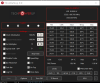
@unclewebb i think i found a bug in TS 8.76. In limit reasons, PL1 is glowing red but in the main window of Throttlestop "BD PROCHOT " is reported as the cause of throttle, why is this happening? there should be no BD PROCHOT because i unchecked the BD PROCHOT box, am i right?
-
No, it doesn't. Actually, makes sense the problem is the BIOS' timers: i have been having CMOS battery issues, since i think that my CMOS battery is not connected to the system, as everytime i turn on it rolls back to the time i turned off my computer for some minutes until it synchronizes with the windows time server.
-
You have BD PROCHOT 95ºC checked and one of your cores went to 96ºC.Papusan likes this.
-
BD PROCHOT and PROCHOT are not the same thing. BD PROCHOT is a throttling method used when other hardware like a GPU is running too hot and send a PROCHOT signal directly to the CPU to force it to cool down even if the CPU has not reached the thermal limit.
My PROCHOT 95ºC box is checked because before i took the screen, the CPU has reached the thermal limit of 95ºC and THERMAL was glowing red in limit reasons. -
I have just recently found the same on both my laps from sig so gen 7 and 8.
There is no difference after crosing 2:1 ratio. I have set my UV on Both machines just one tick below 2:1 ratio.
As an example I can see no difference in for example Prime workloads with no avx but I can see good improvement in games. Yesterday I played for 2 hours in FIFA 20, one hour with my previous stable 1:1 ratio and then after cooling down laptop with ratio 2:1 and I saw 5-6 C less with 2:1 ratio. WITH 1:1 temps were avarge at 71C and 66 with 2:1.
I have made this test on my msi PS63 do thin and light with no beefy cooling.
But I record similar experience with my ge72vr but there were only around 3C less but mostly due to huge cooling mod I have made in it.
Sorry I didn't record package power. I forgot.
Now I am wondering if the same applies to igpu and igpu unsliced.
@Akern1 Your 8300h is underperforming. My 7700hq with bclk oc at max 3.5ghz on all cores does around 1930 at cb20 with no limits trigered at TS limit reasons.
Your cpu clocks are higher so you should be able to hit more than 2000 easily with some tweaking.Last edited: Jun 19, 2020unclewebb likes this. -
I would exit ThrottleStop and delete the ThrottleStop.INI configuration file where all of the ThrottleStop settings are stored. After that, completely power down your laptop. When you start back up, the BIOS should reset your CPU to default specs. When ThrottleStop starts up, if it does not find a previous ThrottleStop.INI config file, it will read its default values directly from your CPU.
The vast majority of laptops use a BCLK between 99.767 MHz and 99.769 MHz. Some desktop CPUs use a BCLK of 100.000 MHz but very few laptops do.
ThrottleStop does not have a feature to control the BCLK on any computer.
There is always a reason. It might be a bad sensor. Use ThrottleStop to disable BD PROCHOT if you do not want these throttling signals getting to your CPU.
That sounds like a problem with your laptop. At default settings, if your CPU is not getting enough voltage, it might cause freezes. Do not do any undervolting of anything until you fix this problem.
Maybe, but I blame Intel. If there are multiple types of throttling going on, the new on screen indicator is only able to report one type of throttling. Best to use Limit Reasons to get a more thorough view of things.
Using ThrottleStop to disable BD PROCHOT will block throttling signals from getting to your CPU. Perhaps when the main screen of ThrottleStop reports BD PRO, that just means that these outside throttling signals are still being generated. That is good info to know. Perhaps in a future version I will change that indicator so if two different types of throttling are happening, POWER throttling will take precedence and will be displayed instead of BD PRO. When idle does BD PRO go away? I do not own a laptop with a BD PROCHOT throttling problem so no way for me to test this. I am just following the Intel docs. Your laptop appears to have a wide range of throttling issues so if you learn anything new, let me know.
His 8300H is being held back by power limit throttling. If he can get around that obstacle, then he will be hitting thermal throttling. Some modern laptops are designed and living way to close to the cliff, always on the edge of throttling. Definitely needs some tweaking.
XTU locks these two voltages together so everyone has just assumed that they must be locked together. It would be interesting if you can prove this myth wrong too.Last edited: Jun 19, 2020 -
Hi @unclewebb, great to see you released ThrottleStop 8.76 with an improved C-States window. Now, it is possible to set the "Package Demotion" and "Package Un-Demotion" flags. Thanks!
I want to take opportunity to ask you what those things exactly do. I understand the other C1 and C3 similar options: Auto-demotion means that, when the OS makes a request for a deeper C-State, the CPU may decide not to go to that state but a shallower one, based on an analysis of the recent residence data, if it expects that it will need to exit that state soon. Un-demotion allows the CPU to correct a wrong demotion decision and grant the requested deeper C-state, in case it sees that the core has no activity requests.
Now, what do those package options do? If I'm not wrong, package c-states are not requested by the OS, but directly chosen by the CPU when all cores are in the necessary c-state for the package to go into it. So how can the CPU correct a wrong OS decision?
And, for last, are they worth enabling? They are disabled in all BIOSes I've seen. -
Yes it goes away. By the way, how can i get rid of the yellow PL2 boxes under the GPU and RING columns? Are They related to Turbo short power max in TPL window?
-
In my testing, being able to toggle the Package Demotion and Undemotion options does not seem to accomplish anything. This feature works and it toggles the appropriate bit in the CPU but I could not find any advantage or disadvantage no matter how this was set. I added it to ThrottleStop in case someone, somewhere with some CPU might find a use for it. On modern fast CPUs, all that C state promotion demotion stuff does not seem to make a significant difference to C state residency percentages. I will post a test of a 1st Gen CPU sometime. It used to make a difference. Questionable now.
@Akern1 - I had a second look at this and it looks like I am the one that screwed up. I will get this fixed up for the next release. After that you can do some more testing to see what lights up first on the main screen compared to Limit Reasons.
Not sure how to get rid of the PL2 boxes under GPU and RING. Do you ever see these light up red all by themselves? Usually they light up red in combination with CPU PL2 lighting up in red. I have noticed that when PL1 or PL2 go red under CORE, EDP OTHER always seems to go red at the exact same time under RING. I do not know enough about the inner workings of Intel CPUs to know why they do what they do.
Concentrate on PL1, PL2 and THERMAL lighting up in red under CORE. Make those go away and your CPU will run faster. That is all I know. EDP OTHER going red across all 3 domains simultaneously is usually related to the PP0 Current Limit. To get a better understanding of what triggers what, put a TS Bench load on the CPU and then adjust power limits and current limits and IccMax. Set one limit at a time lower while the CPU is loaded and watch for throttling of the CPU multiplier. Also watch for things lighting up in red in Limit Reasons. I do not own a throttle city 8th, 9th or 10th Gen laptop so I am not up to speed on these things. -
ThrottleStop 9.0
https://www.techpowerup.com/download/techpowerup-throttlestop/
New Features
- replaced the WinRing0 and RwDrv.sys drivers for improved Windows 10 2004 compatibility.
- first version compiled with Visual Studio 2019.
- added code to stop ThrottleStop from starting if it previously crashed on startup.
- added options to adjust the main ThrottleStop font.
- enabled Limit Reasons access for Intel 10th Gen Core i CPUs.
- added max temperature and max power consumption to the main screen.
- redesigned the C States window to include 6 and 8 core support.
- new Notification Area power icon.
- added an adjustable PROCHOT Offset feature.
- redesigned Throttle indicator on the main screen which includes types of throttling.
- Nvidia MHz reporting added to the log file and to the GPU button.
- improved consistency between user interface and Notification Area temperatures.
New ThrottleStop.INI Font Options
MainFont=Tahoma
MainFontOffset=0
The first option is used to change the type of font that ThrottleStop uses.
The second option can be used to increase or decrease the size of this font.
Set this option to a small positive number to increase the font size.
Use a small negative number to decrease the font size.
It will be interesting to see if the new driver allows Disable and Lock Turbo Power Limits to work correctly when playing Valorant or games that use FACEIT.FrozenLord, relobe, t456 and 11 others like this. -
glad to see you're supporting 10th gen, this is only for the CFL arch but not icelake/tigerlake im assuming?
-
@ole!!! - ThrottleStop has supported Ice Lake for a while. If you have a retail Intel CPU that is not supported, post a CPU-Z screenshot and I will see what I can do.
ole!!! and tilleroftheearth like this. -
Things really do pop up when you least expect them. Thank you for the long-awaited update, @unclewebb!
tilleroftheearth likes this. -
Bd prochot is disabled friend still it doesn't work it continues to trigger at random intervals and sometimes bcuz more than 94c, disabling doesn't work.. For me
Sent from my ZTE A2020G Pro using Tapatalk -
Whoops, looks like my settings aren't getting saved in the new update.
![[IMG]](images/storyImages/3xE419Z.png)
-
Disabling BD PROCHOT does not prevent your CPU from thermal throttling if it gets too hot. BD PROCHOT and PROCHOT are two different things. Post some pictures if you need help.
Looks like the BIOS you are using has disabled CPU voltage and turbo ratio adjustments. The latest TS update did not make any changes to how the FIVR window works. Voltage control still works correctly for me on my laptop.raz8020 likes this. -
I just finished downgrading my BIOS and TS to 8.70.6 and the undervolts are still not applying. Maybe the updated microcode is causing this?
-
With TS, If I unplug the laptop, then boot up and run TS with my custom settings, I get lots of PL1 limits, but after I reboot, the Pl1 limits disappear as they should from my custom settings.
This happens on 8.76 and 9.0 -
I have been telling people since last December to watch out for any BIOS or microcode updates or you might lose CPU voltage control. It is either difficult or sometimes impossible to restore voltage control once it is gone.
@artic_squirrel - If you need help solving or understanding the problem you are having, you need to post a lot of screenshots that clearly show how you have ThrottleStop setup. You also need to post screenshots of the problem you are having that includes what stress testing software you are using. Some laptops change the power limit register lock bits depending on whether you boot up cold or resume from sleep or hibernate or reboot. ThrottleStop tries to apply its settings consistently. If a register is being locked by the BIOS, ThrottleStop will not be able to make changes to that register.ole!!!, Papusan and tilleroftheearth like this. -
It is awesome and wonderful. Thanks @unclewebb working for it.
Every thing seems to be working fine again as expected included the feature of "Disable and Lock Turbo Power Limits".
-
Thanks @unclewebb for this fantastic piece of software
I have a simple question, can I use the new version 9 over the 8.76 without any issues for older Windows 7/8.1, I use 8.1 because my GPU needs full UEFI boot ? I was wondering since you replaced the WinRing0 and RwDrv.sys drivers and explicitly mentioned improved Win10 2004 compatibility. The new code which adds failed crash startup is a great feature for experimenting for any OC, Uv esp with MX/K processors, that's one feature which got me interested in the new version and supposedly under the hood improvements. -
@Ashtrix - In theory, ThrottleStop 9.0 should run on Windows 7, 8.1 or 10 but I only tested it on Windows 10. I put an end to Windows Vista support. If anyone really needs that, it would be simple to turn Vista support back on. Just ask.
Here is how the failed startup feature works. There is a new INI option called StartFailed. Very early in the ThrottleStop start up procedure, this INI key is set to a value of 1. This is basically ThrottleStop assuming that it is going to crash. It then applies the voltages and does various other startup tasks. After this, if ThrottleStop has not yet crashed, it assumes that everything is OK and it resets the StartFailed INI option back to 0.
Next time ThrottleStop starts, if it really did crash immediately after applying the offset voltages, StartFailed should have a value of 1 in it. If ThrottleStop finds that value, it stops and displays that warning message I posted earlier. This gives a user a chance to either delete or edit the ThrottleStop.INI config file. The voltages that were proven to be unstable during the last startup will not be applied again without a user's approval.
If the previous crash was due to the dog tripping over the power cord or a lightening strike at just the right moment or some other freak of nature, you can press OK and immediately carry on with the previous voltages that you know are stable.
When ThrottleStop halts during startup, if your voltages really were a big mstake, you can edit or delete the ThrottleStop.INI config file. Once that is taken care of, press OK and continue on with ThrottleStop starting up.
When ThrottleStop halts, if you need some time to think about things, you can press the Cancel button which will immediately exit ThrottleStop without it applying any voltages. This will give you time to go for dinner before getting back to what caused TS to crap the bed.
Make sense? You can edit the INI file and set StartFailed=1 if you want to test this feature out.
This is just the first version of this new feature so it might need some tweaking. It is possible that you accidentally saved some unstable voltages that cause a BSOD but maybe the BSOD does not happen until a few seconds after TS starts up. ThrottleStop would have already cleared the StartFailed flag. In this situation, this new feature will not save your butt. You will have to boot up into safe mode and delete or modify the ThrottleStop.INI file. Deleting this file will always save your butt. I am just trying to make this procedure more user friendly when things go wrong. Some inexperienced users might find getting into safe mode a bit of a challenge when running Windows 10. It is definitely not intuitive.
The new feature might save your butt but maybe only some of the time. I might have to tweak or add an option so ThrottleStop does not clear the StartFailed flag for 5 or 10 seconds. My assumption when developing this feature was that a CPU usually locks up (BSOD) almost immediately if you apply an unstable voltage. I will wait for some user feedback before making any changes.
Supposedly? Just to let you know, I am a little offended by that comment.
The new driver is a significant improvement. All the whiny nanny software and anti-cheat software might finally be happy with this much safer driver. There have been lots of improvements to TS during the last few months. I have more time for TS development now that there are no sports on TV.Last edited: Jun 20, 2020 -
I'm not the most knowledgeable person when it comes to these things. Where does the updated microcode reside? I would've thought that simply downgrading the BIOS would revert any changes made.
-
Same here. If I do not understand it, I avoid it.
On many Dell laptops, rolling back to the previous BIOS does not automatically restore under volting. The new BIOS sets a bit somewhere and this tells the CPU to block under volting. Luckily some smart users discovered that they can go into the BIOS and use the reset to factory defaults to clear this bit and restore under volting. If you search the forums, this trick does not always work. Not sure if it is user error or some Dell laptop models do not allow this. I think being able to get this working again was a bug. Dell might patch this bug at any time so for some of their laptops, going back and getting voltage control working again might not be possible.pierro78, djdelarosa25 and tilleroftheearth like this. -
I sincerely thank you very much for the very clear and concise explanation. I'm currently running the version 9, it has been great. Will definitely let you know if there are any observations that might need your attention.
Was just taking a wild guess so was not sure what to mention on the improvements
and of course much respect for your work.
unclewebb likes this. -
Ok, I want to update you on a couple of things. it seems that i was using the wrong power cord for my laptop. I was using an italian power cord but i shoud have used an European Schuko Power Cord (the original one released with my laptop) so i got one, turn on my laptop on AC power, set throttlestop like the screen below, and run cinebenckR20 and the result seems pretty good to me
The score has increased, no more BD PROCHOT or PL2 (don't know why there's a PL2 yellow box in limit reasons.....there's no PL2 in the log) and no EDP OTHER across all 3 columns, they appear only when the laptop is unpluged. Now, how to make sure my undervolt is stable? should i run a single core test in cinebenchr20 or a TS bench on 1 or 2 threads?Code:DATE TIME MULTI C0% CKMOD CHIPM BAT_mW TEMP VID POWER 2020-06-21 12:31:17 23.14 1.4 100.0 100.0 0 39 0.8640 1.3 2020-06-21 12:31:18 23.53 2.2 100.0 100.0 0 39 0.8439 1.8 2020-06-21 12:31:19 35.61 2.6 100.0 100.0 0 40 0.9990 2.3 2020-06-21 12:31:20 21.05 2.4 100.0 100.0 0 39 0.8477 2.0 2020-06-21 12:31:21 23.73 1.7 100.0 100.0 0 39 0.8549 1.4 2020-06-21 12:31:22 37.97 15.8 100.0 100.0 0 54 1.0173 8.7 2020-06-21 12:31:23 39.15 12.8 100.0 100.0 0 54 1.0542 9.8 2020-06-21 12:31:24 39.99 13.2 100.0 100.0 0 51 1.0450 13.6 2020-06-21 12:31:25 40.00 13.0 100.0 100.0 0 47 1.0468 13.7 2020-06-21 12:31:26 40.00 12.1 100.0 100.0 0 54 1.0409 14.4 2020-06-21 12:31:27 39.36 10.8 100.0 100.0 0 46 1.0375 14.2 2020-06-21 12:31:28 39.14 21.8 100.0 100.0 0 51 1.0288 20.6 2020-06-21 12:31:29 37.79 9.3 100.0 100.0 0 44 1.0376 12.3 2020-06-21 12:31:30 22.57 5.0 100.0 100.0 0 40 0.8700 6.0 2020-06-21 12:31:31 35.64 3.7 100.0 100.0 0 52 1.0468 8.4 2020-06-21 12:31:32 39.99 14.2 100.0 100.0 0 56 1.0469 20.4 2020-06-21 12:31:33 39.81 20.8 100.0 100.0 0 55 1.0409 21.5 2020-06-21 12:31:34 39.73 24.8 100.0 100.0 0 57 1.0411 22.6 2020-06-21 12:31:35 39.46 48.3 100.0 100.0 0 66 1.0320 29.6 2020-06-21 12:31:36 39.19 64.2 100.0 100.0 0 55 1.0485 38.1 2020-06-21 12:31:37 39.18 71.7 100.0 100.0 0 69 1.0106 38.2 2020-06-21 12:31:38 39.00 100.0 100.0 100.0 0 70 1.0081 48.5 2020-06-21 12:31:39 39.00 92.9 100.0 100.0 0 70 1.0017 48.3 2020-06-21 12:31:40 39.00 100.0 100.0 100.0 0 71 1.0016 51.4 2020-06-21 12:31:41 39.00 100.0 100.0 100.0 0 71 1.0057 51.1 2020-06-21 12:31:42 39.00 100.0 100.0 100.0 0 71 1.0033 51.6 2020-06-21 12:31:43 39.00 100.0 100.0 100.0 0 72 1.0024 51.5 2020-06-21 12:31:44 39.00 100.0 100.0 100.0 0 72 1.0021 50.1 2020-06-21 12:31:45 39.00 100.0 100.0 100.0 0 73 1.0000 46.5 2020-06-21 12:31:46 39.00 100.0 100.0 100.0 0 73 1.0000 46.7 2020-06-21 12:31:47 39.00 100.0 100.0 100.0 0 73 1.0017 46.2 2020-06-21 12:31:48 39.00 100.0 100.0 100.0 0 74 1.0013 46.3 2020-06-21 12:31:49 39.00 100.0 100.0 100.0 0 74 1.0007 46.1 2020-06-21 12:31:50 39.00 100.0 100.0 100.0 0 74 1.0009 46.3 2020-06-21 12:31:51 39.00 100.0 100.0 100.0 0 74 1.0018 46.7 2020-06-21 12:31:52 39.00 100.0 100.0 100.0 0 75 1.0006 46.3 2020-06-21 12:31:53 39.00 100.0 100.0 100.0 0 75 1.0010 46.3 2020-06-21 12:31:54 39.00 100.0 100.0 100.0 0 75 1.0002 46.4 2020-06-21 12:31:55 39.00 100.0 100.0 100.0 0 76 1.0004 46.8 2020-06-21 12:31:56 39.00 100.0 100.0 100.0 0 76 1.0004 46.1 2020-06-21 12:31:57 39.00 100.0 100.0 100.0 0 76 1.0001 46.6 2020-06-21 12:31:58 39.00 100.0 100.0 100.0 0 76 1.0009 46.7 2020-06-21 12:31:59 39.00 100.0 100.0 100.0 0 77 1.0009 46.7 2020-06-21 12:32:00 39.00 100.0 100.0 100.0 0 77 0.9967 46.6 2020-06-21 12:32:01 39.00 100.0 100.0 100.0 0 77 0.9950 46.7 2020-06-21 12:32:02 39.00 100.0 100.0 100.0 0 77 1.0015 46.5 2020-06-21 12:32:03 39.00 100.0 100.0 100.0 0 77 0.9984 46.4 2020-06-21 12:32:04 39.00 100.0 100.0 100.0 0 77 0.9985 46.3 2020-06-21 12:32:05 39.00 100.0 100.0 100.0 0 77 0.9949 46.5 2020-06-21 12:32:06 39.00 100.0 100.0 100.0 0 77 0.9961 46.5 2020-06-21 12:32:07 39.00 100.0 100.0 100.0 0 78 0.9951 46.4 2020-06-21 12:32:08 39.00 100.0 100.0 100.0 0 77 0.9951 45.8 2020-06-21 12:32:09 39.00 100.0 100.0 100.0 0 78 1.0105 46.6 2020-06-21 12:32:10 39.00 100.0 100.0 100.0 0 78 0.9950 46.5 2020-06-21 12:32:11 39.00 100.0 100.0 100.0 0 79 0.9969 46.4 2020-06-21 12:32:12 39.00 100.0 100.0 100.0 0 78 0.9979 46.4 2020-06-21 12:32:13 39.00 100.0 100.0 100.0 0 78 0.9978 46.2 2020-06-21 12:32:14 39.00 100.0 100.0 100.0 0 79 0.9977 46.4 2020-06-21 12:32:15 39.00 100.0 100.0 100.0 0 80 0.9980 46.0 2020-06-21 12:32:16 39.00 100.0 100.0 100.0 0 80 0.9956 46.0 2020-06-21 12:32:17 39.00 100.0 100.0 100.0 0 79 0.9993 46.3 2020-06-21 12:32:18 39.00 100.0 100.0 100.0 0 80 0.9989 46.2 2020-06-21 12:32:19 39.00 100.0 100.0 100.0 0 79 0.9978 46.6 2020-06-21 12:32:20 39.00 100.0 100.0 100.0 0 79 0.9958 46.2 2020-06-21 12:32:21 39.00 100.0 100.0 100.0 0 80 0.9963 46.1 2020-06-21 12:32:22 39.00 100.0 100.0 100.0 0 82 0.9982 46.3 2020-06-21 12:32:23 39.00 100.0 100.0 100.0 0 80 1.0043 45.8 2020-06-21 12:32:24 39.00 100.0 100.0 100.0 0 80 0.9968 46.1 2020-06-21 12:32:25 39.00 100.0 100.0 100.0 0 80 0.9952 46.3 2020-06-21 12:32:26 39.00 100.0 100.0 100.0 0 80 0.9951 45.8 2020-06-21 12:32:27 39.00 100.0 100.0 100.0 0 80 0.9978 46.0 2020-06-21 12:32:28 39.00 100.0 100.0 100.0 0 81 0.9960 46.3 2020-06-21 12:32:29 39.00 100.0 100.0 100.0 0 80 0.9969 46.0 2020-06-21 12:32:30 39.00 100.0 100.0 100.0 0 80 0.9967 45.6 2020-06-21 12:32:31 39.00 100.0 100.0 100.0 0 80 0.9960 46.6 2020-06-21 12:32:32 39.00 100.0 100.0 100.0 0 80 0.9969 46.0 2020-06-21 12:32:33 39.00 100.0 100.0 100.0 0 81 0.9958 45.9 2020-06-21 12:32:34 39.00 100.0 100.0 100.0 0 81 0.9965 45.5 2020-06-21 12:32:35 39.00 100.0 100.0 100.0 0 81 0.9960 46.0 2020-06-21 12:32:36 39.00 100.0 100.0 100.0 0 81 0.9960 45.8 2020-06-21 12:32:37 39.00 100.0 100.0 100.0 0 82 0.9950 46.1 2020-06-21 12:32:38 39.00 100.0 100.0 100.0 0 81 0.9958 46.1 2020-06-21 12:32:39 39.00 100.0 100.0 100.0 0 81 0.9957 46.4 2020-06-21 12:32:40 39.00 100.0 100.0 100.0 0 81 0.9961 46.1 2020-06-21 12:32:41 39.00 100.0 100.0 100.0 0 81 0.9948 46.1 2020-06-21 12:32:42 39.00 100.0 100.0 100.0 0 81 0.9972 46.0 2020-06-21 12:32:43 39.00 100.0 100.0 100.0 0 82 0.9951 45.7 2020-06-21 12:32:44 39.00 100.0 100.0 100.0 0 81 0.9950 46.1 2020-06-21 12:32:45 39.00 100.0 100.0 100.0 0 82 0.9961 45.7 2020-06-21 12:32:46 39.00 100.0 100.0 100.0 0 80 0.9968 45.3 2020-06-21 12:32:47 39.00 100.0 100.0 100.0 0 81 0.9972 45.6 2020-06-21 12:32:48 39.00 100.0 100.0 100.0 0 82 0.9960 45.6 2020-06-21 12:32:49 39.00 100.0 100.0 100.0 0 82 0.9966 45.7 2020-06-21 12:32:50 39.00 100.0 100.0 100.0 0 82 0.9978 45.6 2020-06-21 12:32:51 39.00 100.0 100.0 100.0 0 82 0.9960 45.6 2020-06-21 12:32:52 39.00 100.0 100.0 100.0 0 81 1.0057 45.8 2020-06-21 12:32:53 39.00 100.0 100.0 100.0 0 82 0.9968 45.4 2020-06-21 12:32:54 39.00 100.0 100.0 100.0 0 82 0.9983 45.5 2020-06-21 12:32:55 39.00 100.0 100.0 100.0 0 82 0.9960 45.5 2020-06-21 12:32:56 39.00 100.0 100.0 100.0 0 82 0.9969 45.6 2020-06-21 12:32:57 39.00 100.0 100.0 100.0 0 82 0.9977 45.7 2020-06-21 12:32:58 39.00 100.0 100.0 100.0 0 82 0.9969 45.9 2020-06-21 12:32:59 39.00 100.0 100.0 100.0 0 82 0.9952 46.1 2020-06-21 12:33:00 39.00 100.0 100.0 100.0 0 82 0.9977 45.8 2020-06-21 12:33:01 39.00 100.0 100.0 100.0 0 82 0.9952 45.7 2020-06-21 12:33:02 39.00 100.0 100.0 100.0 0 82 0.9969 46.0 2020-06-21 12:33:03 39.00 100.0 100.0 100.0 0 82 0.9960 46.0 2020-06-21 12:33:04 39.00 100.0 100.0 100.0 0 82 0.9961 46.8 2020-06-21 12:33:05 39.00 100.0 100.0 100.0 0 83 0.9974 46.1 2020-06-21 12:33:06 39.00 100.0 100.0 100.0 0 83 0.9952 45.6 2020-06-21 12:33:07 39.00 100.0 100.0 100.0 0 82 0.9951 46.1 2020-06-21 12:33:08 39.00 100.0 100.0 100.0 0 83 0.9958 46.4 2020-06-21 12:33:09 39.00 100.0 100.0 100.0 0 83 0.9951 46.2 2020-06-21 12:33:10 39.00 100.0 100.0 100.0 0 83 0.9949 46.3 2020-06-21 12:33:11 39.00 100.0 100.0 100.0 0 82 0.9969 46.0 PL1 2020-06-21 12:33:12 38.64 100.0 100.0 100.0 0 82 0.9962 44.9 PL1 2020-06-21 12:33:13 38.65 100.0 100.0 100.0 0 82 1.0084 44.9 2020-06-21 12:33:14 38.67 100.0 100.0 100.0 0 82 0.9967 45.1 2020-06-21 12:33:15 38.72 100.0 100.0 100.0 0 83 0.9952 45.1 2020-06-21 12:33:16 38.69 100.0 100.0 100.0 0 83 0.9958 44.8 2020-06-21 12:33:17 38.68 100.0 100.0 100.0 0 82 0.9968 45.0 2020-06-21 12:33:18 38.53 99.9 100.0 100.0 0 83 0.9751 44.6 2020-06-21 12:33:19 38.60 100.0 100.0 100.0 0 82 0.9742 44.9 PL1 2020-06-21 12:33:20 38.70 100.0 100.0 100.0 0 83 0.9960 45.2 2020-06-21 12:33:21 38.68 100.0 100.0 100.0 0 83 0.9957 44.5 2020-06-21 12:33:22 38.67 100.0 100.0 100.0 0 83 0.9967 45.1 2020-06-21 12:33:23 38.50 100.0 100.0 100.0 0 82 0.9584 44.8 PL1 2020-06-21 12:33:24 38.65 100.0 100.0 100.0 0 83 0.9961 45.4 2020-06-21 12:33:25 38.59 100.0 100.0 100.0 0 83 0.9952 44.9 2020-06-21 12:33:26 38.53 100.0 100.0 100.0 0 83 0.9745 44.4 2020-06-21 12:33:27 38.70 100.0 100.0 100.0 0 82 0.9835 45.3 PL1 2020-06-21 12:33:28 38.67 100.0 100.0 100.0 0 84 0.9747 45.0 2020-06-21 12:33:29 38.66 100.0 100.0 100.0 0 83 0.9961 45.1 2020-06-21 12:33:30 38.66 100.0 100.0 100.0 0 84 0.9962 45.0 2020-06-21 12:33:31 38.50 100.0 100.0 100.0 0 83 0.9745 44.0 2020-06-21 12:33:32 38.79 100.0 100.0 100.0 0 82 0.9746 45.6 PL1 2020-06-21 12:33:33 38.66 100.0 100.0 100.0 0 82 0.9955 44.9 PL1 2020-06-21 12:33:34 38.66 100.0 100.0 100.0 0 82 0.9796 45.2 PL1 2020-06-21 12:33:35 38.67 100.0 100.0 100.0 0 83 0.9985 45.0 2020-06-21 12:33:36 38.65 100.0 100.0 100.0 0 82 0.9960 44.8 PL1 2020-06-21 12:33:37 38.69 100.0 100.0 100.0 0 84 0.9962 44.9 2020-06-21 12:33:38 38.63 99.9 100.0 100.0 0 83 0.9955 45.0 2020-06-21 12:33:39 38.67 100.0 100.0 100.0 0 84 0.9753 44.5 2020-06-21 12:33:40 38.68 100.0 100.0 100.0 0 83 0.9977 44.9 2020-06-21 12:33:41 38.69 100.0 100.0 100.0 0 84 0.9977 45.0 2020-06-21 12:33:42 38.67 100.0 100.0 100.0 0 83 0.9961 44.9 PL1 2020-06-21 12:33:43 38.68 100.0 100.0 100.0 0 84 0.9961 45.0 2020-06-21 12:33:44 38.62 100.0 100.0 100.0 0 83 0.9952 44.9 2020-06-21 12:33:45 38.64 100.0 100.0 100.0 0 83 0.9752 44.9 PL1 2020-06-21 12:33:46 38.58 100.0 100.0 100.0 0 85 0.9968 44.7 2020-06-21 12:33:47 38.62 100.0 100.0 100.0 0 84 0.9952 45.0 2020-06-21 12:33:48 38.67 99.9 100.0 100.0 0 84 0.9969 45.0 2020-06-21 12:33:49 38.63 100.0 100.0 100.0 0 84 0.9962 44.9 2020-06-21 12:33:50 38.75 100.0 100.0 100.0 0 84 0.9962 45.1 2020-06-21 12:33:51 38.60 100.0 100.0 100.0 0 84 0.9744 45.3 2020-06-21 12:33:52 38.73 100.0 100.0 100.0 0 84 0.9844 44.9 2020-06-21 12:33:53 38.77 100.0 100.0 100.0 0 84 0.9960 44.8 2020-06-21 12:33:54 38.78 100.0 100.0 100.0 0 82 0.9603 45.2 PL1 2020-06-21 12:33:55 38.63 100.0 100.0 100.0 0 84 1.0016 44.6 2020-06-21 12:33:56 38.79 100.0 100.0 100.0 0 85 0.9769 45.4 2020-06-21 12:33:57 38.69 100.0 100.0 100.0 0 84 0.9745 45.0 2020-06-21 12:33:58 38.74 69.3 100.0 100.0 0 59 0.8198 33.8 2020-06-21 12:33:59 24.56 0.9 100.0 100.0 0 57 0.8790 0.6 2020-06-21 12:34:00 36.53 1.8 100.0 100.0 0 56 0.8248 1.4
-
Some of the limit reason boxes are hyper sensitive. It is not unusual for things to randomly light up yellow. The boxes that are glowing red are the ones you have to be concerned about.
Your laptop has the long term turbo power limit set to 45W and your CPU is throttling (PL1) right at 45W. If you want to get a little more out of your laptop, try raising this limit up to 50W or 55W. You might need to check the FIVR - Disable and Lock feature as well. Your cooling appears to be able to handle at least another 5W or so.
Raising the power limit should allow your CPU to maintain the full 39.00 multiplier for the entire Cinebench R20 test. Get a few more Cinebench points for your efforts.
Almost forget, thanks for the pics and log file info. Problems are easier to understand when a bunch of numbers are staring at me.pierro78, tilleroftheearth and Akern1 like this. -
many thanks to you for creating throttlestop and for your efforts to continue its development. You have all my appreciation
i surely will try, but unfortunately if i remember correctly my power limits are lockedPapusan and tilleroftheearth like this. -
I can confirm the Disable and Lock Turbo Power Limits feature now works with Faceit anticheat
thanks a ton unclewebb !
raz8020, Papusan, tilleroftheearth and 1 other person like this. -
I thought everyone was probably too busy gaming. The switch went smoother than I thought it would.
Thanks for taking the time to confirm that TS 9.0 works.
raz8020, Papusan, Mr. Fox and 1 other person like this. -
Hey what BIOS revision were you on when you did this? I also have an hp spectre x360 with the 8550u so I'm considering doing something like this. I've never messed with a BIOS before so I may have some questions for you throughout the process.
-
-
Does ThrottleStop work in general with a 8250U? I try setting the limits, but I always get PL1 and go to 2.6GHz all cores from 3.4GHz which is the max frequency.
-
i have the 8265U on my thinkpad and it works well. I removed the PL1 and I changed the hot temp to 98.
here is my settings.Attached Files:
unclewebb likes this. -
-
Why is the new TS 9 3.5MB in size, and also doesnt contain the old winring ect files anymore when you download it? Is it a installation? Where can I get the portable version?
-
@maffle did you download it? Did you unzip it? Did you read the ReadMe.txt?
-
All seems to work Was just a bit confused why it is now 3.5MB in size. Thanks for adding the package power to systray btw
@unclewebb
Papusan, unclewebb and tilleroftheearth like this.
-
That is the portable version. It is more portable than ever. The extra code bloat is because this version is self contained. No need to go to Microsoft and download any additional files anymore. To be honest, I liked the previous method but there were too many complaints to deal with.
When it used to have error messages like the mfc120u.dll is missing, too many users had no idea what to do. I would include links to the Redistributables at Microsoft and I would include information in the ReadMe file but over and over again people would ask, "What do I do now?" Even worse in countries where English is not the native language. All the documentation in the world does not help if you cannot read it.
Easier to just roll the redistributables into one big bloated .exe file. The new and improved driver is also hidden away in the new .exe.
Edit - The good news is that when it is minimized to the system tray, it continues to take up very little memory and very few CPU cycles. Organize the tasks by CPU usage and ThrottleStop.exe will gradually sink towards the bottom of the list when it comes to CPU usage.
![[IMG]](images/storyImages/95nbrGh.png) Last edited: Jun 22, 2020raz8020, steberg, intruder16 and 3 others like this.
Last edited: Jun 22, 2020raz8020, steberg, intruder16 and 3 others like this. -
@unclewebb Thanks for the new 9.0 update. Got a few random questions.
1. Is C1E still useful for newer CPU when SpeedShift is enabled? I checked Intel manual and the register is still listed for newer CPUs like Icelake.
2.With 9.0 update, I didn't see the RwDrv.sys download link so it's included in TS now right?
3. My default PL1 PL2 time is 45 56 28. If I increase them to a really large value, is there any way to find out the actual applied value beside running a benchmark? -
-
@Kers - C1E and Speed Shift are two different things. Intel still recommends that C1E should be enabled. Modern CPU cores go from the C0 working state to C7 so fast that a CPU will spend very little time in C1E. Having C1E enabled or not seems to make very little difference.
2) Read the ReadMe file.
3) There are 3 unique sets of turbo power limits. The ones in the ThrottleStop TPL window are only one set. Best to run a stress test and watch in Limit Reasons when your CPU starts to throttle and what power level it is at when this happens.raz8020, Papusan and tilleroftheearth like this. -
I did read the readme file. It says replaced so I was kinda confused lol.
-
Instead of replaced, how about permanently retired? It was a very useful driver but ThrottleStop 9.0 has moved on.
Edit - The new driver and Disable and Lock feature seem to work even when Core Isolation - Memory integrity is turned on.
![[IMG]](images/storyImages/YZmqBTe.png) Last edited: Jun 22, 2020raz8020, steberg, intruder16 and 3 others like this.
Last edited: Jun 22, 2020raz8020, steberg, intruder16 and 3 others like this. -
Version 9.0 works like a champ!! Thanks so much for all your hard work. Not only does it work perfectly on my Gigabyte 6700HQ laptop, it also works perfectly on my wife's Lenovo X1 Extreme Gen 2, with its 12 core, 9750H processor. Both of these machines are running WIn 10 Pro 2004 (version 19041.329), and have had no problems with the Disable and lock feature. It has been particularly useful on my wife's computer - I am able to get enough undervolt to keep temps from running right at the margin, while keeping performance. It is also very nice to see what all of the cores are doing.
Thanks again!!unclewebb and tilleroftheearth like this. -
For cpu disabling c1e makes little difference but for gpu (I can speek only for Nvidia based laptop) makes some good improvement. For example disabling c1e give you from +100-150points (measured with gtx1050) in nvidia graphics score and even 200-300 with gtx1060.
I remember that @Falkentyne said some time ago that even +400 with gtx1070seanwee, steberg, Papusan and 1 other person like this. -
@Jdpurvis - Thanks for the feedback.
In theory, I would not think that disabling C1E would make much of a difference. That is why it is always best to do some hands on testing. What benchmark did you use for testing?
I think I remember this subject being discussed before. The NBR search feature is better than my memory so I will see what I can find.
Disabling all of the C states is different than just disabling C1E. Most laptops are going to run significantly hotter if you disable all of the C states. It would be interesting to see some testing where the only thing changed is C1E.
Back in 2014 when I disabled all of my C states, my idle temps went up over 20°C. The search feature works great. This might not be practical advice for many of the modern laptops that are already bouncing off the thermal throttling temperature.
http://forum.notebookreview.com/threads/the-throttlestop-guide.531329/page-206#post-9631401Last edited: Jun 22, 2020raz8020, Papusan and tilleroftheearth like this. -
Oh god. Right! Yeah I forgot to write that besides the c1e you also should disable c-states. You are right. Sorry.
But from my experience I remember that combination of disabling c-states and c1e give even better score than only c-states.
I will do some benches and I will post resaults. For you.
Btw on my ge72vr I have c-states disabled all the time and for example idle temp difference is only 3C more with c-states disabled.unclewebb likes this. -
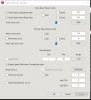
Hello! Does this mean that I can't change PROCHOT offset?
![[IMG]](images/storyImages/JadShBv.png)
-
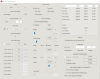
Hi, i noticed recently that my Lenovo T480 i5-8350u has started throttling at 70c, it used to be 90c. Here's a screenshot of my test bench and my settings
![[IMG]](images/storyImages/qLIivTL.png)
![[IMG]](images/storyImages/L4AgFwp.png)
![[IMG]](images/storyImages/dHcUt1t.png)
Is there anything you suggest for me to fix, thanks
The ThrottleStop Guide
Discussion in 'Hardware Components and Aftermarket Upgrades' started by unclewebb, Nov 7, 2010.