 Problems? See this thread at archive.org.
Regarding the task to start TS at boot, can you check the work of Henrypp who manages to create a task with his portable apps to bypass UAC and also start at boot.
His apps having this option are simplewall [a firewall], mem reduct [to reduce used RAM].
https://www.henrypp.org/product/memreduct
Those require admin rights to be used.
On a fresh install. I just need to launch the portable software, then check ''start at boot'' and the task is created.
With TS, My problem is that when I create the task, starts fine, but when I export it before I import it on a fresh install, windows the idiot checks the option ''start the task even if no user has started a session'' which produces the famous bug where TS is started but does not pop up in the taskbar.
On the fresh install, I need to manually go to the task scheduler and then check the condition ''starts only after a user has logged in''.
-
-
Can anyone explain why I don't see any Limit Reason flags at all, even when my 10750H is obviously hitting power limits etc? I've only been playing with TS a couple of days but am yet to see a red/yellow box show up.
-
You are not seeing anything light up in Limit Reasons because the version of ThrottleStop you are using does not fully support Comet Lake processors. I do not own or have access to a Comet Lake CPU so I was not able to do any Limit Reasons testing.
The good news is that 6 months after Comet Lake was first released, someone finally contacted me and told me about this problem. It only took a few minutes to fix this.
I will send you a message with a link so you can download the latest beta version. Thanks for your help.Papusan, t456 and tilleroftheearth like this. -
Thank you! Seems to be working well. I've gone back to stock and redoing all my settings so will post some pics when done.
Edit: Stock, initial TS settings
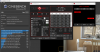
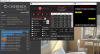
With only 110 mV undervolt:
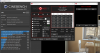
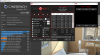
EDIT 2: One thing I don't get is why the turbo limit will only go to 42 instead of the set 43 when no limits are being hit. Could it be Gigabyte's software causing that?Last edited: Oct 1, 2020 -
@janger - Do you remember what the turbo ratios were originally set to? Have you changed any of these? The 10750H is a locked CPU so increasing the turbo ratios higher than their default values does not accomplish anything.
Intel no longer documents the turbo ratios so it is a guessing game. If you exit ThrottleStop, delete the ThrottleStop.INI config file and shut down your computer, when you restart, ThrottleStop will read the default turbo ratios from the CPU. They might be 48, 47, 46, 45, 44, 43. You can also rename your ThrottleStop.INI config file to BackUp or something like that when running this test so you do not lose your settings. You will still need to shut down so the CPU gets reset.
Open the FIVR window and see what is being reported for Speed Shift EPP in the monitoring table. An EPP setting of 0 is for maximum CPU speed. If the monitoring table shows that EPP is set to 128, that can interfere with your maximum CPU speed. Try checking the Speed Shift EPP option on the main screen of ThrottleStop and set this to 0.
Thanks for posting some Comet Lake Limit Reasons screenshots. Limit Reasons appears to be working correctly. Intel has not made any changes to the Limit Reasons register within their CPUs for the last five or six generations so this should be working correctly.
When testing with Cinebench R20, it should be OK and beneficial to set the CPU core offset to a bigger number compared to the cache offset. No need to set them equal to each other.pressing likes this. -
I haven't touched the ratios. They are set to 50, 49, 47, 46, 45, 43. I can't understand why it won't reach the 43 multiplier. In fact doing a single thread run it doesn't go much over 43. I wait until C0 is less than 2% before running tests.
Awesome. I was going to ask you where the default ratios come from - whether read from the CPU or TS had a database. I went searching today for the specs but as you said Intel don't seem to document it.
Yeah I'm pretty much letting Windows control it and it never changes from 0.
It's working great. Makes it so much easier to see what's going on.
Yeah I've seen you explain this several times.
Thanks for your immense help. -
That is what I like to hear.
https://ark.intel.com/content/www/u...0750h-processor-12m-cache-up-to-5-00-ghz.html
The only thing that Intel guarantees is the maximum 50 multiplier so the CPU can hit 5.0 GHz when all the planets are in alignment.
The 10750H uses Thermal Velocity Boost (TVB).
https://www.tomshardware.com/features/intel-thermal-velocity-boost-glossary-definition-tvb
TVB will only increase your CPU speed when the core temp is under 70°C for desktop CPUs and under 65°C for mobile CPUs. The rest of the multipliers are no longer guaranteed which is why Intel does not publicly document them. It is possible that TVB needs to be active for you to hit the 43 multiplier when 6 cores are active. When fully loaded, your temps are over 65°C so TVB probably does not contribute any extra speed. My best guess it that this is why your CPU uses the 42 multiplier instead of the 43 multiplier.
If your CPU is not using the higher multipliers during a 1 Thread TS Bench test, that is a problem. When your computer is idle, what does ThrottleStop report for C state activity? For Intel's locked CPUs, the C states need to be enabled or else the CPU cannot use the maximum multiplier. I am guessing that the C states have been disabled in the BIOS, either accidentally or on purpose. Some people hate the C states but they are necessary so the 10750H can use the 50 multiplier.
Some manufacturers might disable the C states deliberately. Going from the 42 or 43 multiplier up to the 50 multiplier can require a lot of extra voltage which is going to generate a lot of extra heat. You might be able to undervolt more when the higher multipliers are disabled. On a laptop, it would make more sense to lower the turbo ratios to avoid the 50 multiplier but then the CPU would not be running within spec. Disabling the C states seems like a good trick to keep a 10750H from reaching its full potential. -
I don't really understand the C States window. Here is mine:
Does that help?
I found a post on Reddit where someone said this about their Gigabyte laptop and a bios update:
-
Your acreenshot shows that the C states are working. When idle, your 6 cores should be spending 99% of their time in the low power C7 state. Looks like something significant is running in the background.
Can you post a screenshot while a 1 Thread TS Bench test is in progress? The multiplier should be higher than 43. The best way to see the maximum multiplier is to minimize the number of background tasks. -
Greetings @unclewebb , I recently updated to TS 9.2 and love the updates. I do have a question/request however. I noticed the power plan options included next to the check box on the main window appear to be the old Windows default plans. Is there a way to make that dropdown list reflect the current power plans I have setup on my machine instead? I have mine customized quite a bit and would love to be able to have TS automatically switch them per profile. Thanks for all that you do!

-
Good timing. I recently added this feature to ThrottleStop. I will send you a link to the latest beta so you can give it a try.
![[IMG]](images/storyImages/xgcdXgE.png)
When you press the new + button, it will try to read whatever power plans it finds on your computer. The list it displays will include the 3 default Windows power plans, High Performance, Balanced, and Power Saver, whether you use them or not in addition to any of your own power plans that you have created.
![[IMG]](images/storyImages/ZxHVEuo.png)
Press OK to add them to ThrottleStop or press Cancel if you are just looking to see what is there.cfe, Papusan, tilleroftheearth and 1 other person like this. -
You really don't say.
AIDA64 FPU stress tests on all the hardware I have - Originally planned to do all of these without undervolts, but at max clocks my 10210U exceeded 50W before VRMs throttled, and my older 8250U exceeded 60W at 3.4GHz momentarily before BD Throttling.pressing, unclewebb and FrozenLord like this. -
How did you get your 8250U to be so inefficient? Even with linpack extreme mine maxes out at 30-35w at 3.4ghz all core, power limits set to 999 in throttlestop.
-
Spent 3 days trying to get windows to boot from a vhd so I'd have a clean system for a proper test but that's not going to happen due to bsod's. This is the best I can do for a single thread test right now.
-preview.png)
After installing Win10 v2004 it's hitting 46 multiplier with single thread test. Lots of crud running in the background though. -
Today I learned that plugging in my HDMI prevents my machine from using any package states deeper than C3 while plugging in my 3rd monitor via Thunderbolt prevents my machine from using any package states deeper than C2... How does that make any sense? Smh.
-
A 46 multiplier is better than a 43 multiplier but still a ways off from what it should be hitting. Even with a single thread load, your CPU package temp is up to 79°C. No thermal velocity boost happening at that temperature. Maybe some of the marketing department's budget should be sent over to the engineering department. Intel's 14 nm process is already beyond long in the tooth.
Here is an interesting comparison. My old 4th Gen 4700MQ has a maximum multiplier of 36. During the same 1 Thread TS Bench test, it has no problem getting within a hair of the maximum multiplier. The good old days.
![[IMG]](images/storyImages/ArqzCiI.png)
@Maleko48 - Intel disabling the deeper package C states when using an external monitor has been a problem for years. This limitation has been around for so long that marketing probably calls it a feature. -
@unclewebb, hi!
The app closes when the power source is changed.
How to fix this problem.
![[IMG]](images/storyImages/SKk6MgC.jpg)
Win10 x64 2004 build 508.Carillo Gallardo likes this. -
@OgUrecheK - Are you using the Task Scheduler to start ThrottleStop? Did you follow the guide or did you use your own method? Try the guide. I think it will solve your problem.
http://forum.notebookreview.com/threads/the-throttlestop-guide.531329/#post-6865107
Here is the important stuff.
https://i.imgur.com/b4wPCiS.pngNormimb likes this. -
unclewebb, yes, yes.
Identically.
Created the task again, now the app is not disabled. -
Not a specific issue or question, just some kudos.
This is one of the most helpful and interesting threads on any piece of software on the Internet. I've been reading here and returned back many times to try to solve various issues or improve things. It covers not only Throttlestop itself, but what is basically a philosophy on how to tune and optimize a system. My laptops run cooler, smoother and faster thanks to it, even if some issues with these machines are impossible to overcome due to their (often flawed) design. I've many times over been thankful to @unclewebb as the developer and the others that contribute and help with meaningful suggestions and insight. You guys are awesome!
Last edited: Oct 10, 2020 -
Maybe I've missed the answer to this, but under TS Bench the MHz option only has fixed, I was stoked to try the random clock feature but must be missing something. Thanks for your hard work.
-
The TS Bench - Random MHz feature uses Speed Shift Technology to rapidly change the CPU speed. If Speed Shift is not supported or if it is not enabled, the Random MHz feature will not be available.custom90gt and Maleko48 like this.
-
That's what it was, even though I had the main screen check for speed shift, it didn't have the options selected in TPL.
Thanks again! -
Thanks for blessing us with a exceptional program..My GE66 wouldn't be running close to this good without ThrottleStop..
XTU just doesn't play nice with the 10750h.
Not putting your abilities down but it will always be funny that one man put together a program 1000x better and more stable then a multi million/billion dollar company could put out there..intruder16, cfe, Papusan and 4 others like this. -
I always like to dream about what ThrottleStop could have become with access to Intel's full documentation and an unlimited supply of hardware for testing purposes. I would have had more time for fancy graphs and all sorts of good stuff.
Thanks for the
-
Hi @unclewebb . First of all thank you very much for this great app.
I already read someones post about setting P1-P2 limits per profile, and I remember, your answer was "maybe in the future"
I think this will be a great addition to the app (if you can win the war with windows slider) because:
Here is my case:
My laptop is thinkpad t490 - i5 8265u - iGPU
My main purpose is to increase battery life in battery plan, while keeping default factory battery plan clocks-performance, and increase performance on AC plan in 97C default heat limits.
With -0.125 core and cache, -0,100 graphics(is this too low? everyone is writing -0.50 etc. i can still see the 1.1ghz intel numbers in realbench test and no crash, may be i couldn't stress it enough) , it looks very stable, i am using more than 4-5 days without a crash.
I am mostly happy. I have 2 plans for AC.(just undervolt) One is for daily AC mode, the other one is for audio recording (only difference: C1E unchecked) Do you advice anything to gain more perf?
I decided not to use TS speedshift because windows slider always win and I like the way it handles speedshift. On AC, win best perf. mode slider decrease it to "0" (better perf: 84) which is good.
Also on battery, it moves between 178-127-84. I was also trying to keep it on 160-170 on battery and "0" on AC. So windows settings are perfect.
But on battery plan it is faster than I need (After undervolt) So I tried to tame it.
I did not want to decrease speedshift too much not to lose responsiveness (as i said windows settings are perfect)
I did not want to disable turbo, it was too much. It also limited single core clocks. I didn't like it.
"Also I didn't want to change TPL - turbo boost power limits because it affects all ac and dc plans" (this is the problem I wanted to tell you)
What i did is, I changed FIVR turbo ratio limits to 39-32-25-25 (from 39-38-37-37 default) This setting is perfect P2 limit for me. (if there is an second option available, i would set 4core 17 or 18 like P1 limit, if i do it now, cpu can't go up when needed for 28 seconds)
In XTU, I could change the P1 limit to 7.5W. With 7.5W, undervolted cpu turns same clock speeds with the default factory settings, which is perfect for battery and performance.
Windows slider moves P1 between 10-12-25 (p2 fixed 29) these limits are also OK, as i said I am very happy, but it will be perfect, if I could decrease the P1 to 7.5W only in this plan.
(but i think, like the speedshift, windows again will win in P1 limits, i am not sure)
In the article below you can see that after undervolting, X1 performance increased significantly, but they needed limits to decrease power consumption and heat. (similar with my case) (when i do not need more performance on AC, I can limit it with windows slider)
https://www.notebookcheck.net/More-...d-X1-Carbon-2018-ThinkPad-T480s.296752.0.html
In my case I am OK with the default 97C AC limit (it runs really fast now cinebench20 1310 > 1680)(yes it throttles from heat but it looks OK). And I am OK with the battery plan, but it can be better with a stable P1 limit per profile. (or second turbo ratio limit in FIVR)
Thanks again for this great app.Last edited: Oct 16, 2020 -
even that is extreme
Oops, i made a mistake lol
you mean your good work
my temps are also pretty good cause I have the rare AMD RX 540 model. but even with full GPU load (around 20 watts) I don't get any CPU throttling 14 inch dolphin emulator beastLast edited by a moderator: Oct 17, 2020 -
@unclewebb
On 10th gen I found some bug?
On previous intel 7, 8 th gen it was working without a problem. -
You have ThrottleStop set to sample your CPU core temperatures once every second. A fully loaded CPU can change temperatures instantaneously. A mobile CPU can jump up or down 30°C or more during a one second interval.
I am not sure what stress test you were running. If a core is fully loaded, ThrottleStop might be slightly delayed when it tries to sample the CPU temperature.
The PROCHOT 99°C indicator gets throttling information from multiple temperature sensors within the CPU package. If it starts out gray and lights up in red during a test, some sensor somewhere triggered thermal throttling.
Have you changed the PROCHOT Offset value? If PROCHOT Offset is unlocked in the Options window, for a test, try setting it to 30 so your CPU thermal throttles at 70°C. Does that work? It should. If you changed the PROCHOT Offset temperature after it has lit up in red, then it might show PROCHOT 99°C in red even though the throttling actually happened at 70°C.
Next time you do some testing, do not change the PROCHOT Offset value and turn on the More Data option. This tells ThrottleStop to sample your temperature sensors more frequently. That might allow ThrottleStop to catch your peak temperature before the thermal throttling indicator lights up.
I had to use Google translate to figure out what power plan you are using. Google says, "Top Performance". Thanks for showing me that new TS feature.
4552 in Cinebench R20 is a significant improvement compared to 9th Gen. With performance like that, your CPU temperature is not that important.Papusan, Krzyslaw and tilleroftheearth like this. -
Yeah sure, I will check PROCHOT at oposite direction. And with more data checked.
Just swaped my memory from 3200cl22 to 3200cl16 so the score should bump a bit, and reapsted cpu with mastergel maker and used imon trick so that cpu reports less wats. I will repeat tests as soon as I could.
What concerns me is that I aplied LM but it actualy made temps much worse, as for some reason the gap was to big. I will try again with LM but not know, maybe after new year.
What I can tell is that this cpu does not UV only -5mV on cache max, as I used ac dc loadline calibration set to 1 it allready removes vid boost and at all 8 core at 4.3GHz at 100% load it uses max 1.15V so not bad. -
In what other program can I view the value of the Speed Shift parameter?
-
ThrottleStop correctly reports the Speed Shift EPP value that the CPU is using. Open the FIVR window and look at the bottom of the monitoring table for the Speed Shift EPP information.
I do not know if HWiNFO or any other monitoring program displays this information. If one program is reporting this correctly, you do not need 2 or 3 programs telling you the same thing. -
I can see it now....Big fancy graphs all over,maybe even a couple histograms could get thrown in there to!!
Haha atleast they wouldn't say my cpu's throttling all the time cause the program would actually work..
Funny thing I just noticed in timespy...I been using it so much to test different throttlestop/GPU settings tryna get the best performance with the lowest temps....I guess i've hit a wall with the 10750h...I go to compare my timespy scores with others just to see where i'm at and I only see my username for like the top 30 spots..I think my best cpu score's 8080 and temps are staying low so imma quit while i'm ahead,I'm lucky I can even push this cpu at all haha guess that's why there's not much competition with 10th gen laptops..There's only a few you can actually undervolt and MSI left almost the whole overclocking package in for the GE66 though. -
I was told that the new thinkpad T15 (with intel cpus) can't be under volted. Lenovo refuses it and TS says FIV Control - Locked
-
Yep...been addressed several times in this thread.
-
Just read about a double kick in the shins.
Acer released a BIOS update for their Predator Helios 300 that blocks CPU voltage control. We all know that is bad but before it does this, it sets the core and cache offset voltages to +51 mV. That is right. Instead of a factory undervolt to cool things down, some dummy at Acer thought adding extra voltage to a hot running CPU would be a good idea.
When a user boots up and discovers this in the FIVR window, they can see the over volt being applied in the FIVR monitoring table. The voltage control register is locked by the BIOS so there is no possible way to fix this mess. Engineering at its finest. -
This is how the FIVR window looks when running ThrottleStop on an 11th Gen U series CPU.
![[IMG]](images/storyImages/6Jic7R5.png)
Does anyone see a problem here? Intel has decided to block access to the OC Mailbox that they have been using from the 4th Gen Haswell through the 10th Gen CPUs. To fix any possible Plundervolt issues, software can no longer read or write voltage or overclocking multiplier information to or from this register.
Does anyone care that the rest of ThrottleStop still seems to work OK? No voltage control equals no fun for enthusiasts. -
Wow that bloody sucks.
Maybe it's time to jump ship to amd? Throttlestop AMD edition maybeKrzyslaw, Papusan, GrandesBollas and 1 other person like this. -
It is a dark day for mobile computing... pour one out. I cannot foresee sticking with Intel moving forward. Everything they do anymore is just absolutely anti-consumer. Kneecapping products that were working fine before "updates" is absolute garbage.
I noticed Windows has pushed some Intel updates recently that look like some kind of ManagementEngine and Dynamic Application Loader updates... I don't trust them, but I don't think we have much of a choice either sadly.Last edited: Oct 23, 2020 -
Another good reason to let the Nvidia-Arm merger go through? If we drop x86 altogether, and never look back...Maleko48 likes this.
-
Perhaps we will one day, but not now. Arm has not matured enough to be a worthy replacement for higher performance x86 parts yet.tilleroftheearth likes this.
-
9.2.2 beta here, any idea why when I switch between throttlestop profiles, with different power plans, I can't get any of of the profile switch to switch back to balanced? Ive customized my balanced power plan so I need that one as my main one. My ac throttlestop profile has balanced ticked and my battery one has power saver. If I unplug and plug again it stays at power saver power plan until laptop crashes for some reason. Thanks in advance.
Might be a custom profile I can't recall if I removed the original balanced.Last edited: Oct 24, 2020 -
Also what is the custom power plan in the power plan drop section?
![[IMG]](images/storyImages/4b18f278c27e430e9ce3755003144f8f.jpg)
Sent from my ZTE A2020G Pro using Tapatalk -
Hope someone skilled can get access to this by some mod I hope. and
I just bought new beast lap with 10 gen and wanted to buy a new 11th gen ultrabook to replace my 8th gen one but this made me to think of buying some amd based lap after new year when they release new cpus. -
It isn't that brother I didnt have any dptf service running on my laptop until recently I installed it, problem was prior to that.. Any ideas?
Sent from my ZTE A2020G Pro using Tapatalk -
Hello UnckleWebb:
Regarding the last WIndows 10 Update not allowing to Undervolt,(Posted in ROG Forum also), I have tried deleting the file mcupdate_GenuineIntel.dll but the system does not allow me. Do you think of another option for returning back the Undervolting feature?
By the way, the TURBO RATIO LIMITS cannot be edited! Should this be related to the same new Windows 10 Update?
Regards,
AlexF -
Reflash to bios who allow undervolt.
Delete mcupdate_GenuineIntel.dll the easy way... TakeOwnershipEx
Edit.
Take ownership of a file or folder in Windows 10 using TakeOwnershipExLast edited: Oct 24, 2020 -
Just like the 10th Gen, the ability to undervolt an 11th Gen CPU will depend on whether a manufacturer leaves it locked or unlocked. I need some one on one time with some new 11th Gen hardware to figure out the details.
I have heard that single core performance is impressive with the new low power U series. Hopefully a manufacturer "accidentally" releases a BIOS version that leaves the power limits and voltage settings wide open. I was initially discouraged but now I am seeing the potential. No need to change teams quite yet.
This is a bonus feature. When Intel decided to lock CPU voltage control, the method they used also locked the turbo ratio limits. Hopefully you can find and install a previous BIOS version or take ownership of the mcupdate file and delete it or replace it. If the @Papusan method does not work, you can always follow my long and painful guide to do the deed.
http://forum.notebookreview.com/threads/the-throttlestop-guide.531329/reply?quote=109956404W4K3, Papusan, alfafox and 1 other person like this. -
Yeah, maybe I was to fast regarding it. As for manufacturer, I hope for example MSI will leave it avalible like on the 10th gen. Locked on default but with few changes in the bios after using key combo UV is still possible.
But as it comes to 10th gen 8 core cpu like mine 10875h the UV is very small around -40 on cache and -80 on core. If I put more TS bench start to throw errors.
But even with this I was able to lower power consumption from around 106W to 94W under stress test with all cores at 4.3GHz. BTW after some work on the colling and bios tweaking I am not getting any thermal or Power limits at 4.3GHz. Thanks @seanwee for tips.
Also I have found something interesting within the bios settings, I have enabled one option called Easy overclocking that is rising Power limits and iccmax so there is more room to keep the high clocks and second finding on 10th gen bios is that by default speedstep and speedshift are enabled in bios but when you disable speedstep and leave speedshift enabled the cpu get some nice boost. For example with Both settings enabled I had only around 22400points in FS cpu score and around 9800 in combined but with speedstep disabled in bios and speedshift enabled I am getting around 23200 cpu score and around 11000 combined. Similar boost can also be found on Timespy. If someone could check this on 9th also and 10th gen it would be great.
I suspect that the boost came from disabling speedstep but need confirmation, as I have also tweaked some other settings.
BRLast edited: Oct 25, 2020 -
This is a bonus feature. When Intel decided to lock CPU voltage control, the method they used also locked the turbo ratio limits. Hopefully you can find and install a previous BIOS version or take ownership of the mcupdate file and delete it or replace it. If the @Papusan method does not work, you can always follow my long and painful guide to do the deed.
http://forum.notebookreview.com/threads/the-throttlestop-guide.531329/reply?quote=10995640[/QUOTE]
Thank you UnkleWebb!: I followed your "painful guide" and now my mcupdate file has the new configuration! But... still have the undervolting function blocked.
So, I tried installing the older BIOS (208 instead of 209) but during the process I got a message "Your BIOS is too old!" and it does not allow me to go back. I have been searching for solutions to this, but now I see this could be getting really more risky..., (changing BIOS battery and so on, see this procedure: https://rog.asus.com/forum/showthread.php?111436-GL502VSK-Bricked-BIOS-Update).
So, now I am stucked here and to be honest, I am thinking of waiting for another kind of solution for UNDERVOLTING and changing my TURBO RATIO LIMITS. It seems that now I should accept to use my ROG G750JX at the base speed of 2.4 GHz instead of 3.2 to 3.4 GHz which I have been using the last years with my beloved THROTTLESTOP
I t is a pitty that MICROSOFT/INTEL blocked this feature with the Updates!!! I see this as a restriction to the freedom we all HAD as PC enthusiasts!!!
(Sorry for my frustration).
Regards from Mexico,
AlexF
The ThrottleStop Guide
Discussion in 'Hardware Components and Aftermarket Upgrades' started by unclewebb, Nov 7, 2010.


