Problems? See this thread at archive.org.
I noticed something interesting when using throttlestop while gaming and thought I would share. When play game (Witcher 3 and Need for Speed Heat) the game will crash if manually limit cores 5-8 to 3.2; when raised to 3.4 I haven't gotten any crashes. Anyone know why this is?
Also want to add that the in game performance is 100% fine besides the crashing.
-
-
@RaymanDK - I just answered your question on the TechPowerUp forum. Probably locking the PP0 Current Limit to 0 is causing the constant EDP OTHER throttling that you are seeing.
What CPU do you have? For most Intel CPUs, you cannot manually limit the frequency of individual cores. When you adjust the Turbo Ratio Limits, you are adjusting the multiplier the CPU will use based on how many cores are active. That is a little different than control over individual cores.
If you are using ThrottleStop to undervolt your CPU, your settings are not stable. Mostly game stable is not a good test of stability. When adjusting voltage, you have to run a wide range of different tests to prove that your settings are stable. As a bare minimum, I would run a few 1 and 2 thread TS Bench tests as well as a full load TS Bench test and make sure it does not report any errors. A few threads of Prime95 is another good test. A full load Prime95 test is overkill for many under designed laptops. Being able to run a couple of threads of Prime95 without any errors would be a good basic test of stability without turning your laptop into an inferno.
When you set the voltage properly, your CPU will be 100% stable at any CPU speed.Maleko48 likes this. -
I use prime95 small fft for testing undervolts and they work fine.unclewebb likes this.
-
Yes, the monitoring table reflects changes when I modify the voltage offset and click 'Apply'.
Wow, I'm seeing a new issue now; the laptop immediately wakes up from sleep. I tried using `powercfg -lastwake` where it shows the following:
Wake History Count - 1
Wake History [0]
Wake Source Count - 1
Wake Source [0]
Type: Fixed Feature
Power Button
I also checked to make sure there are no wake timers. I didn't notice if this happened before my Windows reinstall; I always used Hibernate instead of Sleep. Strange; I hope it isn't some hardware issue. -
Heads up! This morning, I discovered that Malwarebytes has decided that ThrottleStop is malware. Fortunately, I was able to fix it on my computers. I have also left a message for Malwarebytes support. I will let you know when they fix this problem. Sorry to be the bearer of bad news - but I hope this can be fixed soon.
-
I have the i7-10875h, and you are correct I am lowering the multiplier. Also do you still think it is an unstable undervolt when only the game is crashing and not windows or the machine? -
You tell them that ThrottleStop is the best damn malware on the planet. Thanks for the heads up and contacting them. I have not had any malware issues in years so I never use Malwarebytes.
I used to be a long time user of Avast Antivirus. I recently had a problem where I would make a few minor changes to ThrottleStop, go to test it and Avast would quarantine ThrottleStop.exe. It would then automatically send it to some lab in China without my consent. After that, Avast offered to let me run ThrottleStop.exe in 30 minutes after their lab had a chance to look at it. Thanks but no thanks. I would rather have a virus than have my files stolen from my computer.
Maybe there is a short in your power button or some other glitch.
Did you try running those stability tests I suggested? I am running Windows 10 and my computer never crashes.
A crash when changing CPU speeds is a sign of an unstable undervolt. That is why the TS Bench test includes a new feature that rapidly varies the multiplier while the stress test is running. I thought it would be a good way to sniff out unstable undervolt settings.Papusan likes this. -
Re: Malwarebytes - So far, I have received what appears to be an automated response. I am trying to get a person to look at my complaint.
-
Would it make more sense to vary the multiplier from lowest to highest or the other way around step by step? If my understanding is correct, the problem is that negative offset is shifting the whole voltage-frequency curve and the offset could be fine for the highest frequency but not other parts of the curve. Ideally we need a curve editor like the one in MSI Afterburner for nVIDIA's GPU but I don't think Intel has any kind of advanced power control like that yet.
-
That is the problem. Offset voltage reduces voltage along the entire curve.
Users have traditionally done lots of full load type testing. That is important but the amount of offset voltage that is stable at full load can become inadequate when lightly loaded or idle. A light load BSOD is more common than crashing at full load.
I think there is a setting within some Intel CPUs that can cap the minimum voltage. That would totally solve this problem. Anything FIVR related is not publicly documented.
I thought varying the multiplier randomly would be a good way to simulate real world usage. A lot of people use a Balanced profile or set Speed Shift EPP so the multiplier constantly and rapidly goes from low to high and back again. The Random MHz option in the TS Bench does the same sort of thing with lots of stops at the intermediate multipliers between the min and max. I went with a multiplier change interval of 100 ms. Just something a little different compared to all of the other Prime95 like endurance / torture tests. A truly stable CPU needs to be 100% stable at any speed and at any load. -
Any idea why my laptop gets stuck at 45w if I reconnect power plug or connect the power plug after logging in till I reboot? It's really annoying.. Thanks in advance
Sent from my ZTE A2020G Pro using Tapatalk -
Also my resolution timer is set to 1 and goes to 4 if I unplug power, I would like to set it to maximum when on power like 0.5 and like 10 or 12 when on battery any ideas again?? Many thanks in advance, I've been hitting my head against the wall for this one, btw my bios doesn't even have any advanced settings let alone hpet on or off configuration..
Sent from my ZTE A2020G Pro using Tapatalk -
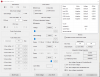
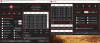
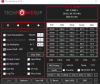
Sounds like a bug with your laptop BIOS. Post some ThrottleStop screenshots so I can have a look how you have ThrottleStop setup. Make sure the FIVR - Disable and Lock Turbo Power Limits option is checked.
Some laptops will set a hard limit of 45W. This can happen after you first boot up but might disappear after you complete a sleep resume cycle. This setting might also get enforced when switching to or from battery power. Different laptop models have different bugs.
![[IMG]](images/storyImages/fuKhT24.png)
The Timer Resolution adjustment that ThrottleStop lets you access in the Options window is called the AC Timer Resolution. It only sends a timer resolution request to Windows when your laptop is plugged in. Set AC Timer Res to 0 in the user interface and this should get you a resolution of 0.5 ms when you are plugged in.
If you need to adjust this for when you are on battery power, you will have to add a line to the ThrottleStop.INI configuration file to control this.
That will send a request of 10 ms to Windows when you are running on battery power. You can set this variable from 0 to 16. Use 0 for a 0.5 ms request and 16 for a 15.625 ms request.Code:TimePeriodDC=10
This is a global Windows setting. If ThrottleStop requests 10 ms and some other software running on your computer requests 4 ms, the lowest value always wins. Google Chrome likes to screw around with this setting. -
Adjusting my undervolt to a less aggressive one resolved the issue of my games crashing.
Next question is can I disable TPL control in Throttlestop?
I have an Aorus 17x laptop which uses Gigabyte Control Center and is required for function keys and some other stuff to work. XTU is required to be running otherwise the Control Center won't work, and because of this I already have PL1 and PL2 control and I don't want throttlestop and XTU fighting over it.Last edited: Sep 14, 2020 -
Search services.msc for Intel ESIF services or Dynamic Thermal Platform aka DPTF which can set 45W on balanced, 65W on High performance and on battery set to 28W/35W to prolong battery life.
Set that service to manual start. -
ThrottleStop did not have a feature to disable TPL control when I woke up this morning. You are the second person to recently ask for this so I just added a new feature today. Check your messages. Download TS 9.2.3, open your ThrottleStop.INI configuration file and add this line.
NoSetPL=1
That line tells ThrottleStop not to write any information to the CPU's Power Limit register. This will improve compatibility with other software that wants to be in control of the turbo power limits. I hope the competition can handle the job as reliably as ThrottleStop does, especially after resuming from sleep. XTU has a bad habit of botching things after resuming.
That sounds like a great way to handle the Intel Dynamic Platform and Thermal Framework driver. Last edited: Sep 14, 2020Vasudev and tilleroftheearth like this.
 -
Testing is going well; everything is working as it should be. Long term I would love to be able to set different TPL settings based on the Throttlestop profile, but for now disabling the control in Throttlestop and using the built in Control Center is working well. If in the future you are able to add TPL settings for each profile I would leave the Aorus Control Center tool set to the highest wattage settings and use Throttlestop to adjust the wattage based on what I'm doing to keep temps and fan noise down. Although maybe using Turbo Ratio Limits is the better way to achieve this goal.
Either way being able to disable TPL control in Throttlestop is a nice feature for more control.tilleroftheearth and unclewebb like this. -
@ unclewebb, please move the block to the Turbo Boost Power Limit in FIVR.
![[IMG]](images/storyImages/yw5aIZv.jpg)
This is necessary in order to set a certain limit for a certain profile.
Thank you in advance! -
Trying to undervolt a Latitude 7490 8350u using Throttlestop 9.2.
When I select the offset voltage on the FIVR window and click "apply", the numbers in the top right don't change - it continues to display e.g. "CPU Core/Adaptive/Default/+0.0000".
Any ideas? Thanks. -
Where have you been? Dell and others have been busy this year disabling CPU voltage control in many laptops.
Does the FIVR window say Locked at the top?
Go in the BIOS and see if there is a reset to factory option. If that does not work, try installing a previous BIOS version. Voltage control started to disappear last December. -
Here is a log file a user sent me from a Dell G7 7588. This laptop has a powerful 8750H with a 45W TDP rating.
Only two cores are active so the user was not trying to play an overly demanding game. An 8750H should be running at 3900 MHz or better. Instead, it is struggling at 800 MHz. Reason for throttling? Power Limit throttling. Power consumption? 5W or 6W. This is beyond absurd.Code:DATE TIME MULTI C0% CKMOD BAT_mW TEMP VID POWER 2020-09-16 13:42:54 7.96 23.9 100.0 0 90 0.7114 6.4 PL1 2020-09-16 13:42:55 7.95 20.1 100.0 0 90 0.7084 5.8 PL1 2020-09-16 13:42:56 7.96 25.8 100.0 0 90 0.7101 6.6 PL1 2020-09-16 13:42:57 7.96 24.1 100.0 0 90 0.7083 6.6 PL1 2020-09-16 13:42:58 7.96 16.0 100.0 0 90 0.7133 5.4 PL1 2020-09-16 13:42:59 7.95 15.2 100.0 0 90 0.7096 5.3 PL1 2020-09-16 13:43:00 7.94 18.9 100.0 0 90 0.7070 5.7 PL1
Sadly I had to tell the user that there is nothing ThrottleStop can do about this. If the EC has been programmed to reduce the long term turbo power limit of your 45W CPU down to 5W or less, that is what you get. I tried to tell him that this was not the worst throttling that I have seen from Dell but that did not exactly cheer him up.
I was trying to help two different people with two different Dell laptop models yesterday, same problem. If you have an under performing Dell laptop, run a ThrottleStop log file, contact Dell and ask them to explain what is going on. -
I have disabled all C states and Speedstep for maximum all-core performance at all times. Should I keep SpeedShift disabled or enable it and set it to 0 if I want the best performance?
pressing likes this. -
What method did you use? Does ThrottleStop show 0.0 for all C states when idle?
Do you know that disabling all of the C states makes mobile CPUs run slower when lightly loaded? Run a 1 Thread TS Bench test. What speed is your CPU running at?
Do you have a choice in the BIOS to disable Speed Shift? Most recent laptops enable Speed Shift automatically. Once enabled, it cannot be disabled. If it is enabled, set Speed Shift EPP to 0 for maximum CPU speed.
Post some screenshots of how you have ThrottleStop setup. -
No idea. Try testing. As @unclewebb noted, you might want to access max clocks for best performance, which may not be possible disabling c-states, especially in a laptop for heat issues.
On the Dell XPS 9550, c-states can be disabled in BIOS but there is no SpeedShift support. Disabling c-states locked CPU at 2.2GHz. But ThrottleStop allowed me to enable SpeedShift (EPP=0) and lock clocks at 2.8GHz, which is a neat loophole (CPU max clocks are 3.2GHz single core, 2.8GHz 2 core, 2.2GHz base IIRC). This was a good result for audio production work that required clocks locked at the highest speed possible. -
I used the method from the OP: http://forum.notebookreview.com/threads/the-throttlestop-guide.531329/page-206#post-9631401
My CPU, a 8750H is running at 3.9Ghz on all cores all the time. HWiNFO64 reports SpeedShift disabled when I disable it through ThrottleStop. Disabling C-states makes opening things like Task manager and other programs a tiny bit faster. The CPU throttles due to power limits from the laptop that can't be changed, because of that it never throttles due to temps.Attached Files:
cfe likes this. -
-
Disabling the C states means your CPU will run hotter and slower when lightly loaded. Only about 5% slower (4100 MHz vs 3900 MHz) so not too bad. When I disable the C states, the extra fan noise is noticed immediately. I prefer a silent computer so I leave the C states enabled.
I started life with an 8 MHz processor and a floppy drive for storage. A mechanical hard drive was an option I could not justify. The Task Manager starts up plenty fast enough for me.
Speed Shift is not enabled or being used so no need to check or set Speed Shift EPP to 0. If your CPU is always at 3900 MHz after booting up or when resuming from sleep or hibernate then you do not have to enable SpeedStep either. Some laptops might randomly get stuck at 800 MHz when Speed Shift and SpeedStep are both disabled.
Your screenshot shows PROCHOT 100°C in red. That means the CPU has been thermal throttling.Maleko48, pressing and tilleroftheearth like this. -
Hi all, I was wondering if someone could have a look at my throttlestop settings. Just to make sure I haven't done anything that might cause harm

I was having bad temperature problems after a warranty repair (motherboard replacement) so I decided to re-paste the CPU and GPU before sending the laptop back again.
I'm very happy with the results now (before the re-paste, I was getting spikes to 100 degrees!) but wanted to make sure there is nothing in my settings that might do damage. I've never tried undervolting before.
The laptop is a PCSpecialist Recoil (TongFang GK7CP7S) with a i7 9750h and RTX 2070
Thanks in advance....
![[IMG]](images/storyImages/3Jx3KY0.jpeg)
![[IMG]](images/storyImages/XuK7wb9.jpeg)
![[IMG]](images/storyImages/tWB2Bed.jpeg)
![[IMG]](images/storyImages/COuD7mY.jpeg)
-
Edit - you might be able to boost CPU core undervolt on newer CPUs (might not be necessary to match core undervolt).
Also, is your SpeedShift activated? It should be as you checked SpeedShift and have an EPP or 0 on the first page of ThrottleStop. Normally I see green "SST" lit up on the first page (to the right of the EPP level "0"). And the EPP level of "0" would be written in the FIVR screen in top left corner.
The max temps on cores 0 & 2 are a lot higher than others at max. Maybe that is warped heatsink, inconsistent torque among screws, or a repaste could help; a lot of us try repasting a few times until core temps get below say 4*c delta.Last edited: Sep 19, 2020dmanti, Maleko48, FastPete and 1 other person like this. -
Things are looking great. The ThrottleStop Max data shows 84°C while dissipating 87W. Most laptops from the major manufacturers will start to overheat and thermal throttle when running at or just beyond the 45W TDP rating. Not sure why people settle for under performing garbage like that. Laptops built on the TongFang chassis have much better thermal performance.
I would not bother redoing the thermal paste. Equal core temperatures when the cores are equally loaded looks nice but as long as your CPU is not thermal throttling on any core, perfect temperatures are not necessary. The temperature sensors that Intel uses are not perfectly accurate monitoring devices so some temperature differences from core to core is not unusual. Some of the difference might be sensor error and not a difference in actual temperatures.
@pressing suggested that you can undervolt the core more than the cache. Run Cinebench R20 for a baseline with both offset voltages set to -120 mV. Leave the cache at -120 mV and start dropping only the core. -140 mV, -160 mV, -180 mV, -200 mV, -220 mV. Many users will continue to see improvements in either their temperatures or in their Cinebench scores when they do this.
If your CPU is not thermal or power limit throttling during Cinebench at -120 mV for both, you might not see any performance improvement. Your temps might drop a couple of degrees. If you are not thermal throttling during Cinebench, running a little cooler might not be important to you either. Most users with under designed laptops have to fight to maximize performance and minimize temperatures. A proper heatsink and fan makes your life so much easier.
You can activate Speed Shift in the TPL window. Once activated, then you will have the option to adjust the Speed Shift EPP value on the main screen to control your CPU's speed. Use an EPP setting of 0 for maximum CPU speed / performance. When running on battery power, you can adjust EPP between 80 and 128 to slow your CPU down when lightly loaded. When plugged in, I like maximum speed. -
Thanks so much for the detailed reply! I'm very happy with the temps at the moment. Zero throttling and the laptop is noticeably cooler when in normal use.
I've found that it will peak at the low 90s when playing the new MS Flight Sim but it still hangs around the mid 80's for the vast majority of the time. I still get no throttling.
No problems in Metro Exodus at all. Runs quiet on max settings all the time.
I got to -150mv on the core voltage. Any more caused instability. I'll leave it there for now and raise it if I run into any problems.
Can I ask you if the profiles in throttlestop switch automatically? If I disconnect the power will it switch to the battery profile?
Should I keep the same undervolt settings in the battery profile?
Does the Game/Office switch on the laptop change profiles/settings in throttlestop?
Thanks again and sorry about all the questions!Maleko48 likes this. -
Your profiles will switch automatically if that is what you tell ThrottleStop to do. Open the Options window and in the top right corner you can set an AC profile and a battery profile. After you get this set up, plug and unplug your laptop a few times and make sure this works correctly. It should.
If an undervolt is stable, it should be stable at any speed. I would run the same offset voltage values whether plugged in or on battery power.
ThrottleStop has no ability to control the Game/Office switch on your laptop. Whatever that switch does will not make any direct changes to your ThrottleStop settings. I prefer a simple life. The less profile switching that is going on the better. -
Perfect. Thanks for clearing that up. It's really taken the laptop to a new level.unclewebb likes this.
-
As usual since its Dell PC you have to be half a step ahead!
I think Plundervolt ucode really broke the perf. of CPU by 65%. I tried D6 uCode and then reverted to CC uCode.Maleko48 likes this. -
Does anyone else experience the boost stops mid game and then comes back after like 30 seconds again?
It'll run at 90C at 3.5 boost but then just randomly drop to 2.2 for around half a minute and then boost again until it drops again? All the boost time limits are maxed. -
Any reason TS isn't showing anything under limits, ever?
-
-
I recently added Limit Reasons support to TS 9.2.3 for Comet Lake processors but I have not released it yet. What CPU do you have?
@RaymanDK - Did you ever get your previous EDP throttling problem solved? Run a ThrottleStop log file so I can see the throttling that you are talking about. Low power U CPUs have a low TDP mode. Some manufacturers force their CPUs into this mode so they end up at a crawl. It might go in and out of this mode on a regular basis triggered by some temperature sensor somewhere.Papusan and tilleroftheearth like this. -
That would probably be why. I9-10000-something. Ty.
tilleroftheearth likes this. -
yeah looks like EC power limits. Dell LOVES to do that and it's impossible to bypass. -
I want to thank unclewebb yet again for making laptops usable again.
HP 840 G5, 64GB, RX540. You can disable the intel thermal BS in the bios and this laptop will stay at 3.9ghz forever. Nets me a ~2000 in cinebench R20.
man feels goodAttached Files:
pressing, hfm, miloaisdua and 1 other person like this. -
-
this is impressive for a 14". can you show all your TS settings ?
How noisy is the fan ? -
I am not sure about his exact settings. If the power limits were left unlocked by HP, getting great results is fairly easy. The CPU needs 35W during his stress test so set both the long and short turbo power limits to at least 40W. Set them as high as they need to be set to avoid power limit throttling. 100W for both is also OK. An ideal setting is one where CORE PL1, PL2 and THERMAL are not flashing red in Limit Reasons when stress testing.
If you see EDP throttling across all three domains in Limit Reasons, crank up the PP0 Current Limit and increase the IccMax values.
The 8th Gen U series are generally not great at undervolting. Start at -100 mV for core and cache and adjust accordingly. Some of these CPUs are not stable beyond -80 mV so -100 mV might be a bit too much. Getting 0 errors in some light load and full load TS Bench tests is a good place to start stability testing. Next, use Cinebench R20 to do some full load testing and also use Cinebench to see if adjusting the core offset more than the cache improves your scores or temps.
If you like seeing the CPU slow down when lightly loaded, set the Speed Shift EPP variable to somewhere between 80 and 90. I like 80, @ha1o2surfer is using 90 and some Windows power profiles use 84.
There you have it, my first guide. If you start with a laptop that is unlocked and has decent cooling, it really is this easy to get great results. @ha1o2surfer is getting great temps. When designing a heatsink, it looks like HP set the bar a little higher than barely adequate. Their competition could learn from that decision. A thermal paste refresh might have helped these temps too.
Getting over 2000 Cinebench points on a 4 core CPU is usually reserved for the 8th or 9th Gen 45W H series CPUs. Even then you will need a decent laptop and some tweaking to hit 2000. Good work getting that performance out of a 15W CPU.
ha1o2surfer, Maleko48, artic_squirrel and 1 other person like this. -
Wow.. that's insane..
-
i have only 1900 in R20 with my i5-8265U in my 13'' htinkpad
-
i got the 10875H on and MSI GS75 Stealth, i downloaded throttle stop and I have reduced both cpu cache and cpu core to -70 mV, saved settings and kept the app running, after stress testing my laptop with both the app running and not running, i found really no difference in the temps, how to know if throttle stop actually did anything to reduce the voltages ?!...
thanks. -
Check FIVR Control
http://forum.notebookreview.com/threads/the-throttlestop-guide.531329/page-1223#post-11046745unclewebb likes this. -
sadly my fivr control says LOCKED at the top...
-
See how you have to deal with it... Both me and @unclewebb have warned about this http://forum.notebookreview.com/threads/the-throttlestop-guide.531329/page-1223#post-11046745
"Go in the BIOS and see if there is a reset to factory option. If that does not work, try installing a previous BIOS version. Voltage control started to disappear last December" -
You can re enable undervolting in msi laptops
dmanti, Papusan, unclewebb and 1 other person like this.
The ThrottleStop Guide
Discussion in 'Hardware Components and Aftermarket Upgrades' started by unclewebb, Nov 7, 2010.