Problems? See this thread at archive.org.
I'm not sure why it being stated that the problem has been fixed as my machine that I recieved on the 20th still has the core temperature differential. I am trying to get a replacement.
-
AW17R4 - GTX 1080
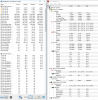
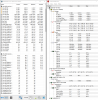
Quick OCCT RUN to show the core differential fixed.
![[IMG]](images/storyImages/wuENMj7.jpg)
-
Well, I've got answer from Acer: "defective motherboard". They propose to change motherboard to a new one, when they will get it (its not that easy in Russia). But i will insist on whole laptop replacement.hmscott likes this.
-
How are the temps like after the HS fix?
Gaming Temps: (Killing Floor 2)
Note:
Max GPU Power: 176.231W
Max GPU Temp: 57C
Max CPU Temps: 62, 63, 62, 62
Avg CPU Temps: 57, 57, 56, 56
Stock Fan Profile: 47db when on max.
Ambient Temp: 21.5C
Laptop Location: On top of my desk with rear lifted about 2.5cm (>1 inch)
![[IMG]](images/storyImages/JrbwUrF.jpg) hmscott likes this.
hmscott likes this. -
Would it be a good idea to use Phobya liquid metal on this computer even with the poor heatsink coverage that they used to ship with? I'm getting a refurbished one so it will probably be older.
Nevermind I'm just going to use a paste. I don't want to mess around with this stuff -
Guys, which number is usually safe for Core Voltage Offset in Intel XTU? I used -0.150, but i'm not sure if it's stable. Maybe i did too much? Tell me
 Last edited: Dec 30, 2016
 -
It depends on your cpu. Some can handle that much. I had one cpu that could only handle -17mV, the one I'm on now can handle -72mV I've heard of people getting as low as -150mV. I recommend using throttlestop while you are experimenting as it will only apply the undervolt when it has been run. Intel XTU and windows iest should revert if you have a crash but that is not always the case and you risk having it applied shortly after you boot windows and having your computer crash before you can even load up XTU. This is not common I think but it did happen to me on windows 8 and if it does happen its a pain in the ***. Also you may find a setting that seems really stable after hours of testing/gameplay only to find that it still makes you crash every once in a while. So be ready to nudge it a little lower when needed.
-
Been reading everything you have been posting, amazing work man!. I have been on the fence about buying an alienware 17 R4 WITH A 6280HK, but after reading about your journey i want to replicate exactly what you did to get the results you have best for the cpu and gpu as shown below.
Firstly do you know why they dont offer a 17 R4 with a 6820hk cpu, a gtx 1080 and a 4k screen!...it seems the 4k screen is not an option for this spec...is there something you know that dell might not be telling us?
if i do get the spec you have below, what are the exact steps you took to get these temps below, i will do exactly as you say.
thanks for the input, this could be my first alienware laptop only if i can get these temps haha
-
I would not recommend using LM (Liquid Metal) of any kind of an uneven heat sink. That is guaranteed pump out waiting to happen.
Trial and error my friend. Start with increments of 5mv and work your way down.
PM me
-
Repost from 17R4 Lounge to show the Even Max Temps after the Heat Sink Fix.
Gaming Temps: (Overwatch)
These are Max Temps after 4 Hours of Gaming.
Note:
Max GPU Power: 181.976W
Max GPU Temp: 59C (Still never exceeds 59C)
CPU Overclocked: 3.6GHz
Max CPU Temps: 65, 65, 65, 65 (~3C-4C Cooler than at 4.0GHz)
Avg CPU Temps: 54, 53, 55, 56 (~4C-5C Cooler than at 4.0GHz)
Stock Fan Profile: 47db when on max.
Ambient Temp: 22.3C
Laptop Location: On top of my desk with rear lifted about 2.5cm (>1 inch)
![[IMG]](images/storyImages/riDclkb.jpg)
HAPPY NEW YEARS!tilleroftheearth likes this. -
I just bought my Acer Predator 17 (G5-793-AU) this week and I've been experiencing CPU throttling prior to discovering the uneven temps on my cores:
![[IMG]](images/storyImages/crM7vvf.jpg)
This is after running Prime95 for ~two minutes with CoolBoost (fan increase) on and on an aftermarket cooling pad. Should I exchange my laptop for a different one of the same model? I'm still within the exchange/return window. I don't want to try repasting (which I've never done) a brand-new laptop, this should be working fine out of the box
-
This throttling mess isn't due thermal. More the fully locked 6700hq BGA Junk reached max 45w TDP limits. See current status with less temp aka 86C on hottest core.TBoneSan likes this.
-
Question: Is this issue specific to the 15R3 and 17R4??, because i have a 17R3 (6700HQ) and at max load (BF1) my core1 maxes at 83c and my core4 maxes at 70~72c.
-
both
-
you mean exclusive to both the 15R3 and 17R4??, or also includes the 17R3?
-
the 17r3 to a lesser extent, but it can happen
-
on stock paste i'm getting core 1/4 83c/72c peak, 76~80c/68~72c sustained in BF1 when it's utilizing 95~100% of all cores.
would that be considered normal or borderline overheating?
i should also note that i have the BIOS setting "CPU performance mode" to enabled so my fans are a lot more responsive than the stock setting. -
well that seems alright for bf1, but if the temp difference is more than 10 degree between cores on average then you should start getting worried
it may or may not overheat, but I personally don't like to see the temperature being high -
now i'm getting worried :S
Like i said, peak temps for core 1 is 83c peak and 76~80c sustained, core 4 is 72c peak and 68~72c sustained. -
give me a hwinfo screenshot of that
-
Ask for replacement, i've got Acer g9 593 (same lappy, but 15inch) and uneven temp is a defect, acer admits. Waiting for new motherboard for my lappy now. -
hmm.
each of these is after the fans have settled on an optimal speed, however i did not encounter a match in bf1 that used 95%~100% of my cpu so the temps are slightly lower than i told you.
but the general difference is the same, usually around 7~11 degrees difference.Attached Files:
-
-
The average temperatures doesn't seem bad, I don't think you need to be concerned. However, if you are OCD about temps you can try repasting and see what difference it makes. -
i'm not ocd about temps at all, i just want to be sure that this 12 degrees difference between core 1 and core 4 is not a precursor for a hardware failure, i can't afford having one of those out of warranty.
-
Not hardware failure, just factory tolerance when it comes to thermal performance.
Applying yourself will always net better temp and less difference between cores. -
i see.
what's a good non conductive thermal paste to use?, i had a prolimatek pk3 1.5gm syringe and i used it up, but it was thick and expensive for the amount.
is MX4 still a good choice?
note: i'll have to import the paste -
Mx4 have bad endurance, in a few months the paste will dry oug
-
any recommendations?
-
gc extreme or thermal grizzly kryonaut
you can also get the coolaboratory liquid ultra (CLU) or thermal grizzly conductonaut for conductive liquid metal pastePapusan likes this. -
are thermal grizzly products new to the market?, i've never heard of them before.
-
yes they are, compared to other thermal grease manufacturer they're relatively new and not widely known -
A lot of people still believe the old AS5 or Mx4 is the ultimate thermal paste you can buy. The time has stopped completely for those
-
I frequent a microcenter near me and one of the sales rep still uses as5 for his x99 saber / 5820K combo
-
Yes, however, think, "New and Improved." The makers of Grizzly are real hard core over clocking enthusiasts and the product they have released have proven themselves over and over again.
Grizzly Kyronaut and Gelid Extreme as mentioned are the go to pastes for traditional pastes.
I'll reiterate again, for liquid metal Grizzly Conductonaut and/or Cool Labs Liquid Ultra.
That's it. Look no further.
*face palm*. Yes long long over LOL.hmscott likes this. -
IC DIamond has been my go to paste... It works pretty well and doesn't pump out as easily as Kryonaut and GC Extreme!Papusan likes this.
-
ICD is among the thickest paste, however for the laptop applications ICD fell behind Grizzly Kyronaut and Gelid Extreme by a pretty wide margin from all my tests. It works and for tolerance issues with gaps between the HS and die/IHS it can serve its purpose, but fixing the alignment would negate the need to use ICD. To each his own As long as it works....cheers!
TomJGX and SimplyJ3sse like this.
-
any tips on when i should stop tightening the heatsink screws?, i've only repasted a total of 2 times, and it was another laptop. (like, what's my queue to stop tightening)hmscott likes this.
-
Turn until it can't turn anymore. Avoid over tightening, but just turn them until it hits 100% if that makes sense. With this type of mounting design, you don't want to keep any of these screws loose.hmscott likes this.
-
Yup if your heatsink is flat/even, then ICD will be beaten by the 2 other 2... My heatsink arrangement is not so level due to my horrible thermal pad arrangement, something I have to fix and then try Kryonaut!
-
Great stuff. I see that you have the Classic 4790K. Such a solid chip...it's one of the greatest chips ever made. In fact, so great that I literally swapped out my Pentium in my NAS for a 4790S ROFL. Delid + LM as well haha...TomJGX and alexhawker like this.
-
Is thermal grizzly kryonaut a conductive paste? I'm looking for something nonconductive
-
Kryonaut is non-conductive - Thermal Grizzly's liquid metal (Conductonaut) however is conductive.
-
What NAS model, out of curiosity?
-
correct
people in the US with non alienware machines can still inquire LHz to repaste and fix the uneven temp issue on their laptops -
@iunlock, what's up with not fixing Alienware laptop cooling? I can understand not using Liquid Metal TIM's - as Alienware won't service them, but using normal non-toxic TIM's should be ok.
What's up? -
What's up with not fixing the laptop cooling? Elaborate. You're not talking to Dell LOL...
They'll never use LM...you know that.
They did change out the thermal paste on the CPU on the new machines. Of course gimp the power limit out of the box and it runs pretty decent given the circumstances where a gamer fanboy would never know the difference.
Dell is putting in the effort, but a lot of the effort is crumbling due to the monkey's at the factory. You know that. - If any of the assembly is being done in the States, then we have monkey's here too. That's even worse.
That's what is up.hmscott likes this. -
-
Yes, you misunderstood Mobius' statement.
He just meant that people with laptops other than Alienware (and as well as), that are having similar thermal issues, can also contact LHz. As in; LHz is not restricting their services to AW only.
Also a question from me. I repasted my laptop using gelid extreme a while ago which helped improve my temps; was averaging around mid-high 60's in OCCT. Max temps of around 72.
Now suddenly, my temps have risen; particularly core 0, reaching 88 degrees during occt (undervolt is being applied; removed undervolt and it instantly hits 99). Could the heatsink have possibly shifted or something? -
Cool
Did you also remove / replace the thermal strip / pads with thinner material?
Over time and with heating / cooling expanding the materials, the pressure from the thicker than needed thermal pad is likely pushing the thermal contact points apart.
Warning: Some i7-6820HKs and i7-6700HQ have Uneven Core Temps due to Uneven Heatsink
Discussion in 'Hardware Components and Aftermarket Upgrades' started by iunlock, Oct 25, 2016.