Problems? See this thread at archive.org.
There is also a new LS_Update_1.18.13.1_.exe lightscribe driver avaivabel on the homepage
download:
http://download.lightscribe.com/ls/LS_Update_1.18.13.1_.exe
-
@justinkw1
do you know where i might possibly get the "enhanced backup and recovery manager for windows 7"?
oh, and i would like to ask you, did your new laptop had the windows 7 preinstalled? if so, did it came with an hp recovery manager?
thanks... -
JMicron Card Reader Driver 1.00.40.01
Link:
ftp://driver.jmicron.com.tw/jmb38x/XP_Vista_Win7/JMB38X_WinDrv_R1.00.40_WHQL.zip
Release Notes:
ftp://driver.jmicron.com.tw/jmb38x/XP_Vista_Win7/ReleaseNote.txt -
04/05/2010
- Updated LightScribe System Software to version 1.18.13.1 (thanks Biker321).
- Updated JMicron JMB38X Card Reader driver to version 1.0.40.1.
- Reverted the IDT High Definition Codec driver to version 6.10.6255.0.
Hope you had a good Easter Axel! (Just an aside, my Easter Sunday highlight was the 7.2 earthquake that happened ) Thinking about your future HDX18 replacement, the dv8 would probably suit you quite well. It has that Core i7 you're looking for!
My laptop originally came with HP Recovery Manager with Windows 7 pre-installed. I removed Recovery Manager when I did a clean install. Here is the download link to the Recovery Manager:
HP Recovery Manager Installer for Windows 7
Version: 5.5.2202 (1.0 A17)
ftp://ftp.hp.com/pub/softpaq/sp45501-46000/sp45602.exe -
Justin, its labeled that but the old .39 files are still in there.. appears to be exact as the old on the first post of this thread.
And when you try to install the .40 drivers from the link a very post above this one, it says setup has stopped working.
Do I need to uninstall the first ones? I assumed the setup would do that for me if needed.
I also tried uninstalling the .39 drivers first and I still get the error:
I also downloaded them from another source and got the same error... either the driver is bad or its not compatible with the DV8t?
I tried straight from jmicrons site and still the same...
Now my .39 won't install... I'll reboot and try again.
-------
Reboot didn't work either.. I had to go all the way back and install the drivers from HP's site: +JMicron Card Reader Driver v1.0.32.1 A 9-2009
They installed fine and after the install, both the .39 and the .40 still will not install.... funny because I had the .39 installed before....but I still get the exact same error and error codes when attempting to install from .32 as I did when I thought I already had .39 installed...... oh well
I don't know whats different. -
Yep, download link is to .39 driver on the first page. Installed .40 driver, works fine on my machine.
-
For my HDX16 (Win7) IDT Version Build 6263 is the last working driver.
The Recovery Manager Link you post ist an Update for a preinstalled Version of the Tool and not the Full install
-
I am also running the IDT Audio version build "6263" on my HDX16t-1200 without any issues, in fact it's more stable than was the previous release!
There also a new update for the Realtek NIC card for the HDX16t as well from www.realtek.com
-
Can someone using Win7 x64 on HP HDX 18 try something for me? Been struggling with this for months, help would be very appreciated!
Now, once I do this I get an exclamation mark next to the modem, and cannot set COM PORT or anything. All forums say I should be able to do this, but not working.
Also, as soon as I try to pair any bluetooth phones with my notebook, " Standard modem over bluetooth link" also shows a yellow exclamation mark in the Device Magager:
This problematic device has the below hardware ID:
BTHENUM\{00001103-0000-1000-8000-00805f9b34fb}_LOCALMFG&000f
Any ideas please? -
Here is the original version provided:
Version: 5.5.2104
ftp://ftp.hp.com/pub/softpaq/sp45001-45500/sp45415.exe
Fixed.
-
Could someone confirm what's the official bluetooth driver for HP HDX 18?
HDX 18 is not shown on the list of Hardware Product Models:
ftp://ftp.hp.com/pub/softpaq/sp47001-47500/sp47022.html
I am wondering if this could be causing the below problem for me? The official HP site for my HP HDX 1200EO doesn't show only the WLAN driver. If anyone has a suggestion what to use to solve the below problem, I would be grateful.
Thanks a lot in advance!
-
This is also an Update for Version 5.5 of the Recovery Tool (pre)installad on your machine.
-
IDT High Definition Audio Codec
Version: 10.0.6263
http://files.laptopvideo2go.com/audio/st-idt_6263.0.exe
Source: http://forums.laptopvideo2go.com/topic/23793-latest-sigmatel-idt-drivers/ -
This doesn't install and I wouldn't recommend using this Dell version (btw: this is a minor upgrade release respect to HP's version .6263).
Dell also released version 6.10.0.6272, this is not the latest. Moreover, HP does several customizations to the package, I would suggest to wait for HP's official version for our notebooks.
-
But not the 2 ghz Core i7...
-
The DV8 is arguably a pretty great value, imo, considering all that one gets in the base configuration for ~$1,200. Right now HP is offering a free upgrade to 6 GB of ram on them too, which they say is a $200 value. And, even though the i7 720 runs at a nominal 1.6 GHz, don't forget it can get up to 2.8 GHz with turbo boost.
-
Yep, when you consider the processor rarely even goes to full tilt.
My Score for processor is 6.9 with my i720... I think Phils is 7.1 with his i820.
Its like having a tad bigger engine in your truck that you will never notice unless your pulling a boat!
I"m guessing its the exact same processor with more cache... but at any rate the margin is too close to sweat over. -
Justin,
I got this response from you some weeks ago and replied, below, something sarcastic aimed at HP, for the very quote they provided (that you only reported) that, in retrospect, may have struck you, or others, that I was poking fun at you. Please accept my apologies if it did, and please all, know this man is doing us a great service, and as "messenger" of things we want to know, should never take the heat for what HP does or says.
That said, does anyone have experiencing going from f.06, f.12 or f.15 to f.17 and: did the up-flash go smoothly? were there any noticeable benefits from using 17?
Thanks, and again, apologies all around.
Jeff -
I went from F15 to F.17 and it was absolutely smooth.
-
What about the alternative Validity Fingerprint drivers for Windows 7?
http://www.validityinc.com/post.aspx?id=186
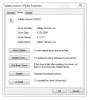
This driver is using a new special API introduced with Windows 7 called Windows Biometric Framework (WBF) and is bundled with some spartan version of some DigitalPersona Apps and DLLs (e.g. DigitalPersona Fingerprint Registration Application 4.3.0.3882).
The driver version is 3.1.3.31, the date 09/05/13Attached Files:
-
-
(can be deleted)
-
Any idea when the new BIOS for dv6t will be released?
-
BIOS F13 seems to cause significant temperature jump for CPU/GPU due to lowering fan speed.
-
I have the 256 Gb SSD & 500Gb Seagate HDD in my Dv8t and the 500Gb drive (new from HP as delivered in my laptop) shows as "unsupported" in the HP 3D DriveGuard app.
I have 4.0.4.1 HP 3D DriveGuard version but have updated the HP Mobile Drive Protection Sensor driver to 4.0.6.1 version.
I wonder if the two versions must match for the app to recognize the HDD as supported??
Anyone else know what might cause mine to show as "unsupported"? -
Okay, I'm sure this has been covered before but I recently upgraded to W7 64-bit and I can't seem to hook my laptop up to a big screen using the HDMI. I've tried all the options W7 gives me to no avail. The computer does recognize there is a TV hooked to it but I get no picture or sound.
Any quick advice? Thanks guys!! -
tested two hp dv7-3085dx i7-720 with BIOS F.13 with intel burn test, both max CPU temps hit 96C with GPU max hit 85-87C. with F.04 BIOS, max temps are about 10C lower. it seems F.13 bios has serious overheating issue.
-
Update to my previous post:
Just tried to use the DigitalPersona Personal 4.11 with these drivers, but it didn't work.
Something interesting what I noticed though was that most of the DLLs of "DigitalPersona Personal 4.11.3805" had the version 5.0.0.3790 while the ones from the "DigitalPersona Enrollment 1.0.0" had the version 5.0.0.3882
Both can be installed at the same time where former installs to "%ProgramFiles%\DigitalPersona\Bin" and latter to "%ProgramFiles%\DigitalPersona\Bin\WBF".
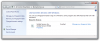
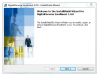
Here how it looks like in the control panel and how the setup of the 'lite' Fingerprint software looks like (which BTW can be found under "%ProgramFiles%\DigitalPersona\Setup"):Attached Files:
Last edited by a moderator: May 8, 2015 -
-
Thanks windstrings. Pardon my persistence, but here's the second question that is really important to me - after ascertaining the flash of 17 is not likely to cause a problem, such as bricking the laptop:
Is there any observable benefit you received from updating the BIOS to 17? Is it doing something better than before, crashing less often (this particularly, as I am up to 1-4 crashes per day, after 3+ months of trouble-free use on BIOS F.06, nVidia drivers 19.555
To flash, or not to flash, that is the question!
Many thanks. -
My system has not crashed one time.... not even once!
When I did a clean install, one of the first things I did was to update the bios so I don't really have any history with the F.15 firmware.
How is it crashing?.. screen freezing?...whole system freezes?.... -
I don't know if the order of install matters or not but I have F.17 firmware on my DV8t... I first installed the drivers...
"+Validity sensor Finger Printer Driver v2.1.0.2 A 9-2009", ( sp45020.exe) then I installed the 4.11.3805 software and it then worked perfect. -
I know that it works together with the 2.X drivers, I was just telling that it seems not to work together with the next-gen drivers which make use of a new API introduced with Win7.
BTW: NVIDIA GeForce Driver 197.44 WHQL Released: forums.laptopvideo2go.com/topic/26527-nvidia-geforce-driver-19744-whql-released/ -
New NVIDIA graphics driver is now available and up on the first post -- this has really been the only update for the past week!
This new version originates from NVIDIA's Developer Zone. Please read the Important Information section if you haven't already; the GeForce GT 320M is still not supported in this driver release and so notebooks with these graphics cards must continue to use version 188.17.
04/14/2010
- Updated NVIDIA GeForce graphics driver to version 8.17.11.9744 (197.44).
-
has anyone any problems with the new 197.44 drivers on laptops?
Sounds like they may not downclock properly and unconfirmed if you need to doctor the .inf file to run on notebooks yet. -
I have dv7t Quad.I installed the latest Intel chipset drivers mentioned on the first page of the thread.
After installation, my Validity finger printer stopped working. Windows said it could not detect finger printer reader. After this I reinstalled windows back to factory setting using System restore. Even after this, in the device manager (in the section for Universal Serial Bus controllers)it says "Unknow Device". And on the initial login the the finger printer icon does not even show upnow. I tried installing the latested drivers for the fingerprint reader from this thread, but even then it says connect the reader using USB. I am stuck here. How do I get the finger print reader to work?
Thanks
PHK -
Interesting as they may be tied together meaning folks with fingerprint reader issues may need to be sure they have thier intel chipset installed correctly without errors.
can you double click on the "unknown device" and see if it really pertains directly to the fingerprint reader?
If its really the intel chipset let me know.. I had that issue and its a tad tricky getting it to install. -
Thanks windstrings.
I am 100% positive the "unknow device" pertains to the fingerprint reader. Everything else works fine.
Even as I was installing the chipset drivers, at the very end a message came at the right bottom corner indicating that a device was not successfully installed. And since that very moment the FP reader has not been functioning. Any suggestions would be helpful.
Regards,
PHK -
Thats my point.. if it worked and then quit the moment you installed the intel chipset drivers, that would seem to indicate the chipset drivers you installed fouled up the fingerprint readers ability to do its magic.
Did you actually "double click" on the unknown device in device manager and go to the "details" tab? if so, it may say it pertains to the "Intel(R) PM55 Express Chipset LPC Interface Controller - 3B03"...
If you see that, I know how to fix it. -
OK Cool. I will check on it today evening and report back.
Thanks
PHK -
Updates to the first post:
04/15/2010
- Updated HP Quick Launch Buttons to version 6.50.16.1.
- Updated MediaSmart Live TV to version 3.1.2508 (3.1 C1).
-
Yay!... an update that actually works without having a bug!
Thats refreshing for a change! -
The update of MediaSmart Live TV still leads to a pack that installs 3.1.22.06. At least that's what I'm seeing.
-
No It did not say anything on the FP reader in the unknown device. But this time I reinstalled the FP driver from the HP site, and issue has been resolved. I no more see the unknown device in the device manager. Also I now see "biometric device" in the device manager. All is well.
-
dv6 Quad,how do you go about installing new video driver for the 230 card to 195.62 .cant seam to get it to install?thanks
-
It was mostly screen going black and all keys frozen. However, you somehow gave me courage and I flashed F.17 and so far, 36 hrs, everything is purrrrfect! If I could only see the letters on my keys, I'd be in computer heaven. Oh, wait, it's nighttime and I have the lights off; silly me, I was thinking these keys were backlit, lol. Actually, found the perfect fix for both the fading keys and the lack of keyboard lighting: a wonderful series of products called "Mighty Lite" all sold by Amazon http://www.amazon.com/s/ref=nb_sb_s...ld-keywords=mighty+brite&sprefix=mighty+brite They're made for reading and specifically several for Kindle, but they have LED's and clip to the top of the laptop screen, anywhere across the top, and they shower light on the keyboard deck below. Run for about a month on 3 AAA batteries (shorter if you use rechargeables, but think of the kharma) of 4-6 hrs per night usage. Cost: $20-$30. So all of you dv8t owners who are MacBook Pro or Dell Studio XPS 16 wannabees cuz of keyboard light envy, do yourselves a favor and start lovin your machine.
Windstrings, BTW, I though you had switched over to an Envy - whah happened? -
New Bios F.21 available!
http://h10025.www1.hp.com/ewfrf/wc/...&dlc=en&cc=au&lang=en&os=4063&product=4011375
Regards -
What are the HP QuickLaunch buttons? What do they launch? I'm drawing a blank here.
-
What machines is this applicable to?
-
Thanks, will be posting this shortly along with a couple of other updates.
This BIOS update is for the dv8. -
Updates are now on the first post, including the new dv8 BIOS update that was just being discussed. The BIOS release primarily enhances the detection of fan failures during POST.
04/17/2010
- Added DigitalPersona Personal Fingerprint Reader Software previous version 4.10.3790 for Windows x86.
- Updated BIOS for dv8 to version F.21 (thanks la.ultima).
- Updated IDT High Definition Audio Codec driver to version 6.10.6269.0.
-
I managed to update to F.21 without incident too.
But I'm a bit confused... I thought there was some fan controlling configurations?
What i see is exactly the same as what I had in F.17.
Basically by default the fan stays on, or you can turn it so its not on continually.
I've been running with it off and it works great... only comes on when I'm really torquing the system.
So whats different between the F.17 and the F.21?
Did they just change the profile inside so the fan turns on and off during different parameters or something?
[Drivers] HP dv6-2XXX / dv7-3XXX / dv8 / HDX16 / HDX18 (INTEL)
Discussion in 'HP' started by justinkw1, Jul 30, 2009.