 Problems? See this thread at archive.org.
I downloaded this http://global-download.acer.com/GDF...tep3=ASPIRE 6935&OS=ALL&LC=en&BC=ACER&SC=PA_7 and used the .inf file. Installed perfectly on win8 64bit
-
That works for me! I appreciate the help and I will be installing Windows 8 soon. It was just a little confusing about how I should go about a clean installation.
-
Regarding the TV Tuner driver for Win8: I used the current published driver (sp45500.exe) and it's working fine on Win8 x64.
sp45500 contains DriverVer=05/22/2009,1.0.64.61.
The one published by Acer is older (2008), and specifically is: DriverVer=07/04/2008,1.0.64.46
So download the one published by justin in the first page and you're good to go...
-
It doesnt do anything. When i "open it" then nothing happens. I've tried like 10 times atleast - thats why i posted the question to here first place...
Another question: This is listed as dv6-2xxx BIOS and its 1year newer than that what is listed in the first post in this thread
ftp://ftp.hp.com/pub/softpaq/sp54501-55000/sp54629.html
or its not the correct for this laptop? -
When you execute it do you at least see the starting window hat tells you what softpaq it is, what version etc.? If you see that and you click next, all HP softpaqs first unpack the contents to c:\swsetup\softpaq#, under that directory you will find the actual drivers and inf files or a setup executable.
If you execute it and nothing happens and you don't find a swsetup dir under the root of the system drive then it means that something on your pc is blocking the execution of that file. It could be the AV or something else...
On my Win8 x64 system that file worked fine.
Let me know and just in case I can extrapolate from the setup file the driver and inf files so you can at least update the driver manually like you did with the old acer driver. -
No, this is not the correct BIOS release for these notebook models. The one you referenced to is for the dv6-1XXX / dv7-2XXX series, not for the dv6-2XXX / dv7-3XXX series.
-
If i download sp45500 and extract it (goes to c:\swsetup\sp45500) and then try to open A316A317A328A309_Win7Logo_Drv_V1004_Install_Silent_HP then nothing happens nomatter how many times i try.
nothing is stopping it (AV or whatever). Can you upload the .inf for me?
If i watch task manager same time i open it then i can see that the file is executed but it sais (32bit) and after 5-10 seconds it dissapears from task manager. maybe the problem is because of that?
i got win8 64bit. -
Extract the file A316A317A328A309_Win7Logo_Drv_V1004_Install_Silent_HP.exe (it's an autoextracting zip) in a folder.
Inside you'll find three exe files, one for each device (A309, A316-A317 and A328). You'll need to extract A309 setup file, you'll find two folders (Vista64 and Vista32), go into Vista64 folder and you'll find a setup.exe file; extract the setup.exe file once again and you'll find your .inf and driver files to be installed manually.
In any case...there's something on your system blocking the execution of the setup executables, either it's the new Windows SmartScreen functionality of Win8 or your antivirus/antispyware software.
Let me know if you solved... -
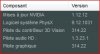
For HDX16 with Nvidia 9600M GT update check (install:good for me)
use : NVIDIA DRIVERS 310.90WHQL
Version :310.90 WHQL NVIDIA DRIVERS 310.90WHQL
OS :Windows 8 64-bit, Windows Vista 64-bit, Windows 7 64-bit
-
Thanks fabrice26, this driver update is now on the first post.
01/07/2013
- Updated: NVIDIA GeForce 9600M GT / GT 130M / GT 230M / GT 320M graphics driver package, version 9.18.13.1090 (310.90) / 1.3.18.0 (HDMI Audio) / 9.12.1031 (PhysX).
This driver release fixes a security vulnerability that was discovered within the NVIDIA Display Driver service. As a result, it is strongly recommended that you update to this as soon as possible. More information is available in this NBR discussion thread. -
01/26/2013
- Updated: Qualcomm Atheros Wireless LAN driver, version 10.0.0.212 for Windows 8.
02/02/2013
- Updated: Qualcomm Atheros Wireless LAN driver, version 10.0.0.216 for Windows 7 and Windows 8.
-
NVIDIA GeForce Driver v314.07 is available.
Drivers | GeForce -
02/18/2013
- Updated: NVIDIA GeForce 9600M GT / GT 130M / GT 230M / GT 320M graphics driver package, version 9.18.13.1407 (314.07) / 1.3.23.1 (HDMI Audio) / 9.12.1031 (PhysX) (thanks btswein).
A link to the release notes is available on the first post, and a general discussion thread for this graphics driver is available here:
http://forum.notebookreview.com/gam...l-notebook-driver-released-18th-february.html -
Realtek PCIe Gigabit Ethernet Family Controller updated. Win 7 x86/x64 is version 7.067, Win8 x86/x64 is version 8.010
-
Intel HD Graphics 8.15.10.2993 driver for 1st gen Intel hd graphics hardware (posted 2/19/2013):
Vista/Win7 64bit editions (ZIP & EXE downloads)
http://downloadmirror.intel.com/22520/a08/Win7Vista_64_152258.zip
http://downloadmirror.intel.com/22521/a08/Win7Vista_64_152258.exe
Vista/Win7 32bit editions (ZIP & EXE downloads)
http://downloadmirror.intel.com/22518/a08/Win7Vista_152258.zip
http://downloadmirror.intel.com/22519/a08/Win7Vista_152258.exe
release notes for the 2993 driver:
http://downloadmirror.intel.com/22520/eng/releasenotes_gfx_2993_64.pdf
http://downloadmirror.intel.com/22518/eng/releasenotes_gfx_2993_32.pdf
readmes for the 2993 driver:
http://downloadmirror.intel.com/22521/eng/Installation_Readme_64.txt
http://downloadmirror.intel.com/22519/eng/Installation_Readme.txt -
JMB38X Flash Media Controller v1.00.75.03
ftp://driver.jmicron.com.tw/CardReader/Windows/JMB38X_WinDrv_R1.00.75.03_WHQL.zip -
Driver NVidia UPDATE to NVIDIA DRIVERS 314.22WHQL
GeForce 314.22 Driver
Version: 314.22 WHQL
Release Date: 25.3.2013
PhysX System Software v9.12.1031
HD audio driver, version 1.3.23.1
-
new drivers for Nvidia 9600M GT -HDX16 laptop 314.22 version
NVIDIA DRIVERS 314.22WHQL -
A few updates have been added to the first post.....will be adding a few more once I get around to them.
Thanks to those of you who continue to contribute and post updates here!
04/25/2013
- Updated: Intel Chipset Device Software, version 9.4.0.1017.
- Updated: Intel Rapid Storage Technology, version 12.0.0.1083.
- Updated: Intel Rapid Storage Technology, version 12.5.0.1066.
- Updated: Realtek PCIe Gigabit Ethernet Family Controller driver, version 7.069 for Windows 7.
- Updated: Realtek PCIe Gigabit Ethernet Family Controller driver, version 8.012 for Windows 8.
- Updated: NVIDIA GeForce 9600M GT / GT 130M / GT 230M / GT 320M graphics driver package, version 9.18.13.1422 (314.22) / 1.3.23.1 (HDMI Audio) / 9.12.1031 (PhysX).
As some of you may have noticed, thread updates have slowed down significantly (this is partially due to my lack of available time unfortunately). I will be decommissioning some of the older driver threads soon, but I have not finalized which ones just yet. This thread has been up since 2009 and it's great to see that some of you are still expressing an interest in it! This may very well affect what I intend to decommission...
-
Ofcourse im interested. I still got the notebook - over 3 years for now
Recently upgraded hdd to ssd and added 4gb's of ram. Like a brand-new again
-
Again I want to mention that this thread is very important to me. It is really a great opportunity to get all the drivers updated. Special thanks to Justin who is always supporting and taking care of everything. Lot of people can take that as a example how good work looks like. Justin, keep on pls this thread updated. I really appreciate that very much. HP should more than grateful to you... Heinz (Germany)
-
NVIDIA GeForce drivers updated to 320.18
-
06/01/2013
- Updated: Broadcom Wireless LAN driver, version 5.100.82.143 for Windows 7 (sp60504).
- Updated: Synaptics TouchPad / ClickPad driver, version 16.2.17.0 (sp60197).
- Updated: HP Mobile Data Protection Sensor driver, version 4.2.9.1 (sp61037).
- Updated: IDT High Definition Audio driver, version 6.10.6448.0 (sp60984).
- Updated: Synaptics TouchPad / ClickPad driver, version 16.3.9.0 (sp61030).
- Updated: Synaptics TouchPad / ClickPad driver, version 16.3.12.1 (sp61169).
- Updated: IDT High Definition Audio driver, version 6.10.6454.0 (sp61258).
- Updated: Broadcom Wireless LAN driver, version 6.30.59.82 for Windows 8 (sp61629).
- Updated: Broadcom 2070 / 20702 Bluetooth driver package, version 6.5.1.3700 for Windows 7 (sp61617).
- Updated: Broadcom 2070 / 20702 Bluetooth driver package, version 12.0.0.6000 for Windows 8 (sp61627).
You got it! :thumbsup: Thanks again for your support!
I'm aware of these new drivers...I'll put them up once I get around to the manufacturer-released updates.
-
06/02/2013
- Updated: Synaptics TouchPad / ClickPad driver, version 16.5.3.3 (sp61819).
- Updated: Realtek PCIe Gigabit Ethernet Family Controller driver, version 7.072 for Windows 7.
- Updated: Realtek PCIe Gigabit Ethernet Family Controller driver, version 8.015 for Windows 8.
- Updated: NVIDIA GeForce 9600M GT / GT 130M / GT 230M / GT 320M graphics driver package, version 9.18.13.2018 (320.18) / 1.3.24.2 (HDMI Audio) / 9.12.1031 (PhysX).
-
New JMicron JMB38X Card Reader is 1.0.76.1 download at ftp://driver.jmicron.com.tw/CardReader/Windows/
-
07/04/2013
- Updated: Qualcomm Atheros Wireless LAN driver, version 10.0.0.222 (sp61411).
- Updated: IDT High Definition Audio driver, version 6.10.6466.0 (sp61802).
- Updated: Qualcomm Atheros Wireless LAN driver, version 10.0.0.227 (sp61817).
- Updated: JMicron JMB38X Card Reader driver, version 1.0.75.3.
- Updated: JMicron JMB38X Card Reader driver, version 1.0.76.1.
- Updated: Intel Rapid Storage Technology, version 12.5.3.1004 (sp61947).
- Updated: Synaptics TouchPad / ClickPad driver, version 16.6.1.3 (sp61999).
- Updated: NVIDIA GeForce 9600M GT / GT 130M / GT 230M / GT 320M graphics driver package, version 9.18.13.2049 (320.49) / 1.3.24.2 (HDMI Audio) / 9.13.0604 (PhysX).
- Updated: NVIDIA GeForce 9600M GT / GT 130M / GT 230M / GT 320M graphics driver package, version 9.18.13.2601 (326.01) / 1.3.26.4 (HDMI Audio) / 9.13.0604 (PhysX).
-
And...some more updates!
07/05/2013
- Updated: Broadcom Wireless LAN driver, version 5.100.82.147 for Windows 7 (sp62339) - (thanks ricktendo64).
- Updated: Broadcom Wireless LAN driver, version 6.30.59.139 for Windows 8 (sp62226).
07/06/2013
- Updated: Broadcom 2070 / 20702 Bluetooth driver package, version 12.0.0.6950 for Windows 8 (sp62225) - (thanks bandora).
- Updated: IDT High Definition Audio driver, version 6.10.6469.0 (sp62037) - (thanks ricktendo64).
- Updated: IDT High Definition Audio driver, version 6.10.6479.0 (sp62316) - (thanks ricktendo64).
-
Hi,
This solution worked perfectly on my DV8T-1100 CTO under Windows 8 Professional. Thanks a lot! -
New Intel Chipset Device Software 9.4.0.1022 here:
https://downloadcenter.intel.com/Detail_Desc.aspx?lang=spa&DwnldID=20775
Intel Rapid Storage Technology v12.8.0.1016 WHQL here:
Intel(R) RST/RSTe Drivers (actual: RST(e) v12.8.0.1016 WHQL)
please read recommendations, I uninstalled RTS software and I only installed the driver manually, it seems better for ACHI mode.
NVIDIA new drivers with Gefoce Experience:
Download GeForce Experience | NVIDIA | GeForce -
Synaptics TouchPad Driver 17.0.2.4
ftp://ftp.hp.com/pub/softpaq/sp62501-63000/sp62794.html
ftp://ftp.hp.com/pub/softpaq/sp62501-63000/sp62794.cva
ftp://ftp.hp.com/pub/softpaq/sp62501-63000/sp62794.exe
Intel Rapid Storage 12.8.0.1016
http://downloadmirror.intel.com/23060/a08/SetupRST.exe
The file that you are trying to
The file that you are trying to
IDT High-Definition (HD) Audio Driver 6.10.6482.0
ftp://ftp.hp.com/pub/softpaq/sp62501-63000/sp62751.html
ftp://ftp.hp.com/pub/softpaq/sp62501-63000/sp62751.cva
ftp://ftp.hp.com/pub/softpaq/sp62501-63000/sp62751.exe
POSTED BY ricktendo64 here: [Drivers] HP dv4-5XXX / dv6-7XXX / dv7-7XXX / m7-1XXX (INTEL Ivy Bridge)
but valid for our computers. -
Intel Chipset Device Software 9.4.0.1026
https://downloadcenter.intel.com/Detail_Desc.aspx?DwnldID=20775 -
After updated chipset driver v9.4.0.1017. All of my USB ports stop working. Googled it but none of the solutions are working (uninstall USB hubs, reboot, etc...). I reformat my laptop and do the W8 installation fresh, installed v9.4.0.1017 still not working. I came down to this last page and found v9.4.0.1026, installed with -overall... but still no luck. When I tried to install the Intel Rapid Storage Technology, got error "This platform is not supported". I'm running HDX16 with W8 x64. Any help would be greatly appreciated.
-
there must be a compatibility issue..use an older chipset driver...i am running on hdx16t w8 and everything runs fine..but dont use latest drivers mentioned above because we are running an older hardware..we are far away from the ivy bridge laptop..
-
Hi,
Great that I found this forum! now I'm running W 8.1 and the driver here solved a the most except 1 ....
Unknown
1: Port_#0003.Hub_#0004
Device USB\VID_138A&PID_0005\0510a95dbd00
Anyone know that now what to install ? to solve this.
Thanks again, this forum is so good
my laptoptop spec is
HP DV8t-1290e0 (WN916EA#UUW) | 1.60 GHz Intel Core i7-720QM | nVidia GeForce GT 230M w/ 1024MB | 18.4" 1920 x 1080 display | 6 GB DDR3 (1 x 2048 MB + 1 x 4096 MB) | SAMSUNG SSD 830 Series 128GB & 256GB| Atheros AR928X Wireless Network Adapter -
-
Thanks, what version is best to use? Because I installed chipset driver 9.3.0.1026 could get the Intel Rapid Storage Technology running but my USB drives are still not working properly. I have to have a jump drive plugged in and reboot the laptop for it to be detected. Help!
-
Thanks, but still same issue,
USB\VID_138A&PID_0005\0510A95DBD00
Device USB\VID_138A&PID_0005\0510a95dbd00
Anything else that's is missing ?
//Peter -
I have a lot of problems with latest Nvidia Drivers, I have to revert back to 320.49
hpw7user likes this. -
I had BSODs after installing 327.23 WHQL Nvidia driver on Windows 8.1....First i thought Windows 8.1 was the source of the problem ...Then i installed it on Windows 7...the same BSODs..happened again..Reverted back to 320.49..No problems...eXPerience83 likes this.
-
My scrolling on the touchpad started getting flaky after I uninstalled the SmartMenu software. Does this have anything to do with the touchpad? On an HDX16 btw. Also, does anyone know if the Synaptics software on page one lets you just install the driver and not the software?
-
New drivers found:
thx. to user ricktendo64
IDT High-Definition (HD) Audio Driver 6.10.6492.0 for Windows 8.1 64 (Working on Windows 7 x64)
ftp://ftp.hp.com/pub/softpaq/sp63501-64000/sp63631.html
ftp://ftp.hp.com/pub/softpaq/sp63501-64000/sp63631.cva
ftp://ftp.hp.com/pub/softpaq/sp63501-64000/sp63631.exe
found by me:
Broadcom 802.11n Wireless LAN Driver 6.30.223.99 for Windows 7 x86/x64
ftp://ftp.hp.com/pub/softpaq/sp62501-63000/sp62769.html
ftp://ftp.hp.com/pub/softpaq/sp62501-63000/sp62769.exe
ftp://ftp.hp.com/pub/softpaq/sp62501-63000/sp62769.cva
Broadcom 802.11n Wireless LAN Driver 6.30.223.99 for Windows 8 x86/x64
http://ftp.hp.com/pub/softpaq/sp63001-63500/sp63203.html
http://ftp.hp.com/pub/softpaq/sp63001-63500/sp63203.exe
http://ftp.hp.com/pub/softpaq/sp63001-63500/sp63203.cva
Synaptics TouchPad Driver 17.0.8.9 for Windows Vista, 7, 8 and 8.1
ftp://ftp.hp.com/pub/softpaq/sp63501-64000/sp63779.html
ftp://ftp.hp.com/pub/softpaq/sp63501-64000/sp63779.exe
ftp://ftp.hp.com/pub/softpaq/sp63501-64000/sp63779.cva -
New Intel RST(e) drivers v12.8.6.1000 WHQL
download it here:
Intel(R) RST/RSTe Drivers (actual: v12.8.6.1000/v3.8.1.1006 WHQL)
or here:
Station-Drivers - Forum - Sujet : Intel Rapid Storage Technology 12.8.6.1000 WHQL Complete (1/7) -
NEW:
Intel RST(e) AHCI/RAID Drivers v12.9.0.1001 WHQL
here:
https://downloadcenter.intel.com/De...ía+Intel®+Rapid+Storage+(Intel®+RST)&lang=spa -
02/07/2014
- Updated: Intel Chipset Device Software, version 9.4.0.1026.
- Updated: Intel Chipset Device Software, version 9.4.0.1027.
- Updated: Intel Rapid Storage Technology, version 12.8.0.1016.
- Updated: Intel Rapid Storage Technology, version 12.9.0.1001.
-
02/08/2014
- Updated: Intel GMA / HD Graphics (5-series) driver, version 8.15.10.2993 (15.22.58[.64].2993) / 6.14.0.3086 (Audio).
- Updated: NVIDIA GeForce 9600M GT / GT 130M / GT 230M / GT 320M graphics driver package, version 9.18.13.3165 (331.65) / 1.3.26.4 (HDMI Audio) / 9.13.0725 (PhysX).
- Updated: NVIDIA GeForce 9600M GT / GT 130M / GT 230M / GT 320M graphics driver package, version 9.18.13.3182 (331.82) / 1.3.26.4 (HDMI Audio) / 9.13.0725 (PhysX).
- Updated: NVIDIA GeForce 9600M GT / GT 130M / GT 230M / GT 320M graphics driver package, version 9.18.13.3221 (332.21) / 1.3.30.1 (HDMI Audio) / 9.13.0725 (PhysX).
- Updated: JMicron 1394 Filter driver link, version 1.0.25.3.
- Updated: IDT High Definition Audio driver, version 6.10.6493.0.
- Updated: IDT High Definition Audio driver, version 6.10.6495.0.
- Updated: IDT High Definition Audio driver, version 6.10.6498.0.
-
Latest Broadcom drivers are not updated on the first post:
Broadcom 802.11n Wireless LAN Driver 6.30.223.99 for Windows 7 x86/x64
ftp://ftp.hp.com/pub/softpaq/sp62501-63000/sp62769.html
ftp://ftp.hp.com/pub/softpaq/sp62501-63000/sp62769.exe
ftp://ftp.hp.com/pub/softpaq/sp62501-63000/sp62769.cva
Broadcom 802.11n Wireless LAN Driver 6.30.223.99 for Windows 8 x86/x64
ftp://ftp.hp.com/pub/softpaq/sp63001-63500/sp63203.html
http://ftp.hp.com/pub/softpaq/sp63001-63500/sp63203.exe
http://ftp.hp.com/pub/softpaq/sp63001-63500/sp63203.cvaricktendo64 likes this. -
Latest NVIDIA "WORKING" driver:
GeForce 334.67 Beta Driver (solves blue-screen on Geforce 105M) the latest bug-free version was 320.49
Drivers | GeForce -
02/15/2014
- Updated: Synaptics TouchPad / ClickPad driver, version 17.0.2.4 (sp62794).
- Updated: Synaptics TouchPad / ClickPad driver, version 17.0.6.2 (sp63353).
- Updated: Synaptics TouchPad / ClickPad driver, version 17.0.8.0 (sp63417).
- Updated: Realtek PCIe Gigabit Ethernet Family Controller driver, version 7.078 for Windows 7.
- Updated: Realtek PCIe Gigabit Ethernet Family Controller driver, version 8.024 for Windows 8 and Windows 8.1.
- Updated: HP Mobile Data Protection Sensor driver, version 4.2.9.1 (sp64144).
- Updated: ENE CIR Receiver driver, version 3.6.0.0 for Windows 7 (Toshiba).
- Updated: ENE CIR Receiver driver, version 3.7.0.0 for Windows 7 (Toshiba).
- Updated: ENE CIR Receiver driver, version 4.5.0.0 for Windows 8 and Windows 8.1 (Toshiba).
02/17/2014
- Updated: Synaptics TouchPad / ClickPad driver, version 17.0.16.1 (sp64520) - (thanks TheBigOne).
- Updated: Synaptics TouchPad / ClickPad driver, version 18.0.1.32 (sp64975) - (thanks ricktendo64).
I'll update the wireless LAN drivers sometime this week. They are a bit of a pain to manage across all of the driver threads, so I'm going to set some dedicated time a bit later to get these up-to-date.
I'm holding off on this driver because it does not have WHQL certification. Will update once a newer driver with WHQL certification is released.
Thanks for the repeated reminders!
-
Thank you for your work!
New WHQL NVIDIA drivers updated to 334.89, the problem with Geforce 105M is finally solved -
https://downloadcenter.intel.com/Detail_Desc.aspx?DwnldID=20775
Intel® Chipset Device Software (INF Update Utility)
Version: 10.0.13
EDIT: v10 do not support our systems
[Drivers] HP dv6-2XXX / dv7-3XXX / dv8 / HDX16 / HDX18 (INTEL)
Discussion in 'HP' started by justinkw1, Jul 30, 2009.


