Problems? See this thread at archive.org.
#1 for the radiance screen.
-
-
Radiance screen all the way.
The E14 I just picked up is refurbished and has nothing but a minor, minor scratch on the back wrong with it.
I suppose your mileage may vary with refurbs, but I couldn't be happier with mine because it means Radiance. -
Can someone please advise me which is the best program/s to get in order to tweak/overclock the CPU and GPU on my soon to arrive ENVY 14? I've read up on the unboxing thread but would like some up-to-date info on the best tools available to do the job.
Thanks in advance.... and really excited about this laptop! -
Is there any website or anyone with more thorough statistics on the Radiance screen?
I've seen the notebookcheck.net results which said something like 253 nit brightness and 852:1 contrast ratio. -
Does anyone mind taking a shot of their envy 14 (with a camera?)?
I've decided on getting the newer envy with an i5 580m and if not that, something else. But, i'm still unsure of what 1366x768 looks like on a 14.5" screen. Right now, i've got a u52 and it's 1366x768 but on a 15.6" screen. Technically, wouldn't it look better on the envy? And besides, if i were to get a refurb with the radiance, i'd be getting lower frames compared to the newer envy.
I mean....does this really look that bad to anyone?
-
Many of the folk who trash the current resolution are bitter that they cannot get the Radiance screen. That leads me to believe some of the trashing is plain grumpiness. I doubt it actually looks BAD. And, yes, the same resolution should look better on a smaller screen. I just want to see Radiance once so I can see what this craze is about.
The REAL question, though, is the difference in quality between the current resolution and Radiance.
PS: My goodness, how many tabs do you have open over there? -
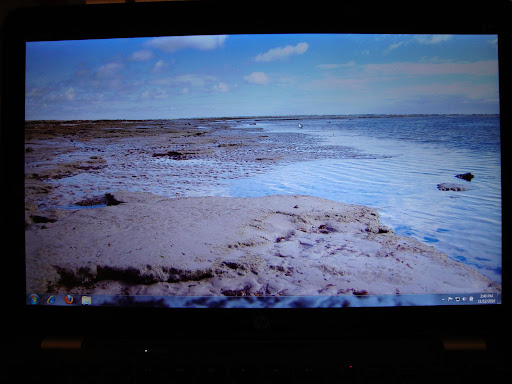
Ok. here are two shots of the radiance screen at max brightness.
though I may want to compare it with another laptop in a sec.
the first picture is without the color profile that gets rid of the blue tint in everything. If you click on the picture it'll go 1600x1200.
ColorProfile turned back on, no more blue tint.
-
Yeah, the first is pretty blue.
-
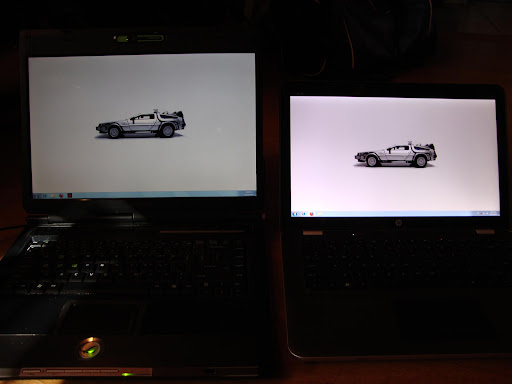
Radiance vs whatever is in my old Asus G1.
-
yeah. it's something you'd have to take into account if you got the radiance (default windows color profile + radiance = holy crap it's blue. bright, but blue)
-
Well, that contest is easy, but I don't know what's in your old laptop. If I put my 1080 BrightView up against my poor dv6000 screen, it would annihilate it. I will guess that you have the color correction on, because I see no blue.
-
that pinkish could be my camera and some of the angle.
the radiance red shifts a bit if you're looking at it at an angle.
it looks white in person to me. (computer does have a noticeable color shift at an angle though)
I don't really have any 1336x768 computers to compare it to.
the asus g1 is a 1680x1050 old lcd screen.
envy14 is LED I'm pretty sure. -
yeah I had the color profile on.
it's setup to be on by default though due to the intel gpu you get stuck with the original when booting on the intel gpu (you can quickly change it with this displayprofile program so that's not a big deal).
all I know is that it's bright but I mean if you already own an envy14 and are perfectly satisfied with the brightview, *shrugs* it's not a big deal.
half the complaining is "aww man why is it 1336x768 again. now it's kinda pointless getting this when I could just get a dv6t that has a higher binned radeon 5650 or just find an acer 3820tg and overclock the crap outta it"
'course the dv6t's cooling system may not be as good as the envy14 (3820tg's cooling system is/is better since..well that thing has a crazy cooing system) -
So does nobody here own a brightview envy

And i really wish they still sold the 15.....14 is looking borderline too small and 17 is out of the question... -
Well, some of it may be grumpiness, but I don't intend to buy a laptop that has the same vertical resolution as I last had almost 10 years ago, and less than I have on my phone (granted, the larger side). I am currently on 1440x900 and it's the minimum I'm willing to accept. For example, it's barely enough to view my Google calendar's month view without every day having "+2 more items".
The thing here is that it's a new trend. Laptop screens used to be 1280x800, which is actually better in terms of display ratio for every day browsing and document editing. Web pages aren't wide and short, but narrow and high, and so are documents. The only good use of wider format is multimedia. But as E14 is a powerful laptop, it attracts more demanding users than just movie-watchers and casual gamers. And these people have something to complain about; the E14 already had a better resolution, so there's apparently no technical limitation for it not being available. -
I own a 17" and love it. It seemed a much the first week or so, but now it feels just right. I appreciate the screen real estate. There are very few situations where a 15" laptop works well and a 17" doesn't, to be honest with you. I owned a 15.4", and I didn't do any more with it than I do with this. If I want something extremely portable, I'll get a netbook or an ultraportable. I plan to do that fairly early in 2011. I think I will buy a dv2 on eBay.
-
While that is true, it overlooks the reality that the screen maker has gone out of business. What size screen are you using now?
And after buying a 1920 x 1080, I cannot fathom going back to a 1280 x 800. That is what I have on my dv6000, and it just looks AWFUL after prolonged use of my Envy. lol -
heh. I went from a 1440x900 on a 17inch screen to 1680x1050 on a 15.4inch screen to now 1600x900 on 14.5inches
I understand how going from low res to higher res makes you not wanna go to low res anymore.
why I'm glad I have the radiance. It was either this or..well. wait awhile for something else to show up since I didn't wanna spend the money on a sony -
I guess that makes sense....why go back to a crappy res when you've experienced something much better....but let's say you've been using crappy resolutions since you've gotten into the pc business?
My first (prebuilt) computer came with a 17" crt that was like 1024x768 or something.
First (and only) LCD 16:10 desktop monitor that is 19" is only 1440x900
First laptop screen is 1366x768...so i don't really have anything to compare in terms of experience with larger resolutions....so i personally don't think it's much of a big deal sticking with 13x76 on a 14.5"...
And also, it's not really like i have a choice....13x76 is the mainstream resolution for 11"-15.6" lol. -
well it really isn't.
it's only sticking that on a 15.6inch that things start getting "come on HP give us a bigger resolution for your dv line!"
I was gonna buy a dv6t:se...til well I waited a month for the envy14.
also one thing bright view guys don't have to worry about/freak out about (maybe):
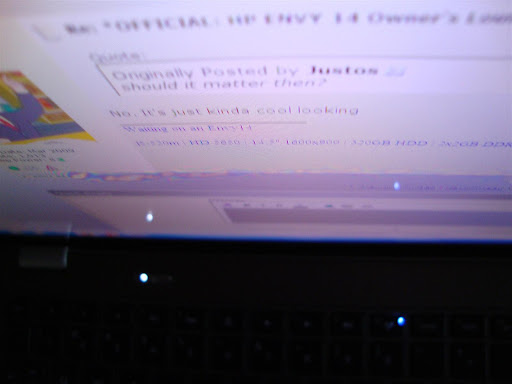
rainbow gunk! ..that evaporated after two weeks
edit: the rainbow gunk was only viewable at unviewable angles like the one I took that picture from (or from an extreme side view) -
Alright so here is a sony config for the eb series :
Intel® Core™ i5-460M processor (2.53GHz) with Turbo Boost up to 2.80GHz (Save $20 in Cart)
Genuine Windows® 7 Home Premium 64-bit
Matte Black
320GB Hard Disk Drive (7200rpm) (Save $10 in Cart)
4GB (2GBx2) DDR3-SDRAM-1066
15.5" Full HD VAIO Premium Display (1920x1080)
ATI Mobility Radeon™ HD 5650 GPU (1GB VRAM)
DVD +/- R DL / DVD +/- RW / DVD-RAM Drive
No Fresh Start
Adobe Bundle (Free - $448 value)
Microsoft® Office 2010 Starter (Click More Info for details.)
Norton Internet Security™ 2010 (30 Day Trial)
and thats for 999.99$
I'd say thats a steal...wouldn't you agree? I was really hoping for that macbook look that the envy provides but maybe i should go with this instead... -
Yes, but it's not a technical reason. In my view, it shouldn't be that much of an issue for HP to find a new provider? Aren't they one of the biggest in the world? With lots of money? Can't they step up to one (or more) LCD manufacturers and say "look here, we have money, make 1600x900 14.5 LCD panels for us." Why isn't this happening?
I'm on 1440x900 and it's the bare minimum I'm ever willing to accept on anything larger than 13". -
Because it takes a while to negotiate a contract, tool the assembly line, and organize a downline to the ODM. And a specific product line only lasts about a year before HP either refreshes or obsolesces.
-
Actually, I agree with you that it should be easy to find another vendor. At least it seems that way.
-
I got my Envy 14 with Brightview display today! Honestly, the low res isn't a deal breaker with me probably because I haven't experienced the Awe Inspiring Radiance. I look forward to keeping an eye out for a replacement radiance but in the meantime I will be gaming hard on my new envy.
-
I'm sure there are plenty of major vendors out there who are capable of mass-manufacturing a specially-sized 14.5" radiance screen.
I think the main problem was finding a display manufacturer who could do it cheaply and help maintain HP's profit margins at the $1,200 price point. Let's face it. This display is one of the best if not the best on the market right now. But look on eBay and you'll find people selling the radiance screen separately for $300 or more.
Even taking out the radiance display, the other parts are among the best. High quality copper heat sinks and an aluminum/magnesium chassis? I'm willing to guess it'll take them some time before their suppliers are able to shave down prices/costs further before HP can explore reintroducing the radiance display. HP isn't quite like Apple. They don't have a simplified and uniform notebook line of 13" MBP, 15" MBP and 17 MBP to go off of. Taking all that into account, I hypothesize HP is going to have a tough time making sure the Envy 14 remains profitable.
And 2.0 brings up an excellent point. Contracts aren't decided on the spot. Product development for complex products such as cars and notebooks take a lot of time to negotiate. Lawyers don't always just xerox pre-printed form contracts that require people to fill in 1-2 blanks and sign after skimming through 300+ pages of a document. If that's all they did, I wouldn't be able to fantasize about my $400/hr job! (I kid...) There's a lot involved in the way of agreeing on specific schedules and clauses that allow for compensation for delays and potentially even breaches. All that takes months to go through.
That said, in spite of the ugly gap the keyboard cable has created near the hinge, I am loving my Envy right now. Is simply the best designed notebook I have ever owned. -
Where did you find seperate screens for sale on Ebay? I haven't found any.
-
Here ya go
He has 10+ available. If you know what you're doing and you have a regular Envy that desires an upgraded screen, GO for it. I love the screen.
Disclaimer: I am NOT self-promoting, I am just a lazy student and this seller is NOT me.
EDIT: Dang. Reread description, realized it's only if you buy an Envy from the seller. -
on their envy listing they have "14.5" (1600x900) diagonal HD+ HP Radiance Infinity LED Display (TEMPORARILY UNAVAILABLE - DO NOT BUY)"
Hmmmmmmmmmmmm and it seems they just order it from HP for you which begs the question why order from them? Anyway.......
Either way my envy 14 is coming in next tuesday and I knew nothing about the radiance screens so now I'm sad. Was prob better off not knowing the option used to exist. -
Any chance you can order the screen from HP?
-
That question comes up daily. Supposedly, some HP site suggests it's in stock, but we have reason to believe the site may be inaccurate. I am surprised at the number of people willing to wait for Radiance to return. Suppose it doesn't. I would just choose a different size Envy or another laptop altogether.
-
Yeah, those commercials about "Moving at the Speed of Business" were BS. It takes these folks forever to come to agreements, and yes, this is indeed one of the best designed notebooks I have ever used too.
-
what was the manufacturer ID of the display panels?
-
I just got my 1st BSOD with this computer. I was going to use the Webcam, so I enabled it in device manager, launched HP's Webcam Software and immediately got a bluescreen and the computer restarted. It didn't do it a 2nd time when I used the Webcam. Anybody else had a BSOD with their Webcam? Any reasons why it would do this?
-
How do I find out? Sorry.
-
Hi all.
I'm pretty serious about buying an Envy 14. I am considering the best possible configuration that is available at the moment, more precisely I'm looking at the following options:
Processor: Intel(R) Core(TM) i7-840QM Quad Core processor (1.86GHz,8MB L3 Cache) with Turbo Boost up to 3.2 GHz
Memory: 8GB DDR3 System Memory (2 Dimm)
Hard drive: 500GB 7200RPM Hard Drive with HP ProtectSmart Hard Drive
Primary battery: 8 Cell Lithium Ion Battery (standard) - Up to 6.0 hours of battery life
Display: 14.5" diagonal High Definition HP BrightView Infinity LED Display (1366x768) edit
Is there any reason why I should not get the i7-840QM + 8GB DDR combination and rather stick with the lower config, i.e. 740QM + 6GB? My biggest concerns are heat and noise (from the fan). Does anybody have experience with this configuration? I already read that the switchable grafics card is not available with i7.
Another question: in all reviews that I've read, everybody praises the 1,600 x 900 Radiance Infinity display. Now that's not available anymore. How is the current display (1366x768)? Is it still good enough or are there any big drawbacks for the price? I'm not looking to play any 3d games, I just need a low of power for my work and a display that is bright. Is there any information about whether the Radiance Infinity will come back in the near future? I read that the original manufacturer busted.
I tried to read the thread to find some answers, but I gave up after the first 120 pages
Thanks! -
what precisely is your work
'cause depending on what it is, i7 may be overkill.
the i7 ups the heat some since well..it's an i7. it's a true quad core and runs at a hotter temperature than the dual core i3 and i5s -
Hey zman420,
I personally have not yet had a BSOD on my Envy of any kind, always leave my webcam enabled in device manager, don't have HP's webcam software installed, and have only used my webcam for Skype thus far with no problems, so unfortunately I can't relate to your specific issue.
But, if you could post some further information such the specific BSOD error given when it crashed, or could post some information from your Event Viewer logs pertaining to when the BSOD happened, I'd be up for trying to help you track the problem down. If you haven't checked Event Viewer already and are up for it, I'd first check your System and Application logs under Windows Logs, then the Hardware Events log under Applications and Services, and then track down the specific HP webcam software log, also somewhere in Applications and Services.
I'm guessing that System will have a general description of some sort pertaining to the crash, Hardware Events will have nothing, and the specific HP webcam software log will be full of all kinds of errors.
I checked all of these logs when struggling with my WiFi issue, and that was the general pattern that I found. Not only that, but along the way I looked at the HP Wireless Assistant log and found that it was frequently having errors, all of which were unrelated to my issue and have been occurring since I first installed it, none of which have effected me when using my Envy that I have noticed, but that certainly seem to cast a shadow on the program's stability.
I wish I could be of more assistance in suggesting where exactly to look in Event Viewer, but as I don't have the HP webcam software installed I'm unsure of exactly where to find its logs.
Whether you dig into it or not, best of luck! -
use everest ->display->monitor
-
I was thinking the same first, but I changed my mind. I choose the E14 instead of E17 because of portability. The E17 pretty much is a desktop replacement (big and heavy) plus having 2 laptop is kind of overkill, so an external display setup with E14 is more make sense to me.
I'll be disappointed for sure, tried Sony F series an return it. Tried E14 and still keeping it.
Haven t use the webcam (just few times to test it) and didnt have BSOD. I got one BSOD back then when updating ATI driver where the screen just went black and I tried to restart the system too soon. My suggestion is to let it go until it happen again then start investigate. -
Envy 17 is indeed a desktop replacement. No ifs, ands or buts about it. But it's very thin and not that heavy IMO. The first desktop replacements were heavier. My planned setup is an Envy 17 with a 22" screen I will sometime upgrade to a 26" 1080 monitor/HDTV. As a PC companion, I will have a dv2. That will be two laptops, but I wouldn't consider it overkill. It won't weigh much more than a netbook but will be faster and much more powerful. I need something I can take everywhere. Well, I will soon enough. And the Envy 14 is still too much for that.
-
I got a No Boot Device Detected message the other day when resuming from hibernate, I just powered down and powered back up and it started ok, but I ran chkdisk just to be sure, and it said it fixed filesystem errors. I have run the HP System Diagnostics on the HDD of the computer before, and this time I ran the one in the BIOS, and I didn't get any errors. I wonder if anything is wrong that something isn't catching.
-
Hello all!
I have a quick question that I'm sure has been addressed already but I've had trouble finding a solution for. Recently after updating my BIOS to 13 I've been getting clicks and pops during audio output. Are there possible solutions for this? Detailed responses would be appreciated since I'm not too tech savvy.
Cheers! -
Fans run slow the whole time, but are not loud. They do increase in noise a fair bit when taxing the CPU/GPU. I would however say they were very loud. The unit shopped with bios F.13, so I can't comment on change from earlier versions.
-
You could check in the Beats Audio settings under preferences>general and disable the power management features. It says something about pops and clicks when it's enabled.
-
quick question guys. I did a clean install. I'm just installing adobe photoshop 8, but where can i find the serial number? thanks in advance.
-
it might of been in the swsetup folder somewhere.
otherwise, I'm not sure. -
That's what i thought.. I will check again. hope I can find it, thank you for reply.
-
Quick question...I bought an HP Envy 14 Beats series with Core i5-580M and configured it with 4GB ram (1 Dimm) so if I want to upgrade it to 8GB ram, what sort of memory do I need (DDR3 1066 or DDR3 1333)?
I've contacted HP several times and they told me DDR3 1333 but if I understand correctly, a Core i5 can only use DDR3 1066. Are they wrong? Someone please let me know; the laptop will be delivered to me on Tuesday and I want to purchase the memory sometime this weekend. Thanks.
I've been looking at the following memory after HP informed me that the laptop uses DDR3 1333 ( http://www.newegg.com/Product/Product.aspx?Item=N82E16820145283) so any feedback would be appreciated on whether this will be compatible with the laptop or not.
*HP ENVY 14 & Envy 14 Beats (1XXX series) Owners Lounge, Part Deux*
Discussion in 'HP' started by 2.0, Jul 22, 2010.