Problems? See this thread at archive.org.
Thanks SWSetup?, where is that located I'm doing a factory restore at the moment and then trying a clean install since I fudged it up. I was wondering is the US page contain all the links or should I stick to this here:
http://forum.notebookreview.com/hp-...-hp-dm4-dv5-gen-2-g32-cq32-envy-14-intel.html
-
basically out of the stuff listed in that one you want to install the latest driver on that list of these things:
intel chipset
intel rapid story stuff
intel mei stuff (management engine interface)
broadcomm wireless
intel wifi link if you somehow have the intel 6200 n (you might not, probably don't you use this if broadcomm doesn't work)
intel turbo boost for the gpu if you have an i5 chip
intel hd graphics (probably already installed by win 7 update, which if that was done, don't install this win 7 update version is fine for what you do next)
amd/ati + intel graphics drivers from the 8.741.1.3000 (AMD) 8.15.10.2141 (Intel SG) drivers package. this is the newer gpu drivers. they won't give you a black screen that doesn't go away when updating graphics drivers like the older set.
idt audio stuff (this is the beats audio drivers stuff, it's just a renamed IDT audio chip)
alcor 2.0 usb sd card.
realtek pcie gigabit ethernet stuff
broadcom 2070 bluetooth. This may not work until you install the hp wireless assistant and have it manually turn on the bluetooth radio.
ftp://ftp.hp.com/pub/softpaq/sp47001-47500/sp47297.exe there's the hpWA
it's kinda annoying so I'd disable most of what it does, not let it start on boot, but still use it to enable/disable the bluetooth (open it up when you wanna do that)
last two things you install are the touchpad drivers (though windows update should have the latest version)
and the hp mobile data sensor protection stuff if you have a mechanical hdd (not a ssd) in the computer. -
Reinstaling Intel grpahics drivers (As Intel Graphics Meda Accelerator HD) fixed it.
-
swsetup is on C:\
and yeah you can just grab stuff from that link for the most part.
US envy page has things up to date as well but may not have your wireless drivers (though it looks like the us page doesn't have the intel drivers at all anymore and instead has realtek, atheros, and broadcomm, guess HP is moving away from the 6200 n)
here's the US page if you wanna use it instead:
Software & Driver Downloads HP ENVY 14t-1000 CTO Notebook PC - HP Customer Care (United States - English) -
Also I highly highly, ok no.
I don't just recommend, I'm flat out telling you not to install or use the graphics drivers that came with your computer if they are the 8.713 drivers. jump straight to the newer ones when you clean install.
the old ones are a pain in the rear to get rid of correctly and can cause black screen issues (the newer ones got rid of..well most of them. hibernate still messes up some but that may be some other problem altogether) -
This is the laptop I own but I'm not sure on the HP US site which it corresponds, and its difficukt since I don't know if I have a Broadcomm device etc?/
-
well.
if you did a factory reinstall you can check in the device manager (in control panel --> hardware and sound --> device manager) under networking stuff.
read the name of the device. it'll say intel, broadcomm, atheros, or realtek wireless -
Thanks will do, so to double check since I can't find my model on the US site. The link you provided has all the download files I need correct?.
http://forum.notebookreview.com/hp-...-hp-dm4-dv5-gen-2-g32-cq32-envy-14-intel.html -
one or the other will. the envy 14s share most of their drivers (regardless of where you purchase it). they just have a different wireless device depending on...well, what hp put in there
us drivers should work on a UK computer just fine. -
Ok....
I am assuming the three options are:
1. Use HP's switchable graphics driver
2. Use ATI's driver exclusively (no Intel GPU)
3. Use Intel's driver exclusively (no ATI GPU)
Correct? -
Well I did a fresh format again but this time I copied the SSetupfolder and installing everything and its going OK so far
-
Automatic installation after uninstalling the drivers installed "Intel Graphics HD" or something like that. If you allow that it disables the graphics switching, so that doesnt work.
I can remember my exact order to do so, but manually browsing the driver to install and pointing it to C:\Intel\ then selecting Intel Graphics Media Accelerator HD instead of Intel Graphics HD or whatever got it working no crashes and graphics switching working.
I know it was the regular Intel Graphics HD or something before which allowed switching, but caused crashes. -
switching is handled by the amd stuff.
you need to first install the hp video drivers (amd drivers with both catalyst 10.7 (modified) and some intel graphics hd drivers)
then you can just install whatever you want on top of them and switching will still work since the thing that controls it was already installed with the hp drivers -
success clean install, thanks MargusDraco. The SSetup folder helped me alot.
-
yeah. it's really useful.
-
Appreciate the help so far guys.
Maybe I am just dense today.
I already have the HP drivers installed. I tried to install the latest Intel drivers, but got an error stating they were not validated for my computer and to contact the vendor.
Do i just download the zipped version and manually install using device manager? -
I finally solved my hibernation problem. I've been running a dual-boot configuration with Windows 7 and Linux. It turns out that if the partition containing Windows is not marked as the active partition in the master boot record, then hibernation (and also Windows Backup), just simply don't work. It is common when installing Linux in a dual-boot setup to install a boot loader (e.g. GRUB) on the Linux partition, which is set as the active partition (the one that the BIOS will initially boot). The Linux boot loader then gives you a menu to select whether you want to boot Linux or Windows; if you select Windows it transfers control to the Windows boot loader.
My solution was to download a utility called EasyBCD, which can configure the system to use the Windows boot loader rather than the Linux boot loader. It writes an entry to the Windows boot loader pointing to the Linux boot loader, and updates the master boot record setting the Windows partition as the active partition. Now hibernation and backup work as they should. -
I've decided to give the Envy 14 a try from the HP refurb business store. I got a model with i5-460M and the 1600x900 screen. It was 919 + tax.
My question is, the $42 for a caddy to replace the DVD with a second hdd from newmodeus seems a little expensive. Is there any cheap ebay version that's US based? -
I got my replacement "radiance" display from the HP Parts store today. Installed it and it looks NO different and it still gives the 1366x768 max resolution. Did I just pay 300+ dollars for another brightview display? I just got royally screwed.
-
Here is the part number on the box: 616270-001
Here is what I ordered: 608366-001
HP just tried to rip me right off. Unreal. -
Wow. Get online with the parts store customer service, get your return kit (if one was not already included) and refund promise (probably will require the screen to be received first).
Sounds like they were trying to appease you when you were going to cancel your order.
Sorry man, definitely frustrating. -
Oh I am trust me. Replacing a display is not exactly the easiest thing to do either. Now I have to take it all apart again and replace my original display. I really hope nobody else gets screwed like I did.
-
Ok guys. Had the computer about a week now, had no problems until today.
Been playing FFXI on this laptop every day for the week I've had it. It's been running FLAWLESSLY. All of a sudden, today, I'm getting ABYSMAL and unplayable framerates.
I'm on AC, profile set to 'high performance' and all options in CCC set normally. It seems very much that the video card is throttling or something. Temps and fans are normal, I can't detect any kind of problem. The system is running fine except for video card performance, all of a sudden.
Any things I can try? I'm getting somewhat annoyed. -
Specs are i5-520m, 4GB RAM, and 160 GB Intel SSD
-
That is quite a let down. If you wouldn't mind, remember what the CS say when you call them back and let us know what they say. I think its a bit ridiculous that they would send you the wrong part after all this time!
-
Personally, I don't think they even have any radiance displays. One rep said that they were back-ordered when I called to follow up on my order. I don't know what's going on at the HP parts store but it's pretty messed up. They should either take down that part number from the site or actually send me a radiance display.
-
Well, at least we all now know not to try this.
-
I came across your problem. What you will have now is a C:\Intel\ folder
You need to go to "device manager" and manually update and install the driver using "Browse computer" and point it to that location mentioned earlier. -
The only think in C:\Intel folder is another call Logs with a few text files.
I even extracted the driver package into a directory and browse to it. Every time I select that directory when manually updating the driver, Windows tells me the best driver is already installed. -
Saos
I'm 75% sure that's the ati power play stuff screwing up.
it happens sometimes. Locks the card at 300mhz/300mhz speeds instead of the normal 450/800 (so bye bye fps) til you reboot or turn powerplay off, hit apply, and then turn it back on and hit apply again in the catalyst control center.
it's gotten much rarer for me since I updated to the ati 10.8 drivers (still happens once in awhile)
main thing that triggers it is unplugging and replugging in the envy and/or swapping gpus.
..I never really figured out if it was one, the other, or a mixture of both. -
also this happens even if you have powerplay set for max performance while plugged in.
it gets confused and uses the other powerplay stuff (300/300)
you also don't wanna just leave powerplay off since then the card doesn't clock itself down to 150/150 when not in use (which imo is useful) -
Sorry, I actually didnt use that part when I did it.
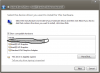
So device manager, display adaptors, click on intel one which is hopefully there, driver -> update driver, browse computer, let me pick from a list, then select intel graphics media accelerator HD or whatever it is.Attached Files:
-
-
Thats what odd. On that screen, I only have the three options below what you are showing to select. There is no Graphics Media Accelerator HD.
I'm really not an idiot, but this sure is driving me nuts. -
well why do you need to update/mess with them anyway white?
also which one of you have clean installed.
'cause if it was mike and not you, mike might of had the media accelerator hd stuff installed by windows update before installing the hp video drivers.
that'd make it an option for him but not for you. -
A few observations about the Envy 14 that I have had for four days and am about to send back:
Specs: i5 580M, 8GB, 640GB, 5650, 1366x768
Pros:
• Very nice design – and simply one the most aesthetically pleasing laptops made.
• Great performance.
• Able to completely take it apart the computer and upgrade if you so desire.
• Battery life I good considering the components.
• Keyboard is comfortable, backlit, and well thought out.
• Strong WiFi connection and speed.
• The HP interface to reinstall shipped software is well done.
Cons:
• The build quality is suspect (at least on mine).
• The keyboard flex is just poor engineering. The fact that people are taking apart their laptops to put tape and other objects below the keyboard to stop the flexing is absurd.
• The interface to switch the graphics is just plain primitive and the process disruptive. Having to use the HP driver to make the switchable graphics work and then attempt to put the latest ATI drivers over that is just not efficient.
• The only option (at this time) is the 1366x768 screen is just plain terrible – no matter what anyone says. The idea that you would have to buy this laptop and try to find and install a Radiance screen to make it what is should be is just unacceptable.
• The touchpad is just abysmal, and just beyond frustrating in the inability of the user to adequately control it. Once again the idea that you have to purchase a laptop and then go find all types of code and install and tweak it to make the touchpad even usable is simply unbelievable.
• A ridiculous amount of useless software comes loaded on these machines. Everyone is trying to do clean installs or minimal installs on a brand new computer to eliminate something that should not be on the computer in the first place. MediaSmart is just annoying.
• The Beats Audio is just not something HP should put as a selling point as it just is not very good, and people are purchasing third party software to attempt to enhance its short comings.
• I find the leading edge of the palm rest to be too sharp and with extended use have noticeable discomfort and creases on my own palms.
• Should most certainly have a Blu-ray drive option and USB 3.0 standard. -
The biggest con I agree with in the above list is the audio. For all the marketing, I was expecting something very impressive. What I got, fell quite short. My m11x has far better/louder speakers in a smaller package that (shockingly) was never marketed to have above average speakers.
HP is frustrating sometimes (what large computer company isn't though, same for Dell, Apple, Asus, etc) and their decisions can leave the (intelligent) consumer clueless, but they put out far and away the best consumer laptop on the market this time around.
That's why I own two of them; the E14 and E17. Sure, they each have their problems/frustrations, but the overall design and level of quality is leagues ahead of other laptops.
I've always been an Alienware guy, but their laptops are just TOO bulky and heavy for what I need right now. Obviously for pure gaming, AW is the way to go, but to have the best all-around consumer laptop money can buy that CAN exceed in gaming; HP Envy all the way. -
i don't think that the speakers are the "beat's audio", plug in earphones or external speakers - the audio gets amplified so much with out any distortion!
for example, 15% volume on the same headphones = max volume on my sony vaio, with more clarity and less distortion and hiss.
i also had my envy 14 for a few days, and i have the exact same specs as dauntless. i agree that the build quality is not up to par for a premium product - slightly misaligned edges, etc - but keyboard flex is just not a big enough issue for me - it's still a pleasure to type on.
out of curiosity, what are you planning to buy instead after you return the envy? -
Do you mind explaining the difference in how you use those laptops? I'm curious, as I may soon purchase a second laptop. I could see myself opting for a dm4 to cut costs, though.
-
For a balanced view, I thought I'd comment in response to your negative points with my own experiences.
Strange - mine is superb. I had an Envy 15 before my 14 and the 14 is far superior. The only bit that I feel could be improved is the plastic in the bottom which can rattle when typing - but pressing it in usually stops this. If it bugs me I can just add a bit of tape inside it.
I really have no clue what you are talking about here. Is the UK keyboard better or something? I can't see any flex even if I deliberately press too hard.
It isn't ideal, but at least there is the option to switch. Overall I'd say it is a benefit, not a negative. How do others implement switching?
Agreed. I'll be looking out for a Radiance screen when they become available. However, the standard screen is not rubbish at all, just lower resolution.
You never had an Envy 15 did you? The 14 track pad is fine. I've turned off multitouch as that doesn't work that well, but as a normal touch pad I find it very good. I wonder i the UK refresh last month updated any hardware?
Disagree. For the first time ever I was surprised at the good level of pre bundled software on the 14. No virus program for starters is great! Photoshop and Premier elements is great as a bundle. HP media smart stuff is rubbish though. Maybe the software bundle is different in the UK.
I'd say it is better than average, but I agree that pushing audio as a selling point is misleading.
I guess this is down to how you type - I've not had problems myself.
Those would be good. You could buy a slot loading Blu-ray drive off ebay for very little though and it would take very little time to install. I've bought a slim external Blu-ray drive and I'll be replacing the internal DVD-Rom with a second hard drive (when my caddy finally arrives from China!). USB 3.0 would be good on the basis that we will be using it down the line more, but for right now I'm happy with USB 2.
I would say that the Envy 14 is a great notebook - not perfect, but still one of the best out there IMHO. I'm extremely happy with it even though it is slower CPU wise than my i& Envy 15 was. Sorry to hear you aren't happy with yours. -
IIRC members of this thread explained that at time of production of the E14, there are no Blu-ray drives small enough to fit into the body of the E14.
-
Just got my Envy 14:
i5-450
6 Gb ram
500 Gb HDD (Replaced with a 120GB OCZ Vertex 2)
Radiance display
Slice battery
Bios v.2 (upgraded to v.13
Broadcom Wifi
Initial impressions are good. No imperfections or cpu whine.
The rainbow effect on the screen seems quite clear when near-solid colors move when playing video. Skin color is often solid enough to course this effect, so I really hope the screen just needs some kind of "break-in" period.
There is no noise from the fans. Sure I can hear them running, but you only notice them if your in a completly quite room.
With the SSD and a clean install it performes perfectly. I have had no problems with black screens, BSOD or any other driver problems. Everything installed without any problems. Though I most point out that you need to update the Bios when doing a clean install, as the wifi-card goes into a deep sleep mode. This can be prevented in the bios, but the setting only appears only the newer bios versions (Network power save).
Currently Im keeping the HP 10.7 GFX drivers, as the down side of upgrading to 10.11 is no button control of the brigthness.
The SSD tweak gives me about 30-50% increase in performence -
You can tweak the power management by adding some hidden options in the registry. Search the forum "SSD tweak". By adding more power you also add more fan usage..
-
Ah-ha. That is the issue (clean install).
To answer your question, i want to use the Intel GPU when I know there is no gaming need -- and I use Windows Live stuff and IE9. Also, the machine runs cooler without the AMD chip running.
Thanks for the help however. I should have it now... -
ummm. only for the stuff that already wasn't installed.
in my clean installs windows update only got the intel hd graphics and my realtek wired network card's drivers.
though I have one of the older envy 14s so *shrugs*
I mean I'd install the cpu and rapid storage stuff and mei stuff and turbo boost for intel gpu stuff if you have an i5 processor at least.
also yeah the switchable but you already did that.
if it already got the idt stuff (and has an idt/beats control panel in your system tray) and everything else works eh, you're fine. -
well white if you want it to just default to the intel gpu while plugged in you can turn off "auto swap/prompt for the swap when you plug in/unplug the envy"
this should stop it from swapping to the amd gpu on boot if the envy is plugged in (but was on intel last time you turned it off)
it's an option in the switchable menu (right click on desktop, pick switchable graphics, etc) -
The SSD tweak is a tweak to the SSD

Here's a link:
http://forum.notebookreview.com/har...-intel-series-4-5-965-chipsets-jjb-tweak.html
As mentioned it involes change some of the hidden power mangement settings, to force the CPU to work. This is done because, the intel PM-55 chipset inforces some kind of power saving when the cpu is in idle mode. This limits the SSD performence. So the tweak settings is a compromise where the CPU is force to work a little bit, without the temps going all crazy.
Basically higher CPU load means faster SSD transfer rates.
When that is said, the out of box setting for the SSD is still a HUGE improvement over the standard HDD.
I should also mention that it's the 4K read/write speeds that improve by 30-50%. The large file transfer rate is about the same. Here's a pic:
![[IMG]](images/storyImages/ssdyz.png)
-
I also have the OCZ Vertex 2 120 SSD, and its probably the best piece of computer hardware i've ever purchased (aside from the 8800gtx I got for my desktop when the card first came out). The performance increase is awesome. The computer is so much faster doing everything, and it boosted my batter life a bit too. I love it.
-
tried the "IDT High Definition Audio Codec v6.10.6292 sp50642 2010-10-19" , it does not repair the beats audio hotkey. Does anyone know how to fix that
Also someone wrote brightness keys are not working on ATI , tested on the latest HP drivers its working normally -
latest ATI drivers. not the hp drivers. that's where the brightness breaks.
I'm not sure why your beats audio hotkey is broken.
maybe try reinstalling the hp quicklaunch stuff -
you might be.
the RST has a control panel thing but it also lets you know if your drive is running SATA 2 or SATA 1.
RST helps with indexing and stuff.
the other things are transparent but are driver updates to make the processor run better (windows may have already installed the stuff but ...it can't hurt the computer at all to install the intel stuff again from the executables)
*HP ENVY 14 & Envy 14 Beats (1XXX series) Owners Lounge, Part Deux*
Discussion in 'HP' started by 2.0, Jul 22, 2010.