 Problems? See this thread at archive.org.
Can someone that has a good machine give me some feedback as far as how quick some websites load?
On a clean browser page (all cookies etc deleted) After logging into facebook, it takes about 15 seconds for the "wall" to fully load - I think that is a bit excessive. JR.com takes about 10 seconds to even pull up the main page..
It seems to do better after the site is in cache, but it just doesn't seem right for the specs that this machine is made of.. I would like if someone could please shed some light on their machine before I send this back.
Thanks for your help.
Some page opening times to compare:
My Dell Inspiron 6000 (Pentium 1.6ghz) 2gb RAM Running Windows 7 Ultimate - JR.com loads in 3 seconds / ATT.com loads in 8 seconds
My Envy 17-2070NR (Quad Core i7 2630QM 2.0GHZ) 6gb RAM Running W7 Home 64bit - JR.com loads in 10 seconds / ATT.com loads in 14 seconds
-
-
That does sound odd. I have an i7-2820 with an SSD (love it by the way). Those pages above, all open up within 2 seconds or so. I'd check connection speed, also maybe a defrag.
KJ
-
Thanks for at least checking - I know the SSD helps out a lot, however, like you see in my post, my 6 year old Dell opens those pages quite fast. My internet speeds are identical on both machines (10mbps down/1.5mbps up)
What's even more odd, is that programs seem to install fairly quick and open fast - Photoshop CS4 opens in about 6 seconds.
I've done defrag and chkdsk - Chkdsk came back with corrupt files and were repaired.. BIOS hard drive test passed (long test) So I'm not really sure what the issue is here. I think I'm probably best off getting a replacement. I think it is too difficult to pin point the issue at hand here. I -
Hi slotti, thanks for your detailed outline.
I bought a new Intel 120GB SSD and followed your instructions to install the minimal Win7. However, I am stuck somewhere in the stage of software installation - the 2 progress bars are not moving and the light of HDD (SSD now) is not showing any activity either. I tried the whole process again and it is stuck at the same place again, it is the same screen for over 30 minutes now. Did you encounter the same thing? And, any idea how to overcome it? -
The 6200N is NOT on the list of adapters in the .ini file. Perhaps another release is coming. 6300, 6205 and a few others
-
Hi Guys,
My C300 is set up and running. These are my scores. 4K read are pretty slow and access time is quite high. What are your results to compare it properly. Maybe I need another driver or it's just normal in a Notebook.
![[IMG]](images/storyImages/iuxpggdrikue.jpg)
-
Hello,
I'm looking into buying an Envy 17 2xxxx,
and I was wondering if when yours was new, it did smell any volatile chemical odor, strong or even faint, apart from a benign "new" plastic smell.
(I don't consider a strong lacquer or plastic smell benign, though).
It can smell like plastic burning through a metallic aftertaste, or something more akin to a strong cleaning product. It disappears after some weeks, tops.
I read reports about a strong "new car/shoes" smell for envy 14, but i couldn't find anything for the 17.
If strong, that kind of stuff is potent enough to fill the room, or i could simply outgas from the vents. It's more usual on desktops, especially any cheap power supply or monitor.
I'm sensible to that kind of toxic fumes, and it would bother me a lot to buy something outgassing like a toxic dump, since i plan to use the laptop in my kitchen.
I can't remember my last laptop to have a suspect smell when new(a C700).
My brother's new dell lattitude does outgas from the vents though.
But the HP desktops i used to unbox at work did smell something very strong and sickening corresponding to the reported envy 14 new shoes/car smell.
I would prefer to buy an envy for the full hd screen, but if it's smelling anything suspect, I'll just buy a g7 or a dv7 instead.
Thanks for any response. -
jamieshea, welcome to NBR and our Envy forum. I am currently at work, but had to comment on your post since I feel so strongly about this product. The Envy 17 3D SB is the best laptop I have ever owned, hands down. That being said,
THERE IS NO SMELL AT ALL coming from a new Envy 17 3D. The only think coming out of this laptop is just sexy looks, great performance, and a nice build *when built right*
Those of us who exchanged our Envys for a few reasons understand
, but once she is built right, you will fall in love, trust me.
Rest assured, you will make a great choice if you decide to get the Envy 17 3D SB. It does it all pretty much. Ask if you have any questions.
KJ
-
HP modded 14.1 drivers can be found here:
Intel Wireless Drivers, Intel PROSet, and Intel My WiFi for Microsoft Windows 7 HP ENVY 17t-2000 CTO 3D Edition Notebook PC - HP Customer Care (United States - English)
Try these...should work for you...
Addendum: These drivers DO NOT work with the Intel 6200N, even though HP posted them. Interesting! -
KJ...much agreed! For the money...I don't think that there is a better value on the market than the Envy 17 3D right now...
-
Here is a GREAT article that may help you:
The SSD Optimization Guide | The SSD Review -
Agree! And it gets better and better every day somehow ;-) After the fresh install (retail win7 home premium) also the newest HP power DVD works. The only thing I still wonder is if my C300 shouldn't be faster in the Envy.
THX @ Bobmitch for the link to the new WiFi driver. I used an old one until now because of the freeze issue which was not present using the old one. Hopefully it will also be fine using this new driver. -
Thanks for this - I will try it when I get home and see if it helps with my slow browsing..
-
COuld some1 pls gimme the link where i can download SATA drivers for installing fresh copy of windows 7?
-
SATA drivers can be found at the Intel Download Center. The NBR driver thread also has direct links to the newest version of these drivers, under the Intel Rapid Storage Technology (SATA AHCI) section.
http://forum.notebookreview.com/hp-...xxx-dv7-5xxx-dv7-6xxx-envy-17-2xxx-intel.html -
Hi,
I do not know what I am doing wrong, but I have this problem that when I mount my Vertex 3 120GB into my HP Envy 17-2050, it will freezes my machine after a while in Windows 7 pro.
On the Vertex 3 I have installed Windows 7 pro, all the latest driver from HP's website.
The machine has latest bios but I cant firmware update the Vertex 3 to the latest firmware, because its running on Intel Raid controller.
Is it a problem between Sandforce and Intel chipset / raid controller ? Is it posible to change sata mode ? or how do I fix it ?
If I mount the original harddrive, my HP Envy will not freeze.
I hope someone here can help me -
To flash the latest firmware for your SSD. You are going to have to do it on another machine...preferably a desktop with SATA. For some reason, even the firmware of the SSD that HP ships in our Envy's from the factory cannot be flashed in the Envy. You can do it by connecting to your SATA 0 of your desktop or other laptop...boot into the CD and flash...then put back in the Envy. As far as the Vertex 3 and Envy...I have not heard anything about freezing. The Envy is SATA 6.0 GB compliant and others are running the newer SSD's with no issues. My SSD is the Intel X-25 that HP supplied...
There are a few on the board with the faster / newer drives -
My Envy is getting shipped back - Nothing seems to fix the slowness and freezing. Should I get it replaced or get something else (DV7TQE?)? Anyone else with the 17-2070NR having a good experience?
-
I'm with sbht. There is something wrong with the settings for my new OCZ Solid 3. It is Sandforce and freezing my laptop sometimes and also run some pitiful benchmarks. Anybody have ideas? I will take it out and update the firmware on another computer but what should the settings be on my ENVY in the bios and what drivers should I get? This is terrible.
I don't know how to upload pictures but here are 2 of my benchmarks using AS SSD.
Read Write
Seq- 192.87 137.25
4K- 14.43 36.35
4K-64Thrd 73.85 126.58
Acc time .207 .359
Seq- 200.02 83.94
4K- 15.24 44.29
4K-64Thrd 81.05 80.95
Acc time .198 .330
I did change some settings between the runs -
Ouch! I don't know much about SSDs, I'm on my first one, the Intel X-25 that came with my Envy....the Seq is about 255, and I believe yours is the newer, faster SSD, so you should be getting way more than 192.... I'd want to look into this matter... You might want to call OCZ and ask their tech support, as HP will most likely say they won't support 3rd party hardware. Good luck.
KJ
-
Thanks for your response
Actually, I had the same problem with the 2010 edition of Hp Envy 17 and OCZ vertex 2 !
Back then I gave up and installed an Intel X-25 which worked perfectly. In my belief that times had changed with the new Sandy Bridge and the new SandForce controller, I chose to invest in HP Envy 17-2050 and the OCZ Vertex 3 ..
Something must be wrong with Intel chipset and Sand Force controller right? Or is it just a firmware / driver issue ?
In device manager i can see that it is running on Intel Raid Controller is that correct ? I cannot change sata mode in Bios ! On the plus side I can se in the intel rapid storage that it is running 6Gb/s mode...
Can it really be that I am the only one experiencing this problem?
There must be others who have installed a Vertex 2 or 3 of their HP Envy 17 series?
Correction: Sometimes it freezes right away after login screen, and sometimes it takes it 10-15 minutes to freeze... -
Hi,
I did not need to download any SATA driver for my fresh win7 installation. Like you can see on top of this page the one brought by MS are quite fast. Using a HDD there would not be any difference. I'll do some more tests to check if it is worth installing the intel drivers.
Best regards,
DvP
UPDATE:
It does not make any difference if you use the SATA drivers which come with Windows7 AT ALL, at least in AS SSD. But you do get higher scores if you plug it by cable (or modify energy settings) and when you keep at least one CPU Core busy (Prime95). Here are the Scores of my C300 which should be pretty ok like this.
![[IMG]](images/storyImages/l3uzmbe5poq.png)
P.S.: Boot still takes 25 Seconds so that won't change a lot by faster drives/SSDs
UPDATE 2:
If you deactivate LPM (intel drivers) you get a bit more performance and it is said to resolve freezes with the C300-CoreI7 combination. It should consume a bit more power but no idea how much in fact. These are the scores:
![[IMG]](images/storyImages/s46w3xi16hg.png)
-
@sbht: check out my post on page 540, it might be useful to you.
-
Thanks, I will try that
-
I am also not really impressed by the performance of my SSD (OCZ Agility 3), especially since it is supposed to be SATA III... don't know if anyone has any idea about how I could improve its perfs.
-
What is your performance ?
-
Cf. the screenshot I posted in page 540
-
WOW that can't be right ?
I feel you
-
Alright. I am very confused now. I was extremely disappointed with my OCZ Solid 3 when running benchmarks with AS SSD. 195 read and 100 write.
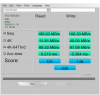
I called OCZ and the guy told me to update the firmware, which I cannot do since I am in Afghanistan and do not have a second computer. He also told me that their recommended benchmarking tool is ATTO. So I downloaded it and ran it and it is completely unbelieveable. I cannot upload it because it saves as a .bmk file. If anyone can tell me how to post it I will. It gives me much higher speeds. Mostly the write speed is higher than the read speed which I don't believe. At 2KB read is 41472KB and write is 47888KB. 8KB is read 154810 and write 219758. At 1024KB read is 534199 and write is 453876.
I cannot believe the difference between AS SSD and ATTO. I believe AS SSD more because it does not feel that fast. Adobe does not open immediately.
I installed all my pictures on my HDD but maybe I'll install a few on the SSD to see if it comes anywhere close to these numbers. -
If anyones after a cheap Envy 17 3D btw, I'm selling mine in the marketplace section. Just a heads up.
-
Hey Guys,
I think that I got it to work perfect now !
I have updated my SSD to firmware 2.09 and installed windows 7 pro 64 bit again, then installed the newest drivers from this site:
http://forum.notebookreview.com/hp-...xxx-dv7-5xxx-dv7-6xxx-envy-17-2xxx-intel.html
It has been running fine all night, and here are my Vertex 3 CrystalDiskmark resultes.
Is this resulte okay for at vertex 3 ? isn't the write speed pretty low ? -
@sbht: seems much better right now, lucky you!
Attached my results with AS-SSD:
![[IMG]](images/storyImages/asssd.png)
It's pretty much the same as usafpj has. I don't know if a firmware update is the only solution to have a full-speed running SSD (which I think is pretty dumb by the way), but anyway I can't do it either because I don't have a desktop PC or something else... -
That looks good sbht. It sounds like the three of us are having the same issues and since I have all the latest drivers it looks like the firmware update is the problem. I am in the same boat as Fish since I have no way to update the firmware. I hope to find a way to fix this soon.
-
Hmm... After a few tests in crystaldiskmark, the speed slows down some MB/s in all tests, is this normal? And will Trim fix the speed i've lost ?
-
Please try CrystalDiskmark
-
Definately looking better. That was some firmware update. Mind you many manufacturers went through the same thing...good for you!!!
-
Already tried (cf my post page 540), and results are consistent with these. :/
-
I saw that post...why didnt you return it if it was just 20 days?
1500 for a stacked envy is a really good deal. -
Period had just run out, is that 21 days maybe? Anyway, I wasn't able to return it, so I have to sell it myself. You would think it was a good deal, but the interest is really low :/
By the way; why do they make it so difficult to flash the Vertex3 firmware? I have Windows on it, so in order to flash it I have to install windows on another disk and flash it from there. Stupid. -
I think you got it well summed up there...
-
Thanks Fish1203
My Envy was having constant lockups with my SSD OCZ Vertex 3 but after the registry edits you posted on pg. 540 my system has been working good free of lockups.
I have not done any driver updates other than the hp ones Now that my freezing and lockups are gone I don't want to cause any more problems.
Envy 17 3D
SB i7-2820
Radeon HD 6850M
8GB Ram
SSD 240GB OCZ Vertex 3 HD
Here are my Crystal Disk Mark results…
![[IMG]](images/storyImages/hdtest2.png)
-
Well your scores are way better than mine... Maybe it's all about the firmware. One day... :/
-
I got my SSD firmware updated!!!! And I did it on my ENVY. I had to switch mt harddrive places and install the OS on my 5400rpm drive. I did this then ran the OCZ toolbox in XP sp2 mode and it regonized the drive and downloaded the firmware. But now the bad news. My benchmark scores on CDM3 are still pitiful. I have checked multiple times and my firmware IS updates, but the scores have not changed. I was really hoping to join sbht but there must be something else wrong. Or maybe the benchmarking is not working for some reason. I am 20 seconds from pushing the power button to entering my password. Anybody have ideas?
-
Did you follow this guide:
The SSD Optimization Guide | The SSD Review
Can You Get More Space Or Speed From Your SSD? : Optimizing Precious Solid-State Storage
Another thing to consider is whether or not your drive is whether your alignment is incorrect. Go here...there is an online alignment calculator that will ask for your product brand, and fill in the blanks. If you are not aligned properly...could cost you a ton of speed. At that point, you may be reinstalling...or finding a utility that can repair your alignment...but there are NO free ones...I would recommend a clean install.
Guide RAID / Non-RAID Partition Alignment for max performance -
I purchased my envy with the 750Gb drive installed because HP did not have a SSD larger than the 128Gb (at the time I ordered. Not sure if they have a larger one now) here are the steps I used to get the system working .
( Here are the steps that worked for my setup. )
1. Booted the system with the original HD installed
2. Updated the Bios to the current version
3. Downloaded the recent drivers and placed them on a DVD (good to have if anything ever goes wrong)
4. Created the 4 DVD Recovery Discs using the installed HP software
5. Shut computer down
6. Installed the SSD into the second hard drive location
7. Rebooted computer
8. Formatted SSD using windows (I think I used NTFS along with the default allocation unit size)
9. Shut down computer after format was complete
10. Removed the original hard drive and moved the SSD to the main drive location
11. Turned on computer and inserted disc 1 of the Hp recovery disks I created in step 4
12. Once at the hp menu I selected to install the minimal software
13. After booting into windows I installed all the current drivers that I burned to disk earlier
14. Disabled defrag ( SSD Tweaks and Optimizations in Windows 7 - Windows 7 Forums )
15. Disabled page file ( SSD Tweaks and Optimizations in Windows 7 - Windows 7 Forums )
16. Verified superfetch/prefetch/bootfetch was turned off ( SSD Tweaks and Optimizations in Windows 7 - Windows 7 Forums )
17. Shut down computer and installed original hard drive to the second drive location
18. Rebooted
19. Deleted old windows installation from secondary drive.
20. Had some system freezing and lockups so I created the registry file as shown on Pg.540 (Fish1203s Post), then double clicked to install registry updates.
21. Rebooted
Computer now runs great. 10 second boots, opens Photoshop and Visual Studio in 2 seconds and shuts down in about 3 seconds.
Once you go SSD you cant go back. Now when I use other computers at work I feel like I am using a system connected to a 56k modem.
-
MS clearly said that the pagefile/swap file should not be deativated if you use a SSD. This can cause problems with several programs which require the file and it does not help much.
http://blogs.msdn.com/b/e7/archive/2009/05/05/support-and-q-a-for-solid-state-drives-and.aspx
Edit: Also just found a post in the MS support forum which said the complete opposite!? *confused* -
I have also read articles regarding the pros and cons of disabling the page file. Since I disabled the file I have not seen any performance drops. My main goal when turning off these features is to stop unnecessary writes to the SSD because flash memory wears out. I think most of the these features were designed for "Normal Hard Drives" to help speed up programs that are slow due to the slow read and write times of the disk based hard drives.
The Page file is easily turned on and off if I start noticing any performance issues I will turn it back on and see if it help .... Until then the less writes to the drive the better. (At least until SSD become throw away cheap) -
So how's the heat issues when playing games? Does it get uncomfortable?
-
Fish,
Since our problems with our SSDs are identical let me know if you ever figure out the problem. I got the firmware update but still the same benchmark scores
Next I am going to completely erase the drive and reinstall the firmware. Hopefully that will fix it. -
did you check your alignment????? That could be a big factor
*HP ENVY 17 & 17 3D (2XXX series) Owners Lounge*
Discussion in 'HP' started by 2.0, Mar 14, 2011.


