Problems? See this thread at archive.org.
there is no tape on the cpu and gpu on no components, heatshield tape thing goes only on memories and stuff in GPU's like on desktops ... on the gpu and cpu there is only thermal compound paste between them and the heatsink ... if you plan on doing a repaste be sure to clean both the cpu/gpu surfaces and the heatsink surface very very well ... i recommend using izopropylic alcohol for best results and use a high end thermal compound like arctic silver or prolymatech paste
-
Well I had another overheat shutdown this morning so right now I'm going to repaste my CPU and GPU. I obviously put too much paste..
The USB port on the left hasn't worked since that force shutdown. Hopefully it's not related but if it is I obviously cannot allow this system to overheat ever again.
This is from page 786 and where I got the sandpaper idea from. My heatsinks look messy too.
This is where I got the heat shield idea from:
http://forum.notebookreview.com/sager-clevo/676551-effects-cooler-master-notepal-u3-w-6-fans.html
No. It goes on the heatsink pipes. Check out the thread above. Only thermal paste can go between the heat sink and CPU/GPU
I'm gonna replace my fans with the ones in the post above... they are more powerful and have manual speed control.
After I get sandpaper, heat shield tape and more powerful fans from Cooler Master I will update you guys again on how it performs...probly will take a week or two to get the heat shield tape. -
that aluminum foil mod seems interesting i think i'm gonna try it myself maybe tomorrow if i have the time and see if it makes any difference ... i hate summer when i game
 )
)
-
I'm in the process of repasting. From what I'm seeing I did a horrible job both cleaning and pasting. Must have been too anxious while doing it. Coming up with pics when I'm done
Sent from my SCH-I605 using Tapatalk 4 -
Thanks for the instructions! .. I was still under the impression that these laptops used that old HP way of putting a plastic heat conducting sticker in between cpu and heatsink. Never took this laptop apart in that way.
Pics sound lovely!
Out of experience.. these laptops will get very hot in some games .. even on standard drivers with a fresh motherboard + vent. Like you guys have already mentioned it is advisable to put it onto a cooling pad .. or put a couple of objects underneath the backside for airflow. -
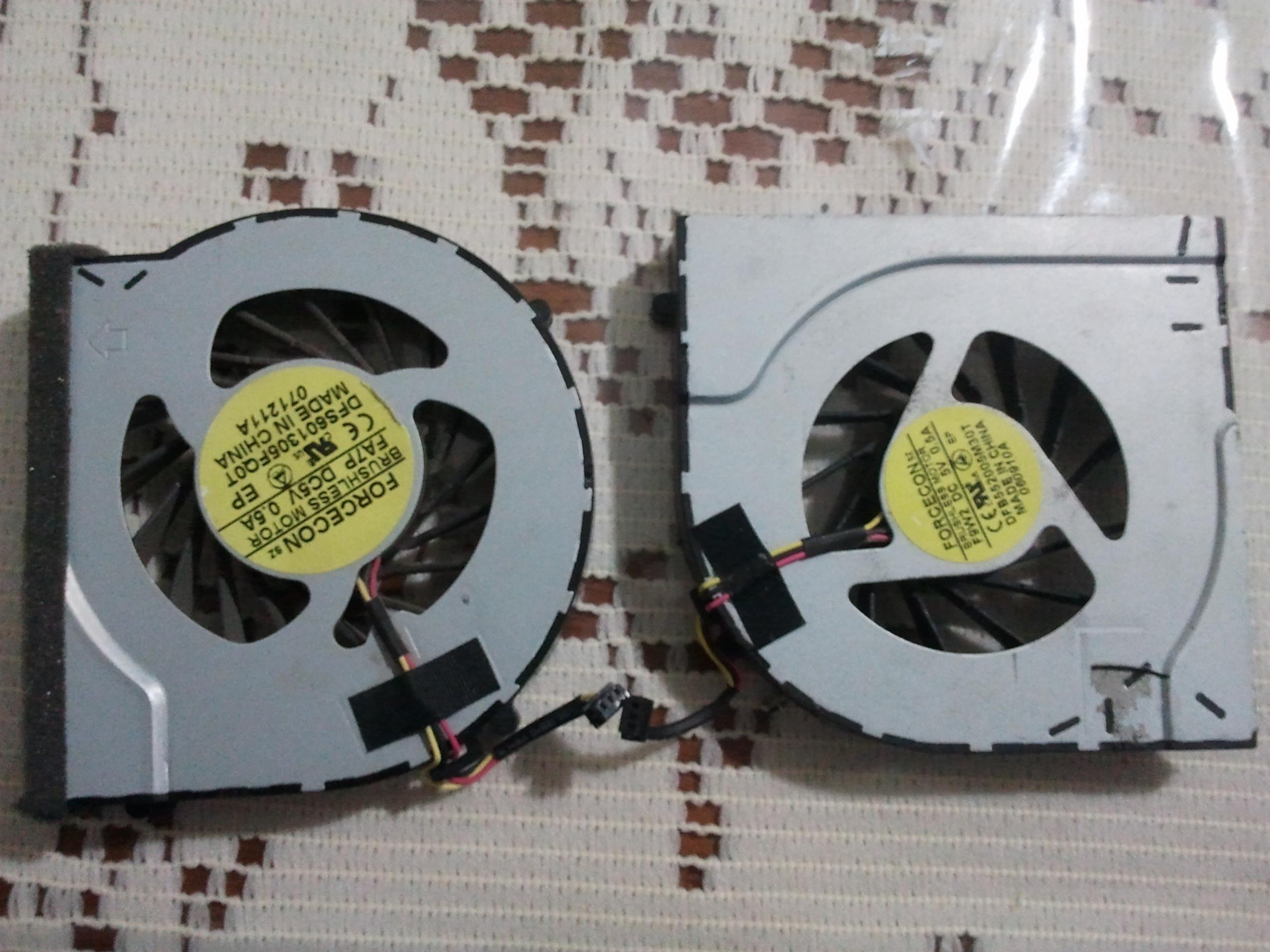
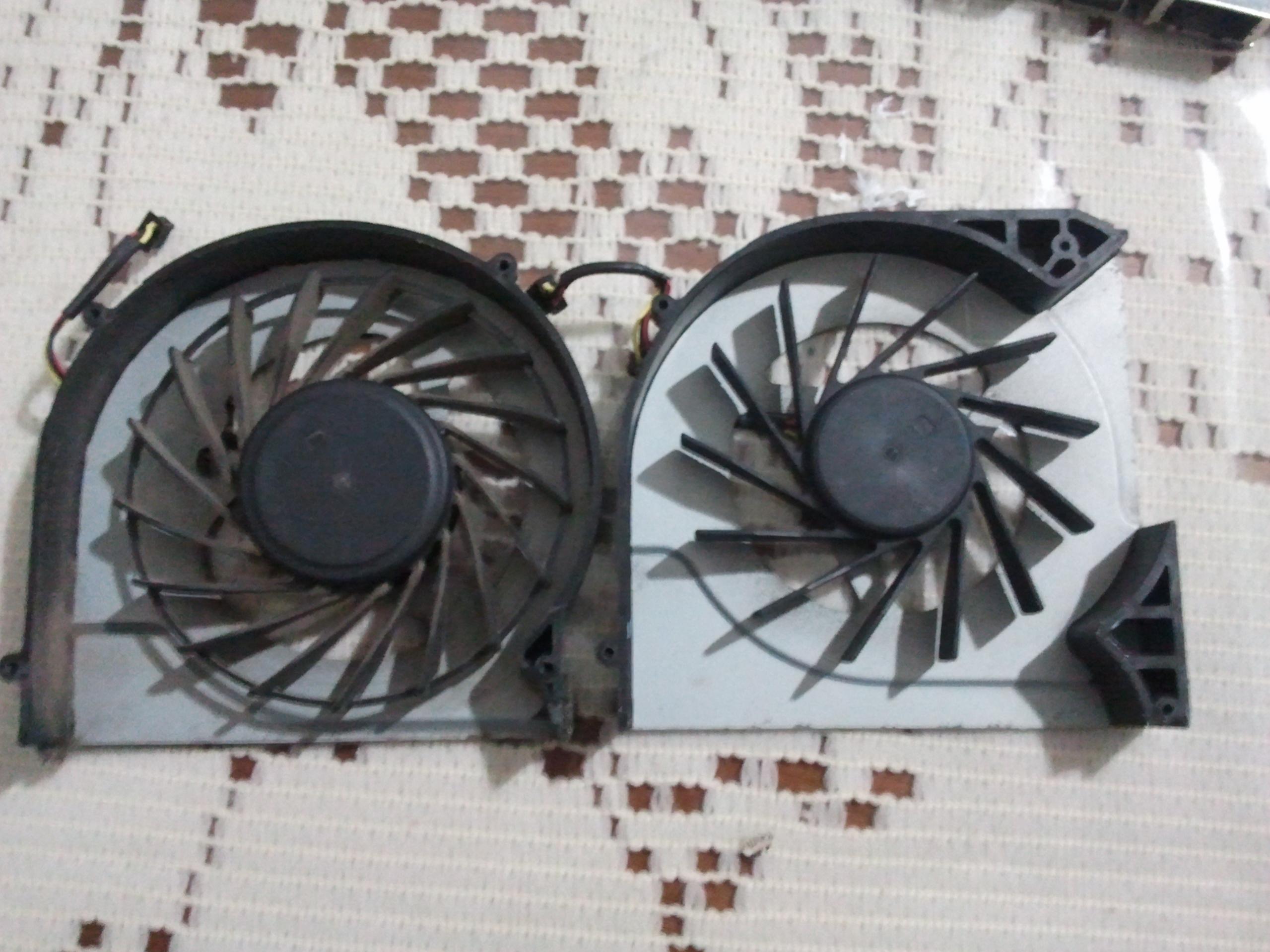
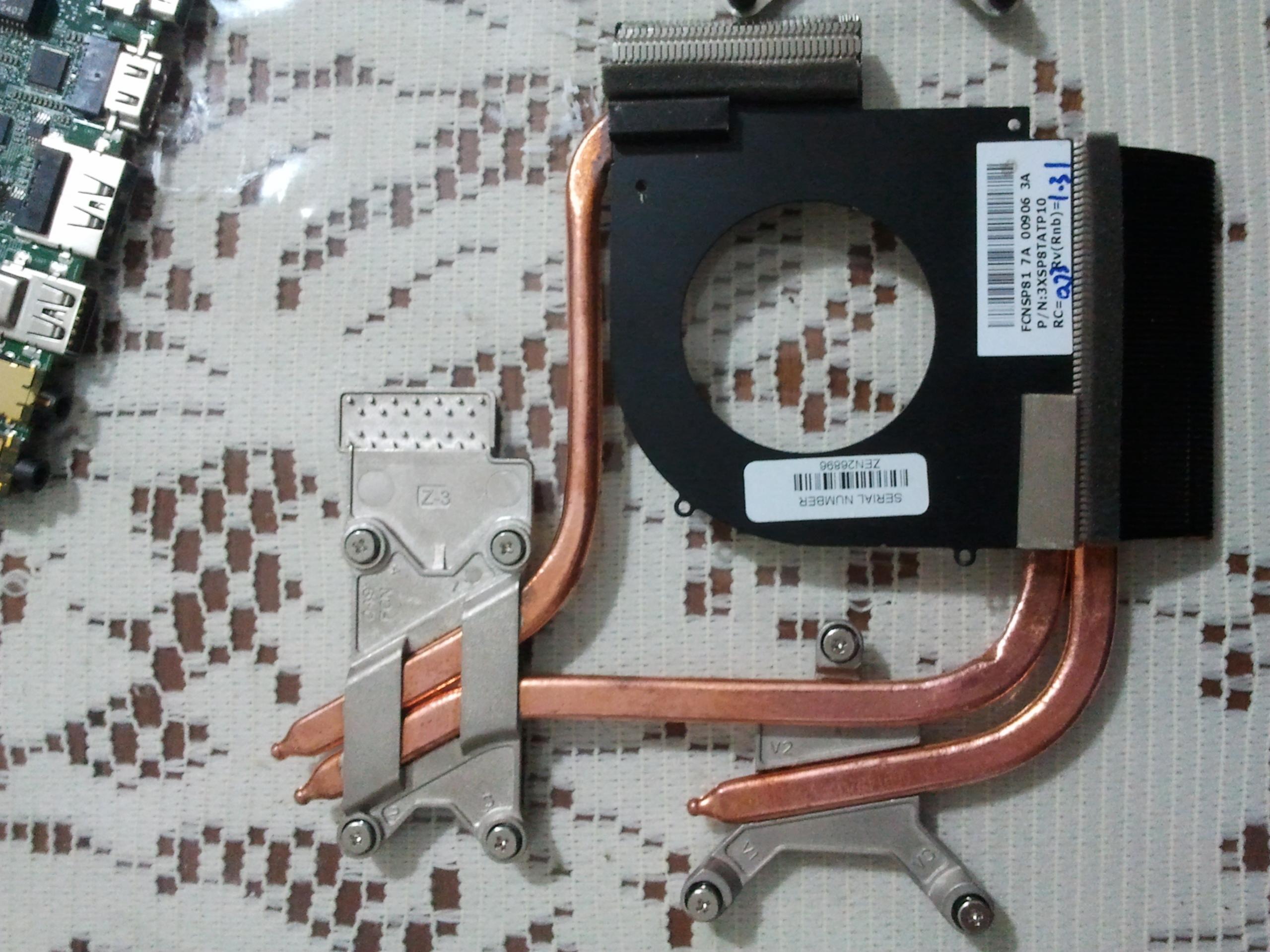
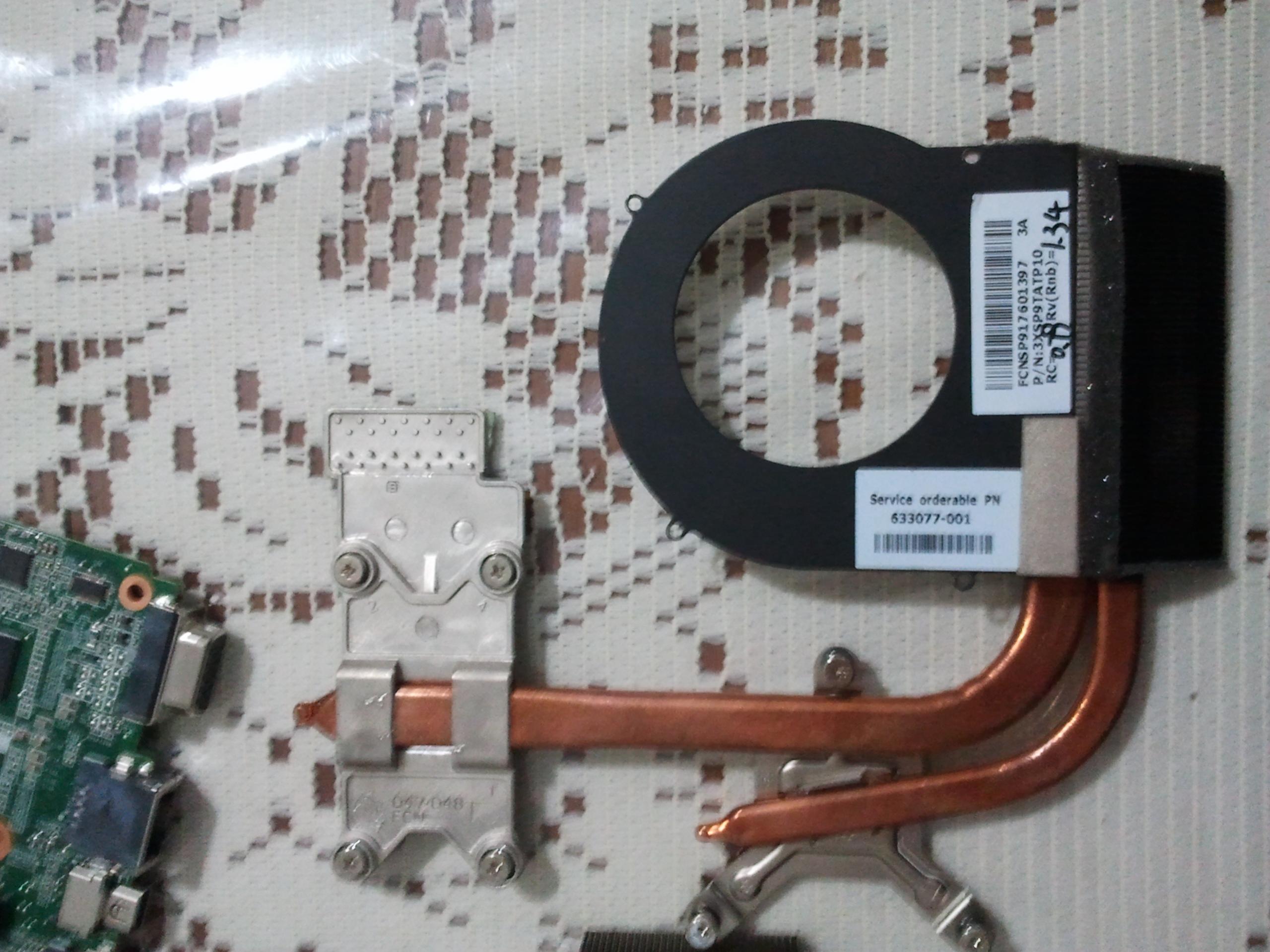
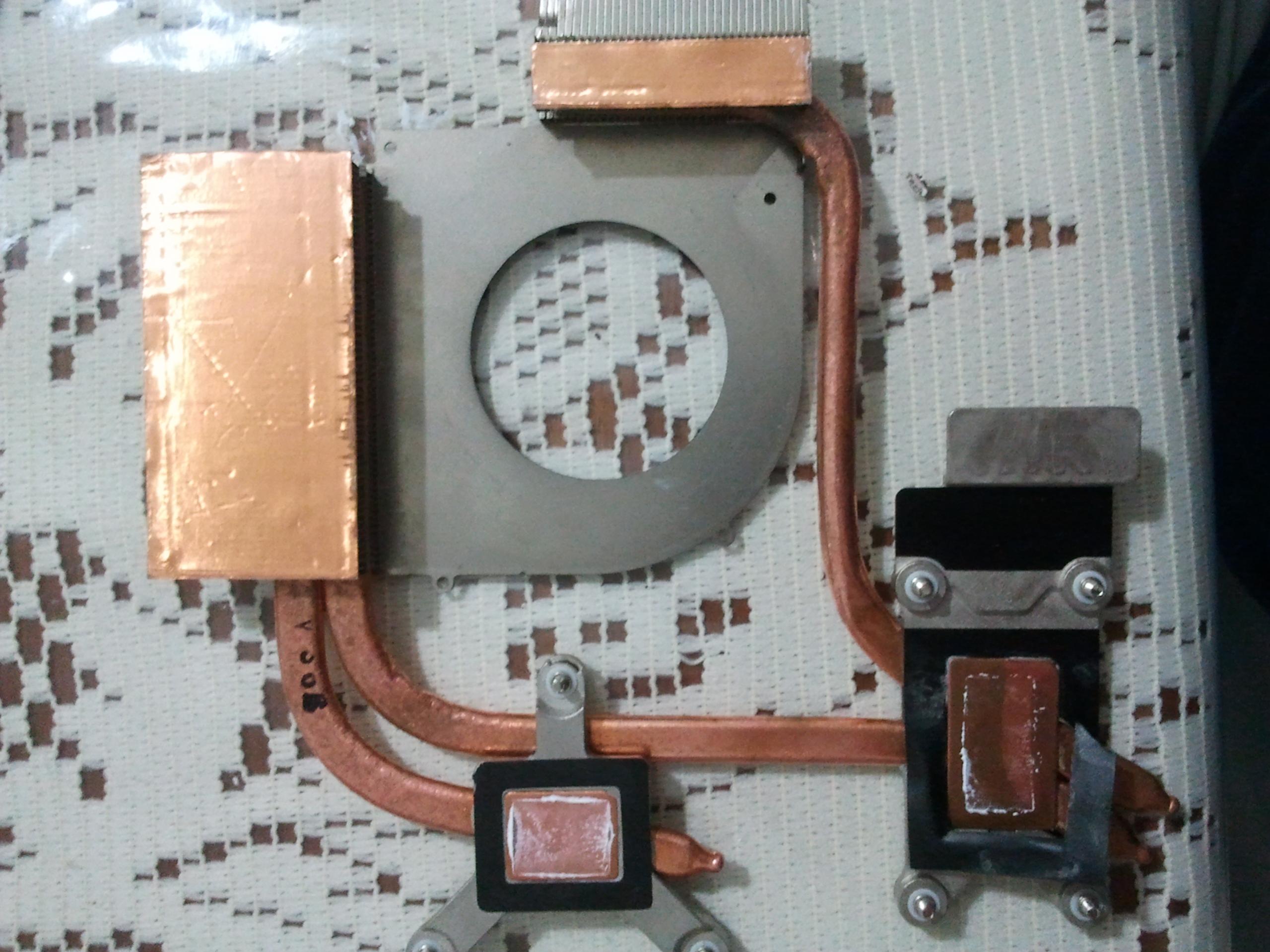
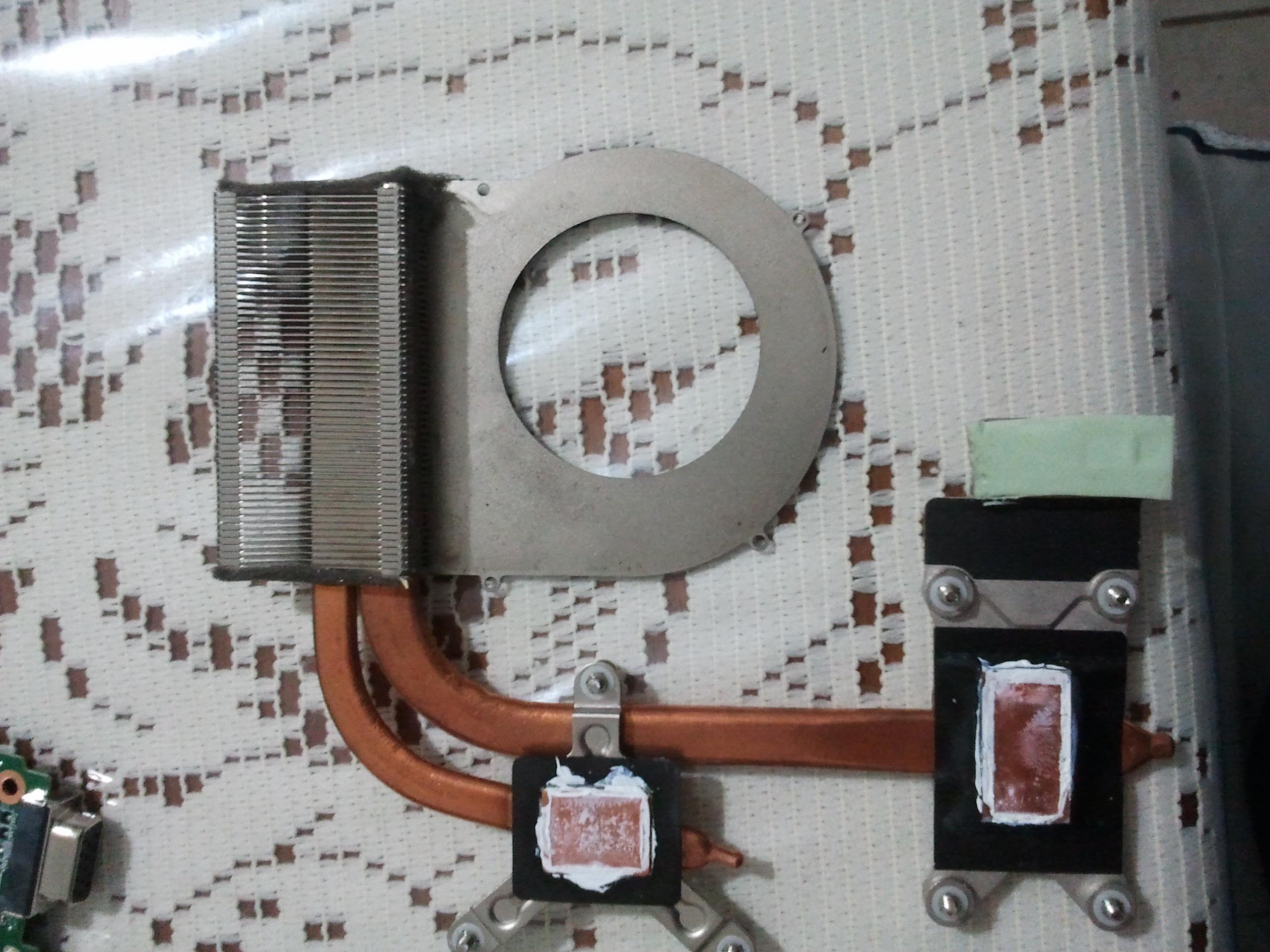
since you wanted some pics and i wanted to try that aluminum foil mod here you are
) pics with dissasembly, repaste and the aluminum foil instead of that sponge thing
) took me about 2 hours . sorry for the bad quality my camera's battery ran out so i had to take the pics with my iphone but it's better than none
)
HP Envy 17 Repaste - Imgur
-
So I completed my repaste and I'm very happy with the results!
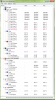
Now my peak temp is 85 degrees after playing Metro 2033 @ 1080p, Max settings for over an hour.
Previously I would overheat within 5 - 10 minutes.
On average now my temperature while playing is 78 degrees. On demanding scenes it usually goes up to 82.
When I pulled off my heatsinks this is what I saw... too much paste. I had tried using a spreader to apply it.
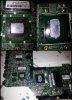
Now I use the regular way I know how which is to apply a small pea size amount and then let the heatsinks spread it outwards to the edges.
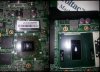
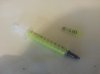
By the way Gelid GC-Extreme is really good. I cool back down to the 50s real fast after I stop gaming. Just don't use the spreader to apply the paste.
Next problem. I hadn't cleaned the fan properly. I had only cleaned the heatsink fins and didn't realize there was so much dust between the fan and fins. Big contributor to heat!
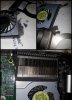
This is why I want to use fine sandpaper to make the heatsink surface smooth. I just used my finger this time since all the sandpaper I have is too rough.
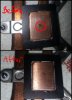
I'm satisfied with these temps now but in a few weeks I may still get some thick heat shield tape and some extra fine sandpaper and redo this for fun just to see how low my temps can really go
-
Back in the olden days when cpu dies were about an inch square, we'd use wet/dry 320 sandpaper, wetted and sitting on a piece of glass to clean up a cpu and heatsink. Then we'd follow up with 400 grit. You have to use something very flat like glass or you'll end up with an irregular surface.
-
Good. Thanks for that tip... that's very important. Never really thought about making sure to keep it on a flat surface. I do know though that I can't sand it too much.
Sent from my SCH-I605 using Tapatalk 4 HD -
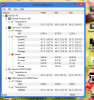
how are you doing with the overheating problem ? did you find a solution ? for me the aluminum foil thing is working great ... this is how my temps look after 14 hours of defiance continuously
))
all the settings at max and 1920x1080 resolution ( the game was still running in background when i took the screenshot )
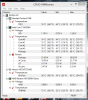
-
Please....
A good soul..
Can build a image from hp_recovery partition ( using any method you want, preferable dd)?
Or
Post some dark side from internet where is possible download the HP_RECOVERY partition image?
IF for some reason its impossible..
At last get a file structure from hp_recovey partition?
I change my envy 2100cto mobo and using the new mobo serial I cant restore from cds, the first cd tell me that the mobo serial is wrong.
I'm not looking the RESTORE CDS from HP, they just restore the win, I want the hp revery partition or the structure to recreate from cds..
Thank you....
Or this.... If possible...
inside your envy 2xxx series hp-recovery partition.
type some thing like it?
dir d:\*.* /A:-D /B /S > c:\structure.txt
hoo and the exact name from hp_recovery partition and size if possible to.
d: can be your recovery partition. with this im 60% happy...
this will create inside the txt file the directory structure and files. I'm to try rebuild one from my cds...
Thank yu in advance..
-
Haha, 14 hrs is a long time!
Mine is still doing great since the repaste. While playing Black Ops 2 my average temp is 78. On intense scenes it goes up to 83.
I'll soon get my copper tape in the mail (from Hong Kong) and then I'll sand the heat sink too and see what difference it makes.
Sent from my SCH-I605 using Tapatalk 4
Sorry, I would help but the first thing I did when I got my laptop was format the hard drives and partitions and did a clean install. I hate factory installs. Too much bloat..
Sent from my SCH-I605 using Tapatalk 4 -
So what is the right part number for the double heatsink?
-
You are not doing a good move.
The dual heat sink was not made for our device but dv7/dv6 previous generation.
The internal FAN is smaller and the "COOPER" tubes are more tin and made of a cheap way.
Find out a cheap dv4 heat sink, don't cut the cooper tube, use hot air pistol and disassemble from cpu base ( its made of standard soldering stain, take care to not overheat the tubes.), then adapt this one in your actual envy 17 2xxx series. will work better.
Hoo. This is a small project i'm doing to test and later do the same with my MSI and Edge new machines ( NEVER MORE HP AND ALL THEY DO)...
PURE ELECTROLYTIC COOPER.
HEAVY...
A MONSTER..
LOL
BUT maybe will work, besides the hp bad design and cheap material used to manufacture in all DV/envy series.
PicPaste - 20130404_081645_____._________________-TGU35PwO.jpg
PicPaste - 20130410_170715_R._Francisco_Novaes-JymMMNh5.jpg
PicPaste - 20130508_173058-jTkcr6HW.jpg
What you guys think about?
WILL IT BLEND? lolAttached Files:
-
-
Can you make a guide for this?
-
Umm... A guide?
Well, will need a lot og epoxy ( really, after well work, seems like final product.)..
I never do it. Its just an idea.
The dv4 have almost the same format of the second heat sink from our device ( longer but easy to break).
The copper tube is hard to do curved but high angles is easy to do by hand.
The fan enclosure can be cut and later easy to receive a good finish with epoxy and some kind of black paint ( same using cd pen)..
The dv4 copper tube don't need to be resold upper the cpu or video card connectors, but along in parallel with or the cpu or video card copper tubs and maybe a thin 1cm plate together and alongside just to transfer heat better.
Its just an idea. do it just a help for existing exhaust not a NEW design like the dual you can byu, then at last you know the actual heat dissipation will work plus and not a entire new idea.
Just take care with your motherboard. The hp's motherboard are badly soldered and manufactured, some components are there just because you are lucky of this not because they was made to be there. Sometimes just your finger pressure can "UN CLUE"some components from the board. -
…but the fan? the i5 fan is not enough, or not?
-
I5 from envy 17 2xxx? All envy 2xxx have the exact same fan.
to be honest. The envy 1, 2 xxx series are the exact the same hardware from dv6, dv7 and some eird dv5. We just pay more for the same thing. the only thing sometimes is different from our boards are the monitor conector ( 3d or not 3d, led or not led). -
My bluetooth mouse seems to be randomly stopping working slightly less frequently since the update to the broadcom bluetooth software this weekend.
-
Has anyone tried the Envy 17 2xxx with Windows 8.1 standard windows update switchable drivers yet?
I am getting interesting results on my 3D machine. -
Do tell. I think trying to run Win 8 on my 173D-2xxx was a failure. Now they are packing switchable graphics drivers in 8.1...can't wait for the release
-
Yes, please explain! Does it work? -
They do work .. sorta .. half way for the 3D 120Hz model. They are switchable in terms of going from AMD to Intel. Intel to AMD is another story and I won't bore you with the details. The interesting thing about these drivers is that the Intel installs separately from the AMD drivers.
Personally I find them buggy on 8.1, but loads of other laptops had a lot of luck!
Please note. The 60Hz model should work much better but some people still have to try this out.
The problem with the 6850m 120Hz is that is has a very specific registry string that was never supported by anyone. Display1_LVDSSetTimingControlFlags,%REG_DWORD%, 0x03
You can currently have proper switching drivers for Windows 7 if you set your FeatureTestControl value to 940 (AMD) for the 13.6.2 beta drivers with fully working brightness control and standby. (there is a tool that changes this value) -- 60Hz model only.
If you have the 120Hz model you want to set your AMD FTC value to FFFF so that the screen doesn't go black. (brightness control and standby will not work on AMD but will do on Intel). This works with all drivers up to 13.10.
Either way. We have been testing the 13.10 catalyst on 8.1 over the weekend.(120Hz model) There are some hiccups but if the situation improves I will let you guys know.
Miniature update: Someone found a working value for the 3D model for Windows 8, now someone has to find one for 8.1.
HP Envy 17 2120ep 3D PCI\VEN_1002&DEV_68A8&SUBSYS_159B103C PCI\VEN_8086&DEV_0116&SUBSYS_159B103C
Windows 8 Catalyst 13.6 beta 2 UnifL
ALL = F842
F842 fixed my problems.
If someone is confused by all of this then please let me know. -
Hell yeah, working 8.1 switchable drivers? bring it on!!!
-
So .. another quick update.
17 2xxx 3D, Win 8.1, Windows Update Drivers work in a way if someone is desperate to switch right now.
There are a few issues with the official drivers but I will try to describe it as best as I can using someone elses post from Neowin.
Windows 8.1 RTM AMD Notebook drivers with hybrid support on Windows Update - Page 2 - Windows Discussion & Support - Neowin Forums
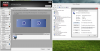
Now I have tried something similar and it works. But as you can see it is not perfect. I also have to add that this doesn't fix being able to change brightness (at least on the 120Hz) but I did find that it allowed the laptop to go into standby since Windows 8.1 handles these calls differently.
You might experience some black screens... but give it time and it will switch. If it doesn't then try using the "project to display" button on your laptop. (this is where my fun meter dropped)
Either way I have this model running with fully switchables on 13.8.1 Windows 7 Leshcat drivers. You need to set FTC to FFFF for the AMD screen to work.
No news on the 13.10 modded driver for Win 8.1Alf Tanner likes this. -
Okay, so I have an HP Envy 2070nr, with Leshcats drivers. I cannot get my computer to wake from sleep, screen just stays black. Does anyone have a fix for it? Also, on a side note and really random, my "X" key popped off...it really makes the whole computer look less classy....
Anyways... -
Please read the last pages dude. You need the right FTC for it to wake up.
-
Hey all, haven't been here in a while but my 17t-2100 is still running great... no plans to get rid of it any time soon. My Intel 320 SSD still says 100% life remaining even after 2 years. Is that the norm?
What's the latest video drivers for win7 that still work with the switchable graphics (and brightness control)? I'm on 8.820.5.1000 right now.
Thanks! -
Hello! I have a strange problem with my envy 17 2100en and I am wondering if any of you have experienced something similar. When switching graphic from intel to ATI I have maybe 50% chance of getting black screen and then BSOD. When restarting computer and starting windows on ATI graphic, the same. When I finaly succed at getting the computer to switch/start on ATI, after some time the screen corrupts, blinks and does strange things, eventialy goes black and BSOD again.... I tried factory reset twice, new drivers, old drivers etc nothing seems to work.... I any of you have the same problem, or knows what may be the solution, please respond. Thank you.
-
I've had a broken "T" key on my keyboard for some time and picked up a replacement keyboard (HP 603791-001) months ago. I finally replaced it today and found this video helpful:
Last edited by a moderator: May 12, 2015 -
I haven't seen anything like this before on my machine.
It should work with the original OEM drivers perfectly.
Also make sure that you are on the latest firmware. -
Hi All!
I have cooked up some drivers for Windows 7 based on 13.9 WHQL for the 6850m. Currently I have been testing these on the 120Hz edition and I think they are ready!
Windows 8.1 hasn't been done yet since I am still running into some issues.
Please note that the installer puts your Windows into Test Mode since these drivers haven't been signed yet and need it to run.
Download the drivers here: https://mega.co.nz/#!NdJn2a7b!OBS7FzKW2XsFe0cHCiOTb3kk3SxxhxEBMo_NggMGKoU
Pick the Intel 3223 Driver when extracting.
Replace the INF files in the Intel and AMD folders with the one provided in the Catalyst_13.9_WHQL_UnifL_PT_6850m.rar
X\Catalyst_13.9_WHQL_UnifL_PT\AMD\13.9\Packages\Drivers\Display\WB6A_INF
X\Drivers\Catalyst_13.9_WHQL_UnifL_PT\Intel\9.18.10.3223\Graphics
Install separately as per the Readme instructions. Don't bother with the auto installer since that is still in testing.
These drivers have been tested on the 120Hz version of the 6850m and work on Windows 7.
If you just have a 6850m they will most likely also work on all versions but 120Hz is only supported by 7 right now.
Make sure you have a clean environment before you install!
Note: the switching method of this driver is different to how it was done before. One of the symptoms upon the first boot after the AMD installation is that the screen will switch 2 times before Windows becomes happy.
This only happens upon first boot! It should look like this: You can see the Welcome Screen - Black screen for 6 seconds - Low res screen for 6 seconds - Perfect screen with full working switchable!
One last thing to note is that brightness control has to be done through the usual way through the UBR tool after setup!
These will be adopted to 8.0 and 8.1 and signed eventually!
Enjoy!
https://www.leshcatlabs.net
Edit:
For 8.1 Users who are waiting for a driver & if the current one doesn't work (120Hz shouldn't).
I have now finished the modifications for Win 8.1 but am still testing a couple of things such as FeatureTestControl values for the brightness on the AMD card. Currently it works with only Intel being able to change brightness.
The plan is to get these changes into the next signed Leshcat release. 13.9 & 13.10 beta 2.
Edit 2:
I realised BF4 is out and people cannot wait.
Catalyst_13.9_WHQL_UnifL_PT_6850m_V2.rar
Tested on 7 and 8.1. Supposed to work on 8 too.
On brightness control: One last thing to note is that brightness control has to be done through the usual way through the UBR tool after setup! (Does not work on 8.1 yet) so you will only get a working screen but no control function.
I have left FTC as FFFF on Intel just in case for the 6850m since it can get tricky. My 120 HZ only likes certain FTCs and I never found a perfect one. You might be luckier since you are on the 60Hz card which are known for being able to get brightness switching to work.
If you want to enable brightness control on the Intel card you will need to change the FTC to F840 or F940 with UBR. Manually through the registry in 8.1 (search for FeatureTestControl)colchiro likes this. -
Hey all. I'm having a weird issue-- I'm getting no sound and I've determined it's because something in the latest batch of Windows Update apparently makes my PC unable to play any sounds. If I roll back to a restore point before those updates, everything is fine. The weird thing is these updates didn't have anything to do with my sound drivers, as far as I can see. Any ideas?
-
I had the same problem happening for a while, but figured out how to fix it.. You may want to try these suggestions:
1. FIRST, open the SOUND control panel and ensure your speakers are turned on and setup as the default speakers as well.
2. Providing #1 is correct, place something into the TRASH and empty it. You should hear the TRASH empty. If you do, your sound is back on, if not proceed to #3.
3. Open OUTLOOK and switch to the Calendar view. You should hear some sounds indicating the change. If you do, your sound is back on, if not proceed to #4.
4. On your desktop, press the right mouse button and open PERSONALIZE. Once open, change your THEME. You should hear sounds upon doing this. After I did this, my sound issues stopped being a problem..
I provide the above as that worked for me, however on Oct 10th, there was a large update done by MS and those updates seem to have resolved the problem.. Good LUCK! -
Try a clean install using another hd to test. If this persist you are under an imminent bga failure. This hp machine is funny, Same f your amd gpu fry out or have some kind of bga problem will still boot and use the intel. You just cant change the video card or the ati will not be recognized any more.
From all machines using 6850m variant ( another 3 notebooks if I'm not wrong). the only not using some kind of lvd switch specific chip is this. ( no a muxed xip like, but just the lvd monitor output one one).
. -
Hey there Fritz .. I am curious in your knowledge about LVDS since I have been trying to research it a lot when fixing new drivers for this laptop. I would appreciate any help / knowledge about this device. Even in german (if you speak it).
-
From my knowledge...The juniper series of powerexpress 4 and 4.1 like the 6850m just doesn’t have lvds switch. The MUXED ones have full mux, The powerexpress 4.2 muxless and upper use lvds switchs. Our 6850m no ( juniper 57xx rebranded.
One of big troubles with 6850m under linux is the facft the catalyst or opensource load the board being an TI FirePro (FireGL) Graphics Adapter. Catalyt for windows recognize this being a MUXED or crossfire system and didnt load the intel driver.
Maybe i'm wrong...
I have a spare board defective to do an eye serach. If you wasn i do a pic picture from this board and you are free to look for. -
From the series 2xxx using 6850m ( JUNIPER FAMILY) we have 2 non display ports this ones are linked to intel graphic one.
The output is 100% made by intel hardware. The Intel controller support 120Hz to ( under linux i'm using).
The family ( juniper) base...
Display Core Engineering Names Display Controllers DACs TV Encoder DVO Digital Notes
DCE4 CEDAR, REDWOOD, JUNIPER, CYPRESS 4-6 2 1 1 6 (LVDS/TMDS/DP) Adds support for up to 6 independant displays (max of 2 non-DisplayPort displays)
Connector 0:
eDP-2
HPD3
DDC: 0x6450 0x6450 0x6454 0x6454 0x6458 0x6458 0x645c 0x645c
Encoders:
LCD1: INTERNAL_UNIPHY2
Connector 1:
DP-3
HPD2
DDC: 0x6440 0x6440 0x6444 0x6444 0x6448 0x6448 0x644c 0x644c
Encoders:
DFP1: INTERNAL_UNIPHY2
Connector 2:
HDMI-A-3
HPD1
DDC: 0x6430 0x6430 0x6434 0x6434 0x6438 0x6438 0x643c 0x643c
Encoders:
DFP2: INTERNAL_UNIPHY1
Connector 3:
VGA-2
DDC: 0x64d8 0x64d8 0x64dc 0x64dc 0x64e0 0x64e0 0x64e4 0x64e4
Encoders:
CRT1: INTERNAL_KLDSCP_DAC1 -
This would explain why this setting is essential for 6850m and why the Windows Update AMD Windows 8.1 drivers show 2 displays under display properties. One Intel and one AMD .. and many more if you are counting the whole "eyefinity" business. Also explains why I have seen such behaviour on the 5470m.
So no PWN during switching because no LVDS?Code:;0x00 - Both Panel Power Disable and Port Disable before every setmode and No PWM Control during PPS ;0x01 - Port Disable before every setmode and No PWM Control during PPS ;0x02 - Panel Power Disable before every setmode and No PWM Control during PPS ;0x03 - Do not disable anything and No PWM Control during PPS ;0x04 - Both Panel Power Disable and Port Disable before every setmode and Control PWM during PPS ;0x05 - Port Disable before every setmode and Control PWM during PPS ;0x06 - Panel Power Disable before every setmode and Control PWM during PPS ;0x07 - Do not disable anything and Control PWM during PPS HKR,, Display1_LVDSSetTimingControlFlags,%REG_DWORD%, 0x03
But this would mean that 6850m is Muxed no?
Sorry if this goes a bit above my head.
So the AMD passes through the Intel Controller (120Hz) but when the Intel GPU passes through the same Controller it can only put out 60Hz because of the HD 3000 restrictions of 60Hz being the max? -
Show more than 2 displays, show 2 hd300 outputs and 4 a6800m outputs. But its correct not the mascaraed way from hp drivers.
In fact we have ONE full VIDEO card in our notebook. The hd3000 intel and the amd DGPU use this card to output when necessary.
The 2 intel ones are the internal lcd and hdmi or vga output. The 4 amd ones are the hdmi, vga, lcd, mini display outputs.
The big thing here are the juniper family have the dumb internal display outputs that it's how they used to muxless our card.
OUR CARD is the first generation of muxless cards but ITS 100% MUXLESS.
Under linux the catalyst driver doesn’t understand this and open source understand but dont know how to deal with the switch.
The point here is the HP fault ( of course). Besides this machine have one full intel card and the amd card using this hardware, the bio when coded can use the internal trigger to "show" the software after boot who have the preference in using this output. If they used to leave the AMD by default everything can be different, The standard AMD and INTEL driver can work perfectly wit both in linux, osx or windows. But noooo. HP used to switch the INTEL by default output and using the output by exclusivity ( then the intel driver in fact is the manager for our output). Why? because we are clowns...
OBS: we know where in bios it's coded, we know how to change this. But we cant do it. Why? because HP disable 100% the uefi from our expensive hm67 chipset and triple signed our bios.
Example of that coded inside the bios;
Select option: 'PowerXpress Setting' [ VarStore: '0x1e5', QuestionId: '0xa8', Help: 'Setting Mux or Muxless']
Option: 'Muxless Fixed Scheme Only' [ Value: '5' Default: 'false' Type: 'int8' ]
Option: 'Muxless Dynamic Scheme Only' [ Value: '6' Default: 'false' Type: 'int8' ]
Option: 'Muxless Fixed and Dynamic Scheme' [ Value: '7' Default: 'false' Type: 'int8' ]
Option: 'Full dGPU PowerOff Dynamic Scheme' [ Value: '8' Default: 'true' Type: 'int8' ]
Option: 'Fixed and Full dGPU PowerOff Dynamic [ Value: '13' Default: 'false' Type: 'int8' ]
And no. Intel or AMd can use the 120Hz. the old driver don’t allow this but the new intel driver allow this under windows. In fact the new intel driver already allow 3d using the intel card to, its a #$#@$# but work lol.
What I do with my test machine.
Install windows 8.1, do all updates ( drivers to, from Microsoft).
download the last leshcatlabs drivers and just extract them.
Extract your rar files under AMD only drivers.
Install just the AMD drivers not the intel ( will receive a error from something failing, but ignore).
Restart your computer.
you already will run the last intel driver from default windows install, then go into intel device and switch to 120hz. IF the intel didn’t load by default, first configure catalyst to use the amd card by default always and when energy plugged, disable the check box to change this automatic switch to intel, using catalyst driver switch to intel, then under intel panel switch to 120hz.
Then the . when you try to setup to amd again from intel will freeze or blank screen, then before do it Restar the computer. MAYBE he will restart using the catalyst driver. If not switch to amd and if black screen, wait a little and force power off the notebook. The first reboot can take a lot, wait. IF still under black screen force the power off again, do it 2 or 3 times and then the radeon load by default and with 120Hz.
I'm using the fixed mode with radeon, better than nothing.
the fault here is not from AMD or INTEL.
the fault here is the HP that didn’t setup the bios the correct way.VonCrisp likes this. -
Thank you very much for this awesome reply Fritz. You finally brought clarity to my head : ). It explains a lot in the way this card behaves (and in the way I had to apply the fixes to the new separate driver install method for it to work since Intel is in charge).
I am curious about a couple of things.
You mention that the UEFI is triple signed so there is no way to flash a modded rom. I assume there is no way of doing this at all? .. Maybe some folks on MDL etc? I don't keep up to date but wasn't there progress made in getting signed roms loaded on HP machines.
I am trying to get my head around your last paragraph. In short: You are enabling Intel to use 120 Hz + all the outputs available to it. (Something the UnifL Intel driver cannot do?)
I wouldn't mind trying to integrate this into the Intel driver in the UnifL package but I am not quite certain if you did this step only to use the AMD card as the sole card.
Again thank you very much for the detailed description. You gave me some new ideas towards the 5xxx series. -
Lets try to turn more clear.
AMD and NVIDIA muxless work in different ways .
NVIDIA like AMD have the IGPU intell one full card and the DGPU just when we need hardware aceleration. but NVIDIA use some kind of mambojambo that just "COPY" the rendered accelerated screen to the working screen. The AMD REALLY switch the DGPU to the output piece of hardware from intel card by some kind of TRIGGER. http://i1-news.softpedia-static.com/images/news2/AMD-s-Optimus-Killer-Technology-Gets-Detailed-3.jpg
Our card are a re-brand from DESKTOP juniper family;
Radeon HD 6830M - Granville Pro
Radeon HD 6850M - Granville XT
Radeon HD 6850M - Granville Pro
Radeon HD 6870M - Granville XT
Some of our envy 2xxx 3d have the 6870M - Granville XT or 6850M - Granville XT ids besides all them be just 6850M - Granville XT ( HP seems drunk how usual doing their id numbers or some ho moneky just misspelled when coding).
All this cards have the same problem.
These cads ARE NOT the same from DESKTOP 6xxx series. The cards without the "M" at end are another card, another family.
Our cards are some modified re-brand from HD58xx juniper family.
The internal connectors that show up when using catalyst MAYBE can not work. ( just the intel ones setup).
"... You mention that the UEFI is triple signed so there is no way to flash a modded rom. I assume there is no way of doing this at all? .. Maybe some folks on MDL etc? I don't keep up to date but wasn't there progress made in getting signed roms loaded on HP machines. ..."
Yes, there is a way everyone are using. EFI specification give us a panel with commands when booting with the specific EFI.bin (BOOTX64.EFI) image, almost like a linux shell where we can execute codes to change ( brick ) our devices. But HP is a big company, they just disabled 100% our efi/uefi bios, we cant boot efi/uefi devices. Then, We cant type this commands. If you discover a way of boot something with the BOOTX64.EFI shell. NO... nothing. We cant even turn our disk controler to AHCI or change the hd boot order.
"...
I am trying to get my head around your last paragraph. In short: You are enabling Intel to use 120 Hz + all the outputs available to it. (Something the UnifL Intel driver cannot do?)
I wouldn't mind trying to integrate this into the Intel driver in the UnifL package but I am not quite certain if you did this step only to use the AMD card as the sole card. ..."
Install the windows 8.1 and do all upgrades.
Get the driver from leshcatlabs and extract.
extract your rar file inside the AMD driver only. not the intel one and INSTALl the catalyst.
The first time install you will get a error, go ahead. Restart your computer and reinstall this driver ( now without the error).
From this point you computer will work like a radeon card.
Then switch to intel card ( will work well, just like under windows 7).
The using the intel panel change the video frequency to 120hz.
Done. Try to restart your computer.
If you are lucky will restart using the RADEON card. If not. RESET the computer 2 or 3 times until load the radeon card.
Then using catalyst you can change the monitor to 120Hz to.
( in fact when using the catalyst for the firist time try to change the intel card frequency to, the catalyst will allow this by they own).
the only problem is when you try to switch from INTEL to AMD on the run. My tests give me black screen. Then was need to reset 2 or 3 times the notebook.
If you use intel just intel, work like a charm.
If you use radeon just radeon work perfect ( watching 3d movies already)
If you change from radeon to intel, work well.
If you change from intel to radeon, black screen ( need furter tests)
I didnt do a clean install using a clean leshcatlabs radeon driver without your changes yet. ( maybe work to).
I'm not installing the intel driver just because the one inside windows 8.1 be more newer than the one with the leshcatlabs drivers and it already work. lol.
Maybe your changes being applied to the newer intel drivers will solve the switch from intel to radeon to. -
VonCrisp
I'm not a windows user but today i do some tests.
first I install the newer driver from leshcatlabs intel. ( your path seems not affect them. Black screen.
Then I tried to install the leshcatlabs intel older with your rar file.
Something is wrong here. The versioning from leshcatlabs show its the .18 driver but when I try to install windows show me that is in fact some solrt of older .17 driver. I forced the install and I stuck with intel and amd loaded same time by default, just 60Hz and cant switch nothing.
Then.. Try to take atention into the new leshcatlabs intel driver ( maybe work better).
Or do what I do before.
Install a clean windows 8.1, Update everything.
Download the leshcatlabs forget the intel driver install, extract your rar just inside the catalyst driver.
Install the catalyst driver.
BINGO....
The funny is same after you install the leshcatlabs latest catalyst driver with your rar, the windws updade insist show us there is a newer amd video driver to update under optional upgrades.
Just wondering. Maybe some edit from your rar or leshcatlabs still showing some old visioning?
And from my feelings. If you get some atention to the new leshcatlabs intel driver trying to patch this driver like you do with the old intel. something funny can happens.
Or from the default windows 8.1 install, try to find out the correct version they are using, download the correspondent from intel and take a look in that.
I'm a nix user, I'm using windows just to test this notebook and watch some 3d movies. nothing more. sorry if i cant help you more. -
VonCrisp
confirming.
Your rar file is outdated ... something there have the wrong version ( showing older)..
From my tests...
Just download the latest intel ( hd300) drivers and latest catalyst beta driver from intel and amd site.
No need your rar file or moded driver.
Do all updates in your window 8.1 ( includes drivers) after the intall.
install the intel driver.
RESTART your computer.
install the catalyst driver.
load the catalyst central.
Check the option to switch the driver when the power cable is out.
restart the computer.
99999% chance of boot 100%, no black screen.
Enter your windows and voila. you have all 3 frequency supported by our lcd DDC. 69, 96, 120 hz,,
About the switch.
IF you switch the intel card everything will works fine, 100%.
IF you try to turn the amd on, then you get a black screen.
don’t be desperate. When you checked the option inside catalyst to switch when you get out the power cable. Just do it, get the power cable out and he intel comes on by magic ;-)
Then to turn on the radeon you need to restart you computer with the power cable on. MAYBE the first 2, or 3 restart doesnt work
but one of them will load the radeon card.
It is.. ;-)
So, the only atention from now is do the switch work from intel to amd and everything will work 100%.
;-) -
VonCrisp
Yesterday I do some clean tests.
Instead to play with your rar and already moded drivers.
I started to play with a CLEAN windows only drivers ( from windows update).
The environment.
A clean windows 8..1 install.
Network disabled.
Local account.
All update options disable when installing.
First discover;
Windows install 3 drivers, 2 from intel and one amd.
The intel ones in sequencing.
Advanced Micro Devices Inc. Graphics Adapter WDD<1.3 - AMd Radeon HD 6800M Series
Intel - Other hardware - Intel Managemend engine Interface
Intel corporation - Graphics Adapter WDDM1.1, GRaphics Adapter WDDM1,2 - Intel HD Graphics 3000
The order is mandatory.
Both drivers are complete with amd catalyst and intel screen panel.
For some REASON the catalyt will not install by default.
doing this clean install both cards are up same time, Cant change the frequency to 120hz.
I dig inside the downloaded drivers downloaded from microsoft and discovered the amdcc2.exe. ( the catalyst install).
Started the install.
Installed perfect, no error.
Then the catalyst panel started to show up.
Now I have the catalyst panel.
the 120Hz option,
I can switch to intel card ( just like your driver).
From intel to AMD still black screen ( just like your drive).
Second discover;
Windows clean install all again, but now I installed just the AMD one from windows update
Advanced Micro Devices Inc. Graphics Adapter WDD<1.3 - AMd Radeon HD 6800M Series
Then I downloaded the intel driver from intel page Win64_152818.zip
Installed this driver.
Same results. no Catalyst driver, both card on and nothing more.
Again I dig inside the amd from Microsoft drivers, install the catalyst drive.
Bingo again.
Now I have the catalyst panel.
the 120Hz option,
I can switch to intel card ( just like your driver).
I have all the drivers here ( i'm packing later ) and sending you the links ( the intel and amd from microsoft drivers).
All cases, before install the drivers, after install the drivers and after install the catalyst I do a backup from full windows registry.
I'm packing them to.
Maybe I'm to do the same with Windows 7
A clean install, save the registry and later the oficial hp amd driver install.
From my guess.
1- The intel driver ( wdm or from intel page) is missing some reverse registry pointing something, a exe service maybe? to reverse the mux.
2- Its not the INTEL driver that control this changes, The CATALYST driver need to give this info to intel one when you install. Some kind of proxy missing.
3- all changes you are doing in intel driver to change the frequency are not necessary. The frequency you change there are the VGA basic frequency ( in case of failure). The default ones are given by the DTD/DDC monitor table on he run. You are FORCING this low resolutions.
The windows 8.1/intel drivers and windows 7 hp drivers have a lot of similar patterns.. Maybe this will help. -
VonCrisp
i'm curious.
There is any kind of non edited combination of drivers that do the windows 8 ( not 8.1) 100% work with our cards?
I know under windows 8 when I do upgrade from 7, or force the hp latest drivers to install , and later I do the install from ltest intel and catalyst driver everything work.
but from scratch. Do you have some driver/combination working? -
I am afraid not. Normal drivers do not have the right parameters that the HP drivers have (besides not having any switching parameters). So traces have to either remain in the registry (like an upgrade, update from win 7 to 8) or added manually into the inf.
The original HP drivers only are able to update to a specific version (install ontop method). Besides the newest Intel drivers for our cards make the laptop run much cooler than the ancient HP Intel version.
Edit: Just saw your other post
Please package them up! I have played with the 8.1 drivers before but they got updated again it seems. I would really like to take a look on these new ones. The old 8.1 Win update drivers didn't switch for the 6850m but did switch for other cards.
The Intel registry is missing the LVDS setting which removes the black screen whilst switching to AMD. You can try it yourself by adding the setting to the inf!
And the AMD driver enables the switching ONLY if it is done in the enduro type way. Then it will allocate switching parameters to both the Intel and AMD registry automatically. However this is not done on the old way of switching.
The most important part to take away is that TotalDTDCount, %REG_DWORD%, 0 ; This shows number of DTDs to be used. ; 0-->Disable the feature. is off. These are the original HP settings. There is nothing in my infs which is taken out of the blue. I will try changing this to the non HP way and make it compatible with 120Hz .. I will test it on some 60Hz Envy 17 2000 versions too just in case. I will follow up on your lead that this is not needed but have encountered this not to be the case.
When you are on Intel are both cards showing in Device Manager?
I would really like to take a look at the 8.1 Win Update infs. Maybe MS bug fixed this card and added switching parameters.
Saving the registry and then reapplying is usually a bad idea since it stores a lot of legacy settings and ancient driver paths that do not get used by other drivers / other versions of windows. -
"... Please package them up! I have played with the 8.1 drivers before but they got updated again it seems. I would really like to take a look on these new ones. The old 8.1 Win update drivers didn't switch for the 6850m but did switch for other cards. ..."
https://mega.co.nz/#!R1kDmJ6Z!RhDd7EE803y1gGyJHe8jU38R_O4vy3UcpjKZ7EFFDm8
Here are they...
1-Advanced Micro Devices Inc. Graphics Adapter WDD<1.3 - AMd Radeon HD 6800M Series
2-Intel - Other hardware - Intel Managemend engine Interface
3-Intel corporation - Graphics Adapter WDDM1.1, GRaphics Adapter WDDM1,2 - Intel HD Graphics 3000
Install order are mandatory...
"...
And the AMD driver enables the switching ONLY if it is done in the enduro type way. Then it will allocate switching parameters to both the Intel and AMD registry automatically. However this is not done on the old way of switching.
...
INSIDE the MUXLESS planet..
My definition of FIXED = when using intel card the radeon is disabled.
My definition of DYNAMIC mode = when using intel card, the radeon is under low power but never disabled, when some program need the acceleration can use the radeon.
If you mean ENDURO type way mean FIXED one. Yes... When using intel the radeon is disabled, When I try to switch back I can listen the RADEON turn on again.
"...
The most important part to take away is that TotalDTDCount, %REG_DWORD%, 0 ; This shows number of DTDs to be used. ; 0-->Disable the feature. is off. These are the original HP settings. There is nothing in my infs which is taken out of the blue. I will try changing this to the non HP way and make it compatible with 120Hz .. I will test it on some 60Hz Envy 17 2000 versions too just in case. I will follow up on your lead that this is not needed but have encountered this not to be the case.
..."
How I told you inside a clean install.
1- I install the amd driver from this pack attached.
2- I install the intel driver ( no mater from where, from this package or intel site).
3- I install manually the catalyst panel from this same package.
Then the 120Hz is there..
The change happens when I install the catalyst panel.
AMD driver = the card identified under system in windows only
Catalyst panel = the whole CATALYST panel and everything PLUS the driver.
"...
Saving the registry and then reapplying is usually a bad idea since it stores a lot of legacy settings and ancient driver paths that do not get used by other drivers / other versions of windows.
..."
Yes, nor i'm to try this.
I'm trying to have a blank test table and find out the registry similarity and changes.
When I install from 0, save the registry, install one driver, save the registry, install another driver, save the registry, switch teh card and save the registry.
I'm not doing this to IMPORT, but do a "DIFF" later and find side by side the differences between them.
MAYBE later I'm to try use some pointer track memory to find under the execution the guts from switch by the software viewpoint. But LAter ... Very later.. I'm a nix guy and doing this under windows just to sell out my 3 notebooks 100% working with windows 8.1. lol and watch some movies to.
Tomorrow or after tomorrow I'm to post the link with all DIFF's from registry with changes. Yhis maybe can be usefully to track what one have and another one no..
I'm to try do it under windows 7 to using the HP drivers. This can be very useful.
The registry clean, with amd and with intel switched. Later compares this to windows 8.
Beside WINDOWS be different the drivers are the same. Reading a little all drivers, seeems they all still using the same blobs just pointing using diferent ways under windows versions.
Soon more news from here. -
VonCrisp
Here again.
Well. I do some tests...
MORE TESTS.
All was made using clean install and no network/updates.
1-CLEAN INSTALATION
A clean install from windows 8.1, no internet and everything disabled.
2-INSTALL HP DEFAULT VIDEO DRIVERS
Install the HP last windows 7 released drivers only.
3-WINDOWS UPDATE JUST THE AMD DRIVER
Installed the AMD driver from windows update
4-INSTALL THE CATALYST FROM WINDOWS UPDATE DRIVER
Installed the CATALYST package from the amd windows update drivers
5-INSTALL THE INTEL DRIVER FROM INTEL SITE
Installed the INTEL driver from INTEL site ( latest one)
From this point everything work 100%, intel to amd, amd to intel and 120hz.
6-CHANGED TO 120Hz Frequency
All previous registry dumps was made using the 60Hz frequency.
This one is the last one changes plus the 120Hz swith
Here is the link from registry dumps from al tests steps.
They all are in clean text format in case you want to do some diff between them.
From a clean install ow windows 8.1, installing the old hp driver from windows 7 and later doing the upgrades. seems everything is working fine, 100%.
From amd to intel and from intel to amd.
All regs dumps.
https://mega.co.nz/#!M8MBBTKQ!Ain9pmQBHRqbkIxH3sujql4mplhr_mccoPhlc-BM1zc
i'm to post the same reg dumps from a clean install but not using the old hp drivers.
Direct from windows update drivers.
This case the amd to intel work but intel to amd no.
Maybe doing some relation diffs between them can help.
cya.hauschild likes this. -
Hey there Fritz.. lets try something...
Can you link me to the version of the last Intel driver you installed .. I will have a look at the inf and see if I can just enable the switching to work without affecting the Hz. Then you could try that.
*HP ENVY 17 & 17 3D (2XXX series) Owners Lounge*
Discussion in 'HP' started by 2.0, Mar 14, 2011.