 Problems? See this thread at archive.org.
The Video memory inside this notebook doesn’t have HEAT SINK or any kind of heat dissipation.
The DGPU have a crazy lack of dissipation and problems of soldering.
Increase the heat doing over clock is just ask to bga failure.
.
-
May be this PDF can help you in something?
http://www.google.com.br/url?sa=t&r...=hSQ9uPNUpUTtRTtvo10ptA&bvm=bv.56988011,d.eW0 -
My GPU never went over 70C, and CPU is always below 85C, unless overclocking affects the temp displaying, 675mhz/1000mhz is still within AMD recommended range of 6800m.
-
Really low temperatures same if you are using hight temperatures.
The CPU have a termal control. GPU no.
GPU memory doesn’t have temperature control nor can be monitored. -
Thank you for you concern but it's now running very stable, the default memory clock is 900mhz, i just overclocked 100mhz, on memory and core clock, i don't know what might happen cuz everything seems fine so far
-
got 8.1 runnig... only issues are brightness control not working at all by any method and also, waking from sleep is a no go.
For anyone who is struggling to get windows 8.1 going and having issues with automatic gpu switching, you have to change those settings in catalyst control panel and also in windows settings to get them to stick, which requires you being able to be on the AMD gpu to access catalyst control center. -
I haven't been able to get brightness control to work on AMD since 13.6.2. A user named DoggyDog managed to find the right FTC for a 60Hz screen which would not work on a 120Hz screen.
Chances of getting brightness control to work on AMD are pretty slim. Either way I did manage to make it work when booting directly to AMD, but after a switch it would lose the settings. -
on windows 8.1 is it necessary to leave the startup items ''persistance'' and ''start ccc" enabled for the graphics switching to work?
-
Will a 15mm HDD fit in our computers?
Also, I replaced my vertex 3 SSD with a 500GB samsung 840 evo. Night and day difference. I highly recommend this drive... and someone figuring out how to hack our bios for ahci mode. -
Been a couple of years since I posted in this forum, but I've had a problem for a while now and I have no idea how to fix it:
The "ctrl" key randomly activates itself. I've done a fresh Win7 install. I've checked every setting, sticky keys, driver, etc. that I can think of. I got a new keyboard, so I know it's not a hardware issue. Fairly often, I'll be typing, and the ctrl key activates, and I'm typing something with an "a" and then I select all and the next key I hit writes over everything. Kinda frustrating. Has anyone else run into this type of problem? I'm planning on doing another fresh install and re-installing drivers and apps one by one, once per week to see if I can track down what is causing this. -
I just got caught up on this thread after a long absence. It's good to see all of the activity and recent developments. I am half-tempted to play around with some of these updated video drivers. It truly is maddening that HP has abandoned these fine machines in terms of driver support.
My 2090NR just got back to me this week, as I had to send it in to HP for service under the accidental damage provision of my Care Pack extended warranty. It got dropped when I was travelling last year. I let it go because it was just cosmetic damage, figuring I'd send it in close to the end of the warranty period. But eventually the screen hinge broke on the damaged side of the laptop.
I must say I am very impressed. I got it back very quickly and it looks like brand new as if it just came out of the box. The list of parts replaced is impressive. Things I thought were fine got replaced. I was a pleasant surprise.
I was running a pair of 500GB Seagate Momentus XT hybrid drives in RAID 0, but the drives started acting up before the unit got dropped. I got lucky and was able to Ghost the contents onto one of the original 750GB drives that came in the system.
I finally got around to doing an RMA with Seagate, They are replacing the drives as they are under warranty. I am going to sell them once I get them back and purchase an SSD for the system drive and just use that 750GB drive that is in the machine now for data. -
@VonCrisp
Doing some engineering comparison from our amd 6850M used in all HP devices.
Its more near the FirePro 3D V5800 in all aspects and "guts/hard-wired" than the standard AMD6850m.
In fact they used the same GPU from FirePro 3D V5800 but all bioses and around hardware things from 6850m standard Granville family.
IT's a Frankeinstein.
ITs good for a side ( one of top from Granville firegl/guts).
ITs bad for another way, We rely inside a crazy config.
do someone already post here the WHITE list of wifi cads? -
Did anyone manage to install the Intel 7260 AC card in their Envy 17 2xxx?
I get a message on boot saying that the wireless module is not supported. System halted, no chance to go to the BIOS nor anything else till it has been removed.
Reading elsewhere I understand HP operates with a whitelist for which cards are allowed and which aren't - I suppose there's a slim chance they'll update that now, huh? -
: O . This makes me wonder if our cards are maybe gimped in some way or another to protect the board from overheating too much. How did you manage to see this with just looking at the way the hardware is wired! You must have a lot of experience with machines!
Sorry for the long absence but I have been a bit busy for the last month.
I would love to get back on track to sort out the remaining issues with your help!
The brightness issue and standby on AMD keeps haunting me a little bit and I would love to figure out how to move the priorities on the displays .. hopefully allowing control of the AMD brightness. (From what I remember this was the way you managed to do this on a Linux distro)
I have also managed to control the brightness on the AMD card directly after an install of the driver (without restart). And in some cases only when some Manhattan cards directly booted with the AMD. (once they switched to Intel and back to AMD the brightness adjustment function would no longer work).
Maybe you have some ideas!
@KjetilV & f_r_i_t_z
From what I remember there was a huge issue with this laptop freezing before a certain BIOS update. Some users tried to upgrade the Centrino card to a higher model. I think it was the 6300.
There was no issue with a whitelist on that card but I cannot double check right now.
Another thought was the e-GPU solutions that are floating around on this board. It would be quite interesting being able to prolong the life of this machine. I am just not too sure if this will be possible with the BIOS/UEFI being really restricted. -
I did the 6300 upgrade to fix that exact problem (which worked out great). Weird thing they'd put restrictions on which ones you can use when they themselves shipped with an unstable card (or at least an unstable card/driver/BIOS combo).
-
It was obvious from day ONE that HP gimped this card. The clock speeds and memory speeds are about 33% slower than originally specified. You might try MSI afterburner...make sure to use the recommended settings to get it to work with mobile chips...then you can clock the card to original specs...
MSI Afterburner 3.0.0 Beta 18(2014-01-02) - Guru3D.com Forums -
SOON a NEWS THAT WILL DO WE ALL OWNERS of Envy 17 3d or not second generation pee in our pants and scream like a girl...
AWEEEEEEEEEEEEEEEEE -
I hope you are saying that HP is finally going to release adequate Windows 8 drivers for our laptops FINALLY. But knowing that it is HP, the company I work for, I am not going to hold my breath.
-
What do you think of a full unlocked bios INCLUDED an unlocked video menu with the option to change to muxless dinamic and fixed and the possibility of install any standart catalyst driver or intel driver?
;-)
And
what do you thinc about disble the raid and turn your disc controle into a standart ahci? HACKINTOSH?? who who?
Well.
I'm waiting someoneone more here to test this ( 2 olders user from this forum) and them.. BANG...
ALL uer from ENVY second generation will have finally the full use of their computer. I MEAN FULLLLL, COMPLETE FULL.
HOD my friend. HOD your breth...
Will enjoy a lot it... -
I'm leaving this here
FOR NOW
;-)
Envy unlocked bios - YouTube -
You are a genius if you got this working... Now as far as needing a noob to test, I'm your man. I have the HP Envy 17 3D (Model 17t-2000) with the AMD Radeon HD 6850M and Intel HD Onboard Graphics. I have been fighting to find modded BIOS files, lescat drivers, HP drivers, intel drivers... I am stuck with Windows 8.1 running on a laptop that I have to hook a damn external monitor to use.
-
I would be happy just disabling the Intel video card and using just the 6850 permanently. Not sure what I saw in the video...keep us up on this Josh
-
READ READ READ READ
UNLOCKED BIOS
#############################################################################################
First of all...
This is a MOD. Every MOD have their risks, Build a emergency bios usb recovery pen drive and test it before.
#############################################################################################
SECOND:
this was a good work from "donovan6000" . donovan6000's Blog: Modded BIOS Repository
You will need to log in into this goo forum source;
Bios Mods -The Best BIOS Update and Modification Source
And then.... the new bios..
http://bios-mods.com/pub/donovan6000/Modded Bios/Insyde Bios/sp59847.zip
This mod open the advanced menu under our devices ( envy 17 2xxx series).
It's possible do change lot of option inside. But this doesn’t mind you CAN do it. some options can brick your device.
The one we all will use from now is enable AHCI instead RAID and change the video mode from fixed muxed to dynamic.
wish this help everyone.. -
Has anyone got this to work? I have registered on the Bios Mods -The Best BIOS Update and Modification Source forums, and looked in their Unlocked Insyde BIOSes forum thread and I do not see the BIOS mentioned. So I just used f_r_i_t_z's link to download it. It downloaded, and I ran the "InsydeFlash.exe" from within the uncompressed folder. When I start the InsydeFlash application and click Start, it almost immediately reboots to the HP BIOS Update tool and starts to update. It appears to update fine, but when it is done and boots me back into Windows, I shut down and my BIOS is still locked down. I am going to try to get pictures of it to see if you can see if I am doing something wrong.
-
My Envy 173d 2100 CTO is working 100% with this zip file.
I was using the same 1.c version and work perfect.
The strange from your talk was that My case I used the InsydeFlash.exe tfrom inside the zipfile and all the flash was made from windows (insydeflash) just after finish the computer reboot using the new bios.
Are you downloading the correct file?
I'm to public using the mega the ZIP work to me..
Soon the mega link with the zip file. -
I'm to link a new video more complete to. Later.
Showing windows 8.1 and linux booting direct from this bios. -
UNLOCKED BIOS 1.c HP ENVY 17 2xxx series.
https://mega.co.nz/#!0gV0FKpJ!YvKLtFpFCSOCo5cQIK3fGhTMWYQ5HISBvpoxL0Mh_Mk
Moder donovan6000 donovan6000's Blog: Modded BIOS Repository
FLASH using the internal zip file InsydeFlash.exe. Need to flash 100% using this InsydeFlash.exe. If reboot and flahs using the default hp way will not work. This InsydeFlash.exe idll have a mod to to allow this flash. -
Trying your link now.
Update:
It was not the link. It was something in my Windows 8.1 load that was causing the the InsydeFlash.exe to fail over to the HP BIOD Updater. I replaced my C Drive with an older drive that I had used in this laptop that was running Windows 7. Flashed from within Windows 7 without issue.
I have already put the larger SSD that has 8.1 installed on it, and things appear better. I can switch between display adapters fine. I just now need to get the correct drivers installed.
I will provide another update once I have them running fine and will give gladly drop a donation tonight. THANK YOU FRITZ!!! -
A quick note. change the hd to AHCI. Will note windows more "RESPONSIVE"...
-
From my perspective the default windows 8.1 drivers ( both intel and amd) work with 3d very well in our devices + bios unlocked.
The only point seems that the menus are exchanged in bios. The muxless fixed is on demand and on demand is muxless fixed.
The intel protective can be disabled to. Intel closed this service.
I'm in contact with donavan6000 to try unlock the UEFI mode option and the fastboot option to.
Then our bios will be complete. ( maybe the post it screen to.)
Then more 2 years with this device... -
Hi fritz,
Thanks for all your hard work pulling together all these tips, tricks, and bios hacks together for us owners of the HP Envy 17 2xxx series. I have a question regarding the mux settings. With the bios update, what setting did you use in the bios for mux? I have Windows 8.1 set up and I used the last setting with both dynamic and fixed. In Catalyst when I try to change it so that the graphics switch based on whether or not the power is plugged in I get a black screen. Do you know how I can fix this problem? I have a HP Envy 2070 NR with Intel HD 3000 graphics and the AMD 6850 graphics card and all the drivers are up to date. -
We have 2 situations here.
If you maintain the muxed fixed option into bios and install windows 8.1 and all windows update default drivers, your 3d and everything will work perfect.
If you change the hybrid mode and fixed muxless hybrid mode, you need to install just the intel unifil moded driver to get the 120hz monitor.
My personal case from a clean intall everything is working....
Your case not being a 3d sems more easy.
just to a clean install from windows 8.1 use both modes ( muxless) activated same time and install the own windows drivers. Everything will work perfect... -
the forum edited my posts about donation.
Well.
At lat enter in the Moder donovan6000 Blog: donovan6000's Blog: Modded BIOS Repository and give him him a HELLO.
He deserv. -
Thanks to donovan6000 and fritz for providing the unlocked bios. I was creating the moded bios myself by following the donovan6000 tutorial. I was waiting for IDA Pro download when i came to this thread and downloaded your bios. At first i was unable to install the bios. The install utility boots the system in bios update utility which fail to install the moded bios. When i saw the post that you installed using the windows utility i figured it out whats the problem. i renamed the HP_TOOLS partition volume name to something else and tried again and it worked successfully. Now i enabled the AHCI mode from RAID. I have windows 7. Can anyone explain in detail what are the optimal settings for us. What are the display options etc. detail discussion of advanced options we have. Also detail settings for Windows 8.1 are also welcomed including which drivers are best like lescat.
Thanks to all. -
any trick to getting the muxless dynamic mode to work on a 2090 3d? I get BSOD as soon as I boot up win7 with it and win8 wont even boot.
-
easy fix for win7.... boot into safe mode with networking, go to device manager, click on radeon 6800 series, update driver, then reboot regular win 7 and switchable is now working again, no crashes so far.
-
With the unlocked BIOS, 6850M is also working perfectly, no more black screen!
This is the first time I wanted to donate to developers, I didn't know leshcat is a woman( based on her paypal's name). -
Fritz I don't know what to say!!! Good work to you and Donovan!!!!!
I will try this out as soon as possible when I get access to my 6850 again. Looks like I better send it in for refurbishment before warranty runs out.
Being stubborn I will try to still fix brightness control on AMD on fixed mode. We have a new member over at UnifL and a new lead that could potentially shed some more light on the issue. It is needed either way for all the people with the 5xxx cards etc.
Leshcat isn't a woman
Edit:
I will update UnifL news with 6850 /Donovan/ Fritz info as soon as possible.
Need to figure out now how to make sure UnifL fits with this BIOS unlock.
Kind of hard to do without proper access right now to trial the bios. -
Please... not me, just donavan. He do everything. I just WAS LUCKY TO DISCOVER THIS POST. -
Hi, All,
I have a envy 17 2001eg (german model, without 3d). After a reparation recently, I found my bios is flashed to f.1d, which cannot be found anywhere alse. I only found this version number on envy17 1000serie, but it is not compatible.
I try to backup the bios by using the insyde flash tool. I have change the backup flag in the platform.ini file, but the backup of the current bios (F.1d) cannot be found. How can I achieve it? Thanks. -

This temperature is what I have been desiring for the past two year.
Turned on for 2 hours with cooling pad, dynamic mode, BIOS low fan setting 55->50C
HP could have done something to cool down our laptops, but it chose not to.
I couldn't get leshcat driver to work properly, so I'm using drivers from intel and amd.
Too bad I can't OC with official drivers, hope to see a fully working leshcat driver soon. -
You need to be specific with your wish else we won't know on what to release.
So you are running which Intel and which AMD driver in conjunction with muxless dynamic?
From what I know the 14.1 UnifL will not work with dynamic 6850.
I guess removing the lvds and FTC changes will make it work.
Let me know on what is going wrong and we will hit you up with an experimental. -
Sehr interessant!
I haven't tried it yet since no access to my machine yet but maybe you can ask the kind gents at support to provide you with the update file. Maybe one of your mates is in dire need of it! Or maybe you need to reflash it. Maybe a backup doesn't exist on your machine since they changed the mobo? Wild theory. -
HI, I have actually flashed the modded bios, since I cannot wait to try out the new features. but after I installed all the drivers for both 6850M and HD3000, I cannot find a way to activate the 6850M, because there is no option anymore to switch between them. I used the muxless fixed and dyn mode. Someone know the solution?
-
This phone messed up the message.
Try the normal windows drivers or the Leshcat drivers to obtain the menus.
Fritz mentioned this in his findings on muxless fixed.
Good luck! -
Danke schön, what do you mean by normal windows driver? I installed the catalyse 14.1, and for HD3000 the windows installed it by itself. I am trying the leshcat driver.
-
Kein problem!
Windows installs catalyst drivers automatically on 8.1. I believe it is version 13.8 or 9.
14.1 is very buggy but if you install per Leshcat please try the version before 14.1.
The Intel driver contained in the UnifL pack had the original adjustments from HP to make the internal display work. But you might need to adjust the FTC for brightness control. F940 F840 F800 ... One of those should do the trick. -
Vielen Dank noch mal. Actually im just a Chinese master student here. I m going to try the leshcat driver.
-
I finally got both cards worked. thanks for the help from VonCrisp.
I got this screen when I try to switch the cards:
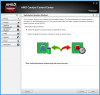
then if I chose the manually way then my laptop monitor will go black. only after I change the FTC value to FFFF, the monitor works fine again (thank god I have another monitor)
is there anyone who installed windows updated driver and achieves to make both cards worked, how do you make it? -
Ni Hao is as close as I get with my Chinese skills ;D. Let us know on your progress. Any info we can collect on this is good info since it allows us figure out the never ending battle with AMD.
By the way guys! All the pain and suffering of the 6850 folk wasn't for nothing! Fixes for the 6850m allowed us to help solve a black screen (Intel to AMD) for other Manhattan cards in the 5xxx range! Hopefully further detail will also allow us to figure out how to change screen priorities / power features and get brightness control to work on unmodded BIOSes for the 6850m and the whole 5xxx range!
Could you just confirm what you have configured in the BIOS. I am making a list for reference.
*HP ENVY 17 & 17 3D (2XXX series) Owners Lounge*
Discussion in 'HP' started by 2.0, Mar 14, 2011.


