Problems? See this thread at archive.org.
Hello again!
Yay, so today I finally got my Envy17 (again), this time WITH a 120gb SSD \o/
HOWEVER, SSD is partition D: and windows is installed on C:
I would expect the sole point of having a SSD is to run windows off it, so does this mean the SDD was added by the seller at a later point?
More importantly, can I do anything to move windows to the SSD?
I read here that I can DL windows and then do a clean install so I assume that it's possible.
Please advise!
-
W-T-F? Are you sure you turned the thing on? Your fans must be broken...?!?!
-
I have to agree, I can hear the fans working, but they are far from loud. In fact much quieter than and old travelmate I also own.
Haven't tried playing any games yet, though...
-
ofcourse its possible.. open it and switch the two drives around. ssd should be closes to the side of the laptop so it can be the boot driver. boot laptop with windows cd, format ssd and install windows. you can also try recovery discs.
-
Update
Well the fan issue was really getting to me so I just got off the phone with HP. I'm exchanging it, There is no reason for this laptop to sound like a hairdryer.
I'm so sad right now everything is perfect about this laptop. Now every upgrade I did link install new software, Crucial SSD, and the time it took to make recovery disks. Not cool -
I ordered my envy 17 on the last day of the 33% off deal.. Can't wait for it to come in, however I hope the upgrade will come before my 21 day return policy is over!
the 21 days expire like the first or second week of may, you guys think the grade will come out then??? -
Have had my ENVY for a week. Watched movies, edited photos, all while having many tabs open. My old Gateway dual core dog would get so hot, it would burn my lap to the point of browning bllodstain bruise. It would overheat and shut down. It was loud. The CD spinner was deafening. My ENVY is a JOY. Bareyly even gets warm. I use a little free program called Speccy, and it reports thusly at right this second:
CPU
Intel Core i7 2720QM @ 2.20GHz 48 °C
Sandy Bridge 32nm Technology
RAM
8.00 GB Dual-Channel DDR3 @ 798MHz (11-11-11-28)
Motherboard
Hewlett-Packard 1689 (CPU1) 49 °C
Graphics
Generic PnP Monitor (1920x1080@60Hz)
Radeon (TM) HD 7690M XT (HP) 47 °C
Hard Drives
733GB Seagate ST750LX003-1AC154 (SATA) 40 °C
The fan? I can't hear a fan at all (maybe if I put my ear flush to the DVD slot, barely). And touching the back, it feels body tempratue if not even slightly cooler!
Hey, is this thing safely overclockable? Is there an easy how-to anywhere? (Not a total noob. I have my HP Touchpad overclocked to 1.8 on both cores, and have dual booted android ice cream sandwich on my own on that. But I am the type to seek easy guidance rather than jacking up my own machine in the dark.)
BTW, I ordered custom so the ram speed upgrade/blu-ray deletion cancel each other out, for the most part. But it took 3-4 weeks. Model is 17t-3000 Paid about 1300USD with tax for California. And you guys are right about the multigesture trackpad on this machine. I'll give it some time before altering settings, because I think it's just annoying me because I'm not used to it. -
@People who don't hear a fan at all:
Could you please post your CPU temps? I still can't believe that there are laptops without a fan running. And if there are any: How are they configured?
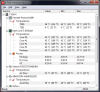
These are my idle temps (and the right fan under the num pad - the CPU one - is running non-stop):Attached Files:
-
-
OK managed to migrate win to SSD, was super easy:
-Used Paragon Migrate to SSD to do the migration itself. The program also realigned the SSD properly.
-As BIOS would not let me choose boot drive (silly!), I used Win DVD to repair the cloned instalation. This left me with a boot menu.
-Formatted old installation and then used msconfig to remove it from the boot menu
-Profit from awesome speeds!
Re:fans
I actually heard my fans go on last night while watching a 20 minute Youtube video. Sounded like any other laptop. Will get a monitoring util and report back the temps. I still have to play games on it, etc. Quite possible it'll go nuts. -
You mentioned you got the version 1.0. According to the manual for the new Envy 17, we are supposed to be on version 2.1 with 2 settings. I rarely ever hear a fan running, and my machine is never hot. DId you go back to version 2.1, or was that already problematic from before?
-
The 3000 series seems to work a bitter than the previous one, judging from this thread. I have some questions on the 3000.
Does anyone run a setup with two HDD and with a mSATA SSD? How is the performance? Is it that much slower than a 2,5" SDD?
I also like to know if there are any rumors for an Envy 17 with an Ivy Bridge processor. -
Does the customized envy 17 have the 7690m while the quick ship model has the 7690m XT? Why are they different and what is the difference?
I got the customized model, but when I found out the quickship model has the XT I was kinda regretting my purchase.. do you guys think this is just a typo? -
That could be my "problem". I installed the older CoolSense (wanted the 3rd option).
Now I can't get rid of that version. I reinstalled the Support Assistant and CoolSense still is in v1....any idea? -
go to hp recovery program and click re install programs and look for hp coolsense 2.1 and your done just restart after.
-
I think it is a typo. The battery is listed as 6 cell, 8 cell, or upgradeable to 9cell in three different places on envy 17's. Not consistent, but it is 6 cell, not 8.
-
Well, I reinstalled Windows on my Kingston SSD and don't have a recovery there. I have the CoolSense 2.1 foldery anyways. But I can't uninstall 1.0.
If I install 2.1 I would have both versions installed. 1.0 is somehow inside the Support Assistant which I don't want to uninstall.
But looking at v2.1 again, I would say that the on/off options are confusing. Off = fans off? On = fans on?
v1 is more expressive when I can chose Quiet Mode. -
Attention owners!
HP has released a BIOS update for the ENVY 17-3XXX. It is classified as a critical release, which fixes an issue that can cause notebooks to not boot up properly.
Version: F.07
ftp://ftp.hp.com/pub/softpaq/sp56501-57000/sp56611.exe
More information about this update is available in the BIOS thread. -
Has anyone measured his temps, yet?
Besides that: @People without hearing a fan:
At what voltage does the CPU run when idling?
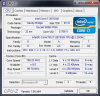
Mine runs at 0.766V. Too high?Attached Files:
-
-
I can no longer play 3D videos. Power DVD 10 crashes when I try to play a video. Support cannot help. They got it to work once for several days, but no longer. I can watch videos on line. I may need to return this and get my money back. I keep uninstalling and reinstalling to no success.
UPDATE - I updated to powerdvd 12 and it works. I guess the windows update to graphics is compatible with the new powerdvd. Other than that, not sure what happened. I tried powerdvd 12 upgrade when I first got machine 10 days ago and version 12 would not work. All is good again, but the HP concierge was not much help. I figured it out on my own, which seems to be the case so far in the few times I called.
UPDATE 2 - Power DVD 12 is working well. Watched a movie this morning. It was a 2D movie and the 3D was fantastic. Love viewing photos in 3D, prtetty awesome to see photos in new way. Glad I got the Powerdvd 12 to work, as Cyberlink seems to not support versions a few years old. -
hey guys, im new to this forum and am very pleased to see how informational it is. I used to have the 2nd gen Envy until i dropped it and broke the fan...it began over heating even during simple internet browsing. luckly i had the accidental protection on it so I sent it in to hp. they took a couple weeks to tell me they were waiting for a part and eventually sent me to escalated claims were i was informed i would be getting a replacement. Sadly i wont get it until the 16th.
Ill be getting the 3rd gen Envy 17 3D, i7 2760, 12gb ram, and 1.5Tb HDD (2x 750gb). I wanted to add a SSD to boot the Os, a game or two and maybe some adobe Apps on. I was looking into the intel 520 60gb SSD mainly cause its a well known company and it has a 5 yr warrenty. (sorry no link, the browser/keaboard on this psvita doesnt support copy and paste functions)
My question is, will this fit in ssd bay? Is this brand of ssd a good choice? would 60gb be sufficient? what will i need as far as installing the drive? -
If its a 2.5" SSD it will fit - you may want to add some stick on velcro to keep it secure.
A 60GB disk will be enough - but i'd save up for a 120 at the least.
You will use 30gb for the OS,
CS5 is another 25gb
and games can range from 2gb to 20gb. -
If HP runs the 33% coupon off envy again, it seems to make more sense to max out the specs with HP. I got 300GB SSD and 750 GB 7200rpm, 16 GB 1600 DDR3 (even though it states 1300 on web page), windows ultimate, MS Office Small Business, 3 years care service and replacement in home, extra power supply, for under $2500. I have had a few hickups, but everything seems to be working well the 16 days I have had it. You can strip off some of what I listed and still have a great machine around 1900. I would imagine that maybe a large coupon would run the closer to ivy bridge, unless you really got to have the latest and greatest for 10 minutes and spend more.
-
The SSDs should be 12 / 12.5 mm thick. There are other types out there, but this should be standard.
I bought a Kingston HyperX 120GB. It's awesome
With 60GB you should not install games on that drive...I would recommend 120GB, too. It's more safe for the future. -
aweome. i was concidering a 120gb since they are only about 50 bucks more for double the memeory. if i did that Could i partitiion the ssd and run mac os and windows, dedicating a hard drive for each side? to me, it sounds like it should work.
outside of the heating issue, ive been satisfied with my 2xxx envy and hps customer service especially since they let me buy the accidental protection after i dropped it and gave me a free next gen upgrade/replacement (they never did a hardwear check ). hopefully ill still feel the same about the envy after i get my 3xxx.
anyways, concidering price, speeds, and reliability; what are some recommendations over the intel 520 120gb SSD?
**edit** I'm thinking about a vertex 3 but i noticed vertex 4 is out. seems the stats are good
but the Sustained Sequential Writ is only 200? is that okay? it has IOPS up to 120k... -
30% off envy laptops NBP9732
35% of pavilion quad -
when does the coupons expire? im thinking of returning the 17 i got and get a 15 instead.
-
I have seen the 12th and the 15th.
-
Whenever i see discounts as such it always leads me to believe that a company is trying to clear inventory and/or make way for a new model or product. I seriously hope this is the case and Ivy Bridge featured Envys are right around the corner. I don't know how much longer i can take the suspense... Ivy Bridge is the only thing stopping me from ordering this instant. :GEEK:

-
seriously.. why can't they just release it already ! -
Haswell is waiting for us after Ivy Bridge comes out, you know...
-
Keep waiting then because windows 8 is next later then Haswell CPU architecture in March 2013. HP has discounts all the time. This is the third for Envy with at least 30%. Mine was 33% off. You need to monitor the coupons out there at all times and expiration dates and see what is next. There was 30% off envy coupons before Christmas last year right after the new version was release that included the new version. Paying close to retail for any version for laptop should not happen with all the discount coupons out there these days.
-
^This guy... smh >_<
Touche. I'm not too impressed with Windows 8. I own a windows phone, but i'm not keen on the new start menu look for laptops and desktops. Windows 7 is more than capable of tomorrow's software. Continue looking for coupons after Ivy Bridge is released i will. -
I am about to buy a Envy 17.
Now I would like to know if anybody could give me some advice.
The 3010eg ships with two 750 GB hard disks whereas the 3000eg ships with one 750 and one SSD.
The 3010 costs around 1400 and the 3000 costs around 1600.
What should i do!? Is it wise to spend that 200 euro difference on a probably better ssd disk myself and just install it myself!?
I also heard the rumor that in the 3000eg the laptop has a ssd but windows 7 is actually installed on the 750gb disk!? Isnt that........
And another rumor i heard is that your laptop starts to get problems if you have to do a reinstall with your own copy of windows because some drivers might just not be on there then.
Maybe anyone has any advice to my questions!
I would really appreciate it!
Thank you all for your time
All the best
Chris -
Try to interpret the emoticon
-
I have a spare 2xxx model 9 cell oversize battery, anyone interested?
-
I see companies like Toshiba already lining up their Ivy Bridge laptop portfolia, and HP still has given no clues about updates to the Envy lineup with Ivy Bridge + Southern Islands...
-
> The mSATA II SSD has the OS and your recovery tool (make your recovery disk).
> The mSATA II SSD is an INTEL 80GB 310 series (my boot time is 12 seconds).
> Download the INTEL Tool Box, this will remove the disk defragement for the SSD in W7, (only needed for the HDD) as the Intel tool box does TRIM.
> The INTEL tool box also removes the SUPERFETCH on the SSD.
> The tool box takes care of any firmware updates as well, you do not have to reload the OS after a firmware update, unlike some other SSD's that have the OS.
> The INTEL Tool Box is a very good program, it can be used with some(?) other brands of SSD's.
http://downloadcenter.intel.com/Detail_Desc.aspx?agr=Y&DwnldID=18455
Overall, I would say go with the mSATA II SSD, I have it and don't regret it one bit.
SPECS: Intel® SSD 310 Series (80GB, mSATA 3Gb/s, 34nm, MLC)
You do NOT need high Sequential Write times, as an OS SSD, the only writes it will do are updates, not large movies and music files, that should be kept on the D:/ drive.
Intel 310 mSATA SSD was slow to hit the market, they did a lot of testing 1st, it's a solid product, it intergrates well with the other INTEL products on the ENVY.
![[IMG]](images/storyImages/2012-04-10_222036.jpg)
-
Hi all,
Anyone know of any decent coupons or discounts going right now for envy 17 quick-ship model (from hp.com)...
I searched google for ages and came up with nothing. All the offers seem to have expired (except custom model, but don't want to wait for it to ship. Plus it has no xt vid card). -
they are all xt in the envy 17.
my receipt says no xt, my envy 17 says xt -
Hello.
I fixed (most of)my audio latency problems - But theres another issue.
Sometimes when i start or stop audio (be it an MP3, Youtube Video, whatever) there is a slight "pop".
Anyone know a fix for this? -
Does it occur immediately or 5-10 seconds later?
-
immediately
-
Try coupon bdp9732 and see if you can get money off. (30%) If these are not custom builds that code will not work. NBDTsave50 code will give 50 off laptops over 999. The SSD is more costly, but faster boots, so I would go for that. You can always add a hardrive later. -
Ordered my Envy 17 March 31st using one of the 33% off coupon codes (there were two floating around, and it was the last day it was valid). Went with Win 7 Home Premium, I7-2760QM 2.4Ghz Processor, 300GB SSD, 8MB 1600Mhz Ram and Blu-Ray Drive. My primary use is portability/backup device for Web/Graphics design/maintenance, no gaming. Usually write my file data to my dropbox account so it can be accessed either on the laptop or my main PC. Looking forward to getting the unit soon!
-
I am not a big gamer either, but do plenty of other things. I have the 3D, 16GB RAM (which is 1600MHz, not the 1333 advertised!), 300 SSD with 750 HDD. Love it, Love it, Love it. The SSD makes this thing blazing fast on start up. I also used the 33% coupon. $2349 was my final cost fully speced out... including Windows ultimate and microsoft office business and a 3 year replacement/ in home care plan that was an additional 149 with rebate.
-
I just got the envy 17 today and i have a question. Is ther anyway to calibration the screen any better? I have the first gen 17 envy right now and I think the screen is a 10. The new one seems a bit flat to me? any help? Thanks
-
someone knows if the non-3d version does it still have a TN panel display (perhaps the same as the 3d version without the 3d)?
-
Anyone know where to get a hard drive caddy for this so I can use the second hard drive slot?
-
Hi jadbox,
The part number for the new envy hard disk caddy is 665909-001 and can be found on the HP parts website. Here's the direct link if it works:
HP Parts Store - HP Computer Parts - HP Printer Parts - Compaq Parts
There's a coupon for 15% off right now (on the base part), for which the code is US21000015
Shipping makes it rather expensive for a caddy, but I couldn't find any place that had it for cheaper.
Can't wait for my Envy to come next week! -
Ok so I bought a HP Envy 17 3000eg, the one with integrated 160 GB SSD, 750 GB Hard drive 8GB Ram and Beats Audio.
Well Beats Audio: I have a massive Problem and I need your help. Maybe you can run the same songs or the skype calling sound and tell me if your speakers make the same noise as mine. It looks like there are certain frequencies the speakers seem to burst! They tint, deform and distort... it really hurts in my ears and definitely does not sound normal.
It could be because of a bad example file quality, but it appears with the skype sound, some youtube videos, some high quality mp3s. It does NOT happen with my external speakers! They do not make any strange distorting tinting sound.... the notebook somewhat vibrates I think ..... it just sounds very poor quality like......
It is only 1 day old and I do not want to send it straight to service, so I hope it is just a regular problem everybody has!?
I made a 43 MB Video to show what I mean, Here it is: SAM_9208.MP4 download - 2shared
Please guys, tell me what you think!? Do you experience the same problems!?
Or is it a Hardware problem and I really have to send it in!? And let the speakers change.......
*HP ENVY 17 & 17 3D (3XXX series) Owners Lounge*
Discussion in 'HP' started by justinkw1, Dec 19, 2011.