Problems? See this thread at archive.org.
...would ya know, it's none other than Mister 2.0!!
ref: 2http://forum.notebookreview.com/showthread.php?p=6033454.
-
2.0 sent in that letter a couple weeks back. They called him back almost right away, so he's the contact on this one. I was just wondering if I missed any developments, I was pretty busy last week.
-
question, how come my trackpad scrolling part (the far right part of the trackpad) doesn't always work when browsing the internet? come to think of it, I dont remember the last time it worked. I alternate between mozilla and chrome. As I type this, and try to scroll within the page, it just moves the mouse, instead of scrolling like I'd like it to. I'm sure it's a simple fix, but I do not know it.
-
Oh my bad I thought you were asking another related question, others have asked about users messing with the BIOS doing mods to it. I somehow forgot about the letter. I'd think there may be progress in another week or two possibly?
-
Once in a while I lose the ability then it gets restored after a reboot. It may have something to do with the Synaptic driver getting messed up. -
anyone know of a more permanent solution than rebooting? I think it may have something to do with the driver as well; I just don't wanna tinker around and possibly make things worse, I'd prefer someone's blessing on this...
-
reinstall drivers, by the way multitouch is possible on our dragon. Give it a try, pretty stable drivers.
-
where are these multitouch drivers? I thought I read somewhere multitouch was NOT possible on our dragons
-
Hi everyone.
I have owned my HDX9000 for about two years now and I have found that is perhaps one of the best purchases I have ever made when it comes to a laptop.
To date I have not made any upgrades as it came with allot of components that where pretty high end back when i bought it but now its starting to become a bit dated and I want to be able to invest a little to give it a little more life.
I have read the forum extensively and found that there are very limited upgrades one can perform on this laptop so I wanted to ask some of the experts on here for advice of what would be the best upgrade to start with.
I was thinking of purchasing the OCZ Vertex 120GB SSD as it appears that this would be one of the most visable upgrades that I can begin with. The other ones was ofcourse upgrading to a x9000 chip, 8 Gigs of Ram and purchasing a Nvidia Video card to replace the limited ATI that is currently on board. I have purchased a used Nvidia on ebay but figured that I should perhaps wait to get the x9000 chip to install both parts at the same time as I am sure this will be quite a large task.
So with that being said. Would purchasing the SSD drive create a noticable improvement in performance and is this a good start for this particular laptop model? Also do i need to purchase any additional parts to place this drive on this machine? How will I be able to copy the OS of the current drive on the new drive?
I noticed that 2.0 is quite a wiz so if you could provide some insight I would deeply apreciate it. What would you suggest are the best upgrades for this laptop.
Here are the specs.
Windows home premium 32 bit.
3GB of Ram
2.3 Processor
Ati video card
2 120GB Hard Drives
Thanks -
here you go
-
Stable? I dunno. It doesn't crash, but they act kind strangely too. Like if I put my finger down and start sliding it downward to scroll many times it starts going up first. They're ok.. -
Highly recommend over other SSDs. Best of the bunch. And an SSD is the best boost in overall performance you can do for the HDX. You won't find anyone who owns one who would debate that point to the contrary.
If you do, just find a good price. It's not overclockable as of yet in the HDX. Search forum for a recent letter to HP about that. If you can't overclock it, you're paying $300-$400+ for 4-10% more perf over a T9300 and T9500. In other words, an imperceptible boost in performance.
Doable. Hopefully you need it though. If not, you won't see any improvement in perf.
Smart move as far as waiting for a CPU since it is a big 4 hour + job, that requires removal of motherboard. But... only the 8800M GTS specifically made for the HDX will work. Standard MXMs like those pulled from a Gateway, will not work.
Also, you have to have the Nvidia/ATI motherboard in order to swap cards. The ATI only version will not work with the Nvidia. Nvidia compatible mobo is the one with part number 464591-001.
-
thanks for the advice!!! im going to go with the ssd. How can i find out what kind of motherboard I have without taking it apart though? thanks for your help! much apreciated!
-
I'm sure there's better, but you can use SIW or Everest, though Everest doesn't recognize my MB. Both downloadable. I think there was a something about this several thousand posts ago.

If someone knows better, let us know! -
No software will tell you as that part number is only listed on the mobo itself. Though as a rough guide to go by without having to open the HDX up, HDX 9200 series and up will have the right mobo. If you have an HDX 9000-9100 series, it will have the ATI only mobo.
-
Same was said about 8GB of RAM. It is mainly a marketing thing to make you want a new laptop. I see the link has already been given to you so you should be good. I have been using the driver with great success so far.
-
I'd like to add that I have been using the driver also without any issues on all my notebooks including my HDXs.
-
Ah, yes. Part number. I should have realized what mr.n0ble meant.
There should be a law with laptops that we receive doc with all PNs. Just like the label on food. -
Read my second paragraph, then it should work ! (Only answer to Question 1.)
-
Anyone personally compare an SLC with an MLC SSD? How about does anyone have the Patriot Torqx M28 128GB? I'd like to go by 2.0's advice about the OCR Vertex (who really should be called n.n since his help exists in all frameworks), but sites like Maximumpc advise otherwise.
thanksLast edited by a moderator: May 8, 2015 -
I didn't realize that there were multi-touch drivers for the Dragon, however, I have an eeePC 1000HE with multi-touch (not a Synaptics touchpad), and I have noticed a similar issue. It seems that when scrolling, it sporadically goes in the reverse direction you're trying to scroll in, among other anomalies. This leads me to believe it is a problem/constraint of current multi-touch technology in general, and not the drivers or touchpad itself. More specifically, I've noticed that when I use two finger scrolling, my two fingers naturally rest one over the other (i.e. my fingers are at more of a diagonal then vertical as shown in the touchpad options). This seems to have a negative impact on the multi-touch accuracy. Also, it seems that some multi-touch enabled devices require two fingers to spaced apart a little bit, as apposed to directly next to one another. I don't have a solution for the problem per say, but perhaps this information will prove helpful none-the-less.
Best,
Brent -
synaptics 11.0.7 on my 64 bit system works perfectly. it's dated march 2008.
i have noticed an issue with prior version of firewall. i would seriously check to make sure your firewall is the most up to date AND check to make sure that you did not block any of several instances of the synaptics touchpad, that the firewall (if just installed or upgraded) would alert you to.
if it's not that, then i have had in the past apparent browser issues where this happened.
to those of you affected...not sure what causes it..but trust me...when i did the following (you don't have to restart)...it worked.
if in your browser it is not scrolling at all, make sure in fact your browser is active/targeted, as opposed to some other app, and hit the spacebar. trust me. not sure what it is...but when you hit the spacebar, it "breaks" the scrolling freeze. thank me if it works. -
I didn't see a problem with the installation or other issues so I was kinda expecting someone else to report something, hopefully, so thanks for letting me know it wasn't just me or my configuration, set up, or what not. It's a very annoying issue and don't think I'm going to use it again whenever I reformat unless it gets resolved. Scrolling up and down on the right side where it continues on as you hold it down, and the feature where you lock on icons, are basically the only things I really need and use.
-
SLC's are the best but unnecessary for the majority users. MLC are well suited for most and will last a very long time if used with common sense. If you do a lot of large file writes, then you will reduce the write lifetime of an MLC. But for the average user, an MLC should last 5-8 years. For users who are conscientious of the size and frequency of writes, they will outlast the usefulness of the computer they are used in.
As for the OCZ vertex and their other models, you might want to read around a bit more. They still rank far above most other SSDs. Plus they have the best support of all the manufacturers. They also worked closest with Indilinx and Sandforce. Most of the information we have about these SSDs and their respective controllers comes from OCZ's work on them. When people buy the other brands, then end up going to OCZ's support forum website for tips, info, work-arounds, etc.
At the end of the day though, you can always get what is cheapest (Vertex, Falcon, Torx).Last edited by a moderator: May 8, 2015 -
I've been using them now for a few days with perfect results, no strange bugs or issues at all like what Dom was describing.
Now on to a different topic, I FINALLY got SRS audio sandbox working. I know, I shouldve had it installed a long time ago! My question is, to those of you running SRS sandbox, what settings do you use? I know the SRS sandbox control panel has a LOT of different settings that I am unfamiliar with, so I'd appreciate some input/basic settings to start from.
Keep in mind I'd *ideally* like 3 different optimized settings that I can easily switch between.
1 being for music with no headphones,
1 for music WITH headphones (The new Bose QuietComfort 15s, so they will really be able to hear the adjustments and differences in quality)
1 more general setting for playing games/watching movies, sometimes headphones sometimes without.
Any suggestions? 2.0, I know you swear by this software so I know you can enlighten me
-
Purely preferential. You have to play around with it. I use one setting for everything. Mostly because I only use the internal speakers. What works for games, works for movies and music.
As a benchmark to base your adjustments, my settings are:
3D space and level - max
true bass ~ 92%
speaker size 150 mhz
focus level ~92%
definition level ~20%
Limiter ~2%
If there is anything you want to do first is to set the limiter to 0, then adjust the other sliders.
The audo driver you use will affect performance also. 5607 will cause skips. 5511 from Microsoft update works the best. -
Really appreciate that, thanks. I also found your hdd setup post, and agree since >120gb SSDs are still 'fidgety' (and not 1TB to go RAID 0
).
-
I know I'm late to the party, but I finally installed Sandbox today following 2.0's instructions on page 597 (Win7 64bit).
I have a question. Should the graphic equalizer in the Sandbox Control Panel GUI just be showing sound coming from just L&R or should I be seeing 5.1?
TIA
CJ
EDIT: Never mind. Just me being a dufus. I was using a stereo mp3 file to test the sound. Once I played an HD source all the equaliser was working.
Thanks for the settings 2.0 though. Out of the box I thought that the TruSurroundXT sound was the best, then I got messing with the settings on WOW®HD and it got sooo much sweeter. -
So, if I read your paragraph correctly, it simply won't play Blurays in Win7?
-
powerdvd is WONDERFUL software for blu rays you guys yes you have to buy it (maybe you can find it on torrents) but it's worth it.
-
TotalMedia Theatre 3 also works relatively well for BluRay playback. Although, I don't watch that many Blurays, and when I do, Windows Media Player also seems to get the job done with the right codecs installed. I am currently using Windows 7 Codecs + x64 components, which may be found at http://shark007.net/win7codecs.html. I've used PowerDVD for BluRay as well, and it is an excellent program with numerous advanced features. Just as a reference, I compared it to WinDVD a while ago, and it was much better, both in terms of features and preference.
-
I'm hearing TotalMediaExtreme is better than PowerDVD. Anyone have input? I have it for Vista, and it works great for my Hauppauge HD PVR 1080i recorded movies, but don't have experience with PowerDVD. I've yet to try it for Blu Rays.
-
Ok, so i have the "20.1" diagonal WUXGA High-Definition HP Ultra Brightview Widescreen (1920x1200)-"True HD" 1080p res" for my HDX and i recently put Windows 7 Professional on it. After i updated all the drivers i noticed that my maximum screen resolution is 1680x1050 but that's not what i got originally. can someone help me go back to my original resolution?
-
You misunderstood me.
Bluray playback on Win7 with QuickPlay works perfectly.
Important: Set After installing Quick Play Quick Play compatibility mode on Vista ServicePack2!
For example, in this way:
1st Go to the Sartmenü.
2nd Right-click on QuickPlay shortcut.
3rd Select properties of this link.
4th In the properties select "Compatibility"
5th Put in there the compatibility mode to Windows Vista (Service Pack 2).
6th Done, that was all.
You should now see your Bluray playback with QuickPlay functioning.
Also by problems with the DVD playback to be removed.
For me there is no reason for another Bluray software. QuickPlay works perfectly.
Other problem: Windows 7 is not automatically in idle state or sleep mode.
Solution: Disable the service QuickPlayTaskScheduler (QTS)!
I had already written this, but maybe you understand it better now.
Have fun watching Bluray! :yes: -
-
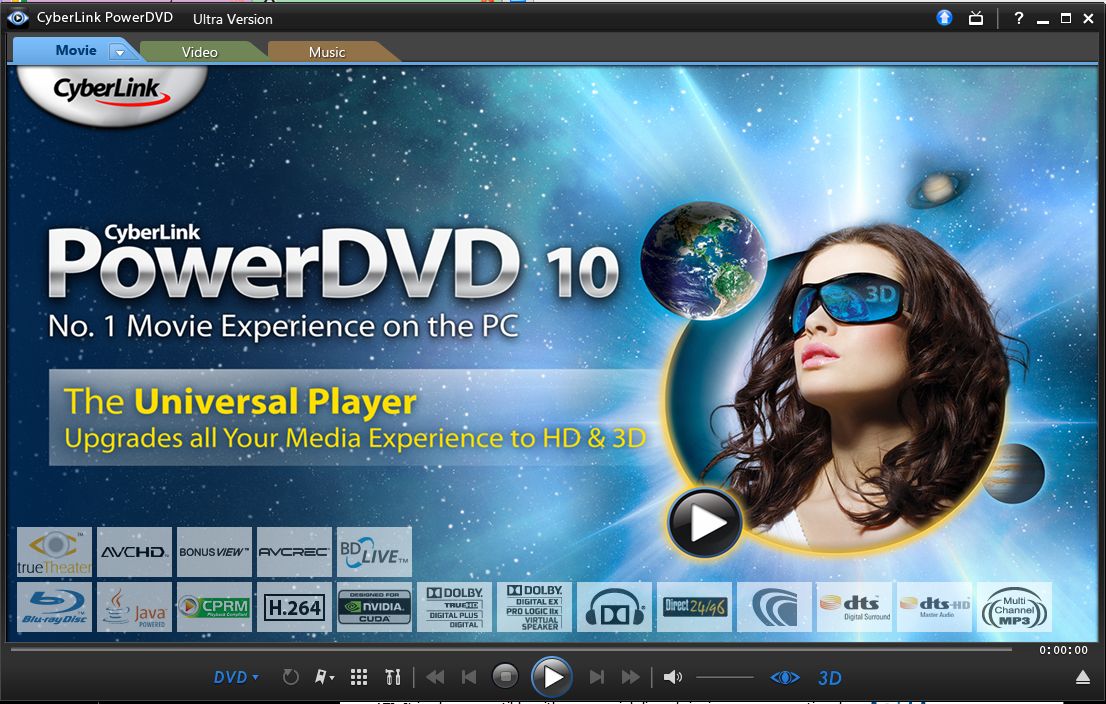
not sure about total media extreme, but i have the ultra 3D version of powerdvd. powerdvd 10 JUST came out...it is nicer than version 9 ultra. they both have trutheater effects that you can manually control different aspects of the effects.
main thing about powerdvd is the audio controls and video controls. version 10 has more codec support and adds 3D which should be fun.
i can put a standard def dvd in there and it basically upreses it to hd. i can see text clearer, etc. the colors are amazing. you can adjust all of that manually, but automatic works well for me.
you can do a split screen view of the effect as well as the movie is playing, to gauge the difference. also powerdvd favors the nvidia card.
pic attachedAttached Files:
-
-
For those of you looking for more capacity, Samsung has announced the new Spinpoint MP4 2.5" hard drive which offers the highest capacity, 640GB in 7200rpm premium mobile drives.
You can read more here.
CJ -
wonder how much it costs. i have 640gb in 5400rpm flavor. also i am interested that it has more cache than the scorpio blue.
would also like to know if it could be powered by the notebook, in the rocketfish enclosure esata with the usb? -
Windows Media Player CANNOT play Blu-ray discs, even after installing any or all of the many third party codec packs that are freely available online, or installing PowerDVD and similar programs (Blu-ray will play in these programs but still not in Windows Media Player). This was a decision made by Microsoft so that the price of Windows does not go up (there are licensing fees (on every copy sold) involved if you ship software that can play Blu-ray--same for Blu-ray movie discs (on every single disc sold), hence their price remaining quite high to this day).
-
like i said, powerdvd 10 ultra 3d ROCKS! standard dvd's look like hi def. the sounds is amazing! no problems at all on 64 bit vista, so there should be no problems on win7 i'd imagine.
pm or ask me about how to make it a little better out of the box, setting, etc. i was SOOO annoyed with the moovielive crap they have, but deleting one little file fixed that completely! no more annoyance! -
HP QuickPlay also plays Blu-ray discs flawlessly under Windows 7 64-bit, provided you do the compatibility trick ( setting DVDP.exe and QPDVD.exe to run in Vista SP2 compatibility mode). HP QuickPlay was developed by CyberLink, the same company behind PowerDVD
-
yes it does work well, but pdvd 10 offers much better options, upconverting, sound options, etc.
-
a few notes for the record on powerdvd 10. i will just post this publicly since it's easier.
when you go into settings (right click...you know how)...
in the Player section:
i would personally uncheck "Automatically connect to the internet for product information" and uncheck "Display the rating dialog when playback stops"
in the MoovieLive section:
uncheck everything
in the MovieRemix section:
uncheck everything
in the Audio section:
select True Theater Surround,
goto advanced menu and under miscellaneous you will find essentially other audio volume boosting options if you are in a noisier environment and volume is not loud enough despite maximum system volume...quiet environment is best for full range. i also check the bass box. the other tabs in the advanced section are up to you.
in the video section:
TrueTheater effects checked on auto adjustment, or manually adjust to taste.
Hit ok.
then the most important part for deleting moovielive garbage that comes up either after a movie, when it's paused, or when just starting powerdvd 10 with no disc in is as follows:
go to the cyberlink>powerdvd folder in the program folder>delete, rename, or move the file named 2cMovie.dll. VOILA!
i also delete the olr (online registration submission folders), and the trial folder, fwiw. -
Ahhh, that's better. Thanks. Rep Added.
CJ -
glad it worked! stupid that they didn't just add a checkbox option to disable it. people have been complaining about that since at least version 8.
anyway...there is an updated acronis true image version a week ago, it's been many months(november) since last build. Build 7046 i believe. i don't like to run the software installed in the dragon, since i only manually backup...i make the boot media, and i'm done.
boot from disc, make the image and that's it. -
Hmm.. We'll TotalMediaExtreme has worked well but it doesn't seem to have as many options as PowerDVD, but then again it could just be because it's an older version too. It's only $50 for me to upgrade it to the latest one. I'll have to check it out whenever I can format.. but I may have to check out PowerDVD as well. Sounds nice. Especially with regards to 3D, Blu Ray quality and upconverting DVD, because DVD looks kinda crappy via QuickPlay. -
ya it also has options for smooth motion...think of it kinda ike 120 or 240 herz tv's, or like 60P or something. some people like the 24P look though.
-
S3D in the current PowerDVD 10 is not supported on the HDX (no NVIDIA Discover support) unless you buy an external 120Hz monitor and IR transmitter/shutter glasses. Also S3D in the current PowerDVD 10 is only for DVDs, not Blu-ray disks, and it is a very primitive post-effect rather than genuine true 3D (which can never be fully accomplished anyway for a movie that was shot with a single camera).
"I’ve tried the 2D to 3D video conversion in real-time DVD Video that is currently the only stereoscopic 3D feature available in PowerDVD 10, including in the free trial version I’ve used for checking the feature out. It has turned out to be a bit of disappointment as Cyberlink seems to be taking the easy road by using the most basic conversion methods. I’m talking about the Pulfrich-like effect achieved by creating one frame offset and further enhancing it by additional frame deformation, so in the end what you can expect is nothing more than what is achieved by the freely available on this blog – 2D to 3D Realtime Video Conversion Script for Avisynth v0.3. And with the Avisynth script you can convert to pseudo stereo 3D just about any video file for free, unlike the currently limited to DVD Video functionality present in PowerDVD 10, so I’d suggest to wait for the competition or the Mark II version of PowerDVD before making a decision what to buy for Blu-ray 3D playback and real-time conversion of 2D video into pseudo 3D." http://3dvision-blog.com/tag/powerdvd/
(P.S. When 3D games are run in S3D there are effectively two virtual cameras separated by 6cm, hence the realistic convincing sense of depth and object relief.)
(P.S.2 Standard Blu-ray looks the same quality-wise in both QuickPlay and PowerDVD.) -
With all the talk about steampunking and possibly trading the guts of the HDX Dragon with other internals (ie the DV8?) check out what this guy did to his Vaio UMPC
http://www.micropctalk.com/forums/showthread.php?t=6960 -
Ah ok. Maybe I'll hold off then. TotalMediaExtreme is good enough for now. I think I just got a nice taste of what you mean after seeing Clash of the Titans in "3D".. WOW SO not worth seeing in CONVERTED 3D. I wished I had seen it in 2D, but I wasn't paying so it wasn't that big of a deal. But I may just get PowerDVD for the DVD upconversion and other settings if the newest TotalMediaExtreme doesn't have that stuff.
*HP HDX DRAGON Owners Lounge, Part 1*
Discussion in 'HP' started by J-Bytes, Sep 14, 2007.