Problems? See this thread at archive.org.
This unlock feature unlocks both the maximum CPU FID (multiplier) and the maximum VID (CPU requested voltage). The maximum VID limit for a Core 2 mobile CPU is 1.500 volts so there is lots of room to play.
-
-
So it might be possible to take it over 4Ghz. Or is x19 the max on the multiplier?
Considering that these CPUs can take over 100 DegC, there's room both thermally and electrically. -
The maximum safe junction temperature for an X9000 is 105C and the shut down temperature isn't until 125C or 130C so there is lots of room there. These HP laptops seem to run a lot cooler than the Dells do.
The multiplier can be adjusted to 31.5 so lots of room there too.
Now we just need to find a volunteer that wants to up the VID to 1.500 for a suicide run. That's usually good for about 4.2 GHz or 4.3 GHz. -
Ah, sorry, I meant, is your VID normally 1.2? I'm trying to purchase a x9000 for another lappie and want to make sure I can OC as high as possible. It seems some Extremes are overclockable higher than others, such as VID @ 1.10 vs. 1.20.
Apologies if I've got something mixed up. Overclocking is new to me too.
Again, thanks so much for reporting so thoroughly. But I know it must be all fun!
+ -
Honorable unclewebb, , I'm trying to figure out why some sellers list their x9000 VIDs with different ranges. Is this consistent with that some Extreme cpus are more overclockable than others? If so, is there a minimum VID an x9000 should have to be worth substantial overclocking?
+ -
The VID range listed in most ebay sales is a generic VID range and is usually meaningless data from the Intel datasheet. It doesn't tell you anything about the CPU that the seller is actually selling.
I've been looking at the few X9000 CPUs that have been for sale but they usually don't show you a screen shot of actual VID. A single CPU can have 4 totally different VID values so a CPU-Z screen shot can also be misleading. With the help of ThrottleStop, it's dead simple now to fake a CPU-Z screen shot. You can combine a high multiplier and a low VID for a nice CPU-Z screen shot but it's just a number that might not mean anything.
There is an SLFM VID, a LFM VID, a HFM VID and finally the IDA VID. HWiNFO32 is a good program to show you all 4 VID values for your CPU. The default multiplier for a CPU is the HFM (High Frequency Mode) so I think most users tend to compare that number but it's easy for users that don't understand this to be quoting a VID number and have no idea what CPU frequency that VID is for.
Hopefully when CompTrekkie stops back he can download HWiNFO32 and post a screen shot so we can see what a good CPU looks like.
HWiNFO & HWiNFO32 - Hardware Information and Analysis Tools
Then you just have to ask an ebay seller to post an HWiNFO32 screen shot. Good luck getting the sellers from China to do that. -
Such great help, unclewebb. I have a feeling I just learned from you what would normally fill several pages sans technical theory.
Now if only I were fluent in Cantonese.....
+ -
Holy crap, what the hell did I miss...
-
@ 3.6GHz:
![[IMG]](images/storyImages/capturesx.jpg)
-
Wow this is indeed good news, I just read through 12 pages of happiness
Now the only thing that's left is to get ourselves a working 280 from a Clevo and figure out how to upgrade the HDX properly.
I live in Europe btw. and I feel I will have to buy a plane/train ticket to Belgium soon
-
I can now autostart ThrottleStop during Windows startup with UAC ON. All you need to do is to create a task for this in Task Scheduler.
-
Due to popular request I have been playing around with x19 @ x20
multipliers and will have some numbers and pics shortly.
-
Before Throttlestop it would jump between 1.00v and 1.200v.
-
Intel's site says that Core 2 Extreme processors are optimized in a number of ways for highly demanding games and result in significant gaming and digital media performance boosts: Intel® Core2 Extreme Processor - Overview
-

btw a quick question: isn't there a quad processor that we could use in the HDX? -
Are your runs stock clocks on 8800 or OC'd?
-
Alright finished my testing. Here is my report:
x19 - 3.8GHz is stable (Long Term) @ 1.3750 VID with +5c (~35c) change to idle temps and + 18c (~68c) to 100% load.
x20 - 4.0GHZ is stable (Short term) @ 1.485-1.500 VID with +5c (35c) change to idle temps and + 38c (~88c) to 100% load.
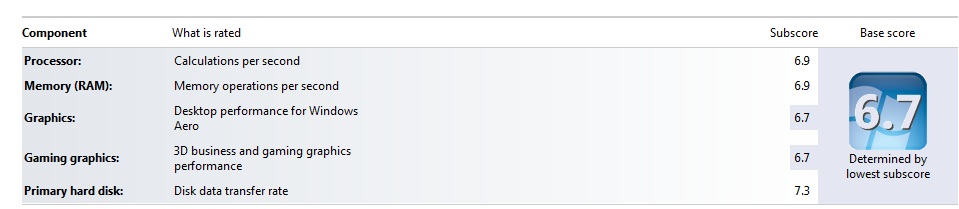
I am very impressed with the x19 - 3.8GHz stability and temps. This looks to be the safest max and still very safe. I put it through the short and long test on wPrime, ran 3DMark06, and put it through the WEI test (BTW my CPU and RAM are now 6.9 ). I will post picks of all the scores and temps at the end of this post. It looks stable at this setting. When I am done with this post I will do some gaming for a while and see how it holds up. If I like the results This will become my default.
As for x20 - 4.0GHz I could not keep it stable in the long run test of wPrime. Applications would start crashing and eventually BSOD. It was stable @ 1.485 VID if I did not put it under load for long. I was also able to run the wPrime short test without issue. (Pic below) The long test could not get more than 40% even when I bumped the VID to 1.500. The temps were much higher, still in spec, but higher then I would want to run on a regular basis.
My 3Dmark06 CPU score went from 3196 @ 3.6GHz to 3323 @ 3.8GHz.
I also uploaded my wPrime score @ 3.8GHz here is the link:
View Score HP HDX Dragon 20.1" | wPrime Multithreaded Benchmark
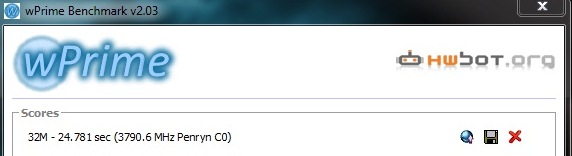
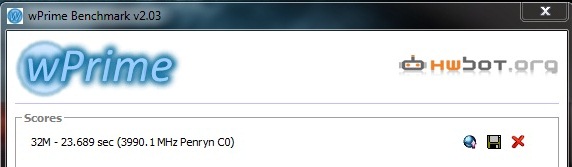
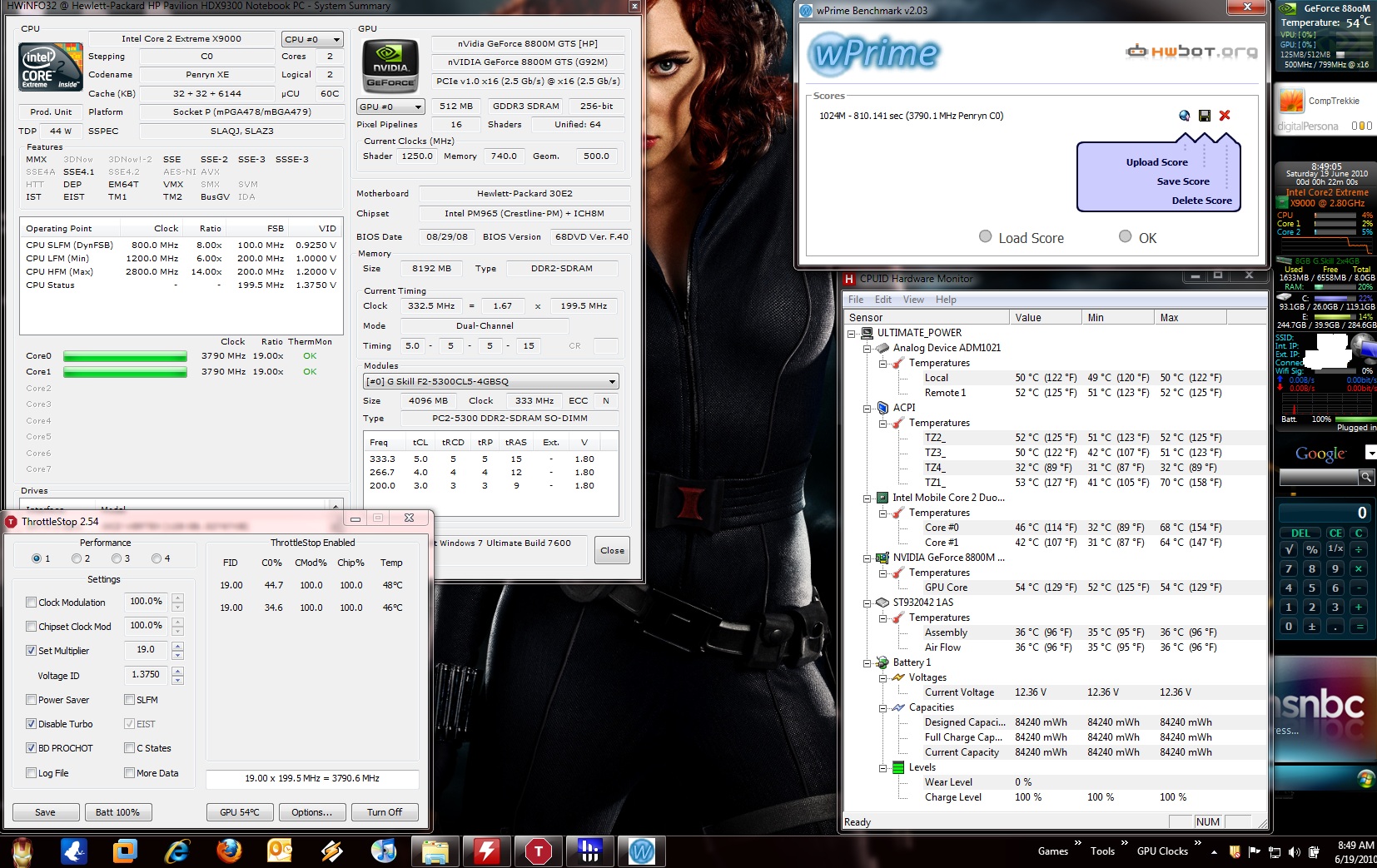
The below thumbnails listed from right to left are:
Short wPrime test @ 3.8GHz, Short wPrime test @ 4.0GHz, WEI score @ 3.8GHz, and screen shot after wPrime long test @ 3.8GHz.Attached Files:
-
-
unclewebb thank you for the HWinfo32 link. I had completely forgot about that program. It is much more reliable than CPU-Z when using throttlrstop. For some reason once I started using Throttlestop CPU-Z started reporting incorrect info and now does not report the VID at all. I tried deleting all its files from my computer and downloading a new one to on avail. If I disable Throttlestop it works just fine, very odd. But thankfully HWinfo32 has no issues with Throttlestop and even gives more info and as you mentioned the other Voltages.
Here is what CPU-Z is doing:
![[IMG]](images/storyImages/cpuzerror.jpg)
Compared to HWinfo32:
![[IMG]](images/storyImages/hwinfo32x18small.jpg)
-
3DMark Score 10528
SM2.0 Score 4647
HDR/SM3.0 Score 4248
CPU Score 3237
CPU @ 3,6 Ghz
OC 8800m GTS @ 650/950/1500
Driver: 257.21
3DMark Score 10409
SM2.0 Score 4585
HDR/SM3.0 Score 4177
CPU Score 3249
CPU @ 3,6 Ghz
OC 8800m GTS @ 650/950/1500
Driver: 197.16
I think thats a nice score for a HDX Dragon!
thx @Throttlestop
-
620 - 889 - 1550
-
I just heard about a minor bug. On my QX9650, ThrottleStop is able to unlock the CPU in steps of 0.5. No one seems to be using that so I assume that there is a problem on the X9000 with this setting.
Does the multiplier adjuster only go up in steps of 1.0 on your X9000 CPUs? I'll see if I can get that fixed up shortly. It should give you a little more flexibility when you can overclock in steps of 100 MHz instead of 200 MHz.
CompTrekkie: Thanks for showing us what your CPU is really capable of. -
Update:
After playing GTA IV for 20 Min I got a BSOD @ 3.8GHz. I raised the VID to 1.3875 and played for 45 Min without issue the temps never got above 63c and usually hovered in the high 50's.
GTA IV still runs the CPU @ 100% at least 80% of the time. The only time it doesn't is when I an holding still or in a sparsely populated area.
I observed a few differences from my stock clocks when playing GTA IV. Before if I got in a helicopter and just hovered over the main city the CPU would stay at 100% the whole time and FPS would be ~22 and controls very laggy. Now the CPU stays at 70%, FPS ~30, and no laggy controls. But the GPU is still a bottleneck there are still some places that fall to ~24 FPS and controls are still fine. I can see the GPU hit 100% and CPU at 80-90% at times.
Now we need a GTX 280!! I would try it out and even Dremel my heat spreader but at $600 it is just to much money for an uncertain thing. I will have to keep my eyes out for one going at half that price and I may give it a shot.
Till then I will enjoy the new life breathed into my beast. I have some work to do around the house so I am going to do an one hour stress test to make sure the settings are stable for long term use. -
Correct. If I chose any multiplier with a 0.5 step it would not take. I had to go whole numbers. I figured it was a limitation of the x9000. It would be interesting to see if I could do a x19.5

-
I just want to be clear on what's going on. Let's say that you choose the Reset menu option so your CPU is at default specs and then you unlock your CPU.
Each time you click once on the multiplier up gadget, does;
1) the multiplier requester go up in steps of 1.0?
2) or does the requester go up in steps of 0.5 but they simply don't work until you click on the gadget again so it is a whole number?
I'm just trying to see if this is a CPU limitation or a bug in ThrottleStop.
On my QX desktop CPU, unlocking and going up in steps of 0.5 is no problem.
![[IMG]](images/storyImages/qxhalf.png)
-
I can click up on the multiplier up gadget and throttlestop will display increments of .5 but the CPU just ignores them. Even if you hit save with x19.5 selected the CPU will stay at x19.
-
I'm just getting some feedback from another user and I think this is a limitation of the X9000 CPU.
If you Reset your CPU using ThrottleStop, do the half multipliers work when you go lower than the default multiplier? It think the half multi works correctly at lower values but not higher than default. The half multipliers on the QX9650 I'm using work whether you go up or down. The only one that doesn't work is 6.5 but that is common for many Intel Core 2 based CPUs.
The gadget on the left side of ThrottleStop is a multiplier requester but the CPU has the option to ignore your requests. -
Would that his processor is C0 stepping make any difference? As opposed to M0...
+ -
It might also be a quad vs dual core thing. The QX9300 Extreme mobile CPU goes up in steps of 0.5 when unlocked.
http://img809.imageshack.us/img809/617/18027.jpg
It could also be whether the CPU default bus speed is 200 MHz or 266 MHz. That would make sense.
Edit: On a side note. If you set this CPU-Z INI file option, it might report your VID correctly again.
Sensor=0 -
Missed this
+ -
It comes bundled with 197.45. Though it is curious there are no options in the control panel.
+ -
Ridiculous that this needs to be done, but thank you for the fix! Where do you have it in terms of brightness? I have it at 90% but wished there was something in between the options given. Something just doesn't seem right.. not like the 186s.
-
Lol.. You were getting a new comprooter is what kept you occupied yea?
-
Good man! If anyone can get it done it's Kris and his crew. Please do let us know what comes of it. With an overclocked X9000 for YEARS stated to not be overclockable, NOW being overclocked, and progress made on the MXM upgrade, all that is left is to have them try the 280, 9800 and other cards to get one all or the best of the group of them working with the resources they have, and we will have what, another 3-4 years of life in the HDX? I didn't ever think I would have heard that the HDX is or can be as fast as an i7
-
How do you do this? I've had to disable UAC just to run even HWMontray..
-
Good question. I second that. -
It doesn't show up in the uninstaller either.. How do we verify it actually is it there?
-
Okay, that worked. I was able to install and run the HP Battery Check app. However, something strange is happening.
I have three batteries for my Dragon, the original (which now only lasts 5-10 minutes), and two new ones that I ordered from HP a few weeks ago. This is what's reported for each:
HP Battery Check:
Original battery: "not present" (But it reports battery power remaining as 98%)
New battery #1: "not present" (But it reports battery power remaining as 0%)
New battery #2: "not present" (But it reports battery power remaining as 0%)
Windows Vista 64 system tray app:
Original battery: "no battery is detected"
New battery #1: "no battery is detected"
New battery #2: "no battery is detected"
CPUID HWMonitor:
Original battery: No info.
New battery #1: No info. (Strange, since it previously reported the battery wear level as -2147483648 %)
New battery #2: No info.
Any ideas? I'm certain that these batteries are properly inserted.
[L] -
Can someone recap what the excitement over using ThrottleStop on our Dragons is all about? From skimming these messages, it sounds like the software allows for the X9000 to be overclocked?
[L] -
ThrottleStop lets you raise both the FID (multiplier) and VID (voltage) for any Core 2 based Extreme CPU. 24/7 settings for the X9000 are usually around 3.6 GHz to 3.8 GHz if you get lucky.
Kind of funny how a 35% overclock gets users excited, especially after years of being told it can't be done. Intel needs a slap for leaving valuable information like this out of their publicly available documentation. This trick takes a handful of lines of code so it could have been done years ago. Why sell over priced Extreme processors and then not give users a way to fully utilize them?
kindheart: I was just curious. Do the lower half multipliers work on these CPUs? If they do, what's the highest half multiplier you can use that shows up correctly in the ThrottleStop monitoring area and shows up in CPU-Z? -
So I take that this makes upgrading a Dragon's CPU to an X9000 far more worthwhile than it once was?
Thanks.
[L] -
Only if you like running as fast as a Core i7-720 in multi-threaded tasks and faster in single threaded tasks.
-
So the Q9100 quad cannot be installed in this HDX?
-
Pardon me while I salivate.
[L] -
unclewebb, I can verify that the lower half multipliers do work. x13.5, x12.5, and so on.
-
The brightness on drivers above 187 is skewed much higher. Also, the higher drivers don't work well with the ACPI in the Dragon. I run with 60% brightness which is kind of bright. BUt it's a happy medium considering how awesome this driver is in terms of perf, clarity and vibrancy.
-
Could be that there's a component to the program missing. It's part of a suite of HP diagnostic programs that came pre-installed.
In any event, I just wanted you to run it to see if it reported any error. HP is highly likely going to make you do the same thing before issuing you warranty service on them. They will probably give you link to a version of the program that will report an code that let's them process a return or exchange. Generally they won't process the warranty service without this code. -
I'll follow up with HP. Thanks for your help.
[L] -
Thanks for confirming that. I originally thought that it might be a bug in ThrottleStop but it sounds like it is a limitation of the X9000. No 0.5 half multipliers when you unlock the X9000 and go higher.
The ebay price for an X9000 is getting stupid so someone on a budget looking to play with this new feature might want to check out an X7800 or X7900.
This guy in Texas has a bag full of used X7800 CPUs for a buy it now price of only $168 each. If you don't mind some extra heat from these older 65nm mobile CPUs, you might get a decent overclock out of them now. 3.4 GHz should be doable without needing too much voltage or burning down the house. My original 65nm E6400 was Prime stable at a hair over 3.6 GHz with ~1.500 volts. -
Thank you! Very helpful.
*HP HDX DRAGON Owners Lounge, Part 1*
Discussion in 'HP' started by J-Bytes, Sep 14, 2007.