Problems? See this thread at archive.org.
Sorry cuuler, I love my dv5t and don't even want to think about replacing it with another model. . .
-
-
Hi ppl,
I was wondering if anyone could help me with this.
My cd-drive has problems. When I first got my laptop just over a year ago I filled the hard drive quite fast and was able to back some stuff up on DVD-R's.
I haven't tried to use the drive since until now. I've been trying to make system restore disks and I keep getting error messages half-way through. Also whenever I try to make an audio CD with any program, it gets past the analyzing stage and then gives me errors once it enters the actual burning stage.
Please help, my mom needs her CD's.lol. -
Had a problem like that, just warrantied it. Self repair. They send you the part you change it yourself. You just take out a screw pop it out, and pop the new one in and put that one screw back in.
-
hello , if your laptop is freezing , u can still move the mouse (using touchpad) but u cant click on anything , it's a complete freeze except for the mouse , alt ctrl delete will not work either
what could be the problem ???
most of the time i get this when i sign in to msn , sometimes i sign in without freezing sometimes it freezes right when i sign in , at that exact moment, sometimes it freezes when i use firefox , it neer freezed before when i worked on a non internet related application -
guys, wanted to ask a little query
i have had the DV5T for now just a year (4 hours to a year anyway)
2 issues
1) the hardrive protect thingy..... how does it work?... i mean the T40 i had earlier to the DV5, you could move it slightly and it would park the heads....what kind of movement do you need to initiate to get this thing to protect the HDD (i am on the latest bios, and latest version of drive protect from HP and it is engaged) if i move the laptop there is no change in the LED (HDD)
2) how do you enable SRS in IDT driver.... i have installed most driver packs (definetly from DV5T collection here in NBR)
thanks.....and as always...the DV5 1009TX i have is very capable (perhaps a 4570 might have been netter) but still...it works quite well (the TV tuner and BluRay are a plus....but the battery is a big pain) -
may be u are using cheap brand dvds.my drive also give errors with cheap dvds but give no errors while using good brands dvds such as sony.
-
well what is SRS in idt driver.does it makes audio quality better.
-
well try to charge the battery for about half an hour without turning on the laptop.
-
SRS is a software enhancer . . . I have not been pleased with how it alters the sound on ASUS notebooks. I can't imagine it would be much different on other systems.
-
Hey everybody! I haven't been on in forever (again) but I wanted to say I have updated my laptop (kind of) I bought a new hard drive an Western Digital 320GB 7200RPM 16mb Cache Scorpio black. it fit and worked perfectly as expected. the drive is working very well. I originally had a 250GB 5400RPM drive shipped with the laptop. I have also upgraded to windows 7 Home premium (as a student i purchased it for 30$ and bought the discs you can still do this at this link http://windows7.digitalriver.com/st...=ABG9iQoBAkYAAC9Lh-cAAAAh&rests=1257308723624) I normally prefer a clean install but I clean installed Windows Vista Home Premium using HP recovery discs and then updated and installed all programs i use daily (Antivirus MS Office etc) I then Upgraded to Windows 7 Premium using the upgrade disc. Laptop is running GREAT. I love my DV5T always have anyone who remembers me knows that. Windows 7 is also definitely worth the 30$. Also I purchased the HP XB4 Laptop dock on amazon for 75$ from antonline (normally 250$) It came with a wireless keyboard and mouse and has 2 built in speakers and sub woofer. it even charges laptop. its another great HP Product. Well anyways sorry to advertise but I had to tell everyone about how well laptop is still running a year later
Anyways has anyone tested any Nvidia Graphics drivers on there dv5 in 7? im looking for the best one for this laptop. I Beta tested windows 7 but never had time to find an amazing driver. altho i have to say defualt windows 7 driver from nvidia runs amazing already no lag no issues. anyways message me with questions concerns or just to chat it up. ttyl guys.
-
Also I currently have the DVD drive w lightscribe would anyone happen to want to sell a blu ray drive for the dv5? possibly with light scribe? (not necessary tho) PM me or email johnson.cammeron [at] yahoo [dot] com
-
Glad to hear your laptop is running well, Cammeron - thanks for stopping back. BTW you might want to disguise your email address using [at] and [dot] so spam bots don't pick it up (edit: I did it for you since I saw you logged off). This forum is publicly viewable.
I upgraded my dv5t since I bought it last July as well - 2GB RAM and 160GB 5400RPM to 4GB and 500GB 5400RPM. The performance of this notebook is still great. I have not upgraded to 7 yet, though I have a Home Premium 64-bit key.
How well is your battery holding a charge? Mine does not last very long anymore; I have the "high capacity" 6-cell and it gets no more than 1:15 - 1:30 now. It used to get 2:30+.
-
Hello All, Ive noticed in the last couple pages some people have been looking for good condition DV5T's. Ive been trying to sell mine on craigslist, but get nothing but african scammers emailing me. Allow me to offer up my DV5 to you guys. It is in great condition and still in warranty. Ive actually been running Windows 7 Enterprise Build 7600 in it for about a month now. It works great. Ill accept any offers on it.
HP Pavilion Entertainment dv5t customizable Notebook PC
Onyx Top Cover (Dark Blue), Chrome Inside
Genuine Windows Vista Home Premium with Service Pack 2 (32-bit)
Intel(R) Core(TM)2 Duo Processor T5800 (2.0GHz)
15.4" diagonal WXGA High-Definition HP BrightView Widescreen Display (1280 x 800)
3GB DDR2 System Memory (2 Dimm)
Intel(R) Graphics Media Accelerator 4500MHD
320GB 5400RPM SATA Hard Drive with HP ProtectSmart Hard Drive Protection
HP Webcam
HP Color Matching Keyboard
Intel Next-Gen Wireless-N Mini-card with Bluetooth
SuperMulti 8X DVD+/-R/RW with Double Layer Support
Remote control for Media Center
High Capacity 6 Cell Lithium Ion Battery (Step up from normal battery it comes with)
Microsoft(R) Works 9.0
I purchased this laptop from HP.com on 12/9/08, so its STILL in the ORIGINAL WARRANTY until then!!!! I will provide a copy of the receipt if requested. PM ME. -
Charles - Hey thanks man I didn't even think about doing that. I have the 12 Cell Extended Multi Charge battery. it still holds a decent charge at high performance maybe 2 hours, Med Performance 3-4 and if i turn everything and i mean everything to low than maybe 5. When it was new i could get 6 maybe 7. i drain and recharge the battery 2-3 times a day (do a lot of socializing and school work on it plus i just wont plug it in a lot and it will end up dying or I plug it in and don't allow it to fully charge) My one issue which i had with my last HP Pavilion as well (DV6500Z) is that sometimes if the battery drops below around 15% it just doesn't charge at all. i think its some sort of software issue tho. Lucky for me the "replace" indicator came on in HP health check and with having been just a month away from going out of warranty i had HP replace the battery for free the new one actually just got here today. I also ordered another 12 cell multi charge and a second charger when i bought my HP XB4 (12 cell was like 65$ on amazon it was a steal or i wouldn't have bought it) and the charger was 26) since these batteries can charge outside of the laptop i will just charge one while i use the other. it was all a bit expensive (since i also bought recently the new hard drive and upgraded warranty to 2 more years with ADP and bought win 7) but for this laptop well worth it I plan for this gear to last at least the next two years.
Anyways back to the point. 12 Cell battery still holds a decent charge altho its lost 1-2 hours worth of hold. but since it started at 6-7 that still isn't terrible. i would say a 12 cell could last 2 maybe 2 1/2 years tops before actually needing to be replaced.
*Note:i'm sure you know but in case and for everyone who doesn't remember any overclocking, over volting or gaming can drastically decrease battery life.
Also glad to be back. Hows life? -
Nice - so the 12-cell is significantly better. That's fortunate that you got the battery replacement just before the one-year period.
I'm thinking about buying another battery but since I just bought another HP (ProBook 5310m) I think I'll just rely on that for my mobile needs. I use the dv5 but don't plan on taking it with me often anymore. Can't beat the dv5's 1680x1050 screen res though. Just great. -
Mind uploading some pics of that Probook? what are your thoughts on it? specs? aha.
-
We got a thread going here on it:
http://forum.notebookreview.com/showthread.php?t=429426
My thoughts are on pg # 6.
-
Charles - Awesome! only down side is the lack of optical drive. Nice price for that preconfigured set up. Don't see a lot of notebooks that small that were also built to have a bit of power. Nice Choice. Congrats on it arriving (altho I suppose im two days late on that at this point aha) Hope you're enjoying it.
I am also going to have to note that even tho it has to do with that laptop and not the dv5t (so not really meant for discussion here i guess??) The Pixel count isn't bad on that screen size.. Wayyy to many people think its just pixel count that matters (which it does) but its also Density you can have a 1080P screen but if those pixels arent tightly packed your picture will still be stretched and not clean. really everything in a computer comes down to good combination i guess. reminds me of when people talk about whats needed more Graphics card or CPU for gaming.. Without balance nothing matters I would say. Anyways I like the pixel count and density just figured id say that.
Also you wouldn't happen to have made a color profile for your dv5t did you? if so any chance you wouldn't mind uploading it for me? Thanks either way.
Everyone Q1 - I have been trying to upgrade my HP BIOS to F.21A but everytime the Flash runs it restarts the laptop and the BIOS is then still listed as F.16.. Anyways anyone else having this issue in either windows vista or windows 7?
Everyone Q2 - Anyone have any idea how to overclock/Overvolt the cpu in the dv5? I know how to overclock the graphics card.. i use to use Ntune for cpu overclock but since it doesnt work on the dv5t thats not possible. Also anyone recommend a safe level for over volting (i know its not recommended to overvolt at all)
Note: Also I asked if anyone has a blu ray drive they want to sell. well I have the HP wireless Elite Keyboard (brand new but opened used once) along with the HP wireless comfort mouse.. The two together cost me 98.67$ at walmart. I would be willing to give these and a small amount of cash or all cash if someone is interested. The only reason i dont want them is I bought them with the intetion of using them with my xb4 media dock (i thought the one from amazon didnt come with wireless mouse or keyboard but they did) Still have boxes and everything =D. but yeah I realllyyyy want blu ray on this nice screen aha. any takers?
Everyone Q3 - Annddd finally for the contreversial question of the day! Whats everyones favorite linux distro? im thinking about dual (possibly triple booting) Win7 Upgrade, Linux distro, and possibly Windows XP (ive a copy from a system i may get rid of it was home made) and if i get excited possibly a copy of presto but thats just going way out there.. Anyways the current issue is which copy of linux? im thinking either mint or Ubuntu..
P.S. Seems all my posts start short and end long huh? lol -
One more month and it's my 1 year anniversary with the dv5t. Only reformat once since i got it, which is pretty stable compare to my desktop lol. Install Wins 7 Ultimate on it and everything is flawless, a perfect OS upgrade for Dv5.
I really love the Dv5 but the only problem is heat, to the point that i have to take the cooler master infinite with me everytime i do gaming session with my friends. To everyone that have this lappy, get the infinite since it will do wonder to your laptop.
Just some of my thoughts about this laptop, you can do anything with it. I probably will keep it for an extra 2 years or so. And remember to give it a clean up sometimes, alot of work but that will help alot in the long run.
Thanks for reading
-
Undervolting it with RMClock will save you 20C or more.
My laptop started slowing down and the fan was whirring all the time the last few days. I noticed that RMclock had closed, and the temp was 75C. Put RMClock back on and the temp dropped to 44C. Maybe it's because my 9600M is overclocked to 675/1600/522, but undervolting lets it run so much better. -
Hey guys, I've just updated to Windows 7 Home Premium. I've got everything working except for the HP Support Assistant.
Strange thing was, it ran okay at some point after upgrading to Windows 7, then it suddenly stopped working after some updates and softwares I installed.
Now when I try reinstalling it, it gives me an error saying something along the line, this software only works with supported products.
Anybody, got this problem too? -
did you uninstall and then reinstall using the windows 7 version HP release? I just noticed HP has a bunch of windows7 drivers out for the dv5 a little while back
-
Yep, I did use the win 7 version. I'm on 64 bit..
-
Thats odd have you contacted HP about the issue? My only issue is that Daemon Tools LITE will not run. It ran when I was running the Windows 7 RC but now that i installed vista and upgraded to Win 7 it wont. SPDT issue/debugger googled it and found two solutions neither worked.
-
thats strange the newest daermon tools worked fine on both my rc installation and my rtm one, maybe try to download again, and get the latest version
-
I did i even uninstalled ccleaned and restart cclean and download direct from the site and reinstall..
-
Hey Guys quick question of opinion.. How much would YOU pay for a dv5t with the specs mine has and 2 years ADP with 2 New 12 Cell Multicharge Batteries and 2 chargers and 2 Hard drives (1 250GB 5400RPM HP Protection, and one 320GB 7200RPM 16mb cache Sata 2) In pretty good condition (only issue is screen has rubbed against touch board slightly and caused some marks altho ill send in to hp before selling and see if they will fix) any estimates? Just trying to find a good price for Ebay i dont want to go for any less than i can get. Thinking about buying a dv6t Quad if the budget covers it after selling this tho.
-
Not sure - try making a thread here in our price check forum:
http://forum.notebookreview.com/forumdisplay.php?f=1062
Remember that the dv6 is only available with a low-res 1366x768 screen otherwise it is a great computer. You'll miss 1680x1050. -
Yeah ive been thinking about that all day =/ great price for an I7 with the 230MGT but... idk it just whats the point with the screen. lol
-
Hey guys, I just got me a dv5t and was wondering whether it can support DDR3 memory. I believe the connector's are physically different than the DDR2, but I heard somewhere that it can, so I thought I'd just throw this question out there..
-
Nope, I'm pretty sure it can't. There are some extensive discussion threads on this subject, both in this thread and in the "What Laptop Should I Buy?" thread. Here's one page, for example, where some NPR heavy hitters weighed in with their opinions ( in general though, not specifically about the dv5t): http://forum.notebookreview.com/showthread.php?p=5003078&highlight=DDR2#post5003078
-
DDR2 is not pin compatible with DDR3, you can't interchange them. With a Core 2 processor there is no practical performance benefit to using DDR3 anyways, its only real advantage is lower power consumption (DDR3 uses 1.5V where DDR2 uses 1.8V . . . a small savings only noticeable in ultraportables, and even then, I'm not sure to what degree).
-
The reason some may think the laptop would accept ddr3 is because the Intel PM45 Chipset inside of it is DDR3 capable unfortunatly the PM45/GM45s (its one of the two not sure which but device manager says mobile so im assuming its the gm45 )in the DV5ts are not set up for ddr3 pin configuration. Or atleast thats what ive read Link: http://www.intel.com/products/notebook/chipsets/gm45/gm45-overview.htm
Also I bought Shattered Horizon and to my surprise it actually runs at Full 1680X1050 resolution as long as everything is set to low (which is still nice looking in that game) Im running stock drivers currently with no overclock so some may do better. but it is a decent game on the dv5 (for anyone wondering if it will run that was my main concern) -
I have the 12 cell in mine and it started dying about 5 months after I got the laptop and progressively got worse. I had to recently get a new one cause it completely died on me. -
If the battery starts failing before your first year is up, it's covered by HP. My dv5t was purchased in early December of last year, so I'm almost at that point, but the frustrating thing is that even though my battery is losing quite a bit of power, my HP Battery Check is giving it the highest rating --- so there's no proof of the battery failing. I seriously doubt that HP will believe it is really failing, and that I'm not just looking for a freebie.
-
Hi guys, is there a website or a thread where a step by step guide tells you how to open up the laptop for cleaning? Thanks.
-
I have NTUNE working on my dv5t.. Somewhat.. for some reason its reading the CPU as 0mhz i will see if i can resolve the problem. wont be for a couple days.
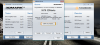
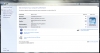
Update 2: GPU Overclocking is still accurate and works I am using driver 186.44 (installed on its own when i installed windows 7 it's a stock driver.) And BIOS F.16 I believe it use to require F.05A and drivers lower than 174 right? someone correct me if i'm wrong I havent overclocked this thing in a while so its a bit fuzzy. anyways currently i've the core clock at 600 and the Memory at 500 and the shader at 1500. I just threw the sliders up a little bit to see if it worked and it does hold. I tested against my Windows Experience score (i know its a bad scale but i dont have time or the net bandwidth to download 3d mark right now) anyways scores went up in Windows Experience Index. Picture 1 (Score 1) is after using NTune, Picture 2 (Score 2) is before using ntune and yeah rivetuners open but i hadnt used it yet. The New scores (picture 1) the Core was actually still at 500 only the memory had been uped to 500 at that point. Picture 3 (score 3) is with 600/1500/500. Idk why CPU and RAM keep going up. GPU must be taking some cpu load from test somehow.. its a stupid test aha
Update 3: Sadly I overclocked to far causing the system to lock up so I had to restart.. After restarting NTUNE will not run.. if i try to open the nvidia conrol panel it locks up every time.. there has to be a fix for this... NTUNE must not finish installing until after a restart.. there has to be a fix for that. some way to keep it from finishing whatevers left on the install?
Update 4: Doing a Sys Restore to right before i installed NTUne and then reinstalling NTUNE allowed me to open it up again. Unfortunatly It would no longer let me overclock (clocks reverted) BUT I did manage to take a shot of running processes when it was working again with no oc. The issue with my overclock i figured out.. If you look back a few posts i mentioned not being able to update to BIOS F.21A... well for some reason after the system restore the BIOS update took effect... who knows why. Thats why i can't O/C now tho. Anyways I wonder if anyone knows or could figure out why NTUNE stops working after restart.. I can send process pictures if needed if anyone thinks they can help.. for now tho im downgrading my BIOS to F.16A and keeping my current Drivers. I moved away from the F.05 BIOS because I wanted stability and compatibility (same reason for newer drivers) I used F.16 for a while tho i know its stable so i will be moving back for the sake of O/C
but yeah anyways F.16A Appearently Supports O/C so im gonna revert and try my luck with rivatuner ang EVGA Precision.
Update 5: I reinstalled F:16A and a set of overclockable drivers... the clocks still keep reverting.. I cant figure this out. NTUNE has been uninstalld all drivers uninstalled cleaned and then new ones installed.. This is confusing me.
Update 6 (Lots of updates today ive been stuck on this) : Drivers are overclocking again Driver 186.81 Picture posted as WinScore not the greatest pic quality had to switch from png to gif or file was to large to upload sorry aha. I can play portal with near full AA (just one notch below full with all settings in Nvidia control panel also turned up (aka ambient occlusion, texture filtering, vsync etc.) I can play BIOSHOCK In DX10 Max Settings (remember 1680X1050 screen so if anyone using a 1280X800 thinks this is easy its not for me aha). CSS can play at full settings including AA. im gonna see how far up i can get in Crysis. ive tuned the overclock up even more.. Only down side is this driver is a hot driver and the oc isnt helping that.. im sitting steady at 76-78 at desktop.. when i was playing portal i got 98C..
I figured out why my temp was so high. I raised my Mem Clock to 585Mhz and temps dropped to 66C performance was boosted and stability gainedAttached Files:
-
-
bought this laptop arround 8 months ago, im pretty much satisfied with it, decent gaming performances, fast procesor, but it kinda heats. When im playing gta 4 for example, the gpu and cpu temeperatures go up to 80-85 degrees C. Im planning to undervolt it one of these days tho..
Anyway, i was wondering if anyone owns such a notebook, and can give me any infos about it, if it was a good deal, and in generally how long do HP laptops last? (if lets say im gaming everyday arround 6-7 hours and keeping the temepratures at arround 80 degrees).
How are HP producers known as? Solid or poor qualitty ?
Here's a complete technical information about it: http://h40056.www4.hp.com/pavilion/ -
Ivnatic: The HP DV5T is a warm laptop you can find different drivers to bring the temperature down some users i've seen can get it down to 55-56 when idle. Altho i have to say low 80's is only slightly high. (i would say mid-high 70's would be right) but 80 isnt uncommon for this laptop. Also as you may or may not know undervolting will hurt performance so if you play any games that are already at a low FPS I would think about that. If youre looking for longer battery life and less heat i would underclock 2d and low 3d graphics.
I've owned my DV5T for a year and its of great quality. i owned another HP 6500z before it and it also was, ive a friend who owns a dv6000t and its lasted i belived 3 years now no problems other than a damaged power adapter and the battery doesnt hold charge but thats common for any laptop at that age. For most of the life of this laptop (about 10 months of its 12) i gamed for around 7-8 hours a day most of which was overclocked at temps of 85-90C. I wouldnt worry to much
Note: This laptop has been dropped on accident a few times (yanked off the coffee table or couch) It has been damaged but the actual laptop was only cosmetic the piece of plastic on the right was just cracked right on the end on one side of the plug socket the other issue was that it landed on the cord and broke it. When all of this happened it was sitting on the couch my dog jumped on top of it then back up the laptop cartwheeled through the air and landed on its side. -
well, 80 degrees C is mostly on the graphics card, the procesor actually runs at max 70 when overloaded (i also have a cooling pad and undervolted it). In idle the temps are aabout 40 on procesor and ~55 on the GPU, wich are pretty fine i guess
-
Ivnatic: No thats not bad at all, what do you use to monitor your Processor temp seperate from your GPU temp? Also remember there is one single heatsink in the dv5 so any heat from the gpu then runs by the cpu before exiting via the fan.
-
I use cpuid hardware monitor found in the undervolting guide here on forums.
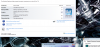
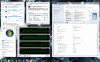
Here's a pic before undervolting:![[IMG]](images/storyImages/16113349.th.jpg)
And here's one after undervolting:![[IMG]](images/storyImages/97785304.th.jpg)
(this one is made on my 19-inch external monitor)
Today i'm gonna try to undervolt more, cause i didn't have enough time the day before yesterday. -
Awesome for some reason i though it was down i've been using core temp and cpu-z to monitor.
What program do you use to undervolt and will it overvolt as well? I may need to dust out the cooling assembly its running WAY hot. it's currently set to defualt clocks and CPUID is reading graphics at 94C and rising (nothing running but steam its downloading a game) and my Intel C2D 2.4ghz is reading 80C this is all way to hot and abnormal. im gonna have to figure that out today. -
Im using RMclock for setting the voltages, and yes you can both decrease or increase them. Here's an excellent guide you can get about it, here on this forums, by flipfire. You have every thing you need there, from how to actually undervolt to stability testing. But i can't find any reason why you should overvolt, you won't get any higher perfomance, only higher temps. I heard people are loosing from 10 to 20 degrees sometimes.
-
If I overvolt i can get the fsb and ram clocks higher cant i?
-
I bought a can of dust off and cleaned out the fan MAN THERE WAS A LOT OF DUST. Temperatures are at 45C for the Intel C2D 2.4Ghz P8600 and 62C for the Geforce 9600M GT Graphics card, assembly is 49C and Airflow is also 49C, The Board (TZ01) is 52C Current voltage is 12.53V. The system is currently overclocked here are the clocks. Core/Shader/Memory// Standard 2D is 328/656/140, Low Power 3D is 530/1060/280, and Performance 3D is 600/1500/515 Defaults are normally as follows. Standard 2D 169/338/100 Low Power 3D is 275/550/250 and lastly Performance 3D is 500/1250/400. Before the Overclock temperatures were much cooler Cpu was at a constant 98F when idle and the gpu was in the mid 120Fs. Screenshots will be posted later when I can get them... its 2:11AM and I just got back from seeing 2012. Goodnight World... Aha.
(Easier Compare. DF= Default)
Standard 2D OC: 328/656/140
Low Power 3D OC: 530/1060/280
Performance 3D OC: 600/1500/515
Standard 2D DF: 169/338/100
Low Power 3D DF: 275/550/250
Performance 3D DF: 500/1250/400 -
I think you're talking about overclocking, volting is a totally different story. Higher voltages gives you absolutely nothing, just higher temps on the CPU. Read the guide i posted in my previous reply, you'll see there what i'm talking about, read it entirely.
LE:
-
Ivnatic,
Sorry that's not what I meant. I mean that if I overvolt it may be possible to get a higher overclock because of a possible slight gain in stability. I didn't mean direct performance but more so that the system may be more stable at a higher clock if overvolted.
I'm very familiar with overclocking/underclocking and overvolting/undervolting. It's just this P8600 that i havent been able to successfully overclock and I figured i'd get the overvolt information now so that when I do figure out a successful way to overclock it I will have a solution for overvolting ready as well (I was under the assumption overvolting on this cpu may be as difficult as overclocking). I've been looking for solutions on both ends.
Also for heat i'm considering applying AS5 to the heat sink hopefully it isn't padded. that will be a ways down the road either way considering it most likely wouldn't provide a large drop in temperature only a slight drop. 3-5C
Thank You for your reply anyways
-Cammeron -
Hi!
I have a serious problem with my laptop
it keeps getting stuck... after about 5 minutes of work, the application I'm working on freezes, task manager sometimes works, but gets stuck after a while too. Nothing helps once the computer freezes, only force reboot. CPU usage is normal when the computer freezes, so I have no idea what could cause this. I tried to run a virus scan, but it got stuck in the process. I tried to run it again in safe mode, but when I returned I found out the computer somehow rebooted by itself and got stuck again...
Ever since I bought this computer I was nothing but completely satisfied, I never had any serious problems with it. I don't know what happened.
does anyone know what could be causing this? has anyone had this problem? please help
Thanks! -
Tal12586,
Try running a boot time virus scan?
When you boot into safemode go into ms config (Run>Msconfig) and select Diagnostic Startup. This may prevent any harmful processes from running while you scan. (you will have to restart before msconfig takes effect.)
..This is all assuming its a virus of course. I can think of five things
Virus
Hardware Malfunction
Software Eating Resources Because of an Error
Heat Issue (even if the Gpu Ram and Cpu arent at full load heat can BUILD up)
Possible overclocking issue (Altho you haven't mentioned overclocking but I rule nothing out until I know for sure)
Run HIJACKTHIS if you can and post the log on the HIJACKTHIS forums it usually doesn't take more than a minute to run.
Sorry I couldn't help more.
Everyone,
I finally got my 3dMark score. No overclock =3202. Overclocked at 650/1400/515 I got 5579 thats a difference of 2377. Great performance increase if you ask me.. sadly if I raise my Memory over 515 it becomes unstable. Driver is 186.81 That is i believe a 74% increase in performance that is to say if I stared at 100% i'm now at 174% Maybe one day with better drivers and a slightly more tuned driver i can get that up to 200% *yes im dreaming*Attached Files:
-
*HP dv5t (1XXX series) Owners Lounge*
Discussion in 'HP' started by Badious, Jul 22, 2008.





![[IMG]](http://img40.imageshack.us/i/16113349.jpg/)
![[IMG]](http://img198.imageshack.us/i/97785304.jpg/)