Problems? See this thread at archive.org.
I downloaded it with Steam (it was 5$ during the holiday sale) I guess I get what i payed for. Its completely updated in steam and I've googled the issues and searched the forums for it but I haven't seen anyone with the issue where it freezes and then unfreezes after an amount of time. most lock up all the way or crash, figured i would give it a shot on here as a last resort. Who knows could be a driver issue with any piece of hardware on the machine or a setting or bad reg key or install. Just trying to narrow it down.. Oh well tho I've played a lot of the game (Done every side mission and im now on llos) so i guess it doesn't bother me to bad.. I usually take the chance to stretch or do some push ups since i don't normally when i game... Maybe its good for me lol?
-
-
I found the ICS for the DV5T P8600. people who have Dell M17's are overclocking the P8600 to 3.0GHz (i would never go that far because of cooling) anyways i was able to recover the ICS for the DV5
-
What is the model number of the ICS chip? Be nice if SetFSB would work with it.
-
In this post I have included a short disassembly guide for the HP Pavilion DV5T And the PLL and SETFSB info on the PLL for the HP DV5T
I Unfortunately have asked the gentlemen at SETFSB and he declines any future builds of SETFSB referencing me to the article on the front of the SETFSB site my email and his response are listed below.
Also I would like to state about my previous posts that I realized the M17 is Alien ware and NOT DELL, Since Alien ware is higher end the clocks were probably unlocked via the BIOS and my previous statements were incorrect.
---------------------------------------------------------------------------------------------------------------------------------------------
The PLL for the HP DV5T is ICS 9LPRS355BKL 8115046 - A CHN - 0829
---------------------------------------------------------------------------------------------------------------------------------------------
Email Conversation Between Myself and SetFSB:
Cammeron-
"Hi I was wondering if I may ask a favor. I have the PLL for the DV5T I can provide you with it and any other needed info if you can add it to SETFSB I would be very thankful. If you may be able add the DV5T to setfsb reply to me please and I will provide the PLL and any other needed/requested information. Thank you for Setfsb
Please reply to this email address ([email protected]) also I took the computer apart to get the PLL/ICS code if theres anything else needed i can do it again."
SetFSB Reply:
"Hi,
Important news 12/27/2009[Sunday]
I achieved one million hits as the target of my homepage.
Therefore, I stop the update of SetFSB and the distribution of the activation key.
Impolite users will not be able to use SetFSB 2.2.134.98 through all eternity.
Thank you and Good-bye."
---------------------------------------------------------------------------------------------------------------------------------------------------------------------------------------------------------------------------------------------------------------------------------------------------------------------------------------------------------------------------------------------------------------------------------------
Note:* Taking apart the DV5 was stressful but not to difficult the only issue was tons of hidden screws. It requires about 15 different paper cups to put screws into lol labeled by area. Disassembly goes as follows Use At Your Own Risk I Am Not Liable For Anything -
1. Remove all the screws on the bottom. Every Single One *Remember screws under battery and under Ram, HDD, Wifi, Tv Tuner* Some screws holding in these items and hidden under them actually hold the Assembly together so remember to remove them. Note: remove the CD/DVD/Bluray drive when you remove its screw or it will simply fall out when you take the laptop apart.. It slides straight out.
2. Open the LCD lid all the way back (Don't force it. Just go back as far as it normally moves)
3. Push up on the empty battery compartment from left to right *Note right to left if laptop is upside down* You will hear clicking this is the top of the speaker assembly dislodging from its place. The top of the inside of the battery compartment that you're pushing on is actually the underside of the speaker (the area with all the writing under the battery)
dont push to hard just hard enough to get it out since the speaker/quick touch board is attached with a ribbon cable and pin cable that it would be bad to break..
4. Unscrew the the keyboard it has four screws on the top and two under the laptop hidden under the HDD and RAM panels with keyboard pictures next to them. Disconnect the Keyboard ribbon cable make sure to unlatch it DONT JUST PULL IT OUT.
5. If you havent done so already remove the HDD RAM WifiCard and anything else EXCEPT for the MB Battery Leave it in place.
6. Disconnect the LCD Cable on the left CAREFULLY then pull the Antenna Cables from the wifi card up thru the Assembly as they actually go inside the LCD Display.
7. Unscrew the four screws (two on left two on right) holding the LCD panel in place. Then simply lift it out. Sit this somewhere SAFE of course
Be careful with it.
If you didnt know you should be than just ring your call button, and Tommy will come back there and hit you on the head with a tack hammer because you are a retard. (haha)
8. Disconnect the speaker Ribbon Cable and QuickTouch Board Cable then remove it and sit it somewhere safely. *Note ribbon cables need to be carefully removed*
9. Remove the three screws under the keyboard on the right hand side One black and two silver.
10. Detach any remaining ribbon cables (ribbon cables coming from USB ports, Power Socket and anywhere else)
11. from top (LCD attachment area) to bottom work both hands carefully around the assembelly and meat in the middle under the mouse.. The Laptop should now be apart.
12. Remove the last few screws holding the board to the bottom section. Dust out clean up do whatever you needed to do and of course reverse this procedure to reassemble.
Note* when removing and reinstalling the LCD place the device againt the wall (LCD at 90 Degree Angle) this will make reinstallation easier as you wont have to hold the lcd in place while screwing it in since its hinges will be ready to sit straight.
-----------------------------------------------------------------------------------------------------------------------------------------------------------------------------------------------------------------------------------------------------------------------------------------
IMPORTANT the DV5T BUILDS UP DUST not just on the fan assembelly but the heat sink as well. I normally Blow the fan out with a can of dust remover but this is actually blowing it inside and wedging it directly under the heatsink inbetween it and the Main Board (MB).. it was litteraly 2"-3" long balls of dust stuck under it. removed it all CPU now sits at 103F after being on for a while and 95F when the computer is idle and not being used.
Make note that After Dusting the PC Out as mentioned, turning power settings to power saver with max CPU Level of 10% and placing the device near moving air (open window) my Temp is staying in the low 80sF for the cpu and my gpu actually dropped to 98F at one point in time with the cpu at 73F at that point. I am going to guess that if you underclocked the gpu, undervolt the cpu and use a laptop cooler you could get even lower. Also i'm thinking about adding arctic silver 5 to the cpu and gpu heat sinks since neither seem to actually have pads. (although i didn't pull the heat sink all the way off so I can't be for sure on that) I may do this when the laptop gets back from repairs that its going to go in for that are related to previous issues from my dog jumping on it and damaging the left mouse button and plastic trim on the side. Thank You Accidental Damage Protection
Also if anyone breaks there laptop in any way from doing anything ive said or mentioned here it is not my fault don't complain if something doesnt work or you cant get it back together. I will try to help anyone I can as always but don't blame me if something does go wrong. Use At Your Own Risk.
If anyone has anything they believe is missing from this guide please PM me and I will see about adding it. Also The Entire time it took me to disassemble and reassemble the DV5T was about Two Hours. -
Yes, be very careful with the keyboard ribbon cable.
After I disassembled my dv5 some of my keys no longer worked. I finally realized that it was the fold in the ribbon cable that was defective. I had to perform a "fix" with some tape to get it to work again. So far 8 months with no issues. -
The ICS 9LPRS355BKL is probably a PLL locked version which would require a hardware overclock. HP has been using locked PLL's for a while now.
My HDX Dragon has a locked PLL and unfortunately doesn't look like it can be hardware overclocked either since the places where you would want to jump pins doesn't exist readily. Multi-layer PCB. -
2.0 - Just wondering how do you know? Anyway to see if a hardware overclock is possible?
-
hi guys i am having lower fps in games after fresh install of win 7,moving from vista.for example i am having lower fps in dirt 2.
win 7
average fps=21
win vista
average fps=25
i am using 186.81 drivers in win 7.i used the same drivers in vista.what should be the problem? -
Hi, I would like to ask if any of you know where I could get "skins" or "protection" on the keyboard "PALM REST" & "TRACKPAD" area?
So far I have only seen skins for the outside, but nothing for the inside besides the silicone keyboard cover.
Thanks! -
---> Wildfxp ,
I do believe this is what you would be looking for.
http://www.protectcovers.com/index.php/hp-dv5-laptop-cover-protector.html
Hope this helps!
Tenspeed -
Thanks, but I believe that only covers the keyboard I looked everywhere, but can't find one that is a skin/protection for the "PALM" rest area by the trackpad
-
Go to best buy and look for Zagg invisible shields for phones. im sure you could find just the phone faces and im sure they would be just about the size of the palm rests.
-
i have a pavilion DV5. i'm planning to upgrade to windows 7 from my current vista OS. are all the drivers ok? would my fingerprint reader still work? and i read somewhere here in the forums that there was a problem with the memory card reader. has all the drivers incompatibility been resolve? thanks.
-
Goliath6900 - HP does supply all the drivers you will need for windows seven and they run fine. I own the fingerprint reader, webcam, mic, tv cable card integrated and wireless remotes. after installing all HP updates everything will run perfectly I can assure you. My only issue is durring shutdown sometimes there is an error message. I can't remember for which qtouch driver but when the error comes up it will tell you.. Just download the Vista version and the error goes away
Hope this helps if you're still around.
-
Guys i have DV5-1116em and recently i have upgraded to windows 7.. i have no problems except the screen brightness doesn't seem to be working as it should. the fn key is working.. the problem is when i shutdown my laptop while using battery when i rerun it on charger the brightness level stays like its on battery and never increase although it's set the right way..
My Bios version is the last: F.21 A
helppp plzz? -
@cameron johnson
thank you very much for the reply. last question, once i upgrade to windows 7 do i have to install this driver - Intel Chipset Installation Utility for ICH9 for Microsoft Windows Vista? -
DoUdAr - You could try a few things. Try uninstalling and reinstalling graphics drivers, uninstall and reinstall power management drivers get a hold of HP at this link to find out which drivers related to power management it shouldn't take you more than twenty or so minutes.
http://h50203.www5.hp.com/HPISWeb/C...el=&chat=®ion=&callfrom=null&ctype=c&pl=KV)
you could also try deleting all of your saved power plans? although if it only happens when booting from after a battery shutdown than its most likely a power management issue. HP would know
goliath6900 - Sure thing man ask me anything anytime. You don't "Have to" but I would recommend it. While I ran it for about a week before installing the driver the "ICH9 Unknown Hardware" did show up in the hardware manager. ICH9 is pertaining to your motherboard which could have any number of undesired effects on your system if left uninstalled. While I never had any issues when it wasn't installed that isn't to say nothing would arise from it. Incase it helps the way I installed drivers was to first update windows fully, then update with all available vista drivers from HP then update with any current drivers from HP for Win7 (I also had the system fully updated before the upgrade since I upgraded instead of a clean install) Hope it helps.
-Cammeron
P.S. See image for uses of ICH9 (USB, SATA HDD, and PCI Controllers)Attached Files:
-
-
@cameron johnson
thank you very much. -
@Goliath6900 and DoUdAR (And All Whom it may apply to!) I've recommeneded as i'm sure others have to keep your drivers installed and up to date unfortunatly there is currently and exception! Nvidia Graphics Driver 196.75 Has a serious issue if you have the driver installed than uninstall it. The driver causes cooling issues in which the fan may not function properly causing the GPU to overheat and become damaged. Nvidia has pulled the driver but it is still available via LaptopVideo2Go. I recommend not installing any drivers 196.75 or later until NVIDIA has confirmed that the issue is resolved.
Also while I know the 196.75 driver is a desktop driver that doesn't mean people aren't using it with a modded INF file luckily this time I wasn't. I do not know for certain if this issue effects the cooling system in laptops as well as desktops since desktop cards generally have their own fan instead of a mobo fan shared with the CPU but it's better safe than sorry.
http://www.engadget.com/2010/03/05/nvidia-pulls-196-75-driver-amid-reports-its-frying-graphics-car/
LaptopVideo2Go Statement - "The driver will remain available here, but with a warning.
So hence use at your own peril, we deny all knowledge."
Nvidia Statement - "We recommend that all customers immediately discontinue the use of 196.75 drivers and roll back to their previous driver."
Nvidia is responding to the issue by setting up a report system for customers who have had issues due to the drivers saying.
"The data from your reports will aid our rigorous investigation. In addition, by the end of the investigation, we will respond to every email address provided in these reports."
The link to report an issue can be found here: https://surveys.nvidia.com/index.jsp?pi=4b9f747cd4a7a5ed61b37e9365fb7db9
Sorry and Thanks! Good luck to all
-Cammeron -
@Cmmeron Johnson
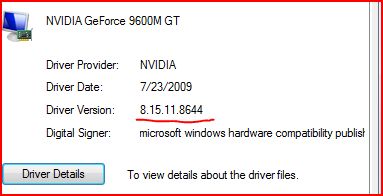
thanks for the warning. i took a screen shot of my driver properties. is this the driver version of my NVIDIA?Attached Files:
-
-
i'm planning to update to
195.62. is this safe? -
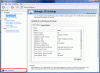
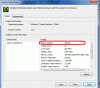
goliath6900 - That is the driver in more detail (8.15.11.8644) the last 4 digits are the driver 186.44. If you would like to see it as shown with 3 digits followed by point 2 digits than right click and go to "NVIDIA Control Panel" on the bottom left click "System Information" your driver will be listed in the system information window. You are currently running driver 186.44. It will be safe to upgrade to driver 195.62 that is actually the driver I've been running for a couple months now and i've had no problem even after over-clocking. See attached pictures for system information example. Again hope it helps, and sorry for the GIF Image format I didn't feel like fighting GIMP tonight haha.
-CammeronAttached Files:
-
-
@Cammeron Johnson
thank you very much for the info. GIF image looks fine.
-
goliath6900 - You're welcome man.
-
is there a way to adjust my screen position a few millimeters to the left? i tried checking the nvidia control panel under display but did not see any to move the screen position.
-
Hmmm, Laptop Panels aren't really meant to be adjusted but you could always try adding a new resolution and seeing if it lets you make one just a few pixels too wide? I'm guessing you're running a program that auto hides? I use Trillian Astra and it doesn't hide all the way so I've considered finding a way to cut the last few pixels before thats why i'm guessing that... I really need to tell this thread to stop alerting me lol.
-
Its been a long time since i've visited this thread. I've had a dv5t for a year and a few months and either the power cord is shot, or the connection inside the laptop is broken as when I plug it in, no power is registered. This started a couple months ago and I got by for a while by bending/twisting the cord into positions just to find a position that would give me life.
There are loooots of negative reviews/comments on HP's site about the replacement cable, but I'm hoping that if the cable is the problem that maybe there is a better alternative to the 1st party one. Like maybe one with a right angle adapter/plug?
Anyone have experiences like this with this model? Find a better solution other than just buying a new cord from HP?
Thanks for your suggestions and input. -
If you were able to "bend and twist" it to get power its probably going to be the connector inside. (unless the cord tip looks physically damaged) for that reason I use the multicharge batteries (amazon had a 26$ deal for the 12 cell multicharge a while back I dunno if they still do) anyways multicharge the cord can plug in to the batter and charge and then the battery can be inserted into the laptop. (Assuming the issue does turn out to be the connector inside the laptop) I keep two Multicharge batteries. One Charges while I use the other... Can't remember the last time i plugged the laptop into anything other than the dock and thats for storage and wireless mouse and keyboard not power.
-
Unfortunately there is no light indicator on these bricks. I have a little in-line belkin surge protector that lights up when I connect it so there is power getting at last to that which is right before the brick. I'm guessing that the only way to really figure this out is to buy a random 3rd party cable that says it fits and see if the power led on the side of the laptop comes on when it plugs in?
-
Yeah. I found that my cord was broken by someone elses power cord (Same size and voltage only difference was it came with a dell) Mine was broke because the laptop had fallen on the male connector and bent it. It's probably more likely it's your laptop but if you can find a cheap cable than try it... If you've a voltage meter you could try that but most people don't. (If you do be careful.)
-
Hi,
I've got a few problems that you guys can hopefully help me with.
My mouse and touchpad all of a sudden don't work. They are getting power, my mouse has its light on and the touchpad light says it's on but it wont turn orange if I press it. Rebooting hasn't worked, re-installing the drivers hasn't worked. Uninstalling, cleaning the registry with WinUtilities and re-installing hasn't worked. I'm lost now.
The device manager says "Windows cannot start this hardware device because it's configuration information (in the registry) is incomplete or damaged (Code 19)"
Another problem, I have no anti-virus. Worse still, I cant install one. I have tried multiple programs but they all start "not responding" when they are transferring files.
I uninstalled my last anti-virus because it would no longer update, neither would windows update. I read somewhere online that I might have spyware.
I downloaded the suggested software but couldn't use it because the first thing it wanted to do was update.
I now have no anti-virus and my windows hasn't updated since june of last year.
So anyone, please help. My machine has already contracted one or two bugs and I don't want it to get any worse. -
Have you tried installing and running AntiVirus while in Safe Mode?
-
Not yet, I'll try that today.
Any solutions for my pointer problems, using the internet without a mouse is a pain in the....... -
Picked up an hp branded cable from Fry's, and the laptop now works. Still having issues with the battery charging all the way, maybe its having issues as well. But at least I'm powered and up and running.
-
anyone having problems with their screen flickering, whiting out, and having horizontal lines running across the bottom? the problem is intermittent and only happens <5% of the time that the laptop is running. i have the 1680x1050 screen and the Intel GMA 4500 MHD integrated graphics. this started happening about a year after owning the laptop. the problem comes and goes and does not seem to be related heat, screen position or movement. i have the latest intel graphics drivers. it happens even on the bios screen and during safe boot so i dont think that it is a driver problem. i think it might be a connector problem. any suggestions before i open it up? thanks.
-
Okay, So my mouse and track pad problems got fixed after I upgraded to Windows 7.
I still have the problem that Windows will not update. None of my programs that need to update on their own ie. like an anti-virus will work.
I heard that this might be a spyware problem, but Spysweeper didn't find anything after I did a search in regular and safe mode.
Thanks, Cameron. I got rid of a few virus's your way but had to use a portable anti-virus. -
yes,i'm also having similar problems on my dv5t(1650x1050,9600gt) but the flickering usually resolves by changing the angle of the lid,though it is getting worse lately.Though i thought of opening it up , i seem to be short of confidence in doing that.as long as changing the screen angle works i might just let it be.If you open it up,could you give an update whether it was fixed or not.I also think its some kind of loose connection ,though not sure.
-
when i get corruption i can't tolerate, i will open it up... i think it's relatively easy to take off the speaker cover and check the monitor connector...
-
Hey, problem fixed.
Read on a forum to uninstall my ethernet device and restart so that it installs.
IT WORKED!!!!!!!!!! -
i opened up the speaker cover by taking off five screws at the bottom (three under the battery and 2 at the corners -- the screws holes that had triangles next to them). remove the speaker cover by pulling on the area between the touch controls and the monitor. on the left side will be a white connector (about 1 inch wide) covered with black tape. pulled on the tape to disconnect the connector. my connector looked like it was not fully seated in its socket. i pushed the connector back in tight (there is no lock). put back the speaker covers and powered up. laptop has no more screen glitches so far....
-
Thanks a lot for that (+ rep),i was confused about how to access that area.I think i'll also open it up and see if the connector is not seated properly.hopefully this problem will go and not recur again.
-
As luck would have it I have just recently started having white lines go across my screen sometimes when the screen is moved at all I could take it apart as i have before but im just gonna send it to hp for repairs in a month or two once i dont need it for school (i work full time during the summer)
-
why bother sending it to hp if you had previously taken it apart? just check quickly if it's a loose connector... if the problem is not the connector then send it back... although hp might give you a new motherboard and/or screen if you send it back....
-
Its having other issues that arent easily repairable. It was dropped a few months back (my dog jumped on the couch and the laptop launched off) decorative plastic edge, mouse buttons, lower screen scratching (touch volume controls are slightly risen on the backside so they rub the screen leaving permanent marks) webcam malfunctioning and an ever loosening power socket (no connection issues yet but theyre sure to come).. Im gonna have to send it in to hp anyways so i figure ill just let them deal with it since I have 2 years of Accidental Damage Protection left (upgraded from standard 1yr warranty for roughly 230$)
-
Hi guys,
Ok, so I am thinking of upgrading two things.
1) My CPU as it is the T3200 and has 1mb cache w/ a measly 2 ghz
2) My RAM. The hard part is I dont know if my MB supports more RAM. Because I have 4 gig but i keep running when using After Effects. So I was wondering if the new BIOS update would allow me to put in 8?
-
has anyone updated their nvidia to this -
Verde Notebook Release 197
Version: 197.16 WHQL
Release Date: March 29, 2010
any feedback? is it safe to update? -
I'm using that now, overclocking is still possible. I didn't compare gaming performance with previous drivers though.
-
got it. thanks.
-
upgraded the dv5t to the 750GBBPVT HDD.....enjoying thre added storage...but........win perf went upto to 5.9 from 5.3....intersting
-
I know very little about HP's, only what I have read, but really like the new line up from the company. The DV5 stands out as a nice alternative to the Envy 14.
If I read the press release correctly, the new DV5 will not come with a dedicated GPU. Really? It is the same size as the Envy 14, it would be simple, I'm sure, to stick an HD 5650 in there, at least as an option.
Are they just trying to keep from competing with the Envy 14. With such a configuration, they could sell as many of the DV5's that they can make and still sell as many Envy 14's as they can make.
Am I right about the DV5? It will not have a dedicated GPU?
Bronsky
*HP dv5t (1XXX series) Owners Lounge*
Discussion in 'HP' started by Badious, Jul 22, 2008.