Problems? See this thread at archive.org.
I didn't realize that was a pretty much standard situation. That is a good thing to keep in mind.
-
W0000T! lol I got my dv5t this morning at like 8:30
 lol but no complaints im totally satisfied, this thing is amazing its so sleep crisp and clean looking, I love it! lol my only complaint is that theres a tiny scratch by the touch pad but oh well I can ignore it XD. Oh and I see what people were talking about with the volume touch thing above the keyboard, it does act weird lol. I played around with the tv tuner, which came with the coaxial cable and an atenna also. I got my basic channels, I havent hooked it up to our cable yet, too busy on the internet hehe. I just wish it would have came with mcafee instead of norton >_>, lol.
-
I'd call and complain, maybe get some compensation...your laptop is brand new and you should expect it to be perfect(with the understanding that bumps and scratches can happen)
-
i agree.. complain.. and loud!! that's your hard earned money you've spent on that nice piece of equipment, that... with a scratch,, isn't so nice.
, but hey, i'm glad you've got it!! CHEERS!!! i love mine too.
-
I got this **** finally after sending back 2.
I don't know how the F to open up this express card slot though. HALP!?
-
Push hard Zen.
-
kira420, i had the same problem and it happened to be that wireless was disabled in vista. I did Win+X and enabled it and it worked!
-
HARDER!!! HARDER!!!! no fear pushing that bad boy
-
HUH?!?!?!???!?! what?... are you referring to?? Please quote the original poster please!!!!! you're gonna have people hitting Win+X and not knowing why they're doing it!!
-
Hey guys! Just a quick question
.Does the keyboard on the dv5 have a glossy finish?? In pictures does not look to be the case but in some reviews it says that it is.
-
So what happens if i dont lift up the laptop 1 inch higher and without a cooler fan for around few horus? I cant alwiz bring something to lift up higher do i. Cause i have to bring it everywhere with me often. Sigh
-
No, I wouldn't call it glossy. More a brushed aluminum look. The keyboard is REALLY nice, in my opinion.
-
It's not very hard to raise the backs. Also, it depends on what you're doing and what the specs of your laptop on. Generally though, if you are doing anything that is CPU or GPU intensive like video editing or gaming, that's when you need to raise it's back or get a cooler. Other conditions it will be fine without a cooler.
-
Hey guys, quick question.
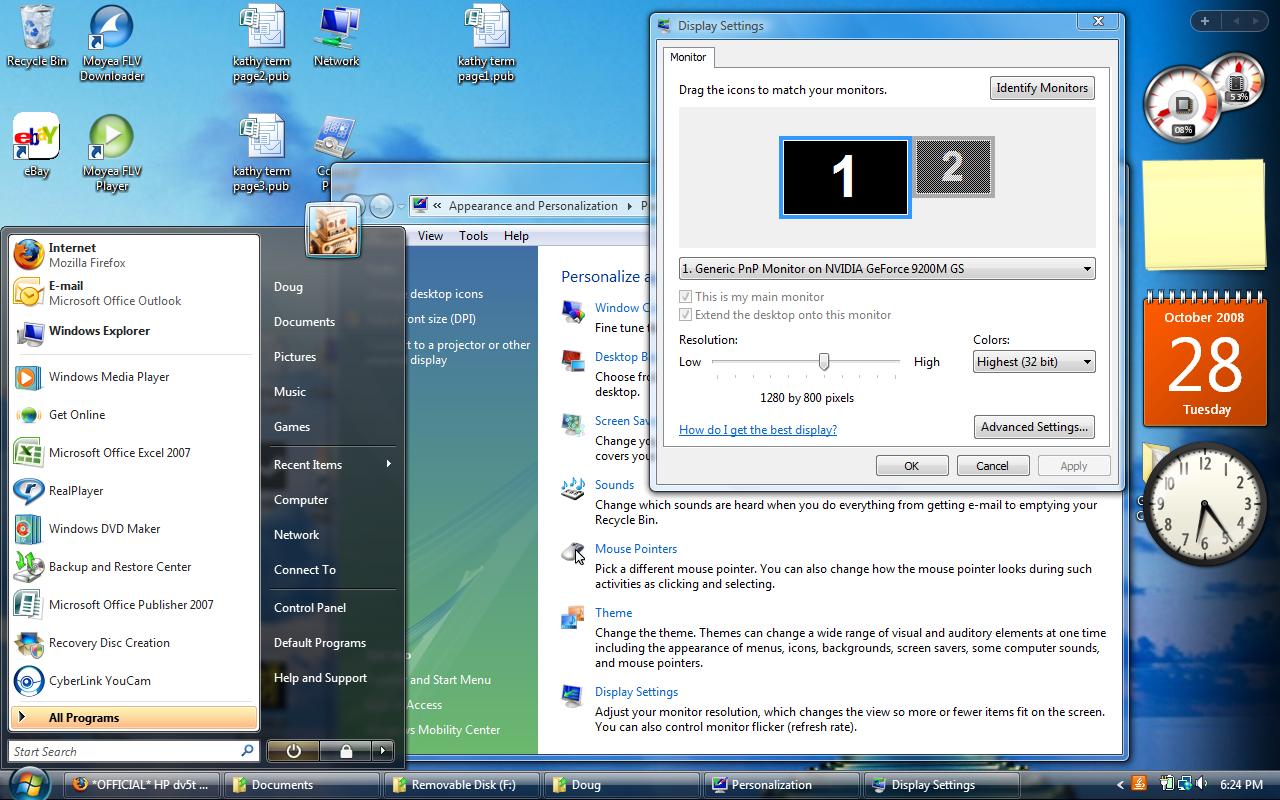
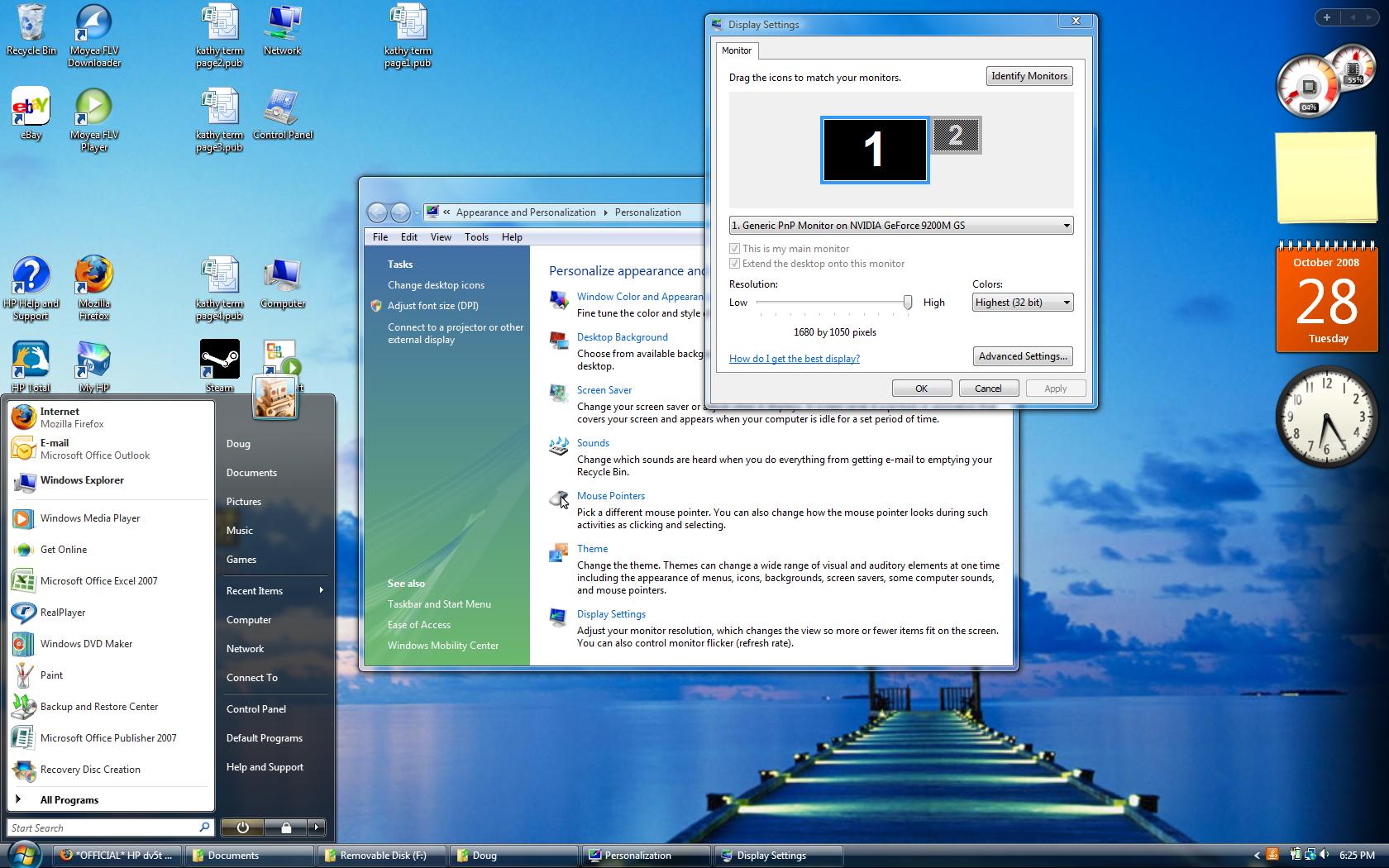
I will be ordering a dv5t soon, so I'd like to know, should I get the standard WXGA 1280x800 or is it worth it to bump it up to WSXGA+ 1680 x 1050?
Thanks. -
Would be great if a picture is taken of both the resolution to know how good it is for the eyes of individuals who intend to buy.
Pics please
-
About the WXSGA+ screen, I feel going from WXGA to it was such a big upgrade. It was definitely worth it, there was so much more extra space and the font was fine. If you require bigger words just make them bigger.
-
i'd agree.. i like the bigger resolution, more space... see for yourself...
Attached Files:
-
-
Hi guys! I just order the dv5t with 250-gb 5400-rpm hd and are planning to upgrade it later to a 320-gb 7200-rpm hd. Does anyone know whether this will be a problem as the service manual only list a 160-gb 7200-rpm hd along with various size 5400-rpm hds as being supported for the models with Intel processors.
-
I don't know why it would say such a silly thing. I have a 320 GB 7200 rpm seagate hard drive installed no problems.
-
Great, that's what I want to hear. I was thinking maybe the reason why they don't list support for bigger size 7200-rpm hds is because of the heat factor. Does your laptop run hotter with the larger 7200-rpm hd? Also, does it run faster with it?
-
I didn't even use the 5400 rpm drive that came with it, one of the first things I did was install the 7200 rpm. But yea it's fast. My hd temps stay in the 40's Celsius, but I haven't play any games on it yet. Lol, when web browsing it's the hottest thing on my comp!
Attached Files:
-
-
Thanks Darth! I guess I'll go ahead and order the 7200-rpm drive.
-
hi everygone! I just got my dv5t very happy with it, thanks for all the info, already undervolted
-
i've been seeing undervolted around ... just wonder what mean by that and how am i going to adjust it?
-
Im gonna do programming and designing. So will be hot too? Visual Studio 2008 and Expression Blend to be precise
-
Thanks for the pics.
For gaming, will the 1280x800 be fine? Or would it look better on the 1680x1050? I know it will be more taxing on the laptop for the bigger res, but just would like to know. -
Thanks a lot man that was really helpful .
Have you adjusted the dpi seeting for the 1680X- - - - resolution. I mean i was scared whether all the fonts will be too smal at this resolution, but your picture is giving me a total different idea. -
I didn't touch a thing. -
i'm sure it depends on what game you're wanting to play. but actually, i haven't tried any games as of yet. well, i did try crysis... have to put it on low at 1024 x 768. but i'm only running a 2.26 ghz proc as well. i'm sure the older games will run fine and look great!! can't wait.
-
Thanks for the REP point!!!!! WooHoo!
-
Do you know if we can upgrade the RAM to DDR3-1066 MHz?? I was reading about the chipset that the DV5 has and I think it supports it.
And what is all the talk about undervolting going on here.. could someone please explain what they mean by undervolting and what does it benefit the CPU or the laptop in general?
Thank you. -
FYI, my notebook is now in HP's hands to fix that annoying flicker issue.
Sent yesterday, arrived this morning shortly before 9am in Tennessee. The tracking page for the repair hasn't been updated that they even received it yet, but I'm sure it will be.
I took a bunch of pics before I sent it in, as some people have suggested.
We'll see how long it takes and whether or not it actually gets fixed. -
What has everyone been able to undervolt their dv5ts to?
I don't have the time to waste hours testing stability. -
cool, i'm glad you sent it in, and hope they can re-create the problem. did you send the video as well? and a note?
-
Yup, video and note as well.
They still haven't updated the status of my repair and it's been there for a good 11 hours. It's still listed as "HP is awaiting the arrival of your defective unit." Granted, I dunno how long it takes for them to check it in, but you'd think there should be some sort of update by now!
I hope it's not one of those cases where they never update it until it leaves. That's just dumb and pointless to have the tool in the first place. -
Its really something you just have to do. Every CPU is different and has different threasholds
-
No it doesn't support DDR3.
Undervolting is the process of lowering the voltage of your cpu in order to lower its heat and battery usage. Read more on it in the undervolting guide. -
my 9.0x is at .9875V, lowest i can go with my t9400. -
32 hours and no update. I can't say I'm surprised, especially after reading that "HORRIBLE repair service" thread. I even called them up and asked the status and they said it was received at the facility at the same time Fedex's site said it was delivered. So they obviously don't know anything about the actual machine.
EDIT: WOOO! They finally got the thing! Says I should have it back on 11/6. That's reassuring. YAY! -
OK, I guess it's not as bad as I thought. HP sent me two e-mails today. One to say they got it, and another one just minutes ago to tell me it's been shipped back to me! A one day turn around time, not bad!
I'll report back when I find out if the issue's been fixed.
-
that's weird, that they didn't just tell you in the second email what was wrong with it, and whether or not they fixed it as well.
-
Hmm, nope. Nothing at all mentioned in the e-mail or online what they did to it.
-
I have a bad feeling about this
-
The machine is back! The piece of paper in the box said they were able to duplicate the problem and the display was repaired.
I have been using the machine for about half an hour now and have done some things that would make it flicker previously and I'm happy to say that it's NOT flickering anymore.
Also, the machine doesn't look scratched, scuffed, or otherwise. It looks just like it did when I sent it in.
I'll check in later to let you know how it's going.
-
I'm glad to finally read a couple good repair stories. -
To those who are always aware of HP Coupons, do you know if this days they will come up with a coupon? and if they do, when, and which one will it possibly be?
Thanks!
-
Nobody knows, it's usually released on mondays.
-
Almost there....
-
Almost there...
-
4000!!!!!!!!!!!!!!!!!!!!
*HP dv5t (1XXX series) Owners Lounge*
Discussion in 'HP' started by Badious, Jul 22, 2008.