Problems? See this thread at archive.org.
In my experience they matched my coupon price by crediting my card the difference, and they also allowed me to keep my laptop until my replacement arrived. You may have to ask for these options, but it didn't take me any fighting to get it.
I went through 3 exchanges without talking to a supervisor and every agent I spoke to was courteous and helpful. I tend to the think the more trouble you give them, the more trouble they give you.
-
Interesting. I noticed my overclock increased after a BIOS and driver update to 12.8 (AMD), but I didn't push it high. I originaly OC'd to 660, and am now doing 675 - I'll test what I can get later tonight. It'd be nice to break the 700 mark like some of you have.
What memory speeds is everyone OC'ing to? -
when i tested mine i didnt push it past 1125. that is the memory clock of the desktop 7750. I wanted to OV it so i can go from my 740 to 800 on clock and get a desktop 7750 in my envy

-
Thanks for sharing that. Maybe the exchange policy has changed, but the manager was very adamant on having the original laptop returned first (Fedex would have to scan it) before even building the new one. They seemed really stuck on the 33% coupon code I used, and kept repeating that it was difficult to work with the replacement order because there isn't a current coupon that has the same discount.
Getting back to the OC of the 7750m, when I ran 3dmark11, the computer stayed pretty cool. Very impressive. But the heat exhausts through the backside vents which are swept upwards when the screen is open-- does this change with Coolsense?
I thought I read that someone else had a score of 2048 with an OC, but I had 2091 stock. What are you guys getting with max OC? -
I've been pushing mine to 1250 without any issues and haven't bothered to try any higher.
-
hmmm i could push it higher but there was minimal difference between scores. i wanna push the core higherrr
what drivers r u on? lemme find my max OC and stock comparision on 12.7b
--------------------------
found it:
-
How much performance improvement are you guys getting from these OC?
-
i put on the anti glare screen protector (and failed pretty badly, u cant see it with pics but it has dust and bubbles behind it). There is a slight graininess like as if i wiped my hand across the screen leaving behind the nautural oil from hand. However i feel this is worth it to get rid of the glare. i also included pics of the keyboard skin i got.
i ordered them both for 18$ lemme know if u wanna buy it ill post link
![[IMG]](images/storyImages/img20120918162545.th.jpg)
![[IMG]](images/storyImages/img20120918162556.th.jpg)
![[IMG]](images/storyImages/img20120918162627.th.jpg)
![[IMG]](images/storyImages/img20120918162639.th.jpg)
![[IMG]](images/storyImages/img20120918180405.th.jpg)
![[IMG]](images/storyImages/img20120918180413.th.jpg)
![[IMG]](images/storyImages/img20120918180429.th.jpg)
![[IMG]](images/storyImages/img20120918180437.th.jpg)
![[IMG]](images/storyImages/img20120918180557.th.jpg)
![[IMG]](images/storyImages/img20120918180613.th.jpg)
-
Wow man those look great, really interested about that anti glare screen cover. In your opinion, by what % does it reduce glare by? I was always little confused why they had a glossy IPS panel kinda besides the point..
And are there any other colours for the silicon keyboard cover? The normal white transparent ones do look a bit tacky, imho. Does they just fit all Hp laptop keyboards or just custom for the envy 15. If you could set us the link, that would be awesome, we could look around for anything we like.
Cheers -
here is the link: Keyboard Skin + 15.6'' Anti-glare Screen Protector Cover for HP ENVY 15-3040nr | eBay
as for percentage idk but im happy that im not staring at myself while in the light. it lets me reduce the brightness and stil be able to see what is on the screen. before, the backlit keyboard was reflected on the screen if iw as watching a movie or playing a game but now u cant see it and the keyboard lights are very light so they dont distract.
I think they made this one only for this revision of the envy. u can get generic ones but i like the custom fit better. and idk about other latops but the corner keys for the envy are rounded so they might nt fit other skins.
The transparent skin does look tacky but it does protect stuff from going under the keys (im usually munching away on some snack and ibefore i had to be really careful not to get crumbs under the keys but not anymore. also the transparent allows the backlit keys to shine through.
----------------
nvm found soem colored ones but they are too ehh for me
Backlit keyboard compatible skin protector for HP ENVY 15 series laptop | eBay
and it is kinda pricey when compared to the bundle -
They have red ones!!!!!!!!!!!
-
my biggest regards for testing the protector out. i think it's a worthy purchase.
did the screen become much dimmer? or is it not big loss of brightness?
does it stretch to the edges of the screen, to the rubber protector or does the protector cover only the led panel itself?
thanks! -
honestly i didnt notice the screen dimming because of it. Maybe this is because i can read it easier without glare but if it did its less than 10% dimmer. and it only is for the panel itsself because of 2 things: the proximity sensor, webcam would get blocked
-
I'm interested in the anti-glare protector. Let us know if after a few days the bubbles disappear and the application smooths out.
Just FYI for anyone else that may do this it's a good idea to have a small spray bottle of diluted rubbing alcohol and spray around the air. This gets rid of dust that may be floating around. It's also a good mixture to wipe down electronics (the outer shell, not the boards!) with. -
one mere good thing to have is a roll of regular, not too sticky scotch, it easily takes out the dust particles that are the pita to remove with fingers, leaving smudges and finger prints otherwise.
-
yeah i think its the dust in the air that kept on landing on my screen. cause i did wipe down the screen multple times. the airbubbles arent gonna dissappear i would have to left the screen up and remove the paticless before applying it again. i wish i knew about the spray before lol
yeah in the video tutorial that is what the guy used so i was using some shipping tape to get crap off the screen protector but if u accidentally stick it to the actual screen its a nightmare to get off i think thats why my application wasnt stellar. i spent 2 hours on it trying to get rid of all the bubbles. when the cscreen is on u cant really notice the bubbles but when its off u can definately see it.
if u get the screen make sure u guys do it in a dustless room and try to put it as fast as u can but without the bubbles. i think i took too long and the dust kept settling -
yes, those things like confident and fast application with my gf i managed to cover the whole car in matte vinyl , so i hope that kind of experience will help with this delicate matter lol
-
Just curious, does anyone know if the 3217nr version on the Microsoft Store has the 2 yr warranty? I thought I read that anything not customized on HP's site was one year. I've been deciding between this and the Samsung Series 7 15 & 17".... I've read so much it's all a big blur lol.
EDIT: Called and they couldn't tell me. She said they normally do 1 year for everything except a few Dell's but they might be matching HP's 2 year... couldn't say for sure. -
if u can, i would reccommend ordering online because hp.com has good coupons. the hp warranty is usually 1 year on prebiuilt. maybe microsoft store might add another year idk
-
Thats a great deal, I think i will be ordering through microsoft when i decide to go for it.
...unless a good hp deal comes along soon -
well i finally got bf3. the settings that i find good is basically everything high with aa/af turned off along with motion blur and amience this gives me around 30-50 fps depending on map and location. also this is with OC.
-
i jsut ordered an i7 1080p 8g version. very much looking forward to receiving it! found a screenpatronus screen protectors, that have good reviews and they say that their screen protectors for edge-to-edge glass are also edge-to-edge. we'll see.
-
As in it also covers the camera and proximity sensor? If so make sure to tell us how they work after you start using it.
-
Hi
I´ve just made a clean win install after installing an ssd. Now i can´t find the proximity sensor software. Anyone know the name of the driver? I browsed the HP support site, but couldn´t find it. Is it a part of bigger drive suite?
Awsome laptop though, i just wish it came with an analog overclocking knob instead of the volume
Cheers -
Did you backup your swsetup folder before formatting? That contains all the drivers.
I always recommend doing a minimal restore rather than a clean install just to avoid driver issues. The only bloat on minimal restore is Power DVD and the HP Support software, but that can be useful for checking warranty. -
Well, I finally got my laptop after almost a month of waiting and after the initial honeymoon period, I'm a bit nonplussed. It certainly is a nice laptop, but I have two issues. One, the right screen surround was not properly snapped in, which I fixed. Now two, I have begun to notice dead pixels. I have at least two that I've just found, but I am afraid that now I'm going to find more.
I should also say that the touchpad seems extremely difficult to press down. Hopefully that will loosen up a bit. -
it's the first question i asked, whether it has holes, and to recheck - the width of the protector, that would be a nice thing, would look better with the whole matte appearance i guess.
-
yeah the clickpad is stiff if ur used to mac clickpad but i just use tap to click instead of actually clicking. and dead pixels they said is covered under the warranty if u get patches of it not 1 or two
idk i kinda like having a glossy bezel it doesnt look bad if u apply it right -
Yeah the stiff clickpad plus high-friction touchpad surface made it a real pain to use stuff like drag and drop. The used Envy 15 at PC Richards and Sons was much easier to press. I thought it was easier to just use tap-to-click too.
-
Do you all have extended warranties? I'm thinking about buying a Squaretrade warranty for mine but not sure if its worth it. Thoughts?
Also, my trackpad was stiff as well when I first got it but it seems to be loosening up after a while. -
To pongalong. I have the old hd laying around. I´ll just install it in a 2,5" usb case and have a look. Thnx.
-
i got the accidental 3 year in home. if i wasnt getting compensated.. idk if i would have bought it. however it doesnt hurt if u got the money. and mine is looser too
-
after playing battlefield 3 with a 710/1100 OC for an hr and half, my temps reached 84C in a normal temp room (70F?). hmm with the back propped up yesterday it stayed around 72C so i guess the cooling system is getting stressed when you play BF3 lol
after 5 mins of fans running at higher speeds, the temp went down to 44C but the fans didnt. I think i know why, when you exit the game, the card shuts off, this causes fans to keep going cause they cant monitor temps. thats why when u put it on standby, it resets fan settings. -
that's weird..
Most laptops don't take into account gpu temperature for the fan speed, its normally always the cpu temperature that matters.
does the laptop has the coolsense ting? -
Lol the envy does have cool sense but it also has dedicated fans for CPU and GPU ( that's why it has good cooling) the CPU fan doesn't speed up much for bf3 the GPU fan goes at 90% I believe. Stupid enduro
-
The cooling is shared for the cpu and gpu, both use the two heatpipes, but could you test it with just prime95 to see if only one fan runs, that would be really weird.
-
http://www.laptopreviews.com/wp-content/uploads/2012/01/IMG_2332_thumb.jpg I didnt realize the fan were different sizes. I am fairly certain that the fan near the screen hinge (the bigger one) runs when the gpu is stressed. and i believe when the cpu was underload once (encoding video o rsomething) it was the middle fan ill check out prime95 in a sec.
so i ran prime95 for a bit and the middle fan seemed to spin up more but the one near the hinge was also running fast. the max temp i got at that time was 94C and all 4 cores were at 3.3 with some fluctuation to 3.4 ghz. i decided that i am going to run both furmark and prime 95 together and see what happens. I gotta take a nap anyway. -
I would think that the one nearest the hinge being the bigger of the two would cool the GPU and the CPU while the smaller one near the middle is dedicated to the CPU
-
yeah thats probably it. well after the nap, so around 3 hrs of stress testing, the gpu is at 80C with OC of 710/1100. the cpu went to like 103 on 2 cores and 101 on the others. is this bad? The fans didnt stop spinning again so it is something with enduro.
I had my laptop proped up on the coolermaster u1
--------------------
interesting side note, while taking that nap i dreamed everyone was horribly wrong about the cooling and that the rubber things that prevent skidding melted. and then some of the screws holding it together also melted so when i picked up the laptop it fell apart. I was having a panic attack in my dream trying to convince hp it melted cause of natural causes and not OCing LOL -
"Is this bad"?!?! CPU temperatures in excess of 100 degrees Celsius are dangerous. That is hotter than boiling water and could easily fry your CPU. I think stress testing for three hours is excessive and I would not risk it.
-
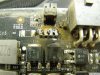
uhoh i guess my dream almost did come true but i looked up the envy 15 review done by notebookcheck and they were also getting temps above 95 as for gpu they got it to 76 mine went to 80 but i also did have an OC.
HP Envy 15-3040nr Laptop Review - Notebookcheck.net Reviews
maybe the sensors are reading it wrong? This is what im seeing in hwinfo64. if what they are showing is correct.. my cpu is idling at a higher temp right?Attached Files:
-
-
Not if you were running both furmark and prime 95 together for 3 hours :O ... but i would never do it again.
Your normal temps for the laptop aren't bad at all so don't worry about those, compared to other Ivy-Bridges this laptop is like a freezer. -
guess i wont be doing that again hahaha
-
Yea furmark alone can do this!
-
idk why but it didnt seem that furmark was as stressful as bf3 is. also the gpu util was around 90% not 99% which is for everything else
-
From what i've read both nvidia and amd cards intentionally throttle when they sense benchmarking applications (furmark in particular) by lowering the speed and voltage to prevent heat damage.
The reason why it kills cards is because it keeps the CPU and GPU at 100% (when its actually working) when in real life use, even though a game might show 100% utilization it looks more like a pulse or seismometer, and most of that utilization is in looking for and receiving data rather than computing it. A bench-marker makes sure its always computing, at 100% capacity, all the time, at max clocks. -
alright i think iunderstand
-
if ug uys play bf3 add me we can play tonight. MrPaKii
-
Use a smaller resolution for furmark and you will get 99% stress and even more temperature, its like prime95, the smaller the fft the worse it is.
That fan bug is weird indead, if it is enduro will it help leaving a program on the background that uses the gpu but doesn´t stress it until the fan return to normal? -
yeah i tested it with 3dmark11 and it does return to normal. its just easier and faster to put it to standby cause then the fan settings reset.
NOW AVAILABLE: ENVY 15-32XX Intel Ivy Bridge (AMD 7750M)
Discussion in 'HP' started by yknyong1, Feb 11, 2012.


![[IMG]](http://img543.imageshack.us/i/img20120918162545.jpg/)
![[IMG]](http://img836.imageshack.us/i/img20120918162556.jpg/)
![[IMG]](http://img19.imageshack.us/i/img20120918162627.jpg/)
![[IMG]](http://img339.imageshack.us/i/img20120918162639.jpg/)
![[IMG]](http://img809.imageshack.us/i/img20120918180405.jpg/)
![[IMG]](http://img217.imageshack.us/i/img20120918180413.jpg/)
![[IMG]](http://img7.imageshack.us/i/img20120918180429.jpg/)
![[IMG]](http://img222.imageshack.us/i/img20120918180437.jpg/)
![[IMG]](http://img716.imageshack.us/i/img20120918180557.jpg/)
![[IMG]](http://img820.imageshack.us/i/img20120918180613.jpg/)