 Problems? See this thread at archive.org.
12.9beta drivers out. they apparently got switchable gfx in it so we wont be needing hp's drivers in theory. Ima uninstall my hp drivers+12.7b and try to install this ill report back.
AMD Catalyst
-
Looking forward to it, Pakii.
My replacement Envy 15 shipped and is arriving Monday. Hoping this one is a winner! -
well i successfully uninstalled 12.7beta. I tried to uninstall the hp drivers but when i did that, it deleted the radeon card. when i tried installing 12.9 it didn't detect the card. when i refreshed it in device manager, it reinstalled the older hp drivers with the card. not finding a way around it i installed the newer hp drivers and then installed 12.9b. not much options changed besides adding a video acceleration option, an actual list of apps and which card they use. and ability to change graphics options (like vsync aa/af triple buffering) for specific apps (I dont remember if older ones were like this).
I havent tested for improved performance yet, ill try it out later when i got time. ill do a 3dmark11 run and bf3 run when i do -
Hi all,
I just got my envy 15t-3200. First of all, the fit and finish is pretty bad. The assembly at the hinges are not perfect, there is a gap between the seams. The screen reflection is wavy because the clear plastic protecting the screen doesn't fit flush (even after I tried to push the screen inward). Anyone else have these problems? There is also the infamous dent at the USB port, but I don't really care about this.
Other than these physical problems, everything works great. I installed my SSD, then I installed the 12.9b drivers from LeshCatLabs (using the "upgrade" option, don't uninstall and reinstall the drivers). There was a noticeable improvement playing Diablo 3 with 12.9b compared to the stock drivers. WEI went from 6.7 to 6.8, and the AMD Cataylist UI is better, giving you more control over which apps use dGPU.
Overall, I am happy with it and will keep it. For only $1k after tax, can't really beat it. Not going to wait out for the Asus U500 which will cost about $2k after tax, and weigh only 1lbs less. -
The 12.9 betas don't support switchable graphics per the release notes (although it mentions mobility support, which makes little sense). Switchable graphics requires an AMD and Intel driver, and this package doesn't include the Intel driver. They work if you update over pre-existing ones, but they will not from a clean install. Naturally, your Intel driver will not be updated.
-
yeah i got confused when they said that it included enduro... but atleast when these are released, they will be official drivers for our cards.
-
Ok
I just installed 12.9b from LeshCatLabs and ran 3dMark11 with 715/1200 clocks and got 2547, thats a major increase!!! My last run with 12.7 were 2174. -
damn thats a huge jump... i wanna try running mine with 740/1125 and see what happens... maybe if i finally finish this hw ill have time b4 class to do a few runs. did u change any settings in CCC? cause adam with the envy 17 only got 100 pnt increase
-----
what was ur gpu score? this was my highest at 740/1125 with 12.7
AMD Radeon HD 7750M video card benchmark result - Intel Core i7-3720QM Processor,Hewlett-Packard 1851 score: P2352 3DMarks -
No changes in CCC, this is my score AMD Radeon HD 7750M video card benchmark result - Intel Core i7-3610QM Processor,Hewlett-Packard 1851 score: P2547 3DMarks although it seems that the ULPS has more entries in the registry after i updated the drivers. I had to change values at least 4 different places. I´ll play around with my clock settings in Afterburner and see if i can crank it up a nudge. It also seems the you finally can choose between powersaving/highperformence/based on powersource. I haven´t confirmed it yet, but i fiddle around and see if it changes if i unplug the laptop.
-
u dont gotta disable ulps for OCing. I forgot to do it a couple of times but afterburner worked anyway.
also tehre was already an option for the cards with different powersources. however, it was u could either force powersaving or auto switching. There was no high performance always for battery. This is in under power options -
Well, i couldn´t get Afterburner to overclock after i installed the new drivers. But after i made the ULPS disabling, it worked. Last time i o.c. the card i ended up with lockup at 730mhz, you get it stable at 740?
-
stable at 730/1100 for benchmarking 70% at 740/1125 for benchmarking.
for gaming i use 715/1100. thats like 95% stable -
OC'ing without enable_ulps set to 0 doesn't work for me either. Pakii, if you could post what you do to OC it would be helpful, e.g. Afterburner, dll versions, registry settings.
-
i havent done the settings since i got the laptop like 2 months ago. however i do remember u need the two dlls that are missing, i think they were linked a while ago in this thread. also u gotta do the unofficial overclocking thing for afterburner.
----
where are the enable_ulps keys located again? I wanna make sure i am 90% sure i didnt disable it -
I just made a search (ctrl+F) for EnableUlps in regedit, and then hit F3 to find all entries.
-
wat the hell what do we have different lol... @740/1125 this is my result: AMD Radeon HD 7750M video card benchmark result - Intel Core i7-3720QM Processor,Hewlett-Packard 1851 score: P2432 3DMarks
-
can u run 3dmark11 again? i tried 750/1125, 745/1200 , 740/1200, 740/1150 and it froze up on last test. sometimes there are random scores. I got a score of 3200 once which obv isnt right. ima go to class then ill try running it again wheni get back.
-
I just ran 3dmark11 at stock clocks AMD Radeon HD 7750M video card benchmark result - Intel Core i7-3610QM Processor,Hewlett-Packard 1851 score: P2126 3DMarks and it´s way faster than the old drivers. I´ll try running at 720/1200 again soon.
-
Hmm alright I'll reset CCC settings and run it at stock and 740/1125 again. That's really weird that u got such a boost. What exactly do u have installed?latest HP drivers+12.9b? All at default settings? I'm in class right now so can't really do it lol
-
Well, i restored to factory defaults in CCC and ran 2 benches with a reboot in between and got 2558 and 2560 (720/1200), so it´s pretty solid. I think you should have a look at the drivers at Leshcatlabs.net I think he´s streamlining those drivers pretty good.
-
u didnt use the official beta drivers?
-
Yes this is the official 12.9b drivers, only better
 As i understand it he makes it work better with the Intel driver, because our Amd drivers are dependent on the Intel drivers. I am not an expert in this area, but it got something to do with the fact that the Amd graphics uses the Intel graphics frame buffer and pcie bus, and therefor are dependent on their graphics drivers also. You are all welcome to correct me if i´m wrong, as i said i´m no expert.
-
Anyone know why the bass always is at -12 in tonecontrol for audio device, when i restart my laptop?
-
well i still am not getting ur scores lol. did u uninstall hp's?
-
For owners with the new screen:
Could you look up the exact screen model number using MonInfo? You don't need to disassamble your laptop, this tool can read it out:
EnTech Taiwan | Utilities | Monitor Asset Manager
Can you post what is your exact model number for the IPS screen? I'm trying to collect it to my wiki here:
PiratePad: bestpanels
I believe it's a revision of LP156WF4. I know it's SLB1 in the Sony SE (matte) and SLB2 in the older Envy 15, and that there is also SLB3 but I've never heard of a laptop with SLB3. -
This is my screen.
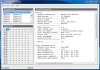
-
Ahh it seems that the "data string" field is missing. Mine looks like this:
![[IMG]](images/storyImages/kpZ6Q.png)
-
Just got my replacement ENVY 15. So far so good! No build quality issues noticed and it turns on just fine. Installed 12.9b and got:
3dMark06- 12666
3dMark11- P2140
UPDATE:
with Afterburner 2.2.4 and 12.9b, I used 701/1108 and got
3dMark 11- P2381
3dMark06 - crashed
and a max of 66 C. -
Thats pretty much on par with my scores at those clocks. Have you tried higher clocks?
-
I haven't. I'm wondering why 3dmark06 would crash with the overclock. The error message I received was that the display driver is not responding (when overclocked). When I reset the clocks to stock, it works just fine.
-
Seems my system doesn't like overclocking much. I've had to keep Afterburner fairly conservative in order to complete 3dMark06.
With 655/1100, my result is 13748. -
Apologies if this has been answered before but I'm a new HP 15-3200 owner (repair team upgraded me from a 3000) and wondering about multiple external displays...
On the 3200 product page HP explains that you can connect 2 external monitors + the built in for a total of 3 screens but tech support was unsure how. Has anyone successfully done this?
Setup:
- HP 3200 i7-3820QM / 6GB / 750gb HDD [primary]
- Samsung 23" LED via HDMI to HDMI connector [single cable]
- Samsung 23" LED via HDMI to Display Port connector [single cable]
All 3 are at 1920 x 1080 resolution and I have no issues using any two at once [either monitor + built in or both externals). -
What bios and drivers are you running? Update to F.09 and 12.9 Catalyst; you should see a nice boost.
-
I never O/C my cards until they've had a decent amount of time to burn-in. That said 700-715 is the range in which I start to encounter errors.
-
F.09 is for the 30xx isn't it?
The 3200 uses a F.08 bios as far as I know. -
hmm idk what to make of this. hwinfo 64 s telling me my cpu is going up to 99 C on some cores. my gpu is around 80 for bf3. the gpu is OCed but the cpu isnt anything.... i might have gotten a bad paste job
can someone test bf3 out and lemme know what they are getting? ill check out idle temps tomorrow and compare. what are good idle temps?
-
My comp crashed while playing Civ V last night. Also, the battery tray jiggles a bit. I think I'll be sending this back for a refund.
-
Anyone know if our Displayport supports 2560x1440 resolution?
-
Questions for the owners:
1. Is there any problem with the screen(I mean false color reproduction)?
2. Still any build quality problem for recent buyers(USB dent,loose display bezel,dvd drive noise?)?
3. Any throttling issues with CPU/GPU without OC? -
Had mine for 3 month now. Only issue was the dvd-lip, the felt material cought the dvd on its way out. Really no brainer to sort it out though.
The screen is awesome and the overall build quality is top notch. I think HP have sorted out the initial build flaws.
No throttling on mine
-
1) there is no more orangegate. it isnt the best in the color coverage but its still better than most screens
3) no throttling.
for 2 u need to ask people who just got theirs -
Has anyone confirmed the model number of the non-orange screen?
-
I went ahead and returned mine, but I miss it dearly. Now that AMD has released catalyst 12.11, I'm wondering if I really shouldn't have.
They say that the performance increases were much more significant with the higher end cards, and less so with the 77xx. Pakii or anyone else, have you guys been able to run any benchmarks with the new drivers or has overclocking capabilities changed? There were observations of higher power usage, so if it were to increase voltage in any way (or is that bios only?), that would allow the card to be overlocked significantly better. -
i havent checked out 12.11 yet... ill let u guys know when i do
-
before stock clocks (with hp drivers) :
AMD Radeon HD 7750M video card benchmark result - Intel Core i7-3720QM Processor,Hewlett-Packard 1851 score: P2052 3DMarks
after 12.11b stock clocks: AMD Radeon HD 7750M video card benchmark result - Intel Core i7-3720QM Processor,Hewlett-Packard 1851 score: P2383 3DMarks -
So in other words...right on par with the 650m!
-
even better: AMD Radeon HD 7750M video card benchmark result - Intel Core i7-3720QM Processor,Hewlett-Packard 1851 score: P2692 3DMarks highest score so far @ 730/1100
-
If it's not to much trouble, would you mind doing some sort of tutorial on how to install the drivers? I am not familiar with the process, the last time I tried to update drivers I got a BSOD. Also, would I need to update the BIOS first? I have been holding off updating it because I really can't afford to have a bricked laptop.
Thanks in advance,
Nick. -
Is there anyone here who has updated their 15t-3200's BIOS to the F.09 version from the 15t-3000?
I'm experiencing keyboard issues and would like to update. -
Did you wipe out your 12.9 beta drivers before installing? Also, are you seeing the "idle" bug affect your temperatures - e.g. clocks keep fluctuating when the card is idle?
NOW AVAILABLE: ENVY 15-32XX Intel Ivy Bridge (AMD 7750M)
Discussion in 'HP' started by yknyong1, Feb 11, 2012.


