 Problems? See this thread at archive.org.
I would like to ask if anyone has managed to play Planetside 2 with their y410p, I absolutely cannot get it to work.
On the subject of heat mine only gets a little warm under the WASD keys, but the aluminum directly to their left gets quite hot. The fan gets pretty loud (enough to hear it over my headphones) under heavy load, but I've never gamed on a laptop before so I have nothing to compare it to.
-
Btw Jobine i messed around with OC my gt755m and I did what you told me and it actually helped a little for bf4. I get a few extra Fps and the temps didn't really rise.
Jobine likes this. -
Try updating your graphics drivers.
-
I have some questions for you guys
Im gonna buy the 749 $ one , is the price OK ? or I can get it for lower price or higher specs for the same price ?
Is it possible to add another HDD or SSD ?
and can I add SSD with ultrabay and get the full speed of it ? -
Planetside 2 runs well on my Y400 (GT750M), but it's also made my Sony, which usually means it is so unoptimized and will lag no matter what kind-of hardware you use. You also have to remember that it's a MMOFPS. It'll have a heavy load on your internet. So if you're not using a ethernet cable I would suggest you start.
-
Whatever you buy get the 900p screen.
-
is the difference between the 900p and 720p noticeable ?
and what about the questions about the SSD ? Do you know any thing about it ?
Thanks -
Yes very. More pixels and better colors.
It's a 24GB 42mm M.2 (NGFF) drive, used for caching. However, i would rather recommend a full 2.5'' SSD, which you could place in a caddy (or place the main HDD in the caddy and the SSD in the main bay). -
No, I mean it literally crashes on startup and I cannot run the game. Interesting that it works fine on the y400. Also I have 57 Mbps down, 12 Mbps up, 17ms ping over wifi
 .
.
-
Try verifying the integrity of your game cache via steam and upgrading drivers. Chances are this is a software issue, not a hardware issue.
-
So if I placed the SSD in the ultrabay and moved windows to it , I will get the full speed of it ? or it will be slower ?
Thanks -
It would be the same speed. Both the ultrabay and main drive bay are both SATA 3. The problem is that you cannot boot off the ultrabay, so your SSD (which would contain the OS) should be placed in the main bay and the HDD should be in the Ultrabay.
-
Are you getting an Error Code when it crashes? The game runs fine for me but it crashes with "PlanetSide2.exe has stopped working" after every exit, which is annoying but not a huge deal. It also crashes with "PlanetSide2.exe has stopped working" and a G12 Error if I stay on the character select screen for more than 5 seconds before entering the game, so I literally have to select my character immediately or it will crash.
These are issues with the game because they've persisted after multiple system wipes and the exact same stuff happens on my Windows 7 desktop as well.
This game is just extremely buggy and has really been in beta for the last year. Performance and hardware utilization are also extremely poor. It's very CPU-limited because it's single-threaded. GPU usage and FPS in big battles are just awful. It runs a lot better on my desktop because of its i5-2500K @ 4.8 GHz.
The good news is that the first big optimization patch is due in the next week or two. People on the Test Server have reported massive improvements in performance, crashing, and overall stability along with increased GPU usage and actual multi-threading so I simply can't wait for the patch to go Live. I'm skipping BF4 so this game will be one of my primary FPSes for a while.
In the meantime, you can try to validate the game assets through the PlanetSide 2 client. Delete your UserOptions.ini file so it resets all your settings. Or reinstall the whole game as a last resort. Other than that I don't know what to tell you.
Horrible advice. Guess you've never played this game. If you have the Steam installation of PlanetSide 2 never do verify integrity of game cache through Steam for it. It will break the game completely and redownload everything. Always use the game client to validate the assets. -
You're right on me never playing that game. But i did this for some of my other games (CoD/TF2/Dota) and it fixed the problems.
-
It works for some games on Steam, not all of them. TF2 and DOTA 2 are both Valve games so of course it works for them, and the last few CoD's have all been Steam-exclusives. It doesn't work for games that don't natively integrate into Steam, especially the F2P MMO's such as PlanetSide 2, which all have their own client. Tribes: Ascend does the same thing. These games only use Steam as a launcher.
-
Is there any other way to boot from the SSD in the ultrabay without replacing it with the main HDD ?
-
Thanks for the advice on PS2 guys. I installed it with the standalone launcher and it works fine, the steam version was the problem.
Also is there any official way to buy the Ultrabay hard drive caddy? -
Install a bootloader to the HDD such as PLoP and then chainload the SSD.
-
Thanks !
One more question , what is the least price I can find for the HD+ model ? it's now 799 $ on lenovo's website -
I honestly recommend the 799$. You get the Quad-Core and the 900p screen, Totally worth it.
-
What kind of temperatures I you guys getting after heavy gaming sessions of graphically intense games like crysis and battlefield? I'm just trying to get an idea of what is normal and was is hot for a laptop. I also know that they could have applied the thermal paste wrong during manufacturing of the laptop if its getting too hot.. While I was using cooling pad with a fan, I only played about 30-45 minutes of Battlefield 4 on High-Ultra settings at 720p and my processor reached 85C and the graphics card reached 79C. This is my first gaming laptop i've ever had. Thanks.
-
How good can the 755m gt run PS2?
-
You mean that is the least price I can find for the 900p model ?
Thanks for everything -
It's the lowest price you can get the Quad and 900p, which you should not buy this laptop without.
-
The shipping label has been put on already, but when do they actually ship it? It has been a day since it had a shipping label on it already.
-
Got my y410p back from Lenovo. They replaced the mainboard. Now to re-image Windows 7...
-
Did they replace the 750 with a 755?
-
Nope, 750M.
EDIT: Can't get fptw64 to dump the BIOS so I guess I will just hold back on doing that and just use the stock wireless card for now.
EDIT2: Got it, had to use abradner from T|I's modified fparts.txt -
Mac OS X 10.8 on Y410p (using VMware player):
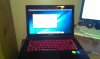
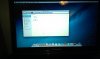
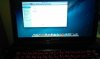
Assigned 3 cores (6 threads) and 4 gigs of RAM. Runs decently smooth, limited by the 5400RPM hard drive. Slight video choppyness but very useable.
Will be installing iMovie and FCP on it soon. Maybe iWork too. -
even after OC my GT 755m I am still getting unusual FPS dips when playing bf4 and near any fire like 5-7 FPS @900p. Yet when I switch it to 720p I don't
get the dips near fire. I am so confused. -
You mean 768P? Is the quality bad on 768P with high settings?
-
hmmm... if you're successful with that, tell me how you got it to work. Last time I tried, I couldn't get graphics acceleration, so I couldn't run imovie or even play videos.
-
I play on 900p but I was just messing around, but at 768p it would look like the Xbox One version.
-
I ordered a y410p yesterday night. The website said it would ship on on 11/11 and arrive 11/18. Today I got a shipping confirmation and its going to be here by 2 day air from North Carolina. Interesting.
-
I've got my y410p, its pretty spiffy although the hard drive is just... oh gawds its abysmal, horrific speeds and looking at the benchmarks, nobody at all seems to make a good 1tb drive for any speed right now in this form factor.
I got a 64gb NGFF drive because I figured I'd use that awesome Intel SRT everyone is talking abou-... oh, I can't use that, I have to use something called ExpressCache, well that's fine, because I installed that.
I see the drive in the bios... https://dl.dropboxusercontent.com/u/116117/biosseesmydriveok.jpg so that's a good thing
Now starts the problem...
Windows doesn't see the drive, not in the device manager, not in the disk manager, NOWHERE is this drive visible, even if I disable the fast boot in Windows 8 to allow it to detect hardware better, I see nothing.
Awesome! I'll just boot gparted and double che-... black screen of death, well then...
For drivers and such I do have the latest chipset and Intel RST installed, I'm not missing any drivers as far as I can tell, however the drive doesn't seem to exist.
Searching about, this looks like a problem a lot of people have had, I've found nobody who's actually resolved it though beyond one person who said "screw it" and just sorta kept using the PC until magically it showed up.
I'm not going to wait for it to magically show up, what in the hell could possibly be wrong here!? -
Hi, you will not see it in Windows because it was never assigned a drive letter.
Here is the instructions for installing and enabling ExpressCache properly, since Lenovo does not provide any:
These steps have worked for me both times I've installed ExpressCache and after cacheing the Windows directory, it "feels" like a SSD system.
You might be able to also install Intel Rapid Start but I have not dabbled with that and there is some more extra steps to follow, not sure it would be even worth it considering the speed improvement of just cacheing the Windows folder.gerard187 likes this. -
The disk is not seen by windows, its not possible to select it as a disk from the command line in this manner, sadly.
Seems Ubuntu 12.10 also boots to a lovely black screen, further more if I enable legacy boot, the SSD is shown as the primary boot device on reboot, then skipped over for being blank.
This is really a major bummer :I
The laptop is nice, its usable... except the hard drive is unforgivably slow, it wrecks the usability of it to an embarrassing extent, either the SSD as cache fixes it or it might go back entirely. -
It does not show up in diskmgmt.msc?
-
I am just wondering if there is any news about the ultrabay for the y410p gt750m4 and gt755m4.
Cause the y510p got their ultrabay and I would hope by now we would at least have some news on if we get an ultrabay or not. -
It does not.
-
Called Lenovo today:
Me: hi
^Dennis Joseph: Thank you for contacting Lenovo Sales Chat. My name is Dennis Joseph and my Rep ID is 2900713392. Happy to help you today.
^Dennis Joseph: Hello, how can I help you today?
Me: Do you guys plan to sell the Lenovo GT750M4 for Y400 and Y410p?
^Dennis Joseph: I will be glad to help you
^Dennis Joseph: We do have it but does not support Y410p
^Dennis Joseph: It only supports the Y500 and the Y510p
Me: But sir
Me: Gt750M4 is for y400/y410p, gt750m5 is for y510p/y500
Me: so the answer is no?
Me: ...
^Dennis Joseph: You are right
^Dennis Joseph: We are expecting it to be released by this month end
^Dennis Joseph: You can wait and check back
Me: So the Y4 (y400/y410p) one should come out later this month??
^Dennis Joseph: Yes, you are right!
Me:
Me: okay, well count me in thanks
Me: have a nice day
^Dennis Joseph: You're welcome
^Dennis Joseph: I hope I have answered all your questions.
^Dennis Joseph: Is there anything else that I may assist you with Lenovo products today?
Me: mind if i post this on Notebookreview.com?
^Dennis Joseph: No problem
EDIT: Almost revealed my RL name, yikes!
Also, i am *kinda* believing Lenovo on this one, simply because M4 is just M5 with different bezel and clip. -
I am going to cross my fingers and hope they release a gt 755m version too. My dorm now has a new 1080p monitor (not TV) and I am going to need two gt 755ms to use it the way I want.
-
Buy this (you will have to import it) and then mod it to fit:
Y 15'' Removable Graphics GT755M5 | 888015133 | Lenovo | (MY) -
Couldn't I just wait until the m4 version is released? Because I don't trust myself to modify it, even though it isn't too hard.
-
Good luck finding M4's without dealing with chinese people (which i strongly don't recommend, sorry to sound racist). Want me to call Lenovo Malaysia and check to see if they have it?
ValVraVex found a 750M4 but he got extremely lucky. -
That would be great.
But as a quick question to modify the 15 inch model is it easy or hard and what would I have to do? -
I don't recommend dealing with Canadians either. They can't speak proper English and love dumb sports like hockey.
-
I'm not saying all chinese people are bad dealers, i'm just saying chinese sources (like TaoBao) are *not* reliable, but he probably knows that already, eh? -
Lol.
But who you got to look out for is the Brasilians. I have imported twice from them and both times the product they sent me was broken, crap and not even the product they listed. -
And that's why you gotta be careful with imports.
Lenovo malaysia requires import, but at least you are dealing with a first party. Your best bet is to contact Lenovo in your region and then ask if they can forward the card to you.
Lenovo IdeaPad Y410P Owners and Information thread
Discussion in 'Lenovo' started by jedolley, Jun 10, 2013.


