 Problems? See this thread at archive.org.
Y400 Removable Graphics GN35 | Lenovo | (US)
Buy this one and use Ember's mod to get it working
-
Thanks Jobine. I will check out Keytweak. As for the battery, I am still waiting for US customs to clear it before it gets to me from China.(perhaps I should have asked someone to sneak it it to me over our southern border. it would have arrived faster.) I purchased it from Love battery. The laptop shipped with the 62wh battery, and with default power settings, it does not last that long. I have not timed it, but I would guess about 2.5 hours with all settings to high performance and screen brightness to max.
I am hoping the 72wh battery fixes that. I read reviews of the Razer 14 that is gets over 6 hours with its 90wh battery which is sweet, but with that low-end screen, it's not worth the money they are asking. I was searching for a small light cool quiet powerhouse when I bought this. It's cool and quiet, but not light or small. The G46VW is also a larger gaming laptop, although cool looking.
I like the thinness of the ASUS UX301 and UX302, and the power and industrial design of the Razer Blade 14, but the Lenovo Y410P at the price point they position it in is too good to pass up. I don't think the Maxwell will be that much better than Haswell from a gaming standpoint, as in gaming, the GPU is everything, The GT755M in this one is good enough for most games right now.
I just wish they had a slice battery option available for this thing. -
Maxwell is not CPU, it's GPU, Nvidia 800M series to be precise.
Though i am expecting a refresh of the Y series, hopefully with the FHD/IPS displays borrowed from the Tx40 series Thinkpads coming around in March. -
I've had a 410p for a few days and it's a pretty positive experience with one snag:
I've had issues with my gt 755m where a game when it reaches 60 fps or higher I either get screen tearing with vsync off or noticeable slowdown (but fps counter still stays at 60 fps or higher -- maybe its more of a stutter that isnt detected by fps counters but is very noticeble). This is pretty annoying, but with games like borderlands 2 with a built in fps limiter I can limit it to 50 and it stays smooth throughout. Otherwise all I do is try to keep my settings high enough to where my games don't reach 60 fps, which can be annoying in games where fps jumps a lot from 30 to 60 depending on the area.
So my question is, is there any utility I can download to limit my game fps to 50 for all games? -
Nvidia Inspector and RTSS both have FPS limiters.
-
Thanks. Games like borderlands 2 and battlefield 4 have in-game fps limiters which work best for me at the moment because when coupled with vsync in-game I get very little screen tearing or random slowdown (like I said the fps counter goes above 60 but I still have noticeable slowdown, which I'm guessing is vsync aggressively slaughtering the framerate to keep it below 60), when using msi afterburner its buggy sometimes and wont auto turn on with startup. What this laptop is doing is a feature, not a bug, right? This card doesnt implement vsync well it seems, more than there is any defect. If MSI afterburner continues to be a bummer maybe I'll try nvidia inspector.
-
Hmmm, why is it always the next best thing is always just around the corner. Although an IPS screen on this laptop would be awesome, I think I am going to keep it.
-
Hey everyone or Jobine, what's the deal with the new battery on these y410? I see one that's 62 watt hour and 72 watt hour and both are 6 cells. I had the y410p back in July/August and I remember I was only able to get 3-3.5hours out of it web browsing but I forgot the battery and how much watt hour and cell, do anyone of you remember? Is the 62 watt hour and 72 watt hour new ones? What was the watt hour on the original y410p battery that was only getting 3-4 hours?
-
Any idea why my games slow down once they hit 60 fps with vsync on and what I could do to rectify that? Limiting the fps seems like a week solution honestly -- because it basically disables vsync and I get jaggies again. I used nvidia inspector to try to get adaptive vsync on but it's not to much avail. This is a 755m 410p btw
-
which gpu drivers should i download, from nvidia website or from lenovo.
-
Well the 72w/h is 1.5x as big as the 48w/h, do the math, gives you 5-6 hours. The Laptop supports 48wh, 62wh and 72wh batteries. Why they have different capacities is beyond my understanding.
Use Nvidia inspector to limit FPS.
Definitely Nvidia. Lenovo's drivers are like 8 months old and barely support the latest games.kirkydaturkey likes this. -
Are the touchpad drivers one or the other? You can't pick which one, is that correct?
Also I'd just like to comment how I HATE the touchpad and how every computer wants to become like Apple and copying their layout. I didn't get an Apple for a reason and now every mainstream laptop is trying to become like apple following their buttonless touchpad. So stupid -
Coming from my older Dell Inspirons that had clickable buttons and no multitouch i completely disagree with you, i prefer a buttonless touchpad, it makes most day-to-day tasks much easier. I can't see myself browsing webpages without 2 finger scroll these days (unless i have an external mouse).
Multitouch comes from phones, and when people discovered that the smartphone tech was more enjoyable to browse, the industry hopped on the bandwagon. There are still laptops out there with dedicated buttons, but multitouch is almost standard on every laptop.
Apple's position in tech is quite funny if you ask me, most of the time, they don't necessarily innovate, but they copy things that are seldom used, and because of their position, they can market it and tell people they want it. Ex: iPad. Truth is, before 2010, no one needed one, but now everyone needs a tablet right?
Still waiting for that iWatch, and watch how the consumer masses will praise Apple like sheep despite smart watches already being on the market long before.
Oh, and i'd take Lenovo's OneLink over Apple's MagSafe anyday
/rant. -
So you're saying the 48wh battery was the first battery that came out with the y410p and that was the one that was getting only 3-3.5 hours? -
Yes, because i have that one and that's around what im getting if i leave everything stock, mid-high brightness watching a video.
3-3.5 hours of what? That is the question. I can do 5:30 on the 48w/h using CPU mods, 40% brightness doing college stuff like word and light browsing. -
When I limit fps it basically kills vsync and I still get screen tearing
-
hey guys i finally jumped on this laptop and just received it yesterday. ive been following the forum and internet in general, on info regarding this laptop.
i really like it so far, its much thinner than i anticipated and i got what expected in terms of build quailty, battery life, temps, wifi issues, etc.. everything has been working well, but i have one big nagging issue.
the screen looks grainy or greasy. like you can see little black dots or pixels or some sort. is this normal? i havent removed any of the plastic coverings but i dont think there is one covering the entire LCD panel? i cleaned it with a microfiber cloth and it still has that look. its noticble up close and in light/bright colored settings like word processing or web browsing, but you cant see it while gaming and watching movies. i under as it may be the nature of the anti-glare matte coating?
i have two laptops, dell xps 1330 and early 2008 macbook pro and i dont notice this characterisitc on them. i believe they are matte panels too.
thanks guys! especially Jobine, ive seen you have been very active on many forums with info regarding this laptop and laptops in general.
ps merry christmas too everyone! -
oh yeah i got the model that is $819 right now:
-1600x900 Glossy
-gt 755m
-8gb ram
-1tb + 24gb cache hard drive
-62 whr battery
@ 25C room temp, i get around 65C CPU while prime95 and 95c GPU with furmark. running uniengine heaven both cpu and gpu temps are under 85C. i can live with those temps, but im going to try out some games, particularly skyrim and bf3/4 too see what kind of temps i get. im only midly concerned about the furmark temp, but that test is brutal and unlikely you will see those kind of loads in real life.
one last thing, is it possible to run gt 755m full speed on battery?? or is it locked on lower speeds or use the hd4600? -
once you configure it right it's actually really nice. I hated it at first, like it drove me insane until I found the right driver on Synaptics website. Now I honestly can't remember the last time I actually clicked the touchpad to do something. Left click is one finger tap and right click is two finger tap, and it's surprisingly very responsive.
-
Merry Christmas! =D
And honestly it sounds like you got an anti-glare matte finish screen? I actually had a really nice matte finish screen on my last laptop and it had that grainy look to it. I don't notice anything of that description on my Y410p screen though? -
Locked to lower speeds on battery, use the 4600.
Am I the only one here who had good touchpad drivers out of the box? -
Yes haha. Mine was utter garbage until you helped me out. :thumbsup:
People should post about something nice they got for Christmas or something that happened this holiday season if Christmas ain't your thang.
For me, I got a climbing harness, and then my friend just texted me saying she's bringing me with her to see Imagine Dragons. WOOH! -
I thought the y410p only comes with glossy screens? Why do you have a matte? I hate grainy/smudy/sparkly displays ughh -
There are 3 FRU's for the 900p display, two glossy one matte. All of them have similar contrast ratios (400:1) and viewing angles.
-
How can I tell which one I have?
I looked at the previous posts and one of the lenovo reps indicated it is glossy with anti-glare coat.
I just compared my screen to my dell and mac, its definitely more glossy and reflective compared to the macbook and slightly more than the XPS. using in direct sunlight i can still see the screen well but it is reflective.
im just concerned i have a defective screen. if it is matte i can learn to live with it, but if it is a defective glossy panel, i will return it and get something else. lenovo is too slow, too unorganized and too uninformed and i need a laptop before next quarter starts. -
If yours is matte chances are it's the AUO. I personally have the (glossy) LG.
-
is there a parts number where i can look up or enter in? with my dell and apple i can enter the serial and it tells me what the system came with.
i am not 100% sure it is matte but i want to confirm what it is. are matte screens reflective? i ask because when it turned off or really dark picture, its almost mirror like, but in heavy lighting i can still see well so thats why im not certain on what kind panel i have.
i guess i can wait for lenovo tomorrow but i think they will be slammed. -
Well looking at the Lenovo USA Ideapad y410p's, it says on all different configuration that it's all Glossy, does that mean there's a chance that you will get a matte when you didn't want matte in the first place then? False advertisement? WTH is going on here??
-
is there a parts number where i can look up or enter in? with my dell and apple i can enter the serial and it tells me what the system came with.
i am not 100% sure it is matte but i want to confirm what it is. are matte screens reflective? i ask because when it turned off or really dark picture, its almost mirror like, but in heavy lighting i can still see well so thats why im not certain on what kind panel i have.
i guess i can wait for lenovo tomorrow but i think they will be slammed. -
I bought my Y410p my Y410p almost 7 months ago! And it was advertised as Glossy back then!
-
okay i used hwinfo and looked up the panel maker it and it is the AUO panel. the manual has GF next it, so I am assuming it is 'Glossy Finish.' however, when i looked on google, it indicates it is a matte finish and from my POV it is definitely a matte finish or at least the 'glossy finish with anti-glare coating' some have mentioned earlier.
i will get a more definite answer from lenovo tomorrow, but if it is indeed matte, i may still keep it. however i really i wanted glossy.
this sucks. i will never buy lenovo again, this is such a headache. i knew i shouldve grabbed something local so i can do a quick return if didnt like it or at least see for myself. such a good laptop too, but this exp is off putting. -
Hi guys i just wanna asking something that familiar but i still not sure what is the correct answer.
a few days ago my Y410P "Hang" while i'm playing games...
i think everything is normal ... no overheat (my max temp 85 celcius when on gaming, thx to jobine for the help with the XTU), no virusses.
i think it's a "natural" crash from tha game it self.
but the problem is ... the Whole system is not rerspond even i "CTRL+ALT+DEL" it. so i cant get the task manager to kill the game and also shutdown my laptop.
so my final decision is Shutdown it by pressing the power button for 5 seconds and finally it shutted down.
until now i'm so worry about it. what i did was right ? will it harm my laptop ? will it harm the software and the hardware ?
please answer this with detail reason cuz i dont get the 100% answer from other forum on internet -
I'm not helping you again until you post those pictures of the ultrabay.
And yes, some games can freeze your system cold, it has happened to me quite a few times on my desktop and my temps never go above 60°C. Just make sure it doesn't happen too often. -
lol sorry about that ... i have took the pic but forgot to post it blahah :v
so this is my Ultrabay Graphic Card ... i take the pic as you requested
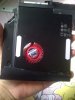
and this
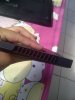
okay jobine and answer my question please .... will it harm my laptop if i shut it down via holding the power button for 5 secons ? -
It seems that your laptop is a y510p/y500p judging from the pictures.
Generally, it won't harm your laptop if you hold down the power button. -
where do you live? I returned my first Y410p and had a new one out at my house in a small town in the Northwest less than 2 weeks of sending my last one in. Compared to other return shipping experiences, I was pretty impressed by this, and I would definitely buy Lenovo again with their willingness to refund and get me a new one so soon.
-
what is this sorcery... that's from the Y410p?
-
no mate ... i'm own a Y410P. the laptop on the background that you see is my friends Y510P.
you know ... we had an experiment together about the graphic card. so what do i do is exchange the GT750M from my Y410P with his Y510P.
open the screw, and pair his GT750 with my bezel, and he also do so.
and finally we test it... and you know what ? we got no problem with the experiment and i conclude that is M4 and M5 is actually a "SAME" card. it only have a different bezel.
with this Ultrabay i can get 30-40 FPS on battlefield 4 with Ultra setting lol
yes mate -
but i hold it until the laptop shutted down ... are you sure it safe ? can you give me the reason please
-
No, it won't.
Btw, nice lies about having a Y410p SLI, that is clearly a Y510p in the picture, from the finish on the backplate. -
lol i'm not lies .... read my post above
-
Hey, I just got my Y410P and I really like it so far (but my god Windows 8 seems horrendous the more I use it). Anyway, I'm wondering what bloatware I should uninstall to get it running faster. It seems it came loaded down with quite a bit from Lenovo and I'm not quite sure what might be smart to delete and what might be smart to keep.
Any recommendations are appreciated. -
Pokki and McAfee are the big ones. Just do a clean install of Windows 7, you can get the ISO's here:
http://forum.notebookreview.com/win...-digitalriver-windows-7-sp1-13-languages.html
Send me a PM if you need help with "activation"
-
I've been looking for a bios mod for the y410p, could you send it to me or post the link to it?
If anyone else has it, let me know. Thanks
-
Make sure you know which BIOS version you are running:
Lenovo Y410p / Y510p - unlocked BIOS / wlan whitelist mod / vbios mod
V2.04 and V2.07 only have whitelist removal, V1.xx has full features
If you run V3 or higher you are out of luck. -
i called lenovo today and spoke to "tech support." he said all panels should be glossy, so now im at a crossroads.
i have spent too much energy with this and im still uncertain if i have a defective panel. it looks like there is a screen protector, like greasy and washed out,. is this the nature of the crappy everyone is talking about? the biggest annoyance is the i can see millions of tiny dots, like i can distinguish the individual pixels (i know its impossible) in a grid like pattern. this is really noticeable in bright backgrounds.
I dont want to deal with a replacement/repair because it's too complicated. i go to school 600 miles away, they wont ship a replacement to an address thats not verified by the credit card company. i dont want to call my CC or tell someone from my home to ship this to me at my school address. plus the major down fall is i start a new quarter jan 6 and i absolutely need a device. exams and course work are done via computers. i will not have time to play phone tag and a waiting game with customer support because i am in professional school paying $20,000 USD for 10 week courses.
anyway, at this point i can either:
1) keep this and hope nothing is wrong. i have a 2 yr warranty through american express.
2) return and buy something else.
i cant decide because i love this laptop and there is nothing out there in my price range that has the power, size and price. its just this stupid screen thats killing me. -
Return it and get a replacement?
-
What you should do is this, if you really like the y410p, then see if you can have Lenovo cross ship another y410p to you without charging your creditcard or debitcard. Usually they will include a prepaid return slip for the first y410p you got or they will email you one. Once you received the 2nd y410p, ship back the original one. This way you will have no waiting or downtime and you will have a laptop until you get the 2nd one. I always do this with Dell/ALienware and Amazon when I had to in the past, if Lenovo customer service rep gives you a hard time about it, just tell them your situation about school/work and that you can't afford not to have a laptop at all by waiting for days/weeks. If Lenovo customer rep still says no, try another rep until you get someone that will do the crossship for you.
In regards to your display panel, I think it's all glossy screens but maybe one of the guys assembling the laptops in the factory put an anti glare film on it by accident or whatever. That's my opinion -
i wish that was an option but too complicated and too much downtown in my situation.
edit: i just noticed that the ship time for my model is 12-31-13. i guess i can give them another ring tomorrow and see if they can get one me by 1-4-14 or else i will be returning this and buying something local, probably a samsung chronos 7 -
yeah i asked them about it but they said it will still take time for the new one to arrive (at the time they estimated ship time 2 weeks or so) and i need it by next friday as i am returning to school and starting a new quarter.
Lenovo IdeaPad Y410P Owners and Information thread
Discussion in 'Lenovo' started by jedolley, Jun 10, 2013.


