Problems? See this thread at archive.org.
First of all, thank you very much for bringing this solution to light! Following David's (@DFS) lead, however, I made a modification... The method linked to here requires some registry hacking, and also mentions issues related to .NET version. I never got any .NET errors, but did get a Windows version error, as I expected (i.e. running 8.1 rather than the 7 for which the driver is directed). So, I found another way to get around this...
1) Download and run the STMicro Sensors Hub driver package here ( STMicro Sensor hub Driver for Microsoft Windows 7 (64-bit) - ThinkPad Yoga). It will extract, but if you're running Win 8+ then it should error out and not install.
2) Using a DOS/command window, navigate to the folder to which it extracted (mine was C:\DRIVERS\WIN\Sensor).
3) Extract the drivers from the installer package "manually" using the following command: install.exe /v"EXTRACTDRIVERS= filepath" Make sure to put in an actual path in the filepath entry... It will create it if it's not already there. More information regarding this command (and others) is in the README file in the extracted Sensor folder.
4) Update the Sensor Hub driver from within its entry in Device Manager (i.e. "Update Driver" button)... Choose "Browse my computer..." and then browse to the folder that you just extracted the drivers into, and hit "Next".
--> The result should be that it finds and installs the STMicroelectronics Sensor Hub; the fact that it installs it automatically suggests to me that it is indeed compatible (i.e. not trying to force a square ped into a round hole, or whatever analogy you prefer). This worked for me, my screen now auto-rotates as it did before the mainboard replacement. Note that I did need to reboot as there was some strange display glitch after the driver update, but now all seems to be fine. Odds are that using one of these two methods now that the driver-related non-rotation issue should be fixable. Nonetheless, note that I haven't done any long-term testing, so take this as it is and proceed at your own risk.
-
-
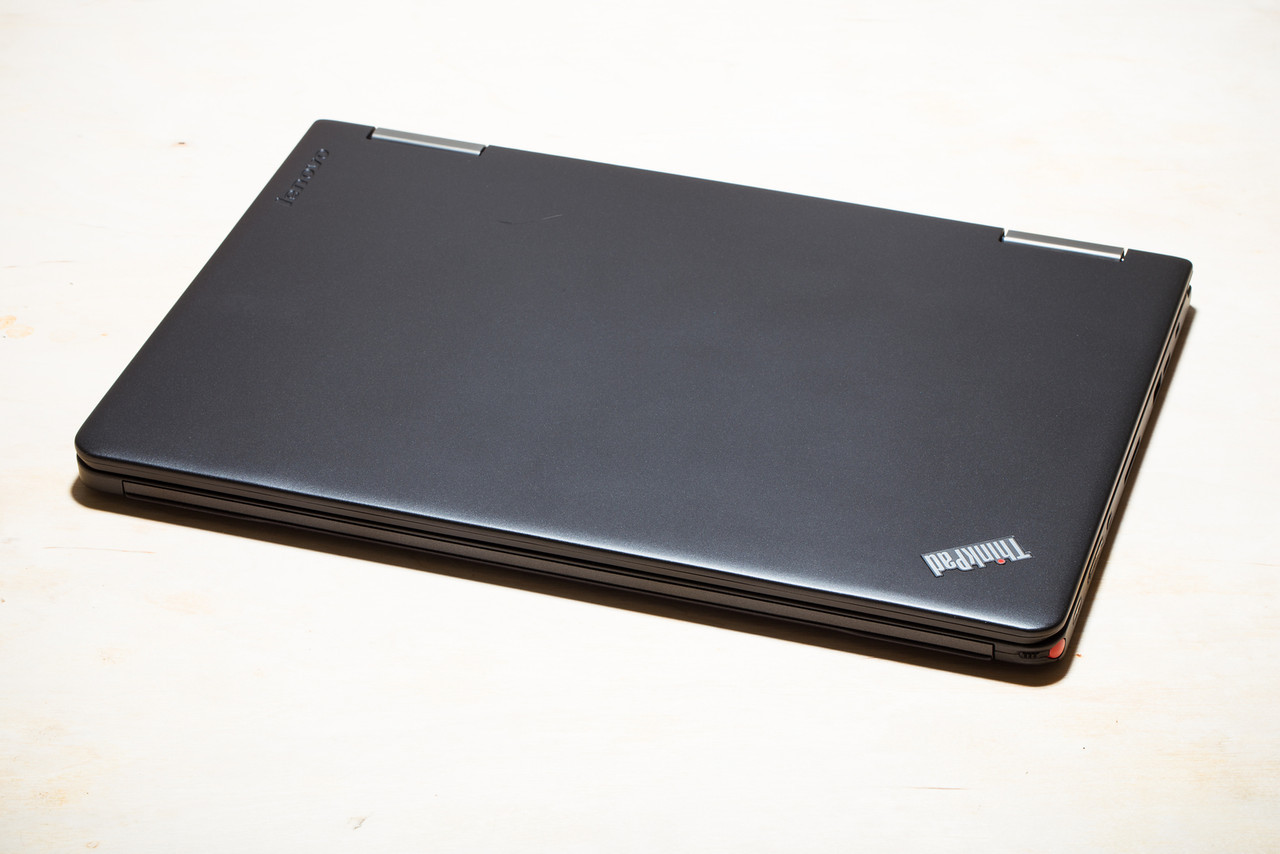
Got my thinkpad yoga with i7-4600 processor and pen... It's a beast!!! Absolutely love it
Just throw my Macbook Pro 13" in the trash can... just junk compared to this...
![[IMG]](images/storyImages/i-C6X3fVf-X2.jpg)
![[IMG]](images/storyImages/i-xt8qBr7-X2.jpg)
![[IMG]](images/storyImages/i-QqnCkhg-X2.jpg)
![[IMG]](images/storyImages/i-nWVZL3v-X2.jpg)
![[IMG]](images/storyImages/i-kQrCht7-X2.jpg)
![[IMG]](images/storyImages/i-D2487P9-X2.jpg)
![[IMG]](images/storyImages/i-6HFmr3n-X2.jpg)
![[IMG]](images/storyImages/i-NvPnG9N-X2.jpg)
![[IMG]](images/storyImages/i-NWPfKp4-X2.jpg)
![[IMG]](images/storyImages/i-L3SbxvS-X2.jpg)
![[IMG]](images/storyImages/i-53gWqxh-X2.jpg)
Attached Files:
-
-
Nice one! I am loving mine as well. Always a sight to see when I bend the screen around 360 degrees and you can see people's faces going "what the...?"
Are you getting a screen protector? I am afraid that the pen may scratch the screen. Thoughts? -
Nope, probably not getting a screen protector, I found the Wacom pen to be a little too uncomfortable to use so it gets used rarely. I have a Intuit 4 tablet, and serious editing will still be done on my workstation with the intuit 4.
Side note, the matte surface was actually Wacom's digitizer sheet. I bought a replacement surface for my intuit 4 in clear color, and it looks exactly like what's on the screen. And let me tell you, this thing won't get scratched unless you abuse it for few years. -
I've had several ThinkPad tablets before the Yoga, and I've never used a screen protector, and I've never gotten scratches on the screen from the pens.
-
Not sure what is causing this problem:
Everytime I click on a link- it says the page cannot be loaded, but when i refresh it- it loads. Sometimes I have to refresh the page 3-5 times. This never happened on my old thinkpad. I've updated the wireless driver. Is there something that I should change in the settings of my router? Thanks -
I tried this last night (using install.exe instead of installer.exe) and extracted the drivers just fine. Unfortunately, I don't have the sensor anywhere in my device manager so I don't know how to update it. Any ideas?
-
Be sure to check out this pen as a replacement. I use an intous 3 90% of my work day and it is very easy switching over to my TPY with the T-5000 pen, and it has the dual buttons on the side as well as an eraser on the top.
Fujitsu Digitizer Pen T-5000 is a two-button charmer â Surface Pro Artist -
Ah, my bad, I had a typo in there, it is indeed install.exe. Anyway, in my case, I could see the "HUB Sensor Collective" or something along those lines in my device manager, but it had the old yellow exclamation mark, and inside it was reporting a code 10 error meaning it couldn't start up. If you're not seeing this at all, this may not be the ideal solution. But, you could try enabling "hidden devices" within Device Manager (View --> Show Hidden Devices). When the driver is working it's located (on my system, anyway) within the "Sensors" branch, and shows up as "STMicroelectronics Sensor Hub."
Now, if you can't see any of that, you might want to try DFS's solution. Check here: Re: Thinkpad Yoga won't rotate? - Page 2 - Lenovo Community. He recently noted that he'd accidentally posted the wrong driver package link, so perhaps using his method, i.e. making use of the full installer program, might do the trick.ground_state likes this. -
Easy typo to make
 I missed his second link, but still no luck for me. "There is no sensor hub present on this system - this update application will now exit".
I looked under sensors and it was called "HID Sensor Collection", and after updating to the driver I see "Windows has successfully updated your driver software" and it did list "STMicroelectronics Sensor Hub" on the window. It doesn't update the sensor in the device manager, even after a restart.
The only device I'm having any issue with is an "Unknown USB Device" has a code 43 ("Windows has stopped this device because it has reported problems"). I hate my local repair shop, so I'm hesitant to take it in there. -
Hmm, that's odd. And your screen rotation still doesn't work, even after doing the update and getting the "STMicroelectronics" thing? One thing you check is in your BIOS it's actually possible to disable the sensor hub. It should be enabled by default, but it's worth checking. Can't remember exactly where it's located, but if you'll know it when you see it.
To be honest, I've also got two "unknown devices" and I have no clue what they are (nor does my computer, apparently). Everything works as it should, as far as I can tell. They were there before the mainboard swap, as well, so it's something else. I suspect it might be related to the OneLink dock... The monitoring app seemed to have a bad memory leak or something as it was eating up > 2GB of RAM while doing nothing. But that's my system, hard to say what's going on with yours! I swear, as many of these computers are out there in the world there seems to be just as many different problems... That said, I still really like this thing, so what can you do? -
Following your directions with the Windows 8.1 Twist Firmware finally fixed my problem! Thank you so much!
I now have "Simple Device Orientation Sensor" and "STMicroelectronics Sensor Hub" under my "Sensor" category in the Device Manager. My monitor now autorotates and the touchpad is disabled when I fold the screen back.
I'm so glad I don't have to send this machine back to Lenovo and wait for two weeks or more. -
Everytime I click on a link- it says the page cannot be loaded, but when i refresh it- it loads. Sometimes I have to refresh the page 3-5 times. This never happened on my old thinkpad. I've updated the wireless driver. Is there something that I should change in the settings of my router? Thanks
-
Impressive. Left the Yoga off after charging it to 100%. After 24 hours, no battery drain whatsoever.
-
Yeah Intel have really done an amazing job with Haswell regarding battery
Sent from my HTC One using Tapatalk -
This sounds like a browser issue; have you tried a different web-browser? If that works then maybe disable some extensions
-
I tried switching browsers, didn't help. any suggestions?
Also, the fan makes a loud noise for like 2-3 seconds. Is this normal? -
I have three questions
1) what's up with the stylus? Looks nothing like the stylus from X200T, more like stylus from the Samsung galaxy Note mobile phone?!
2) is the battery removable?
3. Is the SSD replaceable?
Thanks. -
1. Use another stylus if it's too small, look at the size of the device, they couldn't fit a bigger stylus in it. It's more of an emergency stylus incase you forget your main one.
2. No it isn't, another space saving technique used on a lot of ultrabooks these days, although replacing the battery seems very straightforward.
3. Yes it is but it will void the warranty so if you have to send it off to Lenovo stick the stock ssd/hdd back in
Sent from my HTC One using Tapatalk -
The fan is on because the cpu is doing something. Try and flush your DNS using ipconfig. Various guides on how to do this all over the internet. Maybe try deleting the wireless info and then reconnecting from scratch as well?
Have you tried the Windows Troubleshooter on the wireless device to see if it finds anything?
Also make sure that your wireless device is automatically getting IP and DNS settings and it hasn't been manually set. -
Thanks! Hopefully flushing the DNS will work.
As for the fan, i'm not sure it is normal sound. Like it sounds like the fan is stuck- it is the sound that happens when I turn the laptop at a weird angle. But this sound occurs when I start up the computer when it is sitting flat on a table. -
Funny enough the clicking sound when the fan is running while the laptop is at an angle no longer happens to me, it stops after a week or so. Maybe the fan's bearings just needed some breaking in?
Maybe take a video of this if possible so we can hear what the noise is? -
I actually spoke with three separate Lenovo reps about this. The first guy told me it's a "sealed system" and replacing the HD will void the warranty. The second rep told me the HD is mean to be user replaceable and will not void the warranty. A third rep from tech support said replacing the HD will not void the warranty. If you do replace the HD, I would recommend sticking the old HD back in if you have a service request, if only because your warranty doesn't cover the new HD.
On a side note, early in this huge thread, someone mentioned the nib on the stylus is not replaceable. Can anyone else confirm if this is true? If so, what's the logic behind that? Haven't all the previous nibs been replaceable? What happens when the nib wears down?
I gave the nib a minor tug, but it didn't budge. I didn't want to try harder. It's not a huge deal because I have a toshiba pen now that feels more comfortable anyway, but I just wanted to be certain. -
Wonder if anyone is experiencing the same issue with their Thinkpad Yoga.
Sometimes when I pick up and move the thinkpad in laptop mode it will completely freeze up. No BSOD, and I'l have to hard reboot it via the power button. I also notice when this happens that the slight flexing of the body of the laptop will cause the screen to flicker...!
I suspect it may be some sort of overheating issue as it will only happen when the thinkpad is a bit hot e.g. been resting it on a blanket in bed....
Could this be due to internal motherboard damage? -
I don't see how replacing the HHD will void the warranty (other than possibly on the HHD itself (or any connecting pieces) should something accidentally happen to it).
I say this because I had to replace both my keyboard and mouse pad which required me to practically take the entire system apartment (not for the faint of heart). Not only did the HHD need to come out, but the battery, all wires and cards (wireless, Hybrid drive, motherboard, etc.) basically all is attached to the top portion that has the touchpad. None of this voided the warranty. The only thing I had to do was agree that any damage that incurred during the repairs would be my responsibility. Other than that, my warranty would still be in full affect. I had the confidence to do it, so rather than send it in and part with it for a week, I chose to do it myself, so they shipped me all the parts. Everything worked out great and now I have a touchpad that works properly and a keyboard without a sticky shift and delete key. There's NO WAY I would have done it if they said it would void my warranty. I believe them since I don't feel they would have sent me the parts if it would have voided my warranty. What a hail storm that would open up for them were they to ship user replaceable parts that voided warranties.
So, there you have it. I'm confident that anything that happens as a result of you replacing the HHD wouldn't be covered, and quite frankly shouldn't be covered. Why should Lenovo be responsible for something caused by the end user or third party hardware. But other than that, have at it, your warranty should not be voided.
Proof for the negative Nancy' is below
![[IMG]](images/storyImages/yry7etus.jpg)
Sent from my GS4BugFreeWin likes this. -
The only CRU (Customer Replaceable Unit) is the stylus. Everything else is technician only including the hard drive so you have to put the stock drive back in for service requests etc.
The nib isn't removable, I tried to remove it and failed so the pen nib is a bit damaged but I never use it anyways and its only one small mark on the nib. If the nib wears down which would take ages, just buy another stylus, not exactly expensive it's just a small thing.
Sent from my HTC One using Tapatalk -
So you have a hard drive or ssd?? If you have a hard drive it could be the impact protection kicking in and stopping the hard drive from spinning to protect it. Go into control panel and disable the thinkvantage protection temporarily and see if this solves the problem. It was mentioned that a hard drive on this machine was silly for tablet use as moving around a lot could trigger the protection system causing the device to freeze.
Sent from my HTC One using Tapatalk -
Hi godofwar424, I have an SSD in it but I also did try disabling the air bag protection system but it did not help....!
-
Press Start then type 'memory' and select the 'Diagnose your computer's memory problems'
Then press 'Restart now and check for problems' your laptop will reboot into Windows memory diagnostics and check for errors. Press F10 and select "Extended" for 1 pass and leave it overnight while plugged into the charger
This will rule out a RAM problem which this could very well be. Otherwise your SSD might be failing
You mentioned overheating, install Coretemp and leave it running and get an idea of what the temperature is when it freezes etc.
Sent from my HTC One using Tapatalk -
I got 3 scratches right in a row on my Yoga when I was drawing out in a field last week. Not an ideal environment, granted...but it's definitely not scratch proof. I'm thinking some kind of hard particle got blown on the screen and I drew right over it.
I actually was going to get a Zagg screen put on, but the guy at Best Buy said that he didn't know if it would work over the matte cover that's already over the Gorilla Glass.
Anyone have any experience with that? -
When I am using the Yoga in tablet mode, I've decided to flip it upside down so that the air vents aren't blocked if I am putting it on my body. Is anyone doing the same? Might be a good idea so it doesn't get too overheated.
-
I have found myself also doing the same occasionally. It depends how I sit it on me but I did have it get unusually warm once after blocking the vents (not alarmingly so but still not ideal) so I pay attention to the vent from now on.
Sent from my Moto G using Tapatalk -
oh my god. Cant say much for the reliability of your machine after you laid all the parts on a bath towel! Has no-one heard of electro-static discharge damage? Whoever asked you to do the repair yourself should know better.
Sent from my SM-N9005 using Tapatalk -
Remove the mate cover??
It's been done by several people enjoy posted in-depth instructions somewhere in this thread
Sent from my HTC One using Tapatalk -
Same here, depending on how i'm holding it and what I am doing as the fan doesn't come on for basic things. But usually I hold it upside down if i'm laying in bed using it as my duvet is really blocking the vent, whereas normally the vents are just partially blocked. If your playing some intensive game then I imagine it might slow down a little if you block the vents due to throttling so in that scenario best to hold it flipped.
Good thing is it works very well no matter the orientation
-
Same here. I found it to be the most effective.
Sent from my GS4 -
LOL! Have you ever heard of Bounty Anti Static sheets? We use them in the dryer. No static ;-)
Just kidding, I am aware of that. But I always use an old towel as from my experience they are much less prone to static and I honestly did rub an anti static sheet on it prior to starting. Additionally, I'm careful not to move around too much once I begin and don't slide the pieces around. I gently lift them up and set them straight down. And finally, working on a wood surface also helps. I've found that any other surface can create the friction that is conducive to creating an electro-static environment. This is how I always have done it, for over 15 years, and have not once ever had a problem. I've been happily using my fixed Yoga for a couple weeks now.
So, no worries
P. S. They didn't ask me to fix it, I asked them if I could. While I'm not necessarily a pro, I'm far from an amateur and have always been able to successfully build and repair PC's without a problem.
Sent from my GS4clriis, godofwar424 and BugFreeWin like this. -
I ran Memory Diagnostics for about 9 hours and it got to about 88%, then I picked up the laptop and it froze.....ARGH lol. No errors reported so far though.
I've installed core temp and it did freeze once at about 60 degrees...which is quite low? -
Yeah 60 is perfectly fine temperature wise. If the RAM isn't the problem then it really can only be the SSD. Unless you fancy taking it apart yourself and checking for loose connections that could be triggered by movement you best give Lenovo a call mate
Sent from my HTC One using Tapatalk -
Anyone had problem with their "ThinkPad" logo sticker on the palm rest area came lose? Mine got lose easily and I peeled it off, it's a 2 layer sticker - top plastic and bottom aluminum... Thinking about calling Lenovo and getting a replacement sticker...
-
I think the top layer of that sticker is suppose to come off. I took mine off 3 months ago!godofwar424 likes this.
-
Anyone find it annoying that you don't have a charging indicator? I can't see any lights blinking when the machine is off at least.
-
Doesn't particularly bother me as my phone doesn't have one either!
I just open the laptop and the lockscreen has a battery indicator and then I close the lid and unplug it.
I THINK if the laptop is powered off instead of sleeping the light becomes solid red when fully charged. Emphasising the think because I'm not sure
Sent from my HTC One using Tapatalk -
For me the top cover one is peeling off and its only the metal under it which will not have the writing contour under it. So it will look like some metalic half writing. I expected better material for that not just a removable sticker, so imagine my delight when i noticed its peeling off
-
Weird, mine isn't even slightly damaged or peeling :s been using this thing daily since February :s
Sent from my HTC One using Tapatalk -
Guys,
I recently bought this 20CD0033US from Ebay, and I am realizing that my pc does not have BOTH the pen AND the digitizer. As far as I understood, the difference form bestbuy/lenovo models was that that both had digitizer but just one had the pen (so, virtually no difference). Did I misunderstood everything or I bought for real a machine without the digitizer?
ps: I don't have it with me right now to run any test, will receive it today
Thanks a lot! -
The Best Buy/Fry's/wherever models do not have the digitizer. I have that same model number and there is no digitizer.
-
Thanks a lot for your answer, but what I mean, that they lack ONLY the digitizer pen, not the whole system; eg. if I buy any other digitizer pen it should work, shouldn't it?
-
No, if there's no pen silo on the front ride side of the bottom of the laptop. Then there is no digitizer at all. Meaning no pen will work.
Sent from my HTC One using Tapatalk -
Yep pretty annoying, now it looks worse than a "thinkpad" with that metal outlining showing and without the texts.
Lenovo ThinkPad Yoga
Discussion in 'Lenovo' started by Bloody Nokia Adept, Sep 5, 2013.