 Problems? See this thread at archive.org.
-Solved- I just needed to enable the booting option from UEFI only to Both...
I'm also having problem trying to boot from a USB drive. I want to uninstall windows 8 and install windows 7, but the laptop refuses to boot from the USB. It detects the usb drive perfectly fine, but when I selected the USB drive in the boot options screen, it flashes and goes back to the same screen and ask me to select again... Like when selecting the USB drive, nothing happens...
I tried the usb drive on 2 other machines and they all booted into windows 7 installation... Anyone know of a method to have thinkpad boot to windows 7 install on the USB? Do I have to delete all the partitions on the yoga to be able to boot from other media?
Thanks for ya help.
-
Just a question, in sure you have other reasons for choosing to install 7. But if your issue is purely the start menu then stick Classic shell or Start8 on and you then have all the improvements of Windows 8 which is a fair few without the 'annoyance'
Sent from my HTC One using Tapatalk -
I agree. Plus the word is that Microsoft will have another update in August bringing back the start menu. MS is definitely on the fast track to repair the mess for desktop users. These newer devices have better driver support for windows 8 anyway. I think the Yoga is much happier driver wise with W8. I would save yourself the grief and just get classic shell etc.. or wait a few more months for the summer update from MS.
-
Also Windows 7 was abyssmal for touch devices, utterly abyssmal.. Especially as the yoga turns into a tablet

Sent from my HTC One using Tapatalk -
I installed Win 7 just to test, and you are right, this laptop does not run well with Win 7, machine is heating up as soon as booted into Win 7, and weird part is with all the updates windows 7 took a lot more space on the hard drive than the Win 8. So I reverted back to windows 8 in less than 30 min
-
I have the exact same result as @eljer. Went through the steps given by @grassman77 and even though the Sensor Hub shows up, nothing has changed really. I also made sure the Sensor Hub was enabled in the BIOS.
I then went on to try DFS's solution, and I can't change the .NET version. Even though I am the administrator with full control, it won't let me change the registry version. Any insight into this? -
@klavkonz
Did you make sure to change the permissions when you opened the Registry Editor?
Edit-->Permissions-->Advanced
Then at the top, you need to change the owner to "Administrators" and finally make sure "Full Control" is selected/checked for Administrators. -
Lightweight, comfortable, cat approved ultrabook
![[IMG]](images/storyImages/i-KhzFQKm-XL.jpg)
![[IMG]](images/storyImages/i-W5GkmkT-XL.jpg) heavenly_wild, hydrogue and godofwar424 like this.
heavenly_wild, hydrogue and godofwar424 like this. -
So I navigate to the folder "...v4/Full" and go to "Edit-->Permissions". I then go to "Advanced" and change Owner to "Administrator" and make sure Access is "Full Control." But when I hit "Apply" I get the message "Unable to save permission on Full. Access denied." Am I just clicking on the wrong folder?
Thanks for putting up with my lack of knowledge. I spent a lot of money on this machine and while I love the physical form, the software performance is just not what I expected from a Thinkpad. My touchscreen is still unresponsive to my fingers although the digitizer is still functioning. I had been hoping to at least solve the auto-rotation issue. Again, many thanks to those who have come up with these solutions that do not involve calling Lenovo IT who are utterly useless sometimes. -
i would take the cat.
-
Aren't all ThinkPad Yoga units plagued with screen retention issues?
-
Sent from my HTC One using Tapatalk -
nope. It only affects an unlucky few from my observations reading around the web.
-
The panels themselves are a model known for image retention problems. But whether people get noticeable image retention is very random. Not all panels show it even after months and months of daily usage whereas some show it within a few weeks. There's also the differences among people, what some consider unusable image retention could be unnoticeable for another person etc.
There's also a theory that using a calibrated display profile like the one I supplied a while back reduces the likelihood of image retention. Would explain why I haven't seen any so far, 3 and a bit months down the line.
Sent from my HTC One using Tapatalk -
Mine started showing image retention about two weeks in. It sucks, especially as someone who needs to do design work. Really not cool having to see ghosted images in the backgrounds of my projects at various times. I'll definitely be sending it in for repair as soon as the work load lightens up.
Sent from my GS4 -
Have you got a calibrator? Or have you tried using the calibrated profile I shared earlier in this thread?
Some people mention it reduces image retention so might be worth a try if you haven't already
Sent from my HTC One using Tapatalk -
No, I missed that. Will definitely give it a try.
Sent from my GS4 -
Sent you a PM with the file link, save you from searching through this thread
EDIT: Apparently I posted it on this as well
Attached Files:
-
-
Sweet. Thank you. I appreciate that.
Sent from my GS4 -
I was just given a Yoga Pro 2 with Windows 8.1 for work. Is there an update utility similar to System Update for Thinkpads that will automatically find new drivers for this machine?
I tried installing System Update but it doesn't run. -
Posting in the wrong place buddy, better off posting in an actual Ideapad Yoga 2 Pro thread as this is for the ThinkPad Yoga.
Sent from my HTC One using Tapatalk -
My ThinkPad Yoga just bricked itself
I cannot find anything about this via google searches. So I was using it, same as always for work when all of a sudden it turned itself off. When I turned it on, the standard "Lenovo" in big white text showed up, and it did a big loud bios beep and turned off within 3 seconds of pressing the power button. It did this 3 times, let it charge incase it needed power, did it another 3 times and after that....nothing.... it's a brick now *cries*
Anyone know happened / any advice? Please.... -
Well, if nothing happens at all, it's probably a hardware failure. You were just one of the really unlucky ones...
That being said, all TPYs should still be under warranty, so you should be able to get it fixed... -
Hey
this is what my fan sounds like- The laptop was sitting flat on a table.
https://soundcloud.com/rajaaeajasd-gausdj/copy
Listen until the end to see how it slows down.
Is this normal? -
Definitely not normal. Mine never sounds like that. It sounds like the blades are hitting something. If I were you I'd get the right screw driver and open it up and see if anything is obstructing the fan.
-
Hey everyone it's been a while since I posted here. Just wanted to chime in and let everyone know its been 3-4 months since I got my yoga and I'm pleased to say it's running strong. No signs of screen ghosting whatsoever, and my onelink pro dock is running solid since the bios update. It runs as smooth and fast since day one. I've been using my machine on a daily basis, sometimes for several hours a day.
-
Not at all. If I am just on the web or reading, etc. the fan is pretty much silent. When I play games (like Kerbal Space Program, nothing super heavy duty) the fan does come on, but it is not loud and does not sound like that. It sounds like you've got a mechanical problem.
-
In regards to the fan noise, I have never consciously heard it. So if you hear it too frequently, there maybe something to investigate.
-
Do you know which screw driver I'd need and would it void the warranty? The laptop was bought in the US, but it is not in the US anymore. So i'm guessing there isn't international warranty on this.
-
It's a small philips head but honestly, if you can't tell by looking at it and have to ask the question it's probably best you don't try to take it apart yourself. You'll also need a couple of tricks one of which is a used or old credit card to help pry apart the edges so you don't break the tabs when opening it. I don't mean to make it sound harder than it is, since it's not the hardest laptop I've ever worked on, but again, if you have to ask what kind of screw driver, I'd hate for you to break your Yoga.
Sent from my GS4 -
Hi Guys,
I'm in need of some help. I took apart my Yoga yesterday to install a new Samsung 840 Evo SSD and replace the 16GB cache drive with a 128 one. When i put the machine back together it wont start. The I on the yoga lights up 3 times when i connect the charger but i think is the default behavior for charging. No matter how long i push the power button or the reset hole the machine just wont power on. I tried to be as careful as possible to only touch plastic parts with my hands but do you think i could have still killed my Yoga with some electrostatic charge?
My other concern would be the little metal part just under the battery (on the attachment). I don't know it for sure, but it can be a jumper kind of thing what would prevent powering on the machine while the lid is off. The lid itself has a small sponge like bumper thing which goes next to it when i put the lid on (also on attachment).
Could anyone confirm if the yoga can be powered on with the back-lid off?
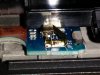
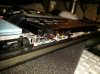
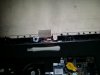
-
have you tried to put back the original part into the machine (i.e. 16 gigs M2)?
-
This is probably the only thing i havnt tried but i did tried to start the machine without any of them (no disk, no cache) with the same result. And lets be honest, those cache drives were designed to be removable when you have an ssd so it have to work without it too. I used it for storage and not caching anyway because the previous disk was an ssd too, just smaller.
-
disconnect your laptop's internal battery, and press the on/off button for couple of times. See whether you can clear any static build up.
I have done your upgrade several times when i did my ThinkPad Yoga review, so it really shouldn't be a problem. -
I will see how much of a hussle is this with the battery as im not really comfortable to touch those fragile cables.
Most likely i will call the support as i have the 2 year onsite and accidental damage thing. -
By the way before my machine became useless i installed the new touch-pad driver and as i noticed they fixed all issues with the touch and scrolling. My touch-pad's experience were really close to the MacBook Air's. I was seriously impressed.
They even did something with that bottom right corner right click. It only activates when i completely push down the touch-pad and function as a left click if i just touch. This is how i like it. -
Your going to have to make sure you don't tell Support that you opened up the laptop. There are NO CRUs for the TPY even the harddrive/ssd so your warranty is void if its stopped working after you opened it. So keep hushed with the support regarding you fiddling with the laptop
-
I had a similar problem as yours when I swapped the HD with an SSD (I posted somewhere earlier in this thread). I got an advice to check all the connectors/cables and found a little connector (SSD/mother board connector, I guess) was slightly pulled off. After it was fully inserted, my machine came back alive.
The little metal part you mentioned is probably a sensor to detect the lid opened, for some security reason. When you turn on the machine next time, it tells you that the back lid has been opened. It's not something to prevent powering on while the lid is off. This is what the lenovo support told me.LordDG likes this. -
Hi All,
Firstly, I want to say thank you to everyone here, I have been following this thread for months now and was waiting to buy but the Yoga is just so expensive in the UK. Thankfully I was sent to the US for business in march and finally bit the bullet and bought one to bring home with me, I finally got a ThinkPad Yoga, and I love it!
The only problem is, I've just had a play with my friends surface pro 2, and I have to be honest, I love it more - I thought the size would of put me off, but it really is just perfect for my needs!
I'm a bit torn about what to do, I know I'll be happy with the Yoga, but I know my heart wants a surface pro 2!
Don't suppose there is anyone here wants to swap? (In the UK obviously!)
(Or I could sell the Yoga i suppose and put the cost towards the surface, but I have no idea how much I could get for a >2 month old laptop)
*sigh* -
Thanks, the MB connector was out slightly. All good now.
-
What do you like more about the Surface 2 Pro?
-
It's just a lot of little things:
1) The Size - in my old job the Yoga was perfect, I could use all modes, I didn't mind so much that it was slightly heavy in tablet mode. In my new job, I need something a bit more portable
2) I know this sounds weird, but having got used to windows 8 - and especially metro, I can see how touch screen is necessary.
With that in mind, the surface is the perfect size to reach forward and touch, play with, manipulate etc.
On the Yoga, i'm kinda caught in between using the trackpad half the time, and reaching forward to touch the screen - due to the keyboard being there - it's more of a conscious effort. Does that make sense?
3) This is more of a fault of Windows 8 - when I use two finger scrolling in Desktop mode, I can have it set up to how I like, Scroll Down, the page scrolls down. In Metro, I can't change that setting at all ?!
Again, I know Metro mode is meant for touch screen, but it goes to back to number 2). With the surface it was just natural to flick with my fingers.
Like I said though, I still love my yoga, especially the digitizer, I just see the surface pro 2 fitting more in with my needs nowadays. -
i found that you can use the ThinkPad Yoga as a large powerbank to charge your phone, even when the machine is completely off!
thewish likes this. -
In terms of size, everyone has their preference. For the other problems though, can you not just keep the TPY in tablet mode? It's the exact same operating system as the Surface Pro 2, all the controls are the same across all the windows 8/8.1 platforms. Also, does your job and its requirements fluctuate often? I'd much rather just deal with the very slight weight and size differences of the TPY than to switch to a dedicated tablet with a crappy stick on keyboard, that can only be proped up at 2 different fixed angles.
-
Minor point, but is it just me or is the 720p camera on this extremely crappy. I hardly ever use it, so I never noticed, but even in good lighting, the picture is worse than my digital camera from 10 years ago. The pictures taken are on 1280x720, so it's already max resolution. And the Lenovo Settings and Camera settings only adjust brightness. And because I'm new to Windows 8, but is there no webcam application other than the fullscreen "Camera" app for metro?
BugFreeWin likes this. -
I prefer the Yoga (or other convertible tablets) to the Surface 2 (or other "pure" tablets) because the only time I am ever going to use it in tablet mode is for drawing. The rest of the time I want to navigate with a touchpad/trackpoint and keyboard because I find it far faster/more efficient than navigating with touch, and I hate typing on an onscreen keyboard. The snap-on keyboards for some pure tablets aren't terrible, but still fiddly and impossible to use on laps/beds/couches.
That being said, I wouldn't mind if the Yoga was still smaller and lighter; if they could shave half to one pound by going down to 11 or 10 inches (and it looks like they have enough room to keep the keyboard the same size) and retain the 1080p screen, that would be awesome.
Heh heh, found that out on a trip overseas last month. Was this not the case with like the x220t or x230t?
Yeah, it's crap, but not any worse than any other laptop I've used... I've never used a laptop with a really good webcam yet. -
You raise some valid points. I know the SP2 is a lot more tablet than laptop, but for what I use my laptop for most days now, it fit's the bill. I have tried keeping the TPY just in tablet mode - maybe I'll make a bit more an effort, but for the most part it's just a bit too big and cumbersome for out and about use - I commute by bus now, so pulling out the TPY and using it is just a bit too awkward.
As I said though, the TPY still has so much going for it, and it's a job to use everyday -I know the OS is the same on the SP2, it's just it feels liek the SP2 meets my needs more now.
If I can find someone willing to buy my TPY or swap for a SP2 then great, if not, then i'll still be happy with my TPY! -
If it wasn't for the lack of a three finger drag option then I wouldn't use the physical click button at all.
-
Can anyone provide a clear photo of the digitizer FHD screen with the anti-glare film removed? Would love to see an end result before I attempt to remove it. Wondering if it will improve slight blurrynees, but am hesitant because the anti glare properties seem effective against glare and nice on pen.
Sent from my SM-N9005 using Tapatalk -
Does anyone have the i7 4600U model?:hi2:
I saw it comes with win7 installed instead of 8 and I wondered if that works just as good?
I have a really hard time loving win8 so it makes the Lenovo yoga a bit mor attractive if it works with 7..
Lenovo ThinkPad Yoga
Discussion in 'Lenovo' started by Bloody Nokia Adept, Sep 5, 2013.


