Problems? See this thread at archive.org.
There's a BIOS setting for how you want it to perform on/off battery - those of you reporting that it is downclocking, have you actually tried changing that setting?
Personally I'd rather have it downclock on battery, but the option is definitely there in the BIOS.
-
thanks for confirm I knew it!
 its when someone says something I usually think they know what I know and already tried it but its not always that others think the way I do myself i suppose hehe
-
I wasn't aware of that option. But I agree with you... I'm fine with no turbo-boost when running on battery power.
-
any confirmation on multitouch shipping to Canada? I still have no status updates on the website and they are not giving me a date at all when i call
-
That 880m is good enough for me. If I can sell my M17x I'll be getting one of these. I'd like to save some bucks and get a i5, but ~ $1500 CDN is still fair.
-
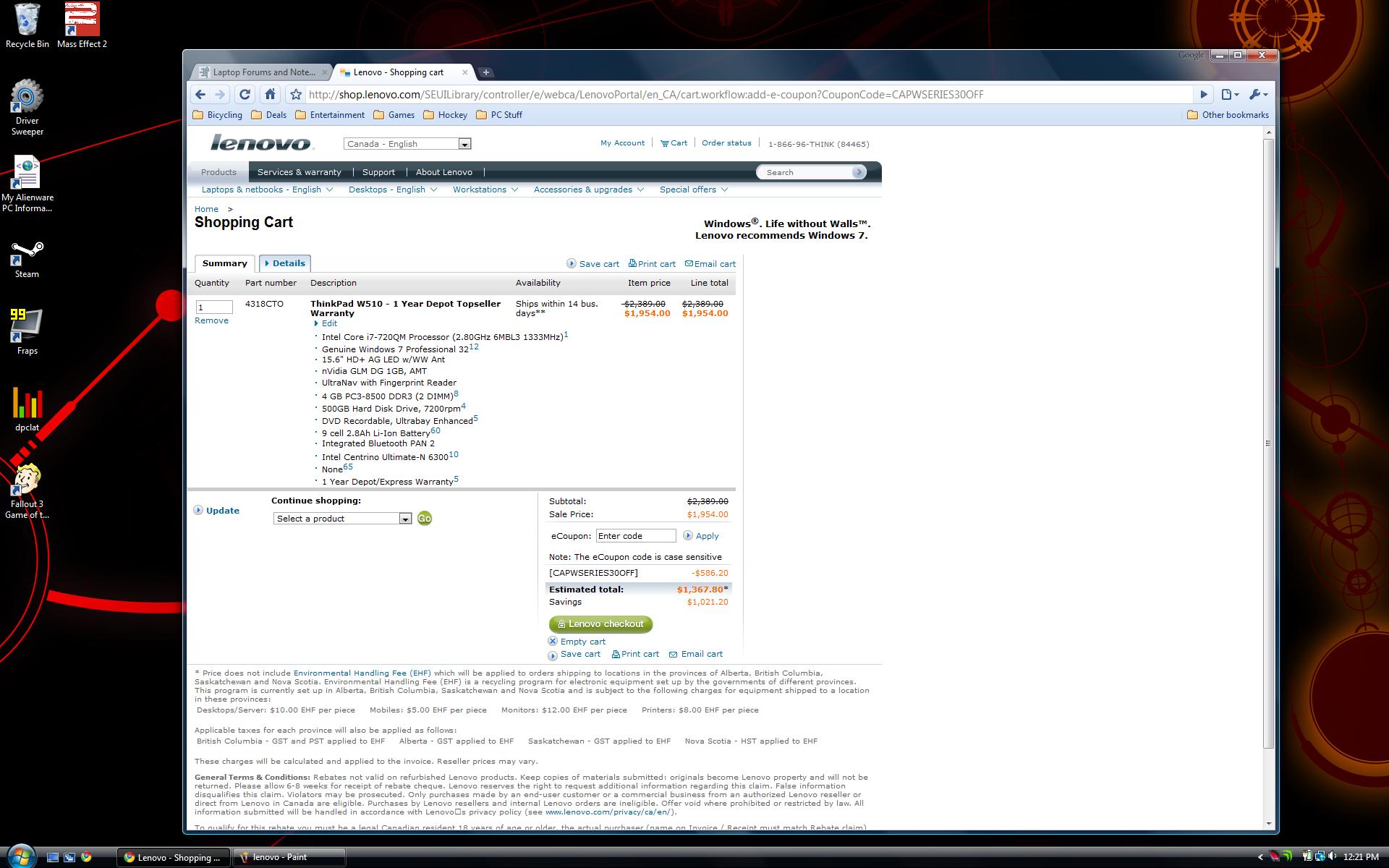
I just priced out the same spec with 500 GB HDD for $1370 CDN. That's about 800 Euros isn't it?
-
I read quite a few pages of this thread and found no conclusive answers. Is the nVidia GLM DG 1GB, AMT the same as the 880m FX?
A 335m GT or 5750 based card would be better but for the money I think these are good.
[update] found this: http://forums.lenovo.com/t5/W-Serie...usion-need-Lenovo-s-clarification/td-p/192688 -
Yes, it was lithium polymer. I figure that by the time a Lenovo battery started losing it's charge, aftermarket ones will be readily available for cheap. Also, I don't need the Toughbook (Panasonic). I'm not taking the laptop in the field...haha. I just want something that can withstand travel. I'm told the Thinkpads are great for that. Come on FHD screen (non-multitouch)! I'm tired of waiting! haha
-
1370 CAD = 965,3 € ( link)
Where did you order your W510 ? -
yeah thinkpads are great for travel i still have t30 and im typing on x60s right now which is a great little travel friend I droped it few times left it on in the backpack (it was hot when i took it out) dont think avarage dell would live through this kind of abuse secret is in metal frame and Think-through designs
-
got w510 multi touch today--- finally
the screen sucks!!! its horrible. It hardly responds and the brightness is very poor. I HATE LENOVO.
RETURNING THIS GARBAGE ---- I DONT WANT IT
-
wo wo wo dude please explain and make some pics for us please so we can feel sorry for you based on the evidence (maybe you can even make video)
-
That doesn't make me too impressed. I had the multi-touch on order myself and should hopefully recieve it by the end of the month. Can you provide more information on what you dont like and what you do.
Have you messed around with the sensitivity of the touch screen? calibration of it as well? The other reviews by magazines and what not said it works great and the screen is bright and clear. -
yes pictures please I've got one coming
-
btw Toronto order here just called Multitouch is still holding it up. Shipping date possibly early next week.
-
Ummmm.....
Troll?
-
i had that thought too
-
Anyone with the FHD screen get any stuck pixels? I have one...
It's dark green on a black screen but red on a white screen - it's so small I can BARELY see it so it's not REALLY a problem, but more than anything I get worried about more showing up in the future.
Any advice? -
yes, don't worry-be happy!
-
lenovo.com CDN site
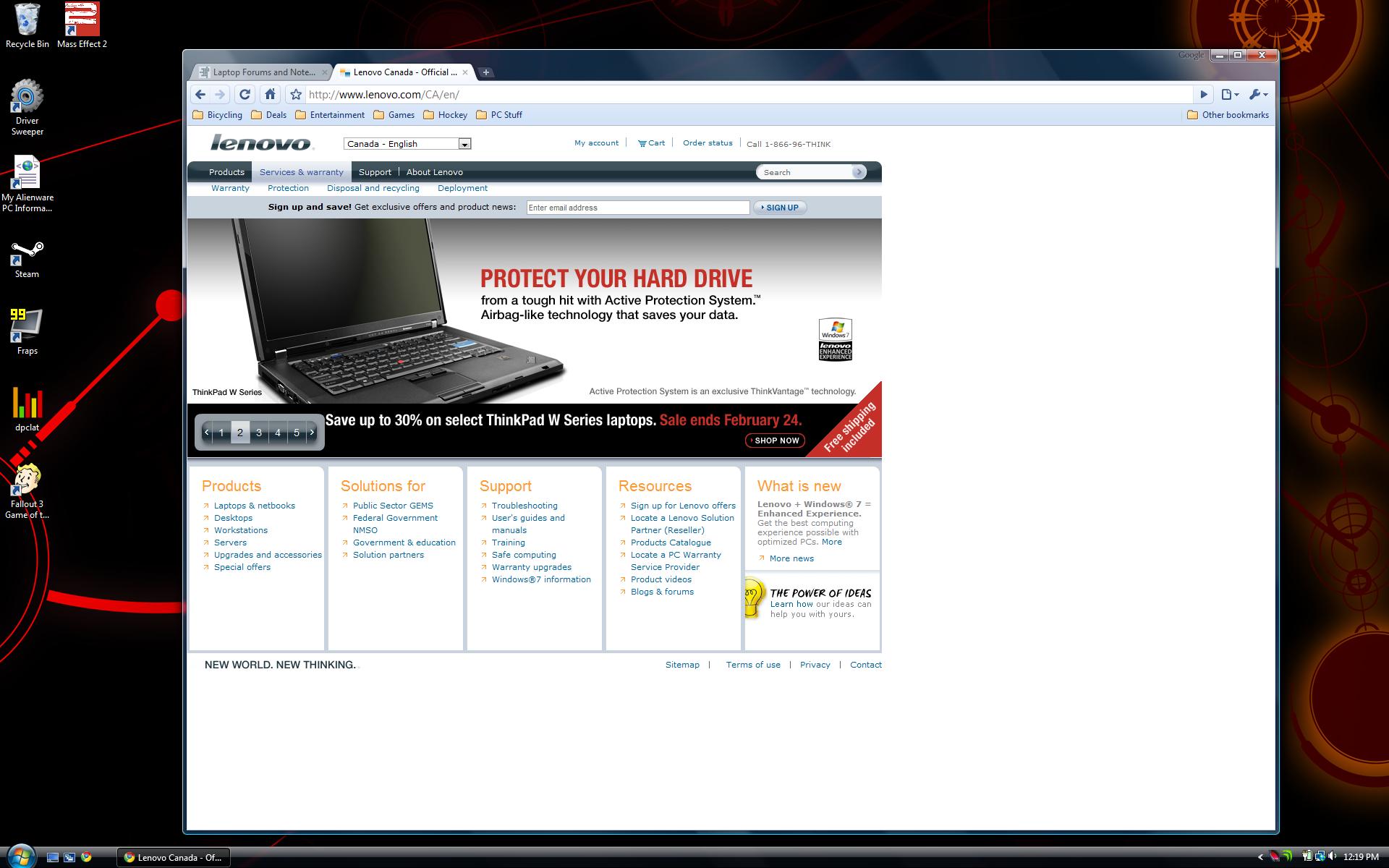
30% off coupon of w series until the 23rd.Attached Files:
-
-
I can barely read text on my 1920*1200 17" screen. 1080p on 15.6" is too fine for me.
I might even get the old man special 1366*768! -
yeah too fine to play PAC-MAN alright
http://www.thepcmanwebsite.com/media/pacman_flash/ -
My understanding is if there are only a couple of isolated pixels, they won't regard it as a defect and it won't get any worse. On my non-touch FHD screen I didn't find any defects at all. Overall it's a truly magnificent screen, very bright and sharp.
I'm also not complaining any more about the screen being only 1080 pixels high, rather than 1200. I moved the Windows 7 taskbar over to the left side, and that works great. -
Is there really any practical use for the multi-touch screen yet?
I don't know how the coating is but how much of a finger print magnet is it? -
Not bad, but you can save more through the current Visa Perks deal (but you need to use a business Visa card). The Visa deal has a bigger built-in discount, so even though it's 25% and seems less, it works out to about $56 less for one configured like mine.
-
Yeah, he's probably the only person in the world that had a Lenovo machine shipped on precisely the day it was stated to ship on and received it 3 days later. Not to mention his only 3 posts ever are, I bought it, it shipped, it sucks.
Sounds fishy. -
bravo Sherlock but I think we just cant live without someone doing this kind of a statement which makes us all even more excited.
-
I have one: Hauptwerk. It's a virtual pipe organ instrument. A touch screen would let me touch the stop knobs to activate them.
-
If you're looking to make a buck..... develop a touch screen pron site.....
-
Hey guys,
Still running with the W510, and I must say, everything is going great. I finally figured out my color calibration issues (fixed on another re-format!), but I've run into something really odd. With the drivers from Lenovo's website, I can't seem to run any direct3D applications. I noticed this with Google Earth, and also when I run DXDiag, it crashes out unless I bypass the D3D section.
Can anyone replicate the same problem on their system?
Thanks -
Can you post your ICC profile? I still haven't gotten my screen to calm down, and none of the profiles I tried from the Dell thread worked for my display.
-
why didn't you tell me earlier man! lol i'm considering returning my non m-touch FHD now to get the m-touch and TouCh the Screen You know What I mean
-
Just curious. A couple of options I'm interested in seeing what other people are doing:
Wireless card:
- Intel 6300 or Intel 6250+WiMax? Is the WiMax worth it? I think the 6300 actually has higher throughput (450 Mbps) vs. the 6250 (300 Mbps).
Warranty:
For those that have owned Lenovo's before, I see on the website that it comes with a standard 1-year manufacturer's warranty. I'm tempted to go with the 2-year, which basically adds 1 year. That is unless folks think that these typically don't break after a year and I could put the money towards something else.
Battery: I want a second battery (9-cell) when I order mine. Should I go with the 27++ (slice battery) or another regular 9-cell (25++)? -
haha....for sure....BS post...those mulitouch should be nice screens....
-
The waves of Thinkpads that hit the used market after their lease period ends should make you feel better. If you don't pour water on them or crush them under your car, they last forever.
-
You shouldn't hamstring your hardware because of this. You always want the higher resolution, and can adjust text size by changing the DPI settings in Windows.
When viewing pictures (especially) and video, you will appreciate the higher DPI screen, as the pictures will fit more on the screen and appear to have higher detail. A "regular" DPI screen is about 100 dpi, while a printed page is at least 300 dpi. The higher the DPI of the screen, the better it will look. -
hi this is my first post, i just ordered my lenovo W510 Elite version with 500GB HD, this will be my first lenovo laptop i have high expectations, i am migrating away from MAC since true engineering is done on windows plus my macbook pro is in its deathbed at 3yrs 8 months old.
All those in canada, there is a special promo going on that will knock 20%-30% off your config and it ends the 24th so it might be worth taking a look at.
I got my $2664 config knocked down by 30% and i am paying $2107 (taxes included) -
I've been doing my homework and looking forward to picking up a W510 to replace my trusty T42. How come Canada gets all the love (discounts)?
Thanks to all those W510 owners who have shared their experiences thus far. Kind of crazy with the on-again/off-again monitor availability... I need to wait until the HD+ monitor is available again (sigh)... AND a decent sale/coupon...
Glad to be part of this community now (first post)!
-
/me begs for a 30% off coupon valid in NZ
It seems we are paying a 50% premium over USD prices for a worse configuration living down under.
-
Unless the higher rez screen is wide gamut, in which case most users (including serious photo editers who aren't editing for AdobeRGB print applications, such as magazines) will be far worse off.
-
If you navigate to the "Changing Battery Charge Thresholds" page in Power Manager Help (I just upgraded to v3.12), it says this:
"This section describes the settings available in Advanced mode.
If you primarily use your computer with the ac adapter attached and only infrequently use battery power, you can increase the lifespan of the battery by changing the charge thresholds. This allows you to reduce the number of charge cycles by letting the battery discharge to a lower percentage before beginning to recharge. It also allows you to set the maximum charge value to below 100%. This is useful because batteries which are used infrequently have a longer lifespan when they are stored at less than full charge.
To change the battery charge thresholds, click the Battery Maintenance... button on the Battery Information tab. There are three options listed below the Charge thresholds section. By default, Always fully charge is selected. This option starts charging when the remaining capacity of the battery is below 96% and stops charging at 100%. Note, this setting may not help to increase battery lifespan. To have Power Manager automatically set charge thresholds that can increase battery lifespan while allowing sufficient charge, select Optimize for battery lifespan. A balloon message will notify when the thresholds change. You can disable this notification by unchecking Notify me when thresholds change. You can also create your own stop and start thresholds by selecting the Custom setting and entering your preferred values."
My problem is that when I click on Battery Maintenance, I don't have the aforementioned three options:
![[IMG]](images/storyImages/4371429727_a4346c2c0b.jpg)
If I uncheck any of the checkboxes, none of the options appear.
This sucks - I don't want my battery constantly charged up at 99-100% when I'm plugged in, and I also don't want to have to remove the battery (it's useful to be in there in case of power cuts).
Somebody posted here that it's not possible to do this on the T410, T510, and W510 [post]5911914[/post]
Last edited by a moderator: May 6, 2015 -
ORdered my w510 after selling my asus g73
1 4318CT CONFIGURED SYSTEM
03/17/10 $2,069.10 $2,069.10
60Y6083 SBB INQUADCORPERFPROC I7 820QM
45M3090 VBB GENUWIN7PROFES.64
45M4918 SBB G.WIN.7PROF64US ENGLISH
45M4597 SBB 15.6FHDDPY95%GMWLDBLT+MTTS
60Y6084 SBB NVNVSXXXD.1GBDDR3W/INAMTCH
75Y0175 VBB COLORSENSOR
42X6309 VBB 4GBPC3-8500 1067MHZ2DIMM
45M4839 SBB KEYBOARDUS ENGLISH
75Y0171 VBB ULNAVTRPOITOUPADFINGREADER
45M4631 SBB CAMERA(2.0 MP)
45M4617 SBB 320GB H.DISKDRIVE7200RPM
45M4608 SBB MULT.RECORD.OPTDRIVE12.7MM
75Y0174 VBB EXPCARSL+5IN1CARREAD
45M4816 SBB 9CELLLI-ION BATTERY
45M4636 SBB CNTPKNRHAMWTLNCR+135WACAD.
45M3043 SBB BLUETOOTH W/ANTENNA
45M4804 SBB IN.CENT.ULTIMATE-N 6300
44C7950 SBB INT WRLSSWDAREANTWRK UPGR
45M4676 SBB LANGUAGEPACK US ENGLISH
1 43R2476 THINKPAD BUSINESS TOPLOAD CASE -
Well, there's just not that many of you!....be happy and run with it ! Canada is basically the pop of California....
Welcome to NBR....
-
Usually in canada we get higher prices and fewer models/options. Particularly evil: HP.
-
Why did you sell the g73?
-
Explanation of Automatic mode, and the possibility of custom thresholds coming back in the next version of PM.
In a reply at Lenovo Forums:
-
Sure... tell me what to do - I can e-mail it to you or something
-
1 SYS.4318CT CONFIGURED SYSTEM
03/05/10 $4,103.00 $4,103.00
4318CTO THINKPAD W510 - 1 YEAR DEPOT
60Y6083 SBB INQUADCORPERFPROC I7 820QM
45M3090 VBB GENUWIN7PROFES.64
45M4918 SBB G.WIN.7PROF64US ENGLISH
45M4597 SBB 15.6FHDDPY95%GMWLDBLT+MTTS
60Y6084 SBB NVNVSXXXD.1GBDDR3W/INAMTCH
75Y0175 VBB COLORSENSOR
45M4575 VBB 16GBPC3-10600DDR3 1333SDMM
45M4839 SBB KEYBOARDUS ENGLISH
75Y0171 VBB ULNAVTRPOITOUPADFINGREADER
45M4631 SBB CAMERA(2.0 MP)
43Y5203 SBB INTERNAL RAID-NOTENABLED
45M4620 SBB 128GB HGH-PER SLDSTDRSRATA
45M4608 SBB MULT.RECORD.OPTDRIVE12.7MM
75Y0173 VBB EXPCASL+5IN1CARREAD+SMCASL
45M4816 SBB 9CELLLI-ION BATTERY
45M4636 SBB CNTPKNRHAMWTLNCR+135WACAD.
45M3043 SBB BLUETOOTH W/ANTENNA
45M4805 SBB IN.CENTADV.-N+WIMAX 6250
45M4809 SBB IN.MOB.BROAD.(3G)-QUALCOM
44C7986 SBB SIM CRD ATNT: USA
45M4676 SBB LANGUAGEPACK US ENGLISH
45M4599 SBB ULNAVTRPOI.+TO.PADW/F.READ
45M4634 SBB EXCRDSL+5IN1CRDREAD+SMCRSL
60Y6091 SBB REARCLEARPLATEW/COLORSENS.
60Y6086 SBB BASE2NDTOUCH-NVIDGLM DISCR
45M4607 SBB 4GBPC3-10600DDR3 1333MHZSM
60Y6088 SBB COLOR SENSOR
60Y6192 SBB CL.PLATEW510WLAN+WWAN+WPAN
45M4731 SBB MECHMISCPARTS
60Y6006 SBB NEWIN.LAB2010IN.COREI7VPR
45M4729 SBB WWANM.PARTS-GOBI2000FULLF1
45M4726 SBB WLANM.PARTS-2X2WIMAXHLFH1
45M3419 SBB MSLAB.(WIN.7STANDARD)
44C8401 SBB ENERGYSTAR 4.0 TIER 2 PACK
60Y8457 SBB NVINVS5100MDIG1GBDDR3ITPM
75Y0781 SBB ODD SW DVD REC VW7 CRL
45M4713 SBB PACKAGINGMOWEXCEPTCN,HK,JP
45M4734 SBB SYST.LABELW/COMPLIANCEID
75Y1085 SBB 15.6FHD LDB/LMLT11NWWN,C
45M4736 SBB GEOLABELUS,WLAN,BLUETOOTH
60Y6055 SBB AT+TOPTION
75Y0571 SBB WIMAXOPTIONUSCLEAR
45M4754 SBB FCCLABEL
41C9169 2YR Depot
1 433820U THINKPAD MINI DOCK PLUS SERIES 3 FOR MOBILE WORKSTATIONS
03/05/10 $249.00 $249.00 -
slice=longer time being autonomous I took the wimax coz it may become wide spread and I will be ready 450-300mbps isn't much difference unless your router or other device is supporting same speed otherwise its probably within this range 54-125-300 Mbps max its a future proofing but future is bright and it will bring many more and much better devices which you can install yourself if you can handle screwdriver.
-
you just made me feel better , I hope it comes back as the overcharge and fast discharge is sure to take the life out of the battery quicker.
Lenovo W510 Owner's Thread
Discussion in 'Lenovo' started by ZoinksS2k, Jan 22, 2010.