 Problems? See this thread at archive.org.
You are the best!
Thank you so much pal
Just another question, when playing a game with the limit removed I notice the FPS is lower than when on charge, is that just a trait of the laptop or something that I can fix too? E.g when standing in the same spot on CS:S I will average 150ish FPS when not on charge but when I plug it in, it will shoot up to 250ish FPS. Thanks
-
The UHD model is ordered! Can't wait, this will be my first laptop
-
Hello, i bought the Y50, i'm thinking of replacing the screen.
Which one should i replace the stock screen with and how much will the battery backup suffer ? I saw pic comparisons of the following screens. I'm not sure about the differences between 1.2 and 1.1 or B1 and D1.
B156HAN01.2
B156HAN01.1
LP156WF4(SP)(B1)
LP156WF4(SP)(D1)
Please help -
If I recall correctly, the 1.2 and 1.1 don't have much of a difference between the two but they should have better color quality than the LTN screens. That being said, the LTN screens have a lower response time (or input lag, one of the two) so they should be just very slightly better for gaming. I have the 1.2 and games are just fine on this monitor-- this coming from someone who runs an R9 290 at home with a 120hz screen with lightboost.
EDIT: replaced LP with LTN, got my panels mixed up
The LP screens have a 35ms response time whereas the AUO screens have a 25ms response time. I couldn't find a difference between the 1.1 and 1.2 or the B1 and the D1. -
Hey.. Np
On battery the laptop under clocks the gpu...
It's a trait of all gaming laptops... Unavoidable
-
B156HAN01.2 and LP156WF4(SP)(D1) are matte panels. The rest 2 are glossy. AOU panels have faster response times and are a little better at color reproduction. So the choice is yours.
-
Should I trust the wear level of the battery showing up in HWMonitor? Mine is at 7% already after just 1-2 weeks. I don't see how that is possible..
-
I have the exact same issue. Mine jumped back down to 6%, which I think is funny. I doubt it's an issue of any sorts, since I have this going on too
-
Hey Guys!
Has anyone experienced an abnormal amount of stiffness and resistance from the USB 3.0 ports? Mine seems to have that problem, it gets very hard to plug and unplug devices on the 3.0 ports. -
Mine jumped back to 6% aswell! Probably nothing to worry about.
-
Yeah, I experienced this the first 2 weeks when I got the laptop. It's become loose over time and it feels just right now!
-
thank you for the help guys, where did you buy your screen from ? any reputed sellers ? i'll buy from aliexpress.com
-
So glad someone else has done this already! I've been using laptops from work for the past 7 years and our IT department would only install the software you ask for, so the whole bloatware thing was a bit of a shock.
Also, I've never used Ninite before, so I'm learning a new tool to help maintain my software more easily.
Did you create a backup DVD first (if you want to restore back to factory in case things do go well)? If so, what tool did you use for that? -
seems like you need some lubrication before sticking it in
-
Hi all been watching this thread for some time now watched numerous vids on youtube and have finally pulled the trigger and ordered this laptop from very.co.uk I have a couple of questions, the specs of the system are,
Intel® Core™ i7-4710HQ processor, 16Gb RAM, Hybrid 1Tb 5400rpm SSHD (8Gb) hard drive, JBL speakers with Dolby Advanced Audio V2, 15.6 inch FHD (1920x1080) display,
Ext DVDRW and Nvidia GTX-860M 4Gb Dedicated Graphics.
My questions are does this model have a glossy screen if it those I suppose i can change it for a matte display later on, also I have an old Samsung 256GB 830 SSD which i will use for a bit till i get the cash to buy a higher capacity SSD is there any way to clone the the hybrid SSHD and keep the recovery partition intact my last laptop was an HP envy dv6 7227sa which didn't cut the mustard with regards to gaming so hopefully this is a step in the right direction.
Thanks in advance. -
Holy run-on sentences...
The one you ordered will be matte. The available screen replacements will be much better in colors and viewing angles. You can get those in matte or glossy, whichever you prefer. -
Cheers thanks for your prompt reply wont have to send it back then will hold off on the larger SSD and just get a new display then. thx
-
Has anyone been able to find a fix for the fan ticking issue? It's incredibly annoying when you have an ssd in your laptop yet you still hear a hard-drive-like seeking/ticking noise from the fan.
-
Can someone please, please link me all the latest drivers and where to download them. I'm having trouble on my end and I don't want to do serious damage to my laptop. Thanks!
-
I've posted on the Lenovo forums about this issue. Please post there as well. We need to create a stink on their forums if we want some of these annoying issues solved. Here's the thread about the fan clicking: Re: Y50 Big fan pulsating and clicking - Page 2 - Lenovo Community
-
So about a week ago I decided to replace my base model 5400 RPM TB HDD with a Samsung 840 EVO PRO 500 GB and while I do notice a performance boost.. It wasn't as much as I was expecting.. Is this because of the 12 GB SSHD that's still in the laptop that was used for queuing programs quickly on the previous HDD?
-
I am pretty sure, that those 12 GB went out with the HDD. that's what those SSHDs are all about. there would have to be a dedicated slot for the cache (like a mSATA-slot), but there is nthing like that in the Y50.
-
What do you mean "still in the laptop"? Y50 has only one SATA slot and 12 GB caching SSD was part of your original TB hybrid HDD (that's why it is called SSHD) though I know about 8 GB SSD cache only.
-
The drive is still listed in my explorer for some reason
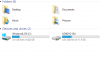
-
even it is pure speculation: did you clone the drives? perhaps it its the recovery partition you are seeing.
-
That's Lenovo's factory partition with drivers and stuff, not a physical drive. Did you do clean Windows installation on your new ssd?
-
Hi everyone.
First of all, I'm sorry if my question sounds absolutely dumb (and it probably will), but I'm kind of a newbie.
I've purchased a Lenovo Y50 today and I'll recieve it soon, and I read on this forum that a clean install of Windows 8.1 is highly recommended. For this reason I'm planning to do a clean install as soon as I get my laptop, but I have a question regarding this process :
Is the feature "Reset your PC" on windows 8.1 identical to a clean start and and can I use it when I get the laptop in order to perform a clean install, or do I have to go through the whole process of putting the Windows 8.1 installation files on a USB key, then boot the laptop on the USB key and follow the steps ?
Thanks a lot, cheers.m1ko likes this. -
I might be wrong somewhere here so comments and corrections are welcome. Clean install of Windows 8.1 will save you some frustration with preinstalled bloatware and will give you freedom of resizing partitions to your liking. The latter will disable your one key recovery function. "Reset your PC" function will set your Y50 to factory defaults removing your user data and restoring all preinstalled stuff, which will likely be identical to state it comes to you now.
To summarise my point of view, I don't think you should do clean install right away. I had no problems with bloatware, just removed 90% and forgot about it. However if you, say plan to change your stock SSHD to SSD, a clean install is recommended, yes. If you're ok with the deafult drive, keep things simple. -
Sorry for the noob question, I've never had a machine with a decent graphics card before...
I got RealTemp to monitor my CPU temperatures and I noticed in some older screenshots that other users are getting GPU temp. I'm not getting GPU, just the temperatures of the two cores of my i5.
How do I get it to show the GPU temp? -
Cloned the drive.
-
Just figured I'd let you know that this statement is no longer true!
I can't provide a link I don't think due to the forum rules, but it's pretty easy to figure out from my sig. -
Is t possible to get higher wifi-speeds than 77.5Mbit with the atheros ar956x card?
-
i dont know what card you have currently but the intel 3160 is treating me well. im getting around 98Mbps download and 13 upload. so im guessing its probably just your internet speed
-
Guys, what's the latest audio driver? 6.0.1.7195?
-
Well..So I got the laptop and it's really nice. But the bloatware...
So, I wanted to do a clean install of Windows 8.1 but I can't
There's no key on the laptop, so I guess it's in the BIOS, and that's great. I've managed to get the key using different programs but this key doesn't work(not surprised) when for example creating a bootable device using Microsofts own program.. So how am I supposed to do a clean install? -
At your own risk. Worked for me but was tailor made so.
https://www.bios-mods.com/forum/Thread-REQUEST-Y50-70-9ECN30WW-V1-13-whitelist-remove -
Just a quick note and though i would share my initial experience with the laptop over that past few days. Well i bought it with the intention of graphic design, programming and gaming on my tv. The gaming part blows away my expectations. Just downloaded the latest nvidia drivers and im getting over 100fps on Bioshock Infinite completely maxed out! Before the driver update it was averaging about 40fps now its more like 60-70 fps with occasional 30fps during cut scenes. Couldnt tell this unless i had the fps counter mind you. My experience with the laptop screen isnt great mind you, its got bad viewing angles. Now usually im like "Why do people care about viewing angles if you are looking at it straight on!" Well this laptop the whole screen can never be to its max potential and all colours looking good unless you are in the dark. One side of the screen will be saturated when looking at it straight on. For this reason on day one i ordered a new screen. Should be here tomorrow. Having said that its not that bad that i cannot use it, but if you want to make the most out of gaming, multimedia and graphic design i would get a new ips screen. There are so many people complaining about this laptop. Flexy keyboard? Horrible screen (ok) and a crappy trackpad. Im no experienced laptop user but the trackpad feels awesome, i didnt notice until earlier on that i can have a finger on the button and other hand scrolling. Also supports multi touch which is awesome. Also, it has motion sensors haha how cool it that? Kinda a gimmick but i didnt even know it existed until it arrived! You can pause movies and view images just by swiping your hand. Cool shtuff like.
Its running Autodesk Maya great (maybe not rendering obvs but stills no problem) and like i said before, gaming with the latest drivers is a absolute pleasure. All of my faourite games maxed out to its full potential. As for the wireless card on online gaming... i dont think its designed for intense online battles imo. I get around 30fps in Smite online because of this, ping is always above 60. Mind you i game on my desktop for smite as its better for obvious reasons. If i was using the laptop as a desktop replacement i would just put in the ethernet cable. Problem solved. The keyboard is a pleasure to type on and looks stunning. Ive been touch typing this whole post and only had it a day. It feels great! I love the rubber feel to it all.
All in all, replace the screen for £55 if you can and this beast will provide endless amount of entertainment. My poor desktop is getting neglected!
imgur: the simple image sharer
Above is a link to the laptop next to the desktop. Just for nerd reasons. Have a good one friends! -
Hi All,
I purchased the Lenovo Y50 Touch about a week ago. I understand it has a hybrid drive in it and that the OS sits on the SSD portion...
I have done all the windows updates and but have only installed MS Visual Studio for my Visual Basic class and Steam as well as DayZ.
My biggest complaint is the slow start up and especially shut down. It takes between 35 and 40 seconds for the splash screen to appear and it takes a whopping (1 minute and 35 to 40 seconds) to shut down completely. Is this normal? It is essentially new and stock... How long does yours take to start up and shut down with the Hybrid Drive?
My second complaint and I haven't had time to sort it out is the GPU. First, Its been Years since I gamed and I am new to Steam and DayZ. My son asked me to get the "Gaming" laptop to play DayZ with him over the net. Anyway, when I launch DayZ from the desktop or Steam the resolution is very very low, something like 240 by 180. I have to open up DayZ from inside the NVIDIA GeForce Experience for the game resolution to be playable... What gives with that?
Any other info and tips are greatly appreciated...
Tom -
The hybrid drive doesn't differentiate between what is and isn't the OS. All it does is recognize what files are used the most and pushes those to the SSD part. It'll take time for the drive to push those files over, so it might be a while before you start to see an improvement. That's why most people just get an SSD. You don't have to worry about that and EVERY file loads fast, no matter what.
Those speeds do seem pretty slow though... Open up the task manager and go to the Startup tab. Disable everything but the ETD Control Center (touchpad stuff) and anything else you need to start up with the computer. That should boost start-up time...
Make sure Fast Boot is enabled. That should also speed everything up. If it is enabled and you're still getting a slow startup, try turning it off. With my SSD, it actually takes longer to turn off with Fast Boot enabled than with it disabled. With it on, my screen goes off after about a second, but the keyboard backlight stays on for another 8 seconds. With it off, the screen goes off after 3 seconds and the keyboard backlight after within another second.
Fast Startup - Turn On or Off in Windows 8
There should be a setting inside of DayZ for changing the resolution of the game. -
What i don´t get is than i should have the same network card (intel 3160) as you, but it comes up in windows 8.1 as the atheros card. Have they changed the card for the 4k version. I have the 4k version of the lenovo y50-70. The atheros driver is avaliable on the lenovo y50-70 support website
-
Is anyone else experiencing bad connection with Realtek RTL8723BE Wireless LAN 802.11n PCI-E NIC? The signal strenght fluctuates a lot and i get around 3-6 mbit with 75mbit internet 10 meters away from the router. This results in some package loss in battlefield 4 for example.
alekxandar and Rowoad like this. -
careful about flashing bios intended for other user's laptops - they will replace your windows 8 license info, so you wont be able to activate windows as before.
-
Yeaaa. So I got the fresh install working. Managed to find the key with another program.
The computer is freaking great. Though I did expect a little more battery life, I'm getting a little more than two hours from a charge with everything on powersaving(aka non-smooth experience). Though this is with constant websurfing, so maybe it's not that bad. It's only like my third charge and I'm fiddeling alot with it, installing drivers etc. Done some undervolting, let's see how that goes.
Only thing left is doing something a little about the screen...Yellow is replaced with the color mustard
-
I know I am late with this as I haven't been here awhile but I was wondering if there has been a fix to the 4k IPS panel 48 FPS cap.. Also are there 4K IPS panels available to purchase so that I can insert into my base model? Thanks
-
Hello.
Im kinda new here, my y50 is arriving tomorrow. So I want to exchange stock HDD with SSD. Im abit scared, so i'd rether ask =D
Some people were telling me that there is no need to unplug the battery while exchanging HDD. So i wonder should i unplug battery from motherboard during process or not? Oh and also, does HDD for SDD exchange void warrnaty. Im from EU.
Thanks for answer.
LeafberryNightech likes this. -
Hi guys, norwegian lenovo y50 and have the same wifi wireless card as you. And it doesn't work good at all.
What is the solution? I don't want to re-install windows 8.1, that sounds like hunting deer with a US Destroyer. Tried ofc new drivers but that didn't work. -
This is a hardware issue as far as I know. No 4k replacement screens found so far.
-
is there a way to know which wireless card is mounted before buying?
-
Hmmm....Seems to be some internet issues. The speed it not great. I'm getting around 30Mbit/s, though this is using my ty Thomson TG789 so I think the problem there is the router.
The annoying thing is that webpages(randomly) sometimes doesn't load. But maybe it's a problem with Windows 8(.1). -
When I bought mine all the components were listed on the retail box of the laptop including wwan.
Lenovo Y50 Owners and Information Thread
Discussion in 'Lenovo' started by kingfirejet, Jun 5, 2014.


